Customer Ratings & Reviews
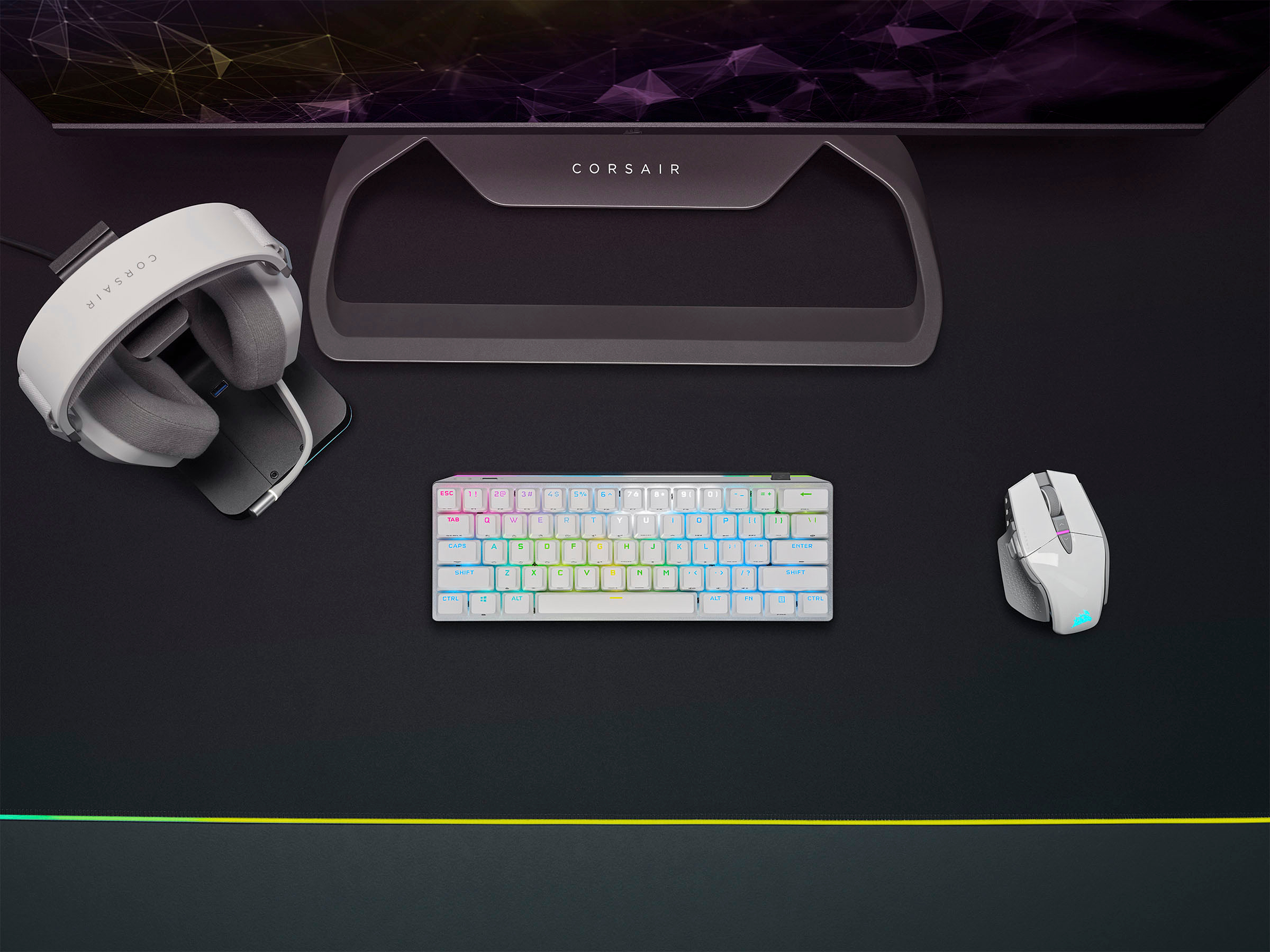

- Model:
- CH-9189114-NA
- SKU:
- 6559380
Rating by feature
- Value
Rating 4.4 out of 5 stars
- Quality
Rating 4.8 out of 5 stars
- Ease of Use
Rating 4.7 out of 5 stars
Customers are saying
Customers are enthusiastic about the K70 Pro Mini Wireless keyboard's exceptional build quality, vibrant RGB lighting, impressive battery life, and convenient wireless functionality. The compact size, ease of setup, and satisfying key feel are also well-received. While some find the price point challenging, and others have noted concerns regarding the software and stabilizers, overall the keyboard is positively reviewed.
This summary was generated by AI based on customer reviews.

The perfect companion for a Game Console
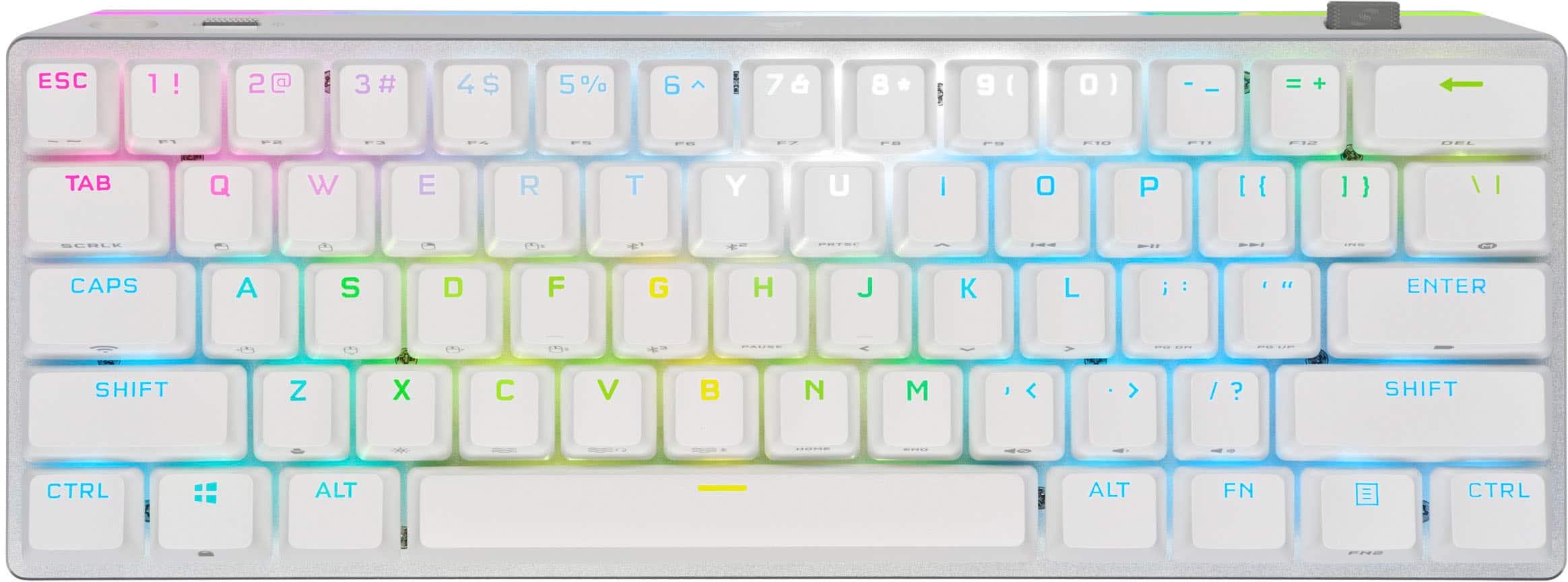
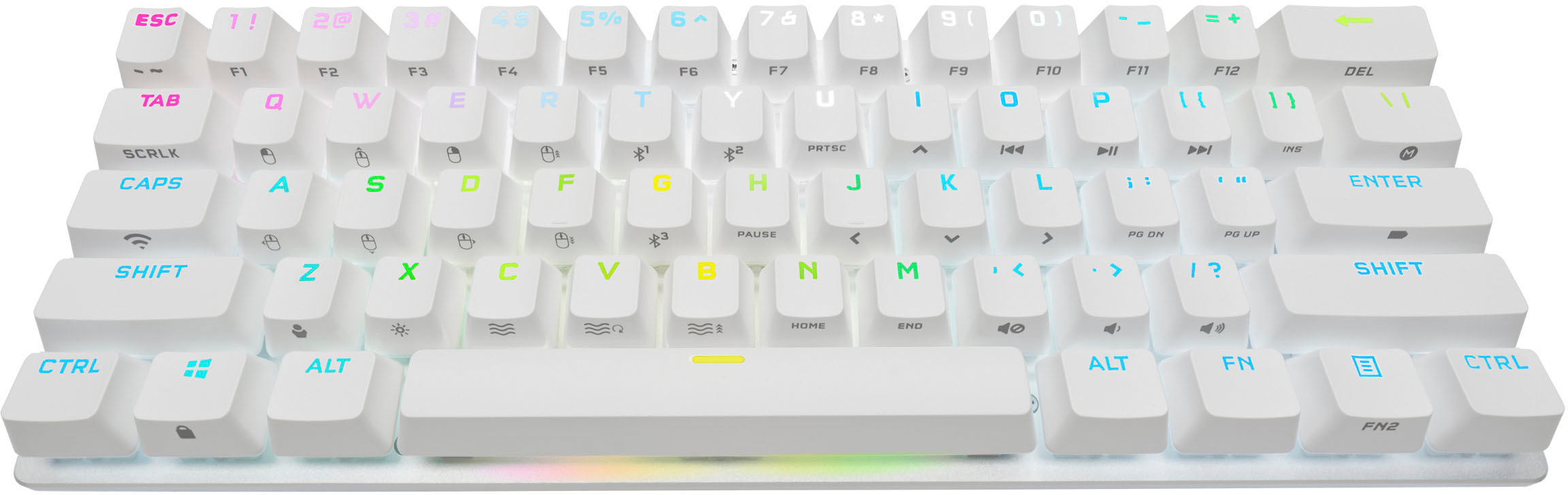
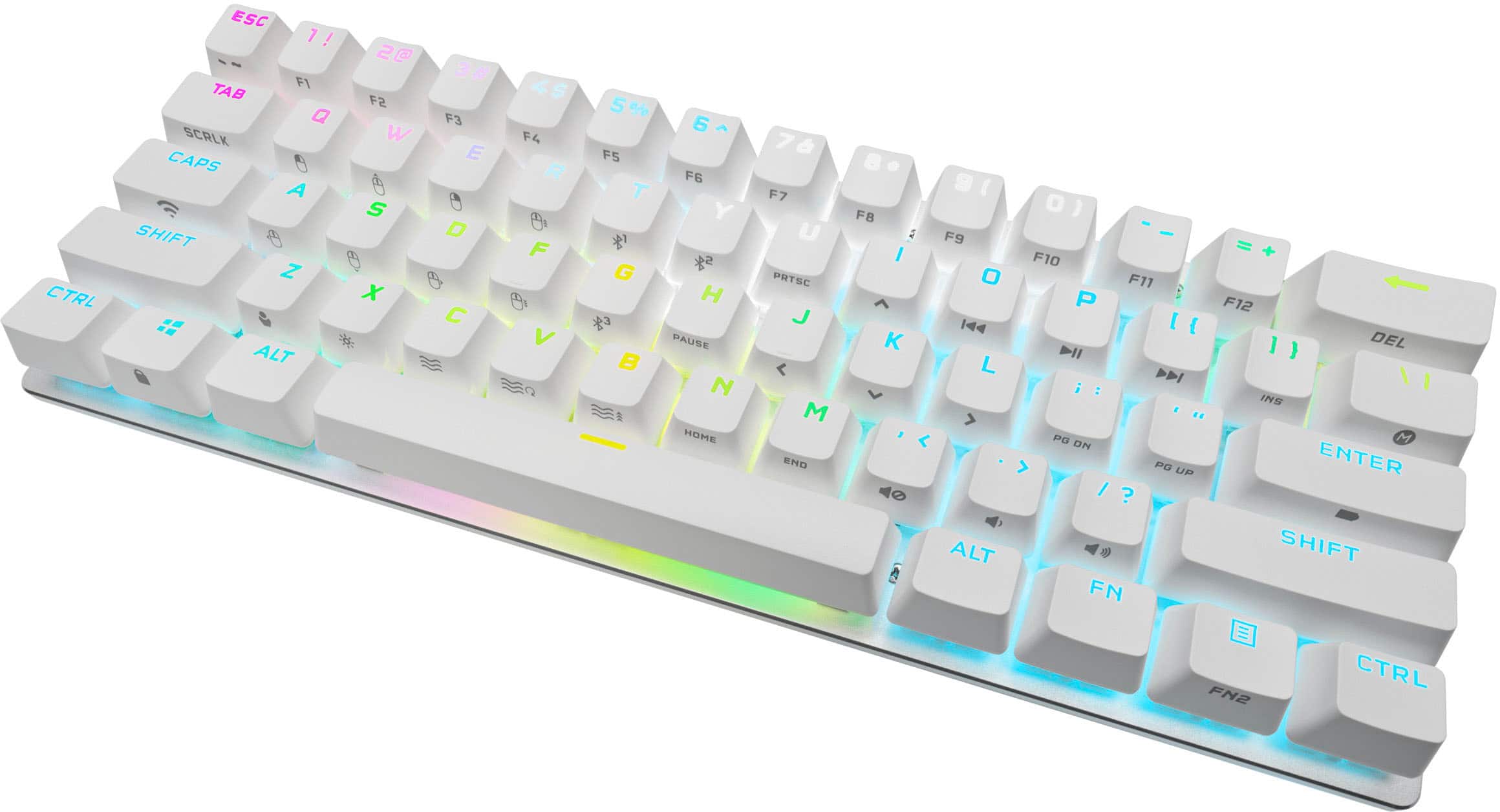
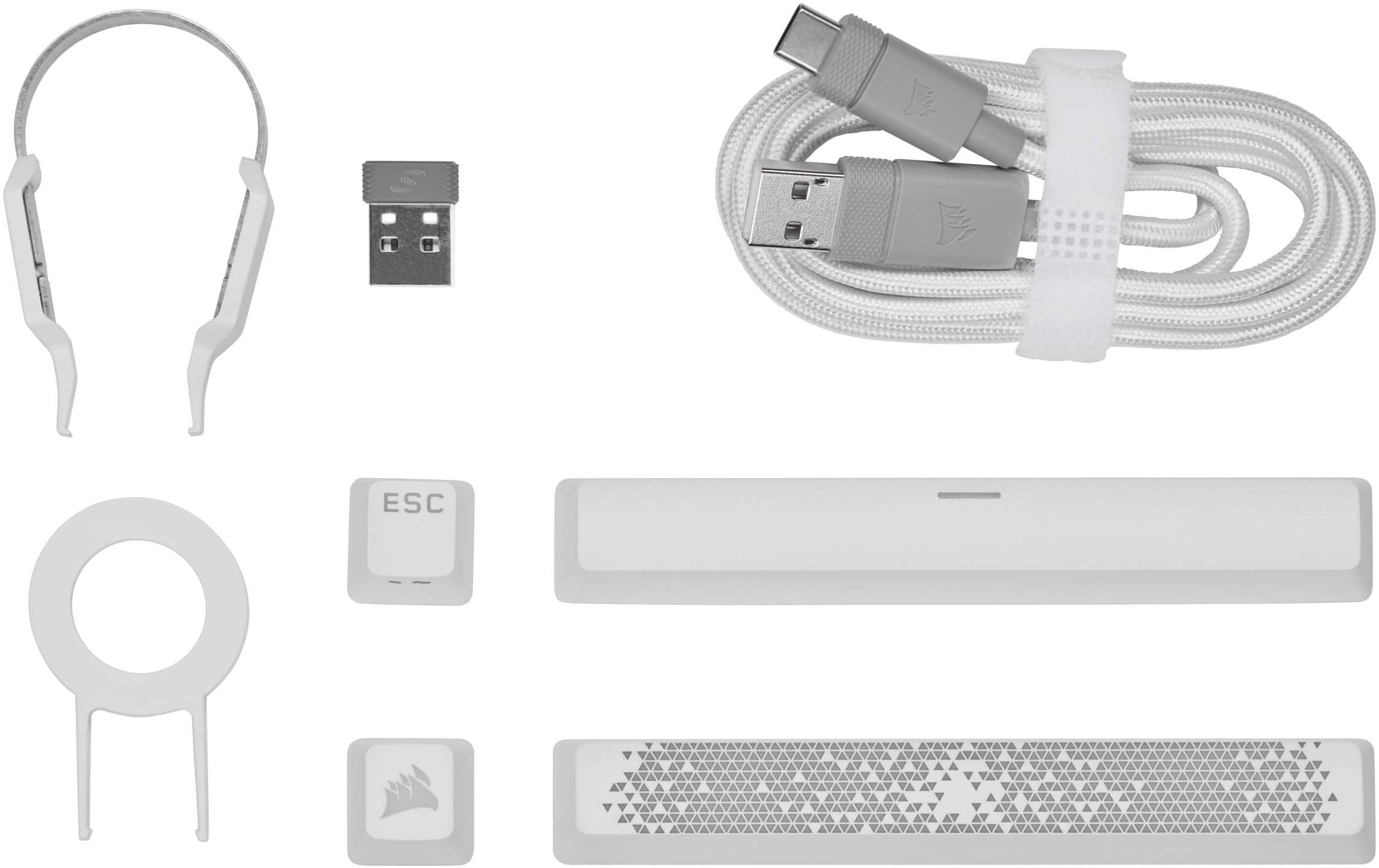
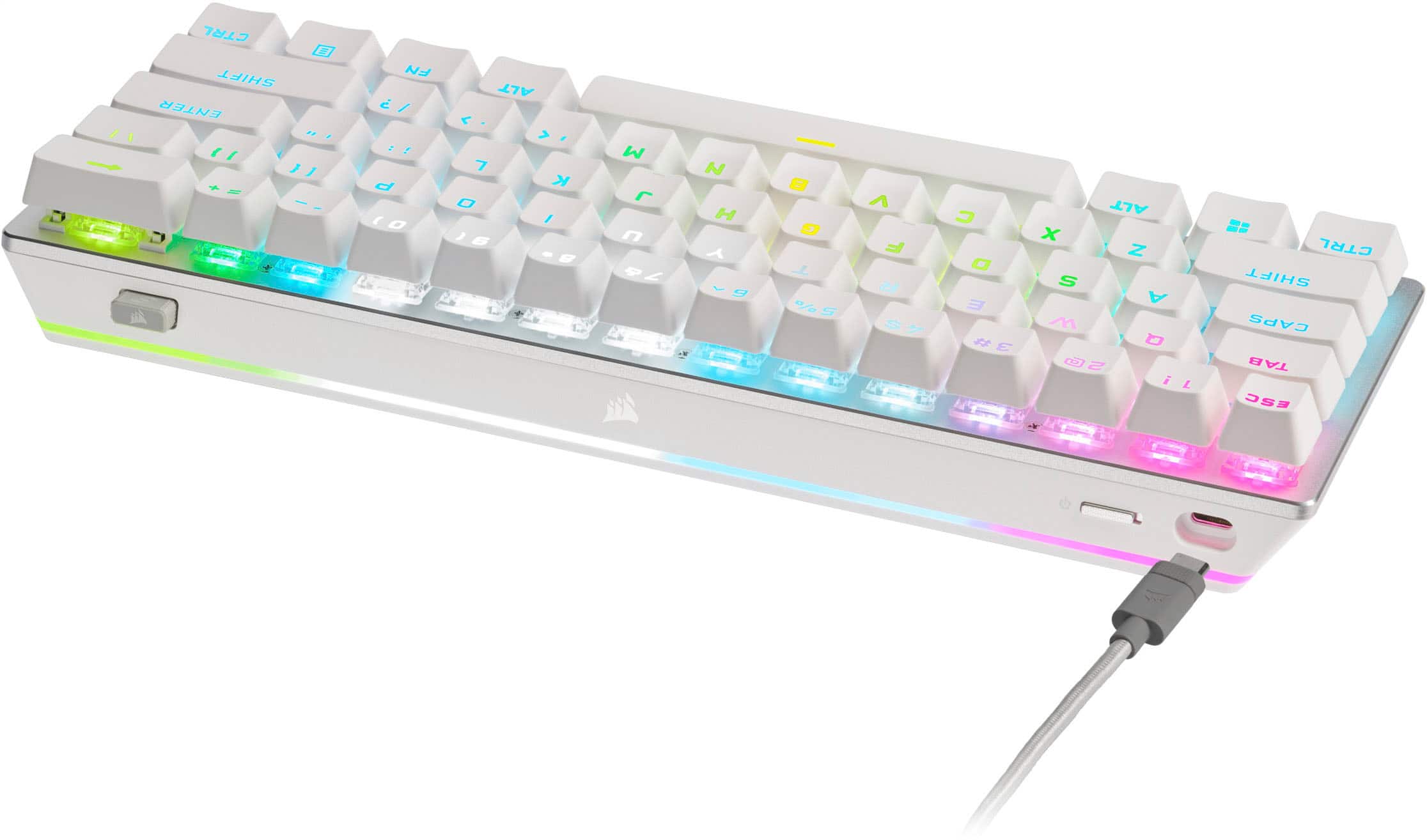
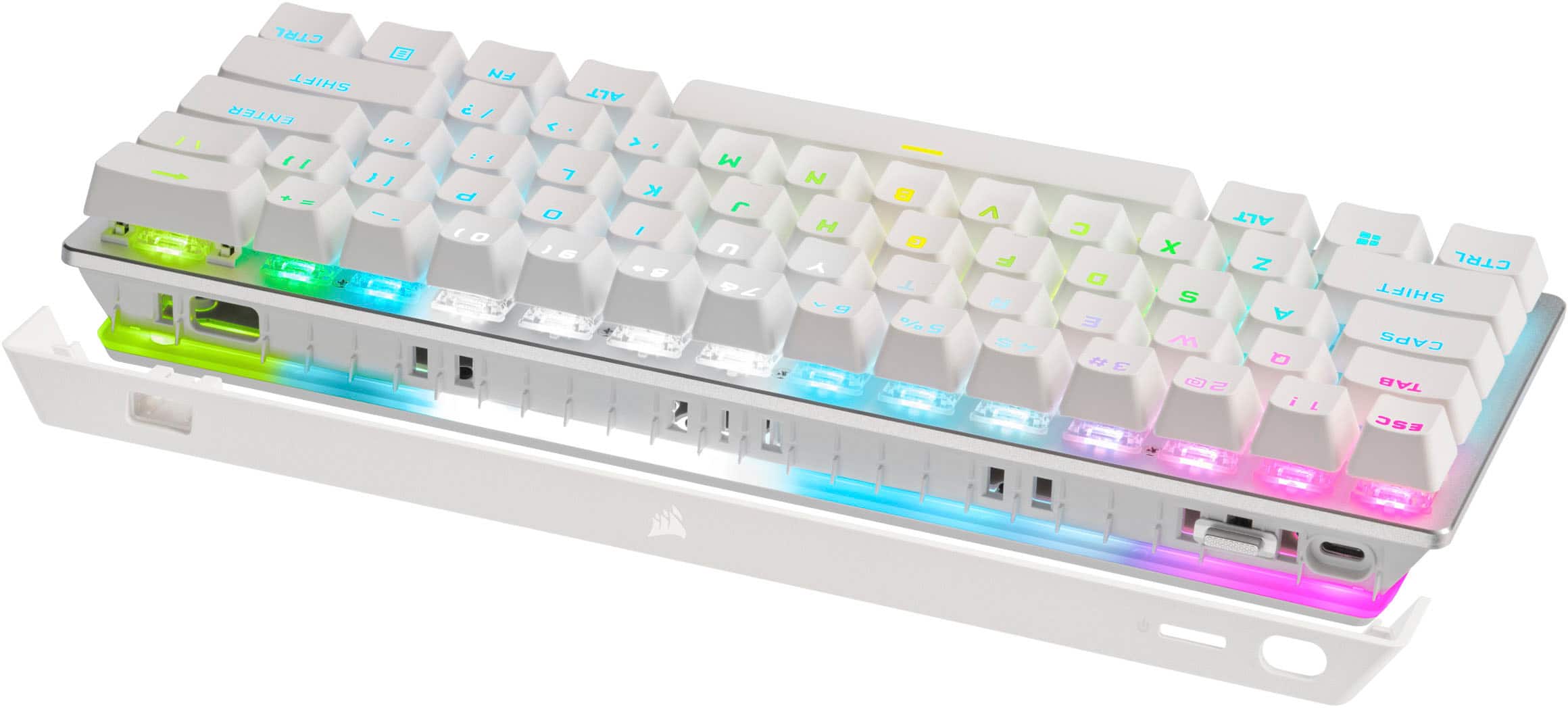
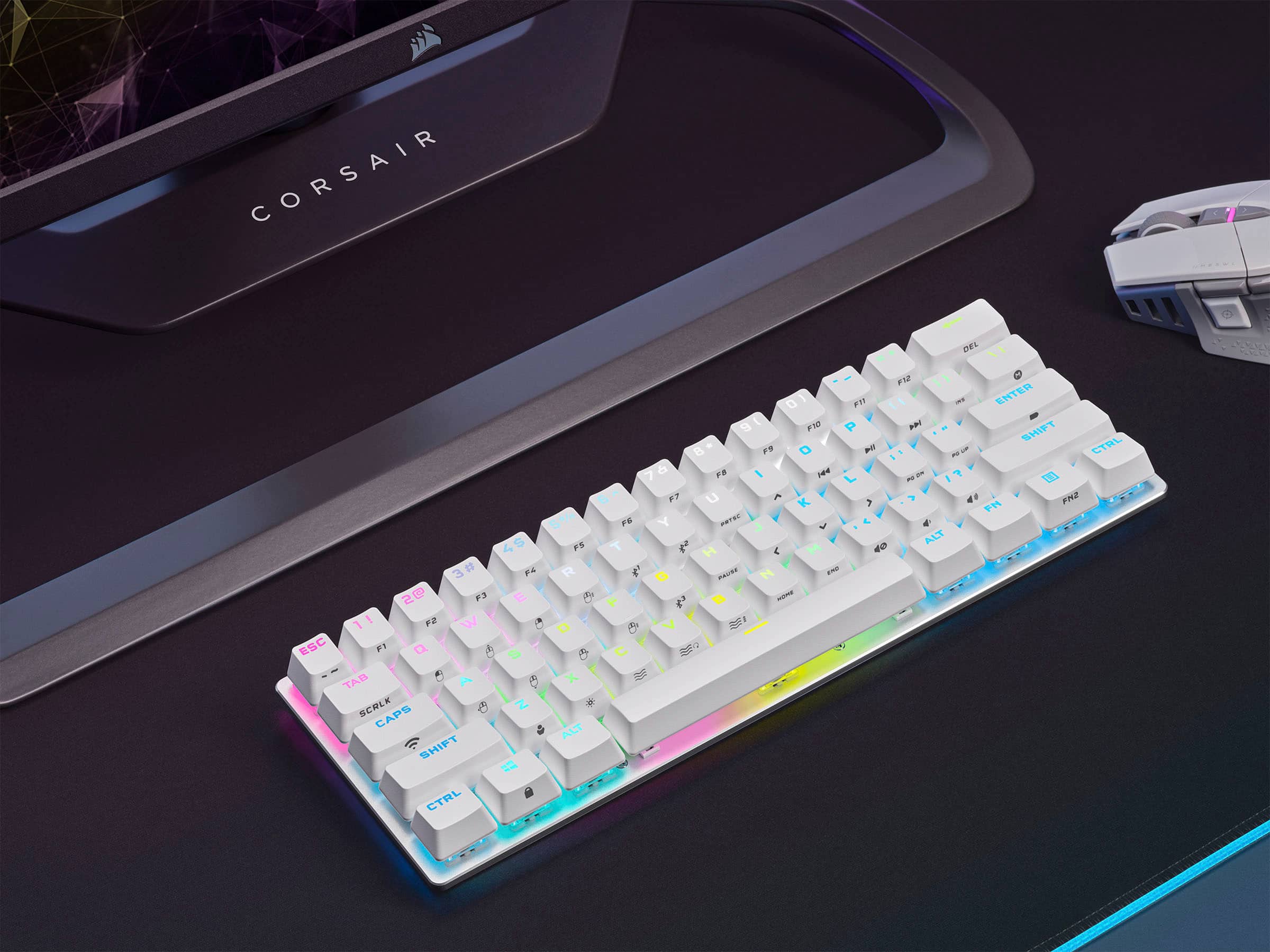
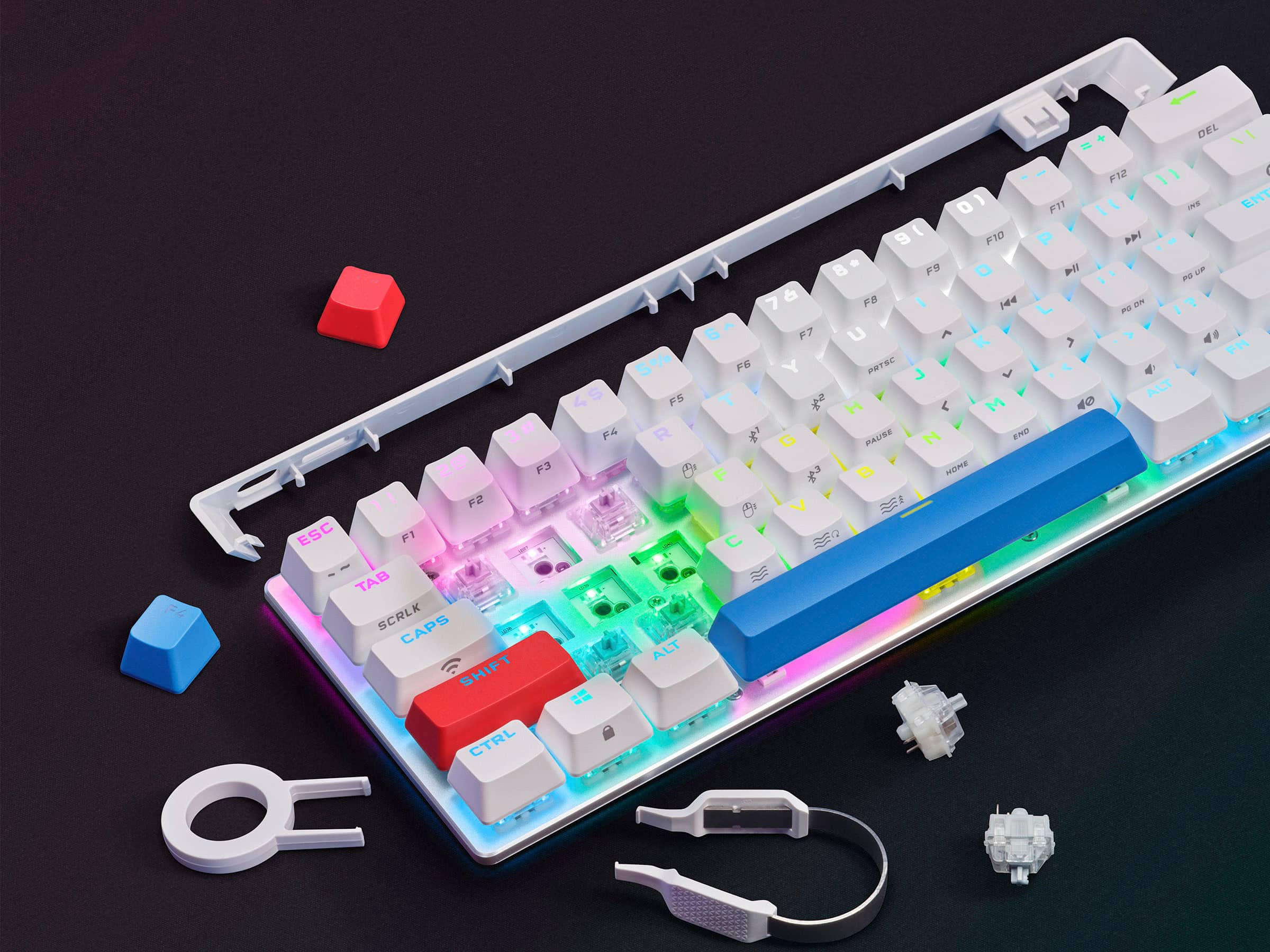
|Posted .This reviewer received promo considerations or sweepstakes entry for writing a review.An initial charge with the included USB Type C to USB-A cable is advised. A USB-C port is not needed as long as you have this or a similar adapter cable. After allowing 2 hours for a full a full charge I was able to connect the keyboard to my PC using Bluetooth without any issue. If your device does not have a Bluetooth, the USB cable can be used to direct connect the keyboard, or the Slipstream Wireless USB Receiver stored on the back of the keyboard can be used. Simply insert it into any USB 2.0 Type-A port or above port on your device and the keyboard will instantly pair and work with it in hardware mode. When the keyboard is connected to a device that does not have iCue, a PlayStation, Xbox, or computer without the software or not using the Slipstream USB Receiver, the keyboard will work in hardware mode. User profiles and settings saved to the keyboard itself which has 8MB of storage space. In order to use the iCue software with the keyboard, you must use the Slipstream Wireless USB receiver which must be paired to the keyboard. Insert the Slipstream Wireless USB Receiver in one USB port, then connect the keyboard using the included USB-C to USB-A cable. Select “Pair” in the iCue software. You can now customize and program the K70 keyboard. When the iCue software is running on a connected PC or Mac, the keyboard operates in software mode and is controlled by iCue. Lighting effects, colors, keyboard macros can be programmed with iCue. This is also where you can update the keyboard firmware. When running iCue software, macros are recorded to the current iCue profile. The iCue software also has a Dashboard that provides information on your PC hardware such as temperature, fan speed, DRAM Frequency, CAS# Latency, and more on supported PC’s. These worked well on my Dell XPS PC. The iCue software integrates with Phillips Hue Bridge. If you use Hue lights on the back of your monitor or for your room, you could sync them with the iCue software to control the Hue bulbs for an enhanced experience. Unfortunately I do not have these setup to test this. Though a mini keyboard, the keys are normal in size and spacing. The smaller size makes this easier to keep in a cabinet with a game console. The separate function keys, and other keys typically found to the right of the Enter key are duplicated on the other keys. E.g. the numbers on the top row double as function keys when the Fn key is pressed with them. This product uses a rechargeable battery. Pressing Fn + Enter will light the keyboard in different colors to check the battery charge level, Solid Green is full, blinking green/amber/red as it gets lower to pulsing red just before it runs out of power and a charge needed. The keyboard goes into standby mode after 15 minutes with no use to save power. The timeout can be set in the iCue software. Press any key and it jumps to life. There is also power switch on the back of the keyboard to save the most power when not in use. There are instructions on how to remove battery when the keyboard is at the end of its life before you recycle it. There is no mention of a replacement battery being available. I found the keys feels more firm than an OEM keyboard which is preferred. It does not have the positive click feel or loud clack of some gaming keyboards. An optional space bar and Esc key are included along with tools to remove/swap the existing keys and the switches underneath if a replacement is ever needed. Replacing them is easy and straight forward. Each key can be reprogrammed so you can support any language keyboard or do your own unique layout if you wish. The key feel is good and it’s not as loud as a gaming keyboard. I love the size and imagine this will soon find its way into my TV console for use the Xbox and PlayStation there once I settle on my customization for each profile and save them to the keyboard. Overall a solid choice.
I would recommend this to a friendIt Checks a Lot of Boxes
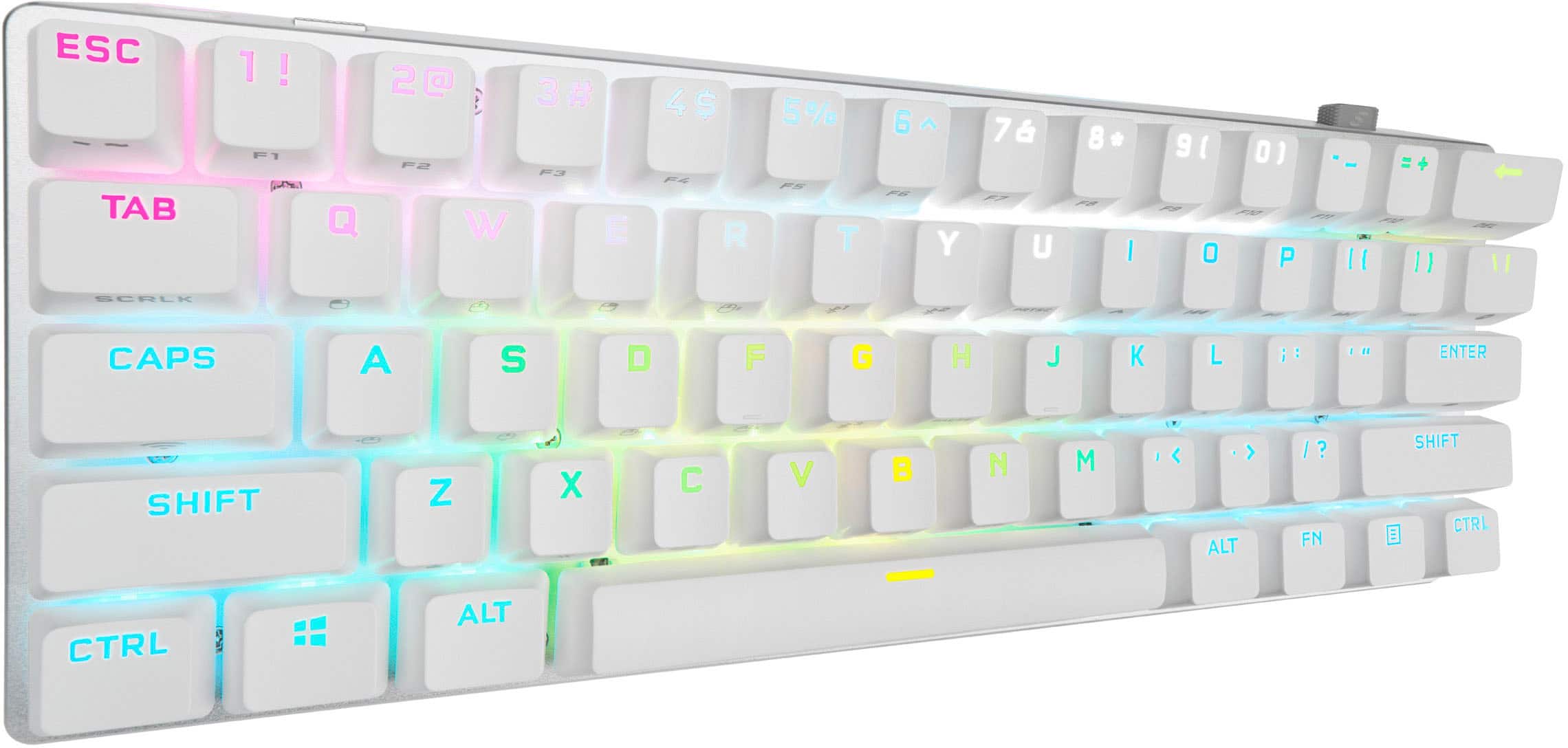
|Posted .This reviewer received promo considerations or sweepstakes entry for writing a review.Corsair has finally released a 60% Wireless Keyboard, and I'm pretty impressed by it. [PROS] The K70 Pro Mini functions as expected. Obviously, wired mode achieves the fastest response times with the 8,000hz polling rate. However, the wireless mode using the included receiver is no joke. While gaming, I was able to achieve some quick kills almost comparable to the wired mode. Finally, the inclusion of Bluetooth completes the connection trifecta. Connection stability and response times are fine for Bluetooth. I've been able to use this keyboard with all of my devices (including Xbox Series X & Playstation 5) which makes me a happy camper. Overall, the build quality is sturdy and decent. The K70 Pro Mini has an aluminum body which provides a premium feel to the frame. It's firm, but lightweight to hold. The sound of the keystrokes are good enough for me, but the spacebar sound seems odd. Regardless, this design works for me given that I'm usually playing with a headset on. Battery life is outstanding. I've used this product for a few hours each day (with RGB), and it still has juice left even after a week of no charging. The RGB colors and lighting is top tier. The keyboard illuminates well even in moderately lit rooms. The iCue software is wonderful in allowing me to customize my lighting effect for the keys as well as the lights around the frame also. Removing keycaps and switches are easy. When I first unboxed this product, I immediately replaced the ESC key and spacebar with the ones provided by Corsair. They definitely provide a bit of a pop the all-black design. I'm still debating whether or not to replace the switches. [CONS] The Corsair K70 Pro Mini lacks dedicated arrow keys. The arrow keys aren't missing, but they are tied to the function key which is one of things you may lose out on when adopting the 60% keyboard lifestyle. Swapping keycaps will cause you to lose visual identifiers for your secondary functions. Unless you can remember the functions by heart or Corsair decides to make alternate keycaps with these functions printed on each key, then you may be "stuck" with this set. Hopefully, the company will make some pudding keycaps to really make the keyboard standout. This is a minor gripe, but I did notice that not all USB C cables will fit inside the slot. I was able to find a couple of cables that were able to plug in snugly for charging. [CONCLUSION] For gamers searching for a minimalist style, this keyboard is it. This keyboard does have some drawbacks, but not enough to take away the love I have for this keyboard for my setup.
I would recommend this to a friendA Tiny Keyboard with Big Performance
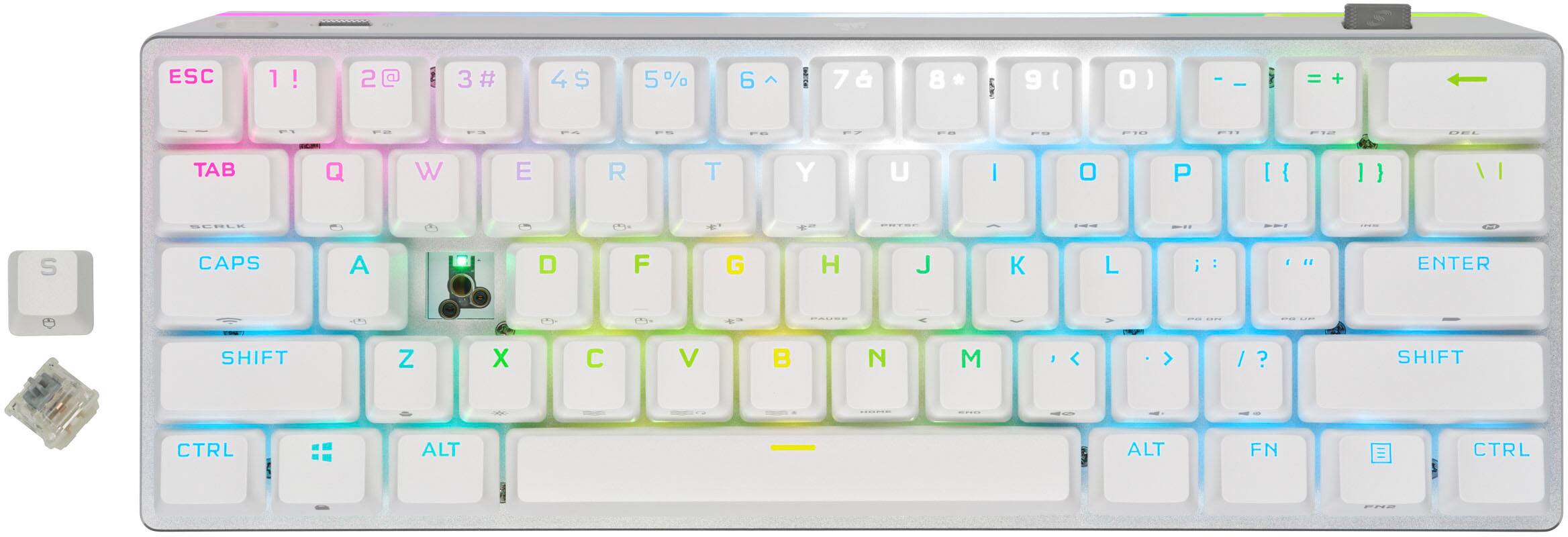
|Posted .This reviewer received promo considerations or sweepstakes entry for writing a review.I love mechanical keyboards. I especially love smaller ones, because let’s be honest, who uses all those keys on the keyboard anyway, right? This Corsair K70 PRO Mini wireless mechanical keyboard will be the smallest keyboard I’ve ever reviewed and I’ve got a few things to say about it, so let’s get on with the review! In order to keep this review organized, I’m just going to break it down into a few categories that I feel are relevant when reviewing keyboards. Build Quality/Aesthetics: This keyboard is exceptionally solid. It’s built with what seems like a combination of plastics and metal/aluminum. There is no flex when typing and it’s heavy, but not overly so. The keys caps are PBT double-shot and the whole keyboard just has a quality feel to it. The lighting is fantastic on this keyboard. Not only can you layer lighting effects using the iCUE software, but the keyboard has a light ring around the bottom as well as the lighting underneath the keys. For example, the space bar alone has 4 zones that are customizable and that’s pretty impressive for a keyboard of this size. If you really want to get into some custom lighting, the iCUE software will let you do that. I’m a pretty basic guy, so I picked the watercolor effect and moved on. The one minor complaint about the lighting and one that will probably be fixed with future firmware, is the fact that the “Enter” key is used as a battery indicator. The lighting effects work as intended when the keyboard is being used wirelessly, but when you are using it wired, the enter key will always be lit green. This can completely throw off the vibe of your lighting effect, but it seems like a minor bug that will probably be addressed eventually. Ease of Use: You can use the K70 PRO Mini both wireless and wired. If you use the keyboard wired, you can actually adjust the polling rate to some ridiculous settings for extreme gaming, but you’re locked to 1,000hz when using the keyboard wireless. I played with the polling rates and noticed no real difference between them, but I’m also old and slow. Setting up the keyboard is easy. Plug in the dongle and load up the iCUE software if you want to customize your keys and lighting. If you’d rather have it plugged in, you can use the supplied USB-A to USB-C cable and plug it directly into your computer. I noticed no lag when using the keyboard wirelessly and if I were to do a blind test, I wouldn’t be able to tell the difference. The iCUE software is just okay. It’s a bit bloated and can act a little funky at times, like your uncle after a few drinks at dinner,, but overall the software works okay. I’m able to control my HS80 wireless headset and my K70 from this single piece of software and that makes me pretty happy. Some of the settings and toggles are a bit confusing or only offer vague explanations as to what they do, but I’m sure that’ll improve over time as well. Overall, iCUE isn’t the worst piece of software, but it could definitely be better. Feel and Useability: Let’s talk about the keys and switches. This particular K70 is equipped with Cherry MX Speed Silver switches. I had no idea that Cherry MX even made a speed silver switch, but I also thought driving with the light on inside my car was illegal for almost 20 years. This speed silver switch reminds me a lot of red switches, but are supposed to be even faster with less travel. I like the feel of the switches. They are not tactile, but instead are linear and easily depressed, meaning not a whole lot of force is required to push them. This is supposed to be awesome for gaming, but again I’m getting a little old so I’m not sure it helped me much in Counter-Strike. Oh and these switches are completely swappable, in case you want to keep the keyboard and get something more clicky or quieter later down the line. Overall, I really like the profile of these keys. While not the lowest profile keys I’ve used, they are nice and still have a good amount of travel to them. They are comfortable for both gaming and everyday typing, although I’d definitely go with a different keyboard if I wanted to use this for any sort of productivity task. I say this because it’s just missing a bunch of keys and you’re going to have to rely on not only the function key, but the function 2 key. That’s right, this little guy has 2 function keys to toggle all the keys that are supposed to be there normally. Okay, so let me break this down for you. You want to press an arrow key like you’re used to pressing, too bad, it’s not there. You want to page-up or page-down? Too bad, that key isn’t there either. Oh you want to delete something? Nope, sorry buddy, but there is a backspace key! Most of these keys are accessible through a combination of pressing one of the function keys and then the appropriate key, but it definitely makes even everyday computing a bit tiring. The actual layout of the keyboard is great. All the keys are where they are supposed to be, even if the gap between keys is a little tighter than I’m used to. Just be warned that this keyboard might take a little getting used to depending on your habit, but this is highly subjective. Overall Impression: I like the Corsair K70 PRO Mini keyboard, but it might take a little bit more time for me to love it because of how tiny it is. Its diminutive size is both its greatest strength and weakness, but you’ll know this going into this purchase and there weren’t any real surprises throughout my time with the keyboard. If you’re going to use this keyboard only for gaming, then I don’t see an issue with the missing keys or its size, but if you’re like me and even occasionally use the same computer to shop online, do taxes or send emails to relatives you’d rather not talk to, then you might want something a little bigger that will have those additional keys that you’ve grown used to.
I would recommend this to a friendPerfect for when work is done
|Posted .This reviewer received promo considerations or sweepstakes entry for writing a review.When I saw this keyboard for the first time, I considered whether I would even enjoy something so compact for gaming. I have a conventional keyboard that I use for everything, primarily because I found gaming keyboards to be too loud for things like typing up a document, which I tend to do more often than play games these days. What I realized is this is the perfect thing for me, as a second keyboard that I can use for gaming exclusively while using my other one for everything else and due to its diminutive size, it will not be in the way when I put it aside. Being so small, wireless, and yet having a very tactile feel and heft makes it a really nice package overall. This keyboard has the proven and well-regarded Cherry MX Keyswitches, and uses Corsair’s Slipstream Wireless technology for high speed, low lag inputs. You can also use it with Bluetooth or plug it in and go wired instead. I for one am not a pro gamer, but I do like to play as much as time permits me. So, I don’t notice any difference between wireless or wired. That is a good thing however as it is telling for how good the wireless is. Bluetooth is not the best way to use this keyboard, there is noticeable lag going that route. But it’s an option, nonetheless. As is popular with PC gaming, full RGB lighting is in effect here, with each key individually lit and customized with Corsair’s iCue software. It even takes it a step further with RGB lighting around the entire perimeter of the aluminum frame. It’s a very flashy and well-lit device. It advertises up to 200 hours of wireless play on a charge, I have no way to know for sure it’ll last that long or what impact the RGB has on that battery life, but it seems so far like it will go a very long time before I need to plug in. Now, this is a gaming keyboard after all, and I have no complaints other than maybe the very small size. It is clicky, responsive, and all the keys feel good to the touch with good smooth travel and minimal noise. It has adjustable feet at the back for changing the angle like nearly all other keyboards I’ve used, and it comes with a couple of replacement keys to customize it a bit such as a different style of space bar, and a little tool for removing the keys. Also includes a charging cable, and a USB dongle for that Slipstream Wireless to work. The dongle plugs into the back of the keyboard for storage if you are using it wired or Bluetooth so you can keep it close by. With how small it is, some things get lost in translation. For example, it does not have dedicated arrow keys, but there is an alt function that will let you use IKJL as arrows if you need to, as well as many other functions on various keys. If you have space constraints, or maybe like me use your PC for lots of things that make only having a gaming keyboard a pain, this is a great way to go. Its responsive, feels great, and super small so it's easy to store away when it's time to work.
I would recommend this to a friendIt Checks a Lot of Boxes
|Posted .This reviewer received promo considerations or sweepstakes entry for writing a review.The K70 Pro Mini is Corsair's first wireless 60% keyboard, and I'm pretty impressed by it. [PROS] The K70 Pro Mini functions as expected. Obviously, the wired mode performs ultra-fast with the 8,000 hz polling rate. However, using the included receiver in wireless mode is no slouch. I was able to achieve quick kills that were almost comparable to the wired mode. Finally, the Bluetooth capability completes the connection trifecta. I've been happy to be able to use this keyboard with all of my devices including my Xbox Series X and PS5. The keyboard has a sturdy build quality. The body of the keyboard is an aluminum frame that's premium in touch, but the product is still lightweight. The sound of the keystrokes are acceptable to me especially given that I game exclusively with a headset on, but others may would have opted for a different design. Battery life has been superb. I've used this product for a few hours each day (with RGB) and the keyboard still holds a charge after week. The RGB lighting has been outstanding. I can still view the lighting effect even in moderately lit rooms. The iCUE software has been great in allowing me to customize the lighting of the keys as well as the strip of lights around the frame. Removing keycaps and switches are easy. Upon unboxing, I immediately replaced the ESC and Spacebar keys to add a bit of pop to the keyboard. However, I am still debating on whether or not replace the switches. [CONS] When adopting a 60% keyboard style, you are prone to lose things. This keyboard lacks dedicated arrows keys, and I miss them. They are still present, but tied to the function key. Replacing keycaps will provide a dilemma. Unless secondary key functions are unimportant or you are able to recall them from memory, you might not want to replace the keycaps. Hopefully, Corsair will make pudding keycaps with these functions writing on the caps to make the keyboard really standout. A minor gripe I also have is concerning the USB C cable slot. The size of the slot only allows for a few cables fit in. Fortunately, I have a few cables able to fit snugly into the charging port. [CONLUSION] Overall, I love this keyboard. There are some drawbacks, but I can live with them because they help me accomplish my goal which is a minimal, but highly functional setup. For that, it gets the perfect rating from me.
I would recommend this to a friendSolid, robust, awesome addition to any setup!!
|Posted .This reviewer received promo considerations or sweepstakes entry for writing a review.I was not sure at all how I would like a mini keyboard. I’m kinda clumsy typing and gaming, and I tend to slam on the keys. This keyboard is robust, and very well made. I am now a believer, maybe not a mini-convert yet, but I’m strictly using this keyboard from now on. You can feel the build quality when you take it out of the box. The aluminum casing and weighted body are a welcome surprise. I was expecting something that was gonna fly off my desk when using it. What you get with this product: 1 Gaming Keyboard 1 USB braided cable(USB-C into keyboard, USB-A into PC) Wireless USB adapter Corsair ESC Key 1 radiant spacebar cap 1 keycap Puller 1 keyswitch Puller I’m not much into customizing the keys, but this keyboard comes with the tool to swap out using any MX-compatible 3-pins. This thing is fully customizable! The different lighting effects are a treat to behold when gaming. I try to keep them to a minimum however to prolong battery life. I’ve probably put a good 20 some hours and the batteries are still good. The amount of desk space this keyboard saves too is very much appreciated. This is not a cheaply made keyboard, you can tell there was a lot of time involved developing it, well worth the money!!! You won’t regret it. The cable is even braided, like…WHAT!! Not some cheap run of the mill cable you expect to get nowadays with electronics. Bluetooth setup was a breeze, had to download some firmware but no big deal. The Corsair software (I think it’s called iCue ) is customizable to say the least, but the interface is EXTREMELY user friendly! My only Con is petty and I only mention it cuz it’s a pet peeve of mine. The function key symbols on the front of the keyswitches are white yes, but who plays games in a brightly lit room? Maybe one of these days someone will make it so the lighting effects illuminate the symbols better. Like I was saying though, just a pet peeve, DEF not even close to a deal breaker. I absolutely love this keyboard and I think any PC gamer would be delighted to add this to their setup!!
I would recommend this to a friendPowerful little keyboard.
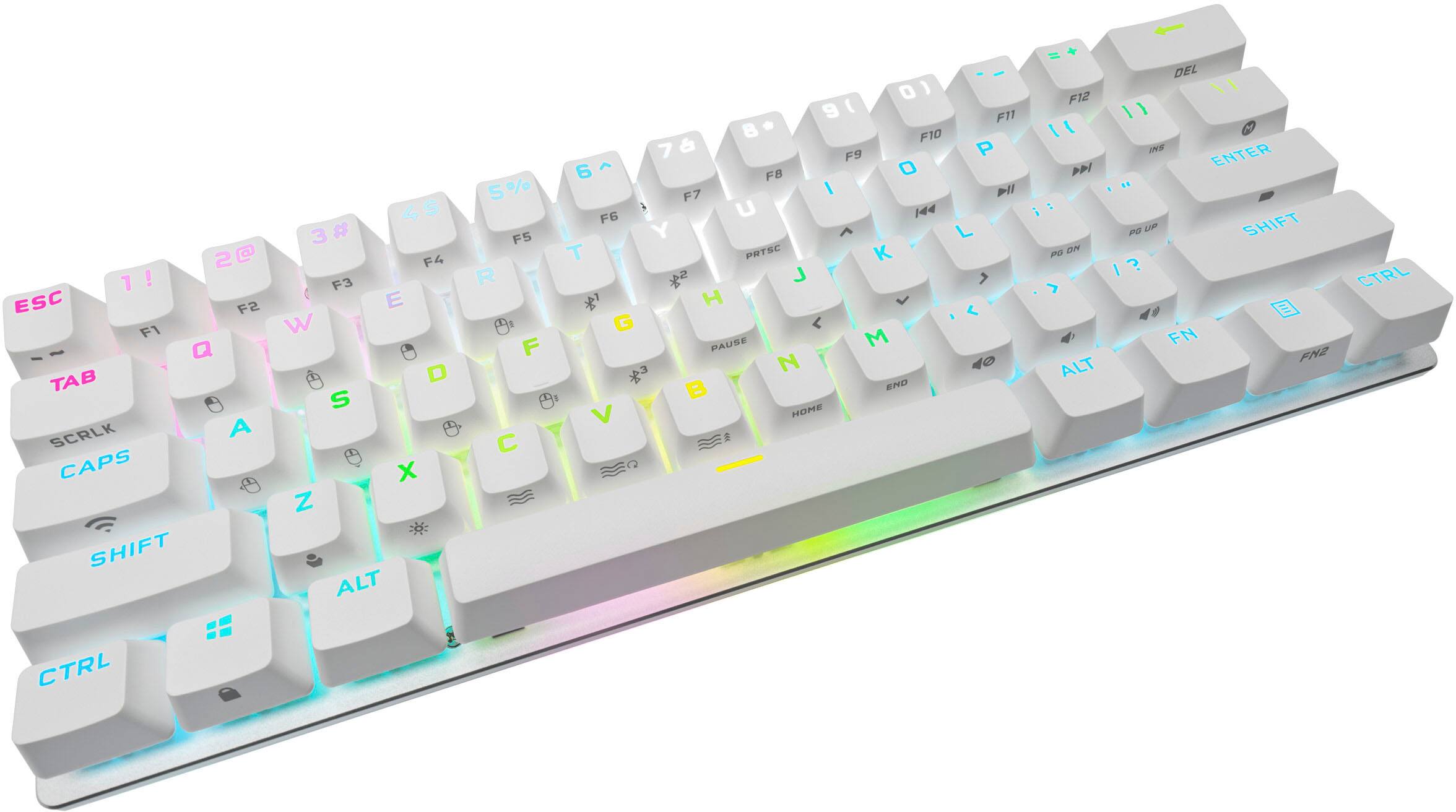
|Posted .This reviewer received promo considerations or sweepstakes entry for writing a review.wow what an amazing little keyboard not only is it for gaming but I find myself wanting to use this all the time now. I’m a person that likes to have a device that I could use all over in different situations. For example I have multiple PCs so it’s so easy to use this and switch between devices. It is equipped with Bluetooth, A micro USB fob, and you can even plug it in the old fashion way. Gaming is great so far with my customization of the keyboard. Although small it is mighty. Each mechanical key feels amazing. The keyboard comes equipped in the box with additional keys to swap out including a spacebar and another generic Key for customization. The extra space bar has a cool design on it which allows the RGB light to shine through I prefer the black one that’s already equipped on the keyboard. RGB lighting on this keyboard is great it is precise and actually makes a difference when you’re looking at the keyboard. In other words the lighting is useful to seeing the Letters numbers and symbols on the keys. Upon opening the Keyboard my first concern was that the keyboard did not have the arrow keys (left, right, up, down). However this is not the case. Rather than have dedicated arrow keys and some others this has quick keys. When looking at all the keys you will noticed the side bottom edges each show symbols for alternate uses (this keyboard is filled with them). Use the function key to take advantage of all the function keys. Icue is great like always. A command Center for all of your corsair products. In the case of this product it allows you to obviously customize the keyboard as well as take control of the RGB lighting.
I would recommend this to a friend- Pros mentioned:Keyboard quality, Rgb
K70 is awesome
||Posted . Owned for 3 months when reviewed.This reviewer received promo considerations or sweepstakes entry for writing a review.The Corsair K70 Mini is a compact powerhouse that packs a punch. Despite its smaller footprint, it doesn't compromise on performance or features. The keys are responsive and satisfyingly tactile, perfect for both gaming and typing. The RGB lighting is customizable to suit your mood or aesthetic, adding a touch of flair to your setup. The build quality is top-notch, with a sturdy aluminum frame that feels like it could withstand a lifetime of use. Plus, the detachable USB-C cable makes it easy to transport or customize your setup. Overall, the Corsair K70 Mini is a versatile keyboard that's perfect for gamers and productivity enthusiasts alike.
I would recommend this to a friend Super Responsive, Great RGB, Love the 60% size
|Posted .This reviewer received promo considerations or sweepstakes entry for writing a review.I'll be honest. I have always been skeptical of 60% keyboards. I love gaming but sometimes you need to do 'real' work and so I always use full sized gaming keyboards. The Corsair K70 mini wireless is the first time I have use a 60% keyboard and I am amazed. The size is awesome, I now have more room on my desk for using my mouse, controller, etc. The Cherry MX keys are super responsive - playing Valorant, it was like I was in the matrix, I was making and dodging kills better than ever. Like Wow. Even though they are mechanical keys, they are not clicky clacky keys. Even people I normally play with commented. There's seriously no lag on the K70 wireless receiver. But the coolest part is the RGB's. The Corsair iCue software lets you customize every little detail, each key is customizable, you can also customize the outer ring RGB LED (something unique to this keyboard). I have not seen RGB lighting this flexible. Other things to know. The keyboard is rechargeable via USB C and comes with a a lengthy braided USB C cable. Corsair also ships a keycap removal tool and some extra keys in the box, including a space bar that lets through more of the RGB light. Overall, this is genuinely a great keyboard. I am now a convert to 60% keyboards and the Corsair K70 mini has become my daily keyboard for gaming and non-gaming uses.
I would recommend this to a friendAbsolutely love Corsair ICUE products!
|Posted .This reviewer received promo considerations or sweepstakes entry for writing a review.Out of the box this thing is tiny! Well built with flip out feet at the back to give a nice angle for typing so that you don't strain your wrist. It comes with a nice USB type C cord and a few other accessories. Gives you a replacement for the space bar cover that allows more light to come through with a graphic on it which is pretty neat. It comes with a USB dongle that stores right in the back side of the keyboard as shown in the pictures so that you don't have to worry about losing it. Once you plug it in and connect to the computer you can then go into the ICUE program and set up any lighting sequence you like from presets to designing your own. I already have the Corsair tower lights so with both the keyboard and the lights synced on the same color preset it looks pretty wicked at my desk. For as small as it is, its really well built and looks nice too! Portability is ideal with this rather than toting around a full sized keyboard. I'd highly recommend this to others looking for an RGB and or mini sized keyboard!
I would recommend this to a friendWhen Space is at a Premium, Strong Wireless, RGB!
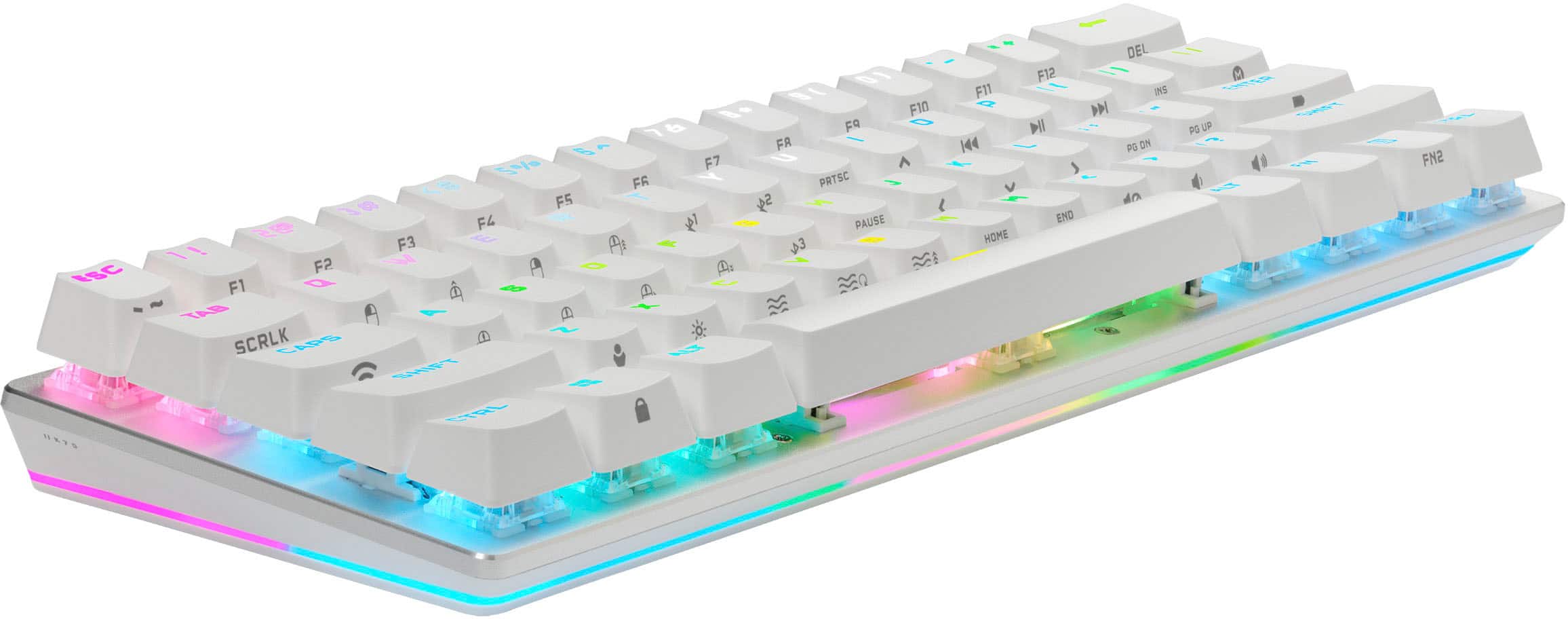
|Posted .This reviewer received promo considerations or sweepstakes entry for writing a review.There are a few things that make this keyboard unique. The most important thing is its extremely small footprint. This might be one of just a handful of 60% sized keyboards that is wireless with gaming quality switches and RGB backlighting. There are many 65% and tenkeyless (TKL) models available, but if size is of the upmost importance, this model stands out. You’ll have to be willing to go without dedicated arrow keys, but all the functionality is still available with the use of a function key. Otherwise, it provides all the necessary keys for gamers without sacrificing key size and spacing. The fully customizable RGB lighting provides the extra aesthetic touch some gamers want in their gaming gear. I really like how the switches are “hot swappable.” Meaning, you can use the included tool to pull out each key’s switch without unscrewing or desoldering them. There are so many switches available today that it’s a nice feature that allows for easy customization. An included pictures in this review shows how to use the tool, along with a removed switch and stabilizer. And I did notice that the stabilizer bar had some grease applied to it, which is nice for key stability, wear and tear, and some noise reduction. It’s not to the level of a full keyboard mod with trimmed stabilizers, copious amounts of grease, and bandages applied, but it’s better than nothing. So, kudos to Cosair for paying attention to the basics. I ultimately want to see if I can install low profile switches, but I’m not sure if they are fully compatible with this model. Otherwise, the underlying plate and printed circuit board can accommodate any Cherry MX brand switch with three pins. Five pin switches may also work as well, you’ll just need to trim two of the pins to allow the switch to sit properly on the board. As far as areas of concern or improvement, I have noticed that many electronic products sold today do not include basic instructions, or even a user manual. Unfortunately, Cosair has followed that path too, at least with this product. I was in complete darkness trying to figure out many of the alternative key combinations that are used with the two function keys. Cosair does have some basic training videos available, but you’ll have to hunt for them online. At the very minimum, they should at least include a printout of the function key shortcuts (see pics) and a reference to the online manual. I did eventually discover a small QR code printed inside the box that led me to the support page. I wish I noticed that from the start. The same goes for the hot swappable switches. You are provided the tools to remove them, but no instructions or explanation on the process. While it may be true that many gamers may already know how to remove switches, Cosair could have done a better job communicating where their reference material is located. Overall, it’s a good quality keyboard. It’s geared for someone looking for the smallest footprint possible for a gaming keyboard. It has many customizable features and options. The Cherry MX Speed (Silver) switches are sensitive and mostly smooth. It’s a solid gaming keyboard with impressive size and looks.
I would recommend this to a friendRGB Monster
|Posted .This reviewer received promo considerations or sweepstakes entry for writing a review.This keyboard is my perfect companion for my gaming laptop. I currently have the the K70 TKL on my rig and I absolutely love it. The Pro Mini is a supped up and condensed version. I’ve used it typing and gaming. The switches feel and sound great. I love love love the RGB it’s absolutely beautiful on this keyboard. It has ton of RGB! Like this thing is packed with RGB on every square inch. And it’s super customizable with the app. You can also swap the space bar with the included key cap to let more of that RGB goodness. Corsair is #1 when it comes to RGB and this one doesn’t disappoint. The setup is quick and easy. Basically plug and play with the usb dongle. Then you download the icue software for any software updates, RGB, and hotkey settings. It has great response times with the wireless technology. This keyboard is definitely on the thicker side and heavy. I am a fan of it because it makes it sturdy and feel quality. It won’t slide all over the place. But something to keep in mind. I love this keyboard! And if you want that desk space but all the awesome features or a portable keyboard this is it!
I would recommend this to a friendSmall footprint but big game play!
|Posted .This reviewer received promo considerations or sweepstakes entry for writing a review.Very compact little keyboard that looks at feels great when playing. It also comes with key removal tools for cleaning and to be able to switch out custom keys. I like that. If your into high end specialty tech…tinkering is always in style from the RGB to the macros to actual keys. What you gain in compact size you lose a little in just how thick it is. It’s heavy, which who cares if it just sits on the desk right? But when I extended the legs on the bottom to sit up a bit and slid it to a different angle the leg extender pooped off! It’s plastic and I was able to pop it back on with ease but it’s something to be considered when moving it around. BEcasue it is so compact I found I did move it more than I thought as I moved in my chair when gaming for an extended time. Hence the 1 star reduction. I debated quite a bit about the star though because after all was said and done I did not care for the leg extenderes to be activated. I liked the natural tile that the keyboard rested on with out the legs being extended! Overall the keys feel great! I love the small footprint on my desk because I am a minimalist at heart and less is more for me. Great battery life and a braided cable for charging. It is thick but I also think it feels that way because it is so compact…take a look at your regular Keyboard they usually slope down or have a wrist rest. This little guy is all about saving you space on your desktop while not sacrificing any gameplay functionality and it does that for sure!
I would recommend this to a friend- Pros mentioned:Size

Great keyboard
|Posted . Owned for 1 month when reviewed.This reviewer received promo considerations or sweepstakes entry for writing a review.The keyboard is really been great. It’s easy to swap out the keys and it beingr compact. Fits on my desk. Really really well.
I would recommend this to a friend LOVE IT
||Posted . Owned for 2 weeks when reviewed.This reviewer received promo considerations or sweepstakes entry for writing a review.This is my first Corsair product and I am very, very impressed. I changed all the switches and key caps, definitely didn’t need to cause it was fine the way it was it just looks a lot cooler now. The RGB is on this keyboard are unbelievable. The response on the buttons is flawless. It was not cheap but worth every penny especially if you’re playing video games with it. I highly recommend.
I would recommend this to a friend- Pros mentioned:Battery life, Keyboard quality
AWESOME
||Posted . Owned for 1 week when reviewed.This reviewer received promo considerations or sweepstakes entry for writing a review.First of all my English is not so good so sorry if I made some errors. This is my first Corsair product and so I’m more than happy. Great quality,you can change every single keyboard for making it whatever color you want . The keyboard battery last a lifetime. Very very satisfied!
I would recommend this to a friend - Pros mentioned:Keyboard quality
Exceptional Keyboard for Gamers
||Posted . Owned for 1 week when reviewed.This reviewer received promo considerations or sweepstakes entry for writing a review."I recently upgraded to this keyboard and I'm absolutely thrilled with my purchase! The keyboard's build quality is top-notch, with premium switches that provide a tactile and responsive typing experience.
I would recommend this to a friend - Pros mentioned:Rgb
Corsair - K70 Pro Mini 60% RGB Linear Cherry Red
||Posted . Owned for 3 weeks when reviewed.This reviewer received promo considerations or sweepstakes entry for writing a review.Very compact, clean linear switches, wireless or wired connection via USB-C and beautiful RGB with solid bar around the bottom. Can change out switches/keys with switch/key pullers.
I would recommend this to a friend k70 Pro MINI
Posted .This reviewer received promo considerations or sweepstakes entry for writing a review.Great Key Board Perfect size for gaming on the go and fits perfect in my backpack with my laptop.
I would recommend this to a friendAmazing keyboard, decent software.
||Posted .This reviewer received promo considerations or sweepstakes entry for writing a review.Amazing keyboard, but definitely wait for sale. Takes some time to get use to the sensitivity of the keys, but after you do it’s amazing. Noticed a change in how fast i do school assignments, and video games for sure. Interface is okay, Corsair app can due with some improvements to user interface.
I would recommend this to a friend