Customer Ratings & Reviews
- Model:
- 10GBE9901
- SKU:
- 10731892
Rating by feature
- Value
Rating 4.5 out of 5 stars
- Quality
Rating 4.7 out of 5 stars
- Ease of Use
Rating 4.5 out of 5 stars
Hardware Great! Elgato Software, not so much...
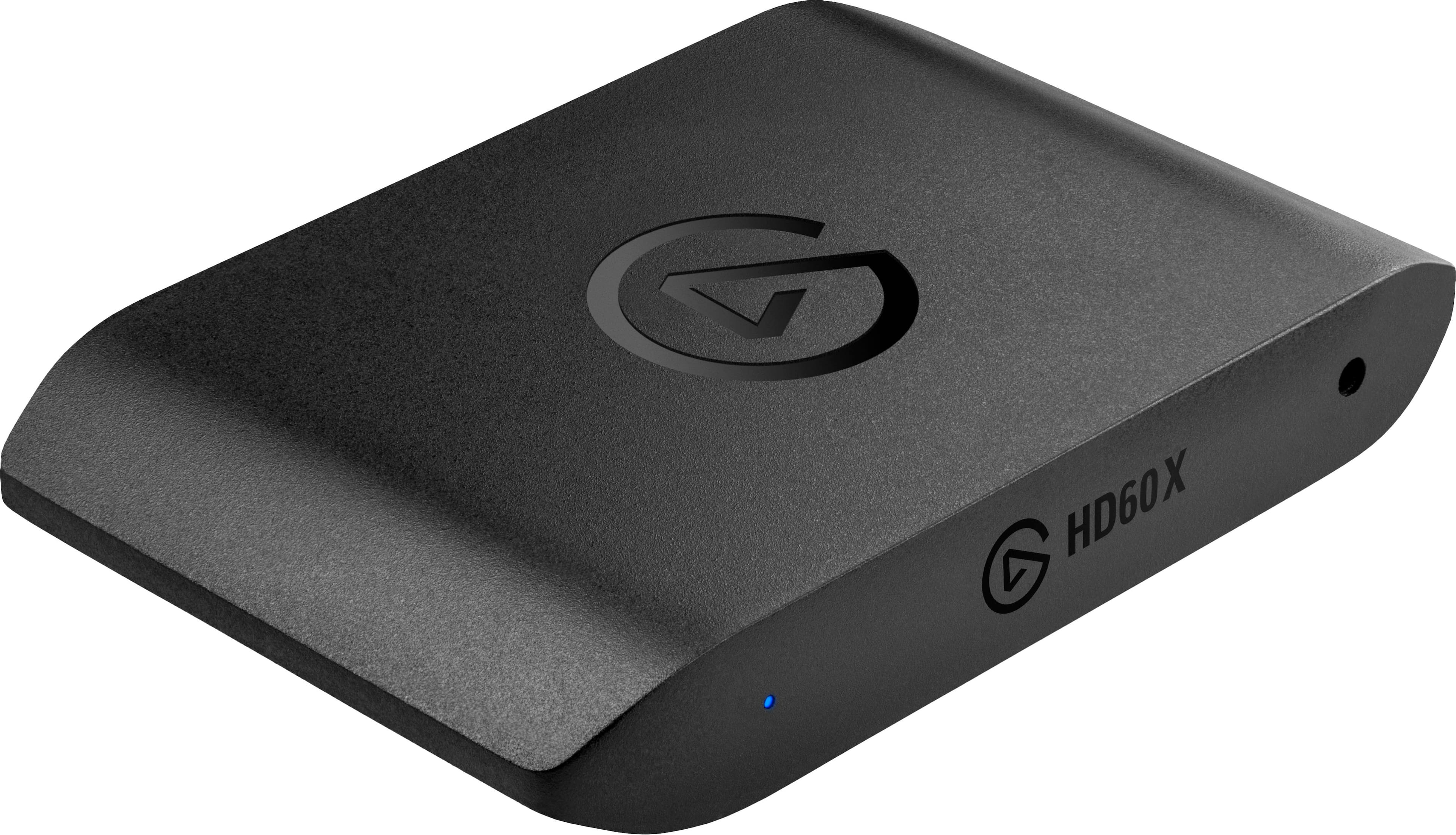
||Posted .This reviewer received promo considerations or sweepstakes entry for writing a review.I have updated this device's firmware to the latest version as of writing. It performs well and any passthrough latency is imperceptible. The Gsync and VRR support is fantastic and works well. HDR recording is a sight to behold as well! The only problem is the software. The Elgato 4k Capture Utility works great for operating the device but falls flat on mirroring the sound. It's garbled, drops frequently, and is generally annoying to listen to. Using VLC or OBS to open this capture device instead works much better in that regard. This suggests that the firmware is fine and that the Elgato Software is to blame for the audio issues in their app. All in all, I still would recommend this device due to the great hardware and excellent 3rd party support that makes the buggy Elgato software much more tolerable.
I would recommend this to a friendElgato
||Posted .This reviewer received promo considerations or sweepstakes entry for writing a review.Great quality and everything has worked like a charm.
I would recommend this to a friend
Game Capture at its finest
|Posted . Owned for 1.5 years when reviewed.This reviewer received promo considerations or sweepstakes entry for writing a review.Absolutely great quality straight out of the box. Setup was simple and the elgato website having all the drivers in one place for similar models was a great help. Use for game capture of all major consoles and pc alike with great results for my twitch streaming. Highly recommend this product.
I would recommend this to a friend
High quality capture card
|Posted .This reviewer received promo considerations or sweepstakes entry for writing a review.Elgato knows how to make capture cards, and this one is no exception. It's really as simple as plugging it in, installing the 4K Capture Utility software, and you're good to go. It's important to pay attention to the technical specifications, because the input format determines what capture/record format you can capture with. I had a difficult time getting it to capture at 4k30, though it should be able to do that. I also had difficulty getting it to capture sound. It can only handle stereo PCM, which is pretty standard, but on one computer I couldn't get sound from the 4k Capture utility, and was only able to get in OBS after messing with the device settings in OBS for a bit. On another Windows 11 computer, it worked fine without any fussing, so it may just be the specific setup/hardware on that computer (Asus). There is the option to capture analog audio though, particularly if you are using Headphones with PS5, so that might make sound capture a bit easier in some setups. But, despite the minor nuances, it really is just ready to go out of the box, and the image capture is virtually lag-free, and the images are fantastic. Using this for reviewing games, live streaming, or just recording footage won't leave you disappointed. It also didn't seem to demand a lot of my PC, so I would expect this to work well on a modern mid-range PC as well. The 4k utility also supports "flashback" built-in, meaning you can replay video instantly in the app, which is a nice feature. The app also allows what they're calling "Stream link", meaning you can record footage straight from the game using the 4k utility, but still use OBS for streaming with overlays and whatnot, so you still can have the virgin video footage if needed. So all-in-all, I'm very happy with this device, and it's really nice to have something that can be used with modern game consoles now.
I would recommend this to a friendPERFECT!!!
||Posted .This reviewer received promo considerations or sweepstakes entry for writing a review.I've upgraded to this and it's one of the best decisions I made in recording. If you want to see the quality my YT channel is BigFootKillerCam be sure to change quality to 1440p. The elgato captures everything at amazing quality and frams
I would recommend this to a friendElgado Capture Card Review
||Posted . Owned for 1 year when reviewed.This reviewer received promo considerations or sweepstakes entry for writing a review.good quality , watched a youtube tutorial to set it up , no input delay at all and works very well for streaming on twitch , kick , and tiktok studio!
I would recommend this to a friendWorks Great with Apple Silicon, But With Caveats.
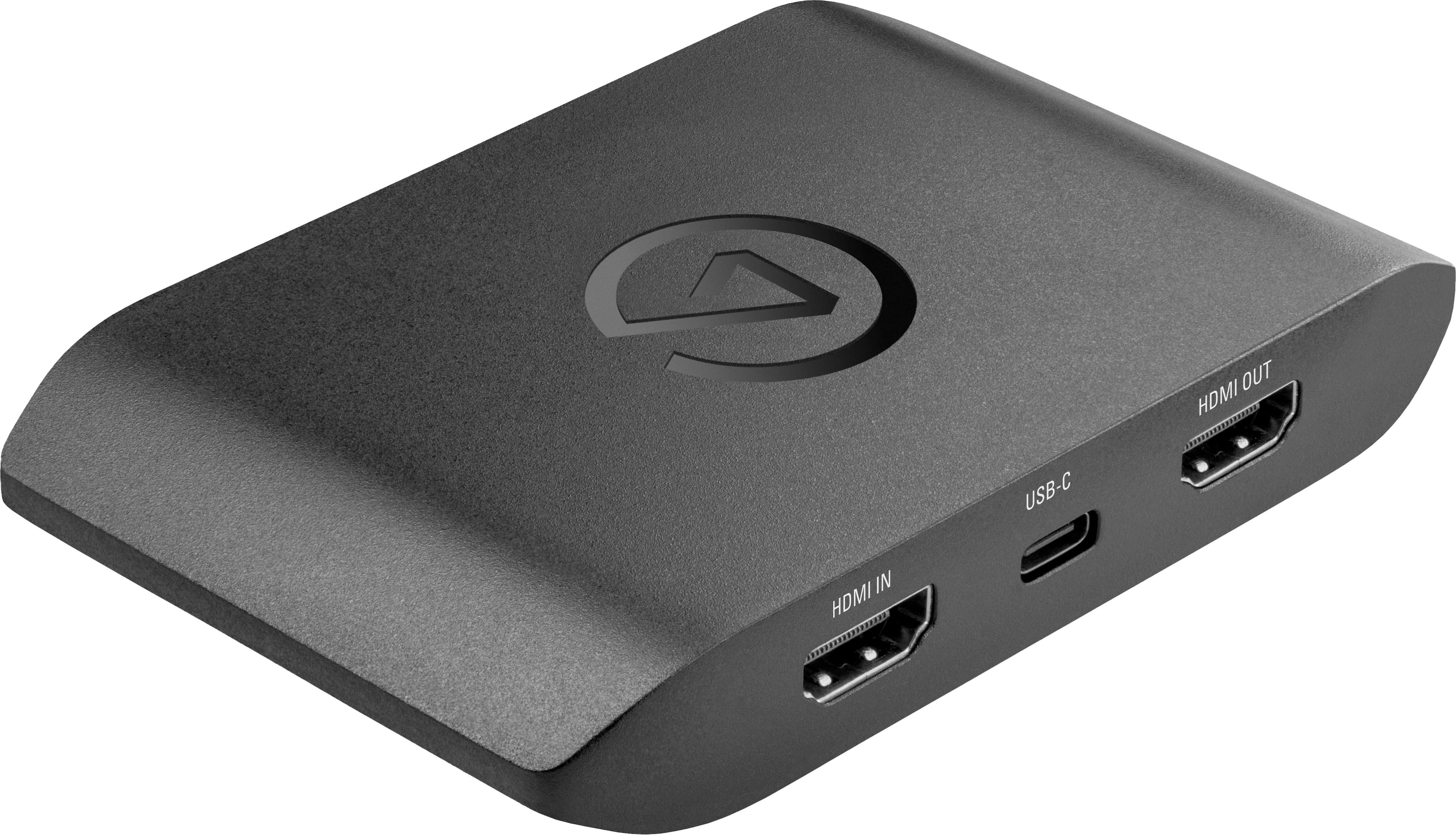
||Posted . Owned for 1 week when reviewed.This reviewer received promo considerations or sweepstakes entry for writing a review.The latest and greatest revision of the HD60 series external capture devices. Captures up to 1080p60 with HDR on Windows PCs, but no HDR capability for the Mac. Meanwhile, it allows for 4Kp60 passthrough, or higher frame rates at lower resolutions. And it has VRR passthrough as well. I purchased this to work with a Mac with Apple Silicon, as the older versions of the HD60 aren’t recognized on non-Intel devices. Keep in mind that Elgato provides no dedicated software for Apple Silicon Macs—you can use QuickTime Player to make a recording with the capture card as an input device. Out of the box, QT records 1080p in ProRes format, which quickly eats away at disk space. You may want to find different software to make recordings.
I would recommend this to a friendExactly What You Want
||Posted .This reviewer received promo considerations or sweepstakes entry for writing a review.I used to have the HD60 for my Xbox One back in the day when I wanted to record videos, but I use this guy to pass the image and sound through my monitor to use side by side with my PC, but Elgato has only improved more and more with time and things like my Stream Deck have never let me down.
I would recommend this to a friendGreat for gaming
||Posted . Owned for 2 weeks when reviewed.This reviewer received promo considerations or sweepstakes entry for writing a review.Currently have mine connected from gato to PC with dual connections to monitor and Xbox. Easy to set up with a quick download, easy to use. Works great with OBS.
I would recommend this to a friendA good step up from budget options
||Posted . Owned for 1 month when reviewed.This reviewer received promo considerations or sweepstakes entry for writing a review.Works great. Basically plug and play. You'll have to download the Elgato 4k capture utility, which is actually pretty useful if all you're doing is recording gameplay. Supports up to 4k60 passthrough and can capture up to 4k30, but I'd recommend maxing out at 1440p60 or 1080p120. It's a little pricey, but not compared to the Avermedia or EVGA options. Overall, great product.
I would recommend this to a friendAwesome
||Posted .This reviewer received promo considerations or sweepstakes entry for writing a review.Very easy setup and quality is great. Makes dual computer streaming easy
I would recommend this to a friendPerfect for streaming
||Posted .This reviewer received promo considerations or sweepstakes entry for writing a review.Got this item because I wanted to stream to my friends on discord. Setup was a bit confusing at first but it was most likely user error. Just follow the directions honestly unless you already know, download the compatible streaming software, put whatever settings you perfect and it works just as advertised, picks up whatever you have connected to it without any delays or lag from what I've seen so far. Definitely recommend it for anyone wanting to stream or just recording for record keeping.
I would recommend this to a friendIt does the job! Things to keep in mind, first.
||Posted .This reviewer received promo considerations or sweepstakes entry for writing a review.It does what it’s meant to do, capture gameplay from a gaming console. My set up might be different from others but I have been able to use the card’s “4K Capture Utility” program to stream my gameplay to the public. It did require some tinkering to work but it’s very do-able. That being said the gameplay might be a bit delayed on the program itself; but that’s why I have a secondary screen to play my games on (as it’s recommended to do so). Might sound weird but I think I’ve heard the same can be said with other Elgato cards. I’d still recommend it as a standard capture card that is able to capture my PS5, unlike my last one that couldn’t do the job.
I would recommend this to a friendDon’t overthink it, this model gets it done!
||Posted . Owned for 2 weeks when reviewed.This reviewer received promo considerations or sweepstakes entry for writing a review.For what it is, it’s a really great way to record your console’s video output. 1440p@120hz worked on my Xbox Series X/S with the included HDMI cable and recorded onto my Windows laptop and MacBook, however the software is a bit better features wise on the Windows side. For the few wondering if you can play games on the video feed preview that appears on your computer, you can, but there is noticeable lag which turned me off from that. However, for its intended use case of simply recording and using a dedicated monitor, this device blows it out of the water!
I would recommend this to a friendWorks as intended reliably.
||Posted . Owned for 1 month when reviewed.This reviewer received promo considerations or sweepstakes entry for writing a review.Works amazing with my windows PC. Almost a plug and play solution considering the drivers practically install themselves. I use it for my Nintendo switch mostly in tandem with OBS Studio for streaming, but I’m sure it can be used with other devices as well.
I would recommend this to a friendGaming Capture Device/PS5
||Posted .This reviewer received promo considerations or sweepstakes entry for writing a review.Excellent price, been watching reviews on certain gaming capture devices and this one caught my attention. Been using it for months for my streams and I love it. I got my friends on this device for their streams and I totally recommend it.
I would recommend this to a friendGood capture option
||Posted .This reviewer received promo considerations or sweepstakes entry for writing a review.This worked capturing my wife’s pc gameplay and streaming through my streaming pc. It did die after one use and Unfortunately it was past the return date since I had it for weeks before trying it. I reached out to Elgato tech support and they were responsive and honored their warranty. Replacement has been working without issues.
I would recommend this to a friendWorthwhile Investment for a streamer
||Posted . Owned for 4 months when reviewed.This reviewer received promo considerations or sweepstakes entry for writing a review.Easy to set up and functions as intended. Make sure to download the elgado program even if you intend to use it on a program like OBS. I appreciate the headphone jack addition to this model.
I would recommend this to a friendVery Good Card ngl
||Posted . Owned for 9 months when reviewed.This reviewer received promo considerations or sweepstakes entry for writing a review.Great for overall streaming and recording. Yet to have any apparent issues I cant fix by looking it up on reddit
I would recommend this to a friendElgato have it
||Posted . Owned for 4 months when reviewed.This reviewer received promo considerations or sweepstakes entry for writing a review.At first getting everything setup was a bit of a hassle but it was worth it. Great video quality and great sound. My stream had never looked better. You can run lower resolution as well with same refresh rate for a cleaner look
I would recommend this to a friend