Customer Ratings & Reviews

.](https://pisces.bbystatic.com/image2/BestBuy_US/images/products/e7f7b8a3-4d8b-4350-9bbd-c97539be30a7.jpg)
. 1 Most features require an Internet connection to the printer, as well as an Internet- and/or email-enabled device. For a list of Epson Connect enabled printers and compatible devices and apps, visit [www.epson.com/connect](http://www.epson.com/connect).](https://pisces.bbystatic.com/image2/BestBuy_US/images/products/d6e3691d-df7e-4aa7-8df7-3adddd584649.jpg)
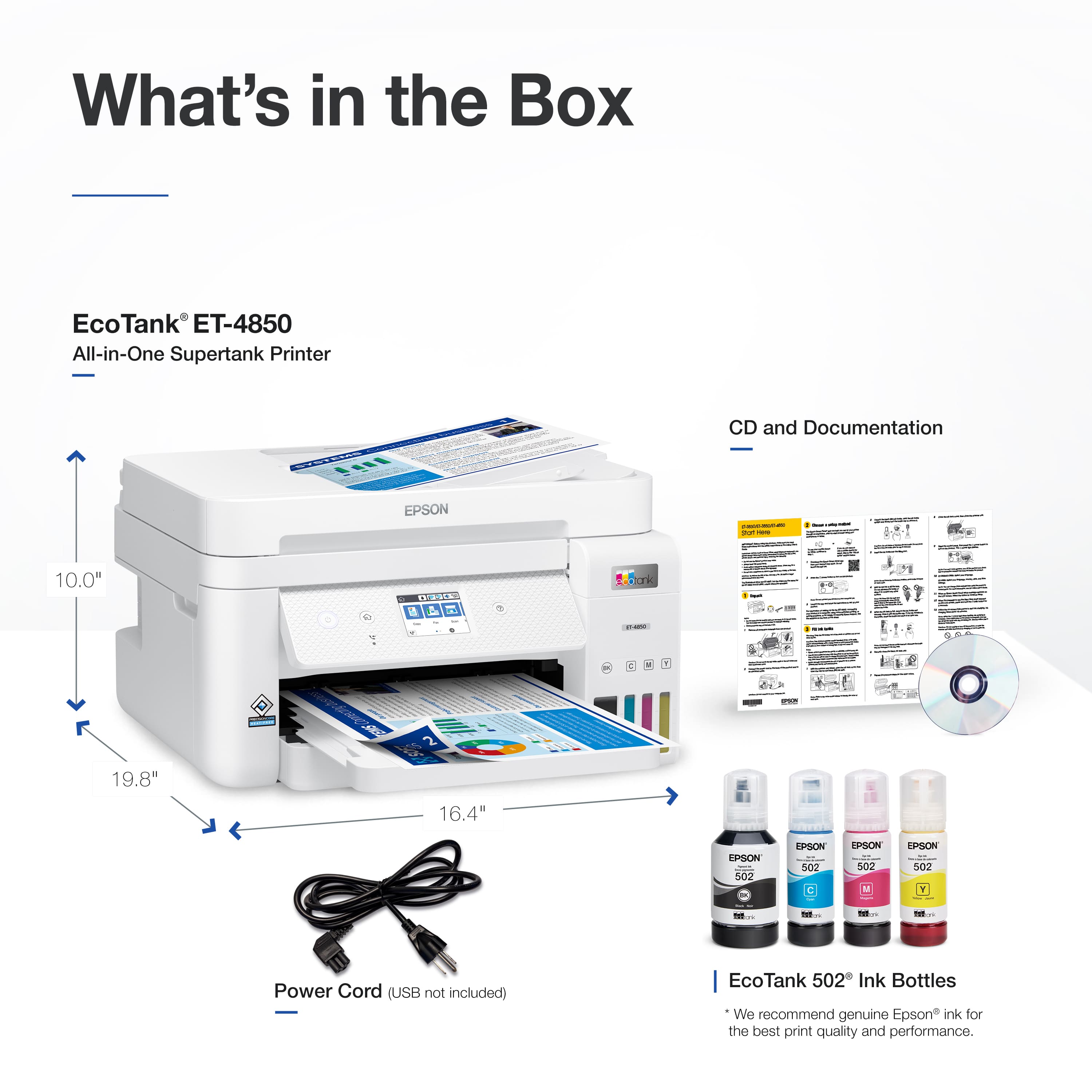
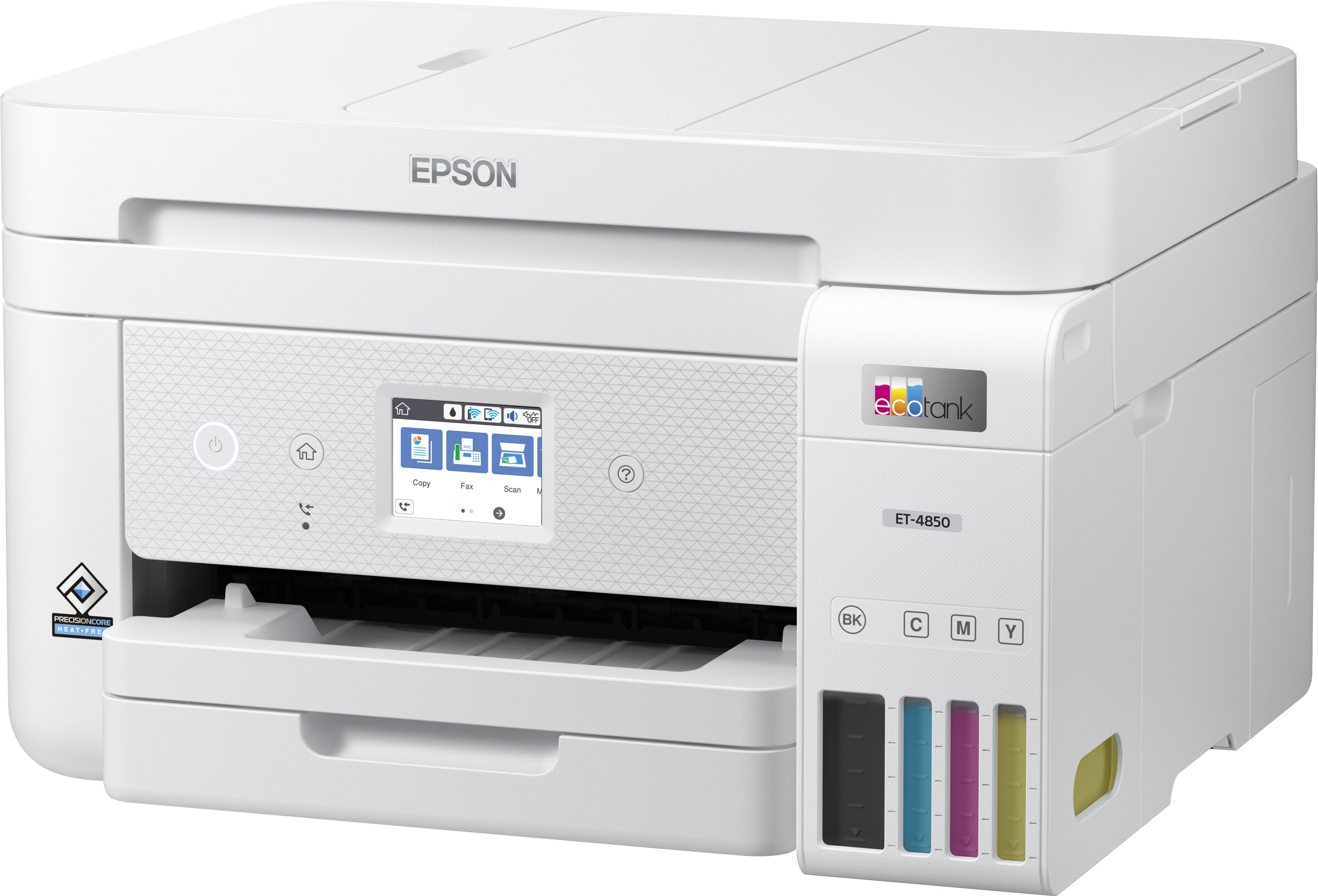

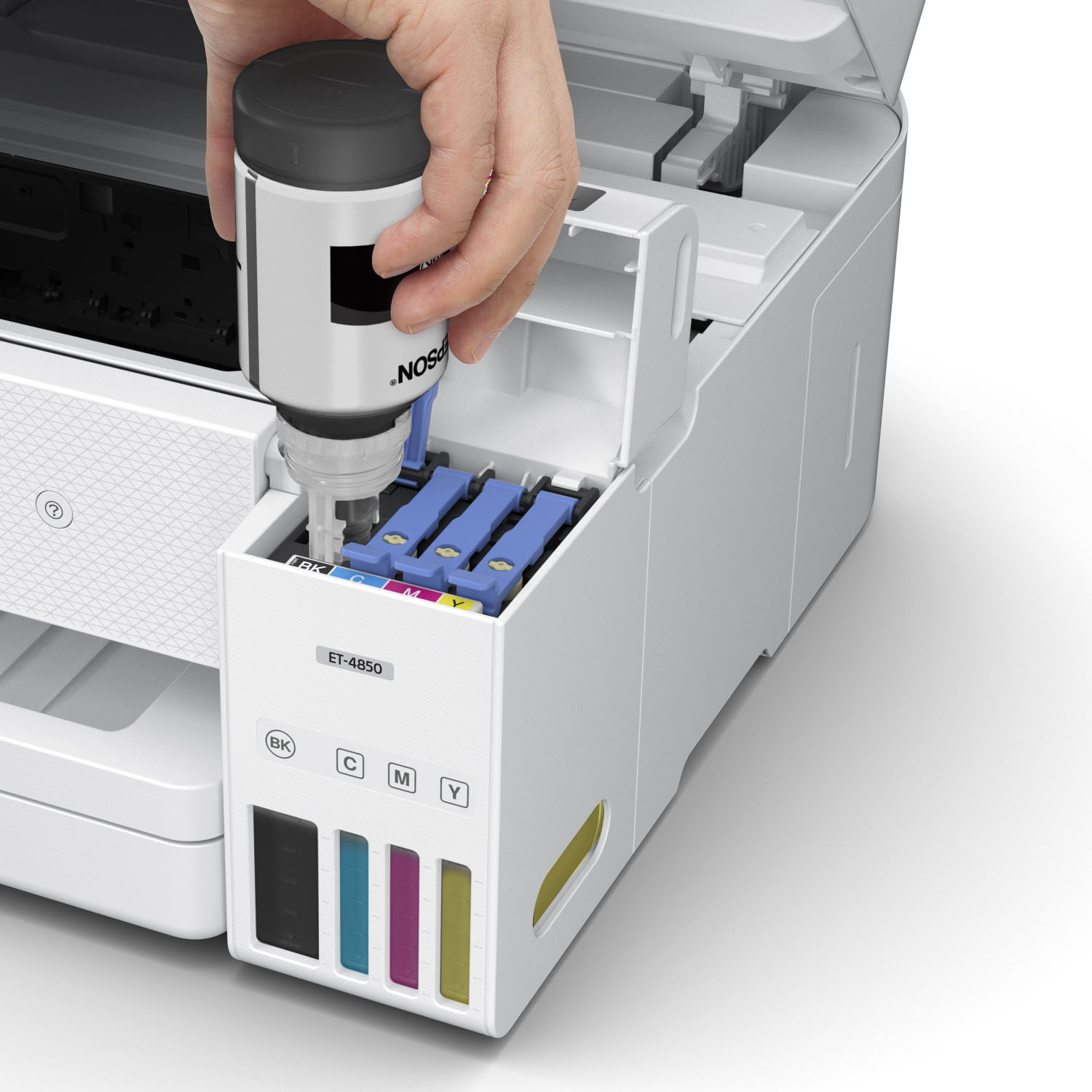
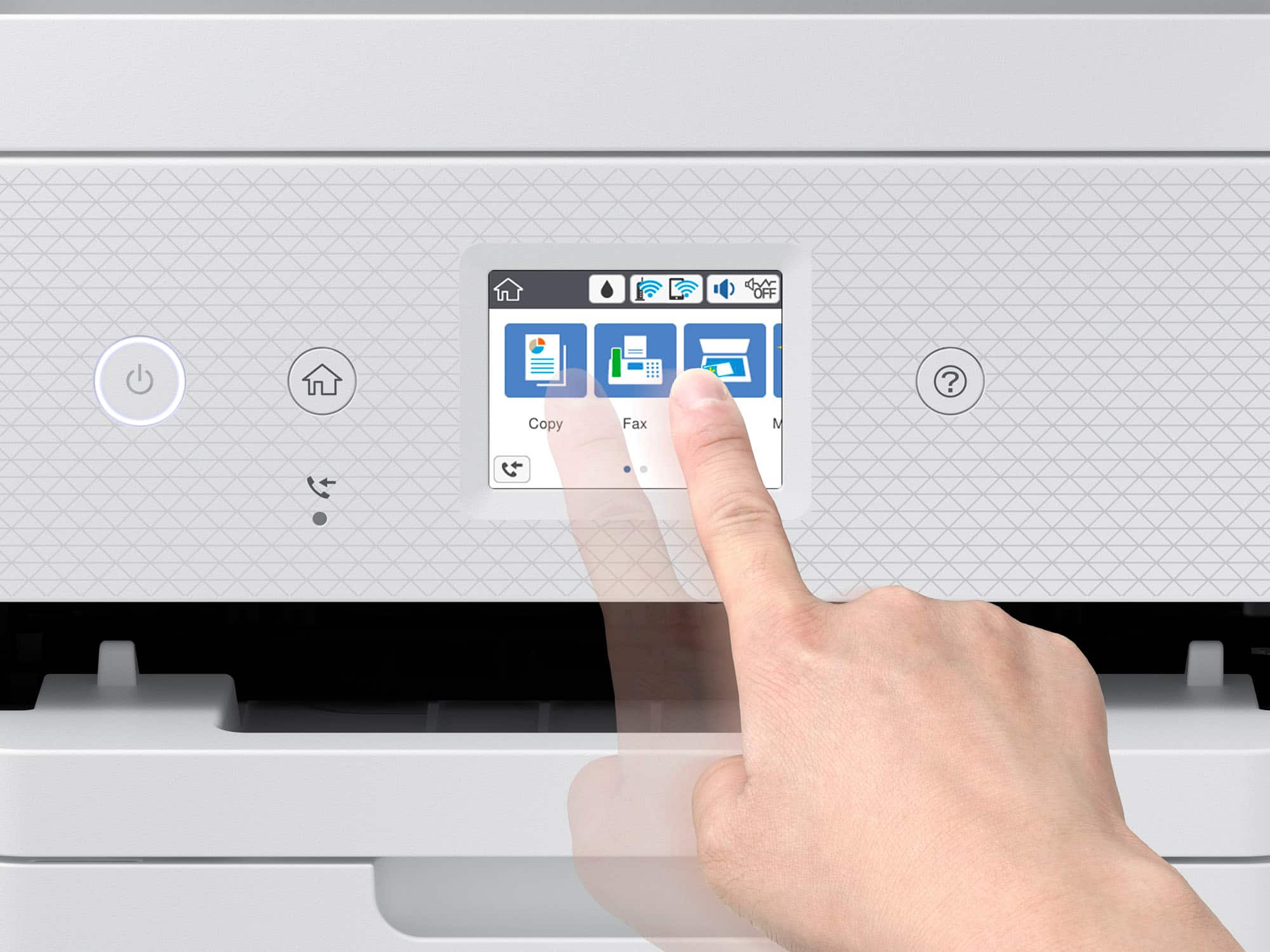


- Model:
- C11CJ60202
- |
- SKU:
- 6470011
Customer reviews
Rating 4.5 out of 5 stars with 1728 reviews
(1,728 customer reviews)Rating by feature
- Value4.4
Rating 4.4 out of 5 stars
- Quality4.5
Rating 4.5 out of 5 stars
- Ease of Use4.5
Rating 4.5 out of 5 stars
Customers are saying
Customers have good things to say about the EcoTank ET-4850's print quality, ease of use, and straightforward setup. Many appreciate its compact size. While some users find the noise level a bit high and have experienced challenges with the document feeder and scanning functions, the positive feedback on printing and ease of use outweighs these concerns for most. A few customers also mentioned the printer's price point as a potential drawback.
This summary was generated by AI based on customer reviews.
- Pros mentioned:Ease of use, Print quality, SizeCons mentioned:Noise level
Rated 5 out of 5 stars
I love it!
||Posted . Owned for 3 weeks when reviewed.This reviewer received promo considerations or sweepstakes entry for writing a review.This printer is compact, it has everything I need even a fax machine. It was very easy to set with the step by step instructions. I mostly print from my phone which is very easy to do with this printer. It doesn't take up much space and it works great. A little loud but that's not a deal breaker for me. It will take me a while to learn all of the features but that's true with any new electronic or device. The eco Tank feature is what really sold me. so far so good.
This review is from Epson - EcoTank ET-4850 All-in-One Supertank Inkjet Printer - Black
I would recommend this to a friend - Pros mentioned:Ease of use, Setup
Rated 5 out of 5 stars
Great Home Office Printer
||Posted . Owned for 3 weeks when reviewed.This reviewer received promo considerations or sweepstakes entry for writing a review.I have owned Cannon, Hewlett Packard, and Epson home printers and over the past 28 years in my home and I believe this is my 5th printer. At least 3 of the previous 4 were suggested by Apple when I purchased a new iMac, the other was such a good clearance deal find when I didn’t even need a printer I bought it as a backup as it was brand new and about 15% of normal retail costs. This printer is my first printer purchase where I am not also buying a new iMac. I looked at a well known and respected technology websites for 2025 best home office printers. I think all 3 brands I have owned, but at least 2 had printers that made the cut. I wanted a bulk ink refillable this time, wanted touch screen, and while I preferred smaller to larger, the space it needed to go could accommodate any in the reviews. Nothing negative about the other two brands I owned but personally I had best experience with Epson so all factors plus my own experience had me choose this printer and I couldn’t be happier. Easy set up, very accurate color with color copies, good printing speed, and the bonus is the size that allows it to slide in and out of a cubby on a small appliance slider. I like Epson and I like this printer.
This review is from Epson - EcoTank ET-4850 All-in-One Supertank Inkjet Printer - Black
I would recommend this to a friend - Pros mentioned:Ease of use, Print quality
Rated 5 out of 5 stars
Best printer I ever had!
||Posted . Owned for 3 weeks when reviewed.This reviewer received promo considerations or sweepstakes entry for writing a review.This printer is incredible! I had a Cannon which was good but the cartridges were a pain in the butt. I was looking at this one long time ago and I finally took the decision and went for it. I’m so glad I did, printing is excellent, fast enough, “free ink”, and pretty easy to set up. I definitely recommend this printer for home office or small business. 5 stars.
I would recommend this to a friend - Pros mentioned:Ease of use, Print quality
Rated 5 out of 5 stars
All the Bang for your buck!
||Posted . Owned for 1.5 years when reviewed.This reviewer received promo considerations or sweepstakes entry for writing a review.This printer is awesome! I love the ink tank better than any other cartridge based printers. The quality is amazing, the features are abundant, updates are consistent and secure. Easy to use . Very smart printer!
I would recommend this to a friend - Pros mentioned:Ease of use, Print quality
Rated 5 out of 5 stars
Best home printer
||Posted . Owned for 3 months when reviewed.This reviewer received promo considerations or sweepstakes entry for writing a review.This is absolutely the best printer I have owned. It prints perfect photos, clear and crisp colors, excellent definition. The large ink tanks are the cats meow. There is nothing I would change for a home computer. It’s not super fast but I’m not interested in speed, I’m all about print quality and ease of use. Thank you Epson, goodbye Cannon.
I would recommend this to a friend - Pros mentioned:Ease of use, Size
Rated 5 out of 5 stars
Epson Eco-Tank ET-4850 All-in-One Supertank
||Posted . Owned for 1 month when reviewed.This reviewer received promo considerations or sweepstakes entry for writing a review.I like this printer. It was easy to set up and use with all my devices. I have used it quite a bit and the ink tanks are pretty much at the same level. I would have had to change it already if used cartridges. The size is perfect, it sits on the corner of my desk, no more walking to the printer/scanner. The software was easy to install. As far as I can tell this is the best All-in-One printer I've owned, and I've owned a few.
I would recommend this to a friend - Pros mentioned:Print quality, Size
Rated 5 out of 5 stars
Epson ET-4850 Ecotank Printer
||Posted . Owned for 3 weeks when reviewed.This reviewer received promo considerations or sweepstakes entry for writing a review.The printer is everything I had hoped for prior to my purchase. Its small foot print was a definite plus that was a very pleasant surprise. The print quality is great.
This review is from Epson - EcoTank ET-4850 All-in-One Supertank Inkjet Printer - Black
I would recommend this to a friend - Pros mentioned:Ease of use, Print quality
Rated 5 out of 5 stars
New Epson Supertank was great
||Posted . Owned for less than 1 week when reviewed.This reviewer received promo considerations or sweepstakes entry for writing a review.I upgraded from my old 4750, and the new 4850 is really nice. It easily communicates with my iPhone and Apple MacPro. It prints beautifully and effortlessly and is super easy to use. I love the new color refill bottles, which are so easy to use and mess-free. Thank you, Epson.
I would recommend this to a friend - Pros mentioned:Print quality, Setup
Rated 5 out of 5 stars
Epson ET-4850 printer
||Posted . Owned for 3 weeks when reviewed.This reviewer received promo considerations or sweepstakes entry for writing a review.I installed the Epson 4850 printer in my home network, and it works very well. Easy installation and a good high quality printer.
I would recommend this to a friend - Pros mentioned:Ease of use, Print quality
Rated 5 out of 5 stars
Epson 4850 review
||Posted . Owned for 3 weeks when reviewed.This reviewer received promo considerations or sweepstakes entry for writing a review.Easy to set up. You can use it right out of the box. Then I attached to my network, sent a text msg followed by a picture an they printed out beautifully.
I would recommend this to a friend - Pros mentioned:Ease of use, Print quality
Rated 5 out of 5 stars
My favorite orinter
||Posted . Owned for 3 weeks when reviewed.This reviewer received promo considerations or sweepstakes entry for writing a review.Overall it was very simple to set up with step by step instructions. All the function work god and the color comes out ammmmmazing.
I would recommend this to a friend - Pros mentioned:Print quality, Size
Rated 5 out of 5 stars
Epson the one
||Posted .This reviewer received promo considerations or sweepstakes entry for writing a review.Love the fact that I can see how much ink is left in the printer and will know when I need to buy more. That was the frustration with my old printer is not knowing when to buy more ink. The printing speed is fast. Takes up a lot less space compared to my old printer with a depth of about 14 inches with the output tray pushed in and a width of about 15 inches. I periodically have to fax items so that is why I selected this model.
I would recommend this to a friend - Pros mentioned:Print quality
Rated 4 out of 5 stars
Nice little printer.
||Posted . Owned for 2 weeks when reviewed.This reviewer received promo considerations or sweepstakes entry for writing a review.This is my second Epson printer. Loved my first one but after many years it finally started giving me problems. Opted for the new ECOtank ink model. First thing I noticed, the construction/quality of the printer itself feels much cheaper. Sort of flimsy. That is why I only gave it 4 stars. Otherwise the ink tanks are fantastic and the print quality is great. Haven’t had it long enough to know how efficient it will be but keeping my fingers crossed.
This review is from Epson - EcoTank ET-4850 All-in-One Supertank Inkjet Printer - Black
I would recommend this to a friend - Pros mentioned:Print quality
Rated 5 out of 5 stars
Epson Eco Tank ET-4850
||Posted . Owned for 1 month when reviewed.This reviewer received promo considerations or sweepstakes entry for writing a review.Purchased the ET-4850 about 2 months ago. It was fairly easy to hook up. Printing seems fast and good quality and we can print from all of our wireless devices. We can also fax with this printer and for us that is a plus. I am curious to see how long the ink really lasts and how long the quality stays so crisp. So far so good.
I would recommend this to a friend - Pros mentioned:Print quality, Setup
Rated 5 out of 5 stars
Great Printer
||Posted . Owned for 2 weeks when reviewed.This reviewer received promo considerations or sweepstakes entry for writing a review.Great purchase! Prints very well and super easy to set up. Great investment if you are looking for a good reliable printer!
I would recommend this to a friend - Pros mentioned:Print qualityCons mentioned:Noise level
Rated 5 out of 5 stars
Great Printer all in one
||Posted . Owned for 1 month when reviewed.This reviewer received promo considerations or sweepstakes entry for writing a review.This printer is great specially you don’t have to change cartridges all the time. It is still new to me so haven’t been able to use all the fixtures that has. It is a bit noisy when it starts printing but I can handle it.
I would recommend this to a friend - Pros mentioned:Ease of use, Print quality
Rated 4 out of 5 stars
Espon Printer
||Posted . Owned for 11 months when reviewed.This reviewer received promo considerations or sweepstakes entry for writing a review.Great printer. Quality results with easy on screen instructions.
I would recommend this to a friend - Pros mentioned:Print quality
Rated 5 out of 5 stars
Eco tank is amazing
||Posted . Owned for 2 weeks when reviewed.This reviewer received promo considerations or sweepstakes entry for writing a review.Love this printer and the eco tank technology. Setup was so easy with the step by step walkthrough. Print quality is great. Wish the scanner was as good as the Epson scanner I had previously but for an all in one I can’t complain.
I would recommend this to a friend - Pros mentioned:Ease of use, Print quality
Rated 5 out of 5 stars
Good to go!
||Posted . Owned for 2 weeks when reviewed.This reviewer received promo considerations or sweepstakes entry for writing a review.Easy setup. Printing nice pictures in no time. Liquid ink is full proof.
I would recommend this to a friend - Pros mentioned:Ease of use, Size
Rated 5 out of 5 stars
Great printer
||Posted . Owned for 1 month when reviewed.This reviewer received promo considerations or sweepstakes entry for writing a review.Great printer and easy to setup. Love the compact size as well.
This review is from Epson - EcoTank ET-4850 All-in-One Supertank Inkjet Printer - Black
I would recommend this to a friend