Save up to 50% on 3-Day Sale deals.Ends 12/7.Shop now

Skip to content
Gift Ideas
Main Content

Customer Ratings & Reviews

Your price for this item is $299.99
Clearance
The comparable value price is $499.99

Customer reviews

Rating 4.5 out of 5 stars with 1708 reviews

Rating Filter

Rating by feature

  • Value

    Rating 4.4 out of 5 stars

  • Quality

    Rating 4.5 out of 5 stars

  • Ease of Use

    Rating 4.5 out of 5 stars

Pros mentioned filter

Cons mentioned filter

89%would recommend to a friend

Customers are saying

Customers have good things to say about the EcoTank ET-4850's print quality, ease of use, and straightforward setup. Many appreciate its compact size. While some users find the noise level a bit high and have experienced challenges with the document feeder and scanning functions, the positive feedback on printing and ease of use outweighs these concerns for most. A few customers also mentioned the printer's price point as a potential drawback.

This summary was generated by AI based on customer reviews.

The vast majority of our reviews come from verified purchases. Reviews from customers may include My Best Buy members, employees, and Tech Insider Network members (as tagged). Select reviewers may receive discounted products, promotional considerations or entries into drawings for honest, helpful reviews.
Applied Filters:
Page 1 Showing 1-20 of 67 reviews
  • Pros mentioned:
    Print quality

    Rated 3 out of 5 stars

    Underwhelming at the price point

    |
    |
    Posted .
    This reviewer received promo considerations or sweepstakes entry for writing a review.

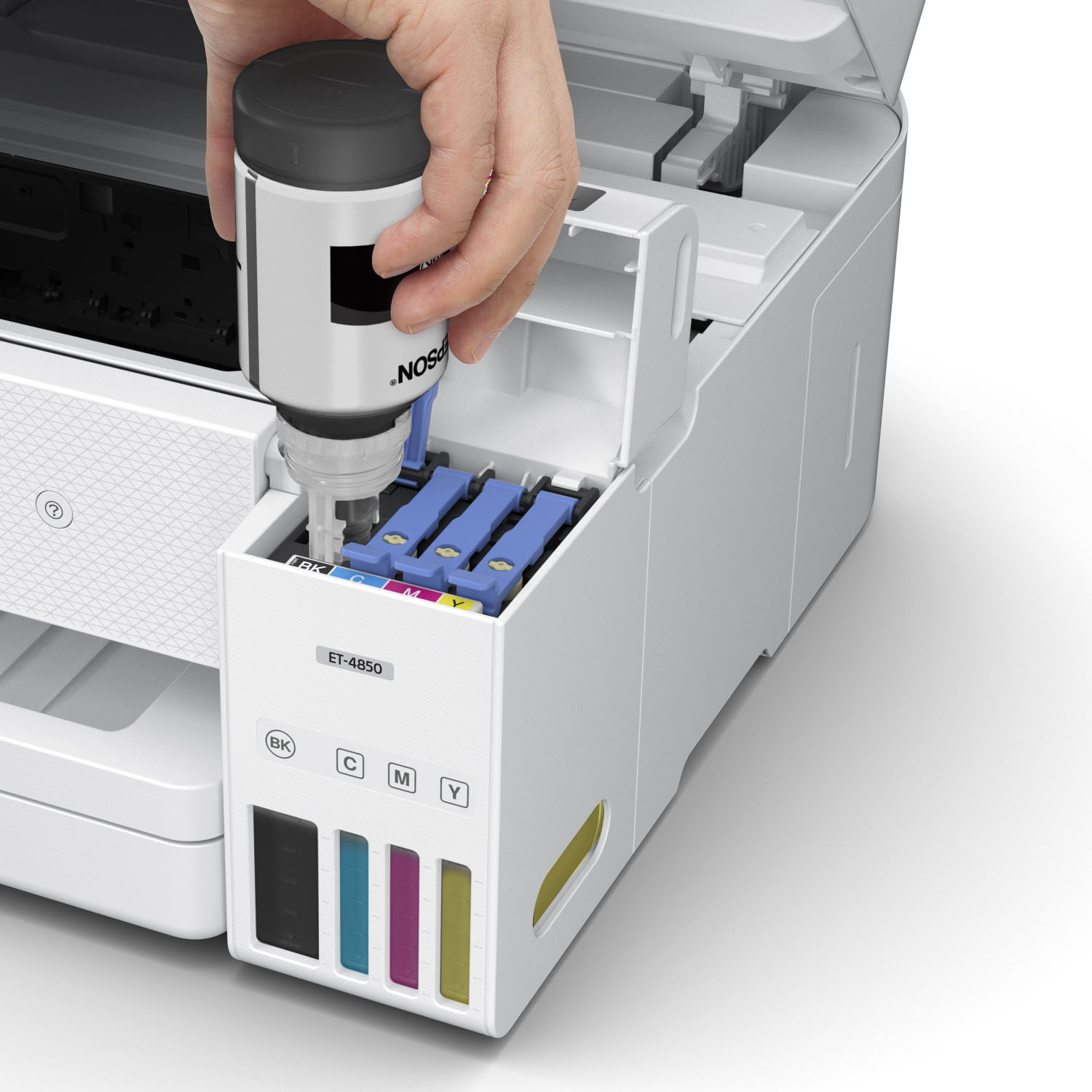
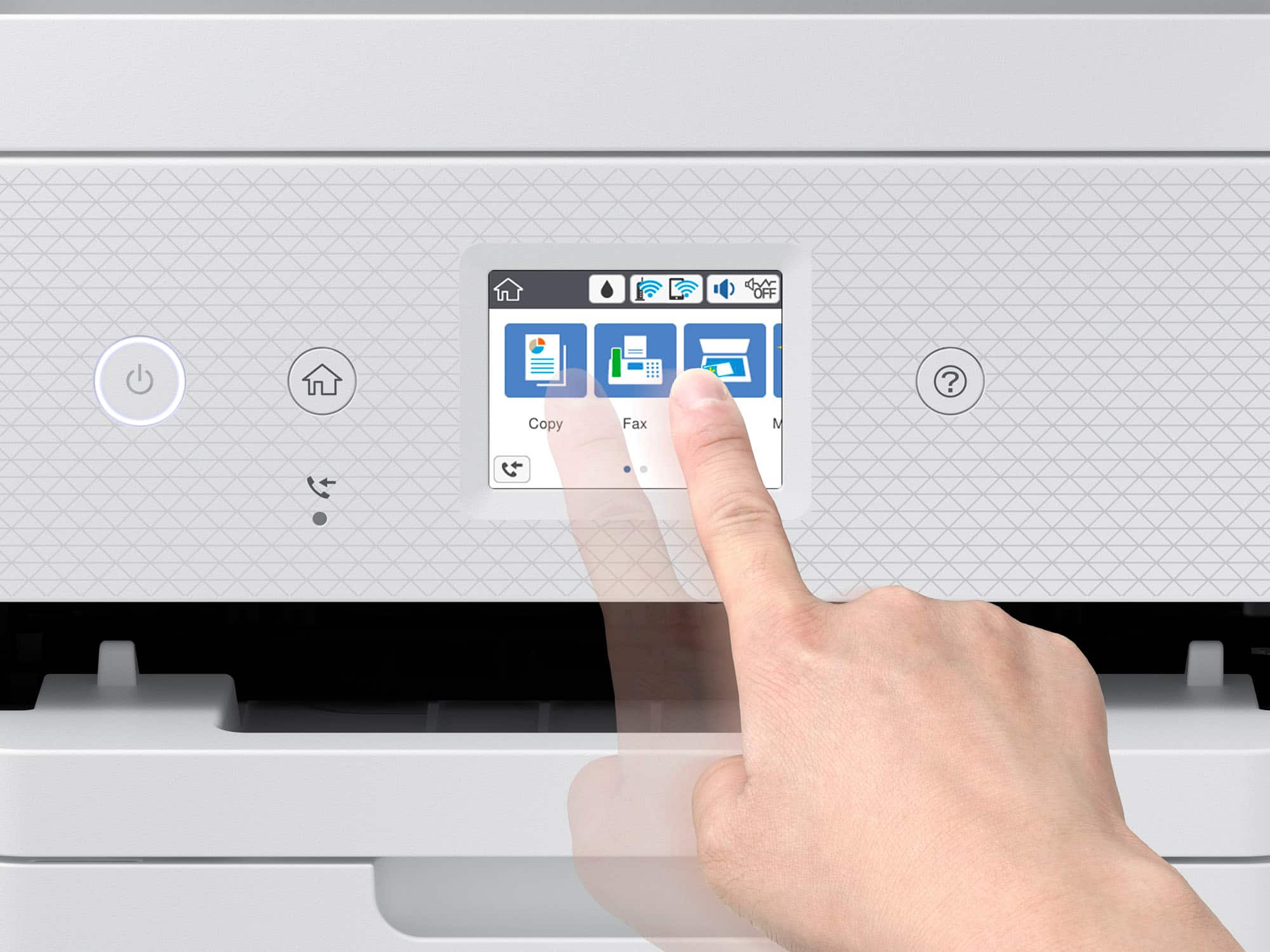
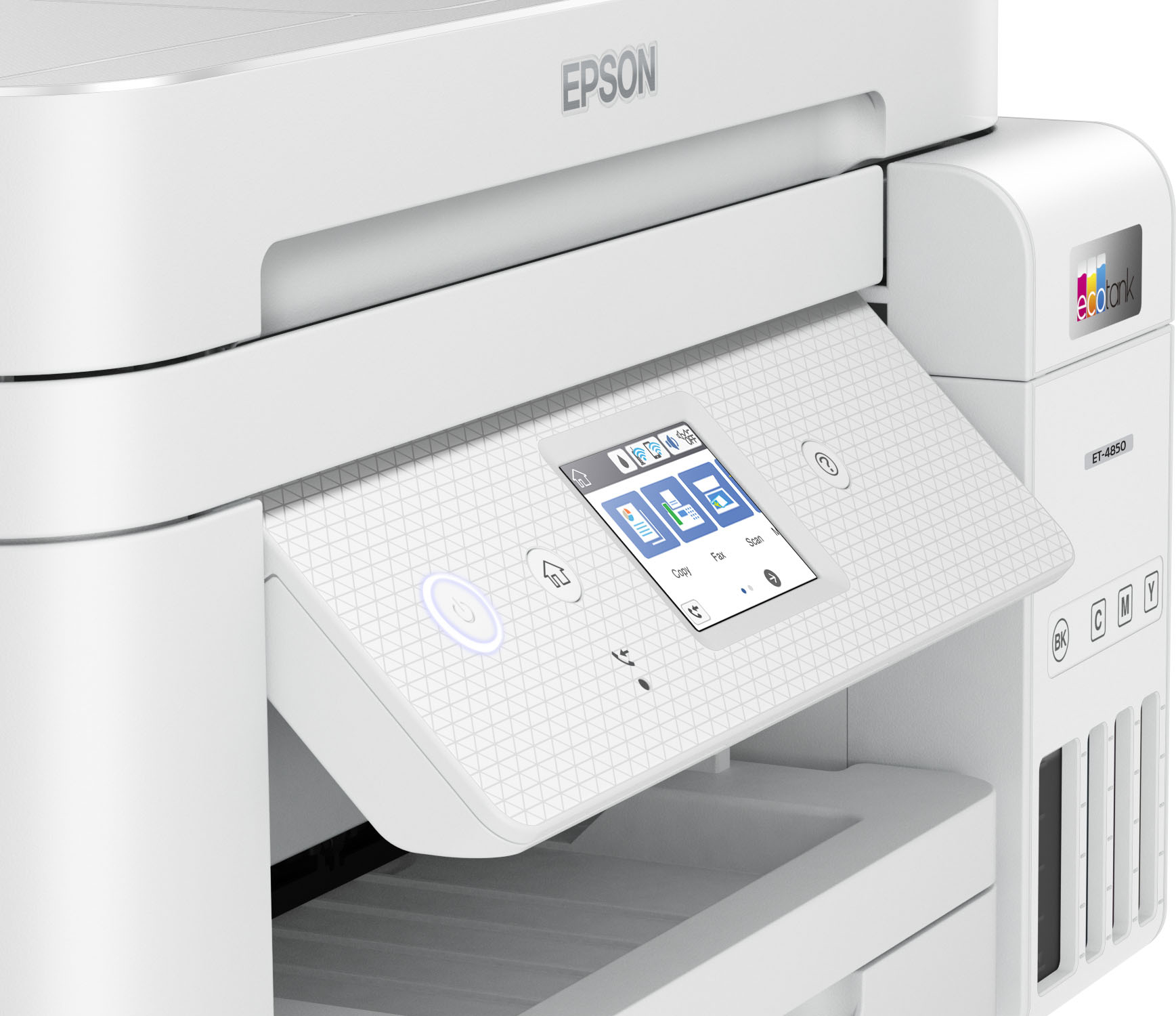
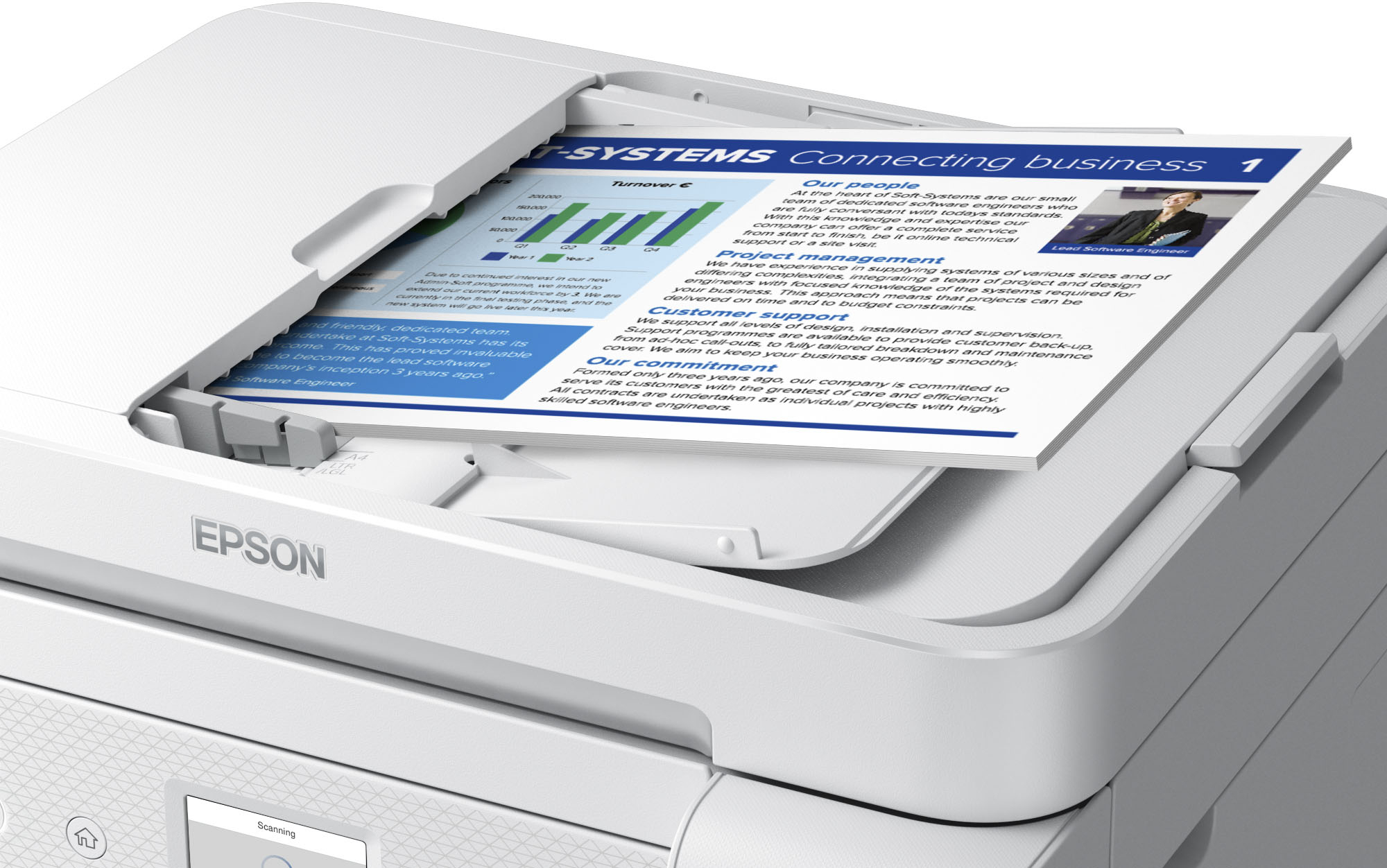
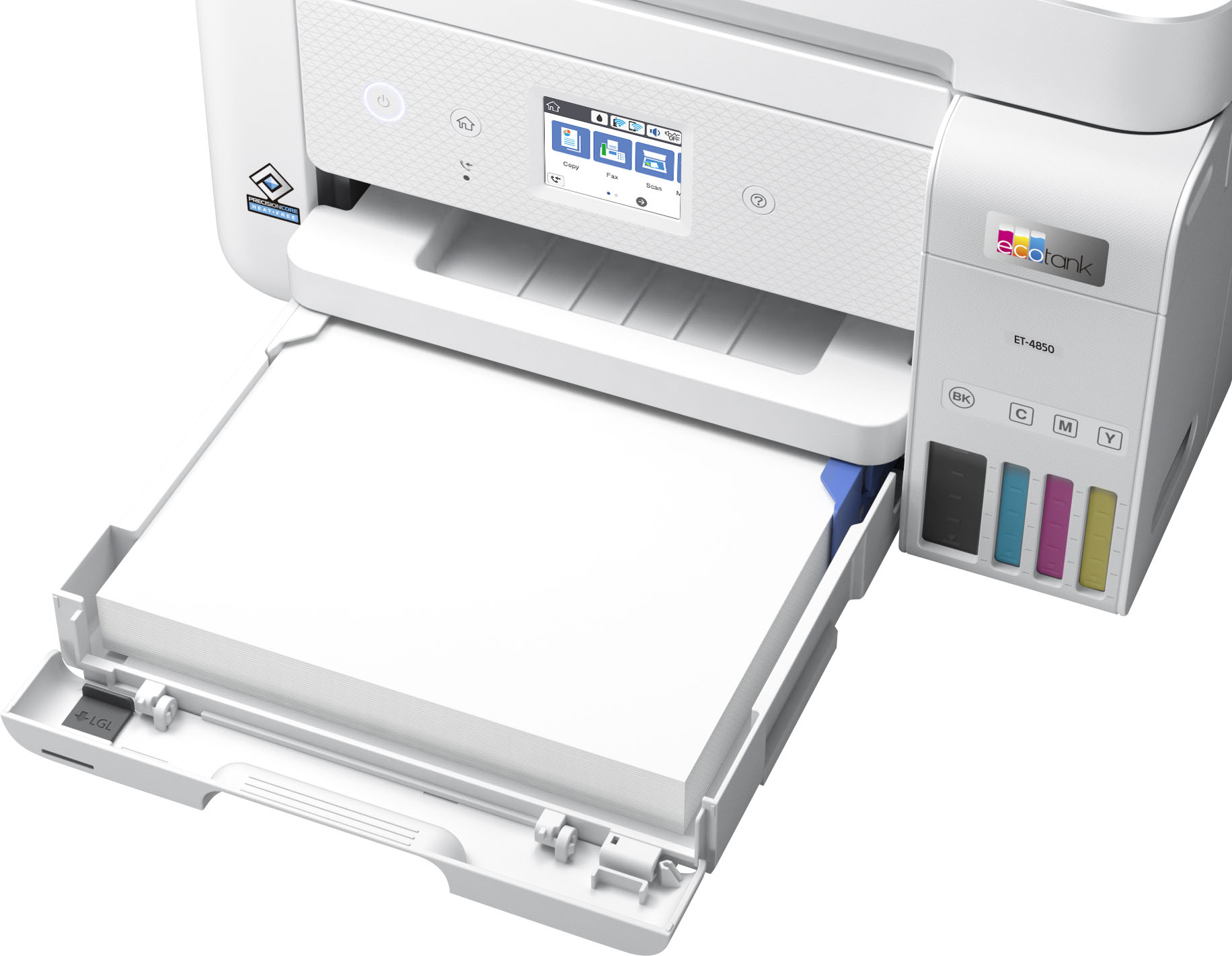
    Be careful about the glowing reviews for this printer. You will notice that most of them were written by people who received the printer for free, in exchange for a review. Generally when people review a product they didn't pay for they are more forgiving of flaws. I needed a new home office / family printer when my HP 8600 Pro recently died. That printer made it about 10 years and other than the expensive ink cartridges I had very few complaints about it. The Epson EcoTank 4850 is positioned at the very top end of what most home users will purchase. I chose this model for the touch screen and the automatic document feeder (ADF). You also get a fax interface on this model which many customers (like myself) probably will never use. The idea with tank printers is that you will pay more for the printer hardware up front, in this case $500, and pay less for ink. Epson says the ink that comes with the printer should last for two years, and after that, two more years of ink is about $50. Certainly if you do a lot of printing, this is more economical than cartridges. I'm sure I spent many hundreds of dollars on the cartridges I put in my HP, but the printer was also only $299 when I bought it. When I took the 4850 out of the box I could not believe how tiny it was. This is not necessarily a great thing as I'll cover in a moment. The printer is setup with an app on your phone, using BlueTooth and during the setup it will ask if you want to connect to WiFi. The Epson app seems to work well for the most part and the setup went quite smoothly although the process where you align the print head I thought was more difficult than it needed to be... those test page prints are microscopic and I had to get reading glasses that I almost never use to see the fine lines and choose the best option. Print quality is okay, but not great, and not as good as on the 10 year old much less expensive HP. Using the Epson app with the default settings the print was very washed out and undersaturated. I had to adjust the settings and turn off color correction and do another print, which looked better, but still not that impressive for a $500 printer. I'm not sure if there is a way to calibrate color on the printer. Print speed is quite good and the quality for "fast drafts" is definitely acceptable. Most of my criticisms come down to how the printer is constructed and used. The printer doesn't hold very much paper compared to my old one, and you can't completely remove the cartridge to make loading small photo paper easier. It also sits directly below the output tray, so you often have to move the output tray to get at the paper you are trying to put into the unit. It is not very well thought out at all and everything here seems like it was subject to cost cutting. The touchscreen is incredibly tiny, much much smaller than the one on my old printer, and it doesn't tilt, so you have to bend over to look at it or squat down in front of it. Terrible! The automatic document feeder is very flimsy and can't load very many sheets, it is also slow and REALLY noisy. The scanner is similarly very cheap feeling and I'm worried that the scanner door might eventually break based on how it is constructed. All in all I would rate this printer as just "okay". I'm certainly not impressed by it at the price point and based on how flimsy everything feels I am very skeptical it will last as long as my old one.

    No, I would not recommend this to a friend
  • Pros mentioned:
    Print quality

    Rated 3 out of 5 stars

    Epson, You Can Do Better

    |
    |
    Posted .
    This reviewer received promo considerations or sweepstakes entry for writing a review.

    Even though I bought this on sale, remember the MSRP is $500 and I expected a quality well-built solid printer from the Epson brand. Imagine my surprise when it was unpacked and discovered how flimsy the paper feed tray, the output tray, and ADF tray were. They trays did not slide smoothly or easily and the paper guides were wafer thin and stuck when adjusting paper width Plus the feed tray cannot be removed from the printer to add paper. You must open a drawer at the end of the tray to load the paper. I was also disappointed the 4850 would not do automatic two-sided copies. This is the first Epson I had that did offer this feature. Regardless, the print copy is good and does surprisinlgly well with photos even though it is not a true photo printer. Set up was relatively easy. Also nice to get away from over-priced cartridges. In short, this printer is a glass half full purchase. Print quality is good, even for photos, and reasonably quick. Build quality is a weak point so long-term life is a question mark. Lack of automatic two-sided copying, especially at this price point cheats the customer. Epson, you can and should do better. At this price point, with its questionable build quality and lack of auto duplex copying it is hard to give the 4850 a passing grade for my use

    No, I would not recommend this to a friend
  • Cons mentioned:
    Scanning

    Rated 3 out of 5 stars

    disappointing

    |
    |
    Posted . Owned for 2 months when reviewed.
    This reviewer received promo considerations or sweepstakes entry for writing a review.

    We purchased this printer to replace one that had worn out. This one had great reviews and so we thought that we would try it. We are not happy with it at all. The print is not very good and the scanning experience had been a nightmare. The papers constantly get stuck and knocks the whole printer offline so that it won't even communicate with my computer. This happens constantly. So now I have to constantly babysit it. So disappointing. Would not buy this printer again.

    No, I would not recommend this to a friend
  • Pros mentioned:
    Print quality
    Cons mentioned:
    Noise level

    Rated 3 out of 5 stars

    Saves ink as advertised!

    |
    |
    Posted . Owned for 3 weeks when reviewed.
    This reviewer received promo considerations or sweepstakes entry for writing a review.

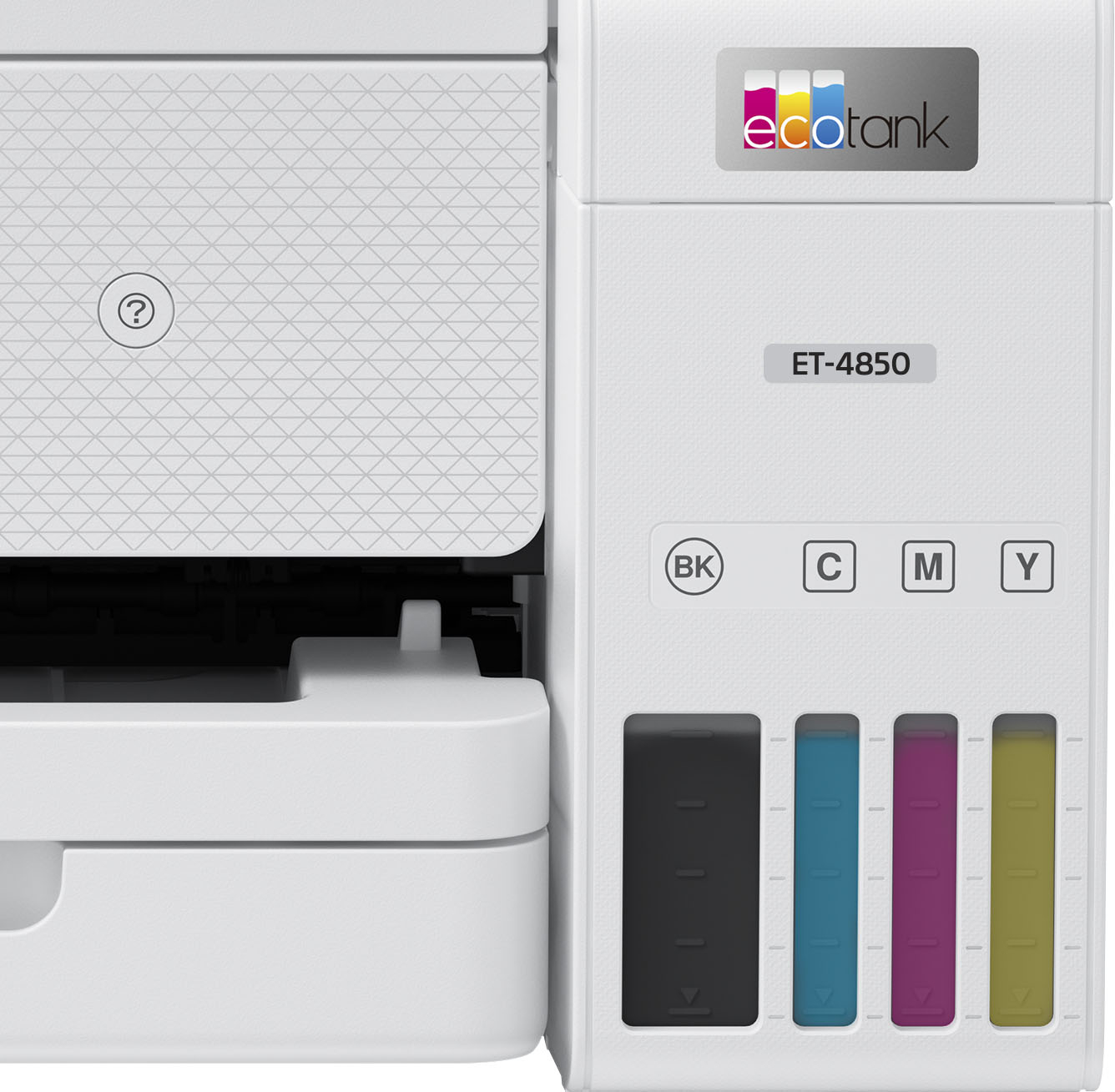
    The printer has all the features you would wont for a small office printer. It's print is clear and precise. The colors appear brilliantly with very little smudges. However, it feels like a low end printer because of the material used to make it. It is durable but some of the mechanical parts makes more noise than its counter parts. As for the ink cartridges, they work as advertised. I have printed over 100 pages and have seen the ink decrease very little.

    I would recommend this to a friend

    • Brand response from Epson
      Posted .

      Hello KimT, we appreciate your feedback on the ET-4850 printer. Epson considers all feedback to improve the performance and quality of our products. We'll forward this information to the appropriate department for review. If we can help you with anything else, our support team can be reached by phone at (562) 276-4382; Hours: Monday - Friday, 7 am - 4 pm PT.
      Sincerely, Sam - The Epson Team. Epson

  • Pros mentioned:
    Print quality

    Rated 3 out of 5 stars

    Epson ET-4850

    |
    |
    Posted . Owned for 1 month when reviewed.
    This reviewer received promo considerations or sweepstakes entry for writing a review.

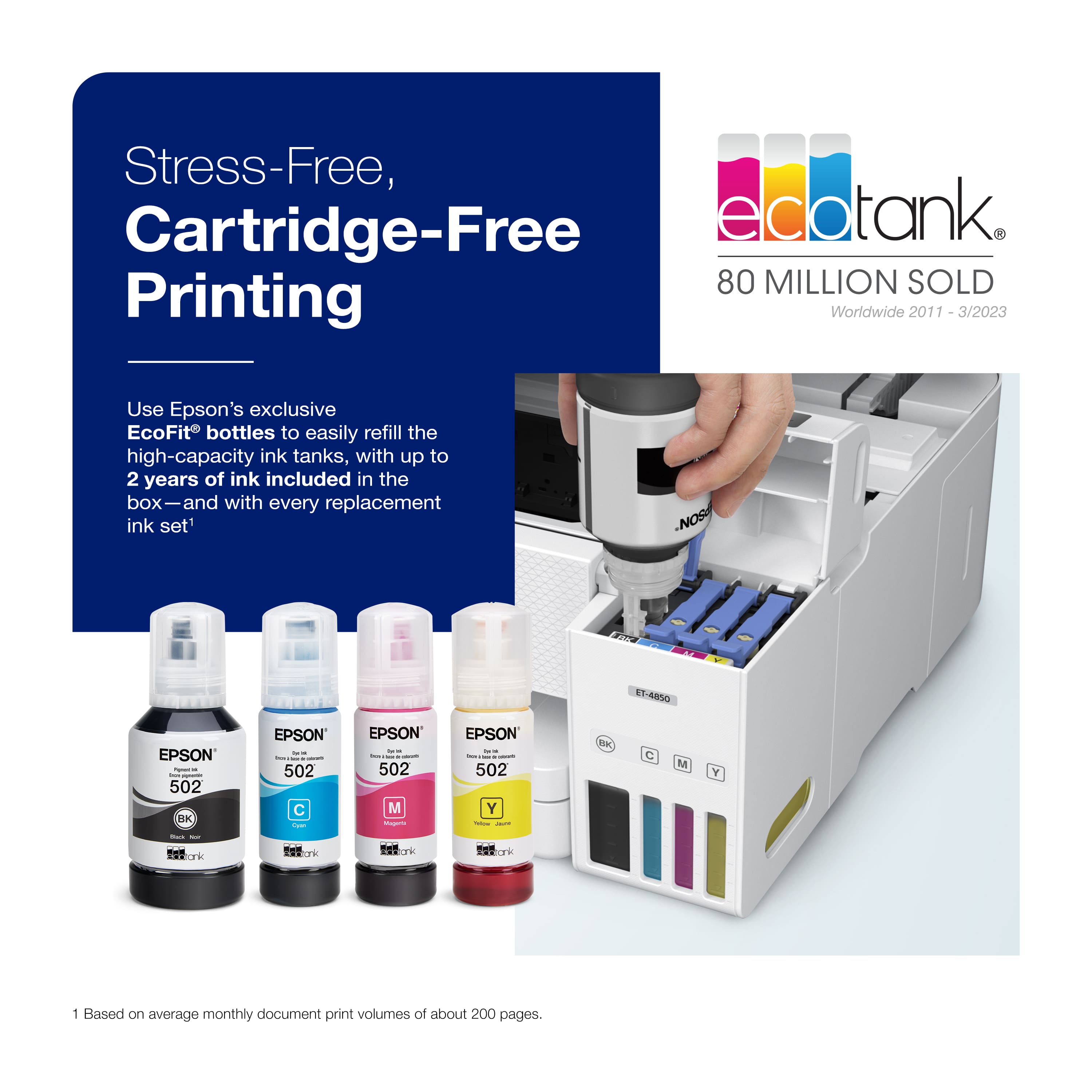
    I have two complaints about this printer. First and the worst problem I have experienced is the printer has now failed to print 4 documents that have contained graphics. The printer starts to print and then stops. The display screen says "printing" but after waiting ten minutes the print job is still frozen. I have to go to settings, printers, find my printer and open the job queue and delete the job. Then I have to reboot my computer before the printer will print another document. Now I can print the same graphics document on my ET-5850 in a few seconds. One may ask why didn't you use the ET-5850 in the first place? Well, I paid $500.00 plus 6% tax and 4 extra bottles of ink for the ET-4850 while waiting to buy either the ET-5880 or ET-5850 printer and I plan on getting something for my investment. I don't know if the printer stops printing because it doesn't have sufficient memory or the if this is a software problem. The second problem I have experienced is paper jams and paper not being pulled into the printer. I have solved this problem by only filling the paper tray 3/4 full. My printer will not work if the paper tray if full. The small LCD display makes it difficult to navigate the interface. I knew it was small before my purchase but my display measures 2" x 1-1/2". I don't know where the 2.44" spec comes from. The best thing about this printer is the ink tanks. One set of ink will fill all 4 tanks. I believe the printer will fail before I run out of ink. The replacement ink is a bargain and with the same quantity is half the cost of ink for the ET-5850. I would rather pay a fair price for the printer up front than be afraid to use the printer because of high replacement ink. Another good thing about the ink tanks is one does not have to worry about getting air into the print head. As long as you keep ink above the lower level, there is no way air can get into the system. I also use this printer to print from my Iphone. So, I would recommend those looking to purchase an ink tank printer go with the ET-5850 or ET-5880 if you can find one. You won't regret it.

    No, I would not recommend this to a friend
    • Brand response from Epson
      Posted .

      Hello Coolstor, we appreciate your feedback, and we'll forward this information to the relevant departments to help us improve the quality and performance of future Epson products. Epson also offers helpful information, including FAQs and self-help tools, on the product support web page at https://epson.com/Support/Printers/All-In-Ones/ET-Series/Epson-ET-4850/s/SPT_C11CJ60202#questions. Your EcoTank printer includes a 1-year Limited Warranty, plus free lifetime technical support. If you need assistance, our Epson Support Team would be happy to help you and can be reached at (562) 276-4382; Hours: Monday - Friday, 7 am - 4 pm PT; Sincerely, Sam - The Epson Team. Epson

  • Pros mentioned:
    Ease of use

    Rated 3 out of 5 stars

    BEWARE of firmware updates for this printer!

    |
    |
    Posted . Owned for 2 weeks when reviewed.
    This reviewer received promo considerations or sweepstakes entry for writing a review.

    This printer is relatively easy to set up and so far (about 10 days) it performs admirably well. The reason I give it only 3 stars is because after the first printer I received was up and functioning well, I got a message to install new firmware. This requires connecting a USB B printer cable to your computer. For whatever reason, the install was interrupted and the result was that despite trying the various ways proposed by both Epson and You-Tube I could not get the printer unfrozen. I spoke with Epson techs and they advised me that the only solution was to return the device and get a replacement. Rather than follow the complex requirements of returning the device to them, I went directly to Best Buy and they handled the return and replacement swiftly and with no hassle whatsoever. This is why I buy such products from Best Buy, not directly from the manufacturers: No hassle returns.

    I would recommend this to a friend
    • Brand response from Epson
      Posted .

      Hi mdm9, thank you for taking the time to write a review of your Epson printer. We appreciate your business, and value your feedback. Your EcoTank ET-4850 includes free technical support for the life of your product, so if you ever need assistance, feel free to contact us at (562) 276-4382; Hours: Monday – Friday, 7 a.m. to 4 p.m. (PT). Kind Regards, Dylan – The Epson Team. Epson

  • Rated 3 out of 5 stars

    Efficient, Practical and cheap printing but…..

    |
    |
    Posted . Owned for 5 months when reviewed.
    This reviewer received promo considerations or sweepstakes entry for writing a review.

    The tank concept is great. After you get over upfront cost, ink is cheap and there is no need to conserve and limit printing like I’ve done in the past. Connectivity for simple printing can be difficult with different devices, connecting for scanning is all but impossible. I just “scan to email” to bypass directly scanning to Mac which is an issue with multiple pages (larger attachment size documents). I’ve only scanned a few documents through the ADF but the few times I’ve tried, it has jammed with as little as 5 increased sheets. If you plan on printing photos, this is definitely not the answer. Photo prints come out washed out looking. Simple document printing looks great though. No complaints there.

    No, I would not recommend this to a friend
  • Rated 3 out of 5 stars

    Limitations - Does Not Meet My Needs

    |
    |
    Posted . Owned for 3 weeks when reviewed.
    This reviewer received promo considerations or sweepstakes entry for writing a review.

    Love the Eco Tank - less expensive than ink cartridges. However, I am disappointed that it is not possible to make double-sided copies using the paper feeder. Also, I am unable to print (or scan) many documents double-sided without several added steps or printing on one side then turning the paper over correctly and printing on the other side - always a potential for error. If I had known about these two limitations I would not have purchased this printer. The limitations are significant enough that I might not keep the printer.

    No, I would not recommend this to a friend
  • Pros mentioned:
    Print quality

    Rated 3 out of 5 stars

    Good Printing; Weak Network Function

    |
    |
    Posted . Owned for 1 month when reviewed.
    This reviewer received promo considerations or sweepstakes entry for writing a review.

    This Epson prints well with reasonable speed and good color. Filling the ink tanks was easy, as claimed. I have it directly linked to a computer with printer USB-AB cable, all good. As far as home network, not satisfactory. It recognizes my network, but claims the signal is weak. However, two computers, two TV's, a phone, and previous HP printers disagree - all indicate 4 bars. What's worse, it frequently disconnects completely from the network. I have to turn it off and on to get it to reconnect and print any remote documents. If you want it to run off an in-home network, better keep it close to your router. If you don't care about this, it is otherwise quite satisfactory.

    I would recommend this to a friend

    • Brand response from Epson
      Posted .

      Hello Jerome, thank you for your feedback on the ET-4850 printer. Epson considers all feedback to improve the performance and quality of our products. Epson provides helpful information to address most issues, including FAQs and self-help tools, on the product support web page at https://epson.com/Support/Printers/All-In-Ones/ET-Series/Epson-ET-4850/s/SPT_C11CJ60202#questions. Additionally, your printer includes a 1-year Limited Warranty, plus free lifetime technical support. Please reach our support team directly at (562) 276-4382 between 7 am - 4 pm (PT), Monday - Friday if you need any assistance.

      Sincerely, Sam - The Epson Team. Epson

  • Rated 3 out of 5 stars

    Love It Hate It

    |
    |
    Posted . Owned for 1 year when reviewed.
    This reviewer received promo considerations or sweepstakes entry for writing a review.

    Having had an Epson printer in the past that would not die, I decided to go back to the brand for their newer version. I loved everything about this printer, the fillable ink cartridges and the all in one features. It worked perfectly for the first few months, and now it will randomly disconnect from the wifi connection. Resetting the connection is not easy and for some reason I have to call tech support more often then not to get it to work correctly. Like, resetting network settings doesn't reset it, resetting everything to default doesn't...I literally bought a printer cable as a back up option because I have found myself needing to print in a rush and not being able to. I think the order to reset is click network settings, hold down 2 keys, let it reboot, jump on 1 foot in a circle and while chanting to the printer gods 3x and then it usually works again.

    No, I would not recommend this to a friend
  • Pros mentioned:
    Print quality

    Rated 3 out of 5 stars

    Scanner needs some work

    |
    |
    Posted .
    This reviewer received promo considerations or sweepstakes entry for writing a review.

    The one time I needed to scan something, the scanning assembly fell apart. Cheap plastic gears. Printing was excellent

    No, I would not recommend this to a friend
    • Brand response from Epson
      Posted .

      Hi vincep, we are sorry to hear you are having issues with your Epson printer. Your ET-4850 includes a 1-year limited warranty plus free technical support for the life of your product. Our Epson Support Team would be happy to hear from you and can be reached at (562) 276-4382; Hours: Monday – Friday, 7 a.m. to 4 p.m. (PT). Sincerely, Joseph – The Epson Team. Epson

  • Pros mentioned:
    Print quality

    Rated 3 out of 5 stars

    Photo Paper

    |
    |
    Posted . Owned for 3 weeks when reviewed.
    This reviewer received promo considerations or sweepstakes entry for writing a review.

    This printer works great with standard paper but when I switch to Photo paperI had problems. I used Epson good photo paper and the printer would not roll the paper around, seems like the photo was too thick. Returned

    No, I would not recommend this to a friend
    • Brand response from Epson
      Posted .

      Hi bear22, we're sorry to hear you were not satisfied with your Epson ET-4850 printer. Epson takes into consideration all feedback to improve the performance and quality of our products. We appreciate your time in sharing your experience and hope you have a nice day. Kind Regards, Joseph – The Epson Team. Epson

  • Pros mentioned:
    Print quality

    Rated 3 out of 5 stars

    Complex and problem prone, when it prints it is fn

    |
    |
    Posted . Owned for 3 weeks when reviewed.
    This reviewer received promo considerations or sweepstakes entry for writing a review.

    Complex setup and often does not print or scan and has you go around in circles. It is brand new, with standard 11 X 8.5 paper, jams often. Clearing the jam requires several repeat of the jam clear procedure after the jam has been cleared. Prints well. Still a big savings over the former HP and its $70 black and color cartridges set when you only need black.

    No, I would not recommend this to a friend
  • Pros mentioned:
    Print quality

    Rated 3 out of 5 stars

    Don't buy if you scan alot

    |
    |
    Posted . Owned for 1 month when reviewed.
    This reviewer received promo considerations or sweepstakes entry for writing a review.

    Print quality and productivity is just fine. The downside of this unit for me was that it seems to need updates quite often and disconnects from my network (I'm totally wireless) nearly every day. To wireless scan you have to reconnect each day unless you can scan to email or the cloud. Also, the bed for scanned pages is pretty shallow and will sometimes push completed pages out.

    No, I would not recommend this to a friend
    • Brand response from Epson
      Posted .

      Hello WuTang, we're sorry to hear about your disappointing experience with the ET-4850 printer. Epson considers all feedback to improve the performance and quality of our products. Epson also offers helpful information, including FAQs and self-help tools, on the product support web page at https://epson.com/Support/Printers/All-In-Ones/ET-Series/Epson-ET-4850/s/SPT_C11CJ60202#questions. Your EcoTank printer includes a 1-year Limited Warranty, plus free lifetime technical support. If you need assistance, our Epson Support Team would be happy to help you and can be reached at (562) 276-4382; Hours: Monday - Friday, 7 am - 4 pm PT; Sincerely, Sam - The Epson Team. Epson

  • Pros mentioned:
    Setup

    Rated 3 out of 5 stars

    Not thrilled

    |
    |
    Posted . Owned for 2 weeks when reviewed.
    This reviewer received promo considerations or sweepstakes entry for writing a review.

    Bought this to replace ny canon. It was eady setup but getting the print calculations was fifficult. Still cant print to a drcrnt gont despite all manuel directions. Wanted to return cause csnon is much easier but didnt realuze only 2 weeks to return. Im 2 weeks and a day.

    No, I would not recommend this to a friend
  • Cons mentioned:
    Document feeder

    Rated 3 out of 5 stars

    Disappointed in printer

    |
    |
    Posted . Owned for 1 month when reviewed.
    This reviewer received promo considerations or sweepstakes entry for writing a review.

    Printer regularly loses its was to the eifi connection. I have to turn printer off & on again for printer to find wifi to print. Also, the document feeder jams more iften than it feeds 3 sheets to be scanned or copied.

    No, I would not recommend this to a friend
  • Rated 3 out of 5 stars

    So so printer

    |
    |
    Posted . Owned for 3 weeks when reviewed.
    This reviewer received promo considerations or sweepstakes entry for writing a review.

    As a basic printer it’s ok, but frustrating when you printing you always have to approve the paper selection. Printing photos is awful compared to the older inkjet printer from Epson. Colors are off and very little detail

    No, I would not recommend this to a friend
  • Pros mentioned:
    Print quality

    Rated 3 out of 5 stars

    Not the best for photos

    |
    |
    Posted . Owned for 1 month when reviewed.
    This reviewer received promo considerations or sweepstakes entry for writing a review.

    Very difficult to set up but with help I finally got the basics working and it prints clearly. Prints of photos are not as good as I had hoped.

    No, I would not recommend this to a friend
  • Pros mentioned:
    Print quality

    Rated 3 out of 5 stars

    Wi-fi Connectivity Issues

    |
    |
    Posted . Owned for 1 month when reviewed.
    This reviewer received promo considerations or sweepstakes entry for writing a review.

    Print quality and speed is good. Unfortunately, it disconnects from the wi-fi a lot and has to be reset.

    I would recommend this to a friend

  • Cons mentioned:
    Scanning

    Rated 3 out of 5 stars

    Not a double sided scanner

    |
    |
    Posted . Owned for 1 month when reviewed.
    This reviewer received promo considerations or sweepstakes entry for writing a review.

    For almost $500, I didn’t even think to check if it did two sided scanning. Printing is slow, but I can deal with that. I really needed the two sided scanning function, but it’s too late to return so I’ll Just have to deal with it.

    No, I would not recommend this to a friend

    • Brand response from Epson
      Posted .

      Hello Angelawalshtx, your ET-4850 does support double-sided printing. Epson also offers helpful information, including FAQs and self-help tools, on the product support web page at https://epson.com/Support/Printers/All-In-Ones/ET-Series/Epson-ET-4850/s/SPT_C11CJ60202#questions. Your printer includes a 1-year Limited Warranty, plus free lifetime technical support. If you encounter any technical issues, you can reach the Epson Support Team at (562) 276-4382; Hours: Monday - Friday, 7 am - 4 pm PT; Sincerely, Sam - The Epson Team. Epson