Customer Ratings & Reviews
















- Model:
- C11CH67201
- SKU:
- 6426725
Rating by feature
- Value
Rating 4.3 out of 5 stars
- Quality
Rating 4.4 out of 5 stars
- Ease of Use
Rating 4.2 out of 5 stars
Customers are saying
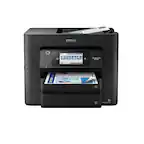
Customers express satisfaction with the WorkForce Pro WF-7840 printer's print quality, ease of use, and overall performance. Many appreciate the convenience of the dual paper trays and the quick setup process. However, some customers have noted the printer's considerable size and occasional connectivity issues. A few have also mentioned its weight as a minor drawback.
This summary was generated by AI based on customer reviews.

Love What This Big Boy Can Do
|Posted .This reviewer received promo considerations or sweepstakes entry for writing a review.This Epson - Work Force® Pro WE-7840 Wireless Wide-format All-in-One Printer, in black, can practically do anything whether for strictly home use, or home business, or in office business needs. However, please keep in mind that this printer has a large footprint and you need a stable and sizable surface area on which to places it. This a well-packaged printer and the contents of its box are the printer, that has many blue tapes applied to keep key areas stable during shipment in its huge box that all need to be removed during the installation process. Also provided inside the box are the 4 snap-in cassettes of color, the electric plug, a short and direct installation pamphlet in English and other languages. The installation is so easy and intuitive, but I also am including a link, https://www.youtube.com/watch?v=P85XaWziHZo, to a You Tube video that also goes step-by-step through the installation. I must say that this all in one-copy, scan, fax, and print can handle most anything that you might need to be done. It is instant on, so no waiting time to print, it has 2-250 sheet capacity paper trays plus a 50 sheet rear-feed third port. If you look at the paper tray photos that I have uploaded you will see a light blue rectangular plastic piece that once engaged allows you to increase the size of the tray to accommodate legal, 11x14, and wide body, what I call ledger-size, 11x17, paper. I am a CPA and do paperwork and I have always had to cut and paste because printing or copying these type of worksheets was previously not doable, but now it is. I am also a big fan and require that my printers have auto doc feeders, ADF's, to make my work more efficient and in this case you can stack up to 35 pages per the instructions. I love that I can use all 3 paper ports differently, if I so choose. Paper tray 1 for letter size, paper tray 2 for legal size, and the rear feeder for 11x17. You could also fill a tray with photo quality paper, envelopes or smaller billing statements, whatever your personal or business needs require. All 3 of these paper ports are totally adaptable Now, if I were printing long tax returns I would still be using my laser printers for speed, but in all other areas this would be just fine. I did connect the printer to my Alexa to do some voice-activated printing.I set my printer up to be completely wireless and it needs to be hooked up to your network before setting up the Alexa feature. I initially Googled this, but wound up at the Epson website for the Setting Up the Epson Printer Skill for Amazon Alexa commands, https://epson.com/Support/wa00879a. It is important that you have previously set up an econnect account because after you enable the Alexa Epson skill Amazon links you back to signing into your econnect account. By the way, it is easiest to get to anything Alexa by typing into your browser alexa.amazon.com, I was trying to go into the website to get to the skills, but it was not working well that way, much easier to get to Alexa information this other way. i also downloaded the Epson Smart Panel app on my android smart phone
I would recommend this to a friend- Pros mentioned:Print qualityCons mentioned:Size, Weight
Large prints
||Posted . Owned for 1 month when reviewed.This reviewer received promo considerations or sweepstakes entry for writing a review.The printer prints really well and does handle larger print sizes. It is also heavy and bulky. We had to have the first one replaced because of an internal hardware issue. Be sure to make it go through all the paces in the first few days that you can exchange it pain free. Technical support is hit and miss. The techs are difficult to understand and have a hard time understanding the caller.
I would recommend this to a friend - Pros mentioned:Paper tray, Print qualityCons mentioned:Weight
Good All In One
||Posted . Owned for 1 month when reviewed.This reviewer received promo considerations or sweepstakes entry for writing a review.Quiet printing Prints fast with good quality Convenient multiple paper trays Prints 13 x 19 Big footprint (large for an all in one) Heavy Epson Ink costs more than my Canon Ink (Canon ink seems to last longer too) Overall a solid all in one printer that should be enough for any office.
I would recommend this to a friend - Pros mentioned:Paper tray
Workforce is a Workhorse
||Posted . Owned for 2 weeks when reviewed.This reviewer received promo considerations or sweepstakes entry for writing a review.This was on sale and was further reduced by $75 with an Epson “recycle and save” coupon. Spent under $200 out the door. It’s big and it’s heavy but I needed 11x17 paper handling. Two sheet trays is a bonus. It’s fast, too. Traded up from an Artisan 537 printer. Setup took a little time but did finally complete.
I would recommend this to a friend - Pros mentioned:Paper tray, Print quality
This printer does it all!
||Posted . Owned for 1 month when reviewed.This reviewer received promo considerations or sweepstakes entry for writing a review.I've had this for a couple of months. It is simply amazing. Two paper trays plus a direct feed chute...letter and legal in the trays and 11x17 in the feeder. You just don't see these features in a home printer. Best Buy price was below any other vendor online. Free delivery sweetened the deal. Works great for photos on photo stock; labels; everyday one and two sided printing. Copy and scan works exactly as advertised. Bottom line: exceptional functionality for use as a home printer and it takes print orders from desktops, laptops, and phones.
I would recommend this to a friend - Pros mentioned:Setup
Perfect for home office
|Posted .This reviewer received promo considerations or sweepstakes entry for writing a review.This replaces my Epson 845 and I can see a huge difference. For starters it handles more paper and larger paper sheets. I prints a lot faster and I don't have worry about paper falling after printing because it automatically extends the receiving tray. The only issue I have is the ink cartridges are a bit smaller than my 845 by just a little. However the black cartridge is large. It's easy to set up with onscreen and computer instructions, full size keypad and email feature to email directly from the printer. Excellent all in one for the home office I got.
I would recommend this to a friend - Pros mentioned:Overall performance, Print quality
Worth it!
||Posted . Owned for 1 year when reviewed.This reviewer received promo considerations or sweepstakes entry for writing a review.Perfect printer and easy to connect. Scans are great and interfaces with Apple Air print.
I would recommend this to a friend - Pros mentioned:Paper tray, Print quality
Only inexpensive printer that can do ArchB-12"x18"
||Posted . Owned for 1 week when reviewed.This reviewer received promo considerations or sweepstakes entry for writing a review.I purchased this machine because I wanted a 3-tray printer that could print up to ArchB or 12"x18" paper. This machine delivers on my requirements. This printer has enough internal intelligence to route jobs to the correct paper tray, when using three different page sizes. The print quality meets expectations, and the printer is as fast as any ink jet printer. This printer also features auto-duplexing on the printer and scanner which makes duplex printing easy. It is fair to say that if you are considering this printer you are probably also looking at the HP 7740, which I also own. This printer is comparable with the HP 7740 in all respects, but with larger paper handling options. The supplies for this printer (T812XL Black with T812 Color Cartridges) can be purchased in a single pack for $80. This cost is less than the comparable print cartridges on the HP 7740 (the cost of this configuration is $118). At this time I cannot report on page yield as I have only printed 239 pages (108 BW/131 Color). According to some printer review sites this printer has a cost per page at 3.3 cents BW/11.3 cents Color. This is a higher cost than the HP 7740 by 57% and 39% respectively. The scanner when compared to Epson’s Workforce stand-alone scanners or a large-office MFP is slow. Additionally while this scanner does duplex scanning it does not have single-pass duplex scanning. If you work in an environment where you need to scan large documents frequently you should pass on this machine for an Epson Workforce. All this being said, I purchased this machine as a printer not a scanner so the scanner feature is truly a secondary value-added feature. In conclusion, if you need an 11x17 MFP then the HP 7740 is equivalently priced machine with a lower cost of ownership. If you need a 13x19 printer with occasional scanning up to 11x17 then this is a solid machine which should meet your needs.
I would recommend this to a friend - Pros mentioned:Print quality, Setup
WorkForce is a work horse
||Posted .This reviewer received promo considerations or sweepstakes entry for writing a review.Set up took less than 15 minutes and the print quality is exactly the professional look I hoped for.
I would recommend this to a friend - Pros mentioned:Ease of use, Print quality, Setup
Nice printer, many features and quiet
||Posted . Owned for 3 weeks when reviewed.This reviewer received promo considerations or sweepstakes entry for writing a review.Easy set up, works quietly and prints good quality copies. Have not used scanning or fax features. Only 4 stars as instructions are vague on general usage and directions. This was more money and features than needed for home use but due to inventory we choose this brand and model. Epson has been good brand in the past.
I would recommend this to a friend - Pros mentioned:Ease of use, Setup
Epson WorkForce Pro WF-7840 rocks the house!
||Posted .This reviewer received promo considerations or sweepstakes entry for writing a review.The machine is simply excellent. Easy setup. Plugged it into my network, and the entire house can see it.
I would recommend this to a friend - Pros mentioned:Print qualityCons mentioned:Size
Great Quality Printer
||Posted . Owned for 1 month when reviewed.This reviewer received promo considerations or sweepstakes entry for writing a review.Super happy with this dual tray printer/scanner, great quality print-outs and fast. It's user friendly, looks great and doesn't take too much space.
I would recommend this to a friend - Pros mentioned:Overall performance, Print quality
My Best Printer Ever
||Posted . Owned for 1 month when reviewed.This reviewer received promo considerations or sweepstakes entry for writing a review.This is my first Epson printer. I'm very pleased with it. To be honest, it's more printer than I really needed for general home use, but I'm glad I got it now that I have it. I wanted double-sided printing and double-sided scanning, and it does both flawlessly. Its print quality is impressive, especially compared to its replaced printer (whose prominent two-letter-name manufacturer shall remain nameless). I scanned some old family photo prints, and the image quality was remarkable. The available Epson application software made it exceptionally easy to do. Its display and control panel is large and intuitive, but most operations can be done from its host (possibly wirelessly connected) computer with the available application software. I read comments before getting it that its method of handling double-sided scanning was cumbersome, but I have no problem with the speed and accuracy of its scanning function, and, when printing, it cranks out prints very quickly. There are probably applications I have yet to explore, but so far, I'm delighted. I'd highly recommend it for those who have the space (it's big) and the funds (it's a bit expensive) for general home use. It will handle oversized paper, but even that's pretty expensive - and apparently hard to find right now. I may get some to have on hand for the rare occasions when I need something larger than 8.5 X 11. It's reassuring to know that I can do that if I need to. I'm glad my local Best Buy associate steered me to it.
I would recommend this to a friend - Pros mentioned:Print qualityCons mentioned:Size
A beast of a machine that fits a specific need
||Posted . Owned for 3 months when reviewed.This reviewer received promo considerations or sweepstakes entry for writing a review.This thing is a beast. Be aware before you buy this that it is huge. I'm okay with that because I want the features that come with it - especially the wide format printing ability. You will need a separate stand/table for it. Overall I'm happy with this printer - it does what I need. Scanning is reasonable in quality and speed. Printing is fast. The starter ink has lasted a lot longer than I expected based on other reviews - but I'm not a super high volume printer. Overall - if you have a specific use case for this machine (wide format printing, etc) then it's definitely a good deal. The only issue I've had so far is that the WiFi will randomly disconnect occasionally (call it 3 times in the last 3 months), and it will not reconnect through the control panel - only through a power cycle. Not a huge issue, a minor annoyance though.
I would recommend this to a friend - Pros mentioned:Paper tray, Print quality
Very nice printer
||Posted . Owned for 1 month when reviewed.This reviewer received promo considerations or sweepstakes entry for writing a review.This printer prints smooth and quiet. If you forget to pull out the print tray it will automatically do come out. Still setting up all of the functions but so far very pleased.
I would recommend this to a friend - Pros mentioned:Overall performance
Workforce WF-7840 Printer
||Posted . Owned for 2 weeks when reviewed.This reviewer received promo considerations or sweepstakes entry for writing a review.I purchased the WF-7840 printer for an excellent price. I've had the opportunity to use the printer for quite a few weeks now and I am totally satisfied with the printer's performance. I do a lot of black and white coping which it does well. However, when I tried to copy a small piece of paper(like a check} the printer requested some other action so I put a blank full size sheet of paper over the check and it copied just fine. I print photos of my grandkids on this printer and the color is great.
I would recommend this to a friend - Pros mentioned:Overall performance
Media Coordinator
||Posted . Owned for 1 week when reviewed.This reviewer received promo considerations or sweepstakes entry for writing a review.BOUGHT PRINTER FOR CHRISTMAS AND IT WAS AN EXCELLENT PRICE. PRINTER IS VERY VERSATILE AND WORKS GREAT ENOUGH FROM YOU PRONE. I AM SO GLAD WE BOUGHT THE EPSON WF 7840. FUNNY THIG IS WE WENT INTO BEST BUYS FOR INK AND CAME OUT WITH AN AN AWESOME PRINTER !! tHANK YOU.
I would recommend this to a friend Have not tested all the features I need yet
||Posted .This reviewer received promo considerations or sweepstakes entry for writing a review.There has been a bit of a learning curve and some frustration getting started with this printer. It defaulted to the bypass paper feeder rather than using the paper trays, and that was not clear to me in any of the instructions. I finally figured out how to disable it. I read the reviews that said the included ink did not last long enough to set up the printer so I bought a regular refill pack right away and ordered an extra capacity ink set. A month later and many pgea printed and I am still on the starter pack that came in the box with the printer. I bought this printer primarily because I wanted to scan larger format documents, and because I hd had enough of the HP lousy scanner software. I have not, unfortunately, had time to do the scanning.
I would recommend this to a friend- Pros mentioned:Overall performance
Good printer-be sure to update.
||Posted .This reviewer received promo considerations or sweepstakes entry for writing a review.Great printer, alot to learn from it, has it's benefits. Works great, just to bad cannot get generic brands ink. For the most part it's agreat printer. No issues, works as it should. Be sure your computers and laptops are up to date, when Windows update, make sure it updates as you update it.
I would recommend this to a friend - Pros mentioned:Setup
A big surprise in solid quality and ease to use
||Posted . Owned for 1 month when reviewed.This reviewer received promo considerations or sweepstakes entry for writing a review.I have been a loyal HP customer for 20 years, however, I found the last updates made using the system difficult. when my last HP brokedown i tried the Epson and have been pleasantly surprised. The quality of the build was solid. installation was easy, much easier than HP. Speed is slightly slower than the HP but quick enough for most jobs. Scanning software is excellent and very easy to scan and save. Footprint of the WF is about the same as my 7840 maybe a little bigger. ink may be a little more than HP as they do not have the subscription purchase, but you can locate better pricing. Overall would recommend you trying this printer.
I would recommend this to a friend