Customer Ratings & Reviews

- Model:
- T81401D1
- SKU:
- 6414446
Rating by feature
- Value
Rating 4.4 out of 5 stars
- Quality
Rating 4.6 out of 5 stars
- Ease of Use
Rating 4.7 out of 5 stars
Customers are saying
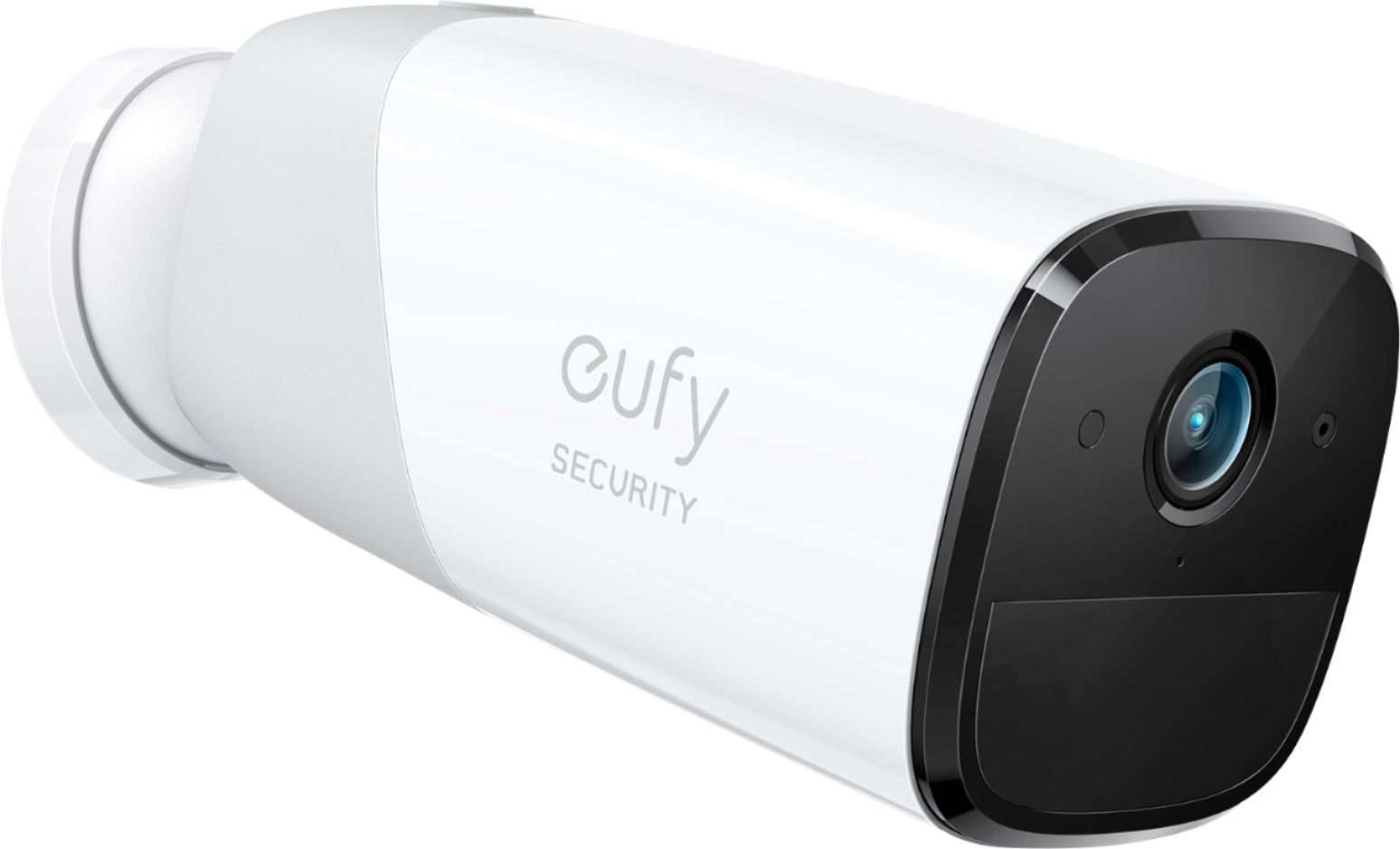
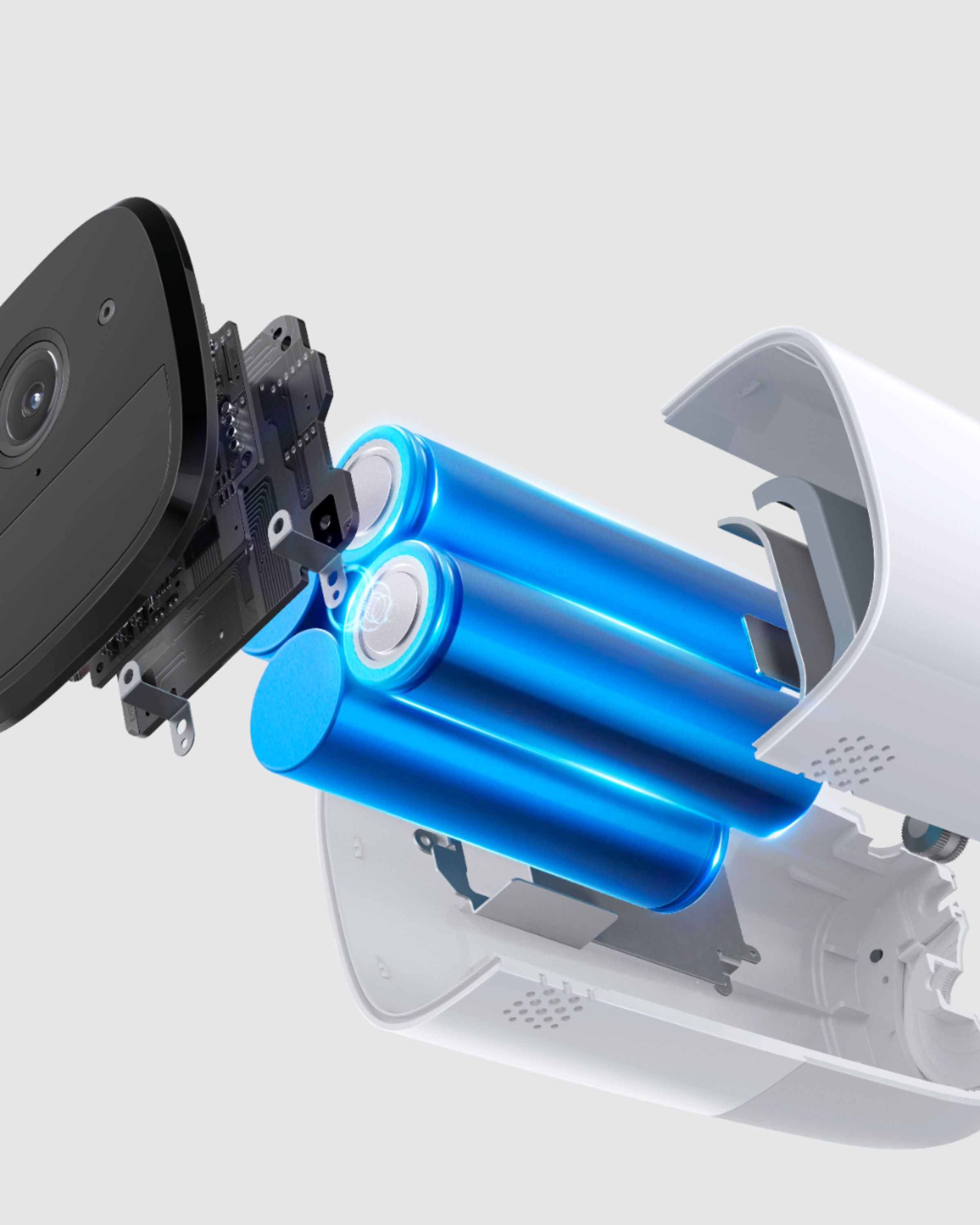
Customers admire the eufyCam 2 Pro Add-on Security Camera's excellent camera quality, ease of use, and impressive battery life. Many also praise its straightforward installation and effective night vision capabilities. While some users experienced challenges with motion detection sensitivity and mounting options, the overall feedback highlights the camera's positive attributes. The wireless functionality and local storage options are also frequently cited as benefits.
This summary was generated by AI based on customer reviews.
Great security cam
||Posted . Owned for 2 weeks when reviewed.This reviewer received promo considerations or sweepstakes entry for writing a review.You can't go wrong with Eufy for your home security needs.
I would recommend this to a friendGood with other Eufy products
||Posted . Owned for 1 month when reviewed.This reviewer received promo considerations or sweepstakes entry for writing a review.Works well especially when you have the Eufy doorbell and hub.
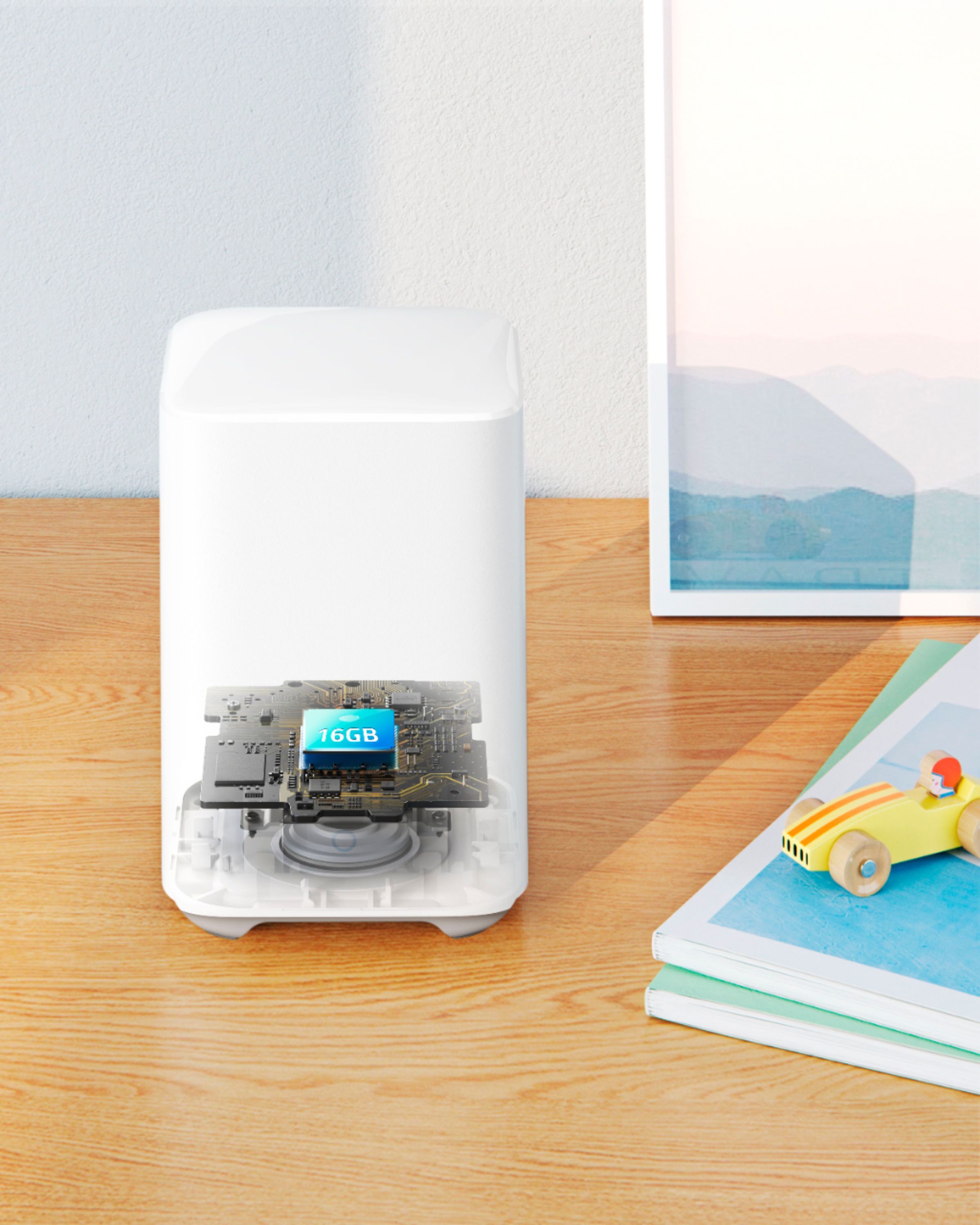
I would recommend this to a friendBase required
||Posted . Owned for 3 weeks when reviewed.This reviewer received promo considerations or sweepstakes entry for writing a review.Didn't know it needed a base. Feels very much like good quality.
No, I would not recommend this to a friendReview
||Posted .This reviewer received promo considerations or sweepstakes entry for writing a review.I love this camera and it’s compatible with HomeKit
I would recommend this to a friendReview of eufyCam 2 Pro 2K Camera
||Posted . Owned for 3 weeks when reviewed.This reviewer received promo considerations or sweepstakes entry for writing a review.Just OK. Good quality, but some functions hard to figure out. Several times it has asked me to reset the hub but I've just reloaded the pgm and it seems to work fine. I was hoping for a little distance clarity but normal views are clear and sharp.
I would recommend this to a friendCamera vs. App
||Posted . Owned for 3 weeks when reviewed.This reviewer received promo considerations or sweepstakes entry for writing a review.The cameras work quite well but, the app does not stay on! You have to keep an eye on it constantly because it will shut off on it's own!
No, I would not recommend this to a friendNever used it
||Posted . Owned for 1 week when reviewed.This reviewer received promo considerations or sweepstakes entry for writing a review.Returned, because it needed a homebase. Wasnt going spend more money. Got RING instead and 10 dollars cheaper with no homebase needed.
No, I would not recommend this to a friendBrand response from Eufy Team
Posted .Dear Customer,
I am truly sorry to hear that you are experiencing this issue. We understand how frustrating it can be and we appreciate your patience.
Please rest assured that we stand behind our products and are willing to provide assistance within our capacity. We are committed to ensuring your satisfaction and resolving your concerns promptly.
You can reach out to us via support@eufylife.com or call us at +1 (800) 988 7973. Our customer service team is always ready to help you.
We look forward to your message so we can address your issue as soon as possible. Thank you for bringing this to our attention and giving us the opportunity to make things right.
Best Regards,
1 Year Battery with 1 Year Warranty. Terrible Idea
||Posted . Owned for 1 year when reviewed.This reviewer received promo considerations or sweepstakes entry for writing a review.You might be looking at this camera thinking of how convenient it would be to have a battery life of a full year. Sounds great until that year is past and after charging the camera for a second time you find out the device is a dud. No worries, the warranty should cover that, right? Wrong! The warranty expires just as timely as the battery charge - 365 days. Do not look at the battery length of 365 days as a positive, it turns out to also be one of the top negatives. Eufy needs to step up and extend the warranty period for these cameras and stand behind their product. Instead, Customer Service for Eufy will only offer a discount on a replacement. I am not paying money twice on something that should be covered under warranty. I now have a high priced paper weight and disappointment for the other Eufy products I supported. I do not recommend this brand to anyone looking for any service they offer, they do not stand behind their products. I look forward to the copy-pasted response to this review.
No, I would not recommend this to a friendBrand response from Eufy Team
Posted .Thank you so much for sharing your experience. We're really sorry you've encountered this issue!
If possible, please try the following steps to see if the issue persists:
Please know that for eufyCam 2/2 Pro, a fully charged camera can last for one year, and for eufyCam 2C/2C Pro, it can last for half-year, with these usage scenarios:
- 68°F (20°C) temperature
- 10 motion detections per day and recorded for 30 seconds each time motion was detected. (Standby power consumption is included in the usage time.)
Battery life varies and depends on the number of times motion is detected, recording time duration, and environmental temperatures.
In this case, could you please try the following tips to see whether they can help?
-Please make sure that the network your device is connected to is in good condition. Weak network signal will cause Homebase to frequently send heartbeat packets to confirm the camera status, which will cause the camera to discharge quickly.
-Keep the Optimal Battery Life Mode in Camera Settings > Camera Working Mode. In this mode, the power consumption of the battery will be reduced, but it may also cause some motions will not be able to be detected.
-Select ""Human Only"" instead of ""All Motions"". Or decrease the sensitivity. Steps: Devices>motion detection>sensitivity level(type)
-Set up Activity Zone to filter the false positives.
If those don't help, please reach out to us via support@eufylife.com or call us at +1 (800) 988 7973. We are more than happy to assist you further.
We offer a 12-month warranty for this product, plus lifetime technical support. Our standard for responding to email quests is less than 24 hours, and we look forward to hearing from you!
Eufy Security Lied to us
||Posted . Owned for 6 months when reviewed.This reviewer received promo considerations or sweepstakes entry for writing a review.Eufy has lied to us, they keep thumbnail photos of people in there cloud, they’re able to spy on cameras, this is another Chinese product that lied to us on there ability to spy on us. Buyer Beware read what has come out about Eufy Cameras and huge security flaws.
No, I would not recommend this to a friend- Cons mentioned:Motion detection
Not worth getting.
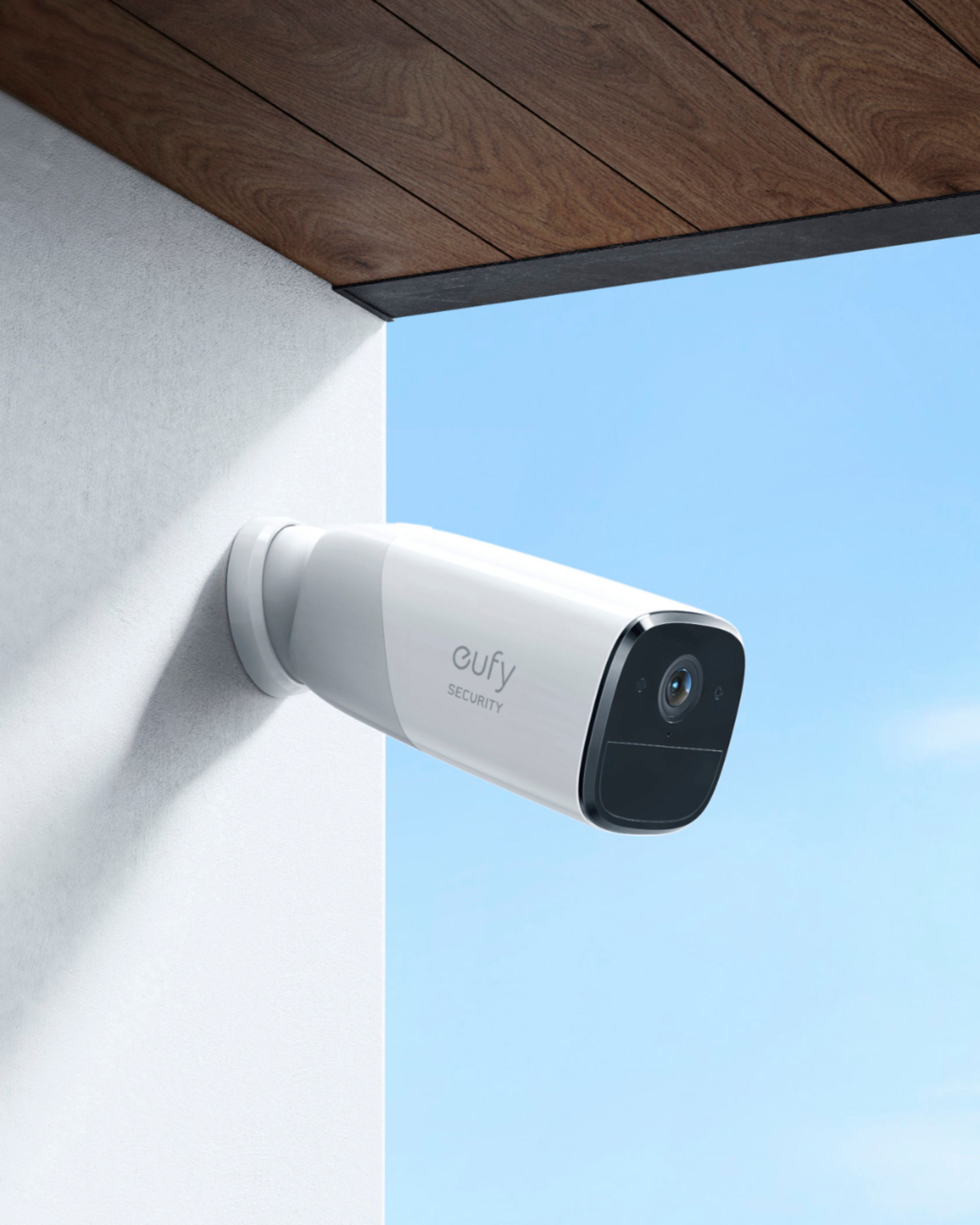
||Posted . Owned for 1 week when reviewed.This reviewer received promo considerations or sweepstakes entry for writing a review.Failed to detect motion after a little over a year. Magnet mount not strong enougt to hold the camera at 90 degrees. Stays at 60 degrees down.
No, I would not recommend this to a friendBrand response from Eufy Team
Posted .Thank you so much for sharing your experience. We're really sorry you've encountered this issue!
If possible, please try the following steps to see if the issue persists:
- Make sure you enable the motion detection in the app. Step: Devices- eufyCam- Motion Detection(enable).
- Please expand or delete your activity zone if set up. Steps:side menu>my devices>motion detection>activity zone.
- Please increase the sensitivity.
- Choose the motion test mode to see whether the LED light of the eufyCam is red.
- Please check whether you enable the "record" and "push notification" function of the camera in the security mode.
- Please know that the camera should be installed 7-10 feet above the ground and the depression angle should not be greater than 25°.
If those don't help, please reach out to us via support@eufylife.com or call us at +1 (800) 988 7973. We are more than happy to assist you further.
We offer a 12-month warranty for this product, plus lifetime technical support. Our standard for responding to email quests is less than 24 hours, and we look forward to hearing from you!
- Cons mentioned:Motion detection
Fails to record randomly + Poor customer service
||Posted . Owned for 7 months when reviewed.This reviewer received promo considerations or sweepstakes entry for writing a review.Fails to record motion randomly after working good for 3 months. the customer service would not give an effective solution to the problem and refused to honor warranty policy.Very disappointed . will not recomend their products any more.
No, I would not recommend this to a friendBrand response from Eufy Team
Posted .Thank you so much for sharing your experience. We are sorry to hear you are not satisfied with this item. We really appreciate your feedback to make this item better.
We are dedicated to ensuring your 100% satisfaction. Please reach out to us via support@eufylife.com or call us at +1 (800) 988 7973. We are more than happy to assist you further.
We offer lifetime technical support. Our standard for responding to email quests is less than 24 hours, and we look forward to hearing from you!
Died after 3 months
||Posted . Owned for 3 months when reviewed.This reviewer received promo considerations or sweepstakes entry for writing a review.I was initially excited about this camera and paid way too much at original offering ($160) Sept 23 2020. Now they sell for $99. For the first three months this camera worked great and I was happy, but three months later it disconnected from the base and will not sync or reset. I have several other EufyCam products that are still preforming well, so I hope this is the exception. Currently working with Eufy to see if they will replace it. Best Buy says it can't be returned after Oct 8 2020.
I would recommend this to a friendBrand response from Eufy Team
Posted .Thank you so much for sharing your experience. It's unusual for this product to be acting like this, and we'd love to get you what you need! Please reach out to us via support@eufylife.com or call us at +1 (800) 988 7973. We are more than happy to assist you further.
We offer a 12-month warranty for this product, plus lifetime technical support. Our standard for responding to email quests is less than 24 hours, and we look forward to hearing from you!
So, so battery
||Posted . Owned for 10 months when reviewed.This reviewer received promo considerations or sweepstakes entry for writing a review.The cameras are fine, they are just medium grade batteries are overrated and overstated
No, I would not recommend this to a friendBrand response from Eufy Team
Posted .Dear Customer,
I am truly sorry to hear that you are experiencing this issue. We understand how frustrating it can be and we appreciate your patience.
Please rest assured that we stand behind our products and are willing to provide assistance within our capacity. We are committed to ensuring your satisfaction and resolving your concerns promptly.
You can reach out to us via support@eufylife.com or call us at +1 (800) 988 7973. Our customer service team is always ready to help you.
We look forward to your message so we can address your issue as soon as possible. Thank you for bringing this to our attention and giving us the opportunity to make things right.
Best Regards,
- Cons mentioned:Connection
not happy
||Posted . Owned for 6 months when reviewed.This reviewer received promo considerations or sweepstakes entry for writing a review.We had three other cameras already before purchasing this one. The others seemed to work fine but this one never would connect properly. We tried it on multiple sides of the house and this one always seemed to be the one that was an issue. We really didn't realize it until it was too late to return it. Will we buy more of these? No.
No, I would not recommend this to a friendBrand response from Eufy Team
Posted .Thank you so much for sharing your experience. We're really sorry you've encountered this issue!
If possible, please try the following steps to see if the issue persists:
--Please try a different 5V 2A USB charger and a different USB cable to charge the camera for 2 hours. Since iPhone wall charger normally outputs 5V 1A, please use non-iPhone wall charger to charge the camera; --Please move the camera nearer to the Homebase or move the Homebase nearer to the camera;
--Please the issue happens to certain camera(s), please swap the camera with a working camera;
--Please save all important videos from eufy app, unpair the camera and re-add it to the eufy app;
--Please try to make sure there are no obstacles around HomeBase and the distance between Homebase and camera is within 20-30M.
--HomeBase will support a Wi-Fi connection via your router. Please set HomeBase to Wi-Fi in the Side menu > My Devices > Select HomeBase > HomeBase Settings > Connection to see if it helps
--Move the camera closer to the Homebase
--Please try to change another network cable to connect a different port on your router
If those don't help, please reach out to us via support@eufylife.com or call us at +1 (800) 988 7973. We are more than happy to assist you further.
We offer a 12-month warranty for this product, plus lifetime technical support. Our standard for responding to email quests is less than 24 hours, and we look forward to hearing from you!
- Cons mentioned:Motion detection
Poor quality
||Posted . Owned for 3 weeks when reviewed.This reviewer received promo considerations or sweepstakes entry for writing a review.Video quality isn’t 2K , Motion detector doesn’t work properly. I am very disappointed on this product
No, I would not recommend this to a friendBrand response from Eufy Team
Posted .Thank you so much for sharing your experience. It's unusual for this product to be acting like this, and we'd love to get you what you need!
In regards to the video quality, you can choose the video quality to be 2K HD or Full HD(1080P) on the Eufy security app, steps: Camera settings>Video quality>Recording quality. If you have enabled NAS or subscribed to clould storage, the recording will only support 1080P Full HD.
As for the detection issue, would you please further describle the issue? If the camera missed some movements? If so, please try the following steps:
1. Set the “Motion detection” to be “All motions” and adjust the “Detection sensitivity” to the highest.
2. Delete the activity zone if it has been set up. Steps:side menu>my devices>motion detection>activity zone.
3. A picture to show the position where you want to trigger the camera.
4. The exact time point when the camera missed to capture the movement. Such as November at 19:05.
5. Please download any video from the app and send it to us.
If it doesn’t help, please reach out to us via support@eufylife.com or call us at +1 (800) 988 7973. We are more than happy to assist you further.
We offer a 12-month warranty for this product, plus lifetime technical support. Our standard for responding to email quests is less than 24 hours, and we look forward to hearing from you!
A plus
||Posted . Owned for 1 month when reviewed.This reviewer received promo considerations or sweepstakes entry for writing a review.Add on a must have. Just pricey but rather have this verus arlo
I would recommend this to a friendWorked great for about 3 months
||Posted . Owned for 1 year when reviewed.This reviewer received promo considerations or sweepstakes entry for writing a review.My eufy cameras worked great for a few months then they stopped picking up anything but wind blowing my umbrella or a human. I bought these to pick up raccoons and opossums eating my feral cats food on my porch but they no longer do that so they are useless to me. Initially, I thought maybe it was my wifi not being strong enough to pick it up but I upgraded to Orbi modem and Nighthawk router about 3 months ago and they still don't pick them up.
No, I would not recommend this to a friendBrand response from Eufy Team
Posted .-Please take off the plastic film on the camera
-Please press the SYNC button for 2 seconds until you hear a beep, and make sure if there is a blue light on the camera? If the light is red, please try to charge the camera.
-Please make sure the light in front of the home base is blue and the light on the camera is blue when the camera is pairing with the home base.
-If you still cannot connect the camera to the APP, please press the SYNC button on the camera five times in three seconds, and then press the SYNC button for 2 seconds until you hear a beep to add the camera.
Slow and misses events
||Posted . Owned for 2 weeks when reviewed.This reviewer received promo considerations or sweepstakes entry for writing a review.Response time is very slow. And it does not record the starting of the event.
No, I would not recommend this to a friendCameras
||Posted . Owned for 1.5 years when reviewed.This reviewer received promo considerations or sweepstakes entry for writing a review.I went another direction, not bad but there are better cameras out there.
No, I would not recommend this to a friendEufy 4k the worst one, and should not even be sold
||Posted . Owned for less than 1 week when reviewed.This reviewer received promo considerations or sweepstakes entry for writing a review.I have had these cameras for one year in that time two of them have completely failed. Their customer service is virtually unreachable. Also if you program one of the cameras to give notifications during your Do Not Disturb mode on Android it will only send you silent notifications and no audible alert whereas Arlo cameras do send the audible alert when programmed to alert you they do not disturb money yeah Arlo.
No, I would not recommend this to a friendBrand response from Eufy Team
Posted .Dear Customer,
I am truly sorry to hear that you are experiencing this issue. We understand how frustrating it can be and we appreciate your patience.
Please rest assured that we stand behind our products and are willing to provide assistance within our capacity. We are committed to ensuring your satisfaction and resolving your concerns promptly.
You can reach out to us via support@eufylife.com or call us at +1 (800) 988 7973. Our customer service team is always ready to help you.
We look forward to your message so we can address your issue as soon as possible. Thank you for bringing this to our attention and giving us the opportunity to make things right.
Best Regards,