Customer Ratings & Reviews
- Model:
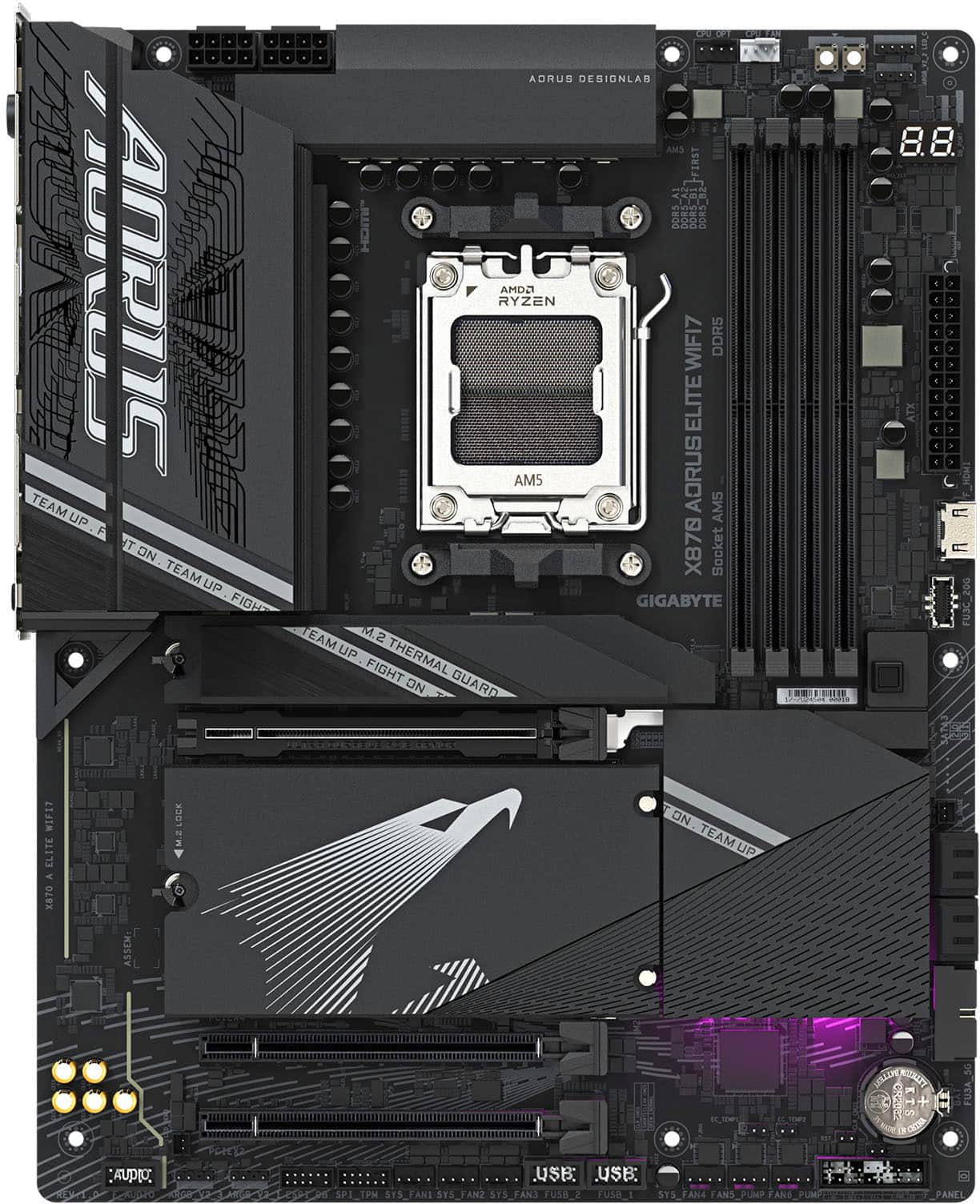
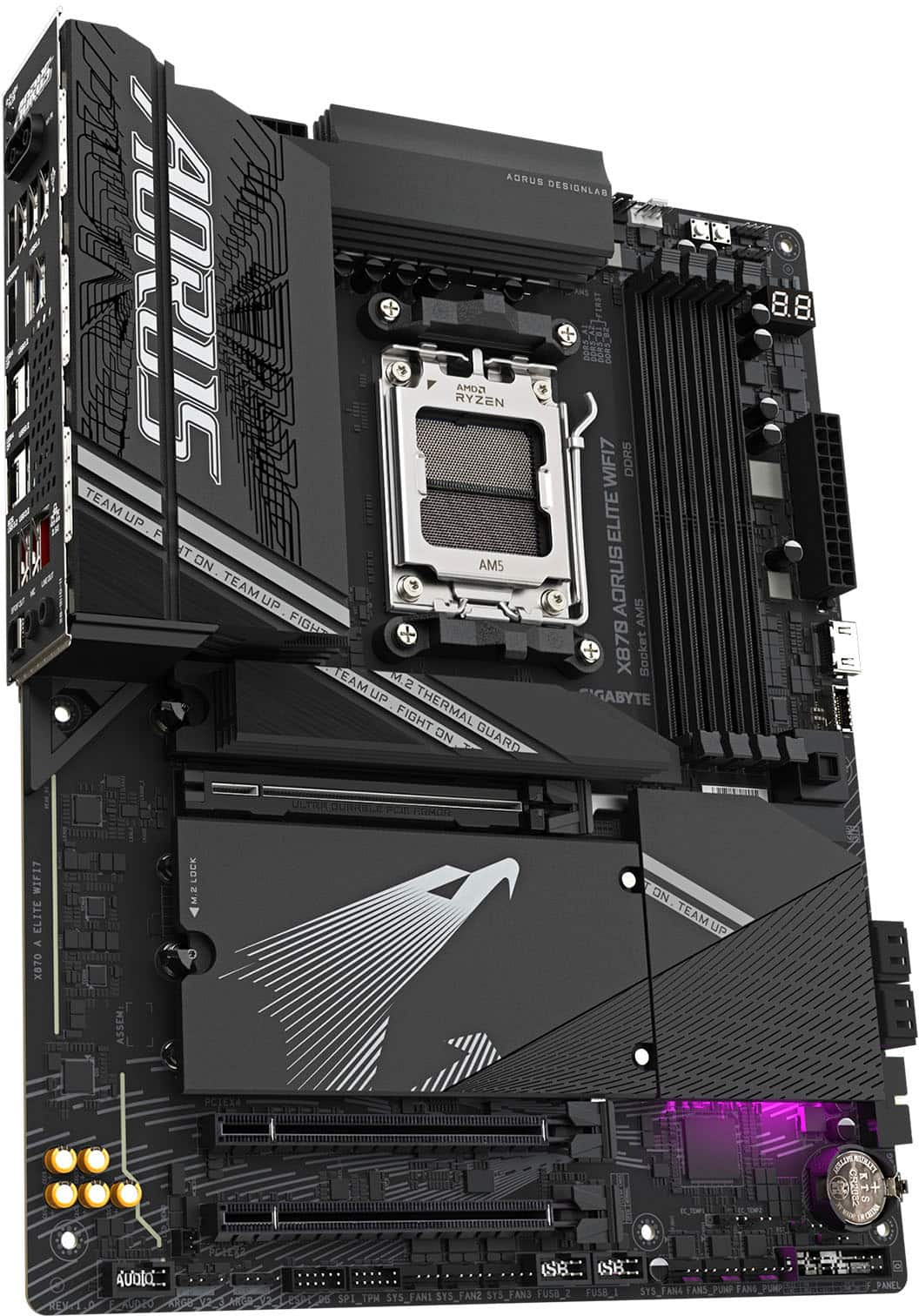
- X870 AORUS ELITE WIFI7
- SKU:
- 11013446
Rating by feature
- Value
Rating 4.6 out of 5 stars
- Quality
Rating 4.8 out of 5 stars
- Ease of Use
Rating 4.7 out of 5 stars
Great motherboard
||Posted .This reviewer received promo considerations or sweepstakes entry for writing a review.Great motherboard, haven’t had an any issues with owning it for 8 months.
I would recommend this to a friendReally good
||Posted . Owned for 2 weeks when reviewed.This reviewer received promo considerations or sweepstakes entry for writing a review.Really good I love how many storage you have so much fast storage options
I would recommend this to a friendWould recommend
||Posted .This reviewer received promo considerations or sweepstakes entry for writing a review.Has all the features i was looking for and scored a decent price while it was on discount
I would recommend this to a friendGreat product
||Posted . Owned for 1 month when reviewed.This reviewer received promo considerations or sweepstakes entry for writing a review.No issues so far, great performance for gaming and rendering.
I would recommend this to a friend
High end motherboard for a high end build!
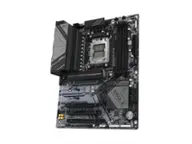
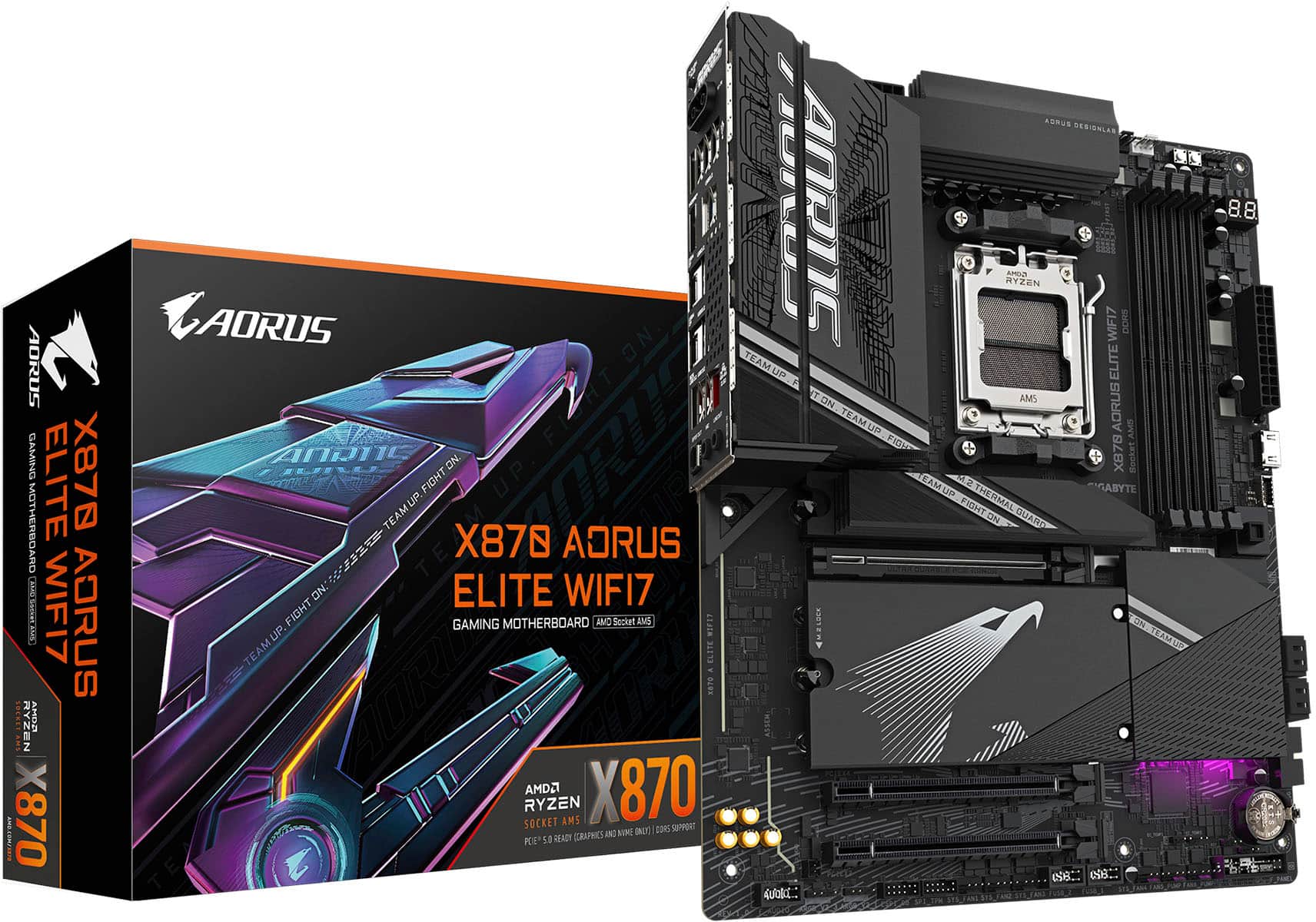
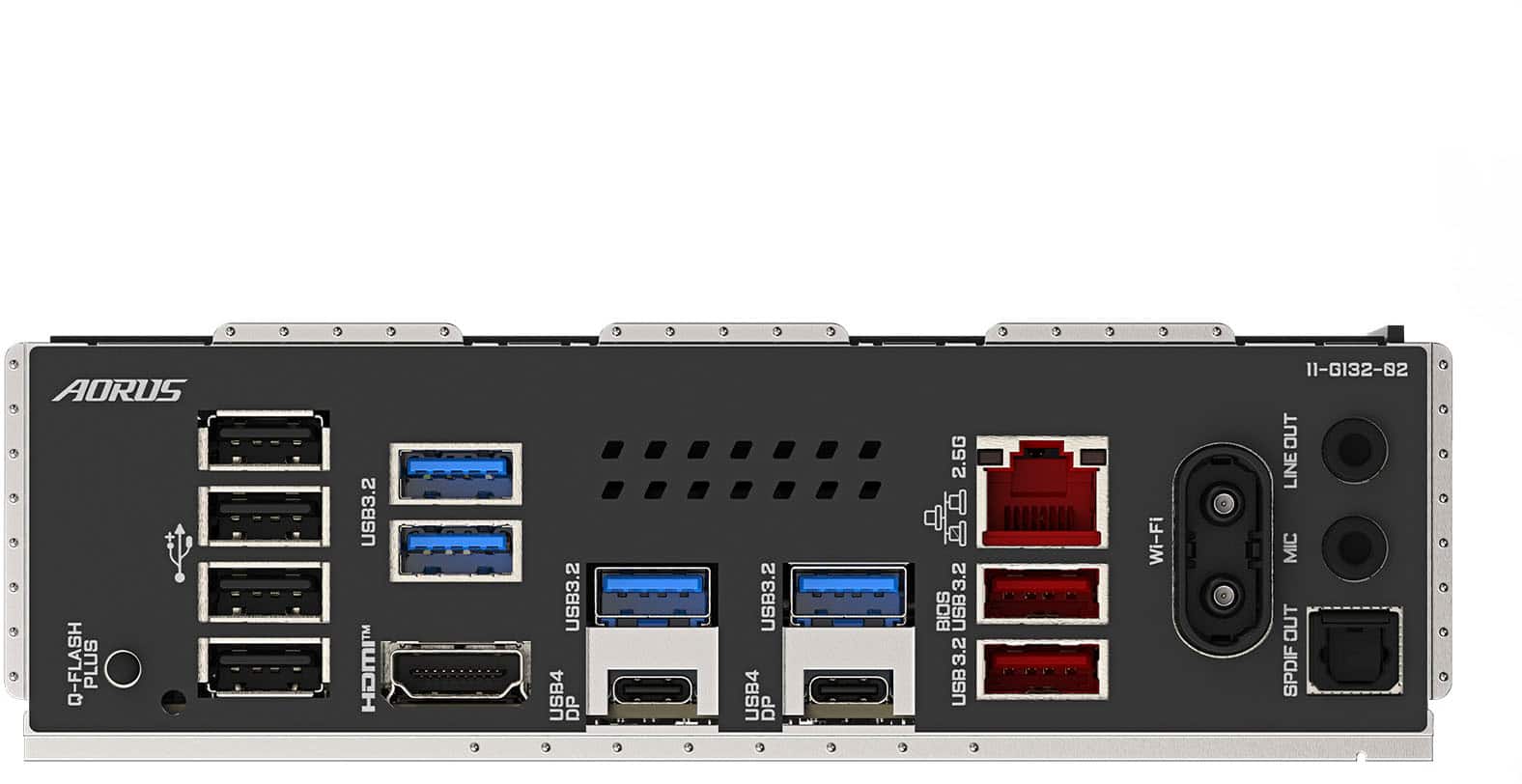
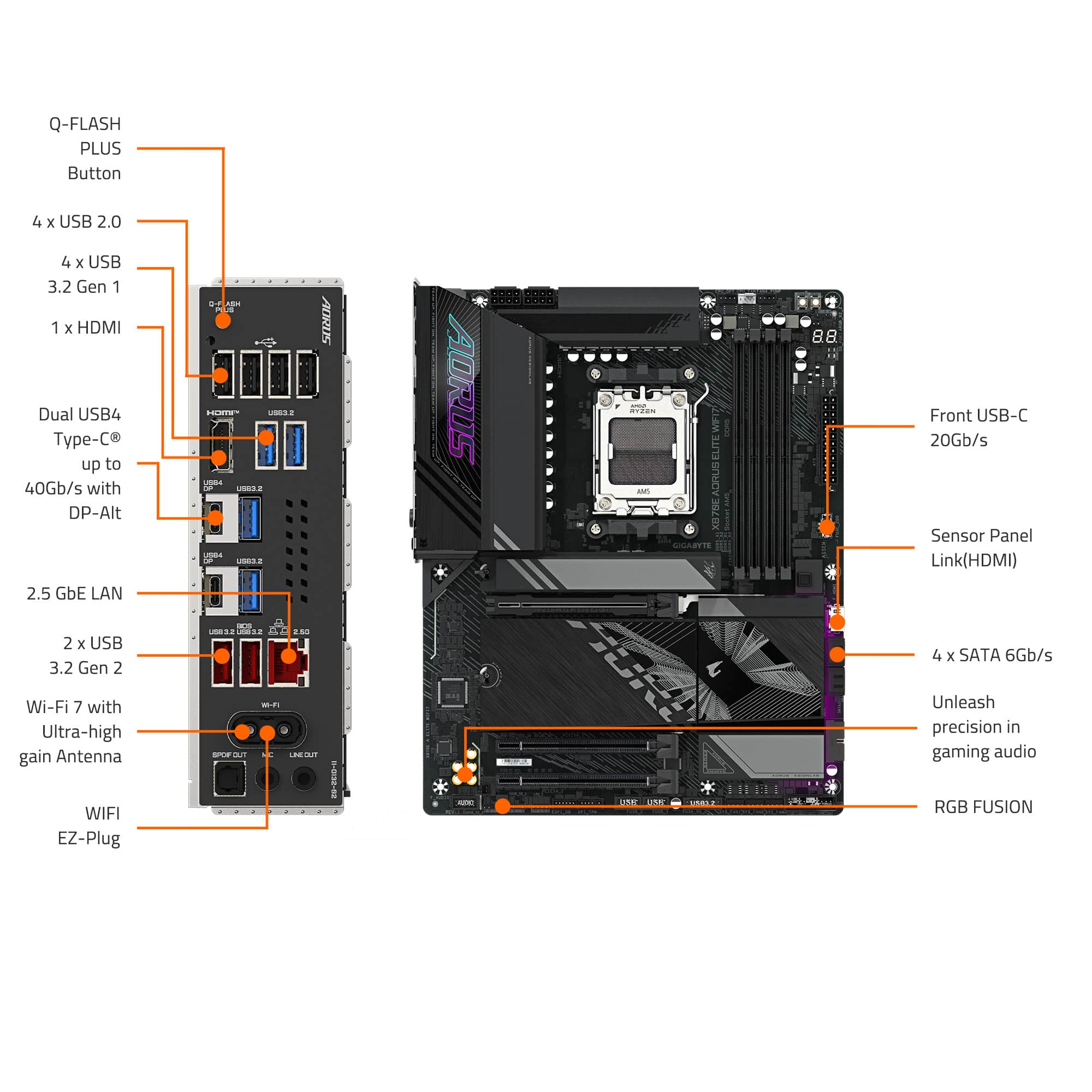
|Posted .This reviewer received promo considerations or sweepstakes entry for writing a review.Gigabyte's Aorus line has long been associated with high performance computer components and this motherboard is another great entry in that line, this time supporting the latest and greatest AMD CPUs (socket AM5). This motherboard is easy to build with and has thus far been super stable. PIeced together the build quickly (to be fair, I've been building PCs for a long time, so while this is an easy board to build with when you consider the visual BIOS, integrated backplate, screwless M.2 and PCIe slots and good labelling, your mileage may vary). I do like the look of it - mostly black with some white / gray touches - and I tend to keep the RGB lights on my devices mostly off or low, but it does have a small touch of RGB if you want. (And there's an RGB controller built in if you want to add more). Windows installed just fine and the drivers were easy to find on Gigabyte's website. It seems like all the ports work - and MY are there a lot of ports. Internally, you get 4 M.2 connectors for a LOT of high speed storage (with built-in heat sinks) and 3 PCIe slots (though only one at 5.0 x16) plus headers for front USB-A and USB-C in 3.2 and 2.0 varieties. Externally you get a lot of back panel connectivity - with 2.5Gbe LAN, 2 USB-4 type C ports (!!!!!) and other USB-A 3.2 and 2.0 ports plus the requisite audio and even video. You also get plenty of wireless connectivity with WiFi 7 (with an external antenna) and Bluetooth. I do like that there's an internal HDMI header in case I want to add a mini sensor screen to the front of my build. The board is very sensibly laid out and built to be very durable with solid heat dissapation and strong power management. Given that, it should last as long as the AM5 socket does (which with AMD's track record, could be a long time). So if you're in the market for a high end AM5 board, this is a great one to check out. Give it a try today!
I would recommend this to a friendGood product.
||Posted .This reviewer received promo considerations or sweepstakes entry for writing a review.Everything I needed and more with room for expansion.
I would recommend this to a friendAwesome product
||Posted . Owned for 6 months when reviewed.This reviewer received promo considerations or sweepstakes entry for writing a review.5 months later and everything is still working like a champ
I would recommend this to a friendOpen box experience
||Posted . Owned for 1 week when reviewed.This reviewer received promo considerations or sweepstakes entry for writing a review.I am only reviewing the open boxes experience, not the product. The box What is the liver quick and it had a open box sealed to make sure no one else had opened it after it was reviewed is my guess. I returned the product unopened since a better deal was available on a bran new Motherboard.
I would recommend this to a friendSolid Motherboard
||Posted . Owned for 2 weeks when reviewed.This reviewer received promo considerations or sweepstakes entry for writing a review.The motherboard has all the features most people will need. Tool-less design makes it really easy to access and place M.2 SSDs. Little to no LEDs if you want more of a stealth build.
I would recommend this to a friendNew Mother Board
||Posted .This reviewer received promo considerations or sweepstakes entry for writing a review.Works Great! Good Quality! No issues! Better than the one I had before
I would recommend this to a friend
Great bang for buck
|Posted . Owned for 1 month when reviewed.This reviewer received promo considerations or sweepstakes entry for writing a review.Paired this with my 9950x3d and seems to be working like a charm
I would recommend this to a friendgreat budget board
||Posted .This reviewer received promo considerations or sweepstakes entry for writing a review.great budget board for 9800x3d! have 0 issues with 64gb of 6000 mhz ram, 9800x3d, 4080.
I would recommend this to a friendNew gigabyte fan
||Posted . Owned for less than 1 week when reviewed.This reviewer received promo considerations or sweepstakes entry for writing a review.A hefty motherboard compared to my asus strix b550-f So far running my 9800x3d great. And way better software for rgb on gigabytes end. Never going back to asus so they can suck it!!!
I would recommend this to a friendWorthwhile Upgrade
||Posted . Owned for 3 weeks when reviewed.This reviewer received promo considerations or sweepstakes entry for writing a review.One of the best motherboards I've ever used, upgraded from the Elite AX and it's a lot more stable.
I would recommend this to a friendCan't go wrong with this AMD (AM5) motherboard!
|Posted .This reviewer received promo considerations or sweepstakes entry for writing a review.After doing a partial upgrade of my son's gaming system over the recent holidays, he decided that it was time to finally finish the upgrade of the core components that were still left over to really get the playing experience he wanted: CPU, GPU. With the new CPU, that also required a new motherboard. While I have used many different motherboard brands over the last 30+ years of building computers with a couple of brands as my favorites, I never took the opportunity to use one from Gigabyte. While you can't really go wrong with most of the top brands, looking over the specs and features (and the looks) of the latest from Gigabytes AORUS line, the X870 AORUS ELITE WIFI 7 for AMD (AM5) CPUs, we decided this should work great! When I first opened the box and got the motherboard out, I was a little surprised by the weight. Yes, it is a full ATX (be aware of that to make sure it would fit in your case), but that wouldn't add too much more weight. The extra bulk comes from all the extra heat dissipation added throughout. Most entry level motherboards will only have a heatsink for the main NVMe drive, this also comes with a full plate that covers all 3 of the extra M.2 slots (and that plate wasn't light), which impressed me. Not only is the motherboard hefty in weight, but it is also designed with some extra reinforcement for the PCIe 5.0 x16 slot, with support on top on both sides of the slot, as well as a support plate on the bottom side the full length of the slot, to be able to handle any-sized GPU. There are 3 PCIe slots: the 5.0 x16, a 4.0 x4 and a 3.0 x2. Note: the Gen 5 Slots 2 and 3 will share bandwidth with the 5.0 PCIe slot and if using the Gen 4 M.2 slot, it shares bandwidth with the 4.0 x4 slot. So, it is possible that if you have a second NVMe drive that is not Gen 5, using the Gen 4 M.2 slot may allow things to work better with it not sharing the bandwidth with the GPU in the PCIe 5.0 slot. For the M.2 slots, there are 3x Gen 5 slots (1 is near the CPU for the main drive) and a Gen 4 slot. One thing I liked over some of the previous motherboards I've used recently is that everything is screwless as it uses their EZ-latches for the drives as well as the heatsinks. Oh, and be aware that there is one of the mounting screw holes this is only accessible when the main drive heatsink is removed. For networking, the wired LAN is 2.5GbE and wireless uses Wi-Fi 7. While it will only use the wired LAN connection, I did give the Wi-Fi 7 a try as we've had a Wi-Fi 7 capable router for a couple of years, but no devices. I liked the easy plug-in for the antenna compared to the screw-on connections from the previous motherboard. Unfortunately, there are too many walls between the computer and the router, so it wasn't able to get the best connection and speed, only connecting via 5Ghz instead of 5Ghz/6Ghz combined and only getting 460Mbps download (vs 960Mbps wired with our 1Gbps fiber service). The back I/O panel has plenty of USB ports, with 6x 3.2 Type-A, 4x 2.0 Type-A, and 2x USB4 Type-C which both will also serve as DisplayPort 1.4 if using built-in graphics. It mentions that those ports will support up to 4K at 240Hz with HDR. There is also an HDMI 2.1 (along with an extra HDMI 1.4 port near the front of the mother board to connect to a front case panel HDMI or to use a Sensor Panel (if viewing details in software isn't enough). If using internal graphics, it can support up to4 displays, of course depending on the CPU. The Audio ports are reduced to just a Mic In, Line Out and S/PDIF Out (since most are probably using USB or Bluetooth headsets). After getting the motherboard installed, along with a new AMD Ryzen 9 9900x CPU, a new Gigabyte GeForce RTX 5060 Ti 16GB GPU, and new set of 32GB DDR5 6000 RAM, getting everything set up was fairly easy. On the first boot, it did mention something about needing to reset the TPM/vTPM (since this was using a previous installation of Windows 11). If you come across this as well, be aware and follow the instructions shown if the drives are using BitLocker or any other drive encryption. Then, after getting used to the BIOS menu setup, we set the XMP profile for the memory (leaving the related settings at Auto), verified the boot device along with all the other settings, then Save & Exit. It booted into Windows fine the first time. After running Windows Update and rebooting, the second time it prompted to install the Gigabyte Control Center. This app manages many things, including the installation of all the motherboard related drivers (which the first item is Norton Internet Security, so be aware of that an deselect if you prefer not to have that installed, along with any of the other items listed), RGB Lighting controls (which this motherboard has 3 ARGB headers to connect to, which our previous motherboard had none available since it was a pre-built brand system that didn't need them which caused some issues with all the new RGB fans that were installed with the initial upgrade and forced some creative engineering), Fan speed controls, and the custom tweaking of the CPUs setup. As we're comfortable with the default settings for everything, we didn't (and never plan to) do any overclocking for any component. Overall, with all the new, much faster components all tied into this motherboard, we are very pleased with the results. Comparing benchmarks with the previous system, the final upgrade was definitely what my son was looking for. And after running some of the games, there is no doubt this full setup is now just right. If you are ready for a full ATX motherboard, with support and about as much heat dissipation as can be had, this is definitely a motherboard that should be in contention for your build/upgrade!
I would recommend this to a friendGreat Motherboard
||Posted .This reviewer received promo considerations or sweepstakes entry for writing a review.Amazing motherboard, nice black color, easy cpu and especially m.2s installation,
I would recommend this to a friendGreat buy
||Posted . Owned for 1 month when reviewed.This reviewer received promo considerations or sweepstakes entry for writing a review.Upgraded for previous gen and this blows it away. They made it pretty easy to add and upgrade on this board.
I would recommend this to a friendGreat mobo
||Posted . Owned for 1 month when reviewed.This reviewer received promo considerations or sweepstakes entry for writing a review.Very easy to build in. Great features that just work right out of the box.
I would recommend this to a friendVery Poor Packaging
||Posted .This reviewer received promo considerations or sweepstakes entry for writing a review.The package and box containing the item came damaged with tears and holes. Since this is a computer part, I was concerned that the electronic itself may be damaged as well so ended up returning it. They accepted my return and gave me my money back.
No, I would not recommend this to a friendGreat mobo
||Posted . Owned for 2 weeks when reviewed.This reviewer received promo considerations or sweepstakes entry for writing a review.Comes with pcie 5 and am5 with good heat syncs now issues and for x870 definitely good price
I would recommend this to a friend