Customer Ratings & Reviews

- Model:
- 5HG92A#BGJ
- SKU:
- 6401101
Rating by feature
- Value
Rating 4.2 out of 5 stars
- Quality
Rating 4.3 out of 5 stars
- Ease of Use
Rating 4.2 out of 5 stars
Customers are saying
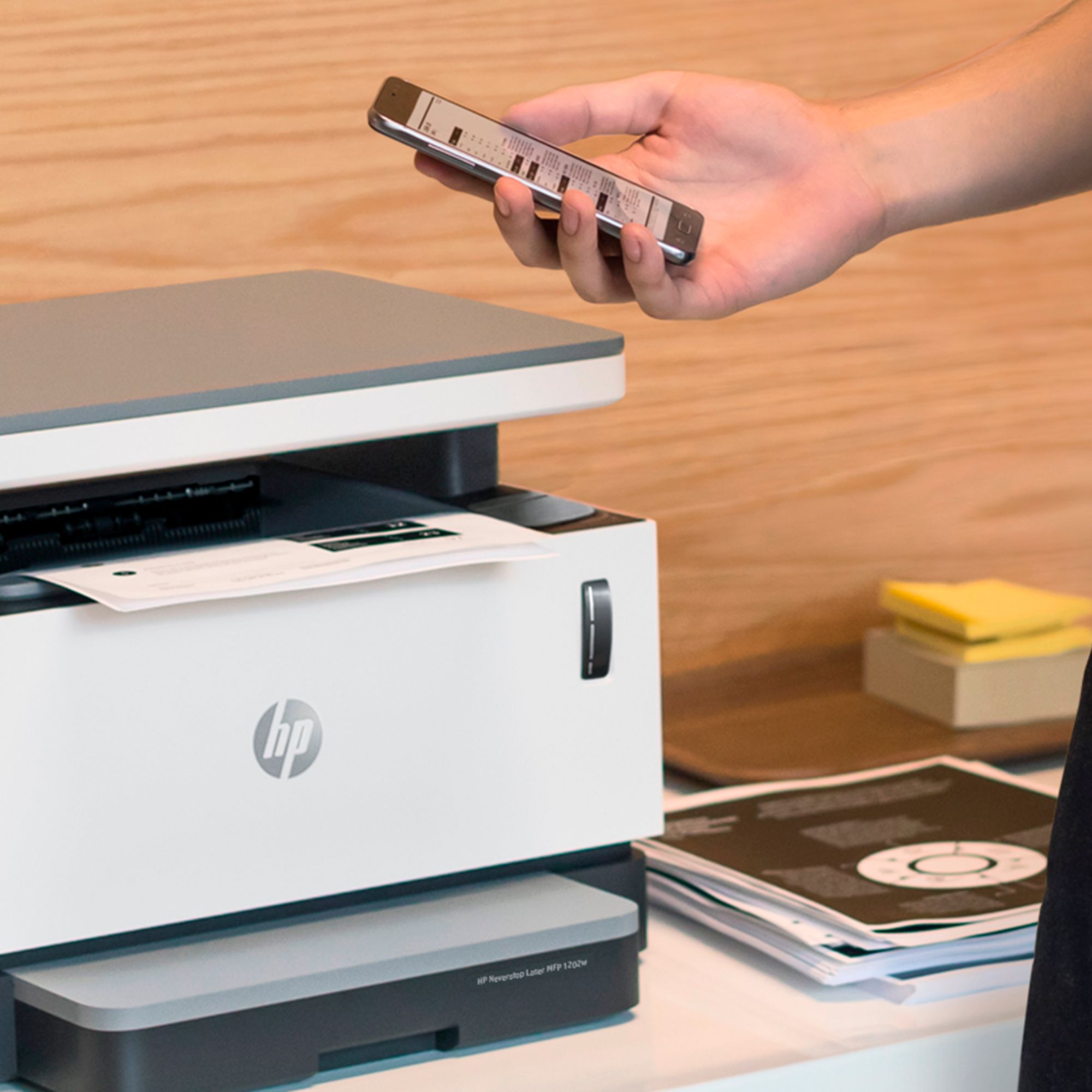
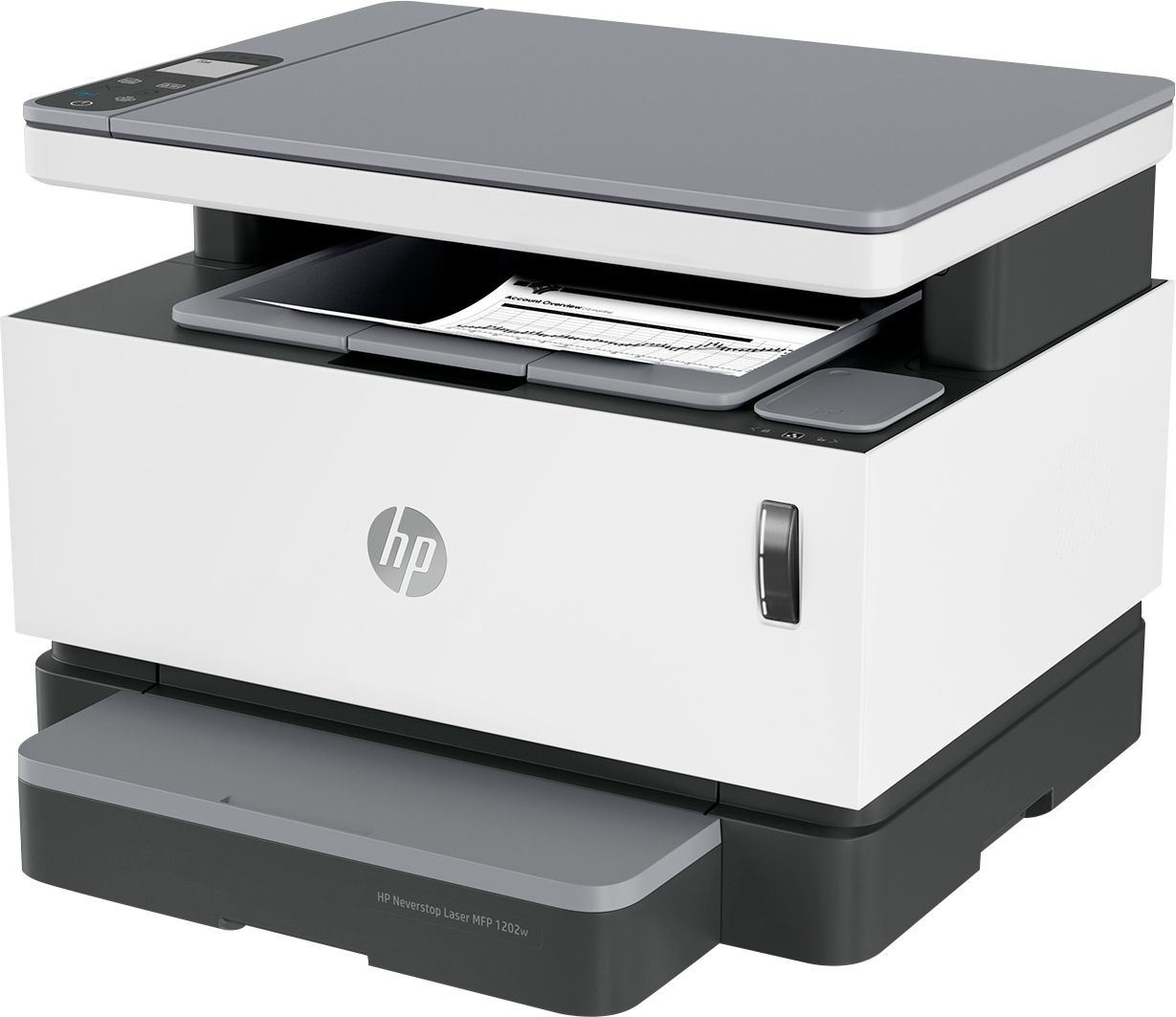
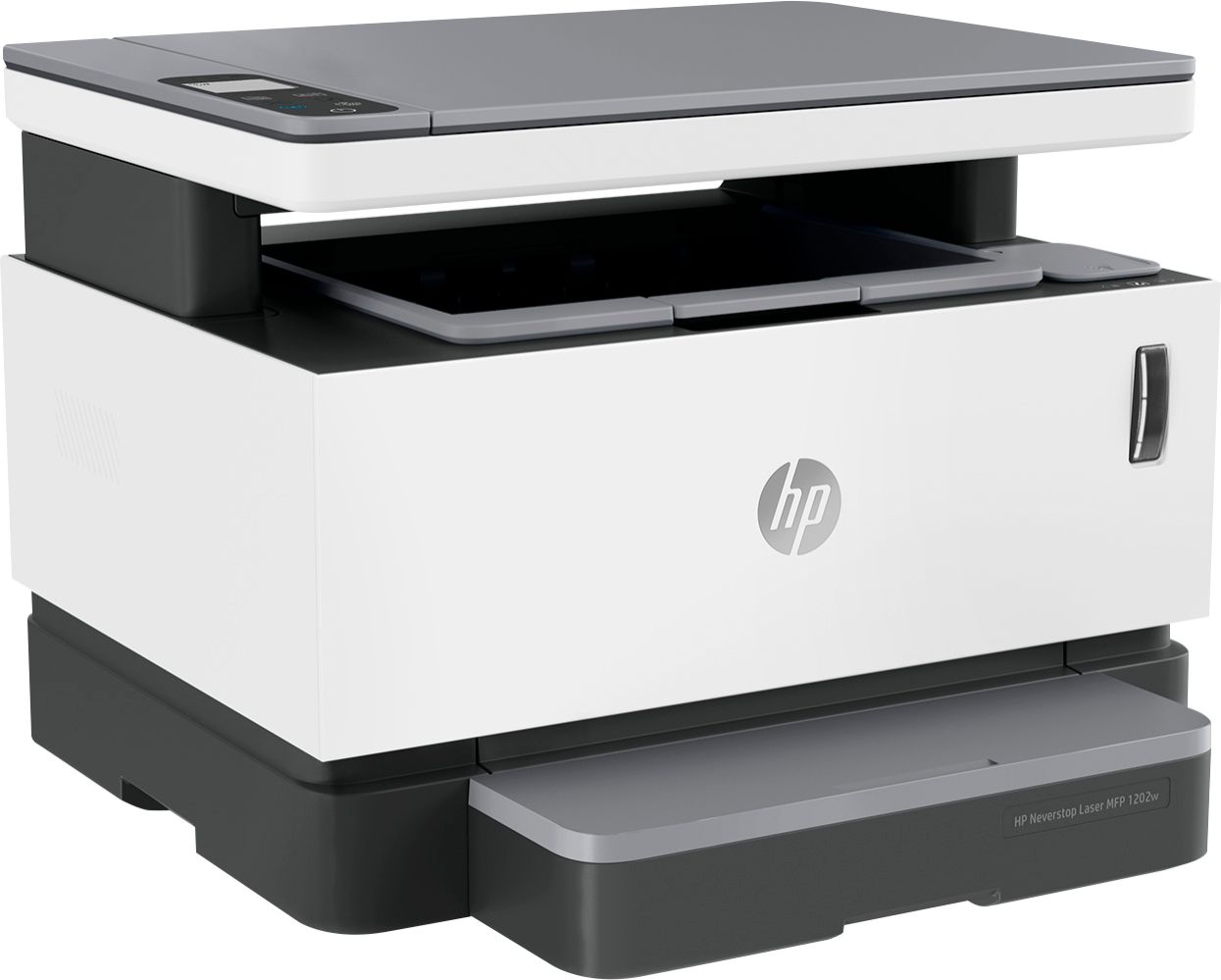
Customers value the excellent print quality, ease of use, and compact size of the Neverstop MFP 1202w Wireless Black-And-White All-In-One Laser Printer. Many appreciate the printer's quiet operation and straightforward setup process. However, some users have expressed concerns regarding the paper tray's design and the printer's overall reliability. A few customers also mentioned the lack of fax capabilities and the printer's price point.
This summary was generated by AI based on customer reviews.
Great product for the price
||Posted . Owned for 3 weeks when reviewed.This reviewer received promo considerations or sweepstakes entry for writing a review.Great printer but was disappointed that it did not have ink cartridges. So, we had purchase the cartridges. Unfortunately, we have been unsuccessful in obtaining the color cartridges because of being out of stock. Other than that, we love it.
I would recommend this to a friend- Pros mentioned:Ease of use, Print qualityCons mentioned:Paper tray

Easy Setup, and it just works.
|Posted .This reviewer received promo considerations or sweepstakes entry for writing a review.I'll start with the good items, the first thing is this printer is super simple to set up. All you have to do is install an HP app on your phone and follow the instructions to add a printer. This makes it simple and quick to connect the printer to your home wifi so it can be used by all of your devices. Connecting the printer to your windows 10 computer after it has been set up is even easier as all I had to do was go to "add printer", find the device in the list (since its already on my network) and click add. Windows even prompts you to install the HP app after its done installing the printer so that you can use all of the printer's features like scanning as well. The HP smart app is simple and easy to use both on your PC and on your phone. It has to be one of the easiest to use print apps for a mobile device I have used in a long time. Print quality is what I expect from a laser printer super quick and clean sharp prints. Even a full page of black printed well without an excess of dark or light spots. Text prints very clean and I have had no issue with paper feed or operation at all. Scanning items to my computer was also super easy with the HP smart app on windows, just open the app press the button for scanning place the item on the scanner and start it. Once it's scanned the app allows you to save the scan as either a PDF or a JPG, verify simple and quick. It will make quick work of scanning in paperwork for work. The user interface on the printer is very minimal but I like that. I never saw the need for big graphical displays on a printer, I just need the thing to copy and print and this printer does that well with the controls given. I also like the small footprint of the printer, it takes up very little space. Now for probably the only thing I am not a huge fan of, the paper tray. I know it might sound odd to call out a paper tray on a printer but I would have rather had a nice pull out drawer to put the paper in instead of the way it is handled with this printer. The odd paper cover that is provided instead is just strange. It feels like it was kind of an afterthought when they realized they needed to have a way to cover the paper slot that they provide. I also wish you could fit a few more sheets of paper in the paper slot but that is more of a personal preference I guess. Overall this printer works great and the one shortcoming of the way paper is handled is not enough for me to not like the printer as a whole. It prints quickly, print quality is good, and setup was the easiest I've had with a wifi printer in a long time.
I would recommend this to a friend Never runs out of ink, at least for a long time.
||Posted . Owned for 3 weeks when reviewed.This reviewer received promo considerations or sweepstakes entry for writing a review.Sturdy printer. Rock solid. Never runs out of ink, thats why I bought it. Comes with enough ink to print 2500 sheets. I got tired of paying for ink every 3 months.
I would recommend this to a friendNot great for my needs
||Posted . Owned for 1 month when reviewed.This reviewer received promo considerations or sweepstakes entry for writing a review.I figured it was time to get a new printer as toner cartridges for my old hp laser jet were very expensive. I made a hasty buying decision so my experience is my fault. I need a printer that will print legal size and this one does not. I can deal with that but the one issue that drives me nuts is the printer will not stay connected to the internet. Actually it is currently on day three of not losing connection but most days everytime I need to print it is offline and I have to reboot my router to reconnect. This is not good as my office and home depend on internet so it causes issues constantly unplugging the router so the printer will work. I will probably get a different printer soon.
No, I would not recommend this to a friendBrand response from HP Team
Posted .Hi there.
I’m sorry to hear that your printer hasn’t maintained a reliable wireless connection. I can understand why that would quickly become frustrating, so I’ll offer some resources and information that I hope will help.
First, I recommend you visit a page on our support site that has diagnostic tools for various problems, including wireless connectivity and printer-offline issues. Visit that page here:
- support.hp.com/us-en/topic/diagnostics
You can also find troubleshooting guides specific to your printer as well as user manuals, how-to documents, video tutorials and software updates here:
- support.hp.com/us-en/product/hp-neverstop-laser-mfp-1200-printer-series/22955699/model/30334719
If the problem persists, I recommend that you contact us directly at +1 800-474-6836 so we can guide you through the proper troubleshooting. (Please note that because of restrictions on personal movement and workplace attendance associated with the COVID-19 pandemic, wait times for agents are longer than normal. Thanks in advance for your understanding.) To expedite the process, I recommend gathering the following information before the call:
- Model number
- Serial number
- Your location
- Case number (from any previous contact with HP support)
Keith
HP Care
hp.com/support
laser printer
||Posted . Owned for 3 weeks when reviewed.This reviewer received promo considerations or sweepstakes entry for writing a review.Overall good, has some odd moments where it doesn't want to print. Haven't been able to figure out why it doesn't but it's still new.
I would recommend this to a friendBrand response from HP Team
Posted .Hi there.
Thanks for the review and the feedback. I’m glad you like your new printer but am sorry to hear you’ve encountered some difficulty. I’ll provide some resources and information I hope will help.
First, I recommend you visit a page on our support site that has diagnostic tools for various problems. There you’ll find a general-purpose tool called the HP Print and Scan Doctor that might help you resolve the intermittent times when the printer doesn’t perform like it should. If you use Windows, the tool will help identify and guide you through solutions to a wide range of common printing and scanning issues. Visit that page here:
- support.hp.com/us-en/topic/diagnostics
If the problem persists, I recommend that you contact us directly at +1 800-474-6836 so we can guide you through the proper troubleshooting. (Please note that because of restrictions on personal movement and workplace attendance associated with the COVID-19 pandemic, wait times for agents are longer than normal. Thanks in advance for your understanding.) To expedite the process, I recommend gathering the following information before the call:
- Model number
- Serial number
- Your location
- Case number (from any previous contact with HP support)
Keith
HP Care
hp.com/support
Great laser printer
||Posted . Owned for 3 weeks when reviewed.This reviewer received promo considerations or sweepstakes entry for writing a review.This is the best printer that I have ever bought. Love the no cartridge system. It’s also amazing how fast it prints, being that it’s a laser printer. Can even print from my iPhone. No complaints here.
I would recommend this to a friendGreat purchase..!
||Posted . Owned for 3 weeks when reviewed.This reviewer received promo considerations or sweepstakes entry for writing a review.Excellent purchase for my daughter, who just became a school teacher...she needed a printer, scanner and copier and as I have this same model, I could ease her through the setup.
I would recommend this to a friendHP Neverstop MFP 1202w
||Posted . Owned for 3 weeks when reviewed.This reviewer received promo considerations or sweepstakes entry for writing a review.I love that you don't have to buy a cartridge for this. You just have to buy a toner cartridge reload kit - and you can get a four pack for $41.00 and one toner cartridge is good for 2500 pages!
I would recommend this to a friendGreat value!
||Posted . Owned for 2 weeks when reviewed.This reviewer received promo considerations or sweepstakes entry for writing a review.I've always liked Laser Printers and this has not disappointed. Our small office has greatly reduced our printing costs by implementing this printer as our network printer.
I would recommend this to a friendPrinter
||Posted . Owned for less than 1 week when reviewed.This reviewer received promo considerations or sweepstakes entry for writing a review.Sadly had to return no autofeed which was very important to us and we used that in the filter
I would recommend this to a friendLoving my HP printer
||Posted .This reviewer received promo considerations or sweepstakes entry for writing a review.Excellent printer. Very easy set up, and I love the Wi-Fi remote printing application. My previous printer went through ink cartridges quicker than I could replace them
I would recommend this to a friendIt does everything, and the laser cartridge ROCKS
||Posted . Owned for 1 year when reviewed.This reviewer received promo considerations or sweepstakes entry for writing a review.Best printer EVER- laser cartridge saves SO MUCH time and money ! Great printing quality
I would recommend this to a friendIt’s fast when it prints
||Posted . Owned for 1 month when reviewed.This reviewer received promo considerations or sweepstakes entry for writing a review.I love hp products. I have had trouble when I hit print have the printer respond fast enough. Sometimes it says printer not responding and then 5 minutes. Yes 5 minutes later it will just print.
I would recommend this to a friendNot a fan of wireless only printer
||Posted . Owned for 1 week when reviewed.This reviewer received promo considerations or sweepstakes entry for writing a review.I bought this and thought it had an ethernet connection. My salesperson was wrong. I returned it after trying in frustration to connect my devices, It also lacks an ADF. Enede up buying anbhp-laserjet-pro-mfp-m428fdw-black-and-white-all-in-one-laser-printer, For the same price from a local store
No, I would not recommend this to a friendSatisfied butr not overjoyed
||Posted .This reviewer received promo considerations or sweepstakes entry for writing a review.Scanning and copying functions are exceptional. Print quality is not as good as my old printer.
I would recommend this to a frienda
||Posted .This reviewer received promo considerations or sweepstakes entry for writing a review.No instructions so don't know what all the signs mean. Nead to know what means what.
No, I would not recommend this to a friendHP Neverstop MFP 1202 W
||Posted . Owned for 8 months when reviewed.This reviewer received promo considerations or sweepstakes entry for writing a review.I like the Printer but I wish it would be able to print on both sides of the paper.
No, I would not recommend this to a friend- Pros mentioned:Print quality
Printing
||Posted . Owned for 1 month when reviewed.This reviewer received promo considerations or sweepstakes entry for writing a review.It is a bit loud. Otherwise no issues with print quality.
No, I would not recommend this to a friend Nice
||Posted . Owned for 7 months when reviewed.This reviewer received promo considerations or sweepstakes entry for writing a review.This is a good product, I like it. Nice quality as well as comfortable price.
I would recommend this to a friendNone
||Posted . Owned for 1 month when reviewed.This reviewer received promo considerations or sweepstakes entry for writing a review.To slow Too complicated to set up had to have extra help, set up but not recommend
No, I would not recommend this to a friend

















