Customer Ratings & Reviews

- Model:
- 5HG92A#BGJ
- SKU:
- 6401101
Rating by feature
- Value
Rating 4.2 out of 5 stars
- Quality
Rating 4.3 out of 5 stars
- Ease of Use
Rating 4.2 out of 5 stars
Customers are saying
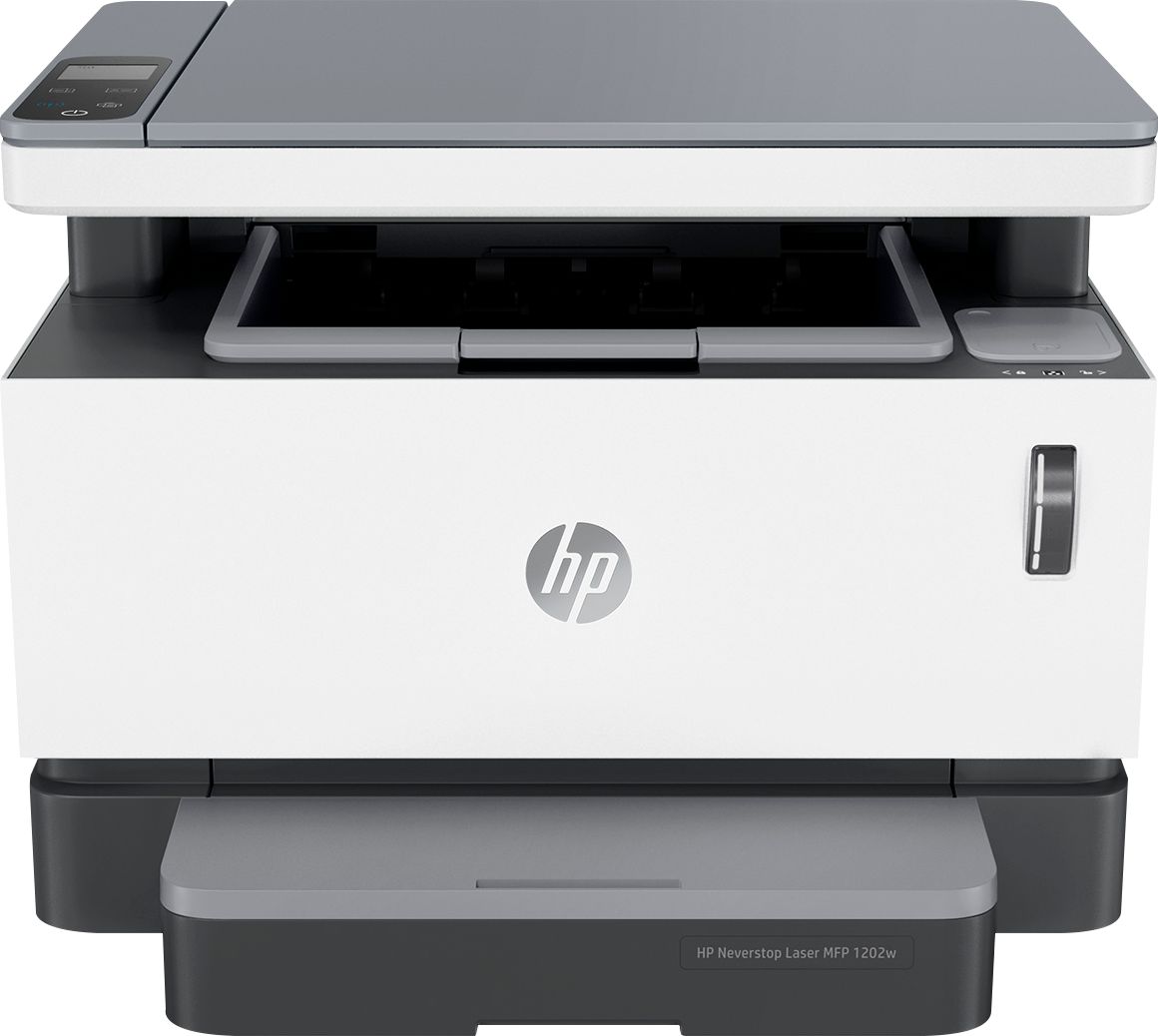
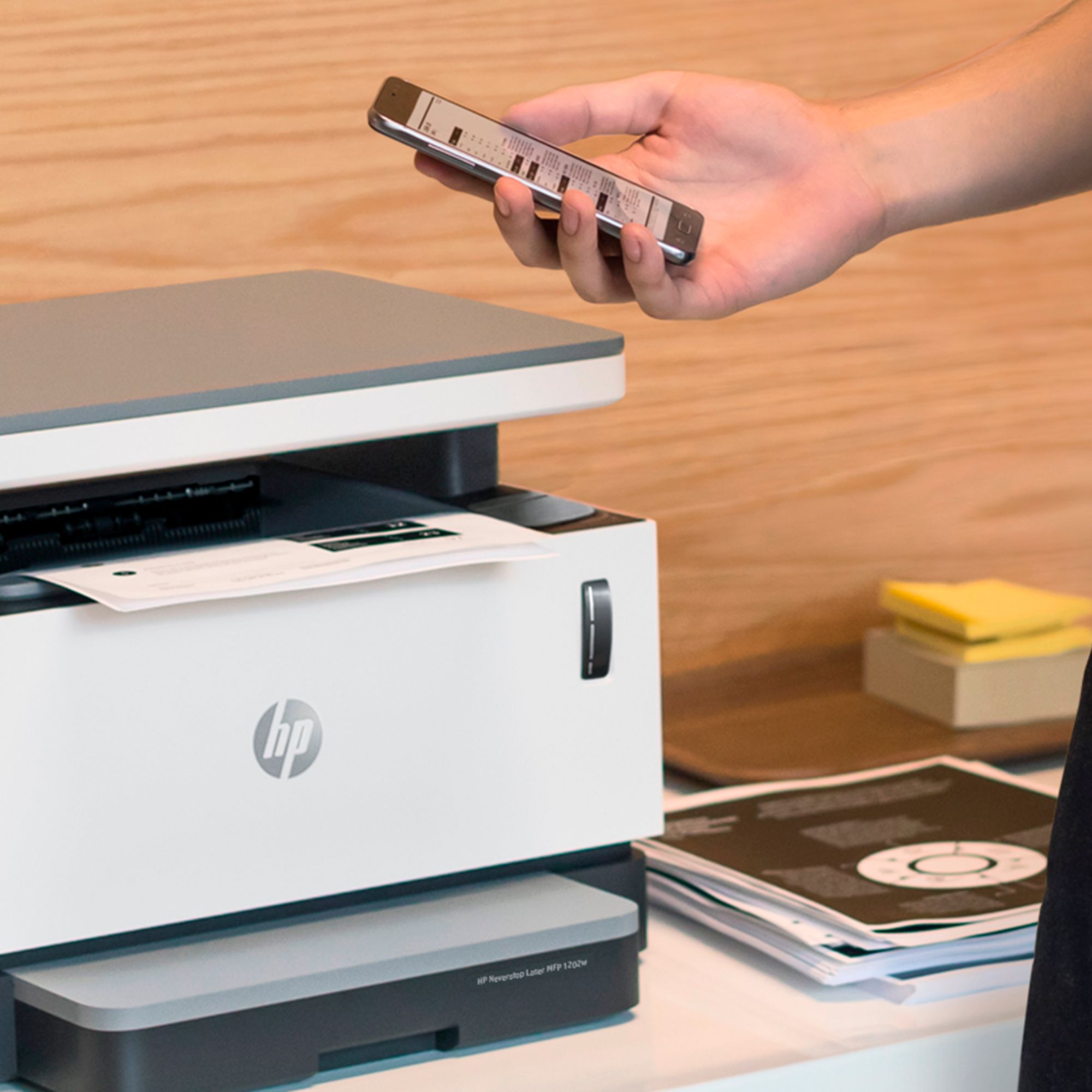
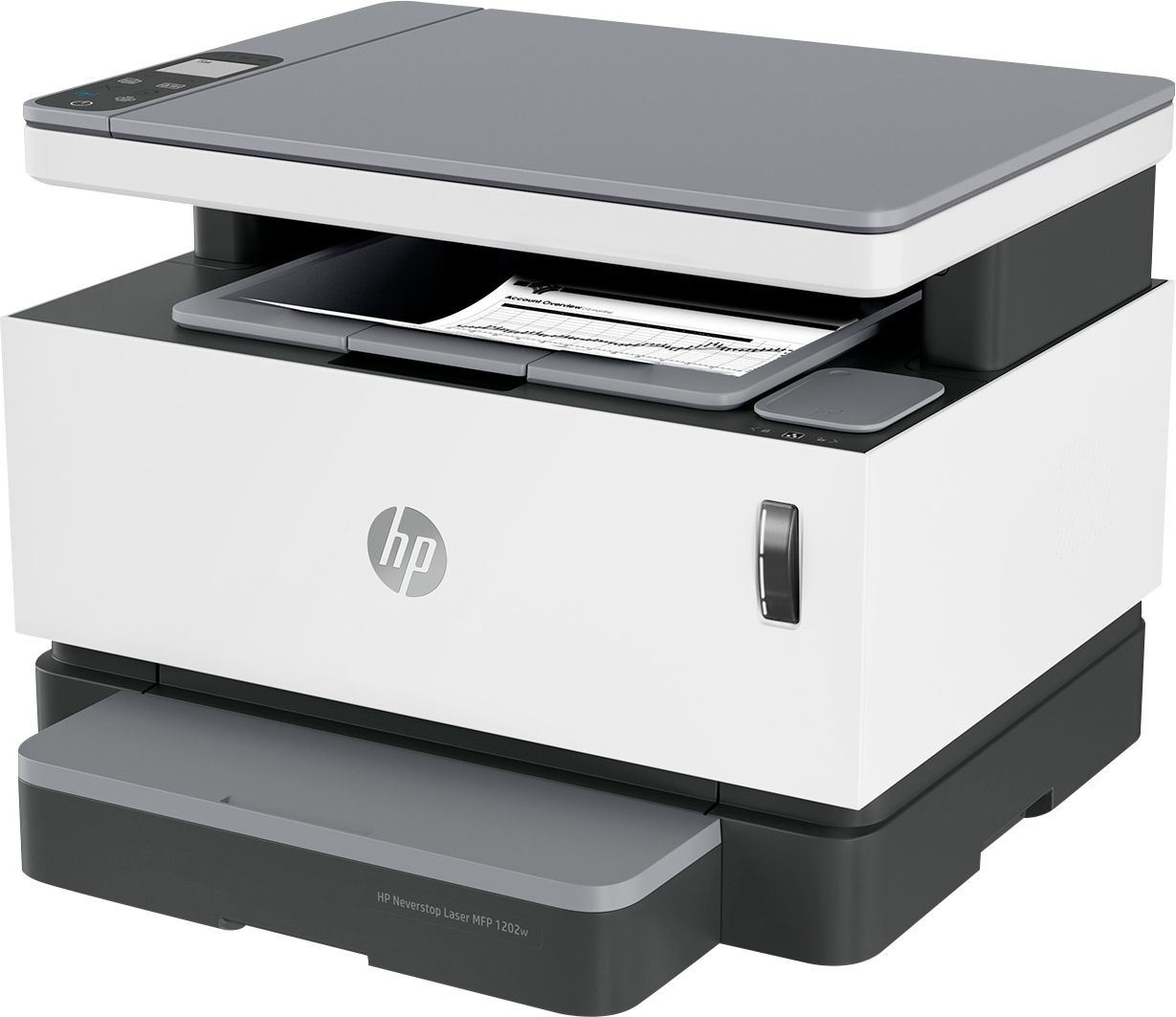
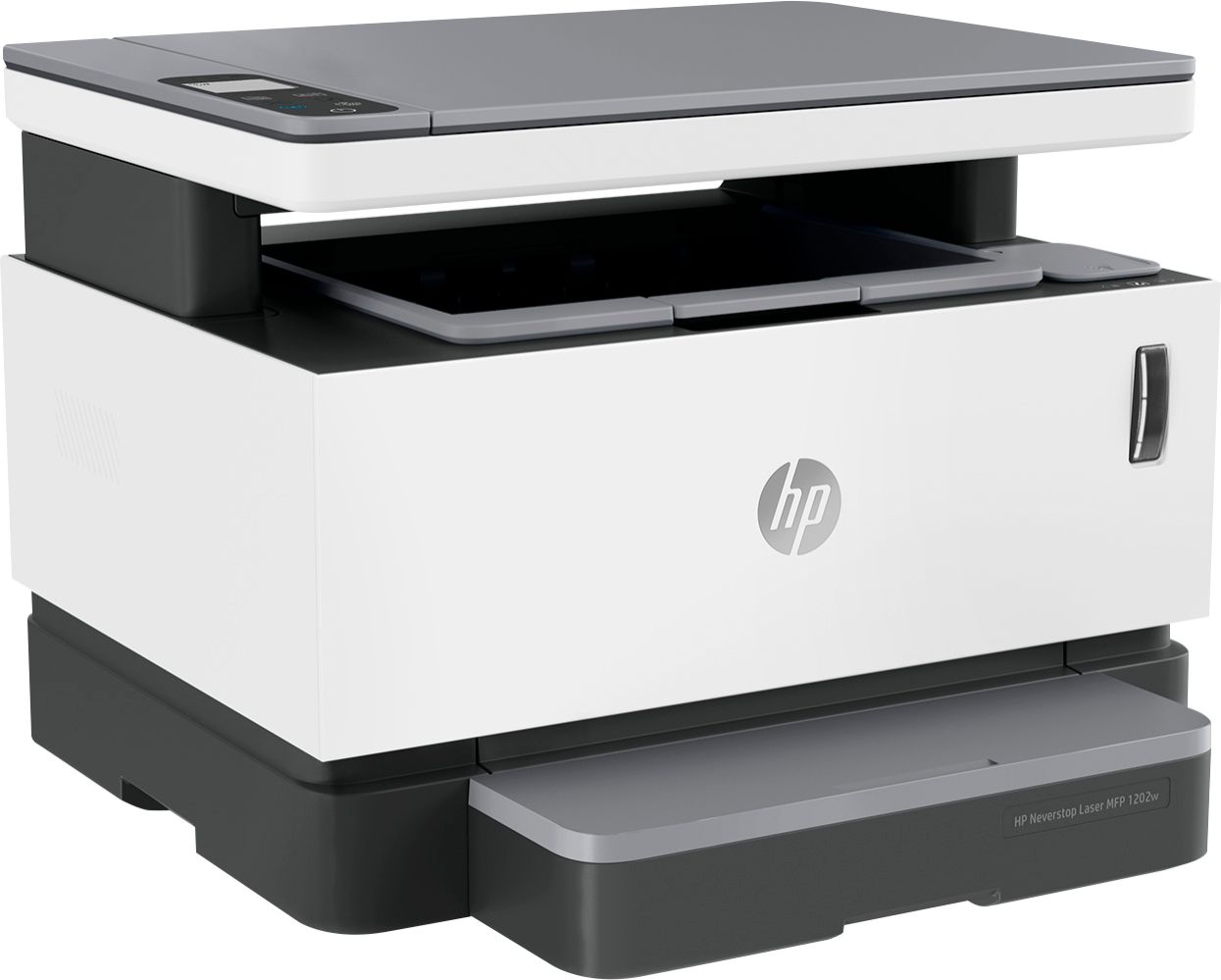
Customers value the excellent print quality, ease of use, and compact size of the Neverstop MFP 1202w Wireless Black-And-White All-In-One Laser Printer. Many appreciate the printer's quiet operation and straightforward setup process. However, some users have expressed concerns regarding the paper tray's design and the printer's overall reliability. A few customers also mentioned the lack of fax capabilities and the printer's price point.
This summary was generated by AI based on customer reviews.
Perfect for home school
||Posted . Owned for 1 week when reviewed.This reviewer received promo considerations or sweepstakes entry for writing a review.Very economical and convenient printer. Easy to use from anywhere.
I would recommend this to a friendShould had gotten this a long time ago.
||Posted . Owned for 1 month when reviewed.This reviewer received promo considerations or sweepstakes entry for writing a review.Really fast and a good price for a laser all in one
I would recommend this to a friendVery good product
||Posted . Owned for 1 week when reviewed.This reviewer received promo considerations or sweepstakes entry for writing a review.Very good product. Clean printing and good quality of inages
I would recommend this to a friendExcellent
||Posted . Owned for 2 weeks when reviewed.This reviewer received promo considerations or sweepstakes entry for writing a review.Excellent and cheap ink overall very good and verygood.
I would recommend this to a friendGreat printer.
||Posted . Owned for 1 week when reviewed.This reviewer received promo considerations or sweepstakes entry for writing a review.Wireless setup got me for a second but was easier to setup.
I would recommend this to a friendGreat
||Posted .This reviewer received promo considerations or sweepstakes entry for writing a review.Love ithdhdhdhhdjdjskbdbjdnfjb hbu jdjdiei uh-huh hhd
I would recommend this to a friendGreat printer easy setup
||Posted . Owned for 1 week when reviewed.This reviewer received promo considerations or sweepstakes entry for writing a review.Great printer easy setup Networking easy!! Clean look
I would recommend this to a friend- Pros mentioned:Print quality, Size

Laser printing in the comfort of your home
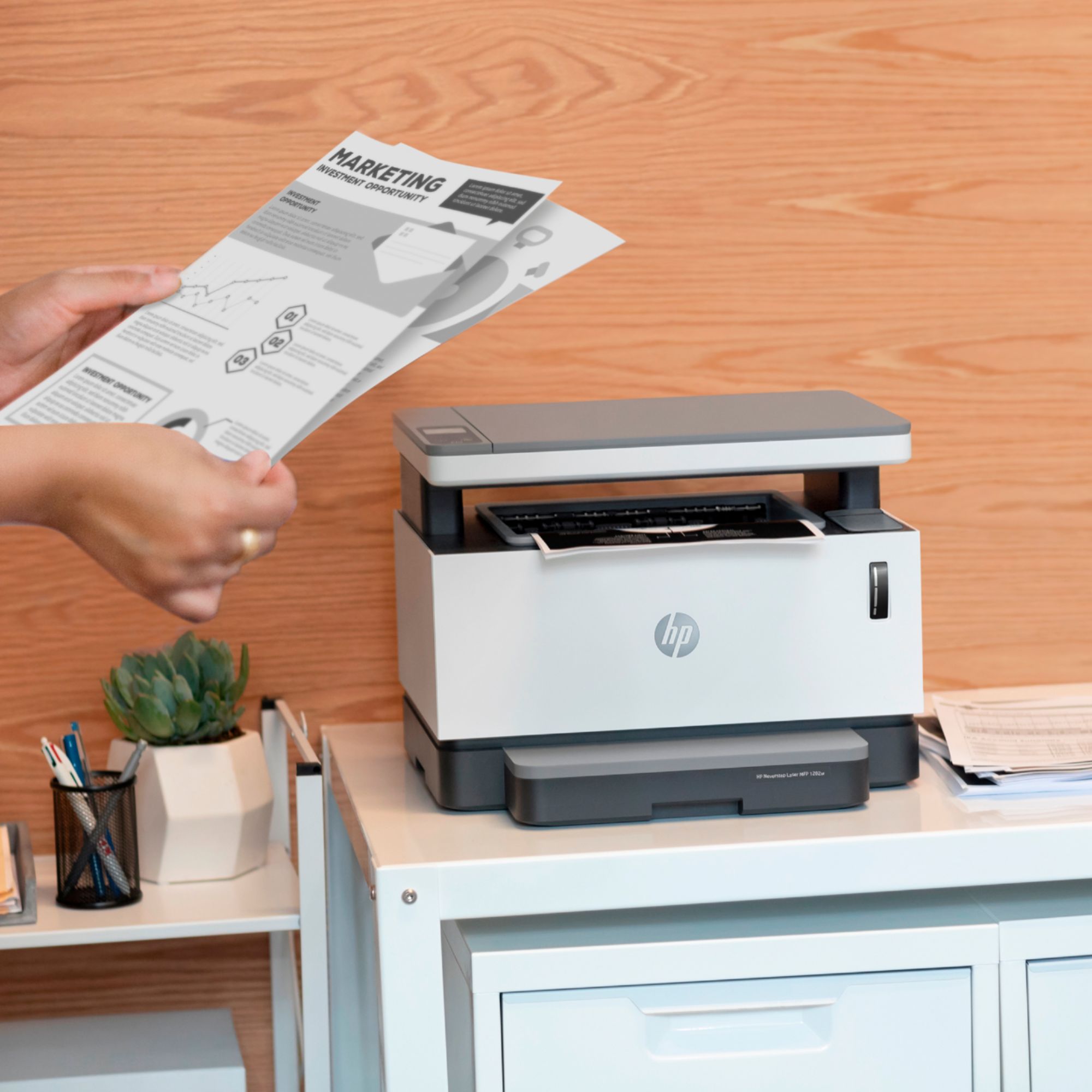
|Posted .This reviewer received promo considerations or sweepstakes entry for writing a review.Gone are the days that laser printers are only for offices or businesses. This Laser printer took away all the pain points of having just a regular printer, moreso the scare of complications of a known industrial tool. First of all, it was easy to set up. Right off the box, 3 pieces to put together, and the plastics to be taken out are clearly marked. Secondly, looking for it through my computer was a breeze. No guessing, or wait times, or even no pressing buttons at the printer itself-- just had to add it from my pc and I can print within two minutes of me looking for it from my laptop. Printing itself is hassle-free. It prints out very fast and clear. My only concern is it cannot do two-sided printing from the tray-- I need to go to to the printer and put the sheet back in to print on the other side. Other than that, everything else is made for the everyday person-- and I forgot to mention, the size is so small; it fits on top of a narrow table! This printer makes every day printing easy, especially with small children at home who CONSTANTLY need worksheets and coloring pages. At these quarantine times, I think every family should have one of these.
I would recommend this to a friend - Pros mentioned:Print qualityCons mentioned:Paper tray
Low on features, toner tank has potential
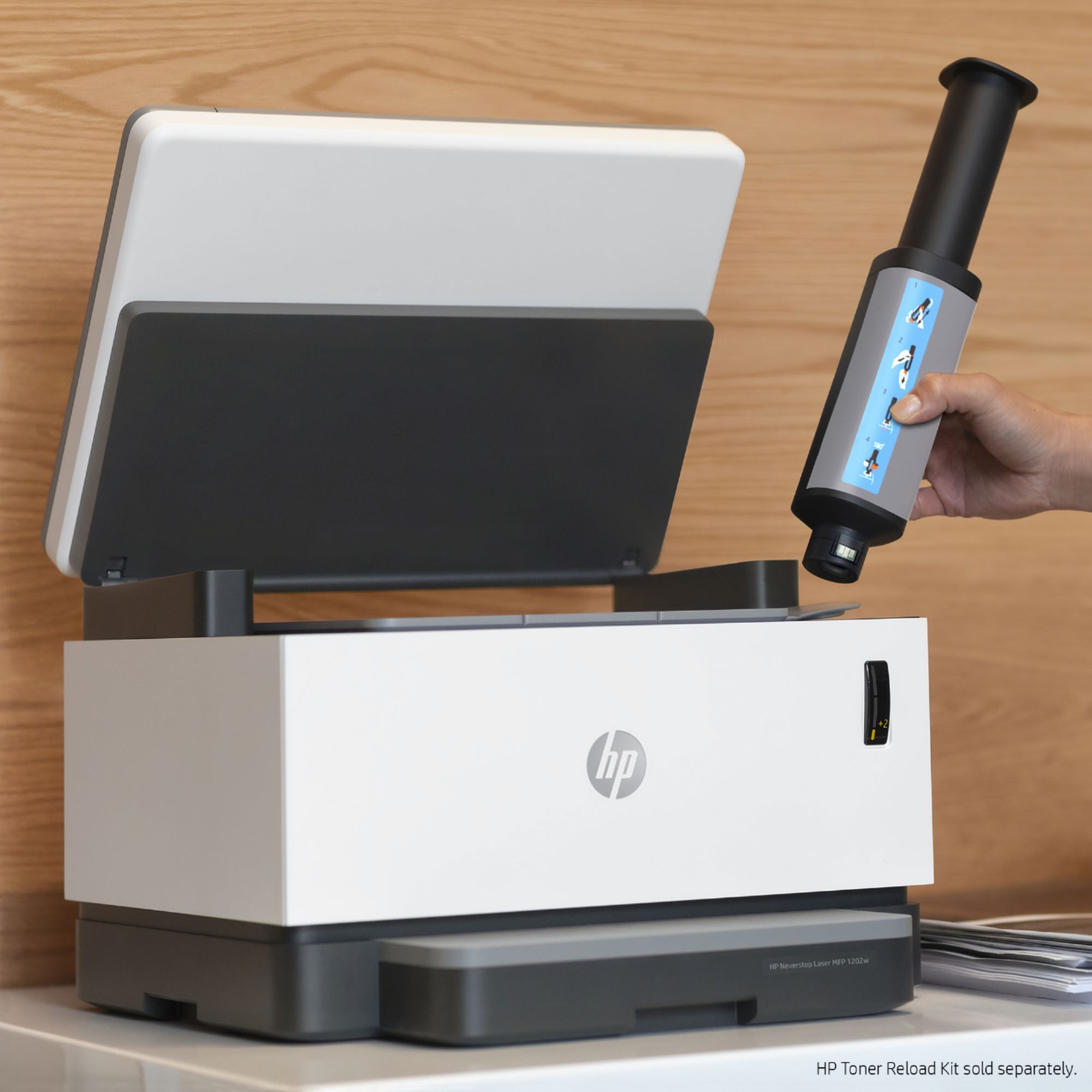
|Posted .This reviewer received promo considerations or sweepstakes entry for writing a review.The HP Neverstop Laser MFP 1202w is part of a new line of printers implementing refillable toner tanks rather than using replaceable toner cartridges; this could be a significant boon to small offices. HP makes a bold savings claims which they’ll have to at least partially live up to in order to offset the price of the unit relative to its limited feature set. [ Toner tank ] The tank storage concept has been around a while for inkjet printers, but this is a first (as far as I can tell) for laser printers. The toner tank holds a little over two refill kits worth of toner, which grants great flexibility in deciding when to refill the tank without having to consider toner waste. Normally you’d use a cartridge until it runs out, which is usually discovered in the middle of a ruined print job which requires you to stop what you’re doing to replace the cartridge, but with a refillable tank, that scenario can be avoided. Gone will be the days of taking out the cartridge, giving it a good shake to loosen clumps stuck in the corners, and re-inserting it for the sake of saving some coin only to have to replace it shortly afterwards (after one or more further bad print jobs). If this all works as advertised, this could be a significant boon for small office environments. Unfortunately, I can’t confirm the advertised savings. The HP store website lists zero replacement products available for this printer and can’t find the replacement toner by its model number. The HP Smart app’s ‘Get Supplies’ feature was of no help. This is a common handicap for early reviewers. Noteworthy is that the advertised savings are for toner only, so image drum life and replacement costs should be considered as well in comparing maintenance costs once the information becomes available. [ Physical design ] + A three-segment toner level indicator remains lit on the front of the printer to aid in toner management. - The flimsy, loose, low-capacity snap-in paper input tray with its sketchy paper guides and protuberant placement is terribly disappointing. I’ve had a family member accidentally bump the tray on a similar HP printer causing it to snap off and break in two; I imagine the same could very easily happen with this printer. It would be so much saner to have a proper slide-in tray that docks flush with the front face of the printer, which is the norm for this form factor. - When the interface buttons are individually ‘active’, they are lit and very clearly identifiable. However, when not active/lit they are difficult or impossible to identify in moderate or worse lighting. The LCD display is similarly problematic as it’s not back-lit. [ Features ] This printer is quite slim on features for its price point. Missing features that you can find on other comparable printers include: - Color (laser) printing - Duplex printing and scanning with automatic document feeder - Flush-mounted paper input tray with higher capacity, sometimes with an extra multi-purpose input tray - Native fax support - Ethernet port for more stable or redundant connectivity - Back-lit color touchscreen display - Faster printing and higher duty cycle ratings Notable features this printer does have: + The toner tank which currently appears to be a unique feature + Direct WiFi printing (bypassing the need for an intermediary access point) + Ability to set up the printer via a mobile app + The HP Smart app has an interesting ‘camera scan’ option which grabs an image from the camera or a file and performs automatic text selection and geometric transformation to optimize for printing, useful for reproducing text on an object that won’t fit on the flatbed scanner. + Support for Google Cloud Print (hidden behind the web interface which can be accessed directly, or via the HP Smart app). [ Setup & operation ] The documentation is scarce and insufficient, and the setup process could be smoother. The included Reference Guide has a section for setting up WiFi using WPS as well as using WiFi Direct, but not for setting up normal WiFi without WPS. I first connected via WiFi Direct for testing which worked fine. I installed the HP Smart app assuming it would guide me through setting up a normal WiFi connection, which I wanted to try next. Surprisingly, the app didn’t show any detected printer, and further suggested that I should have already connected the printer via WiFi, seemingly missing an important step. Checking back with the Reference Guide, I found the critical missing information in the wireless troubleshooting section: if the wireless light/button is not lit (which it wasn’t by default), you must press the button to turn on “wireless connection mode” (not direct). After adding the printer to my WiFi network, the app detected the printer and could fully utilize it. On three different desktop computers running Windows 10, I had three different setup experiences. On one, the printer was detected and added automatically (which I wasn’t expecting). On the second, I had to click on ‘Add a printer’ under the ‘Devices and Printers’ Control Panel app, which easily found the printer and added it successfully (this is the process I expected). On the third computer, I did the same as for the second computer, but for some reason I failed to grasp, it initiated the WiFi Direct setup process which caused a PIN page to be printed. After cancelling the setup process and trying again (without doing anything differently), it proceeded with the normal WiFi configuration (not direct) which succeeded. In all cases, all three computers (after setup) were able to print to and scan from the printer without requiring additional software. I tested both the mobile and Windows versions of the HP Smart app, as well as the print and scan “accessories” (native applications, whereas HP Smart is a UWP app) available on the product support page, which all functioned well for me without any unexpected problems. Printing is somewhat loud for a laser printer of this form factor, but not overly so. Printed standard black text looks very crisp and clean. However, the printing of solid/uniform grey in text and images is rather poor, with very noticeable and inconsistent horizontal banding and random localized artifacting. Gradients are likewise prone to artifacts. [ Conclusion ] The Neverstop printer series by HP is one to watch, as the toner tank design could be a game-changer. While this technology has merits beyond potential cost savings, these savings *are* the primary advertising point for this printer. This is especially important considering the primary cost of using a printer is not the up-front purchase price, but rather the cumulative cost of replenishing consumables over the printer’s lifetime. With consumable pricing information not yet available, the true value of this printer remains dubious. With over-all quality that is not so great and lacking features for its price point, I currently wouldn’t recommend this printer to others. If the replacement toner is revealed to enable significant cost savings, then I’d switch to recommending this printer for satisfying casual printing and scanning needs.
No, I would not recommend this to a friend Not a fan
||Posted . Owned for 2 weeks when reviewed.This reviewer received promo considerations or sweepstakes entry for writing a review.Not a fan of this printer so far. Randomly makes noises. The quality isn't great either. Would rather spend money on a Brother.
No, I would not recommend this to a friendDead Printer - no solution
||Posted . Owned for 1 year when reviewed.This reviewer received promo considerations or sweepstakes entry for writing a review.At almost exactly 13 months old, this printer suddenly had an acrid burning electronic smell and all the power lights shut off and now it does nothing, except it is a large expensive paperweight now. The "neverstop" printer has stopped doing anything, no printing, no lights, no noises, nothing. This is super disappointing as I have only printed one or two pieces of paper per week in the last year. I am not even sure that I have even printed 100 pages of anything, in total. I thought that Best Buy and HP were names I could trust. But apparently, everyone has a clunker once in a while. I have googled the problem and tried every suggested solution to no avail. I still have a large hunk of dead plastic in my home office. Now I have to find the budget for a new printer, again.
No, I would not recommend this to a friendNot Good
||Posted .This reviewer received promo considerations or sweepstakes entry for writing a review.Could not power it up on first plug in to wall socket. Hard to view menu pad. Turn on button did not always work or turn on. Finally it wouldn't turn on at all. Very awkward to operate. Gave up after 30 days.
No, I would not recommend this to a friendBrand response from HP Team
Posted .Hi there.
I’m sorry to hear that you’ve had such a difficult time with your printer. It’s easy to understand why the inconsistent functioning of the power button and the eventual end of that functionality would be a rocky start to owning a new device, to say the least. I can’t tell from your review whether you gave up trying to make the printer work or you returned it, but if you still have it, the resources and information below I hope will help you get it working again or arrange to get a replacement.
First, I recommend going through the steps in this troubleshooting guide for printers that do not turn on:
- support.hp.com/us-en/document/c01321436
If the device remains dormant, I suggest that you contact us directly at +1 800-474-6836 so we can help you assess the situation and find a solution. (Please note that because of restrictions on personal movement and workplace attendance associated with the COVID-19 pandemic, wait times for agents are longer than normal. Thanks in advance for your understanding.) To expedite the process, I recommend gathering the following information before the call:
- Model number
- Serial number
- Your location
- Case number (from any previous contact with HP support)
I'll also mention that HP printers have a one-year warranty from their purchase date that covers hardware as well as ink supplies, so if it comes to that, you might consider making use of it. You can verify the warranty using the following link: support.hp.com/us-en/checkwarranty
Keith
HP Care
hp.com/support
Disappointed!!!
||Posted . Owned for 3 weeks when reviewed.This reviewer received promo considerations or sweepstakes entry for writing a review.I'm very disappointed as there are NO instructions on how to use the "scan" option. I have looked over and over the printer control panel sheet and there is absolutely no showing of a "scan" option. I purchased this particular one because it said it was an "all in one" and said it prints, copies and scans. The instruction book sent with it says its for a HP Neverstop Laser MFP 1200 series. I purchased the 1202w series. I'm going to end up taking this back as it does not meet my needs. very disappointed.
No, I would not recommend this to a friendBrand response from HP Team
Posted .Hi there.
I’m sorry to hear that you’ve not had the instructional materials you need to operate your printer’s scan feature and that the booklet that came with it contained confusing information. I can certainly understand why that would be a disillusioning start to owning an all-in-one printer, so I’ll offer some clarifying information that I hope will help you get all you need from the device.
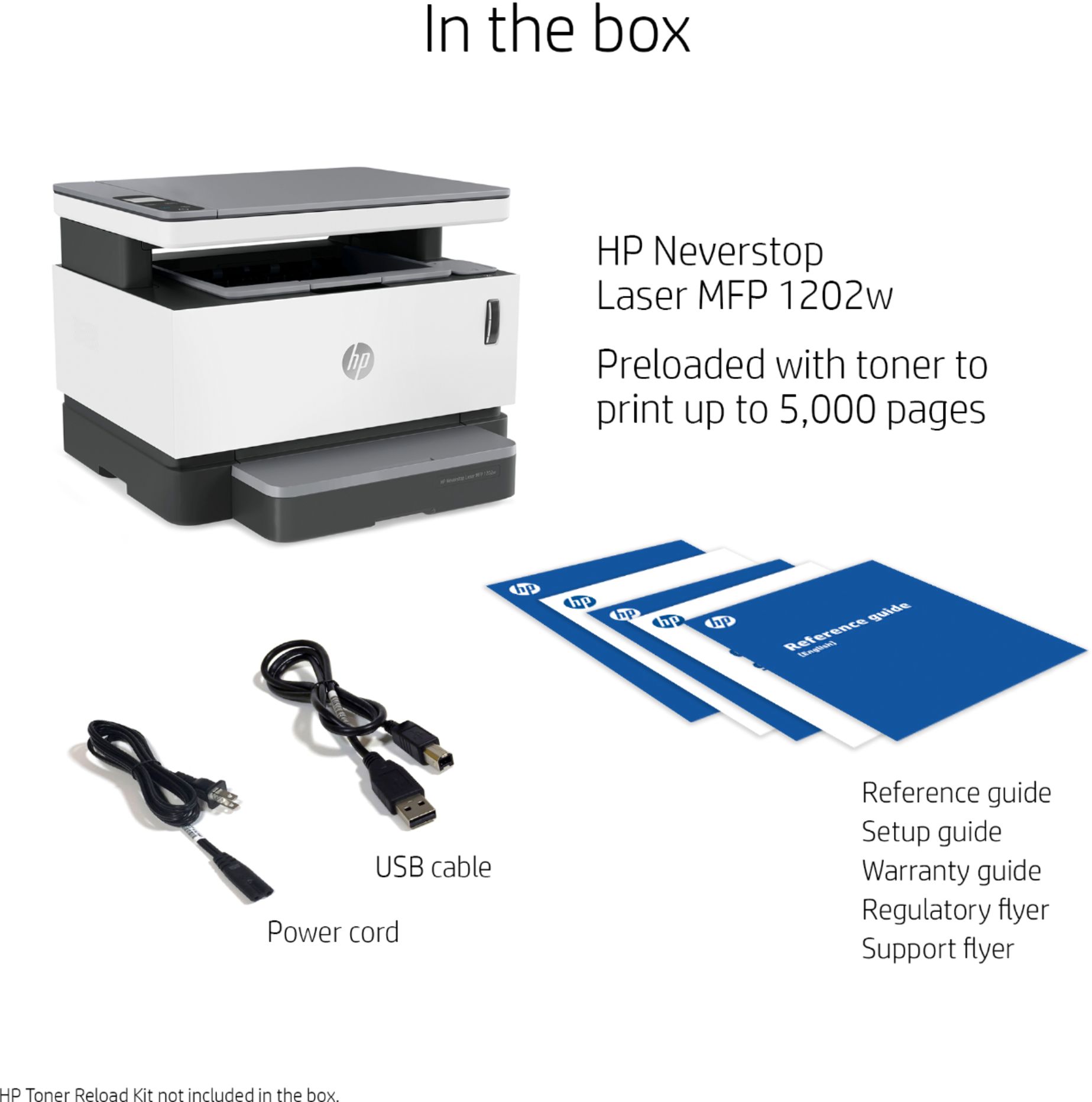
First, regarding the numbers associated with the model you purchased and the booklet that came with it: Your printer is part of the 1200 series. The booklet doesn’t carry that exact number because sometimes the various models within a series share certain things such as instructional materials or software. So, I’m sure the booklet is the one intended for that printer.
Regarding the scan function, you can access user manuals, how-to documents (including one on scanning), troubleshooting guides and software updates specific to your printer on our support site here:
- support.hp.com/us-en/product/hp-neverstop-laser-mfp-1200-printer-series/22955699/model/30334719
If you need further assistance with anything, I suggest that you contact us directly at +1 800-474-6836 so we can help you assess the situation and find a solution. (Please note that because of restrictions on personal movement and workplace attendance associated with the COVID-19 pandemic, wait times for agents are longer than normal. Thanks in advance for your understanding.) To expedite the process, I recommend gathering the following information before the call:
- Model number
- Serial number
- Your location
- Case number (from any previous contact with HP support)
Keith
HP Care
hp.com/support
Could be better!
||Posted . Owned for 2 months when reviewed.This reviewer received promo considerations or sweepstakes entry for writing a review.Lacking two important things at this price point, ethernet and duplex printing.
No, I would not recommend this to a friend- Cons mentioned:Price
expensive
||Posted . Owned for 3 weeks when reviewed.This reviewer received promo considerations or sweepstakes entry for writing a review.good printer but expensive check around for other rpinter
No, I would not recommend this to a friend Newer computer or older printer
||Posted . Owned for 3 weeks when reviewed.This reviewer received promo considerations or sweepstakes entry for writing a review.Have not been able to connect to my computer not compatible
I would recommend this to a friendOdd
||Posted . Owned for less than 1 week when reviewed.This reviewer received promo considerations or sweepstakes entry for writing a review.The printer prints fine except it produces this loud beep every time you print to it, and several times as well. There is NO SUPPORT from HP and I'm guessing only computers work there as you can't get ahold of anyone at the company. I'm probably going to return it as I can't take the noise every time i print something out. The menu button on the machine is not intuitive and who knows how to refill the cartridge as there are no directions on anything.
No, I would not recommend this to a friendBrand response from HP Team
Posted .Hi, Jerry.
I’m sorry to hear that your printer is producing a loud beep when you print. That definitely sounds like the printer is not performing properly, I can understand why it would quickly become frustrating. With that in mind, I’ll offer some information I hope will help.
I reached out to a person who helps oversee this product line, and he asks that you contact us directly at +1 800-474-6836 so we can assess the situation and send you a replacement printer if it’s needed.
You mentioned having difficulty reaching our support staff before. I’ll let you know that because of restrictions on personal movement and workplace attendance associated with the COVID-19 pandemic, our agents’ accessibility has been under strain, so I hope you will try again. To expedite the process, I recommend gathering the following information before the call:
- Model number
- Serial number
- Your location
- Case number (from any previous contact with HP support)
We look forward to talking to you and making this right.
Keith
HP Care
hp.com/support
- Pros mentioned:Print quality, Toner
So Convenient!!!
|Posted .This reviewer received promo considerations or sweepstakes entry for writing a review.I have to say this is the first printer in my life I have not had a problem setting up. Usually i´m pulling my hair out, having to search online for drivers that may work, and then having only blank or garbled pages come out. This one couldn't have been easier. Make sure to set it up from your phone. Download the app and go from there. The printer is fast! It doesn't require much time at all to warm up from a powered off state. Copies are quick and easy. I love being able to print from my phone and tablet now. I haven't had it long enough to refill, but the toner refill process seems like it will be super convinient.
I would recommend this to a friend - Cons mentioned:Reliability
Printer woes
||Posted . Owned for 1 month when reviewed.This reviewer received promo considerations or sweepstakes entry for writing a review.Printer quit working after 3 weeks. Printer does not power on. Best Buy on East Washington St. isn't helpful. HP support is virtual and no help.
No, I would not recommend this to a friendBrand response from HP Team
Posted .Hi there.
I’m sorry to hear that your printer stopped working. It’s easy to understand why pressing the power button but getting no response would be quite a shock, especially only three weeks after you got it, and considering you didn’t get the support you needed. With that in mind, I’ll offer some resources that I hope will help you remedy the situation.
First, I recommend going through the steps in this troubleshooting guide on our support site for printers that do not turn on:
- support.hp.com/us-en/document/c01321436
If the printer remains inert, I suggest that you contact us directly at +1 800-474-6836 so we can help you assess the situation and find a solution. (Please note that because of restrictions on personal movement and workplace attendance associated with the COVID-19 pandemic, wait times for agents are longer than normal. Thanks in advance for your understanding.) To expedite the process, I recommend gathering the following information before the call:
- Model number
- Serial number
- Your location
- Case number (from any previous contact with HP support)
I'll also mention that HP printers have a one-year warranty from their purchase date that covers hardware as well as ink supplies, so if it comes to that, you might consider making use of it. You can verify the warranty using the following link:
- support.hp.com/us-en/checkwarranty
Keith
HP Care
hp.com/support
Coo
||Posted . Owned for 3 weeks when reviewed.This reviewer received promo considerations or sweepstakes entry for writing a review.Print is too light. Sometimes makes a tinny sound. Paper gets very hot. 3 people told me I had 30 days to return it. Geek squad came in today to see if they could do anything. The answer was no. Packed it up for me to return. Went to print label. Can’t. They said I needed to return it in 15 days. WILL NEVER BUY ANOTHER PRODUCT AT BEST BUY. SPENT AT LEAST 2 HOURS ON THE PHONE.
No, I would not recommend this to a friendBrand response from HP Team
Posted .Hi, Harry.
I’m sorry to hear that your printer has performed so poorly and that you received faulty information about the retailer’s return policy. I can certainly understand why the combination of the performance issues you describe and learning that your return window had closed would be absolutely exasperating. I believe you might yet have a way to remedy the situation, so I’ll provide a resource and some information aimed at helping you achieve that goal.
I can’t tell from your review what caused the light print, tinny sound and heated paper, but they concern me, and I believe they deserve further investigation. Thus, I recommend that you contact us directly at +1 800-474-6836 so we can help you assess the situation and find a solution. (Please note that because of restrictions on personal movement and workplace attendance associated with the COVID-19 pandemic, wait times for agents are longer than normal. Thanks in advance for your understanding.) To expedite the process, I recommend gathering the following information before the call:
- Model number
- Serial number
- Your location
- Case number (from any previous contact with HP support)
I'll also mention that HP printers have a one-year warranty from their purchase date that covers hardware as well as ink supplies, so if it comes to that, you might consider making use of it. You can verify the warranty using the following link:
- support.hp.com/us-en/checkwarranty
Keith
HP Care
hp.com/support

















