Customer Ratings & Reviews

- Model:
- 5HG92A#BGJ
- SKU:
- 6401101
Rating by feature
- Value
Rating 4.2 out of 5 stars
- Quality
Rating 4.3 out of 5 stars
- Ease of Use
Rating 4.2 out of 5 stars
Customers are saying
Customers value the excellent print quality, ease of use, and compact size of the Neverstop MFP 1202w Wireless Black-And-White All-In-One Laser Printer. Many appreciate the printer's quiet operation and straightforward setup process. However, some users have expressed concerns regarding the paper tray's design and the printer's overall reliability. A few customers also mentioned the lack of fax capabilities and the printer's price point.
This summary was generated by AI based on customer reviews.
Not recommended
||Posted . Owned for 3 months when reviewed.This reviewer received promo considerations or sweepstakes entry for writing a review.I didn't like this. The print was not dark at all. Trying to get support for this was a nightmare too. You have to chat on FB and they take days to respond. I returned it.
No, I would not recommend this to a friendNot such a good design
||Posted . Owned for 3 weeks when reviewed.This reviewer received promo considerations or sweepstakes entry for writing a review.Every time that you want to print on both sides of the page one has to remove the cover. If you are sitting at the desk it is very difficult to see the display.
No, I would not recommend this to a friendEhhh
||Posted . Owned for 2 months when reviewed.This reviewer received promo considerations or sweepstakes entry for writing a review.This printe looked good, but didn't perform as expected. Biggest issue is that it only works in wifi, not via an Ethernet port. That is a huge no go in the corporate or work environment.
No, I would not recommend this to a friend- Pros mentioned:Print quality, Toner

Nice printer, setup could be clearer.
|Posted .This reviewer received promo considerations or sweepstakes entry for writing a review.Nice printer, setup could be clearer. If you're using a smart device or computer with wifi it's a breeze. However, if you try first using a desktop and connect via USB it gets a little tricky, but still manageable and I eventually got it going all how it should. Looking back I think if the setup is performed via a wifi device FIRST all of my confusion would not have arose. Printing is quick and easy, first page comes out super fast. Copy and scan function are great and very quick as well. Mobile app for my iPhone works flawless and really intuitive. I'm using in my small business and liking very much thus far, will be interesting to see how long the included toner really lasts, has been going strong for 2 weeks with no issues. My only change I would consider is that it's a flatbed scanner meaning 1 page at a time, would be nice to have an auto document feeder if this is really going to be the primary machine for my small business. Overall very pleased and would buy again and recommend to a friend.
I would recommend this to a friend Bad printer.
||Posted . Owned for 1 week when reviewed.This reviewer received promo considerations or sweepstakes entry for writing a review.An awkward, cumbersome, unfriendly device. Original set up was not friendly, still unable to get the scanner to function. Try to print envelopes! Good luck! No manuals to read. Sending the "best" back. Now have to search for another. Oh how I miss the old, loud HP 4100 I used for many, many trouble free years. I have faith Best Buy will make it right. But with what?
No, I would not recommend this to a friendHP multi functure center is a nightmare
||Posted . Owned for 3 weeks when reviewed.This reviewer received promo considerations or sweepstakes entry for writing a review.The set-up was impossible. The HP app that o e is required to use is a nightmare. My whole office set-up is HP but I returned the MFC. Not happy
No, I would not recommend this to a friend- Cons mentioned:Paper tray
Total junk
||Posted . Owned for 1 month when reviewed.This reviewer received promo considerations or sweepstakes entry for writing a review.Junk. Don’t ever have a paper jam. It will be toast if jams where you cannot remove. Total 350.00 junk. Buyer beware
No, I would not recommend this to a friendBrand response from HP Team
Posted .Hi there.
I’m sorry to hear that your printer has experienced a paper jam that you’ve not been able to clear. Your review is brief, but your exasperation is clear – and totally understandable – so I’ll provide some resources I hope will help you remedy the problem.
First, I recommend that you follow the steps in this guide to clearing and preventing paper jams:
- support.hp.com/us-en/document/c06378941
If the problem persists, I recommend that you contact us directly at +1 800-474-6836 so we can help you assess the situation and find a solution. (Please note that because of restrictions on personal movement and workplace attendance associated with the COVID-19 pandemic, wait times for agents are longer than normal. Thanks in advance for your understanding.) To expedite the process, I recommend gathering the following information before the call:
- Model number
- Serial number
- Your location
- Case number (from any previous contact with HP support)
I'll also mention that HP printers have a one-year warranty from their purchase date that covers hardware as well as ink supplies, so if it comes to that, you might consider making use of it. You can verify the warranty using the following link: support.hp.com/us-en/checkwarranty
Keith
HP Care
hp.com/support
Owner of a business
||Posted . Owned for 3 weeks when reviewed.This reviewer received promo considerations or sweepstakes entry for writing a review.Its just not the quality that the saleman told use invoice dont come out perfec
No, I would not recommend this to a friendBrand response from HP Team
Posted .Hi there.
I’m sorry to learn that you’re disappointed with your printer. I can’t tell precisely what difficulties you’ve encountered, but it looks like it might involve print quality. Regardless, I want to help you remedy whatever issue is at hand. I hope the resources below provide what you need to make that happen.
First, I recommend you follow the steps in a guide to improving print quality that you can find on our support site. This guide covers issues including smeared, fuzzy, dark or faded prints, and loose, partially missing or scattered toner. Find that guide here:
- support.hp.com/us-en/document/c06352477
You can also visit a page on our support site that has diagnostic tools for various issues including connectivity, operating-system compatibility and paper jams. There you’ll find a general-purpose tool called the HP Print and Scan Doctor. If you use Windows, the tool will help identify and guide you through solutions to a wide range of common printing and scanning difficulties. You can find that page here:
- support.hp.com/us-en/topic/diagnostics
If any problem persists, I suggest that you contact us directly at +1 800-474-6836 so we can help you assess what’s happening and find the best course of action. To expedite the process, I recommend gathering the following information before the call:
- Model number
- Serial number
- Your location
- Case number (from any previous contact with HP support)
Keith
HP Care
hp.com/support
Not user friendly
||Posted .This reviewer received promo considerations or sweepstakes entry for writing a review.The printer connected easily and printed once. Now it won't connect wirelessly at all
No, I would not recommend this to a friendBrand response from HP Team
Posted .Hi there.
I’m sorry to hear that your printer has not maintained a reliable wireless connection like it should. It’s easy to understand why situation lik this could be quite frustrating, so I’ll point you toward some resources and provide some information I hope will help.
First, I recommend you visit a page on our support site that has diagnostic tools for various tasks and issues, including wireless connectivity. There you’ll also find a general-purpose tool called the HP Print and Scan Doctor. If you use Windows, the tool will help identify and guide you through solutions to a wide range of common printing and scanning issues. Visit that page here:
- support.hp.com/us-en/topic/diagnostics
If you still have difficulty, I hope you’ll contact us directly at +1 800-474-6836 so we can guide you through the proper troubleshooting. (Please note that because of restrictions on personal movement and workplace attendance associated with the COVID-19 pandemic, wait times for agents are longer than normal. Thanks in advance for your understanding.) To expedite the process, I recommend gathering the following information before the call:
- Model number
- Serial number
- Your location
- Case number (from any previous contact with HP support)
Kacper
HP Care
hp.com/support
- Pros mentioned:Print quality
Perfect for working from home!
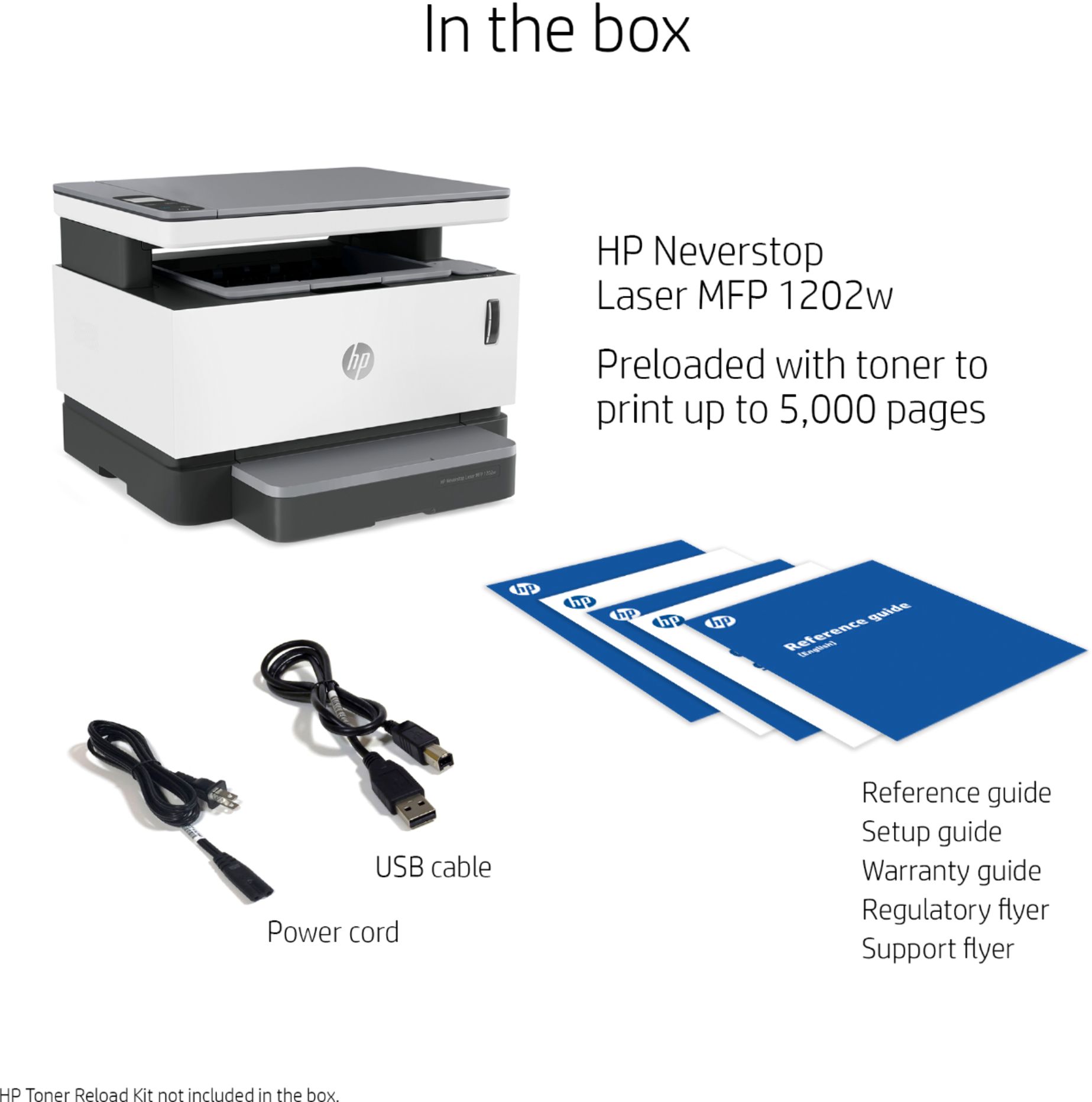
|Posted .This reviewer received promo considerations or sweepstakes entry for writing a review.This printer does everything well. Crisp vivid prints, and crystal clear scans. It was super easy to install. I just plugged in the two included cords, 1 to power, the other to an open USB port, went to the website the instructions provided, clicked on the install link and all the correct programs were automatically downloaded. I followed the prompts on the screen, and had it all up and running in less than 5 minutes. I like that I can disconnect it and put it away, and then bring it back out and plug it back in and it works automatically without having to reinstall or go through any sort of set up. Just hit the power button, and then copy, scan, or print basically instantly. It also gives a nice selection of choices with the scan feature as to how to save your scans,, and then I can edit right from the scan program before I save so I don't have to open another program later to edit. Easy 5 stars and I highly recommend!
I would recommend this to a friend HP Permastop
||Posted . Owned for 1 week when reviewed.This reviewer received promo considerations or sweepstakes entry for writing a review.Printed 2 test sheets, then it went into sleep mode. When I turned it off and tried to turn it back on again, it refused to power on. Tried different power cables, outlets, etc. Nothing.
No, I would not recommend this to a friendBrand response from HP Team
Posted .Hi there.
I’m sorry to hear that your printer went into sleep mode so rapidly after you printed test pages and then would not power back on once you turned it off. It’s easy to understand why that would be an unpleasant shock with a new printer. I would love to help you remedy the situation, so I’ll suggest some resources aimed at getting you there.
First, I recommend going through the steps in this troubleshooting guide for printers that do not turn on:
- support.hp.com/us-en/document/c01321436
If the printer powers up and the sleep issue resurfaces, I suggest you follow this guide to sleep mode and how to deal with problems that arise when a printer is in that state:
- support.hp.com/us-en/document/c04183583
If the printer remains inert or continues to have sleep-mode problems, I recommend that you contact us directly at +1 800-474-6836 so we can help you assess the situation and find a solution. (Please note that because of restrictions on personal movement and workplace attendance associated with the COVID-19 pandemic, wait times for agents are longer than normal. Thanks in advance for your understanding.) To expedite the process, I recommend gathering the following information before the call:
- Model number
- Serial number
- Your location
- Case number (from any previous contact with HP support)
I'll also mention that HP printers have a one-year warranty from the purchase date that covers hardware as well as ink supplies, so if it comes to that, you might consider making use of it. You can verify the warranty using the following link:
- support.hp.com/us-en/checkwarranty
Keith
HP Care
hp.com/support
NO
||Posted . Owned for 10 months when reviewed.This reviewer received promo considerations or sweepstakes entry for writing a review.Not a fan of HP printers as they don't last long at all
I would recommend this to a friendNever started
||Posted . Owned for 1 week when reviewed.This reviewer received promo considerations or sweepstakes entry for writing a review.This printer would not turn on. Went online and through all the procedures to troubleshoot with no success. Then Through the Chat I was told to take it back to the store. There were no others to choose from, so purchased an HP Officejet Pro 8035. So far this one is working.
No, I would not recommend this to a friendNon functioning
||Posted .This reviewer received promo considerations or sweepstakes entry for writing a review.2 printers both had the same error and HP won't respond to their messages for DAYS, and there is no number to call. I love HP but very disappointed with this printer.
No, I would not recommend this to a friendBrand response from HP Team
Posted .Hi there.
I’m sorry to learn that both the printers you’ve received have the same error that prevents them from functioning, and that you’ve not received the support you need. It’s no surprise that you feel put off here. I want to help you resolve this situation, so I’ll provide a resource and some information I hope will reach that goal.
I can’t tell from your review what issue your printers face or why they won’t function, so I recommend that you contact us directly at +1 800-474-6836 so we can help you assess the situation and find the best course of action. (Please note that because of restrictions on personal movement and workplace attendance associated with the COVID-19 pandemic, wait times for agents are longer than normal. Thanks in advance for your understanding.) To expedite the process, I recommend gathering the following information before the call:
- Model number
- Serial number
- Your location
- Case number (from any previous contact with HP support)
I'll also mention that HP printers have a one-year warranty from their purchase date that covers hardware as well as ink supplies, so if it comes to that, you might consider making use of it. You can verify the warranty using the following link:
- support.hp.com/us-en/checkwarranty
Keith
HP Care
hp.com/support
- Pros mentioned:Print quality
Amazing Value
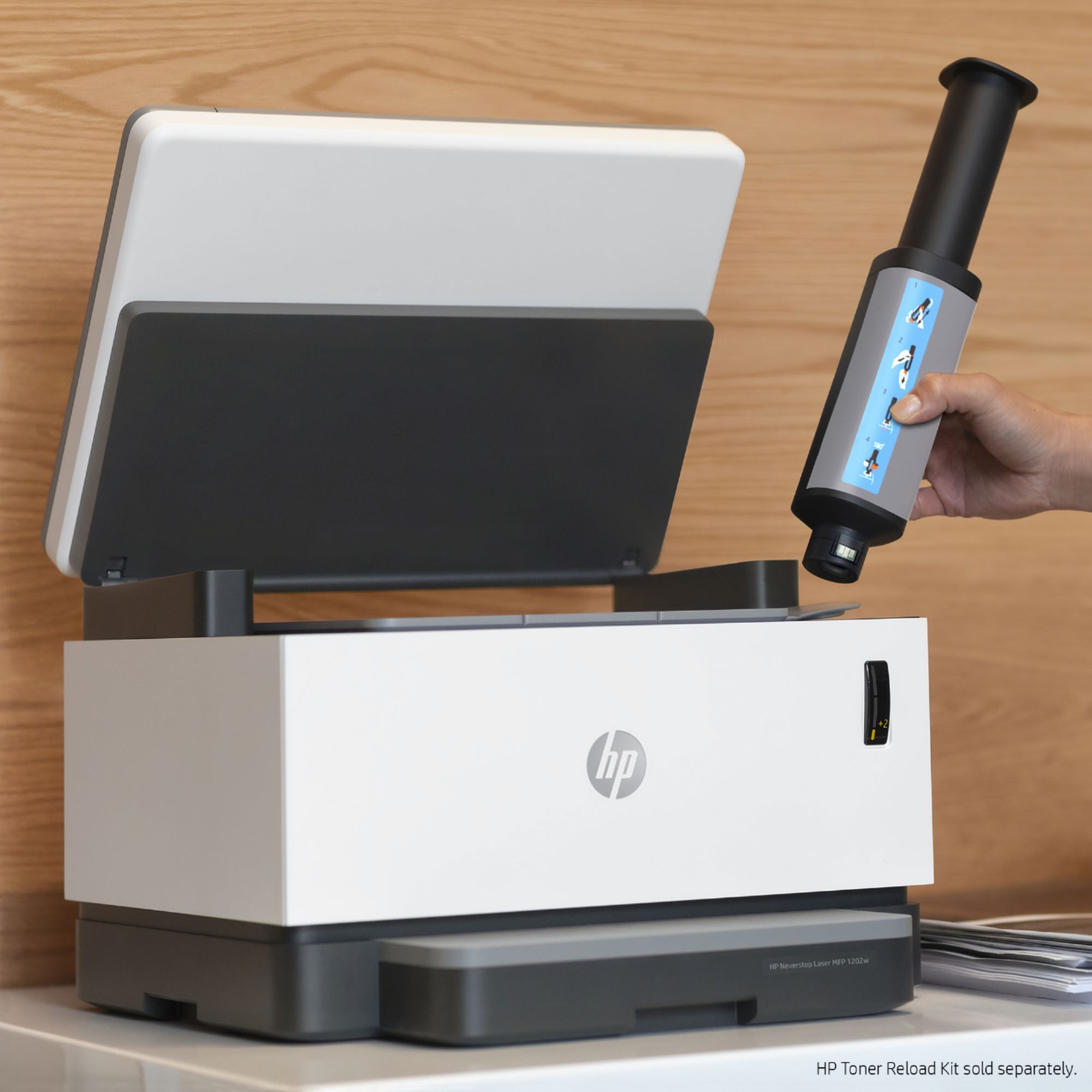
|Posted .This reviewer received promo considerations or sweepstakes entry for writing a review.When it comes to printing out great quantities of pages at a fast pace for an inexpensive price, this printer definitely fits the bill. Ever since using a laser printer at work, I have switched to one in my home office now due to how quick pages can be printed and I no longer have to worry about ink cartridges drying up and constantly having to run to the store to get new cartridges. This printer only makes that easier with its all-in-one capabilities. Firstly though, the look of the printer is very minimal and modern so that I don`t have to worry about a massive machine taking up space just to print and scan documents and it doesn`t have that industrial appearance which is definitely a plus. When it comes to actual performance the printer is very responsive and does print at a solid speed compared to other laser printers and when it comes to scanning and making documents it performs just as it should. As with many laser printers, charts and graphs don`t come out as clear, but they are still apparent and every other type of document did come out great. Where this printer really stands out is in the price category and the toner aspect as replacing the toner is actually much easier than expected as I had imagined that the "easy reload" would have some kinks, but it actually was as easy as advertised. Then the price can`t be beaten for a laser printer with all the connected smart features and functions. The only aspect that did keep me from giving this printer 5 stars is that unfortunately for printing double-sided documents it is not automatic and you actually have to flip the document. Overall though, there is exceptional value to be had with this printer and I would definitely recommend it for smaller businesses or for a home office as you don`t have to constantly be worrying about replacing ink/toner and the performance is for the most part on par with more expensive models.
I would recommend this to a friend Avoid this printer
||Posted . Owned for 11 months when reviewed.This reviewer received promo considerations or sweepstakes entry for writing a review.It broke after 6 months of light working. Contacted HP for the replacement. The second one broke just 20 days after the warranty expired. Straight out bad product.
No, I would not recommend this to a friendvery bad
||Posted .This reviewer received promo considerations or sweepstakes entry for writing a review.Too slow, not horrible. plus, people working at the store had no idea about printers. Every questions I asked, their answers were "I don't know"
No, I would not recommend this to a friendBrand response from HP Team
Posted .Hi there.
I’m sorry that your printer has rendered prints more slowly than you’d like, and that the salespeople in the retail store did not tell you more about it. I can easily see why this would leave you feeling put off and underserved. I want to help you resolve the speed problem and have a better experience overall going forward, so I’ll direct you to some applicable resources.
First, I recommend that you follow a guide on our support site that covers improving print speed; choose whichever of the following two links matches your operating system:
- Windows: support.hp.com/us-en/document/bud03409
- Mac OS: support.hp.com/us-en/document/c01928898
Also, often just updating the firmware can help improve print speed. You can find out how to do that here:
- support.hp.com/us-en/document/c02919168
Next, to learn more about your printer and all its features, or for help solving problems, you can access user manuals, how-to documents, software updates and troubleshooting guides here:
- support.hp.com/us-en/product/model/30334719
If the printing speed does not improve or you need further assistance with anything else, I suggest that you contact us directly at +1 800-474-6836 so we can help you assess the situation and find a solution. (Please note that because of restrictions on personal movement and workplace attendance associated with the COVID-19 pandemic, wait times for agents are longer than normal. Thanks in advance for your understanding.) To expedite the process, I recommend gathering the following information before the call:
- Model number
- Serial number
- Your location
- Case number (from any previous contact with HP support)
Keith
HP Care
hp.com/support
Wrong Brand Printer Sent
||Posted . Owned for 1 month when reviewed.This reviewer received promo considerations or sweepstakes entry for writing a review.Wanted a Canon Printer and Best Buy sent me a HP printer. My last HP Printer only lasted 7 months with constant breakdowns. I would not buy another HP printer - if you GAVE IT TO ME!!!
No, I would not recommend this to a friendPractically doa.
||Posted . Owned for 1 month when reviewed.This reviewer received promo considerations or sweepstakes entry for writing a review.Only worked one day snd then it went stone dead. Fir the few pages printed, they were too light to be useable. I bough an HP laser fir 1/3 The price snd it works fine.
No, I would not recommend this to a friendJunk
||Posted . Owned for 1 year when reviewed.This reviewer received promo considerations or sweepstakes entry for writing a review.Lasted one month past the warranty and then died. HP offered no compensation
No, I would not recommend this to a friend

















