Customer Ratings & Reviews
- Model:
- 2VN99AA#ABL
- SKU:
- 6247245
Rating by feature
- Value
Rating 4.3 out of 5 stars
- Quality
Rating 4.7 out of 5 stars
- Ease of Use
Rating 4.6 out of 5 stars
Customers are saying
Customers are pleased with the high-quality build, vibrant RGB backlighting offering multiple color options, and the convenient volume control. Many appreciate the responsive and customizable keys, along with the added bonus of a USB port. The ease of setup and intuitive controls are also frequently praised. Positive feedback highlights the keyboard's excellent responsiveness and overall enjoyable typing experience.
This summary was generated by AI based on customer reviews.
Works fine but...
||Posted .This reviewer received promo considerations or sweepstakes entry for writing a review.Product worked great until about a week ago the RGB decided to stop working. Been trying to fix it for a week and this is pretty disappointing.
No, I would not recommend this to a friend- Pros mentioned:Keyboard quality, Usb port

Great for Work and Play
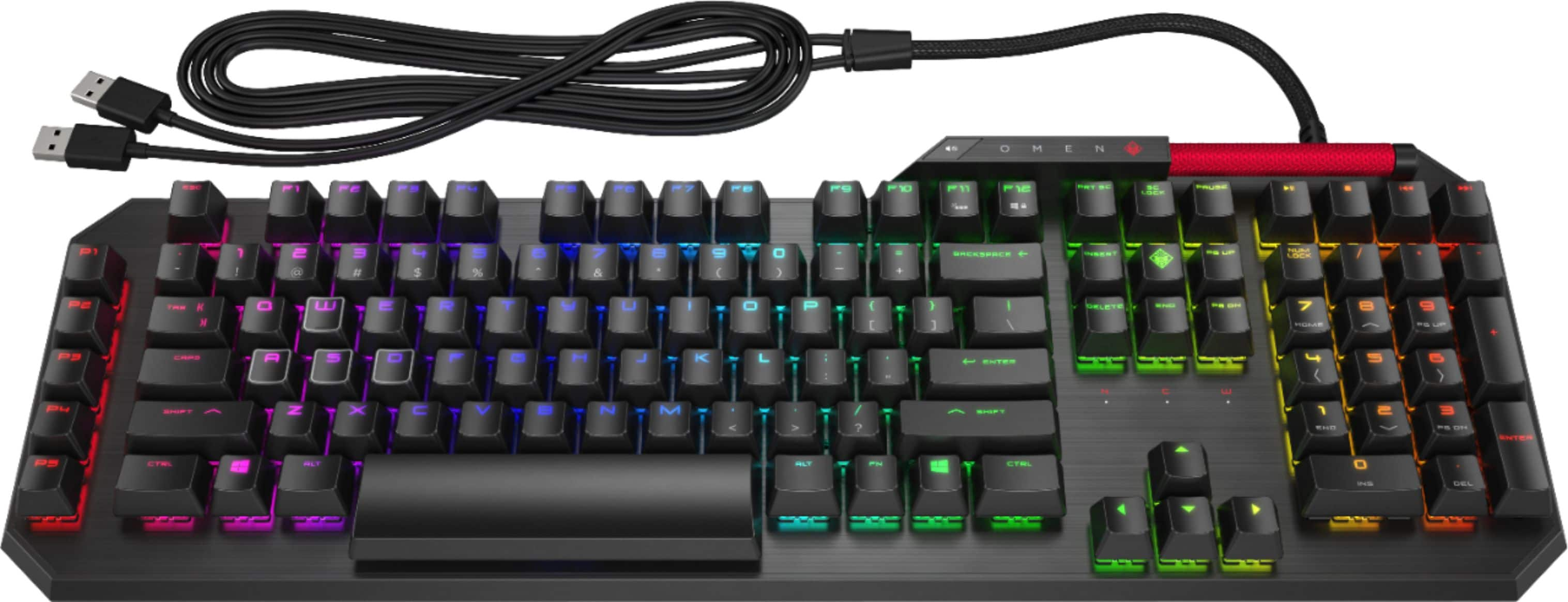
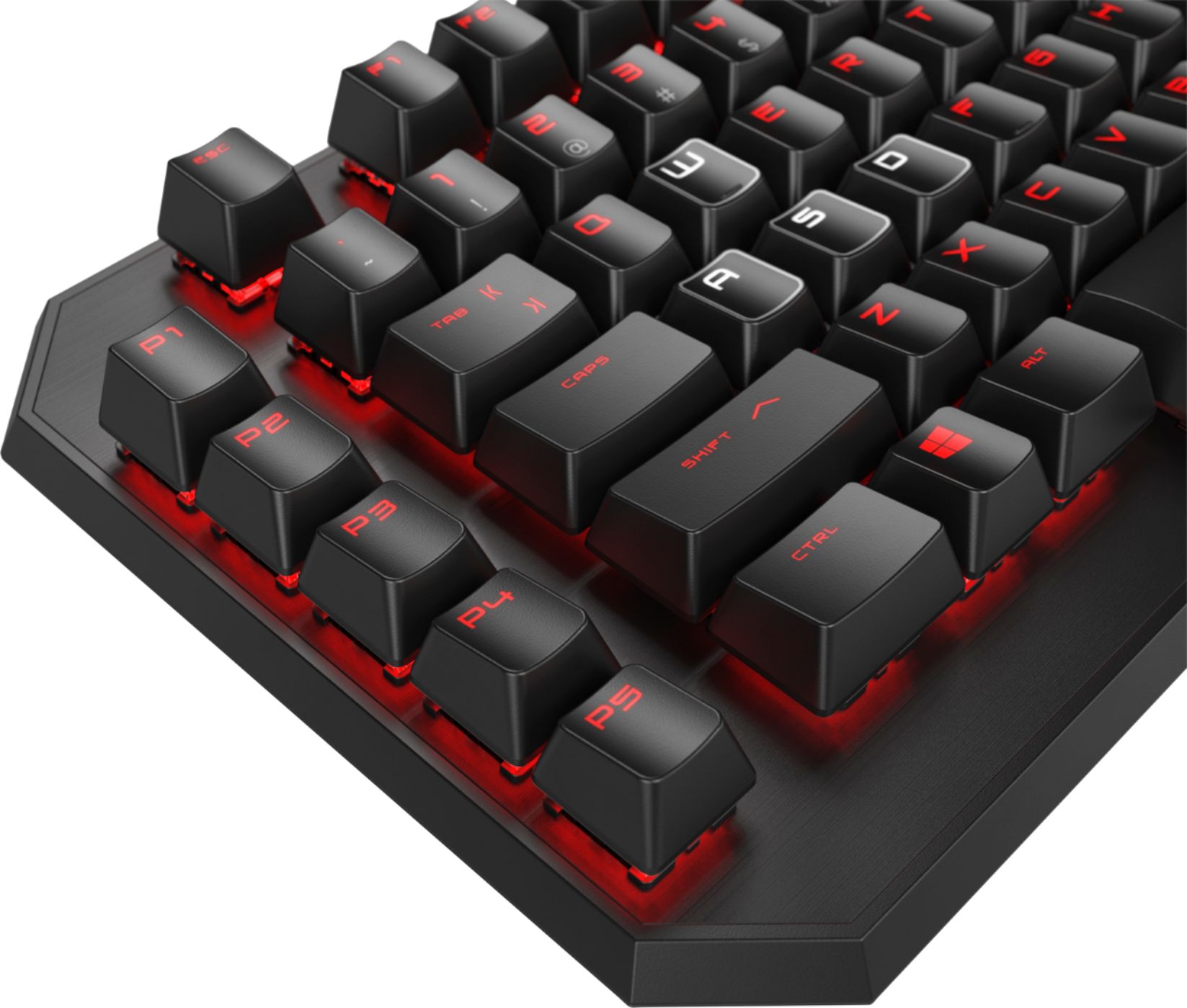
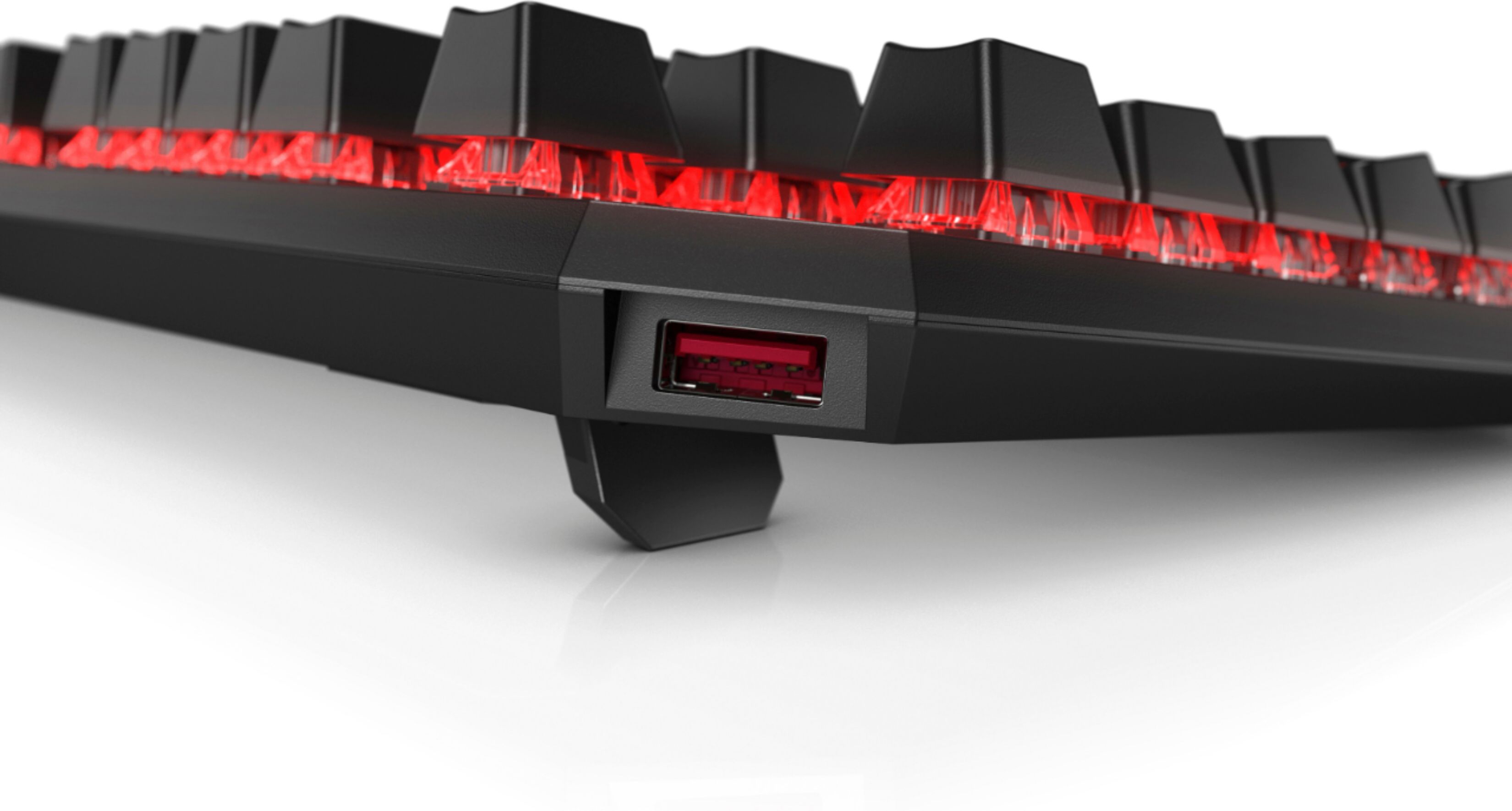
|Posted .This reviewer received promo considerations or sweepstakes entry for writing a review.First, let me say that I love the sensation of typing on a mechanical keyboard. Nothing replaces that "clack" sound. The HP Omen Sequencer Mechanical Keyboard has a great feel when pressing buttons, whether typing or gaming. I also love the fact that it is back-lit, which is great for work or gaming. The 5 programmable keys are great for gaming or working as well. The volume roller is great for getting the volume just right, and the media buttons are welcome shortcuts as well. The last element of this keyboard that I love is the included USB port. I typically use it for USB drives, but I love having an easily accessible, but not noticeable USB drive that is right on my desk.
I would recommend this to a friend Did not meet my expectations
||Posted .This reviewer received promo considerations or sweepstakes entry for writing a review.I did not like that you can't program to different users and I need to restart when changing user or keyboard won't work.
No, I would not recommend this to a friend- Pros mentioned:Keyboard quality
Great keyboard for gaming
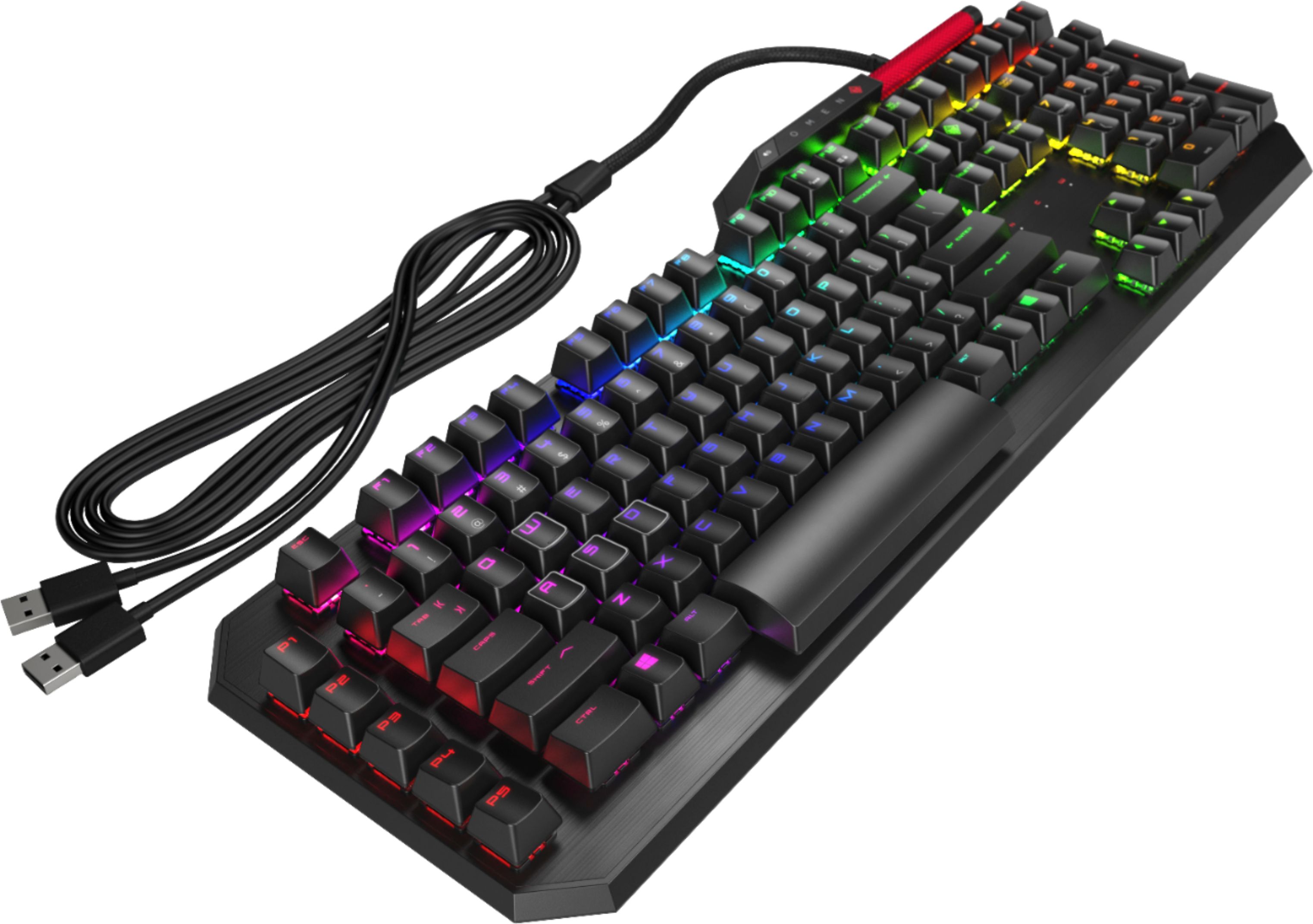
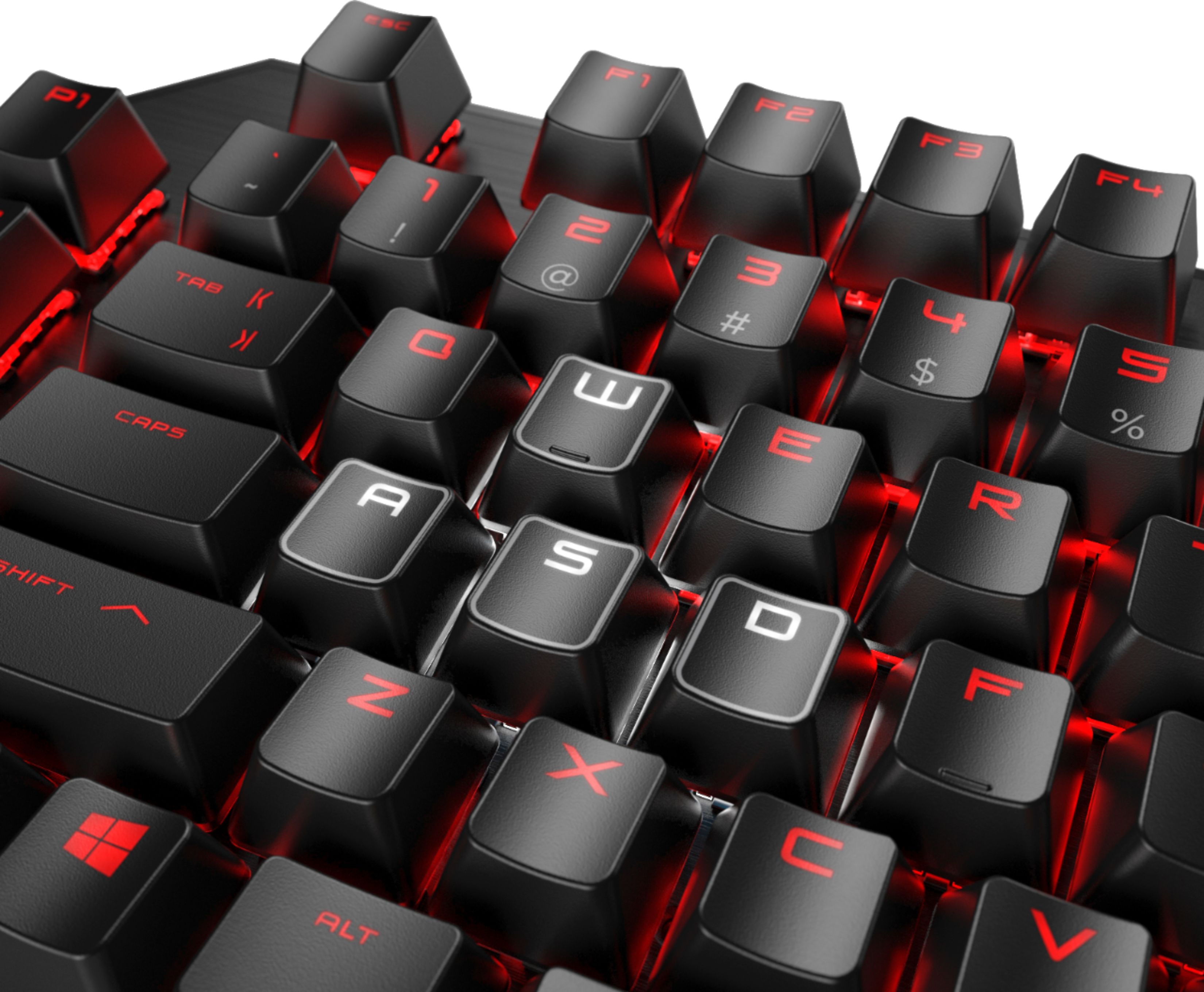
|Posted .This reviewer received promo considerations or sweepstakes entry for writing a review.The good: First off, as a keyboard, it gets the job done well. It has blue switches in it, so if you've used a keyboard with those, you already know how it feels. If you haven't, blues are very clicky/responsive and feel good to type on. All of the bells and whistles work and are very easy to set up as well. The software to configure the colors and macros is super easy to use as well. I've never had a keyboard with backlights or macros before and it took me 10 seconds to learn how it works. It comes with a lot of preset color schemes (both static and moving), and you can customize all of them. You can also choose to just assign each key or group of keys a color from scratch if you want to. Also, the volume slider bar is nice to have and is easy to reach. The bad: The spacebar. Not sure why they decided to have a spacebar twice as tall and slide the arrow keys down from the rest of the keyboard to line up with it as well. I'm used to it now but it's still a bit strange. The loudness of the keys. Blue switches are known for being really nice to type on but also loud to those around you. The loudness won't be an issue for you, but it might cause issues if you use it in a shared environment where people are working. If the only people around you are also gaming though, it's not a problem. Overall: If you're looking for a high end gaming keyboard, you can't go wrong with the Sequencer. My complaints are pretty minor and the important thing is that it works well to play games on. The backlights are really nice, and if you aren't creative they already give you a lot of nice looking presets you can use.
I would recommend this to a friend - Pros mentioned:Rgb back lighting
Great mechanical keyboard with an extra edge!
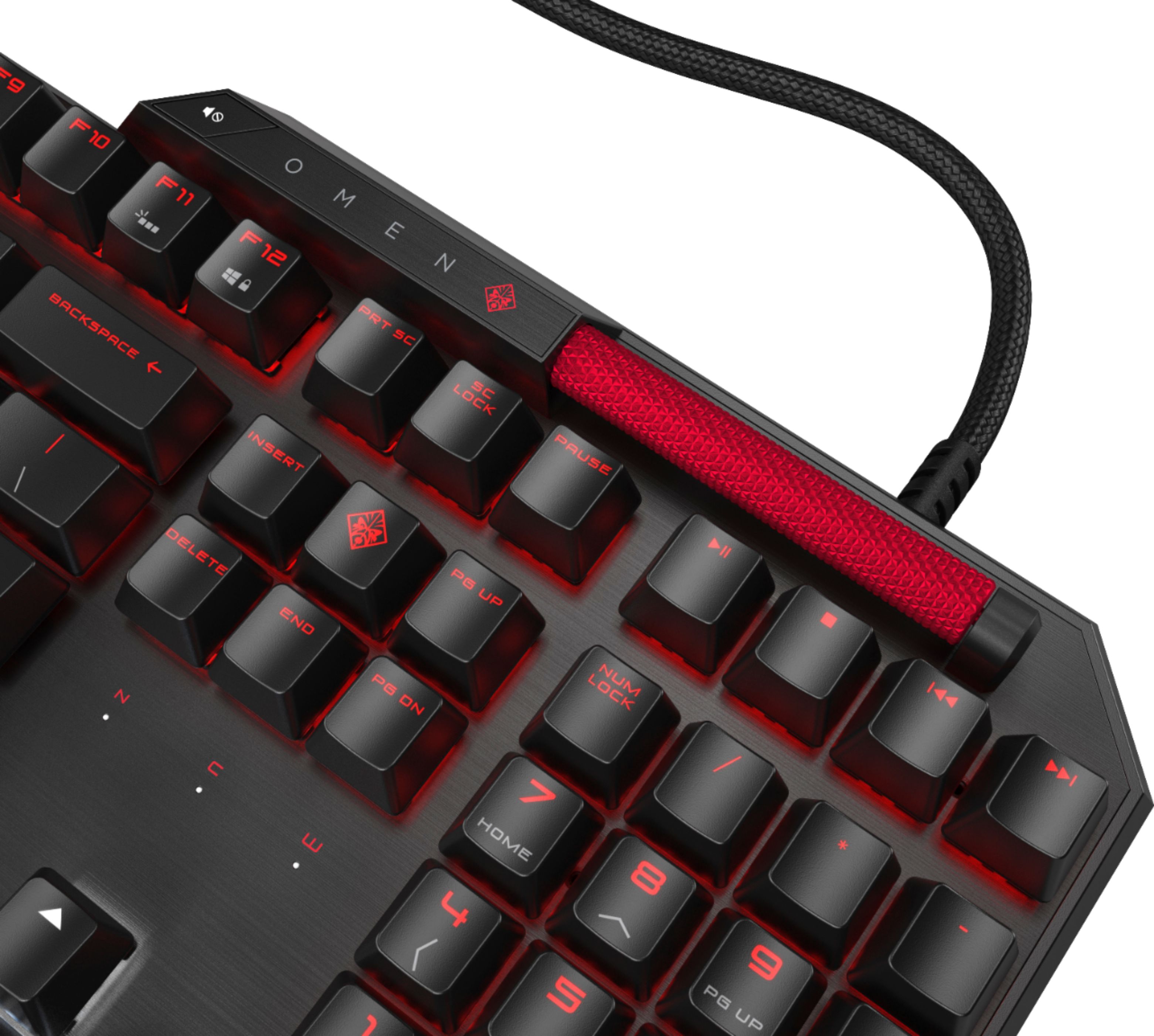
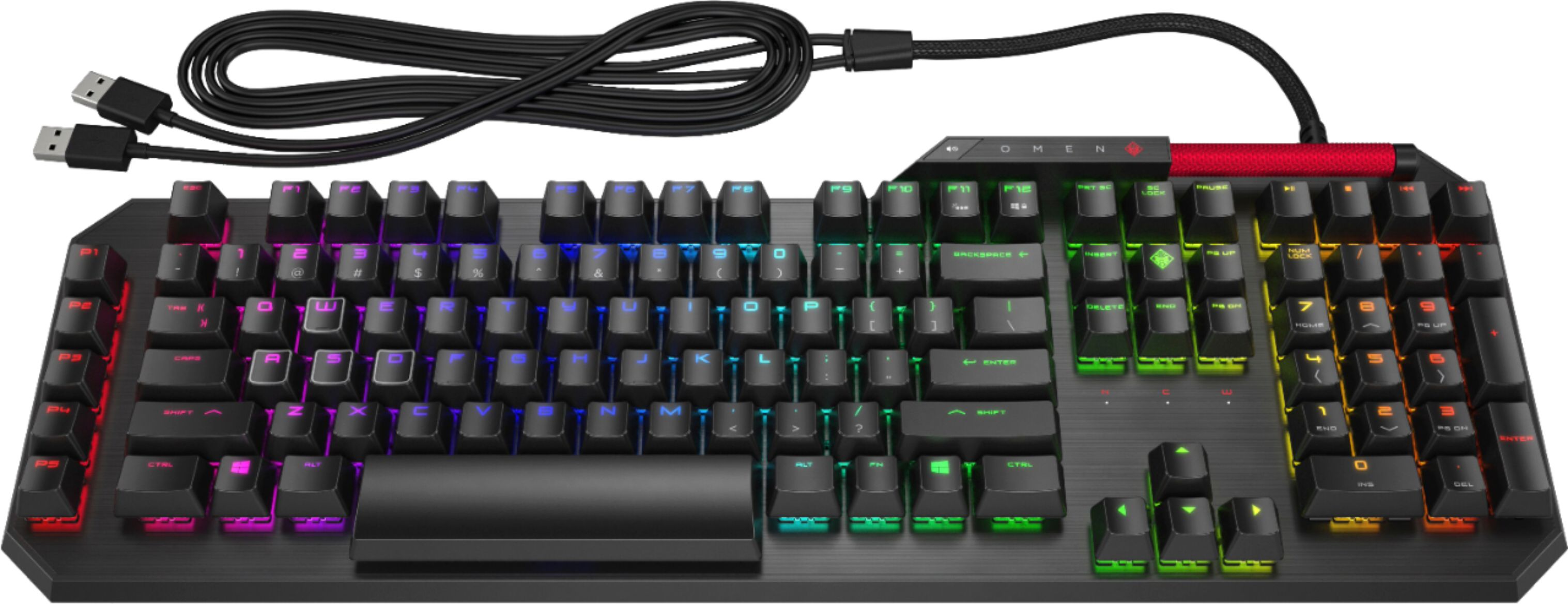
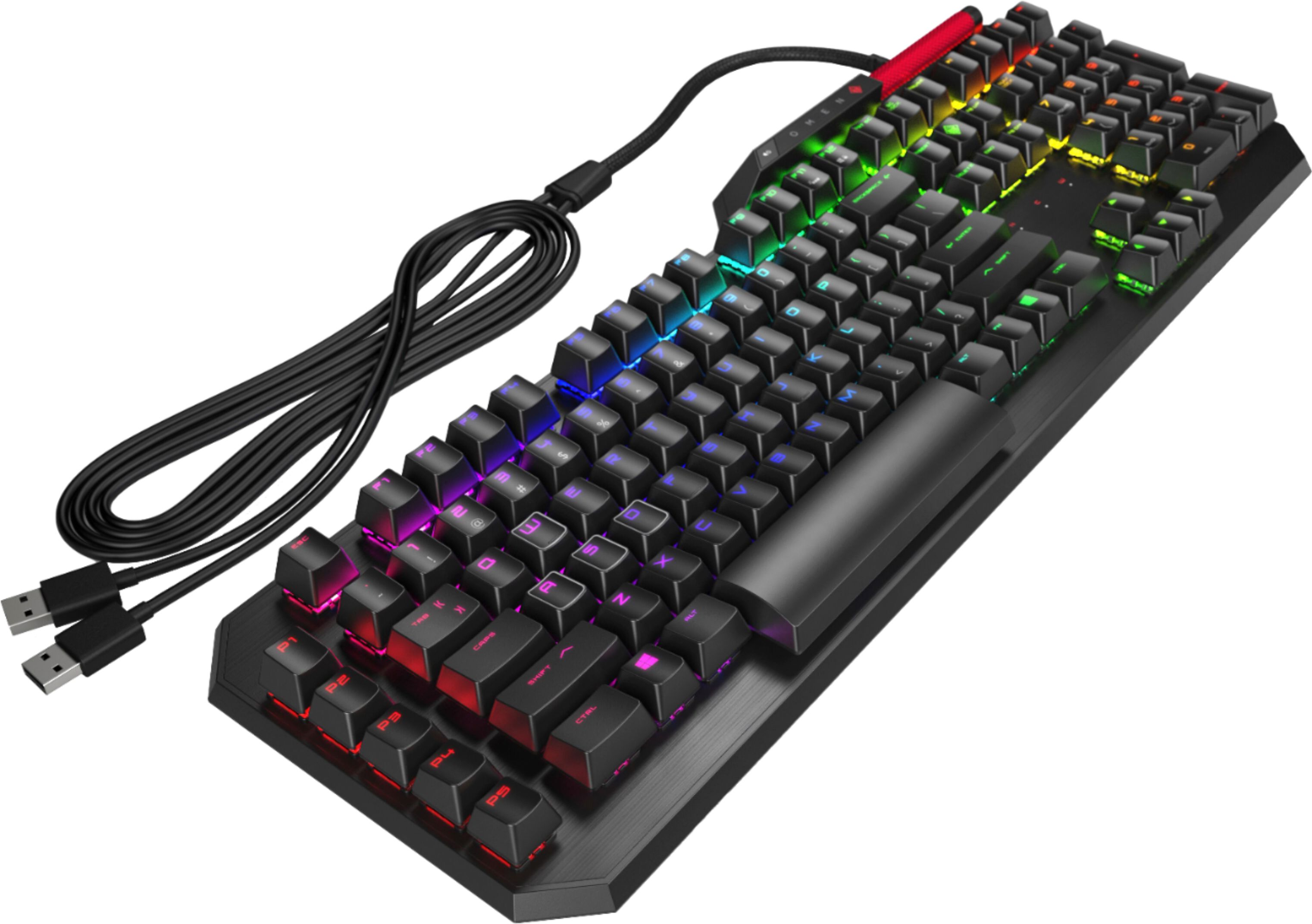
|Posted .This reviewer received promo considerations or sweepstakes entry for writing a review.This keyboard takes a step above and beyond traditional mechanical keyboards - it uses lasers in addition to the switches to cut reaction/response times to almost nothing! The keyboard has a very good mechanical click, but some may complain that it's noisy. It requires 2 USB ports to plug in, but gives you one back on the back side of the keyboard. The volume roller (the large red item on the upper right side of the keyboard) is a fantastic addition - I wish someone had done this a long time ago! No software or driver installation is required - Windows 10 will automatically install from the Microsoft Market the control app and pull the drivers directly from Microsoft. Each key color adjustable - have fun customizing! All in all a great keyboard - no complaints!
I would recommend this to a friend - Pros mentioned:Keyboard quality
Speed of Light Keyboard Perfect for Gaming
|Posted .This reviewer received promo considerations or sweepstakes entry for writing a review.The Omen Sequencer keyboard is truly well-constructed and designed for extensive use. In my opinion the Omen Sequencer keyboard has the nicest volume slider I have ever used. It is an optical-mechanical keyboard with individual switches like a mechanical keyboard and each key has its own optical laser that resets (0.2ms) as soon as you press it down. This is very fast by any standard. It has a great feel to it, and is solid and reliable. It is heavy and stays in place. It uses RGB color customization, has a phenomenal audio volume slider on the upper right and well positioned macro buttons on the left. Attention to detail is great.
I would recommend this to a friend - Pros mentioned:Key feel
Good Gaming Keyboard for Non-Gamers
|Posted .This reviewer received promo considerations or sweepstakes entry for writing a review.Personally I bought this keyboard to be used for my home office and not for any gaming applications. I grew up with the old mechanical keyboards of the 70's and wanted to get back in touch with that feel. So this keyboard purchase was over-kill for its intended use. I don't have the need for programmable keys and/or macros, BUT truly like the touch, response rate, and back lighting. One thing that was missed was the need for a wrist pad. Being a mechanical keyboard, there is the need to have your wrists raised in alignment with your fingers due to the elevated keys. Once the wrist pad was added, I was more comfortable and able to perform keystrokes with ease.
I would recommend this to a friend - Pros mentioned:Keyboard quality
When function meets cool
|Posted .This reviewer received promo considerations or sweepstakes entry for writing a review.I got this keyboard for my son who is an avid PC gamer. He wanted to upgrade his old keyboard and the HP Omen was perfect. The touch & feel of this keyboard is outstanding. It's highly-responsive. The design sets it apart from a typical keyboard, but the functionality is what the real story is here. What puts this over-the-top is the LED backlight of the keypads. It makes for a very cool gaming experience. HP got it right on this keyboard. The price is also a value for the quality you get on this.
I would recommend this to a friend - Pros mentioned:Keyboard quality, Rgb back lighting
Great response time although pretty hefty.
|Posted .This reviewer received promo considerations or sweepstakes entry for writing a review.For a hardcore gamer, I would recommend this product, however, anyone else probably would suggest a different choice. Ultimately it has a beautiful backlit full RGB display making it a great addition to anyone who has colored or smart lights in their home. The keys are easy to use and the keyboard can be customized with the easy to use included software. It's easily one of the best keyboards for gamers.
No, I would not recommend this to a friend - Pros mentioned:Rgb back lighting
Excellent Value!
|Posted .This reviewer received promo considerations or sweepstakes entry for writing a review.If you are looking for a laser powered individually controllable RGB Keyboard then look no further. HP has really stepped it up with their Omen line and this is no exception. The keys have a satisfying click, and the volume is much more manageable than other mechanical gaming keyboards. The software is very easy to use and makes customizing the layout and Macros a breeze. Definitely a winner.
I would recommend this to a friend Game on an excellent price
|Posted .This reviewer received promo considerations or sweepstakes entry for writing a review.The HP Omen Sequencer Gaming Keyboard has great key switches with many different features. This keyboard comes with the Cherry Mx blue switches which offer great tactile feedback with a clicky sound. Fully-customizable RGB backlighting with 16.8 million RGB colors with the Omen Command Center software. You can personalize your keyboard to your delight. This keyboard also has 5 programmable macro keys plus media keys. The only downside to this keyboard is that when I game the oversized spacebar gets in my way. Overall the Hp Omen Sequence is a great keyboard with few drawbacks. The keyboard feedback is not exactly my cup of tea, but many will love the feel. The keyboard appears to be highly durable and should withstand many years of key pounding Blazing Attacks. Response time is exceptional, optical. The keyboard is great in midst of heavy gaming.
I would recommend this to a friend- Pros mentioned:Keyboard quality
Back to the drawing board
|Posted .This reviewer received promo considerations or sweepstakes entry for writing a review.HP - OMEN by HP Sequencer Wired Gaming Optical-Mechanical Blue Switch Keyboard with RGB Back Lighting - Black I wanted to like this HP Reactor Optical-Mechanical RGB Keyboard which I have been testing with the HP Reactor Wired Optical-Mechanical Gaming Mouse and neither of these lived up to my hopes. It didn’t help that two keys caps fell out of the box as soon as I took it out of the box. Of course this was a very minor issue since I just popped them back on. And they did stay in place in all of my testing. But overall the keys just feel loose and sloppy. They can wobble back and forth much more than any other keyboard I have used before. The feel while typing is fine and the feedback from the optical-mechanical keys is good but the wobble should not be there on a high end keyboard. The lighting effects are fairly generic and they do not get very bright. The puzzling thing is this keyboard needs to use two USB ports. It has a big braided cable but I have seen and used better RGB keyboards that make due with one USB connection. And there is no other connection that you can use on the keyboard to justify needing to have such a large cable using two or your USB ports. The keyboard supports macros and the Omen software is pretty easy to use. You install the software from the Windows store which was a nice surprise and took almost no time to install. The problem is the Omen software is launched from what would be your home key. And I could not find anyway to remap that key so I could use the home key for moving around documents and spreadsheets when I wasn’t gaming. Generally the build quality was fine with an aluminum top and plastic bottom. The feet at the bottom don’t raise the keyboard up much so it sits mostly flat with them extended. That is a preference issue but I do like to have a little higher lift then you get here. One thing I did like was the media and volume wheel/bar. It looks good and it very easy to use. The media key are also very easy to find and use. I think if you have invested in the HP Omen line of gaming desktops or notebooks both the mouse and keyboard are worth a look but nothing about them really is unique. Yes the optical switches are new but neither the mouse or keyboard are the only products that offer that feature. And unless I just missed it using the home button to launch the Omen software is annoying while doing office work. I just can’t recommend this keyboard over the many options gamer have today
No, I would not recommend this to a friend Really fantastic keyboard. A must for gamers.
|Posted .This reviewer received promo considerations or sweepstakes entry for writing a review.I have this paired with the Omen mouse, and the two are a match made in heaven. I play Doom, WoW, Guildwars 2, and Diablo 3, and this keyboard is amazing. Macros are easy to program, and response rate is lightning fast. My wife is wowed by the led lit keys, now she wants one and she doesn’t even game! Lol Great construction. I expect years out of this.
I would recommend this to a friendIf Looks Could Kill...
|Posted .This reviewer received promo considerations or sweepstakes entry for writing a review.DISCLAIMER: This is all based on personal preferences. Your mileage may vary depending on your tastes. Try out the keyboard in a brick and mortar if you can. I’ll start with pro’s and con’s. Pro: - The default layout is not Rainbow - It looks nice - USB port on back left of keyboard - Optical/Mechanical switches - Command Center software is very clean and minimal Con: - Has 2 USB connections to the PC - HUGE space bar - No built in wrist rest - Huge volume roller - Very loud - Plasticy (explained in review) - Odd feel and design choices - Blue switches My fascination with mechanical keyboards goes back years to my early days in IT when working on the old IBM mainframe mechanical keyboards. The great thing about mechanical keyboards are the tactile and audible feedback you get from the keyboard. Being in IT I have had a chance to work with many different keyboards and switches over the years. HP historically has made some odd design choices all across the board on their products over the years. It had been a while since they made any drastic design choices that made me wonder… “Why?” Welcome back HP of old. Blue switches, in my opinion, are great for daily typing. Not great for gaming. They are quite loud, maybe the loudest of all the switch types. The switches on this keyboard are also optical, a light beam gets broken to send the keystroke. I did not feel like I was getting the feedback one would expect from a mechanical keyboard. I never felt the end of the keystroke which made me feel like I needed to press the key even deeper than needed. This really felt like a “bubble” keyboard where you press until it stops. Double clicking a key seemed to be hit or miss because of what I perceived to be the required key travel. The oddest part of the feel, the keys have next to no resistance. It is very easy to press the keys. Which is both bad and good in my opinion. The good, very little effort to make a keystroke you intended to make. The bad, very little effort to make a keystroke you did not intend. Which leads to the space bar. The space bar is double sized. Super-sized if you will. With no built in wrist rest, I was hitting the space bar with my palm and thumbs inadvertently. I see no great advantage to having a space bar this size. Speaking of super-sized, the volume roller is huge. I never use the keyboard volume setting in a game, so I don’t understand why this is over-sized. Normally I will use a headset and its controls, but the last thing I mess with while playing is the sound. I thought when I tested the keyboard with the cutout of the box, that the keys felt nice and had good travel. Not too loud. After getting the keyboard out, it had an odd feel to them. I thought I was being overly critical so I asked one of my sons’ opinion. He said it felt plasticy. That was a great description he came up with. The feel was like tapping on a spring loaded wrestling ring for wrestling figures. The feel and sound was hollow and empty. There was no substance to the keystroke. The added USB port on the back of the keyboard is nice, but wasted thanks to needing two USB connections on your machine. The placement on the back left is also a bit odd, since most players will use a right handed mouse the placement seems like it is on the wrong side. But it is out of the way, so it may not be. I am still torn on this one HP took the approach of being large and loud to play up to the gaming crowd. While the personalities of many gamers match that description, their hardware generally doesn’t outside of some back lighting. Loud and big for the sake of being loud and big does not translate into a good gaming keyboard experience. Once again, YMMV. My other son loves the keyboard and has taken ownership of it. He also has quite the collection of wrestling figures, so the ring feel of the keyboard may be normal to him. I will give credit to the red color scheme used as the default, it makes the keyboard look OMENous. The software was well done, but it seemed like the UI was uncomfortable. The buttons seemed like they were in the wrong place. While simplistic, the UI takes a bit to get use to. While I am critical of this keyboard, my son loves it. So I can’t give it a 1, but my opinion is the one being given so I will be lenient giving 2 stars. Not something I would like for myself but has enough merits others may like it.
No, I would not recommend this to a friendGood sub-$100, "meh" at anything above that...
|Posted .This reviewer received promo considerations or sweepstakes entry for writing a review.As usual I will start by pointing out I am not going to regurgitate specs that you can get from the tab above that goes by the same namesake or that are listed in 99% of the other reviews. I will, however, give some direct comparisons and feedback based on using this keyboard the past couple weeks in both an every day casual/work environment, as well as a gaming one. First things first; it looks beautiful. The metal body is heavy and looks (to beat a dead horse) beautiful. Seriously, this thing makes my G510 and G910 look like duds. But, looks can be deceiving (more on this in a bit) so take this all with a grain of salt. Performance -- it's fast. It's accurate. And while the keys are very "light" (very little effort to depress them) there is absolutely zero lag with input and the keys themselves (while not comparing to the body and other physical aspects of the keyboard in terms of quality) feel nice on the finger tips and have a nice rebound to them. It's a very solid gaming option - period. I took a few typing tests back and forth between the OMEN and my G910; aside from the spacebar on the OMEN (it's HUGE -- more on that below) it more than held it's own. This is a very subjective thing, but the OMEN felt to my fingers like it had a crisper action and a very nice "flow" to it. Again, a little on the "light" side, but if you are typing 100+ WPM your fingers are dancing around anyway, so for me personally I'm more concerned with the aforementioned rebound action. Continuing on with the pro's -- the Omen Command Center. You can use the keyboard straight out of the box without it, but you won't be able to program the 5 macro keys, alter the coloring (defaults to red initially), nor set up any of the other customization settings. For a deep-dive into just what those are, again...read the other reviews, they pretty much all outline precisely what these things are. If you are familiar with Logitech's software, this isn't all that different as far as options go. Looks and layout-wise HP's software is severely lacking, but crudeness aside it gets the job done. After that it's a sharp decline as to what there is to be excited about. You get a single USB port that is nicely placed at a 45* on the top left. So yeah, that's convenient and appreciated. The volume roller, while feeling solid (knurled metal), is comically out of proportion with everything on the keyboard aside from the spacebar. I'm not kidding -- do not take this keyboard outside. Nearby air traffic *will* confuse the spacebar for a runway. In typing situations you do eventually get used to it, but due to it's size (horizontally it's fine, but vertically it's 2x the height you typically see) I felt like I had to strike it deadcenter or it felt like it was flexing off it's center axis. Think of a car going through a turn that is evenly balanced, there isn't much roll or pitch to it. Now, imagine a top-heavy SUV attempting the same...that image is precisely what the spacebar on the OMEN feels like if it you strike it anywhere other than deadcenter. Pushing onward with the gripes; man is this thing "clicky." I get it, I get it...it's mechanical. But, blue switches? At this price point? Ughhhh, terrible choice. Luckily I have an office to myself, because this thing *will* drive any other occupants nuts, misophonia sufferers or not. Case in point? 30 minutes into a project a coworker asked, "is it supposed to be that loud? Or does it have an app running to make it sound like an old typewriter?" Is this person kind of a doofus? Yes. But, they are anything but in this particular instance - so I will include their comment as it bolsters my stance on the matter. In order to power this thing two...TWO...USB plugs are required. Sure, the wires are nicely sheathed, but due to there being TWO of them, they aren't very pliable so for anyone with OCD about wires/cords, please heed this warning. To wrap this all up; while being a beautiful piece that performs extremely well (if you are gaming...by yourself...inside) I can't recommend the OMEN at the price point that this thing is going for. Even as I write this review it is $40 off the original MSRP and I would not recommend it given the other keyboards it is competing against.
No, I would not recommend this to a friendOnly a few small gripes
Posted .This reviewer received promo considerations or sweepstakes entry for writing a review.I purchased this Keyboard to replace an RGB CoolerMaster that has some "Mem-canical" junk. It didn't have the sound or feel I wanted Something with more of a clicky sound and more RGB control. This keyboard has some kind of fancy Opto-Mechanical switches in it that have a pretty awesome feel and sound. I believe they are similar to the Cherry MX Blue but I've never owned a keyboard with one of those personally. The one downfall I am experiencing is the spacebar. Not only is it massive, it rattles. There is one switch under it with 4 switch-like stabilizers. Even with those the spacebar is noisier than I'd like. But that isn't something I will remove a star for. For RGB control, you have to download the Omen Control Center, which isn't a big deal. It allows you to change the color scheme or theme. It works pretty smoothly and I'm happy to be able to see the adjustments on the fly.
I would recommend this to a friendDissapointing
Posted .This reviewer received promo considerations or sweepstakes entry for writing a review.I really wanted to like this keyboard based on some of the reviews, but there were a few dissatisfactions in this keyboard. First of all, the keyboard is incredibly loud. I know some people do like mechanical keyboards but these blue switches are extraordinarily loud and everyone in my house can hear them. Next, the macros that are "customizable" add a tremendous amount of load on my CPU for a keyboard. When you push one of the macros, which are very helpful, it triggers the omen command center in the background and then opens the application from that application. When my workstation is under stressing tasks, it certainly does not help. More small issues that I encountered was that the keyboard requires two USB slots and was bigger than the size listed in the specifications. Finally, the thing that annoys me most is the volume roller. It was certainly under my impression that you can customize this to system attributes such as brightness or a media controller. However, I do like the build quailty of the keyboard. It's made out of alluminum and is very sturdy. The keys are pretty soft and require a decent amount of pressure, which I like. It's a little hard to find the positives when there is so many negatives. I would not reccoment this to a friend. Unless you know what kind of switch you want, don't mind customizability and can take the extra cpu load then I can see an ideal use.
No, I would not recommend this to a friend