Customer Ratings & Reviews








- Model:
- HP SMART TANK 7602/28B98A#B1H
- |
- SKU:
- 11006122
Customer reviews
Rating 4.4 out of 5 stars with 1876 reviews
(1,876 customer reviews)Rating by feature
- Value4.4
Rating 4.4 out of 5 stars
- Quality4.5
Rating 4.5 out of 5 stars
- Ease of Use4.4
Rating 4.4 out of 5 stars
- Pros mentioned:Print quality
Rated 2 out of 5 stars
Not so much
||Posted . Owned for 2 weeks when reviewed.This reviewer received promo considerations or sweepstakes entry for writing a review.Prints nicely, including 7 photos. However, the printer used an entire tank (1/2 of a XL bottle) of black ink for 74 pages. Supposedly that amount of ink is good for up to 2500 pages (where did the ink go??). Set up easy for printing but not easy for scanning. My previous Officejet was so easy for all setup. This unit does not have "scan to computer", but instead has wifi direct in its place. Apparently, you have 2 options, wifi (through the router) and wifi direct where the printer, or laptop, or whatever acts like the router. It's either one or the other, not both. I have yet to figure it out. It asks for STMP etc (or something like) and I have no idea where to get that info. HELP says to contact the person who set it up. Well, that would be me. But between the printer and laptop (and HP Smart app), I can scan to my laptop. But set up is not easy for scanning. If I had it to do again, I would probably go back to Officejet, despite the VERY high cost of ink. One more issue on printing photos -- the paper tray can adjust to the width of the paper, but NOT to the length. I put in 5x7 photo paper. But the printed photos were missing approx 1/4 inch of photo (5x6.75, with 0.25 white strip). That truly is in not good. But the quality of what did print was very good.
This review is from HP - Smart Tank 7602 Wireless AI-Enabled All-in-One Cartridge-Free Supertank Inkjet Printer with 3 Years of Ink Included¹ - Dark Surf Blue
No, I would not recommend this to a friend Rated 5 out of 5 stars
Nice printer.
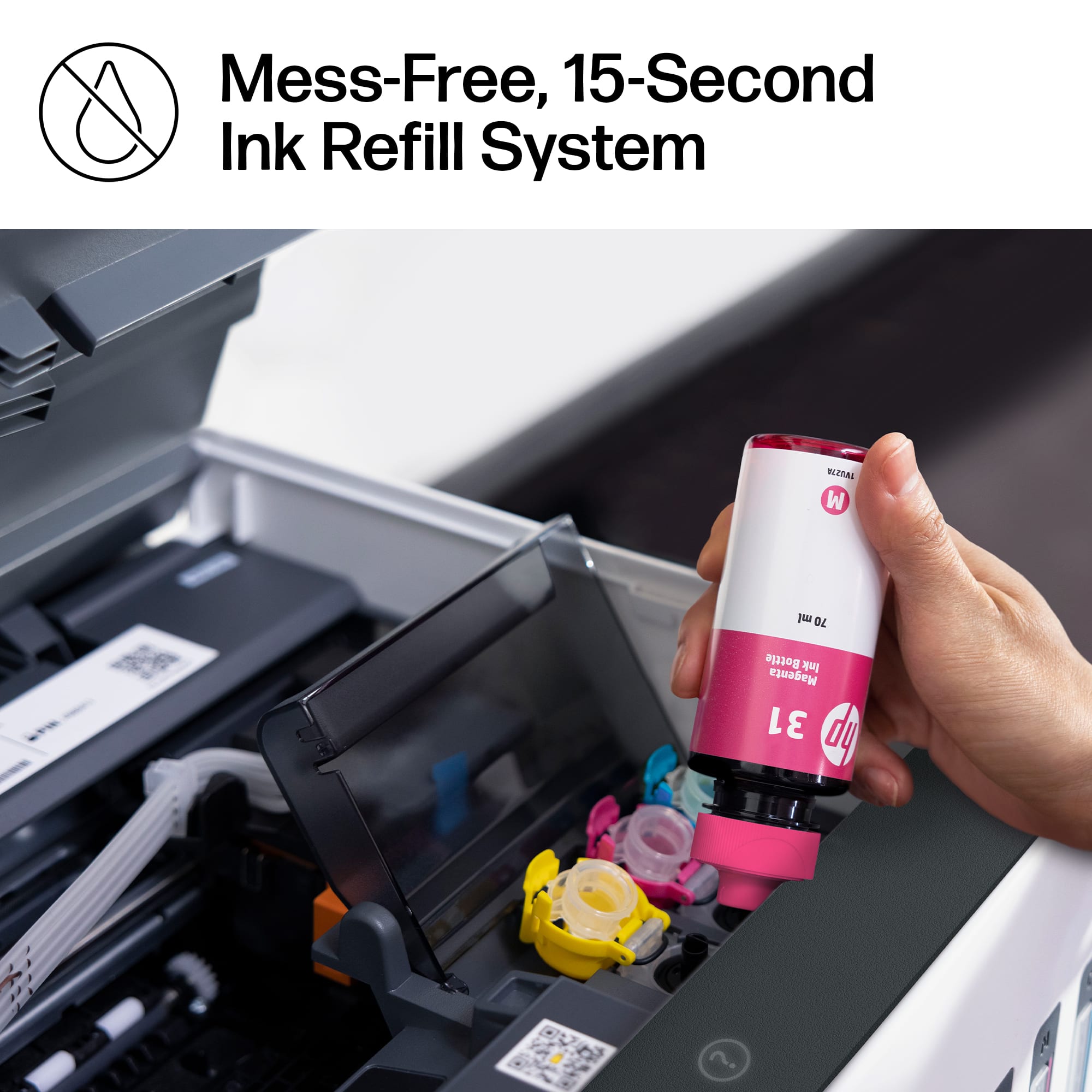
||Posted . Owned for 2 weeks when reviewed.This reviewer received promo considerations or sweepstakes entry for writing a review.Easy setup. Works very nice and the ink tanks are simple to fill.So far I really like it. The only drawback so far is it is a bit noisy when it prepares to print.
This review is from HP - Smart Tank 7602 Wireless AI-Enabled All-in-One Cartridge-Free Supertank Inkjet Printer with 3 Years of Ink Included¹ - Dark Surf Blue
I would recommend this to a friendRated 5 out of 5 stars
I am glad I chose the HP Smart Tank 7602 Supertank
||Posted . Owned for 1 month when reviewed.This reviewer received promo considerations or sweepstakes entry for writing a review.I researched home printers online and discussed the pros and cons in person with Best Buy Reps. I am glad that I chose the HP Smart Tank 7602 Supertank. It fills my needs nicely for copies, scanning, and faxing. Easy to set up and use. Best HP printer that I have bought and used yet.
This review is from HP - Smart Tank 7602 Wireless AI-Enabled All-in-One Cartridge-Free Supertank Inkjet Printer with 3 Years of Ink Included¹ - Dark Surf Blue
I would recommend this to a friend- Pros mentioned:Print quality
Rated 5 out of 5 stars
HP 7602 is Superstar Tank Printer
||Posted . Owned for 3 weeks when reviewed.This reviewer received promo considerations or sweepstakes entry for writing a review.I was tired of spending money on cartridges that did not last. After careful research, HP 7602 was only choice that had tank feature and USB port. I find that USB port is very helpful for saving important files and then printing them. HIghly recommend after one month of use. Ink has not moved much and I have used printer frequently.
This review is from HP - Smart Tank 7602 Wireless AI-Enabled All-in-One Cartridge-Free Supertank Inkjet Printer with 3 Years of Ink Included¹ - Dark Surf Blue
I would recommend this to a friend - Pros mentioned:Overall performance
Rated 4 out of 5 stars
Great printer, bad security
||Posted . Owned for 3 weeks when reviewed.This reviewer received promo considerations or sweepstakes entry for writing a review.The product is good. HP security stinks lead me into scam web site!
This review is from HP - Smart Tank 7602 Wireless AI-Enabled All-in-One Cartridge-Free Supertank Inkjet Printer with 3 Years of Ink Included¹ - Dark Surf Blue
I would recommend this to a friend Rated 5 out of 5 stars
HP Smart Tank Printer
||Posted . Owned for 3 weeks when reviewed.This reviewer received promo considerations or sweepstakes entry for writing a review.Just what I have been looking for. I have not used it a lot because I am trying to use up my old printer's ink. It was relatively easy to setup. I like the ink replacement an the HP brand
This review is from HP - Smart Tank 7602 Wireless AI-Enabled All-in-One Cartridge-Free Supertank Inkjet Printer with 3 Years of Ink Included¹ - Dark Surf Blue
I would recommend this to a friend- Pros mentioned:Print quality
Rated 5 out of 5 stars
Great All in One
||Posted . Owned for 1 month when reviewed.This reviewer received promo considerations or sweepstakes entry for writing a review.Super easy to use. Love the print quality and how it is set up
This review is from HP - Smart Tank 7602 Wireless AI-Enabled All-in-One Cartridge-Free Supertank Inkjet Printer with 3 Years of Ink Included¹ - Dark Surf Blue
I would recommend this to a friend Rated 5 out of 5 stars
Great choice
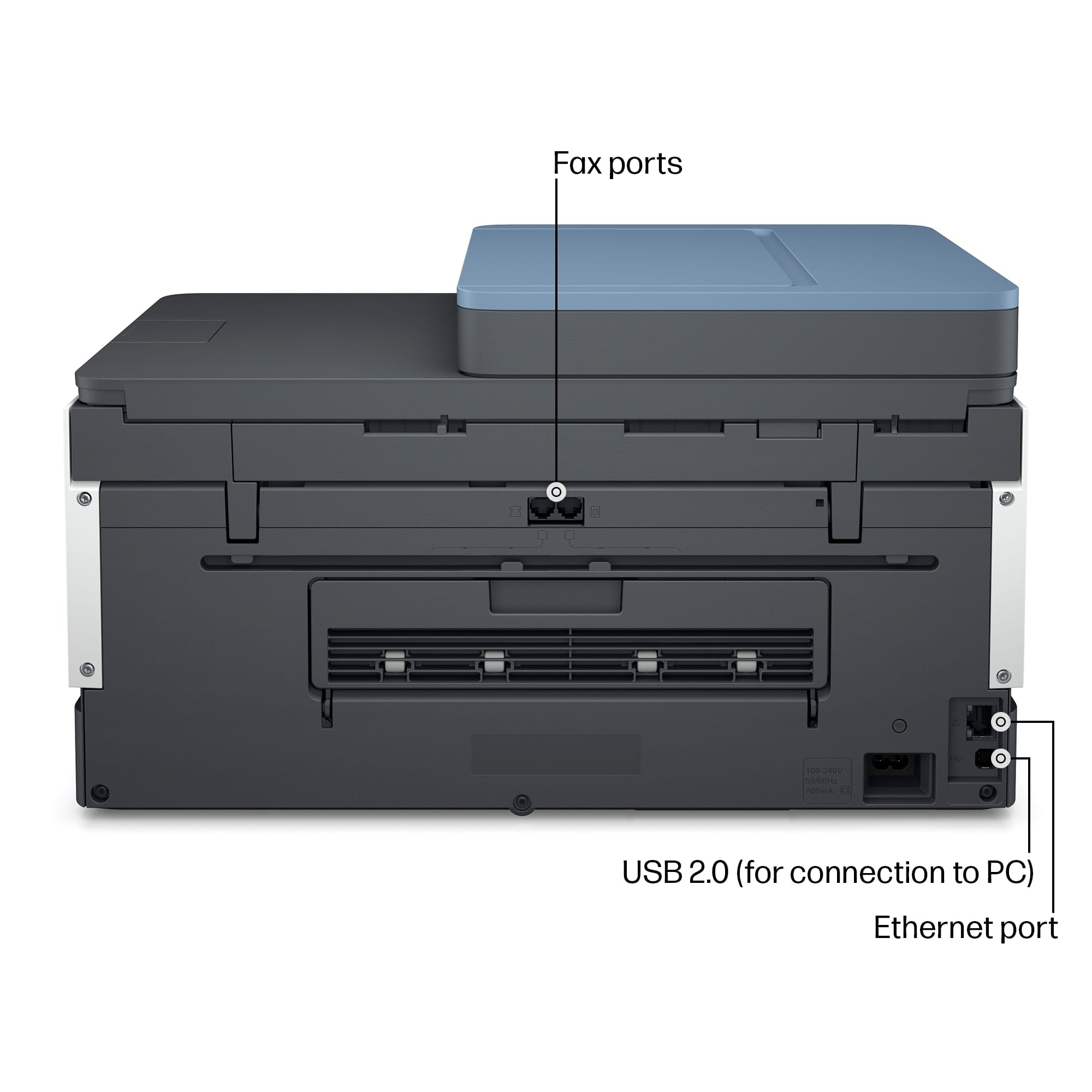
||Posted . Owned for 1 month when reviewed.This reviewer received promo considerations or sweepstakes entry for writing a review.Easy set up, like option to use LAN cable or wireless. Great ink supply, like being able to see ink levels and easy to fill without making a mess.
This review is from HP - Smart Tank 7602 Wireless AI-Enabled All-in-One Cartridge-Free Supertank Inkjet Printer with 3 Years of Ink Included¹ - Dark Surf Blue
I would recommend this to a friend- Pros mentioned:Print quality
Rated 5 out of 5 stars
Easy to set up!
||Posted . Owned for 1 month when reviewed.This reviewer received promo considerations or sweepstakes entry for writing a review.Great printer!! Quality prints and great photo prints.
This review is from HP - Smart Tank 7602 Wireless AI-Enabled All-in-One Cartridge-Free Supertank Inkjet Printer with 3 Years of Ink Included¹ - Dark Surf Blue
I would recommend this to a friend - Pros mentioned:Print quality
Rated 5 out of 5 stars
printer
||Posted . Owned for 1 week when reviewed.This reviewer received promo considerations or sweepstakes entry for writing a review.purchased last month. I like the quality of the print and the color
This review is from HP - Smart Tank 7602 Wireless AI-Enabled All-in-One Cartridge-Free Supertank Inkjet Printer with 3 Years of Ink Included¹ - Dark Surf Blue
I would recommend this to a friend - Pros mentioned:Print quality
Rated 5 out of 5 stars
Great printer
||Posted . Owned for 3 weeks when reviewed.This reviewer received promo considerations or sweepstakes entry for writing a review.Great printer for home and school use. Quick printing and easy setup.
This review is from HP - Smart Tank 7602 Wireless AI-Enabled All-in-One Cartridge-Free Supertank Inkjet Printer with 3 Years of Ink Included¹ - Dark Surf Blue
I would recommend this to a friend - Pros mentioned:Overall performance
Rated 5 out of 5 stars
New Printer
||Posted . Owned for 3 weeks when reviewed.This reviewer received promo considerations or sweepstakes entry for writing a review.The techs were great, product is great!! would go back to best buy everytime
This review is from HP - Smart Tank 7602 Wireless AI-Enabled All-in-One Cartridge-Free Supertank Inkjet Printer with 3 Years of Ink Included¹ - Dark Surf Blue
I would recommend this to a friend - Pros mentioned:Overall performance
Rated 3 out of 5 stars
Gerald's Printer review.
||Posted . Owned for 1 month when reviewed.This reviewer received promo considerations or sweepstakes entry for writing a review.I am satisfied with my printer. I have two of them. Both are working great.
This review is from HP - Smart Tank 7602 Wireless AI-Enabled All-in-One Cartridge-Free Supertank Inkjet Printer with 3 Years of Ink Included¹ - Dark Surf Blue
I would recommend this to a friend - Pros mentioned:Print quality
Rated 5 out of 5 stars
Mrs.
||Posted . Owned for 3 weeks when reviewed.This reviewer received promo considerations or sweepstakes entry for writing a review.Printer is very easy to use. Clear printing and color is great.
This review is from HP - Smart Tank 7602 Wireless AI-Enabled All-in-One Cartridge-Free Supertank Inkjet Printer with 3 Years of Ink Included¹ - Dark Surf Blue
I would recommend this to a friend - Pros mentioned:Print quality
Rated 5 out of 5 stars
Great printer
||Posted . Owned for 3 weeks when reviewed.This reviewer received promo considerations or sweepstakes entry for writing a review.Easy setup, printing is good quality for the price.
This review is from HP - Smart Tank 7602 Wireless AI-Enabled All-in-One Cartridge-Free Supertank Inkjet Printer with 3 Years of Ink Included¹ - Dark Surf Blue
I would recommend this to a friend - Pros mentioned:Print quality
Rated 5 out of 5 stars
Fernando
||Posted . Owned for 3 weeks when reviewed.This reviewer received promo considerations or sweepstakes entry for writing a review.Printing color is awesome, Printer is easy to set up and fill ink. Great Buy.
This review is from HP - Smart Tank 7602 Wireless AI-Enabled All-in-One Cartridge-Free Supertank Inkjet Printer with 3 Years of Ink Included¹ - Dark Surf Blue
I would recommend this to a friend - Pros mentioned:Print quality
Rated 4 out of 5 stars
HP inktank printer
||Posted . Owned for 4 months when reviewed.This reviewer received promo considerations or sweepstakes entry for writing a review.Good printer. Fast enough with black or color printing. My only complaint is the controls are not intuitive. If I just want to print manually. It’s always a problem
This review is from HP - Smart Tank 7602 Wireless AI-Enabled All-in-One Cartridge-Free Supertank Inkjet Printer with 3 Years of Ink Included¹ - Dark Surf Blue
I would recommend this to a friend - Pros mentioned:Print quality
Rated 4 out of 5 stars
Worth it!
||Posted . Owned for 1 week when reviewed.This reviewer received promo considerations or sweepstakes entry for writing a review.Good printer. A little difficult to set up. Produces good quality output. Love the ink bottles instead of cartridges.
This review is from HP - Smart Tank 7602 Wireless AI-Enabled All-in-One Cartridge-Free Supertank Inkjet Printer with 3 Years of Ink Included¹ - Dark Surf Blue
I would recommend this to a friend - Pros mentioned:Overall performance
Rated 5 out of 5 stars
Printer friendly
||Posted . Owned for 1 month when reviewed.This reviewer received promo considerations or sweepstakes entry for writing a review.Love ittt. I use it for all my personal activities and my daughters school work. Is Amazing
This review is from HP - Smart Tank 7602 Wireless AI-Enabled All-in-One Cartridge-Free Supertank Inkjet Printer with 3 Years of Ink Included¹ - Dark Surf Blue
I would recommend this to a friend Rated 5 out of 5 stars
It's Saving Me A Ton Of Money!
||Posted . Owned for 1 month when reviewed.This reviewer received promo considerations or sweepstakes entry for writing a review.I was buying ink almost every week with my old printer. I've been using this thing almost every day for nearly 2 months now, and there is no sign that I will need more ink anytime soon. The money I'm saving by not paying for cartridges so frequently, has almost paid for this already. Setup was simple and easy. Definitely worth it.
This review is from HP - Smart Tank 7602 Wireless AI-Enabled All-in-One Cartridge-Free Supertank Inkjet Printer with 3 Years of Ink Included¹ - Dark Surf Blue
I would recommend this to a friend















