Customer Ratings & Reviews
- Model:
- 7G7A3AA#ABA
- SKU:
- 6581755
Rating by feature
- Value
Rating 4.5 out of 5 stars
- Quality
Rating 4.7 out of 5 stars
- Ease of Use
Rating 4.7 out of 5 stars
to a friend
Customers are saying
Customers recognize the Alloy Rise keyboard's high-quality build and smooth, responsive linear switches, praising its customizable RGB lighting and convenient media controls, including a volume knob. The included software is also highlighted for its ease of use and extensive customization options, allowing users to personalize their keyboard experience. Many appreciate the removable top plate feature, offering further aesthetic personalization.
This summary was generated by AI based on customer reviews.
Forever Keyboard
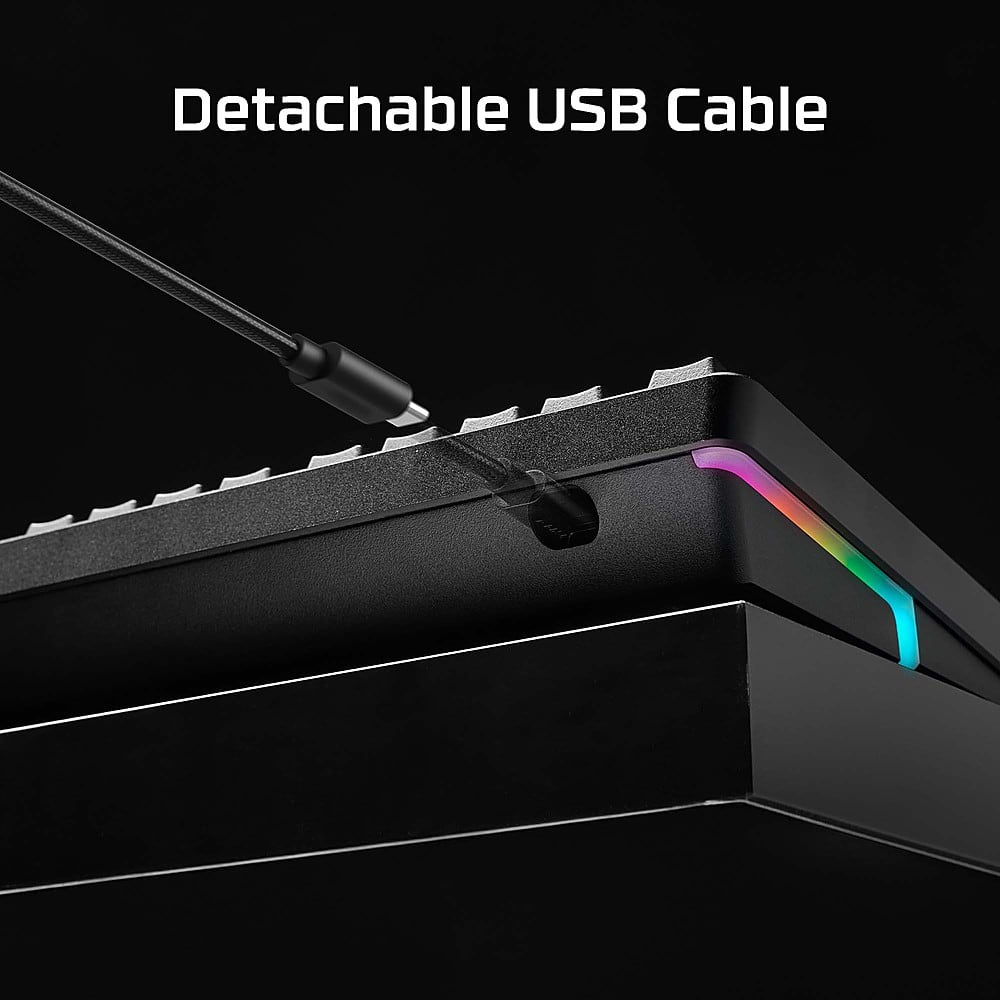
||Posted .This reviewer received promo considerations or sweepstakes entry for writing a review.To begin, I did not buy this keyboard for gaming. I work from home and wanted a keyboard that was quiet but still a great mechanical keyboard. I have strong disdain for membrane keyboards and I type faster on mechanical keyboards; they make me feel more productive. The build quality is remarkably good for the price. It is expensive, but quality mechanical keyboards are expensive. I don't need the software as I cannot install that on my work computer, but the keyboard worked right out of the box, no problem. The keyboard came with a braided usb-c cable and the keyboard has an interchangeable face plate. The Red Linear Switch is quieter than my previous First Blood Only keyboard. Overall, I am satisfied. This is probably a forever keyboard for me.
I would recommend this to a friendAnother great HyperX keyboard.
||Posted . Owned for less than 1 week when reviewed.This reviewer received promo considerations or sweepstakes entry for writing a review.Fantastic keyboard with a nice knob for volume. Knob is also clickable and by default that mutes sounds. RGB can be customized per key and saved under different profile. Switches aren't as loud as a standard mech keyboard but they have a nice tactile feel to them and subdued sound.
I would recommend this to a friendHyper alloy for typing
||Posted . Owned for 1 week when reviewed.This reviewer received promo considerations or sweepstakes entry for writing a review.Nice and heavy keyboard. Not a fan of cherry red as I don’t game but like a heavy clicky switch so I swapped for something more my style. RGB is good and bright.
I would recommend this to a friend
Great High End Upgradable Gaming Keyboard
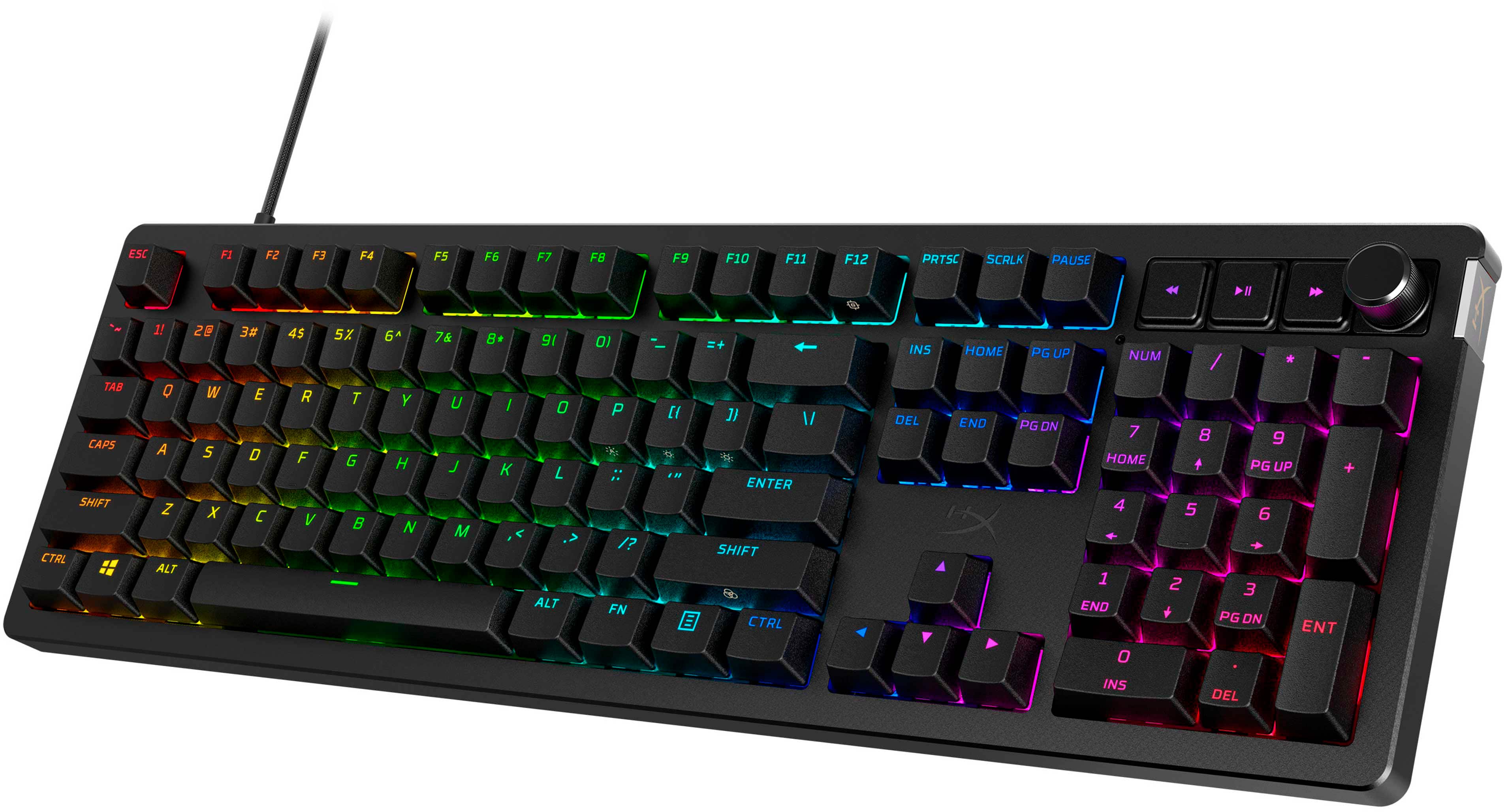
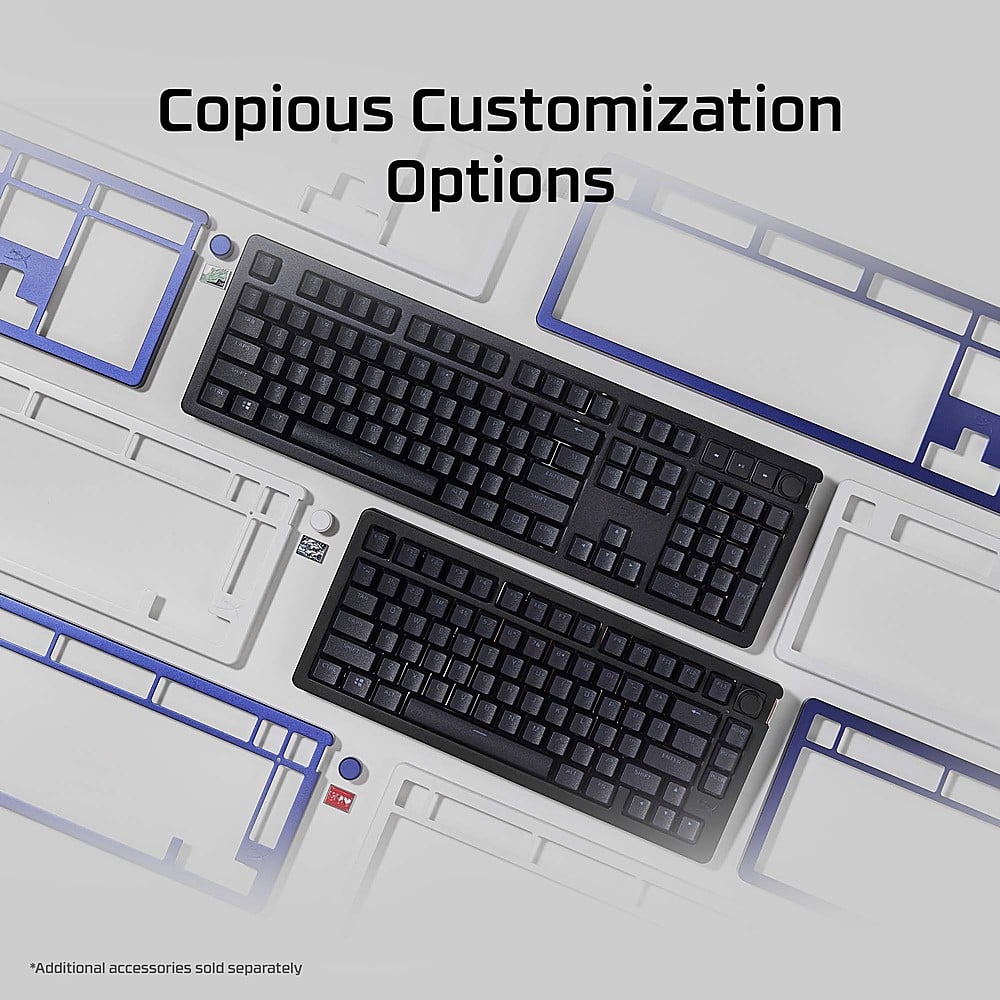
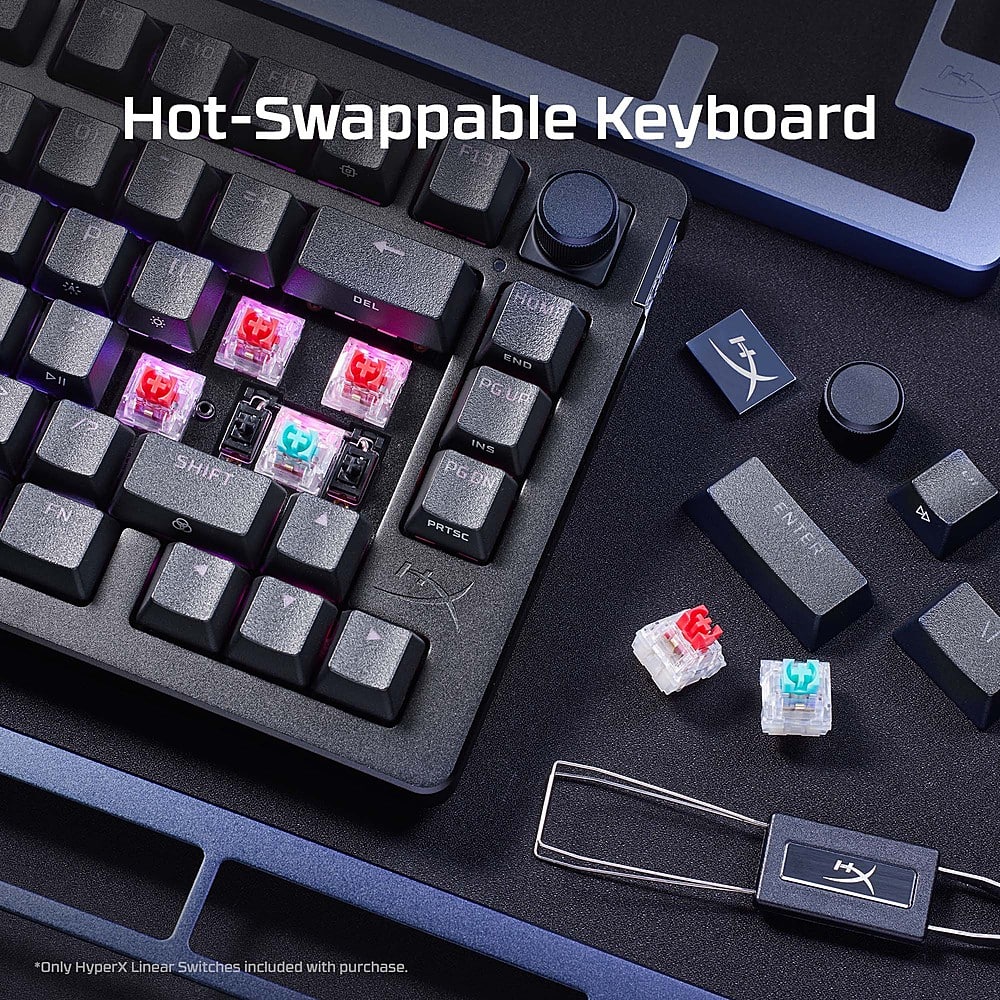
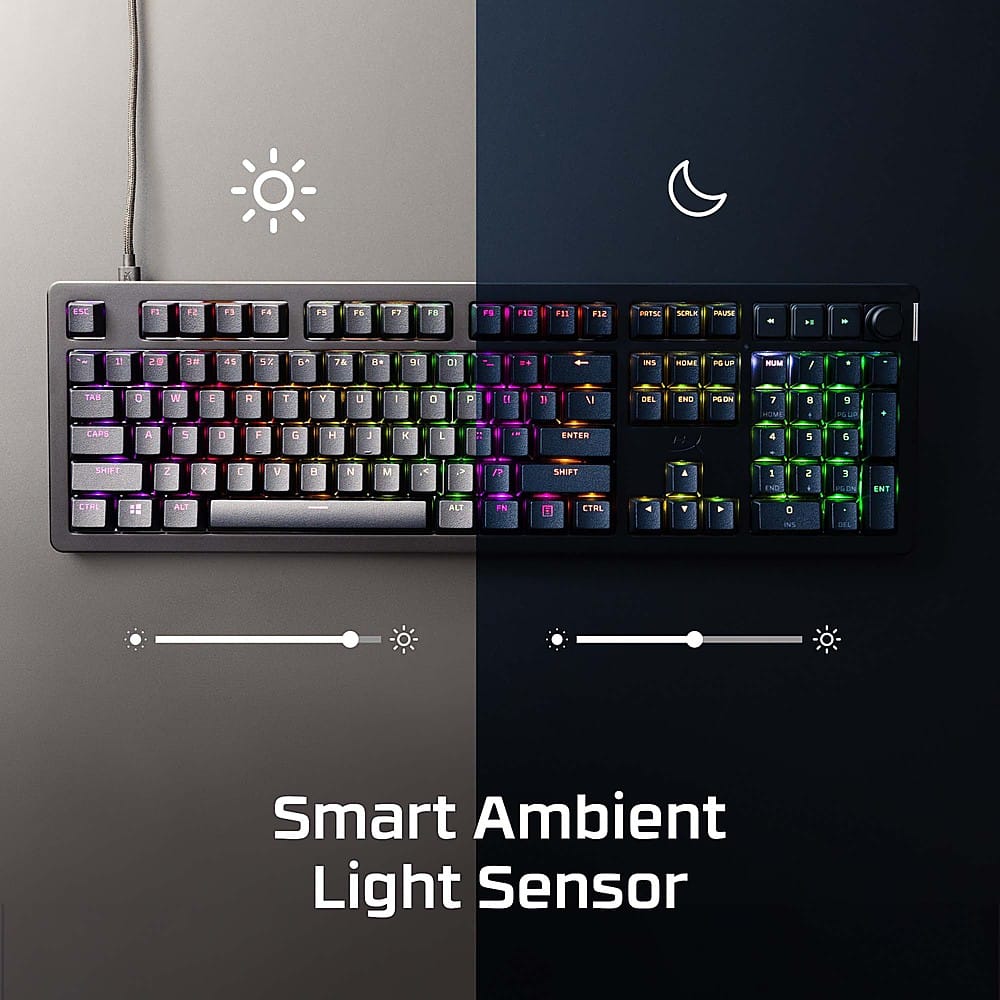
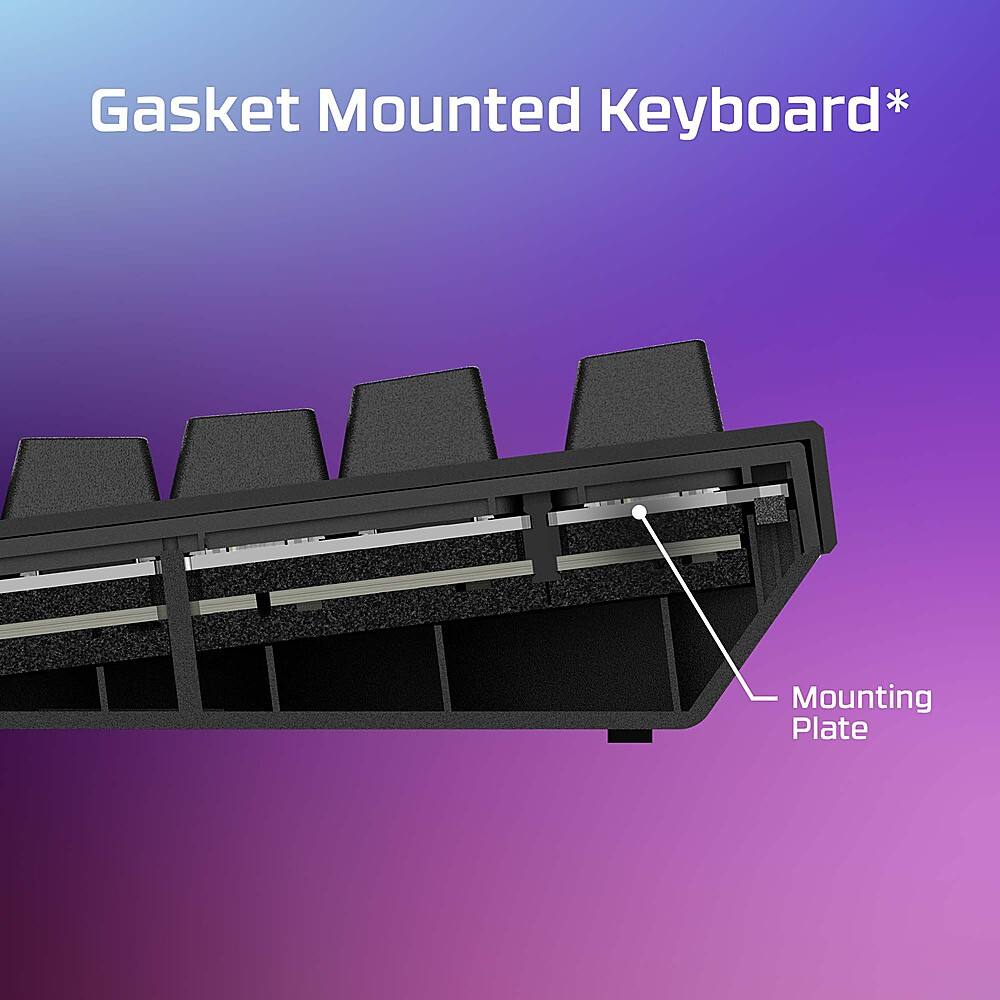
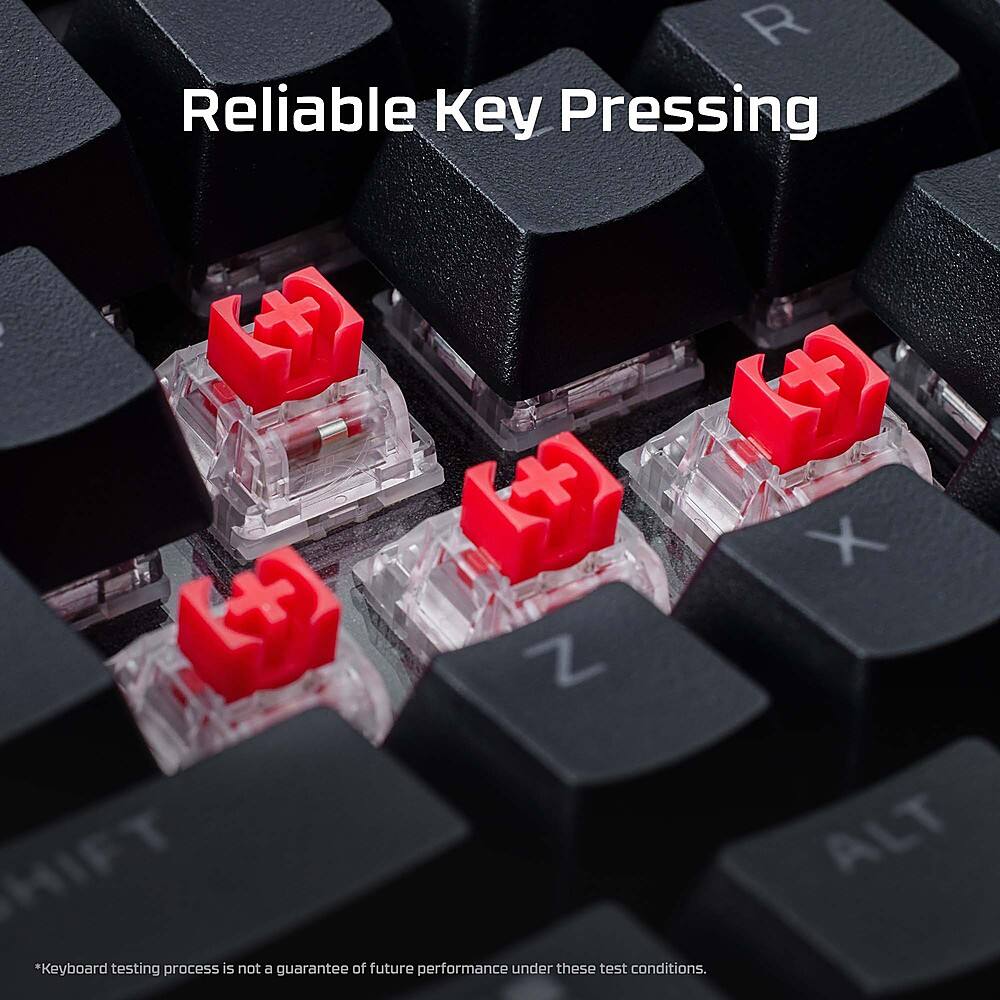
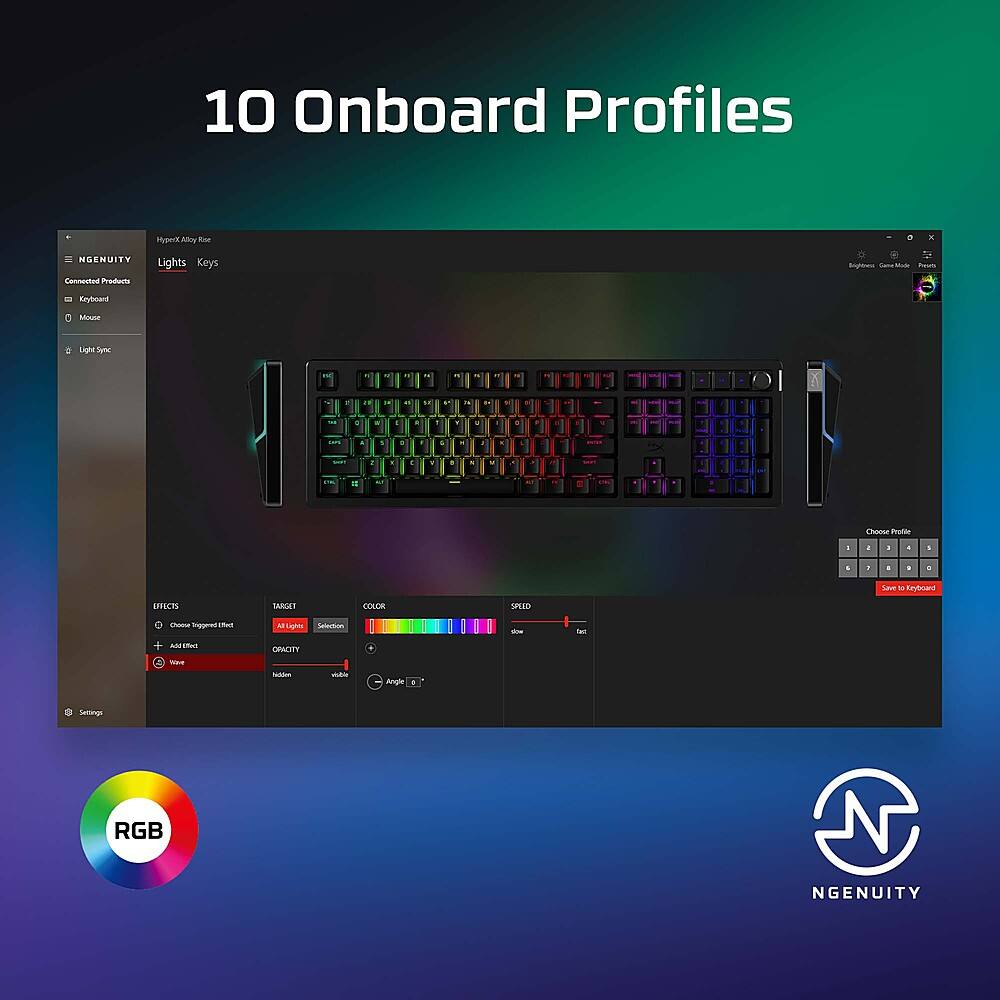
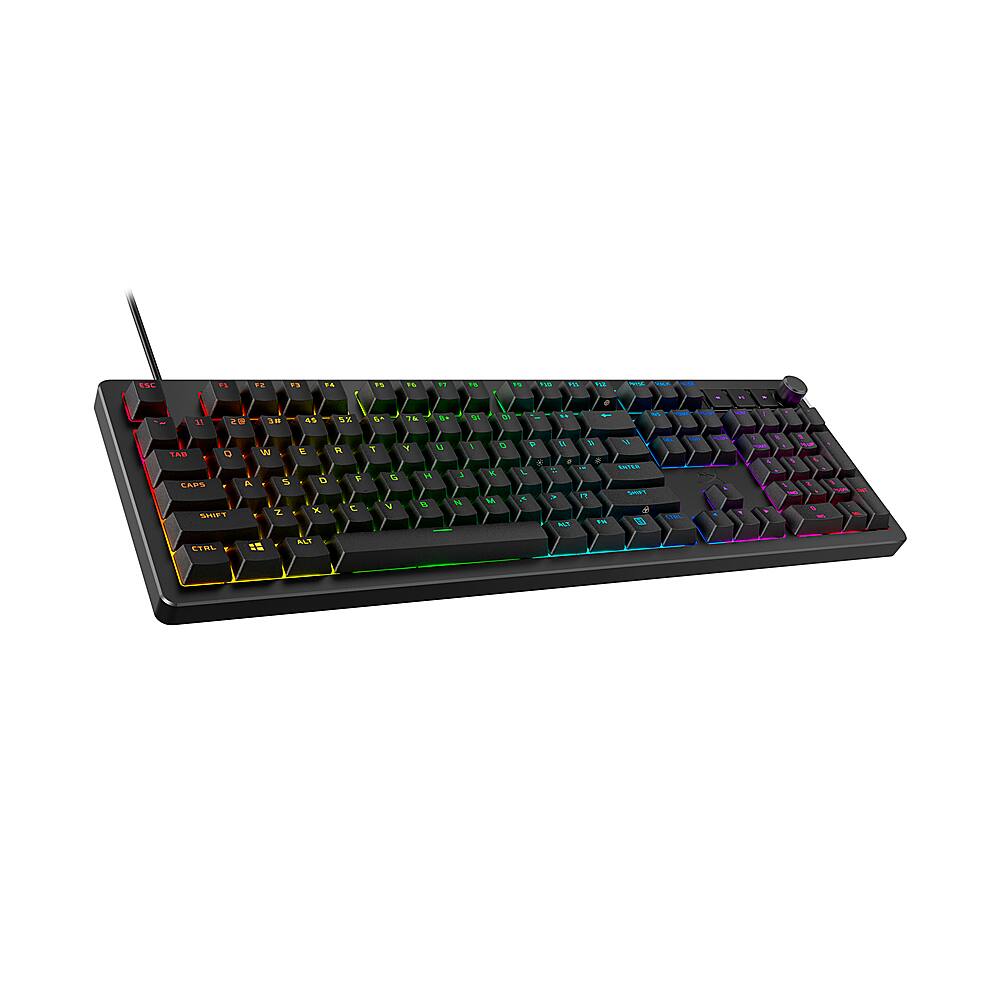
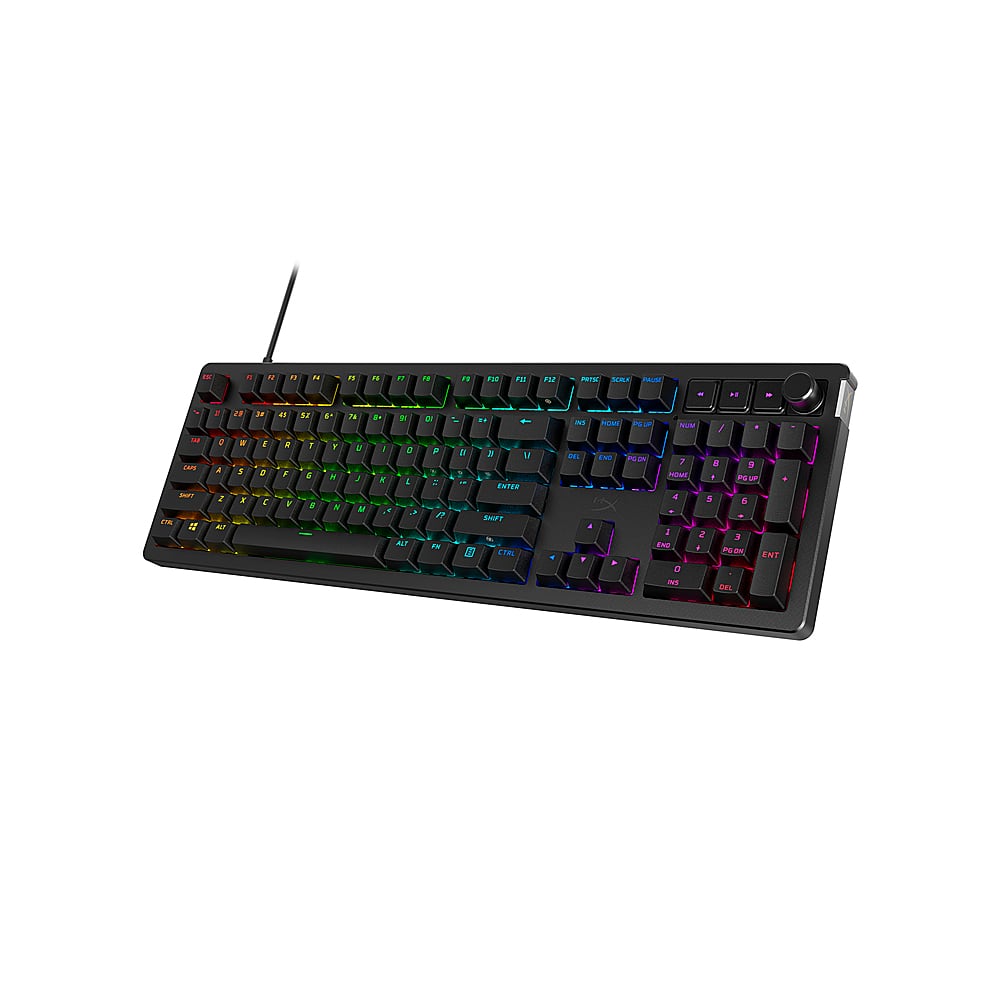
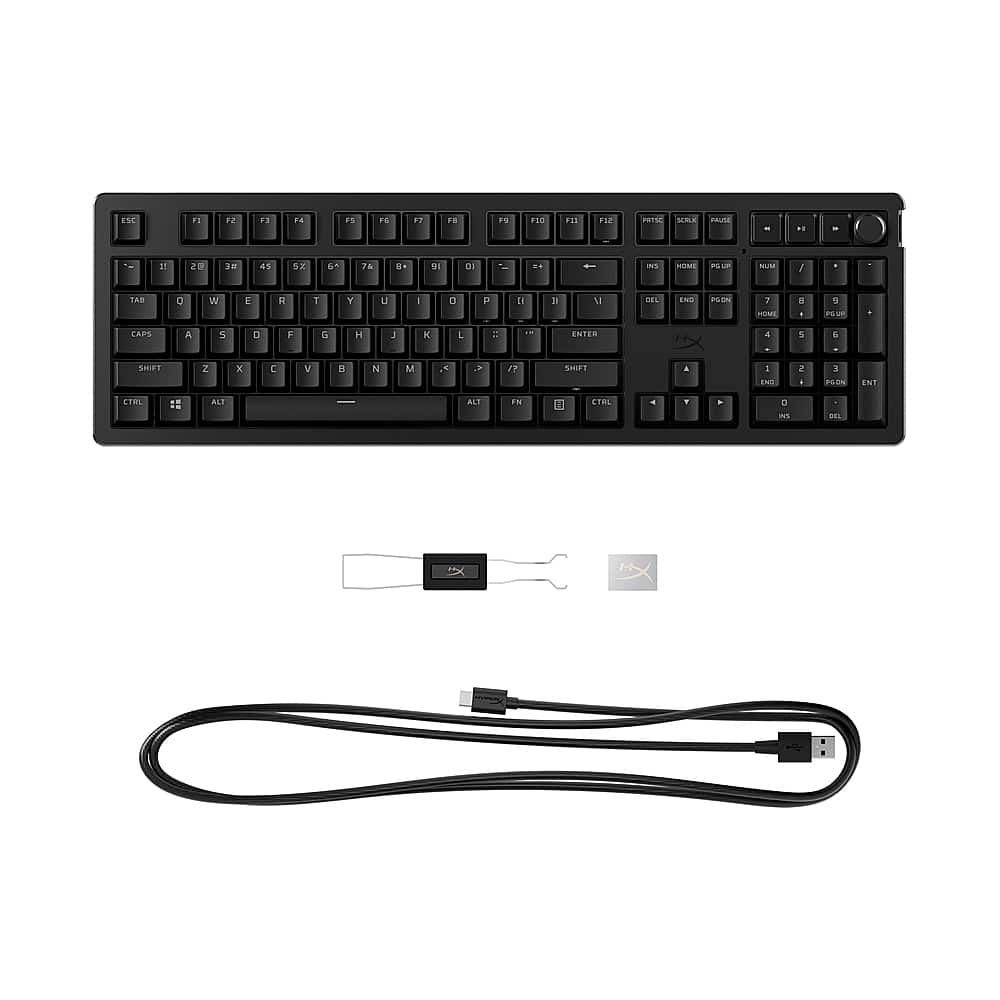
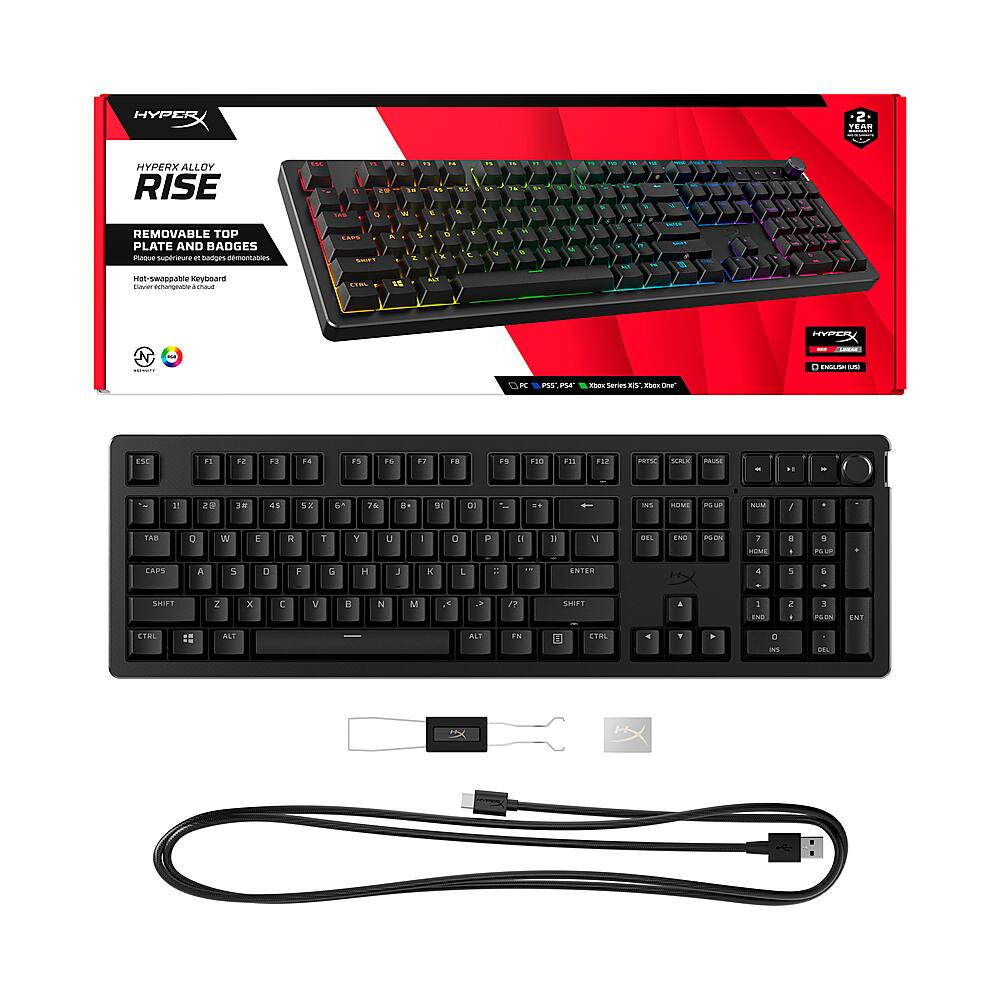
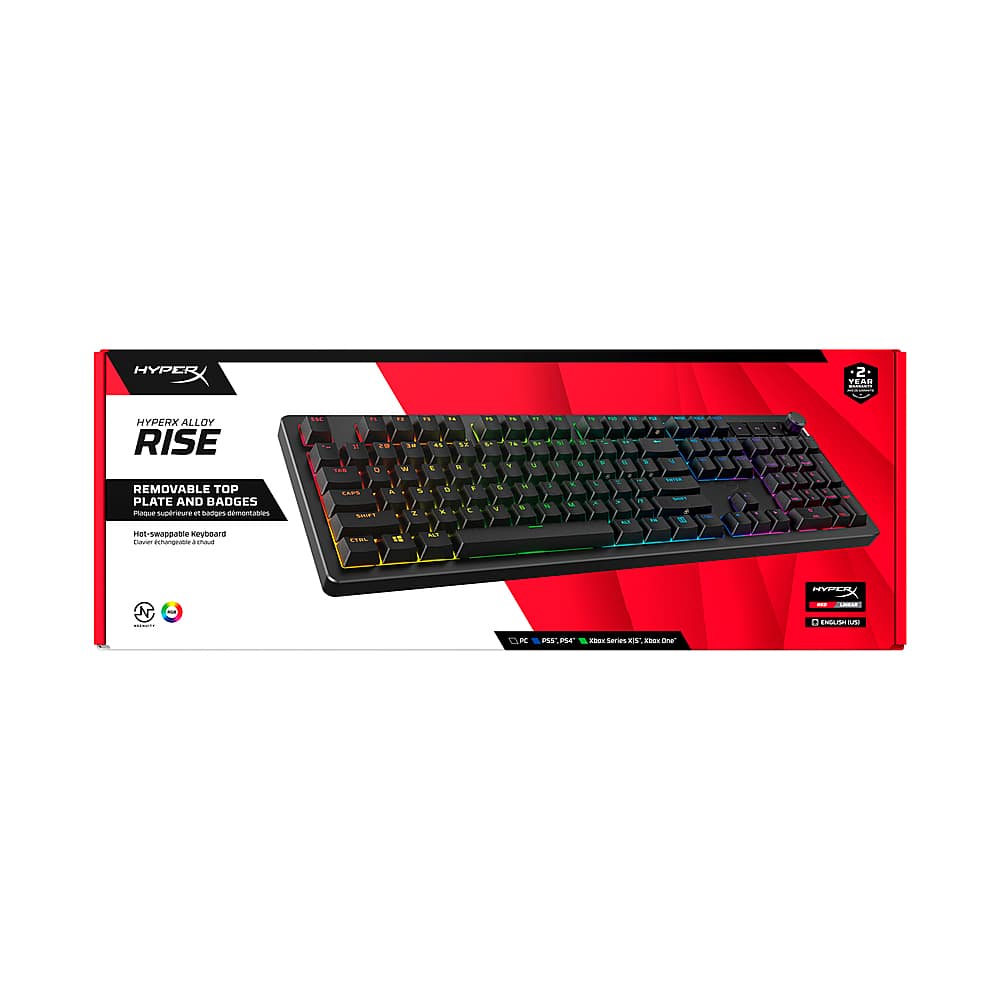
|Posted .This reviewer received promo considerations or sweepstakes entry for writing a review.THIS…Is the HyperX Alloy Rise fully customizable full-size keyboard and it is packed with several unique and high-end features and touts customization from the face plate down to the switches. In an expanding and competitive market for customizable keyboards, HyperX is taking the jump in…So let's see how this keyboard stacks up to the growing competition! Let's kick this off with the reason we are all here. This keyboard has Linear (so non-clicky) HyperX Red (don't confuse with MxRed) switches that come pre-lubed and have 40g of actuation wrapped in PBT keycaps. I have to say typing on this keyboard feels really good, and it is almost addicting coming from MxReds and other brand linear switches. These are NICE and glide so well. The keys also have a half-wall POM stem which is fancy talk for a bit better duration and stability in the keys over time aka no crooked keys in a year or so. With wired 8k polling there is virtually zero lag! Something interesting about this keyboard is that it is ‘Gasket’ mounted…meaning that there is a rubber grommet between the keys PCB and the housing around it and for me, it makes the key press more precise feeling … it is supposed to make the keystrokes quieter but I did not observe this effect. There is still a soothing tapping noise from the key strikes. This keyboard, like most others, comes with software to further your customization. The software is good and has ‘10 profiles’…which for me… is more than I will ever use but I can never complain about more. Some other cool software tricks that they used since there is no actual LED light indicators for caps and num lock, when caps or num lock is on the key remains white. So let's say that you have a red-lit key, it would be white when caps or num is activated which I think is super cool. This keyboard also has an ambient light sensor to adjust the brightness up and down on the keyboard based on the room's lighting - and is a feature you can turn off if you don’t like it. Now let's talk about the customization and what that ACTUALLY entails. Out of the box, you can swap out the top plate, volume knob, keycaps, and switches (to any 5-pin switch). As it stands, HyperX only offers black, white, and navy blue for the top plate / rotary knob set (those come as a combo), so if you want something more you’re going to have to wait on them or 3rd party. The same goes for switches as well, as they only offer tactile and linear switches - however, they use a standard 5-pin switch format so you can always swap it out with other 3rd party switches. To wrap this up, this keyboard hits the sweet spot for me. For people who are just dipping their toes into the customized keyboard realm…this keyboard starts with a lot of the long-term features that you'll enjoy over time such as 8k polling, RGB, and good software. Beyond that, you can customize this up to a very high-end board from switches and keycaps. HyperX built this in a very open-source method that allows you to go with 3rd party switches and keycaps which I do appreciate, and the build quality is seriously great out of the box… I mean the thing weighs over two pounds and isn't $400+. The best part of the whole thing is when you buy this at Best Buy… you never have to worry about getting the wrong keyboard, they have this model and several other variations as well to fit all needs and setups. I love this keyboard, but it is a very opinionated subject which is what makes Best Buy awesome as they probably have it on display to be tested as well as several other options. Best Buy has an excellent return policy and even better customer service, so you never have to worry about buying a product that you don’t like… so why not test it out!?
I would recommend this to a friendSimple and Perfectly Smooth, Software is good
|Posted .This reviewer received promo considerations or sweepstakes entry for writing a review.I’m the PC guy in my circle of friends, often being asked for recommendations on what to upgrade or buy. High up on my list of upgrades is the keyboard, which is subjective to each person. That’s where highly customizable keyboards with features like swappable switches really shine. I saw Hyper X has some good-looking mechanical keyboards that I’ve never had the chance to try, so I picked up the Alloy Rise to get an opinion on it. Pros: - Solid & Simple. - Typing is smooth, highly responsive, and comfortable. - No need for software but adds features worth using. Cons: - No palm rest included, typing is much better with one. Setup: Hyper X made a good choice in making the Alloy Rise Plug-&-Play. You don’t need any software or prep to start using the keyboard, just simply plug it in and go. One of my major issues with higher end keyboards is needing custom software just to get the keyboard working, which is a bigger issue when building a new PC, as often you must get into base settings before you’re able to load the OS where the custom software installs. The only concern I had while setting up the keyboard was that the USB C port is sunken in, meaning that only specific USB-C cables will fit based on the size of the housing. This isn’t a major issue, but anyone who wants to use a cable besides the one provided might need to double check that their USB-C cable will fit. The fact the cable is replaceable is a huge plus over the small concern with the port being sunken. Feel: The Alloy Rise has a solid build with an Aluminum top case and durable plastic body under. The aluminum top case can be replaced with other magnetic top plates for anyone wanting more options than the standard colors. The included key caps are made from a durable PBT plastic that is lightly textured for grip but doesn’t feel flimsy or cheap. The focus here, even though they are swappable, are the switches! I got the Linear Switches, which are super smooth and responsive while also being some of the quietest mechanical switches I’ve ever used. These do make an auditable typing sound but are levels quieter than most mechanical keyboards. This is due to the pre-lubed switch and gasket mounting structure, which is something you usually only get on the more niche brand keyboards that cater to hardcore keyboard nerds. The typing experience is extremely pleasant while being quiet and smooth. I don’t think I’ll need to swap the switches out anytime soon. The only major concern I have with the feel of the keyboard is the lack of an included palm rest at this level of keyboard. I can understand for budget models, not including the added palm rest keeps the cost down, but for the Alloy Rise, the overall comfort of typing greatly improves by adding a palm rest. The height and angle of the keyboard means you either must keep your hands raised above the keyboard or rest them on the surface which puts unneeded strain on the wrist. Adding a palm rest makes the typing experience even better. Software: I like that the NGenuity software is simple and easy to use yet has some depth to it if you are familiar with layers and scenes. Selecting a preset lighting pattern is easy, with easy-to-understand adjustable options such as Target keys, Opacity, Color, and Speed. At first, I thought that only the presets were available, which is kind of true, but you can use video capture to get as creative as you want. But the special part, that may escape many people who have never used applications like OBS or Editing Tools, is that there is the option to layer effects over each other. Say you want rainbow wave for most of the keyboard and one row of keys to be a separate static color. Add a layer for Wave and Solid, select the different keys, and done! NGenuity makes it easy to select keys or layers with click and drag or single click, all of it is very intuitive. The only thing I found missing from NGenuity is Third Party integrations with other commonly used lighting control software. I can understand why this might be the case, but this could be a downside for some users. Though, it is offset with the fact you don’t need NGenuity running in the background after saving the profiles to the keyboard. Which is a plus, but still doesn’t allow for full system light control. Customization: The Alloy Rise is the dream keyboard for those who want to customize every key. Literally, every key can be remapped with a macro or function you want. There are no dedicated macro keys, but NGinuity allows you to assign mappings to the “Fn Layer”, which is a combination of Fn key + another standard key on the keyboard. There are 12 keys you cannot map in the Fn Layer, but I find it hard to say this is an issue. NGenuity allows up to 10 different profiles to be saved onboard, which can be swapped between using the default key binding of Fn + Right Shift or another key binding if you switch it. You don’t have to have EGenuity running to access any of the onboard profiles. For the general user, this might be overlooked easily, but for anyone who must juggle multiple games or productivity tools, this will allow saving of different often used short cuts straight to the keyboard instead of having to configure it into the OS or tool. The benefit of having the profiles saved onboard means any computer you plug your Alloy Rise into will have access to that profile you’ve created. You can also export and import profiles, which makes sharing and accessing streamlined profiles super easy. Conclusion: Overall, I’m really enjoying the feel and simplicity of the HyperX Alloy Rise, it is designed with quality and comfort of the user in mind. Additionally, the NGenuity software is easy to use, built in a way that doesn’t require it to run all the time in the background. Though I’m split on my recommendation for most people here, as it will come down to what keyboard do you currently have and if the HyperX NGenuity software is tempting to you. If you are new to mechanical keyboards or want to upgrade to a swappable switch keyboard, then I would highly recommend considering the HyperX Alloy Rise. This will be a keyboard that will out-last your PC builds for years to come while providing a smooth and comfortable typing experience whether you’re gaming or using it for work. There will be more features than you probably will ever use. If you already own a high-end keyboard, then I would recommend checking if your current keyboard supports the HyperX switches and taking a look at the features of the NGenuity software before jumping over. Most likely, your current keyboard could benefit from a switch in switches to gain most of the benefits, and that would cost significantly less than buying a new keyboard. Though, if you are looking for simpler software to use with your keyboard, then a HyperX keyboard might be the solution. In the end, I will be keeping the HyperX Alloy Rise and swapping out my current keyboard until I find another keyboard I want to try out, mainly because of how enjoyable the typing experience is. I’ll be adding a recommendation for HyperX keyboards to my list of upgrades to consider.
I would recommend this to a friendAn Overly Satisfying Experience!
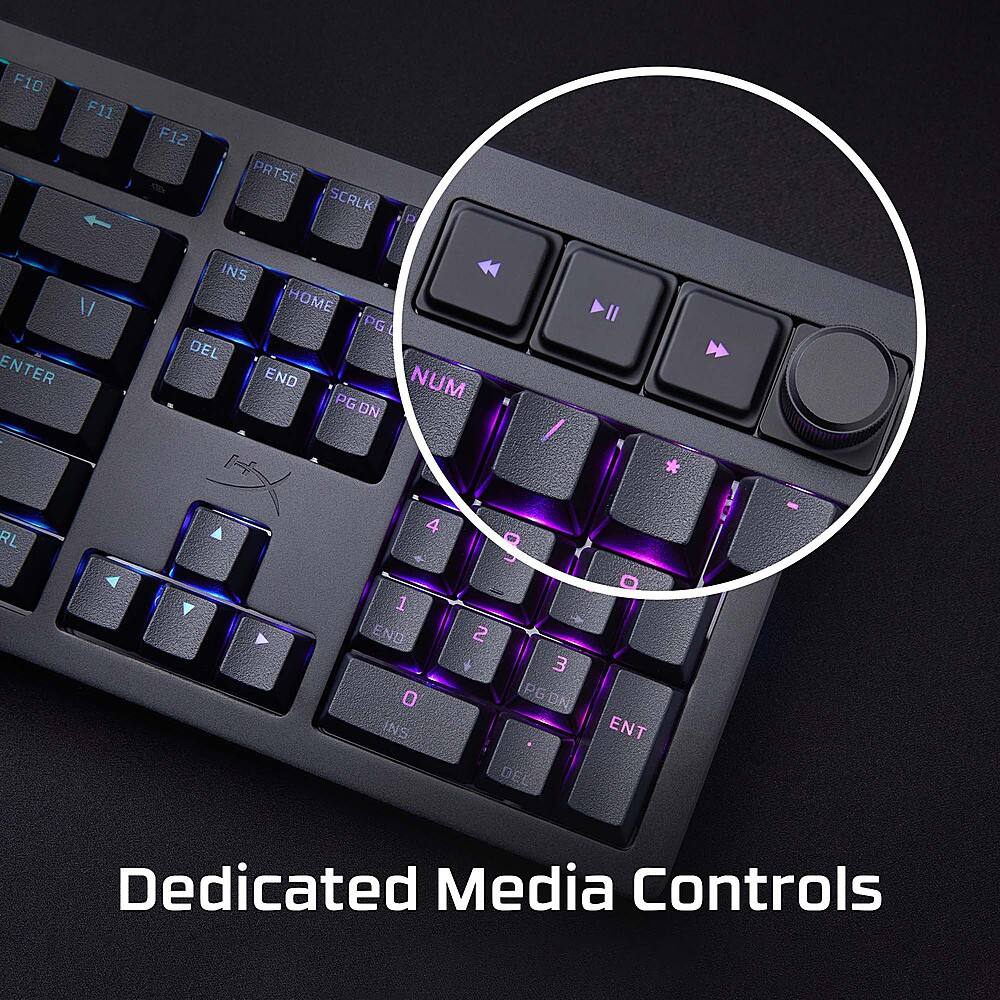
|Posted .This reviewer received promo considerations or sweepstakes entry for writing a review.This is a well-built keyboard that gave me an amazing experience. It is a full-sized mechanical keyboard. There is something to hearing those mechanical keys as they are clicked. Something about the sound is just satisfying and enjoyable. The key clicks are darn near perfect for my taste. While typing I rarely had mis clicks or typos. I have XXL hands and realized full-size keyboards work best for me. The HyperX Ally Rise Keyboard has a magnetic top plate that can be swapped along with a magnetic side badge that you can fit with different colors to your preference. It also offers you one of the most intuitive program apps I've seen. I you want to customize your keyboard with different profiles and RGB the HyperX Ngenuity app is very user-friendly. I didn't have to look up videos on how to set things up. It was easy to use and understandable on the first try. Simple and easy work most of the time. That is what I enjoyed about the app was hoe user friendly it was. The addition of a heavy-duty braided cable is also a nice upgrade compared to the standard cable. When it came to gaming I was having problems with my other keyboard. I swear I was getting some input lag when it came to clicking keys. There was a small delay which matters when you game. While using the HyperX Alloy Rise keyboard I didn't have that problem. I didn't have to spam the button to register my clicks. That was the biggest thing I realized with the performance of this keyboard. As I stated earlier, the typing experience has been the best I've had so far. No hand fatigue either while typing those long emails or answering questions online. You also get media control function keys. A play, next, back, and volume control knob. So turning on/off a video as you type is simple and easy. With the knob, you feel the turns so you know where the adjustment is. This is a great attention to detail because it lets the user know how far they have turned it. The negatives are very few. When you pick the keyboard up be careful because the magnetic front plate can come undone. Leading to you possibly dropping the keyboard. Also, the RGB is not as bright. I have them turned up to the max setting but wish it was more illuminating. Overall, these are small things that are not deal breakers. Because the typing experience is amazing. This is what a keyboard is supposed to feel like!
I would recommend this to a friendCustomization is what it’s all about
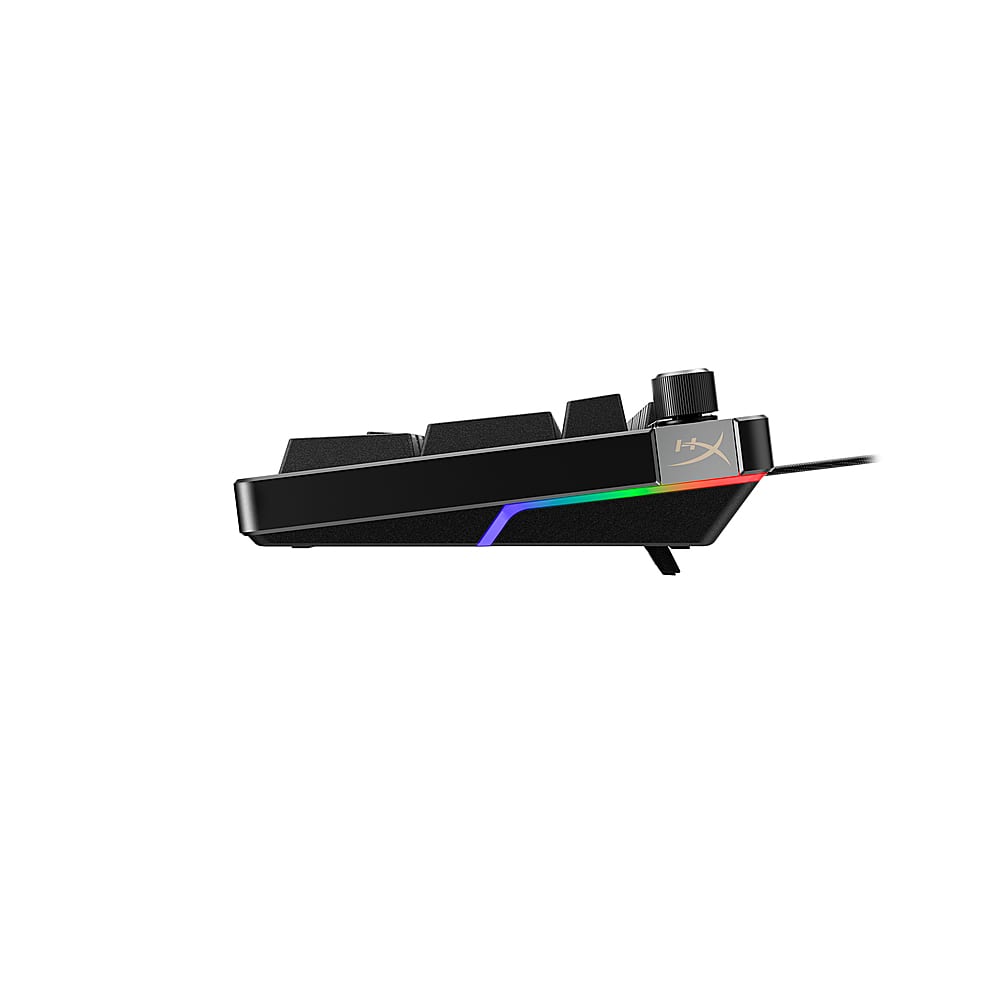
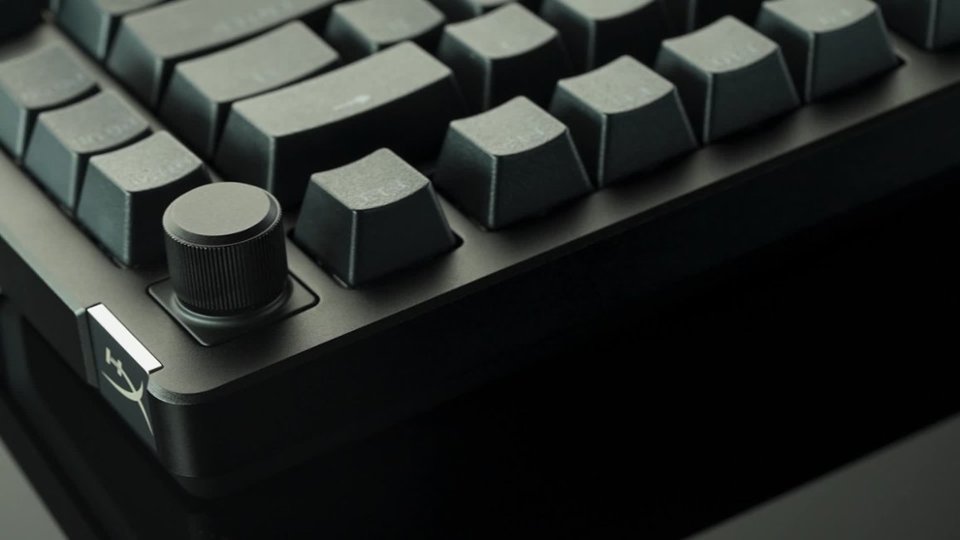
|Posted .This reviewer received promo considerations or sweepstakes entry for writing a review.HyperX Alloy Rise excels as a gaming keyboard with the ability to create and store up to 10 custom macro and lighting profiles onboard. Media controls are conveniently located at the top right of the keyboard. I am surprised how often and naturally I reach for the click-to-mute rotary knob. The HyperX Alloy Rise isn’t just for gaming. This is a very comfortable keyboard for long hours of typing. The linear switches are smooth throughout their range of travel and have a comfortable bottom of the keypress (landing?). This keyboard is a pleasure to use. Per-key lighting assignments are handy for work and play. I have to assume the ambient light sensor does a good job because the lighting is always at a comfortable intensity, day or night. The HyperX NGENUITY Software recognizes connected HyperX devices and presents customization options in a logical, straightforward way. My experience is that this type of software can have quite a learning curve, but not so for HyperX NGENUITY. Tweaking lighting and creating macros is easy, and it is simple to make this keyboard your own, purpose-built for any situation. The HyperX Alloy Rise comes with a black metal top plate that is removable (see photos) and replaceable with white or blue top plates that come with a color-matched rotary knob. Also swappable is the magnetic side badge on the keyboard; I saw 12 different styles and colors available direct from HyperX. They offer a small, yet distinctive way to personalize the HyperX Alloy Rise. The key caps are replaceable with a plethora of styles available. Finally, the switches are hot-swappable with standard 5-pin key switches. Replace any or all. You can customize keyboard feel on a per-key basis, if needed. Documentation says the included lubricated switches are rated at 80 million keypresses. The HyperX Alloy Rise is a very solid feeling keyboard. It has a nice heft, metal surfaces, and rubber feet that keep it securely planted on the desk. My only negative: I wish HyperX would have included a wrist rest. I had to scavenge one from another keyboard. The HyperX Alloy Rise has earned its place on my desk. It is a no-compromise keyboard that permits customization to match any aesthetic and handle any task.
I would recommend this to a friendAmazing
||Posted . Owned for 2 weeks when reviewed.This reviewer received promo considerations or sweepstakes entry for writing a review.Love how customizable it is and how it feels while typing
I would recommend this to a friendTop quality keyboard with the consumer in mind.
|Posted .This reviewer received promo considerations or sweepstakes entry for writing a review.This keyboard is replacing another mechanical linear keyboard I was using from a previous brand. This one from HyperX is insanely better IMO. For one, the keys just feel perfect. The other one I had was way to mechanical and felt like a typewriter. This keyboard is perfect, whether for gaming or professional use. Key pressing is so smooth. I've experience no input lag in any use. I paired this with a hyper x wrist support pad and you get one comfortable combo. The colors are quite beautiful on this too. My favorite is the confetti setting. Very unique and cool looking. You get lots of customization options, not just hardware, with the top plate detaching, the keys being able to remove/hot swap, even down to the Hyper X logo on the side able to get removed, but also from a software standpoint. With the NGENUITY software, you can customize the keyboard to fit your needs in use and appearance. I am looking forward to buying the white top plate that Hyper X offers as the contrast with the white and black will look quite nice with my gaming laptop. The hardware overall is extremely sturdy. Feels like an absolute tank of a unit for a keyboard. You can tell a lot of attention to detail went into the design of this keyboard as it hits on every category. Quality is phenomenal. Dedication media controls are very nice to have as well. The kickstands for the keyboard are also solid, giving you the perfect heigh adjustment. Hyper X really gave you, the user, control, and makes you feel like this keyboard was designed for the consumer in mind.
I would recommend this to a friendGaming keyboard super heavy
||Posted .This reviewer received promo considerations or sweepstakes entry for writing a review.The feel is okay, but it's too heavy, it feels like two or three pounds
No, I would not recommend this to a friendGood, all-purpose Gaming keyboard
|Posted .This reviewer received promo considerations or sweepstakes entry for writing a review.The HyperX - Alloy Rise is a good, all-around, all-purpose gaming keyboard. As you unpack and set up this keyboard you'll immediately notice the heft & build quality. The Alloy Rise is chunky, with a uniform color tone and full key arrangement. Some of the things I like and/or found intriguing about HyperX - Alloy Rise are: A single USB-C port point of connection which allows using either the provided cable or an aftermarket cable of your choice. Nice! The entire top-plate is removable and held in place magnetically - allowing some interesting choices. First off, having this plate removed makes using a computer vacuum to clean out accumulated debris a total breeze. But once you have it off, it will also become apparent that modders will have an opportunity to either spray or wrap this panel to add a totally unique level of customization. There are two alternative replacement plates offered by HP but I found the color options a bit boring. Another unique customization facet to this keyboard is the ability to swap in a single, side badge. There is an extensive set of badges to choose from & order (at additional cost) and although this is not my "thing", I think many will appreciate the ability to set their keyboard apart with this! The illumination of the Alloy Rise is good & uniform but with the Ngenuity software, I found the pre-defined modes to be rather limited... and also boring. That aside, the fonts & symbols look good to me, easy to read - but that's a subjective matter of taste. This keyboard comes with a nice rotary media dial and accompanying keys. Very handy! I just wish HP would have spent more time dampening the resonances in that area of the structure. The entire keyboard suffers from a hollow tone but is the worst in this upper section of the keyboard. As far as how the HyperX - Alloy Rise functions in everyday typing scenarios & gaming, I personally found that the linear keys are pronounced and fast. I do like a good linear, mechanical keyboard but only as long as the engineers did due diligence to add adequate sound dampening layers in all the right places. Unfortunately, this keyboard wasn't taken to 'next level' status and sounds kind of hollow. I am sure modders will attempt to tackle that all on their own but I would prefer the overall structure being 'dense' & quiet from the moment you open the box. Pros: Full compliment of keys with number pad + old school Media keys & rotary dial USB-C connection port Removable top plate that allows for further customization, easy cleaning & switch servicing Pleasing illumination uniformity, with font & symbol styles I prefer + illuminated secondary functions! Some modders will have fun with this keyboard Cons: Middling linear switches that aren't horrible but really aren't anything special either Hollow sounding when typing and using the media button section; it could use another layer of sound dampening material Ngenuity software a bit thin on what it offers - even though it does work & doesn't throw Win errors I think for the list price of the HyperX - Alloy Rise you can find better options but perhaps what this does offer vs. other mfgs will satisfy certain people. I can recommend buying this insofar as giving it try and seeing if it 'ticks' all the boxes and feels right. On sale I think it will be a compelling buy!
I would recommend this to a friendAmazing sound
||Posted . Owned for 1 month when reviewed.This reviewer received promo considerations or sweepstakes entry for writing a review.Got this keyboard. Expecting it to be somewhat decent if known my expectations. I love the sound. I love how customizable it is. I got it to match with the mouse and the mouse pad and if you sync up all the lights it all looks amazing it has really really cool lighting options. Whether it be cycling or breathing or mirroring your screen. I would recommend this keyboard to anyone else.
I would recommend this to a friendOld school keyboard with new amenities!
||Posted . Owned for 1 month when reviewed.This reviewer received promo considerations or sweepstakes entry for writing a review.I loved this keyboard and currently writing this review using it. Its mechanical which is a nice throwback if you ever used PC back in the day (sorry Gen Z and Gen Alpha kids!). It is pricey and you can opt for the smaller version which doesn't have the number keypad on the right side, but I love this keyboard personally. The LED lighting really gives the keyboard a big boost aesthestically. My wife started using it to as I bought it for an at home dock for my work PC. Highly reccopmend my only complaint is the price point but the quality is there and as they say, you get what you pay for.
I would recommend this to a friendHefty and Well-Built, but offers nothing unique
|Posted .This reviewer received promo considerations or sweepstakes entry for writing a review.DESIGN There is a definite heft to the new Rise keyboard. Made with a bunch of aluminum, it is one of the heaviest and beefiest feeling keyboards I’ve used to date. Once you put it on your desk. It is staying. Tie this big chunk of aluminum with some Red Linear switches and you have a premium product no matter how you stack it up. Each manufacturer has their take on how their Red switches should feel while typing. HyperX is no different. I have used Red switches from nearly every manufacturer of keyboards and even though the switches are all basically the same, each keyboard feels different. HyperX has split the difference between a full-on clicky experience and a muted, almost membrane-like quietness other Red switch users chose. The Rise isn’t as loud and annoying as my go-to keyboard but isn’t muted like my gaming 65% keyboard (each from different manufacturers). It is a nice balance between the extremes of the spectrum. The Rise is a new take on keyboard design. Instead of having keyboards that require re-purchasing the product if users want to customize their purchase, HyperX’s Rise keyboard has a removeable aluminum cover plate that magnetically attaches. Currently, there are white and blue top plates as options. There is also a swappable, magnetic badge on the side of the keyboard that can be customized as well, that I find more a gimmick than anything else. One item that did win me over is the included ambient light sensor. I wish all manufacturers included this in their products. HyperX has even made the lowly sensor customizable as well. You have 3 options for the sensor: Off, Normal (it dims and brightens the keyboard as expected based on lighting), and Reverse (The light sensor brightens the keyboard opposite the lighting conditions, making it brighter as it gets darker). Kudos to HyperX for this addition!! SOFTWARE The HyperX Rise keyboard uses the new NGENUITY software for customization and control. Kudos to HP (HP must now own HyperX, as the Ngenuity software is created by HP). The app is simple and intuitive. It is easy to adjust settings are without bloatware and fluff. Not to mention, the overall download size is nearly ¼ of HyperX’s competition. Excellent! However, the one thing the new Ngenuity software fails miserably at, is per key customization. If I have a keyboard using the wave color cycling, I like to keep certain keys’ colors static. Keys like Num Lock, Ctrl, Alt, FN, Windows Key, etc. I like to keep a static color, usually white. It is just a preference thing as I find that by doing this, I don’t change color schemes switching between work and gaming. To me, one color scheme can serve two purposes. The HyperX software fails miserably, not allowing me to do per key static colors while keeping the color cycling scheme playing on the others. FINAL THOUGHTS Like everything else in the world, nothing is perfect. Same with the Rise. There are things to like about the keyboard and things that are so frustratingly simple, one has to question why they aren’t included. HyperX has designed a robust product that is uniquely customizable. More customizable than many other competitors’ products, even if some of those customizable options are gimmicky. If you are already invested in the HyperX ecosystem, this is worth a look. If you are not in the ecosystem, I’m not sure there is enough to bring outsiders under the HyperX umbrella. Not that it is a bad product, it just doesn’t offer anything revolutionary. I don’t see the gimmicky badge or swappable faceplate changing peoples’ purchases. However, the keyboard is a good product. It has an undeniable heft, excellent clickiness to key presses, and the font and backlighting are legible and pleasing. Now HyperX needs to improve their key by key customizations, or at least make it easier to change, if I am missing something. RECOMMENDED.
I would recommend this to a friendgreat start now update the app
|Posted .This reviewer received promo considerations or sweepstakes entry for writing a review.HyperX Alloy Rise is a great keyboard. this is my first full swappable keyboard, i’ve been meaning to get once but now with hyperx alloy rise that I currently have, I will be going more deep dive into it. first impressions this a full keyboard with number pad and man this have a great weight I never had a heavy keyboard and I think I kinda prefer how these would stay put without worrying about moving around the design I would say is fairly basic you do get some rgb accent on each side but nothing that you would technically see while using the keyboard it’s more for viewing from the distance, the media button has a great tactile feeling to when you press them and I like it. for me it feels premium. you also have the audio wheel and again this has great feel to it that you can feel every dial you make while adjusting the volume the button can also be press down to be muted. Alloy Rise comes with HyperX linear switches and I do enjoy the amount of softness and a bit of clicklu sounds these Red switches have. it bit more quieter than my previous cherry red switches and overall comfort it feels great to type on this key board. I’m glad HyperX did not go crazy with this keyboard and went to what works and what matter I love how the logo is also blacked out and it’s not on your face. this keyboard also equipped with smart ambient light sensor. kinda cool how the light will adjust based on the environment is at. on the keyboard frame there’s a small dot where the sensor is located and so far no issue with it. again if you want to fully change the key switches these are fully customizable. you can also replace the front cover plate. and the volume knob. HyperX also thought about adding a little bit more customization by offer magnetic side badges and looks like you’ll be able to buy these from. hyperX, again something that you can only see when actually viewing your keyboard or front he distance. App I download HyperX NGENUITY app. this where I feel like the app could use a bit more touch up. make it more attractive coz right now the app feels dated. the app alone looks limited on terms what it can do. it does have the ability to connect light sync with other HyperX product but man the looks boring to look at, it feels rush. you have the ability to customize your Alloy rise with different RGB color theme, you have breathing, confetti, swipe, solid, twilight, wave, sun, mirror, video capture. and that’s it. I feel like the app should be packing a whole lot more preset custom theme lighting effect. maybe have the ability for the community to connect with each other to offer custom made color set my the community. I guess that what HyperX really want us is to just focus on the product we currently have. but for me they have a long way to make this app worth downloading coz right now it’s just not an attractive app to look at. I also wish I don’t have to use the app just to put this gaming keyboard on game mode. wish they had a switch on the side for easy access. Conclusion overall my experience with the keyboard is great is now my main gaming keyboard i’ll be using. I love these red linear switches. the keyboard can produce some bright led. I love the dedicated media control and how it feels. on the side customizable badge I don’t think these will last. that mean I would need to buy a set from HyperX that I prob won’t even like. I hope some 3rd party would create magnetic badges for more options. I hope HyperX continues with their custom swappable case and gives us more options as well coz right now It feels like a gimmick that would eventually die out. I also prefer having the USBC plug at the back center not on the side maybe that something they can do change in the future. experience with the keyboard as been a satisfying time. and I do think HyperX is on the right direction for offering these. would definitely recommend the keyboard if you’re an HyperX fan. great build quality it sure will last.
I would recommend this to a friendExcited for mainstream customizability like this
|Posted .This reviewer received promo considerations or sweepstakes entry for writing a review.There are two versions of my review for the HyperX Alloy Rise keyboard. One version is what I had in my head as I sat down to write this. I was excited to unbox the keyboard as this was the first hot-swappable keyboard from a mainstream manufacturer that I'd seen. Everything about the keyboard works well, but I wasn't terribly impressed with the Ngenuity software vs other gaming accessory apps I've used. So I was probably not going to give this keyboard a perfect score. Then, when going through Ngenuity one more time before finishing my review, I discovered the Video Capture capability. And I made a keyboard lighting pattern based on the music video for Never Gonna Give You Up. My mind is BLOWN. Regardless of the rick roll meme capabilities, the video capture option (or just screen mirroring in general) works incredibly well on this keyboard - far better than any other accessory maker that I've used. HyperX deserve maximum kudos! I will caution that it can consume a fair amount of CPU so if you're on a lower end chip without a lot of cores this might not be as interesting for you. With the 13700 that I'm using, it consumes from 1-3% on average. #Look and feel# This is a fairly compact standard keyboard without any extra macro keys. The base plate is metal, and swappable for different colors as sold by HyperX. The keycaps are all PBT and have a great, solid "thunk" feel to them. The switches that are installed out of the box are linear/"red" switches and a tool is included to hot swap the switches for tactile ones which HyperX sells. They advertise compatibility with other switches as well. As discussed above, the lighting effects are awesome. There's a volume knob that's serviceable and a few media control keys next to it. A single, detachable USB-C cable is included. It's braided. There's not much to write home about there. #Gaming and typing# I tend to prefer clicky keys for typing and have gone back and forth on whether I like linear switches more for gaming. I found the linear switches in the HyperX Alloy Rise to be really good for gaming in the sense they have low actuation resistance and are not incredibly noisy. I'm interested in trying out the tactile switches as this might be a relatively quiet keyboard for office use, as mechanical keyboards go. #Final thoughts# As I said at the start, I originally was excited for this keyboard's customizability but it didn't have the extra flair that would get it to a top score until I really played around with Ngenuity and found the Video Capture mode. Rick rolling myself from my keyboard lighting put this over the top! I'm now trying to come up with much cooler RGB animations that are possible with this functionality. The swappable base plate and key switches are a really cool feature of this keyboard and the parts to do so seem fairly priced on the HyperX site. At the same MSRP as this keyboard, you can get keyboards with more built in features from other brands, but you can't get the kind of customizability as this keyboard without going to more boutique brands as far as I know. I haven't really explored HyperX's products before, but after using the Alloy Rise I'm considering doing a full HyperX desk setup for a build for my kids.
I would recommend this to a friendReally Nice Keyboard
||Posted .This reviewer received promo considerations or sweepstakes entry for writing a review.This keyboard has excellent feel and response. Seems very well made. Huge improvement over OEM-style keyboards. Using on a Windows 11 PC and everything is working as it should.
I would recommend this to a friendGood at gaming, but not comfortable!
|Posted .This reviewer received promo considerations or sweepstakes entry for writing a review.There's a lot to like, but there's almost a deal breaker! I like a lot about this keyboard. The switches feel great, the feel of the keys themselves are super nice! It's interesting, they have this slight texture on them that looks like it'll be scratchy, but somehow, it's soft, and grippy, just the right amount of feedback when gaming. The sound of each key press is also fantastic, along with the RBG lighting that can be customized through the very simple and easy to use software. The media controls, and the nifty feature of changing the entire frame to a different color and even though I don't quite get it, the magnetic badge on the right side is kind of cool if you wanna switch that out for something. And gaming on this keyboard great, it's snappy, I don't feel like there's any lag and granted I'm no eSports player, but I didn't feel at a disadvantage as I did with some other keyboards Typing is also great for work and school! I am in a Python class, and this thing felt fine! I enjoyed typing on it! On paper, this thing is a winner, again like I said, LOTS to love here but in reality for day to day, there's some things I dislike and unfortunately it's almost make it a deal breaker. First and foremost, I almost dropped they keyboard! The magnetic frame does need you to grip the entire keyboard from the bottom. If you do what I did, and just grip it from the edges during moving or transportation, then you run the risk of the magnetically held frame coming off. Luckily I caught it before anything bad happened. Lesson learned. Granted how often will you lift a keyboard. The only reason why I did was to test it on my PS5 and Xbox Series X and they work perfectly fine if a game supports it! The icons for each symbol is weird. I think the icons are too squished together, for example the :; keys are right on top of each other so to speak and it's kind of a jarring look. And the biggest issue I have with it is ergonomically! I prefer my keyboards flat and this keyboard has a natrual slant that most keyboards would have with the legs up. So because of this I can't rest my palms. I know I know this is bad posture to begin with! But it's hard to change old habits and for me having it at this angle forces a paradigm shift for me! It's not bad, and I quickly got used to it for productivity work, but I don't like it. For gaming though, I need to have my palms down. I can't WASD with my palms up in the air! I just do so poorly like that! I wish it was flat because I really do like this keyboard. Lifting the legs causes this angle to become even more pronouced and it is unusable for me like that in both productivity work and gaming! Using a palm rest does help a lot, though so I'm comfortable enough with that to make this my daily driver! All in all, I don't think this is a bad keyboard! It just goes against my preferences with that angle! If it was more flat! Hands down a huge winner for me! I'd still recommend it for anyone looking for a keyboard like this!
I would recommend this to a friendSolid deal
||Posted .This reviewer received promo considerations or sweepstakes entry for writing a review.Very solid keyboard, good RGB controls, nice media keys. Glad for the discount price.
I would recommend this to a friendGreat mechanical keyboard
||Posted .This reviewer received promo considerations or sweepstakes entry for writing a review.Cost effective alternative to Corsair. With the ability to remove metal frame and a handy knob for volume and a play forward button for music. Easy to change color array.
I would recommend this to a friend