Customer Ratings & Reviews

- Model:
- JVCU360
- SKU:
- 6434106
Rating by feature
- Value
Rating 4.3 out of 5 stars
- Quality
Rating 4.2 out of 5 stars
- Ease of Use
Rating 4.4 out of 5 stars
Customers are saying
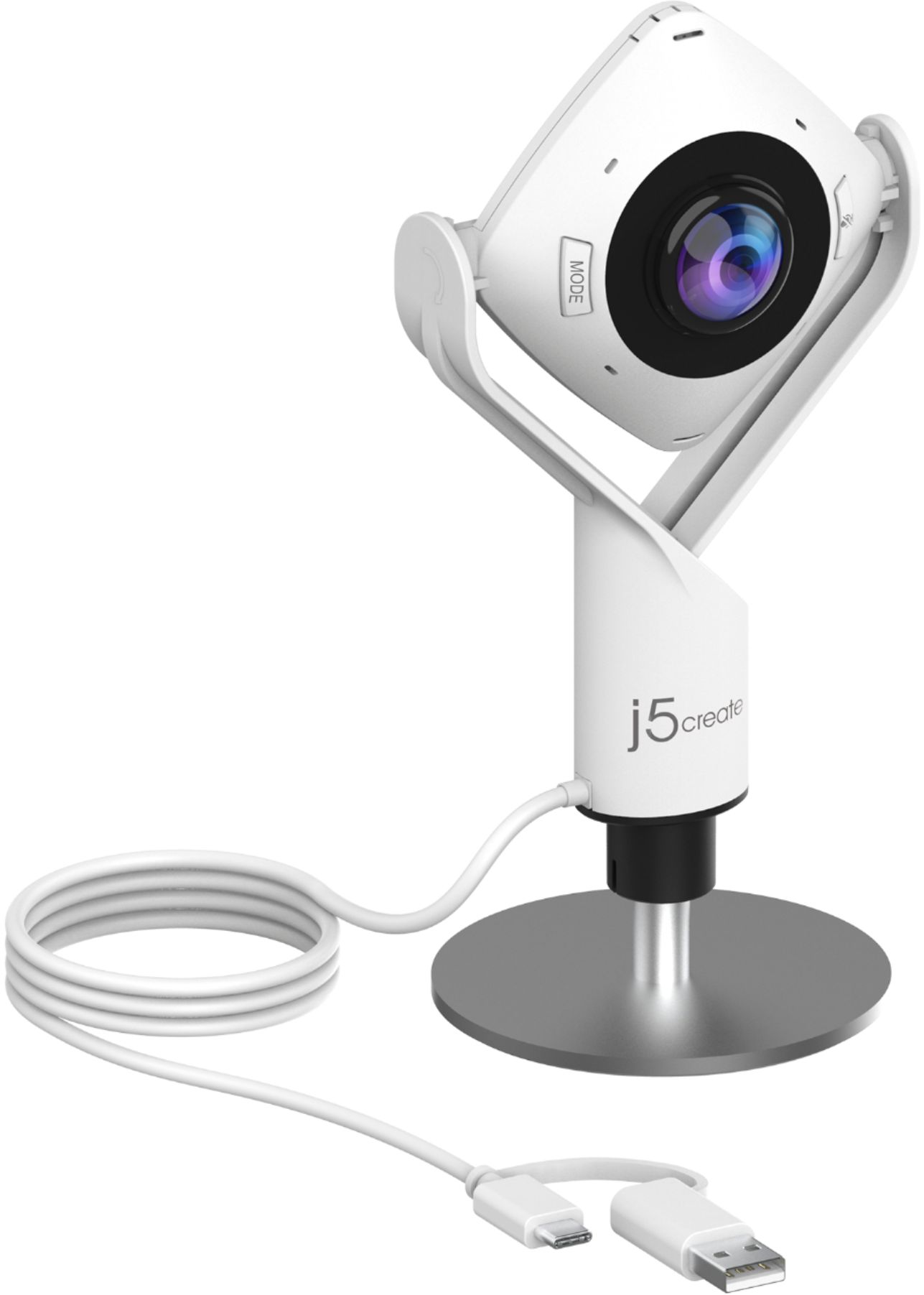
Customers are pleased with the 360° All Around Webcam's wide field of view, finding it ideal for group video calls and appreciating the ability to easily adjust the viewing angle. However, some customers noted that the image quality could be improved, citing concerns about sharpness and graininess in the video. The larger size of the webcam was also mentioned as a drawback by some users.
This summary was generated by AI based on customer reviews.
- Cons mentioned:Resolution
Disappointing
||Posted . Owned for 1 month when reviewed.This reviewer received promo considerations or sweepstakes entry for writing a review.The resolution is not good. I was past the 15 days and was not allowed to return the product and will not purchase from Best Buy anymore for our office.
No, I would not recommend this to a friendBrand response from J5create Team
Posted .The Webcam supports resolution output of 1920 x 1080 @ 30Hz. Please contact our Customer Service Department, so that they can get more information from you; in order to narrow down the exact issue you are experiencing. Their information can be found on our website under the "Support" tab. Thank you.

- Pros mentioned:Microphone quality

An Innovative Approach to Webcam Display
|Posted .This reviewer received promo considerations or sweepstakes entry for writing a review.I would describe the j5create - 360° All Around Webcam as a nifty idea for the current day. In a world that has had to adapt to travel, work, and school restrictions webcam technology is in great demand. The j5create sets itself apart with the 360-degree concept. The j5create is capable of 1080p HD video, which is beyond the normal capability of the web-based virtual meeting programs. Judging the camera image off one of these (for example Zoom) does not do the overall image capability justice, as those images are limited. Now, the image is not bad just does not look 1080p and that is because it is not. Just be aware of the limitations of whatever program you are hoping to use your camera with. The j5create has a USB-Type A connection and using Windows 10 the setup for the camera was quick and seamless. I was able to use the camera within 2 minutes out of the box without any issues. The most impressive and unique feature of the j5create is the display modes. There are 6 different modes. The first being your standard single view that most people expect from a web camera. There is also a wide angle 120-degree view that allows for a broader display than your standard view. This is idea for a couple people on one side of the camera. Then there are the more unique views. “Full screen 360,” breaks the image into half horizontally and shows 180 on each side of the image. This is quite interesting and would be fabulous for a round table meeting broadcast or to show someone your whole room. There is a “360-degree all around view” that shows the whole panoramic image in a horizontal plane. The 360-degree views are quite impressive for a web camera. There is also a host mode, that shows the all-around image and allows for you to use the “touch bar” to focus on one “host”. The touch bar is beside the camera itself and can be controlled by moving the finger around the camera. Pretty simple to do and focus on the proper host. There is also a dual host mode, that allows for selection of two points as a larger image, “two hosts”. These modes may be selected using a button on the camera, as can the camera be manually muted. These settings allow for various viewing angles, ultimately facilitating quite the variety of web broadcasting. I have not had any issues with the camera or sound, and those on the other side have not had any complaints. Overall, I am satisfied.
I would recommend this to a friendBrand response from J5create Team
Posted .Hello,
I really don’t think that I can add any more to this review. The 360 webcam is one of j5create’s newest releases and we are happy to see that it is being received well.
Thank you,
j5create
Needs work.
||Posted . Owned for 1 month when reviewed.This reviewer received promo considerations or sweepstakes entry for writing a review.Cuts in and out when using it with zoom webinar. I have tried it with both my desktop and laptop computer with the same results. Love the concept, but needs work. Would not recommend!
No, I would not recommend this to a friendBrand response from J5create Team
Posted .Hi DavidC and thank you for taking the time to review the JVU360. In the case where the JVU360 is cutting in and out, we would value the opportunity to discuss the scenario and offer solutions. Depending on the setup, whether or not there are other devices connected in between, this may be experienced. Our contact information can be found on the casing, a specialist will be glad to assist, get you up and running properly without interruptions. I'm sorry to hear this happened to you and hope we can still assist.
Respectfully,
j5create
Returned Item
||Posted . Owned for 2 months when reviewed.This reviewer received promo considerations or sweepstakes entry for writing a review.Focus was not clear. Very grainy. Not user friendly. Had to return to Best Buy.
No, I would not recommend this to a friendBrand response from J5create Team
Posted .We're sorry to hear you were less than satisfied with our 360 webcam. We also carry the JVU250 Webcam that supports auto and manual focus as well. For more information on this device, please visit j5create.com. We apologize for the inconvenience. Thank you.
- Pros mentioned:Cable length, Microphone quality
Nice change for our conference room
|Posted .This reviewer received promo considerations or sweepstakes entry for writing a review.We are having more and more Zoom meetings at my office and a regular webcam just isn't getting the job done in our conference room. This j5create 360 cam has been a nice addition to our office. It's super easy to set up with either a regular usb connection or with USB-C. It comes with a very long cord which is much appreciated. There was no setup to do on either my MacBook or our PC. The base telescopes a little, I wish it could go up a little higher. I played around with the different modes and found the one that shows the entire room and then for when there is just one person in the room. You really do get a 360 degree view and the picture looks great. I would not recommend using this on a desk as a regular webcam unless you have a way to make it higher. It's a perfect fit for a conference room though.
I would recommend this to a friendBrand response from J5create Team
Posted .Hello Josh,
The JVCU360 webcam is one of our newest products; we appreciate your review. I understand that since it does not mount on a monitor it is not ideal to work as a personal webcam. We are happy to hear that you like the features of the camera.
Thank you,
j5create
- Pros mentioned:Connectivity, Ease of use
I would have given 6 stars if I could!
|Posted .This reviewer received promo considerations or sweepstakes entry for writing a review.This webcam is innovative and super easy to use. Plugging it into my computer with windows 10, it was working right away. The various camera modes give you great flexibility in how you use it. From a standard web cam to showing a full 180 degree area. Working from home I rarely have others in a meeting physically but I do often need to walk to a white board or easel in my home office. With the 360 view I can show that area of my room, myself and still talk to the meeting participants. The Hight and angle are easily adjusted which is wonderful not needing to find a book or box to put it on. The cord is 118 inches making it easy to reach the middle of a table under most circumstances. Also the tethered USB A adapter is fantastic. Remove the tether and there is a very high quality USB C end. Some new laptops only have USB C and other computers often have a legacy USB A and more USB C ports so one less thing to need an adapter for is great. For the same reason I went on and on about the tethered USB adapter, the only negative thing is that the lens cover is not tethered. I am irresponsible and there is a concern I might misplace it. Other than that I cant think of any additional negatives.
I would recommend this to a friendBrand response from J5create Team
Posted .Hello,
We really appreciate your detailed review on the new j5create webcam. I hope that you have a great day.
Thank you ,
j5create
- Pros mentioned:Microphone quality
Good for what is meant to do
|Posted .This reviewer received promo considerations or sweepstakes entry for writing a review.YGood but not great Video: It is definitely not as clear as other dedicated webcams of similar quality. The output is pretty similar to integrated webcams on an above average laptop (just a tiny bit grainy but still quite viewable). The 360 is nice especially if you are trying to set up an impromptu meeting room in the lab or something to that effect (substitute your own personal temp solution in there). Also, the better the light the better this camera is, I’m not sure I would recommend it in a low light scenario. It doesn’t have a ‘VR’ view if anybody is thinking of trying to use it that way. There are several different modes that it can be in: - Has two screens above and below that each are 180-degree view. - Has one 360-degree view and one larger picture for pointing at a person. - Has one 360-degree view and two larger pictures for pointing at a person across the table. - Has one 360-degree view laid out panoramic style. - Then has the ability to swap from 90 to 120 (rotating the camera) Switching between the modes really depended on the software you were using how easy it was. For Duo it was impossible unless you joined the meeting from another computer as the picture of you was super small and couldn’t be enlarged enough to see the modes on the screen, others like WebEx had a big enough preview screen it wasn’t an issue. A simple work around is to open your camera app and change to mode in there after selecting the camera. The camera is also slow to turn on when you select it, there is a slow fade from black. Microphone: It works, but the S’s are harsh, I could be heard clearly from the 10’ it advertises, and it cancels out the speaker nicely, so it doesn’t have very much background noise. I would say it is excellent except the S’s were really harsh, which may have partially been the person, but other mics definitely got rid of that issue. So, yes, I can recommend this, for the right person, I don’t know that something better than this exists. I won’t say it doesn’t, but I went on a search just to see and couldn’t find anything close for how I plan to use it. What it does really really well is get view of everyone in the room and for a portable webcam that is pretty awesome. If you are looking for a portable webcam that can go with you, has a usable mic for the entire room, and can video capture an entire room of people (preferably in a well-lit room) then yes I can recommend this. It isn’t my main camera for work from home, but it is in my go bag for going to office where I might need to set up an impromptu meeting in a random spot. Pros: You can be heard clearly with built in mic Portable with height adjustable stand Multiple modes USB C and USB A Plug and play Extra-long USB cord 360 view of everyone in the room Cons: Video Quality is a little grainy Mic makes S’s a little harsher than other mics Not great in low light scenarios (still usable)
I would recommend this to a friendBrand response from J5create Team
Posted .Hello Ben,
We appreciate your review on the JVCU360. We appreciate the recommendation; we understand that this webcam is the best option for a single user; however it offers unique solutions for a group of people in a location to all be seen and heard during a video conference. I hope that you have a great day.
Thank you,
j5create
- Pros mentioned:Microphone quality
Cool Concept, Picture Quality Can be Better
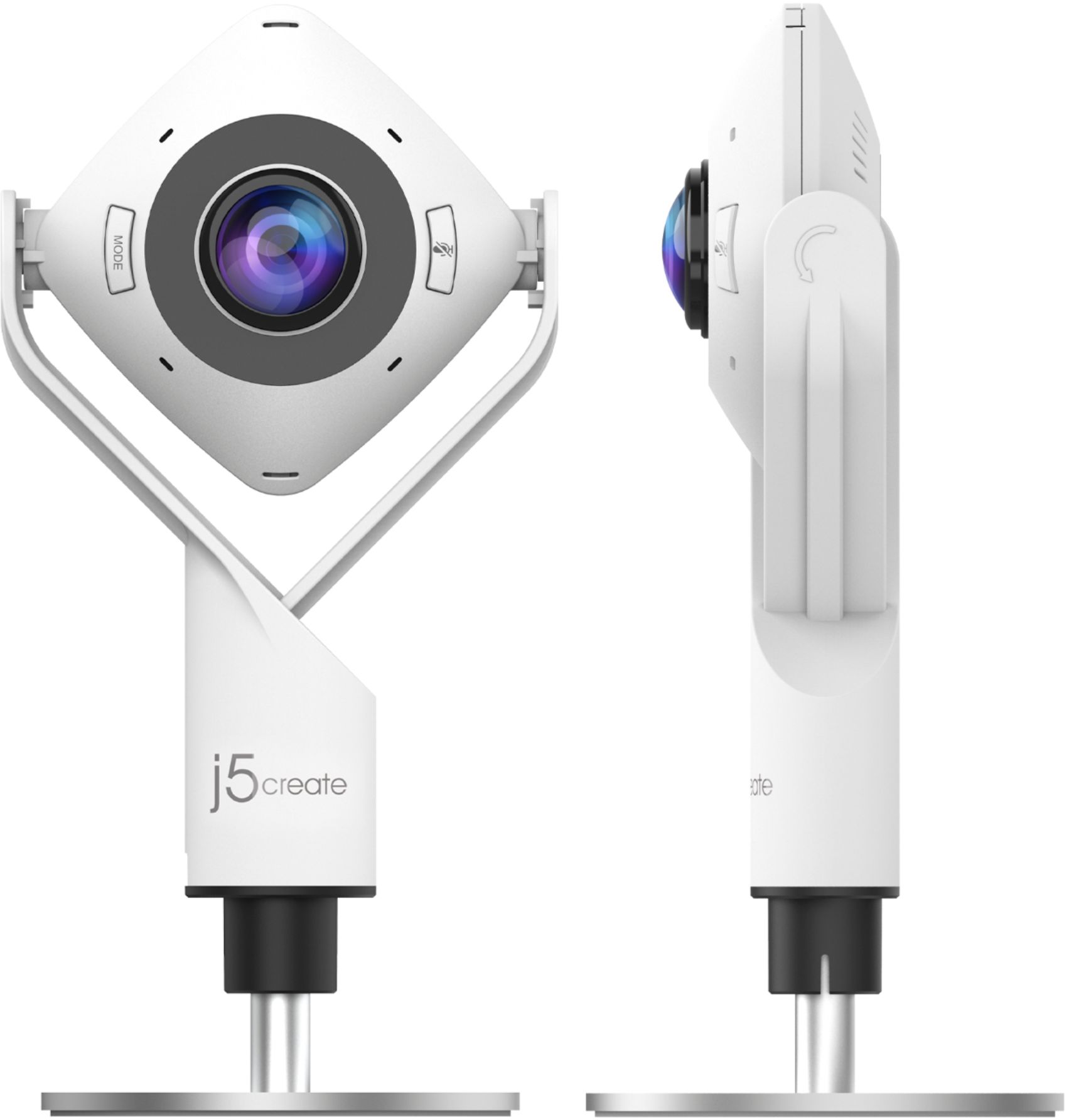
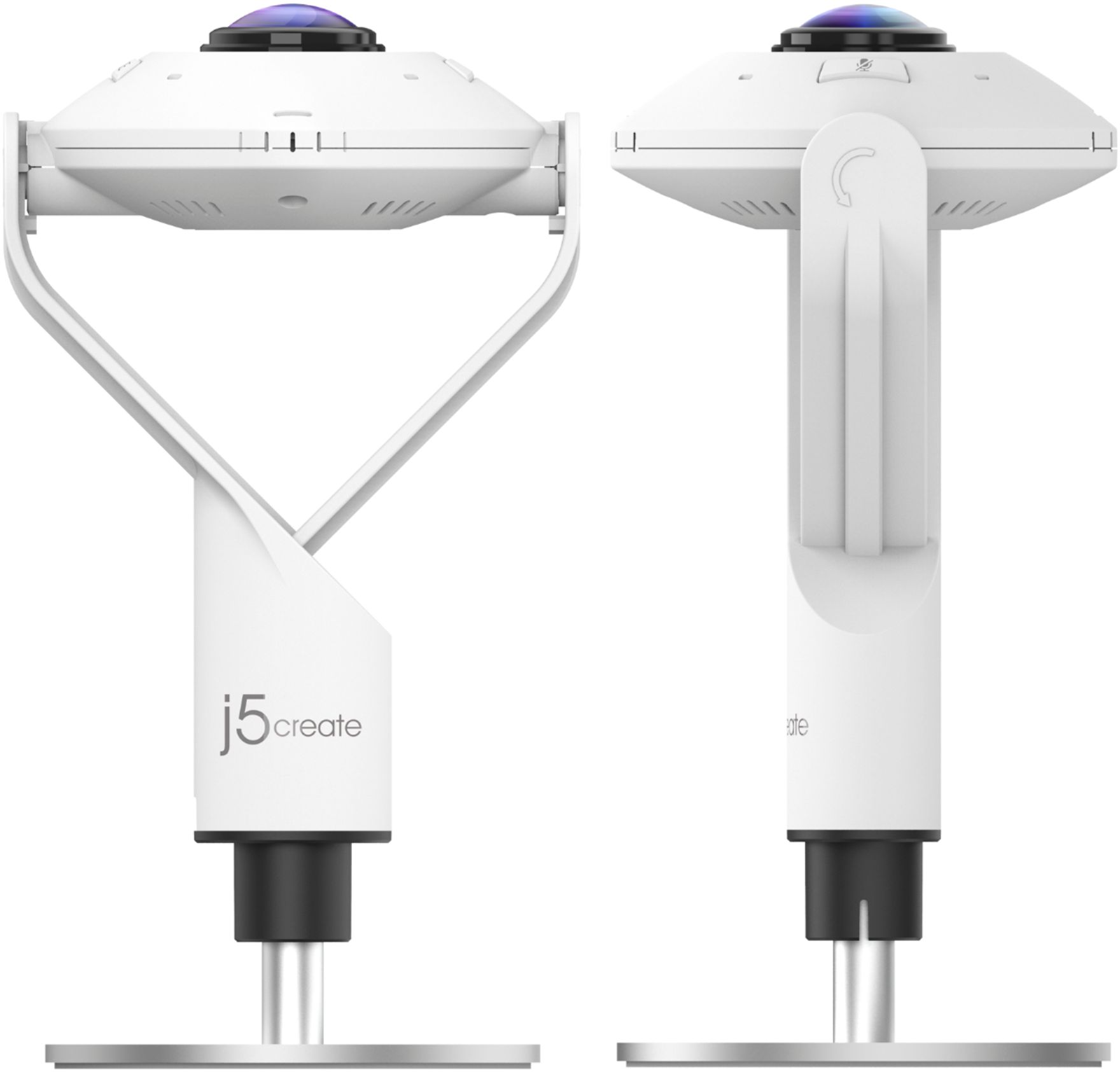
|Posted .This reviewer received promo considerations or sweepstakes entry for writing a review.I was very surprised that this camera worked right out of the box as a plug-and-play device. It works well with MS Teams and Skype without extra software, which makes using it very easy. The included stand is nice and heavy and the overall camera is very sturdy and feels like a piece of professional teleconferencing equipment. If you're planning on using it in a corporate environment it will look like it belongs in the middle of a conference table. The base also screws off and it appears a standard tripod thread will also work if you need more height. Also included is a very long USB-C cable with an attached USB 3.0 adaptor, so you're covered on all machines. There's even a special lens-cap to provide extra security when the camera isn't being used. In both Teams and Skype I was able to select the J5Create camera from a drop-down box. There are different modes that format the 360 view different ways, or you can tilt the camera forward and use it as a normal webcam. To switch modes you just click the Mode button on the camera, which cycles through icons for the views. There's also a Mute button and some nice bright lights indicating whether or not it's safe to speak ill of your boss or client. By comparison with the built-in camera on my Surface Book 3 the picture is much brighter but noisier. When used in 90 degree (single person) mode the picture is framed much tighter than the built-in camera, too. It may be an improvement over other built-in cameras though. When using this in 360 mode it's best for everyone to sit around it (probably a round table would be best) and the other end sees a very wide shot with people spaced straight across the screen. It distorts the room into one flat surface, so that mode is best used with multiple people rather than just one. For one person you tilt the camera in a "normal" position and aim it at yourself. While everyone is working and visiting one another virtually, this is a great way to get an entire team or family into the shot without having to squish together!
I would recommend this to a friendBrand response from J5create Team
Posted .Hello,
We appreciate your feedback and detailed review on the JVCU360 webcam. The JVCU360 supports playback at 1080p at 30 Hz. There may also be settings in video conferencing apps to adjust various display settings. I hope that you have a good day.
Thank you,
j5create
- Cons mentioned:Resolution
A little quirky but good...
|Posted .This reviewer received promo considerations or sweepstakes entry for writing a review.My best use case was recently testing for my ham operator license. Usually done in person, the testing can now be done remotely to allow for today's health concerns. To insure an environment that will not allow cheating on the test [I mean, really? It is really straightforward with a bit of study and perseverance!]. a couple of cameras are needed, one for the remote test coordinators to observer the person testing [a laptop camera works here] and one fo r the immediate surrounding environment. Because the j5create camera has multiple modes including a 360 degree view, it was perfect for this application. It allowed the remote folks a constant view of the environment during the exam session. Another view that useful is the allows individual view of a couple of folks and the rest of the room. The full 360 degree view is actually fun and useful - am searching out software that can use the camera's motion sensing capability to send alerts to me.This is a great feature! A HUGE improvement in the camera would be boosting resolution. These are 4k days, folks, 2k just doesn't cut it any longer. For a business app, I'd hope to put our best foot forward and in remote meetings that means a sharp detailed picture. The video output is a bit soft and could use some attention. Good camera, a bIt quirky to figure out [which of the modes captures what space - it is not always clear and takes experimenting with camera placement or seating arrangements.- trying to judge coverage using the camera positioning is not always intuitive].
I would recommend this to a friendBrand response from J5create Team
Posted .Hello,
Thank you for your review of the new JVCU360. We hear your feedback about figuring out the different display modes and improving the resolution. We are always looking for feedback on how to improve our products.
Have a great day,
j5create
Just bad
||Posted . Owned for 3 months when reviewed.This reviewer received promo considerations or sweepstakes entry for writing a review.Abysmal. Worse than any built in camera I’ve ever used. Defeats the purpose of buying it. Much better options, and the pricing was clearly taking advantage of the pandemic and surge in conf calls world wide.
No, I would not recommend this to a friendBrand response from J5create Team
Posted .We are sorry to hear you are not satisfied with the JVCU100. If you are experiencing disconnects in the middle of use, we recommend reaching out to the technical support team printed on the casing and speaking with a rep. The representative will offer an exchange if necessary. We apologize for the troubles you experienced and hope we can still make a better impression with our products.
Respectfully,
j5create
- Pros mentioned:Ease of use
Great features - image quality could be better
|Posted .This reviewer received promo considerations or sweepstakes entry for writing a review.After spending some time with the 360 all around webcam I think it's a device that has some very specific use cases where it would shine, and others where it might not be the best solution for you. The device configures easily right out of the box and is labeled as Plug and Play. It integrated smoothly with Microsoft Teams / Skype and I was able to select it immediately. The functionality of the device is controlled via a mode button on the unit itself, and there are a number of different "views" you can set up based on where you have the device positioned. One unique one that I really liked was the all around view, where you could put it in the middle of the table with the camera pointing up, and it captured everything/everyone around. Thinking about what we are all going through right now, this has pretty awesome possibilities for holiday gatherings and I would highly recommend it for that purpose. Where I wouldn't necessarily recommend it is for regular webcam use. The image quality is not as high as I would have liked, and because the camera is on a stand there isn't a way to put it on top of a monitor where it would have the most usefulness. Otherwise you end up with a sideview shot that makes conversations very awkward.
I would recommend this to a friendBrand response from J5create Team
Posted .Hello,
We appreciate your review of the JVCU100. The camera is designed primarily for groups. I really like your idea of using it for holiday gatherings. I hope that you have a good day.
Thanks,
j5create
Totally disappointing camera
||Posted . Owned for 1 week when reviewed.This reviewer received promo considerations or sweepstakes entry for writing a review.Totally disappointing camera, the quality of the picture is very very low, nothing like what is expected from the description.
No, I would not recommend this to a friendBrand response from J5create Team
Posted .Slick, I regret to hear that our JVCU360 is not putting out a perfect image. All picture settings, such as brightness, contrast, saturation, gamma, opacity, resolution, etc., are dependent on the application being used along side the j5create USB HD Webcam. Please contact j5create and a representative will gladly help you with your JVCU360. Best wishes, j5create.
- Pros mentioned:Field of view
Love the 360 view
|Posted .This reviewer received promo considerations or sweepstakes entry for writing a review.I like the idea of this cam. The execution of the software/video quality not so much. Like anything, please be sure to read the instructions. In my case, the image was reversed, easy fix once I read the directions, so no fault of the cam. Tried it on 2 different computers, A laptop and a desktop. Not sure what they mean by 1080 high definition, on both computers the picture was slightly grainy and did not seem to be high def. Checking internet speeds confirmed it was not a speed/bandwidth issue. A brighter room seemed to help some. Backlighting in late afternoon from a window did cause some issues, about the same as with other cams. Keep the curtains closed. Microphone also did not pick up all the time. You definitely need to speak clearly and towards the mic for it to pick up well. A good thing is that people on the other end of the Zoom conference said they did not hear the typical "Speakerphone" sound and that when we were speaking at the microphone everyone was easily understood. Not sure if this is a plug and play issue or Zoom issue, but on my laptop the cam would not connect to Zoom the first few times it was connected. Worked fine in Skype and Lync. Now for the cool. 360 view is great, catches a nice wide field, so sitting on a desk, everyone at the table could be seen easily. Usb-C and regular USB for all computers. Plug and Play worked fine. Red LED makes it obvious when Mic is muted.
I would recommend this to a friendBrand response from J5create Team
Posted .Hello,
I am happy to hear that you were able to get you JVCU360 working. This webcam is good for office meetings as well as getting the family together for a video call. We appreciate your review.
Have a great day,
j5create
Looks Cool But I Just Wish It Worked Better
||Posted . Owned for 1 year when reviewed.This reviewer received promo considerations or sweepstakes entry for writing a review.Not user friendly to set up on a Windows 10 desktop. Returned it and found another webcam.
No, I would not recommend this to a friendBrand response from J5create Team
Posted .The features available through the Webcam are largely related to the application used in tandem. Compatible with Google Meet, Microsoft Teams, Skype, Zoom, and more. We apologize for the inconvenience.
Defective
||Posted . Owned for 3 weeks when reviewed.This reviewer received promo considerations or sweepstakes entry for writing a review.Item would not video record. Defective device. Maybe yours will work better for you
No, I would not recommend this to a friendBrand response from J5create Team
Posted .Hi Karma, all j5create webcams should be able to do recording, unless an App you are using does not allow that feature. For troubleshooting, our contact information is located on the packaging or j5create.com and our representative will to happy to assist you. Respectfully, j5create.
Not for me
||Posted . Owned for less than 1 week when reviewed.This reviewer received promo considerations or sweepstakes entry for writing a review.Good idea, bad execution. the quality of the camera is pretty bad in low light.
No, I would not recommend this to a friendBrand response from J5create Team
Posted .Hello DAB626, we apologize that the webcam did not meet your expectations and we appreciate your feedback. To help assist you, regarding the low light situation, please don't hesitant to reach out to us and we'll be happy in troubleshooting our webcam with you, Respectfully, j5create.
Not for single person use
|Posted .This reviewer received promo considerations or sweepstakes entry for writing a review.I needed something that had a wider field of view and this did the trick. I can see more of my background and have multiple options (and positions) in which to use it. So here are my likes and dislikes on this unit. Like: High quality capture and sound. Multiple capture angles for whatever you may need Sturdy stand Lens cover for the times it is not in use Long USB connection cable for getting away from the computer (like center of table) Dislikes: Every viewing option (single, group, 180 and 360 views) is fish eyed. so anything close to the lens is distorted like you are being sucked into a blackhole. At time of review, there is no software to install (only microsoft auto driver install) to let me use it outside of a streaming call. Unable to use for regular video capture, since it is not recognized in windows as a camera. Only use is in streaming program (skype, zoom, greet, etc) . Lens cap is does not snap on so a slight bump will knock it off. Comes with little to no instructions, so "installing" it is a mystery. It does not even tell you if anything is attached when plugged in. So as it stands, it will be useful as a 180 or 360 degree camera for conference calls, or teaching classes when live students return. But for the real reason I got this, it will not work. I can not have distortion or wide fished viewing for my lectures and/or visual aids. As it stands now, I would recommend to a business or the like. But I can not for average person or someone that needs true viewing for visual aids.
No, I would not recommend this to a friendBrand response from J5create Team
Posted .Hello,
Thank you for taking the time to post your review of the JVCU360. The fish eye effect is due to the 360 degree lens. I hope that you have a good day.
Thank you,
j5create
Great Customer Support
|Posted .This reviewer received promo considerations or sweepstakes entry for writing a review.j5create 360° webcam now allows me to video chat with my friends and family using my 24-inch PC monitor or 65-inch TV, which is awesome! I probably will stick to the single view 90° but it's nice to have various options, like panoramic view. It's pretty easy to setup but the only thing I was unable to figure out was the adjustable stand. The enclosed manual or their website didn't clearly explain how to adjust the height - turning the stand will unscrew and remove it. I contacted their customer support via chat and Kathleen was very friendly and helpful. She explained to me that I had to pull the stand, which was really stuck and needed extra elbow grease to move the stand up and down. Because of the sticky adjustable stand that doesn't slide more easily, I'm giving it four stars. Otherwise, it's a great webcam and I was impressed with their customer support. I also liked that the wired cable came with a velcro tie strap - very thoughtful and a nice touch!
I would recommend this to a friendBrand response from J5create Team
Posted .Hi,
We appreciate your feedback. Glad to hear that Kathleen was able to help you out with the adjustable stand.
Thank you,
j5create
Features packed webcam
|Posted .This reviewer received promo considerations or sweepstakes entry for writing a review.My first impression of this webcam is very good. Well built and feature packed webcams, not the typical USB webcams that feel plasticky. The web cam has a solid base, which is important when you want to have a group video conferencing in a meeting room. You can use the webcam on a tripod, which is useful if you want to hold a town hall meeting with large number of audiences and need to capture the ambiance of the meeting. This webcam is compatible with lots of popular streaming and video conferencing platforms. It is also easy to use as the webcam is plug and play. All it takes is to connect the USB cable to the USB port of your PC or laptop. There is just a lot of features that this webcam offers from full 360 views to single and dual host mode. The video resolution is pretty much today’s standard 1080P so if you own a laptop from a few years ago, which is likely to have a webcam of 720P resolution, you’d be getting a nice upgrade on the visual side. The microphone is designed to pick up sounds surrounding the webcam. One thing to note, you would need a decent size workspace that allows you to put the webcam on the table. It would be better if the webcam can be mounted on the top of your PC’s monitor or laptop so that if you use a laptop the webcam can be positioned higher and dead center right in front of you. You can use a mini tripod to do that, though. So who is this webcam intended for? With the amazing array of features, it’s for everyone. However, this is a webcam that is designed primarily as a group video conferencing solution where there would be people sitting surrounding a large office table in a meeting room. This is also a device that is somewhat future proof where your usage scenario would grow with you.
I would recommend this to a friendBrand response from J5create Team
Posted .Hi,
Not only is the JVCU360 great for the conference room, the whole family can gather around and be seen for video calls without crowding together. We appreciate you taking the time to share your detailed review.
Thanks,
j5create
- Pros mentioned:Microphone quality
Great webcam
|Posted .This reviewer received promo considerations or sweepstakes entry for writing a review.I have a dell computer that has a very poor webcam resolution. I didn’t need a good depletion until everything went online with Covid. This webcam is amazing! It is crystal clear and really easy to adjust to get what you want in the frame
I would recommend this to a friendBrand response from J5create Team
Posted .Hey Amy,
The JVCU360 webcam from j5create is an upgrade to most built in laptop webcams. The JVCU360 allows for an array of viewing modes to fit your needs. Thanks for choosing this j5create webcam.
Cheers,
j5create