Customer Ratings & Reviews










- Model:
- 910-006928
- SKU:
- 10116898
Rating by feature
- Value
Rating 4.4 out of 5 stars
- Quality
Rating 4.7 out of 5 stars
- Ease of Use
Rating 4.8 out of 5 stars
MagSpeed wheel is PERFECT!
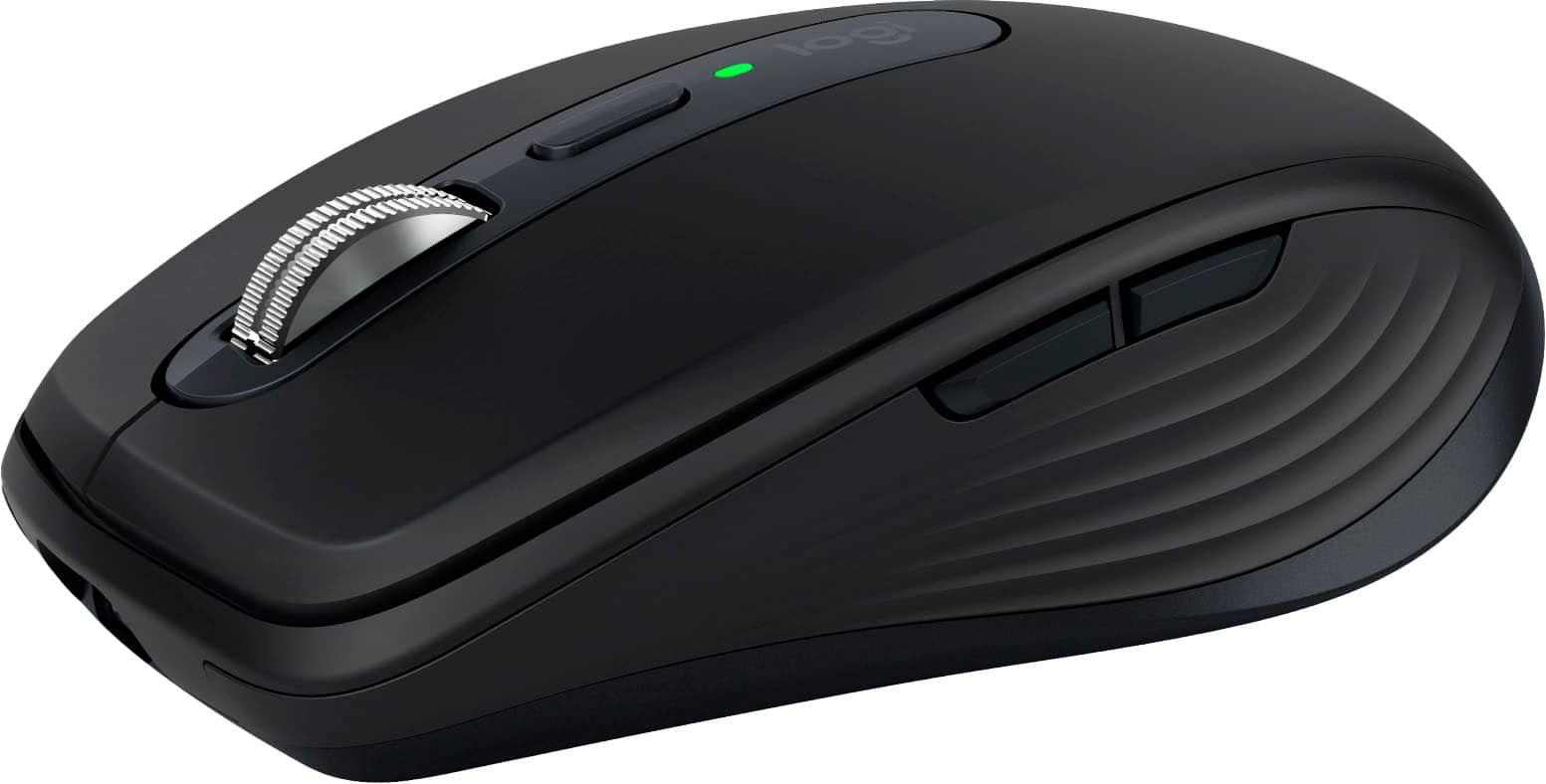
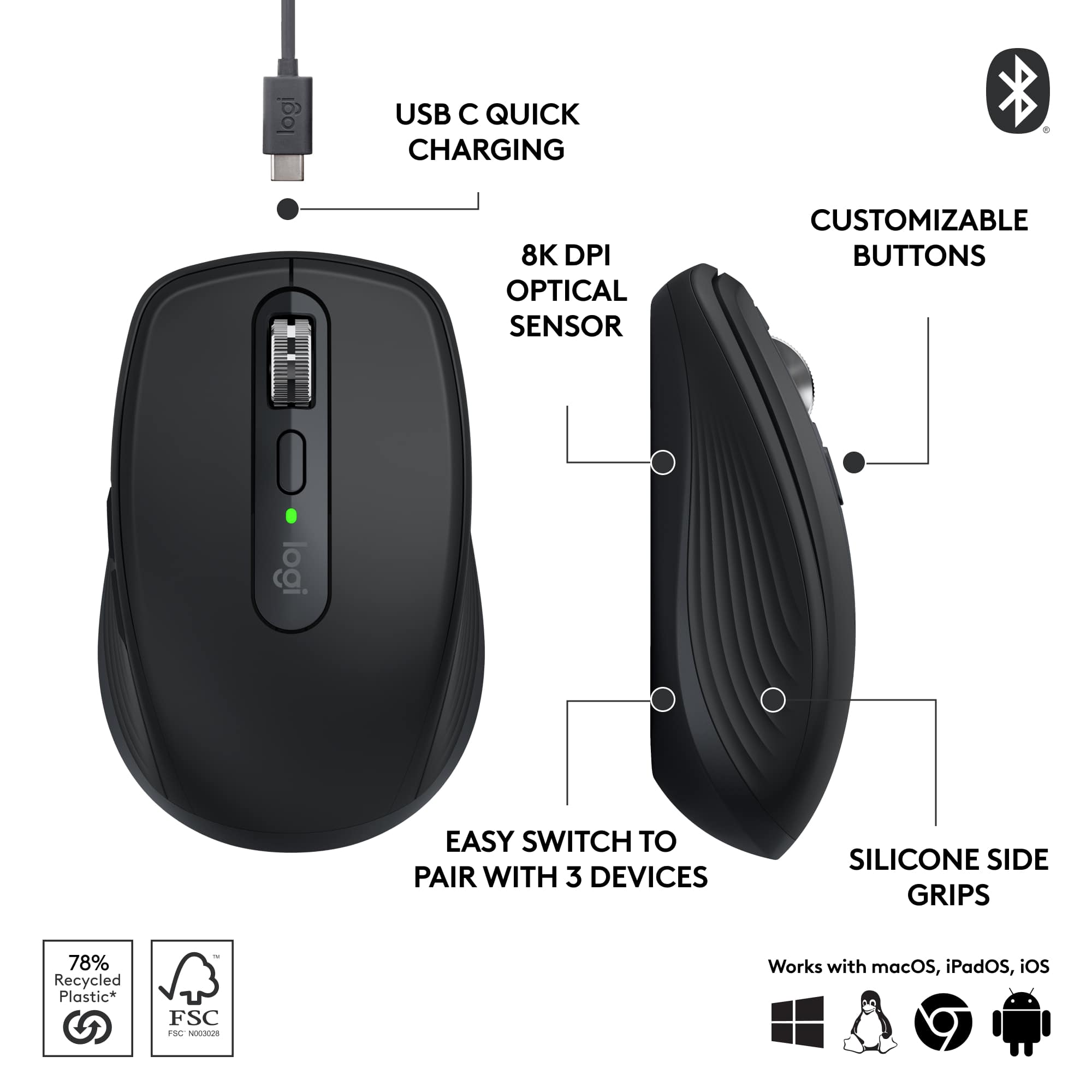
||Posted . Owned for 1 week when reviewed.This reviewer received promo considerations or sweepstakes entry for writing a review.I had been using Logitech MK270 pair for working while traveling and needed a new mouse. I was motivated to get an MX Anywhere because of good MagSpeed stories. I loved Hyperscroll two models ago, but it had bugs on my last mouse and I quit using it. The MagSpeed on the MX Anywhere is perfect. I don’t need to switch it between modes. It scrolls in the normal ratchet mode until I spin the wheel; then the ratchet lets go and the wheel spins. When it stops, there is a very satisfying click for feedback. This is as perfect as perfect can be. I use MagSpeed a lot for scrolling long code files and web pages. I also like the Web Connect online utility for pairing the mouse to the Logi Bolt receiver that came with the keyboard. I have never liked installing software just to link receivers. I don’t customize my HID so that it’s easier to switch between computers with different devices.
I would recommend this to a friendBrand response from Logitech
Posted .Great review! The reviewer loves the MX Anywhere 3S's MagSpeed wheel and software-free pairing.
The mouse…
||Posted . Owned for 3 weeks when reviewed.This reviewer received promo considerations or sweepstakes entry for writing a review.My first wireless mouse. Fast and very easy to connect. Super comfortable.
I would recommend this to a friendMouse
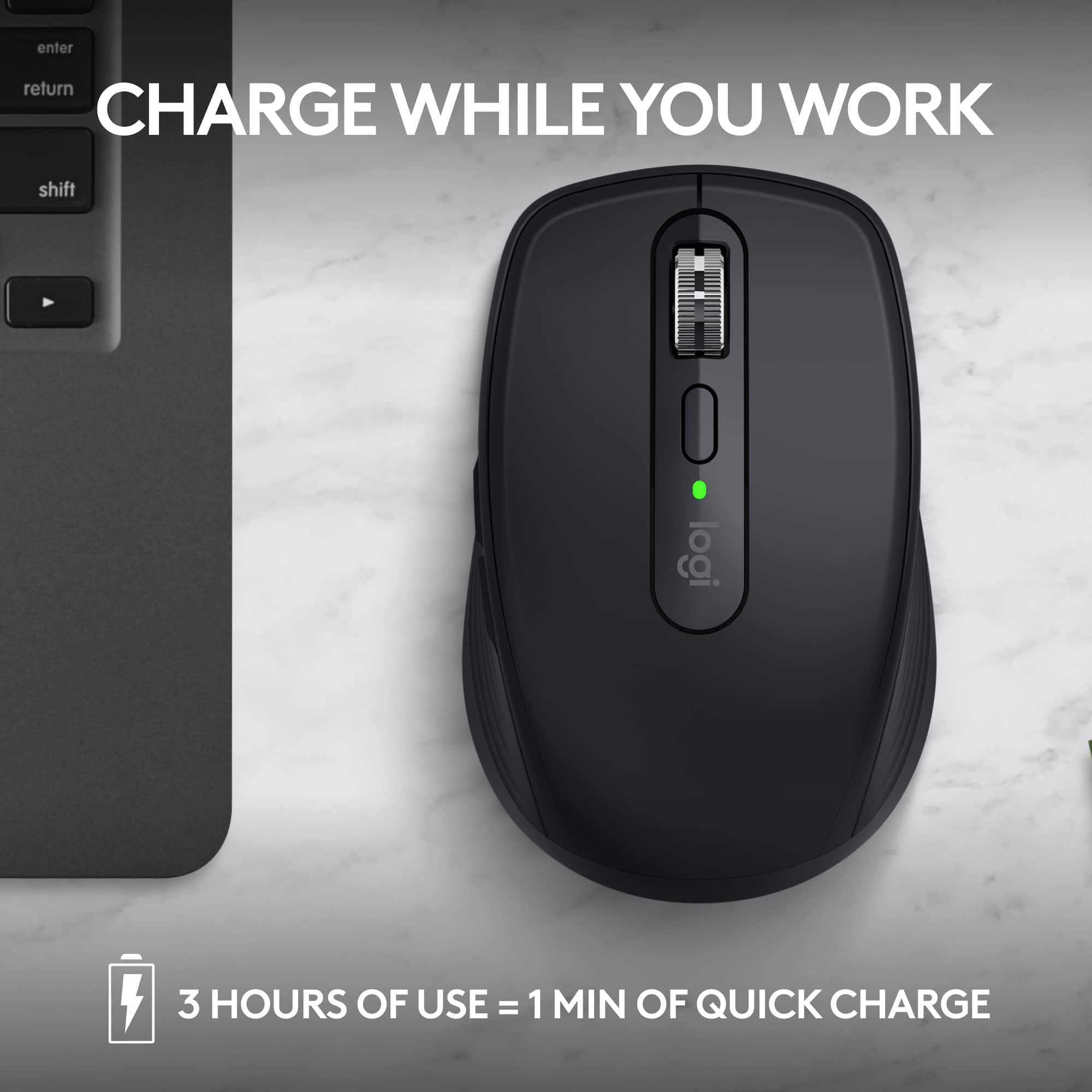
||Posted . Owned for 1 year when reviewed.This reviewer received promo considerations or sweepstakes entry for writing a review.Smooth clicking / scrolling. Battery holds a long charge. Able to reuse the USBC power cable for other devices. Would highly recommend.
I would recommend this to a friendBrand response from Logitech
Posted .Thanks for the awesome feedback! We're so glad to hear the mouse is delivering smooth performance and long-lasting battery life. It’s great that the USB-C versatility is adding even more convenience to your setup. Really appreciate the recommendation!

It just feels right
||Posted . Owned for 3 weeks when reviewed.This reviewer received promo considerations or sweepstakes entry for writing a review.Ultra Smooth... Ultra Comfortable... Ultra Quiet...
I would recommend this to a friendBrand response from Logitech
Posted .Thank you for that fantastic feedback on the Logitech MX Anywhere 3S! We're thrilled to hear you find it "Ultra Smooth, Ultra Comfortable, and Ultra Quiet," making it feel just right for you.
Better than i expected!
||Posted . Owned for 1 month when reviewed.This reviewer received promo considerations or sweepstakes entry for writing a review.much smoother and quicker than i expected. very happy. and i like the side to side scroll feature as well!
I would recommend this to a friendBrand response from Logitech
Posted .We appreciate your review and are thrilled to hear the product is performing beyond expectation. Thanks for choosing Logitech.
Easy to use, works great
||Posted . Owned for less than 1 week when reviewed.This reviewer received promo considerations or sweepstakes entry for writing a review.I had bought one for my MacBook Pro, and I love how it handles, so I had to buy one for my Mac Studio. Love how easy this mouse works.
I would recommend this to a friendBrand response from Logitech
Posted .Thanks for the great feedback! We're glad the MX Anywhere 3S is delivering such a smooth and reliable experience across both your MacBook Pro and Mac Studio. Appreciate your continued trust in Logitech.
Mouse Logitech
||Posted . Owned for 1 month when reviewed.This reviewer received promo considerations or sweepstakes entry for writing a review.Easy to use and setup. Nice color, feels good on hands
I would recommend this to a friendBrand response from Logitech
Posted .It's great to hear that the MX Anywhere 3S was easy to set up and comfortable to use! The sleek black color is definitely a plus. Thanks for sharing your positive experience.
Great KVM Mouse
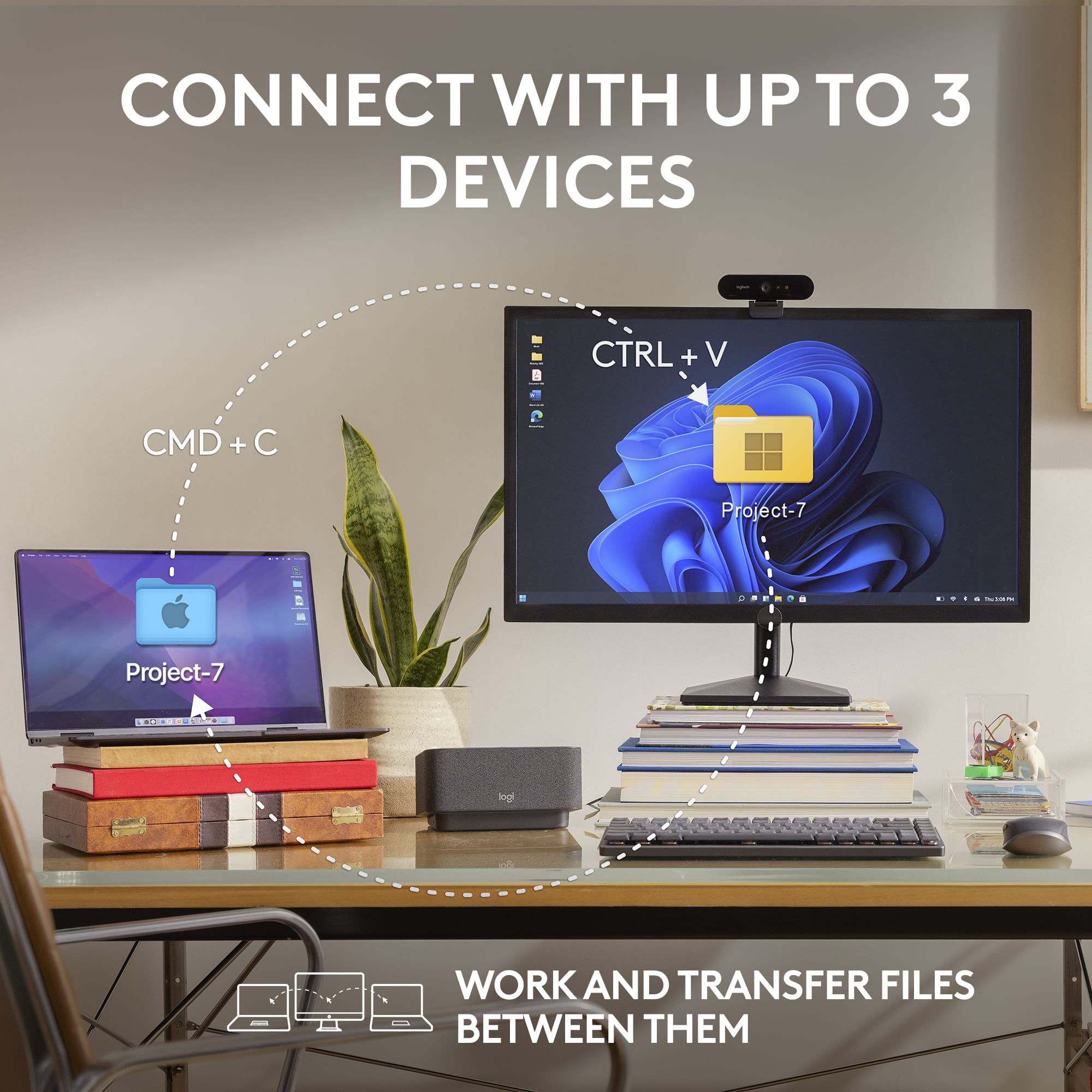
||Posted . Owned for 10 months when reviewed.This reviewer received promo considerations or sweepstakes entry for writing a review.Works amazingly well. I got this to be able to switch quickly between my work computer and personal computer. Switches quickly and works very well.
I would recommend this to a friendBrand response from Logitech
Posted .Thanks for sharing your experience. We're glad the MX Anywhere 3S is helping you switch between devices smoothly and perform efficiently. Your feedback means a lot.
Great mouse
||Posted .This reviewer received promo considerations or sweepstakes entry for writing a review.Excellent mouse. It's smooth, the shortcut buttons are nice, and the weighted scroll-wheel is so much fun.
I would recommend this to a friendBrand response from Logitech
Posted .That’s fantastic feedback—thank you! We’re thrilled you’re enjoying the smooth performance, handy shortcuts, and especially the scroll-wheel.
Almost Perfect Mouse
||Posted . Owned for 3 weeks when reviewed.This reviewer received promo considerations or sweepstakes entry for writing a review.I've used a lot of Logitech mice over the years. I'm a fan of the brand, especially their multi-device mice. The MX Anywhere is compact, but so smooth. The Logi Options software allows precise customization for buttons, scrolling speed and direction, and tracking speed. This is probably the smoothest mouse I've used, and the various buttons are so satisfying. It feels premium compared to other mice. Since I primarily work from home, and need a mouse to share with a personal desktop, a work laptop and my iPad, the multi-device switching is an important feature to me. This is the one issue I have with the mouse. The button is at the bottom of the mouse, whereas other Logi mice I've used had the switching button on the top of the mouse. It may seem like a small thing, but turning the mouse upside down to switch devices is a pain, especially if I'm doing it half a dozen times a day. If I'm working on a persona project, and then I get a video call from my boss, flipping the mouse upside down just takes that extra few seconds which is a pain. Other than that minor nitpick, I'm very happy with this mouse, and enjoy using it daily.
I would recommend this to a friendNice BT Mouse
||Posted . Owned for 2 weeks when reviewed.This reviewer received promo considerations or sweepstakes entry for writing a review.A bit on the larger size, but comfortable. The "smooth scrolling" setting in the app had to be disabled as it rolled my screens too much especially when trying to work in Google Calendar but aside from that, the fit is good, clicks are quiet, and motion is true. Receiver included for 2.4GHz. My mouse was bundled with the matching BT keyboard.
I would recommend this to a friendTravel Mouse
||Posted .This reviewer received promo considerations or sweepstakes entry for writing a review.I have been using Logitech mice for a long time now. They always perform well and I love this one for my travel needs.
I would recommend this to a friendBrand response from Logitech
Posted .It’s fantastic to hear that your Logitech product has been living up to your expectations. We always aim to build solutions that are reliable and intuitive, and knowing we’ve achieved that for you is incredibly motivating. Thank you for your encouraging words and for being such a valued customer.
Best Mouse for Work
||Posted . Owned for less than 1 week when reviewed.This reviewer received promo considerations or sweepstakes entry for writing a review.Returned the awful Apple mouse and replaced it with this far superior mouse. Better sensitivity, scrolling and unmatched ergonomics. It’s small enough to travel with, rechargeable (and holds its charge for a looooong time), Bluetooth connected (no adapter needed) and doesn’t need a mousepad. If you are on the fence just get off already and buy this mouse.
I would recommend this to a friendComfortable User Experience
||Posted . Owned for 1 month when reviewed.This reviewer received promo considerations or sweepstakes entry for writing a review.Very precise, comfortable and predictable. Excellent sensitivity and feedback. No fatigue even after a long session at the computer, especially for surfing or spreadsheet work. Was considering a handshake or vertical mouse but went with this Logitech and am very satisfied with the user experience.
I would recommend this to a friendGreat Logitech-MX 3S Wireless Bluetooth Mouse
||Posted .This reviewer received promo considerations or sweepstakes entry for writing a review.The Logitech-MX Anywhere 3S Wireless Bluetooth mouse is awesome! Super-fast scrolling, accurate and sleek. I highly recommend it!
I would recommend this to a friendBrand response from Logitech
Posted .Thanks for the glowing review! We're thrilled to hear you're enjoying the speed, precision, and sleek design of the MX Anywhere 3S. Your recommendation means a lot!
Great mouse
||Posted . Owned for 10 months when reviewed.This reviewer received promo considerations or sweepstakes entry for writing a review.Great ergonomic design. Feels right in your hand. Great connectivity with my laptop
I would recommend this to a friendBrand response from Logitech
Posted .Thank you for your feedback! We're pleased to know the MX Anywhere 3S feels right in your hand and provides great connectivity with your laptop.
Really Good Mouse!
||Posted . Owned for 1 week when reviewed.This reviewer received promo considerations or sweepstakes entry for writing a review.I've already purchased more than one of these. Probably five! One for business, a few for personal, (wife, self, kids). It's a really good mouse and the best benefit is that it does not need a receiver to work, but comes with one. Nice touch and control and I'll probably be buying more. Also they recharge through a USB-C cable. Really good mouse!
I would recommend this to a friendGreat Mobile Mouse
||Posted . Owned for 4 months when reviewed.This reviewer received promo considerations or sweepstakes entry for writing a review.Always the best choice for a mobile mouse. Robust. Works well. No lag.
I would recommend this to a friendBrand response from Logitech
Posted .We’re so pleased to hear you’re satisfied. Your input helps us continue to build products that people love. Thanks for being part of our journey.
Great
||Posted . Owned for 1 month when reviewed.This reviewer received promo considerations or sweepstakes entry for writing a review.love it - it worked day 1 ... and is still working . 5 stars isn't enough . full 10 - jokes aside its a great mouse all around.
I would recommend this to a friendBrand response from Logitech
Posted .Appreciate you taking the time to share! It’s awesome to know our product is working well for you. Thanks for choosing Logitech.
Small mouse, no batteries--must be charged
||Posted .This reviewer received promo considerations or sweepstakes entry for writing a review.I wanted a small mouse; this is OK for a child but wish it was a little bigger. It doesn't work many times; we have to click several times sometimes to get it to work. There were NO instructions. Had to ask ChatGPT how to set it up. Without the website which ChatGPT gave me, I never would have been able to set it up. Still can't register it--no place to click on the Logitech website.
No, I would not recommend this to a friendBrand response from Logitech
Posted .We appreciate your honest feedback. It helps us identify where we can improve and provide a better experience with the Logitech - MX Anywhere 3S Wireless Bluetooth Mouse.