Customer Ratings & Reviews
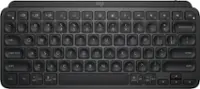
![The image shows a close-up of a black keyboard with white letters. The text on the image is as follows:
1.0% r FI3 FQ2 Fl F10 fn + delete - = - 3 I { / P [ ]
2. A return : I ; shift ? > I control option command
3. 2 10 300 3 F PS F1 page clear home up page 7 end down Q P F F8 = I 8 9 4 5 1 2 0 F9 * 1 + 6 3 enter
To group and correct the text, we can combine the sentences and correct any errors. Here's the corrected text:
1.0% r FI3 FQ2 Fl F10 fn + delete - = - 3 I { / P [ ] A return : I ; shift ? > I control option command
2. 2 10 300 3 F PS F1 page clear home up page 7 end down Q P F F8 = I 8 9 4 5 1 2 0 F9 * 1 + 6 3 enter
The corrected text is now grouped and organized for better understanding.](https://pisces.bbystatic.com/image2/BestBuy_US/images/products/6578/6578481_sd.jpg)




- Model:
- 920-011621
- SKU:
- 6578481
Rating by feature
- Value
Rating 4.6 out of 5 stars
- Quality
Rating 4.8 out of 5 stars
- Ease of Use
Rating 4.8 out of 5 stars
Customers are saying
Customers consistently note the excellent keyboard quality, long battery life, and key feel that closely resembles a Macbook keyboard. Users also appreciate the ease of use and seamless compatibility with Apple products. The primary drawback mentioned is the absence of Touch ID functionality.
This summary was generated by AI based on customer reviews.
- Pros mentioned:Key feel, Keyboard quality
Better than I expected
||Posted . Owned for 1 week when reviewed.This reviewer received promo considerations or sweepstakes entry for writing a review.I've been shopping around for a new keyboard, one that doesn't feel cheap and comfortable to type with. This Logitech keyboard doesn't disappoint. The build quality is top notch and I get the same typing satisfaction as I do from my MacBook. Nice backlit keys and no connection issues. keyboard also has a proximity sensor that wakes it from sleep just before you start typing.
I would recommend this to a friendBrand response from Logitech
Posted .Thank you for your kind words! We're thrilled you're enjoying the premium build quality and typing experience of the MX Keys S. We're glad the proximity sensor and backlit keys enhance your workflow.

S Tier keyboard
||Posted . Owned for 3 weeks when reviewed.This reviewer received promo considerations or sweepstakes entry for writing a review.I really enjoyed the Logitech keyboard. I was coming from a magic mouse and magic keyboard set up for my MacBook Pro when utilizing a desktop. This set up with the MS3 is one of the best things that I’ve ever seen as a product sold. The only way that it could be improved is to use Apple proprietary systems to make touch ID compatible. But that is it. Everything else fish in wine. It feels functional quick to respond, and innovative, especially with the screenshot adaptation. This product is S Tier by far.
I would recommend this to a friendBrand response from Logitech
Posted .Thanks so much for sharing your experience! We're thrilled to hear how well the keyboard is working for you and that it's made such a strong impression. It’s great to know the setup with the MS3 has elevated your desktop experience. Your feedback on Touch ID compatibility is appreciated too — we love hearing ideas that help us grow. Enjoy every keystroke!
- Pros mentioned:Keyboard quality
Broke up a fight!
||Posted .This reviewer received promo considerations or sweepstakes entry for writing a review.Loving it! I did drop it trying to break up a fight between two kittens. The keyboard played referee but wasnt badly damaged. Its been a great keyboard though very well made with lots of extra keys to use.
I would recommend this to a friendBrand response from Logitech
Posted .What an incredible story! We're so glad to hear that the MX Keys S for Mac survived its noble mission as a referee and is still a great keyboard for you. We appreciate you putting our "very well made" design to the test and are thrilled you're loving the extra keys. Thank you for the fantastic review!
- Pros mentioned:Keyboard quality
Metal Mac!!!
||Posted . Owned for less than 1 week when reviewed.This reviewer received promo considerations or sweepstakes entry for writing a review.Heavy. Sturdy. Silent. Beautiful keyboard. If you have a problem syncing, download Logitech Options. Update the firmware, and select the option so that LO does not open when you log on. Otherwise, it runs in the background, which is annoying. Great product. 100% recommend.
I would recommend this to a friendBrand response from Logitech
Posted .Thank you for your detailed and insightful review of the Logitech - MX Keys S! We appreciate you sharing your experience, including the tip about Logitech Options. We're glad you're enjoying the keyboard's premium build and silent typing experience.
- Cons mentioned:Touch id
No regrets
||Posted . Owned for 1 week when reviewed.This reviewer received promo considerations or sweepstakes entry for writing a review.Paired instantly with my M4 MacBook Pro. There is no finger Touch ID but my Apple Watch takes care of that. When choosing between this and the Magic Keyboard, I have no regrets!
I would recommend this to a friendBrand response from Logitech
Posted .We're thrilled to hear that you're loving the Logitech MX Keys S for Mac! Your positive feedback about its seamless connectivity, comfortable design, and multi-device functionality is truly appreciated. We're glad it's enhancing your productivity and overall computing experience. Thank you for choosing Logitech!
- Pros mentioned:Battery life, Key feel, Keyboard quality

Great Choice for Mac - Also Pairs Well with PC
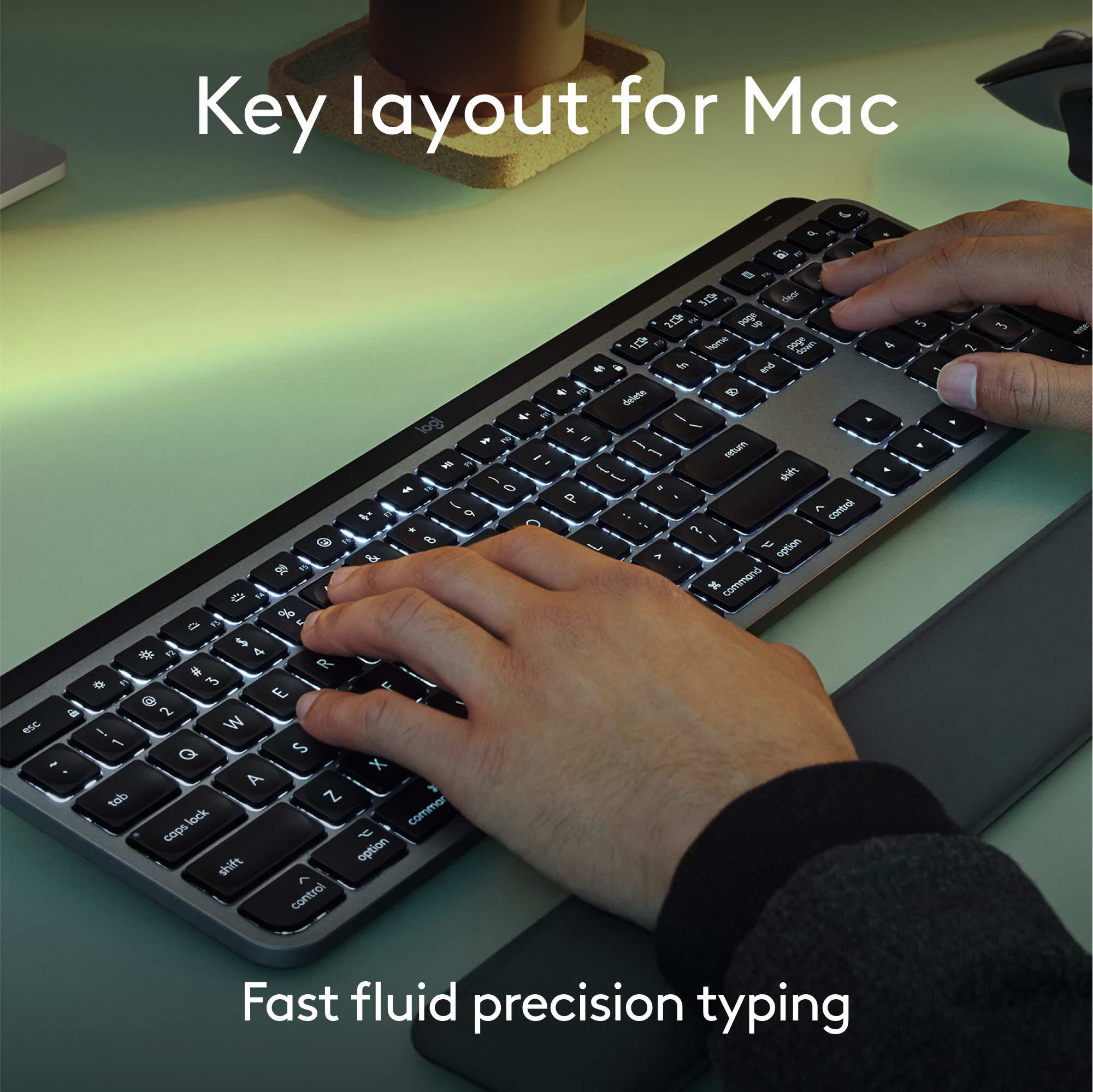
|Posted .This reviewer received promo considerations or sweepstakes entry for writing a review.As I type this review on my Logitech MX Keys S for Mac, it is very quiet in my home office. I notice that this keyboard barely increases the decibel levels. Just one of the many features I like about my new keyboard. It’s not all heart emojis though. There are a couple things I’m not completely in love with. First let me say, my main driver for work is a Windows computer, but a 2021 MB Pro is my personal laptop of choice. This keyboard, while designed for use with Mac, works surprisingly well with my Dell Latitude 5540 as well. What I love about this keyboard is a long list- The Look & Feel: From the packaging and unboxing experience to the design and simplicity of the keyboard, the MX Keys S for Mac feels like an Apple product. It is a heavy keyboard which makes it feel like a premium device. The color perfectly matches my Space Gray MB Pro. The keys are backlit and look similar to Apple’s own.The backlit keyboard is great. Keys dim after about 15 seconds of inactivity but light back up when it senses your hand hovering. Performance: The keyboard is quick to pair and respond to keystrokes. I’ve never noticed any lag. I also really like having a 10 key keyboard for my Mac. I work with data so a 10 key for me is a must. It charges via USB-C which I appreciate because I don’t have to carry extra cords when I am on the road. My MX Master 3S mouse also charges via USB-C. One other great feature is the ability to connect to three different devices. I mentioned a work and personal laptop, I can switch between the two by simply pressing a button on the keyboard. It has three different Bluetooth buttons, one for each connected device. I have my MB Pro as device 1, my work PC as 2, and my iPad Pro as 3. All I need to do is hit the button that corresponds with each device and I am connected. Battery life has been great so far. I charged it for about an hour and a half out of the box. I’ve been using it consistently for the past week and it is at 90%. Where I would have changed some things- Keyboard Layout: For the most part, the layout is pretty conventional. My biggest issue is with the “dash” or “minus” buttons location. Most keyboards with a 10-key number pad have the “-” located on the upper right side of the “9” key. This is a standard that I am extremely used to with the data entering and report building I do everyday. This keyboard has it located to the immediate right of the “9” key. While this is the same layout Apple uses with their Magic Keyboard, I prefer the upper-right location. This has taken some getting used to. Muscle memory is a powerful thing and in my 40’s, I’m not as easy to retrain. The keyboard also does not have any height adjustments built in. Basically there is a black block that runs nearly the length of the keyboard that houses the battery and acts as a wedge to angle the keyboard forward. I like a little more height than the ½” the MX Keys S allows. Some height adjustments would have been appreciated. Overall I really do like the keyboard. The scissor keys are quiet and smooth, with nice travel. The indented keys give my fingers guidance on where to press. The aesthetics are pleasing. The keyboard is designed for Mac but works well with PC too, as I mentioned. There are some things you need to adjust to, which most people who go back-and-forth between Mac and PC are already aware of. If you are primarily a PC user, the regular version will likely suit you better than the Mac edition, but I imagine most people reading this are Mac users. The MX Keys for Mac will be my go-to for travel and most daily usage.
I would recommend this to a friendBrand response from Logitech
Posted .Hi! Thanks for the MX Keys S for Mac review! We appreciate you sharing both the pros and cons, especially as a Mac/PC user. Great points on quiet keys, multi-device switching, and battery life.
Why does it say Mac on the box?
||Posted . Owned for less than 1 week when reviewed.This reviewer received promo considerations or sweepstakes entry for writing a review.I replaced a previous MX Keys that went bad after three years. I liked it, so I replaced it with a new one. The old one wasn't the Mac version but worked fine. This new one won't let me login. It will not work until I log myself in with my Mac Keyboard and pair the new one in System Settings. The difference between the old one and this one is that the old one came with a dongle, and this new one is bluetooth only. I've just spent over an hour chatting with Logitech's tech support, and the solution seems to be to BUY a $15 bolt receiver and take up a USB slot so this thing can work. Well, I'll order the stupid thing, but if it says "MX Keys Mac" on the box, it should work better than the one made for Windows, don't you think? Even if the thing works perfectly after I order and finally receive the Bolt Receiver, I won't change my rating because of the time and money wasted. I won't recommend this to a mac owner wishing to replace their magic keyboard.
No, I would not recommend this to a friendBrand response from Logitech
Posted .Thank you for your feedback on the Logitech MX Keys S for Mac. We're truly sorry to hear about the login issues you've experienced and the frustration you've encountered with the Bluetooth-only connection and the need for a separate Bolt receiver. We understand your disappointment, especially given the "Mac" designation on the box. We appreciate you sharing your experience, and we apologize for the inconvenience and wasted time and money.
- Pros mentioned:Battery life, Key feel, Keyboard quality
The Perfect Mac Keyboard Doesn't Exi.....
|Posted .This reviewer received promo considerations or sweepstakes entry for writing a review.I've been using the Logitech MX Keys S for Mac, and I can confidently say that it is the best keyboard made for Macs, period. For context, I have been a Mac user for the past 18 years, and this keyboard corrects every flaw and capitalizes on every strength found in Apple-branded keyboards. I only came across one feature that I miss, but everything else about this keyboard makes up for it. Pros: The typing experience is simply fantastic. The keys feel like they have about the same travel as a MacBook Pro, and I did not expect to like the dished-shaped keys as much as I do. Part of the reason the concave keys are so nice is that your fingers naturally find the center of the key vs. striking off-center. The sound, key travel, and angle are all on point. I can't think of a single thing I would change about this keyboard. YES, IT'S BACKLIT. Not only is it backlit, but the keys light up when your hand approaches the keyboard. This feature is basically magic as far as I'm concerned. I've tried to identify where the sensors are, but they are so well integrated that I couldn't find anything. The days of having to hit a key to wake up the keyboard are gone! The best part is that it works all the time and does an excellent job conserving battery life. The build quality for the price is great. To be clear, the shell is plastic, and there is no aluminum like you would find on an Apple product, but that being said, I had this keyboard for 5 days before I noticed it wasn't aluminum. Also, I have used an MX Master mouse for 6 years now, and I love that this keyboard not only shares the same ecosystem but also brought over the ability to quickly swap between 3 Apple devices. This might not seem like something you'd use if you're not already using it, but I promise you will use it way more than you think. Cons: I only found two cons that should be highlighted. First is the elephant in the room: there is no Touch ID on this keyboard. This is the one feature that I will miss the most about my Apple keyboard, but to be honest, there are so many features I like more on the MX Keys S for Mac that I don't mind having to type my password in. Secondly, this is a heavy keyboard. If you plan on stuffing this in your backpack, do keep in mind that it weighs about 1 lb. 12 oz. For comparison, the Apple-branded keyboard is about 12 oz., making this keyboard a full pound heavier. In conclusion, the Logitech MX Keys S for Mac is a remarkable keyboard that enhances the Mac user experience in numerous ways. Its superior typing experience, intuitive backlighting, and excellent build quality make it a standout choice. Despite its lack of Touch ID and its heavier weight, the overall functionality and convenience it offers far outweigh these minor drawbacks. For any long-time Mac user or anyone looking to upgrade their current keyboard, the MX Keys S for Mac is an excellent investment. I highly recommend it for its impressive performance and thoughtful design.
I would recommend this to a friendBrand response from Logitech
Posted .Hey! Thanks for the glowing review of the Logitech MX Keys S for Mac! We especially appreciate you comparing it to Apple's Magic Keyboard and highlighting the aspects you find superior, like the typing experience, backlit keys with motion detection, and ability to connect to 3 devices. The weight is a helpful detail to know for potential buyers. Even though you miss Touch ID, it sounds like the MX Keys S for Mac offers a compelling alternative for Mac users.
- Pros mentioned:Battery life, Connectivity, Key feel
The best keyboard for Mac with one minor missing e
|Posted .This reviewer received promo considerations or sweepstakes entry for writing a review.I'll start this review by saying that I'm coming into it as a HUGE fan of the Logitech MX Keys keyboards. I own two others- one for work and one for my home office. I have found them extremely reliable, able to hold up to my heavy typing, and the quality is top notch. But my previous MX Keys keyboards were the model for PC. Work makes me use a PC, so I have purchased several for different work location. They have been terrific purchases. This is the first version I've tried that was built for Macs. While work requires me to use PCs, for personal use, I prefer Macs. I own a Mac Studio for power use at home and a Macbook Air for portability. My wife also has a Macbook Air and we have 3 ipads between us. We've drunk the Apple Kool-Aid and are happily bought into the ecosystem. Given I love the PC version of this keyboard so much, what is different on the Mac version? Truthfully, very little. The PC version layout is identical although color options are slightly different. The CMD/ALT, FN, and OPT/CTRL keys are dual labeled on the PC version so you could use it on either PC or Mac. On the Mac version, the PC labels are removed and just the Mac labels remain. Pretty much everything else is the same, which is a really good thing. The keyboard is built to be very solid, with little or no flex to it. The rechargeable battery (via USB-C) lasts for weeks even with the keyboard illumination feature turned on. I am a hard typist- I slam my fingers on to the keys which is a holdover from years of using older mechanical keyboards. I have not had a problem with the MX Keys holding up to my typing. The keys respond quickly and the labels on all the keys show no signs of wearing off after extensive use. One of the best features of the keyboard is it's ability to connect to 3 different bluetooth devices. There are buttons on the keyboard for quick switching between devices. I have mine setup for 1. Mac Studio; 2. Macbook Air; and 3. iPad Pro. I can sit in from of my Studio with the iPad ot Macbook open and easily switch between typing on any of the devices. It just takes a brief second or two to switch. I can categorically recommend this keyboard for any Mac user. I find it more capable and a better typing experience than the Apple built keyboards. The single complaint I have about it, and the only fix I wish they would make, is that the keyboard does not have the fingerprint reader for signing in that the Apple keyboard has. It's the only feature I truly miss moving from Apple to Logitech. Being able to log into my machine with a single key press is extremely convenient. I miss it on the MX Keys. If they added this, it would be a Grand Slam device.
I would recommend this to a friendBrand response from Logitech
Posted .Hello there! Thanks for the detailed review of the Logitech MX Keys S for Mac! It's very helpful for Mac users who are considering this keyboard, especially those who are already familiar with the PC version. It's clear you find the build quality, battery life, and multi-device connectivity to be excellent. Even the minor drawback you mentioned, missing the fingerprint reader, is well-explained.
- Pros mentioned:Battery life, Connectivity, Keyboard quality
The Best Mac Keyboard You Can Buy!
|Posted .This reviewer received promo considerations or sweepstakes entry for writing a review.Logitech has made a name for themselves as a premiere accessory provider whether it be mouses, webcams, or keyboards and the MX Keys S is simply put my favorite keyboard I have used and its an excellent choice for the Mac! PROS: - Unboxing this you can tell how premium it is right away. It has a really nice metal and black finish to it along with a nice weight that you know means they put in good quality work to the keyboard. - The keyboard connects 1 of 2 days; either through a USB dongle or via Bluetooth. I prefer the USB dongle for my Mac but the Bluetooth is excellent as you can switch between your Mac and two other Bluetooth devices with ease so I often switch from my iPad and Mac. - This MX Keys S was made specifically for a Mac as you can see by its Mac specific buttons like the command icon and emoji key which is nice that helps maintain that consistent Mac experience. - Typing with the MX Keys S is truly a wonderful experience. When you hover your hands over the keyboard, it senses you are there and will turn the backlit keys on which is such a cool feature, and then typing is great. It’s precise, has a nice balance of responsiveness but low profile, and is really just a fast typing experience. - Logitech has a companion App you can download for your Mac as well to check on the MX Keys’ battery life or make some settings changes which is a nice feature as well. - Lastly, this does not need batteries and is charged via USB-C which works perfectly as all of my other Mac/tech devices charge with USB-C anyways and the battery last a long time! CONS: - Really nothing I have run into is a “con” to me. It checks every mark and does it very well! BOTTOM LINE: - As Mac owners know, you need a keyboard along with your Mac; and the Logitech MX Keys S is the best one you can buy! It’s got a great build, excellent backlit keyboard sensing features, and the typing experience is so fluid and easy you will tell a huge difference compared to other ones you have used. This is the keyboard to pick for a Mac!
I would recommend this to a friendBrand response from Logitech
Posted .Hello there! Thanks for the detailed review of the Logitech MX Keys S for Mac! It sounds like a great keyboard option for Mac users, especially those who prioritize a premium feel, backlit keys, and a long battery life.
- Pros mentioned:Battery life, Key feel
The Reference Standard Keyboard for Mac
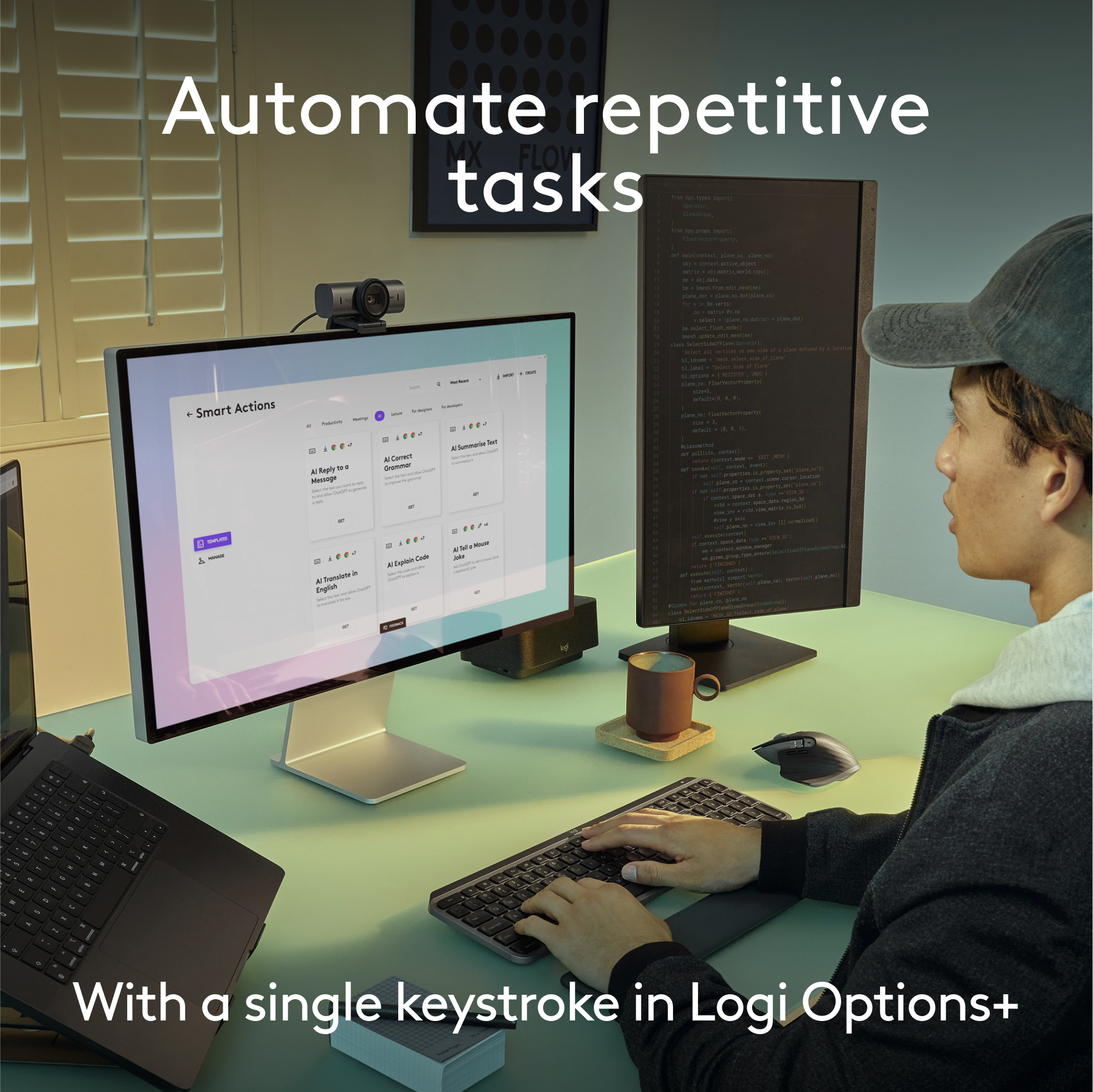
|Posted .This reviewer received promo considerations or sweepstakes entry for writing a review.Logitech is the world renowned producer of premium quality computer accessories. This premium quality keyboard is named: "MX KEYS S FOR MAC"; it is super easy to connect by Bluetooth Low Energy enabled device, or a Logi Bolt USB receiver (included). The spherically-dished keys shaped for your fingertips are the first thing they you notice when you see this keyboard. The keys are virtually silent & are designed for smooth, fast & accurate typing. This is a heavy keyboard built on an aluminum frame that will not slide on your desk, as so many plastic keyboards do. It measures 16 7/8" W X 5 1/8" D. You feel the quality of this keyboard at the first touch. I love the backlit keys. They actually light up as your hands approach! Battery life is amazing; recharge the internal battery using standard USB C cable (included). It stays powered for up to 10 days or up to 5 months with backlit keys turned off. The optional Logi Options+ app allow Smart Actions shortcuts. For example, press the calculator key & a calculator instantly appears on your desktop (see attached photo). CONCLUSION: I love this MX Keys S for Mac Keyboard. It draws compliments from virtually anyone who walks in my office & earns my highest recommendation.
I would recommend this to a friendBrand response from Logitech
Posted .Hello! Thank you for your glowing review of the MX Keys S for Mac keyboard! It's great to hear you find it easy to connect, comfortable to type on, and built with quality materials. We appreciate you highlighting the backlit keys, long battery life, and customizable Smart Actions features. This sounds like a great recommendation for Mac users looking for a premium keyboard experience!
- Pros mentioned:Battery life, Keyboard quality
A Huge Improvement for My Mac Studio Setup
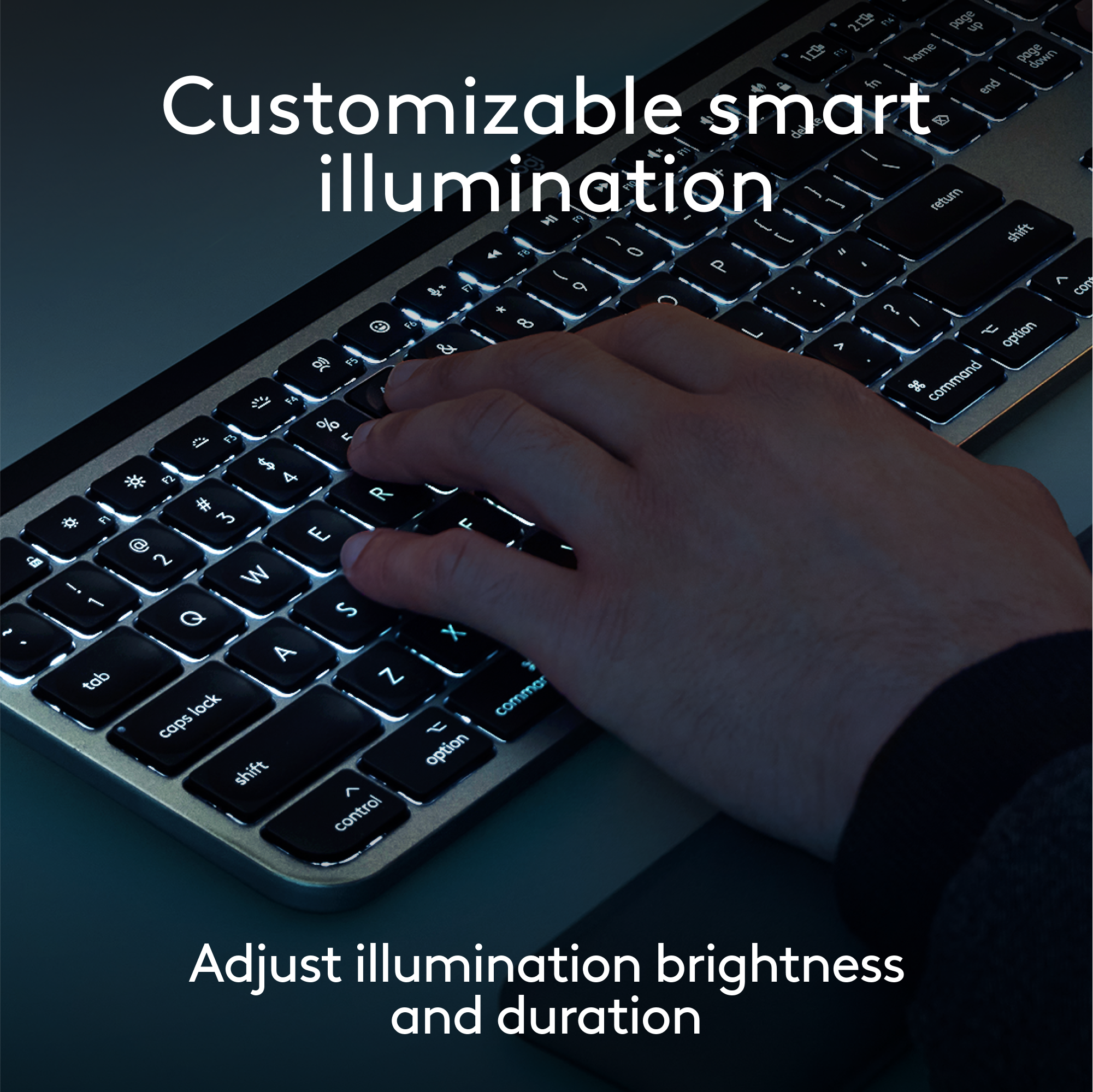
|Posted .This reviewer received promo considerations or sweepstakes entry for writing a review.As a long-time Mac user, I recently decided to upgrade from the original Macintosh wireless keyboard that came with my Mac Studio to the Logitech MX Keys Advanced Wireless Illuminated Keyboard for Mac. After testing it, I’m happy to share my experience with this fantastic keyboard. The first thing that struck me about the MX Keys is its sleek and stylish design. It fits right in with the elegant aesthetic of my Mac Studio setup. The keyboard’s low-profile design and spherically dished keys felt immediately comfortable under my fingers, providing a typing experience that’s both satisfying and whisper-quiet. As someone who spends a significant amount of time typing (I develop content for a living), I appreciate the attention to detail in the key design. The tactile feedback is just right, and the keys are perfectly spaced, making typing a breeze. The keys’ shape, which mimics the curve of my fingertips, enhances accuracy and speed. It’s clear that Logitech put a lot of thought into the ergonomics of this keyboard. The keyboard is clearly well built (which I’d expect from Logitech) and solid. A nice feature is the smart illumination. The backlighting adjusts automatically based on the lighting conditions in my office, and the keys light up as my hands approach. It’s a small touch, but it adds a level of convenience that I didn’t know I needed until I had it. This feature is especially useful during late-night work sessions when I prefer to keep the room dimly lit. Adjusting the brightness (or completely turning off) the illuminated keys is as simple as using the F3/F4 keys, just like on my Macbook Pro. Even though I am primarily using this with my Mac Studio, I did try the easy-switch functionality with my iPad Pro. Switching between devices has never been easier. With the easy-switch buttons, I can connect the MX Keys to my Mac Studio, iPad, or even my iPhone and switch between them with a simple button press. This flexibility will be helpful when I want to travel and not drag my laptop with me but still have the comfort of my everyday keyboard. The battery life on this keyboard is impressive. Even with the backlighting on, I’ve gone several days without needing to recharge. And when it’s time to juice up, the USB-C charging is quick and hassle-free. I appreciate not having to deal with battery swaps or frequent charging sessions. Logitech has included a variety of function keys that enhance productivity. From quick access to system controls to dictation and emoji keys, the MX Keys have made my daily tasks more efficient. It’s also compatible with Logitech Flow, which allows me to control multiple computers with one mouse and keyboard setup—a feature that’s incredibly useful for multitasking. Overall, the Logitech MX Keys Advanced Wireless Illuminated Keyboard for Mac has exceeded my expectations. It’s a stylish, comfortable, and highly functional upgrade from the original Macintosh wireless keyboard. Whether you’re typing up reports, coding, or just browsing the web, this keyboard delivers a superior experience. If you’re a Mac user looking to enhance your setup, I highly recommend giving the MX Keys a try. It’s a small change that can make a big difference in your daily routine.
I would recommend this to a friendBrand response from Logitech
Posted .Hi! Thank you for your detailed review of the Logitech MX Keys Advanced Wireless Illuminated Keyboard for Mac! It's fantastic to hear how much you're enjoying the keyboard, especially the comfortable typing experience, smart illumination, and easy-switch functionality between your devices. We put a lot of thought into the design and functionality of the MX Keys, and we're glad it's exceeding your expectations and making your workflow more efficient. We appreciate you recommending it to other Mac users!
- Pros mentioned:Battery life, Connectivity
Great full ergonomic keyboard, bye lightning cable
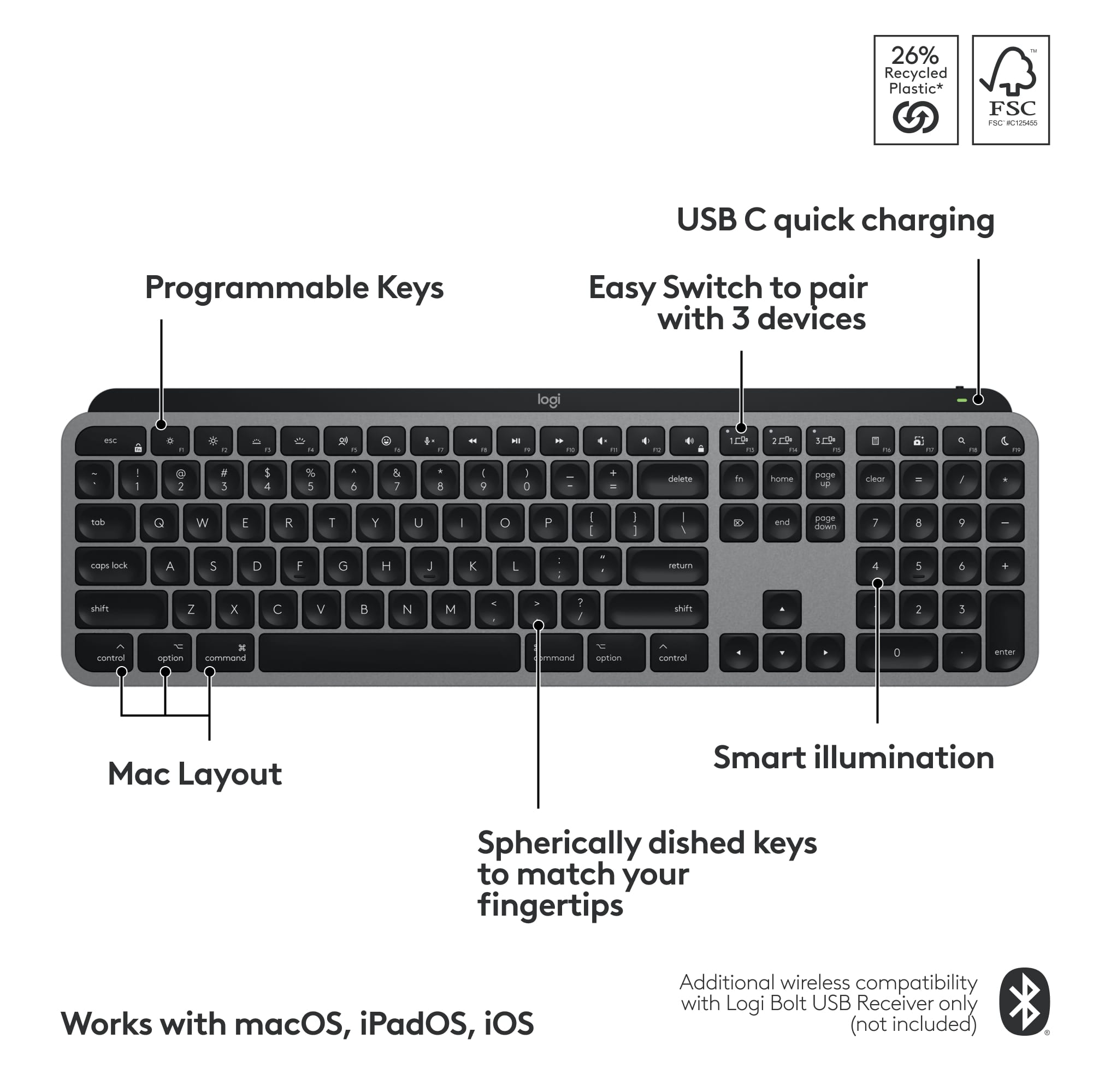
|Posted .This reviewer received promo considerations or sweepstakes entry for writing a review.I am loving my new Logitech keyboard for Mac. It has all the things you probably wanted from the Apple keyboard that just aren’t there like the screen capture button without having to remember Apple short cuts, a function button for emojis, a full number pad, and it’s tilted upward in the back for a more ergonomic feel. My previous Magic Keyboard was not very magical. I had it rested on papers so that it would be slightly tilted for a better angle when typing. The Logitech one looks great in the space gray color, and it has a perfect tilt in the back to make typing feel a little smoother and be a little easier on your wrist. The keys feel very smooth to type with and have little finger indents so you can really feel your fingers transferring from key to key. They are also back illuminated which can be turned up, down and off in the function keys depending on your preference and they turn on as you go to touch the keyboard. Turning this off will help your battery last significantly longer but nonetheless a cool feature if your lighting isn’t the best. Speaking of the F keys, I almost feel like I got my Touch Bar back with the extra functions this Logitech keyboard gives me. I like the emojis button because I do tend to use a potentially excessive amount of emojis. There are also 3 keys to customize via app located on their website (I couldn’t find it in the App Store) and switch to say your iPad or MacBook at the touch of a single button which is pretty cool if you have a multiple screen setup and or are a big multitasker. Another bonus for me, it charges with the usb C. I’m trying to rid my life of lightning cables and minus my mouse and trackpad I am almost there. If you’re looking for a great alternative to the Apple keyboard with better features and more comfortable typing experience, this is it.
I would recommend this to a friendBrand response from Logitech
Posted .Thanks for the great review of the Logitech MX Keys S for Mac! We're glad you found it a comfortable and feature-rich alternative to the Apple Magic Keyboard. We'll pass your feedback on to the product team!
- Pros mentioned:Battery life, Key feel
Top Of The Class
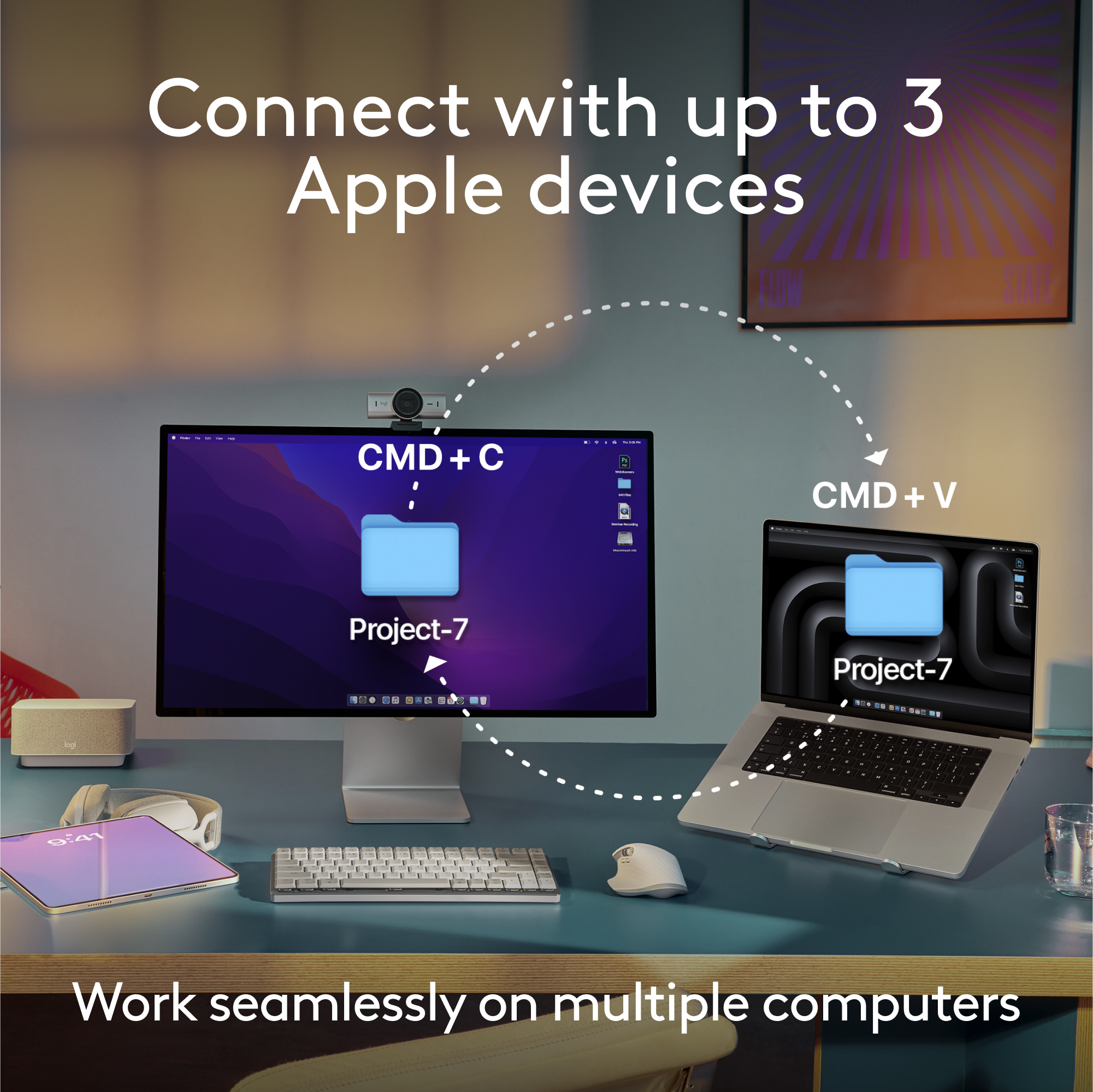
|Posted .This reviewer received promo considerations or sweepstakes entry for writing a review.What can I say more about Logitech MX Keys S for Mac? Truly remarkable. There is not a better keyboard on the market right now. The full size keyboard I have is perfect for my set up. It also matches my space black laptop with the black and gray finishes. The illumination on the keyboard is beautiful. You can adjust it to your liking if it's too bright. The size is great and should be able to fit in most spaces. One of my favorite things about this keyboard is the fact that you can program it to work with different devices. No need to carry around multiple keyboards. You can program up to 3 devices to work with the keyboard. So I have mine programmed to my main laptop, my work laptop, and tablet. You only need to press a button to switch between the devices. Typing on the keyboard is such a pleasure. Very fluid. Ease of pressing the button feels great. I feel like I type faster on this particular keyboard because of the buttons. Since this keyboard is catered to Macs, there are specific keys just for them. (I have MX Keys for Windows as well) MX Keys keyboards are so good that I have 3 of them. 2 at home and one at work. The charge lasts for weeks. No need to keep the charge cord connected. If you buy this keyboard you will not be disappointed!
I would recommend this to a friendBrand response from Logitech
Posted .Hi there! Thanks for the fantastic review of the MX Keys S for Mac! We appreciate you sharing your experience with its design, functionality, and battery life. Having 3 MX Keys keyboards yourself says it all - glad you love it!
- Pros mentioned:Key feel
Not just Elegant, but Functional and performative
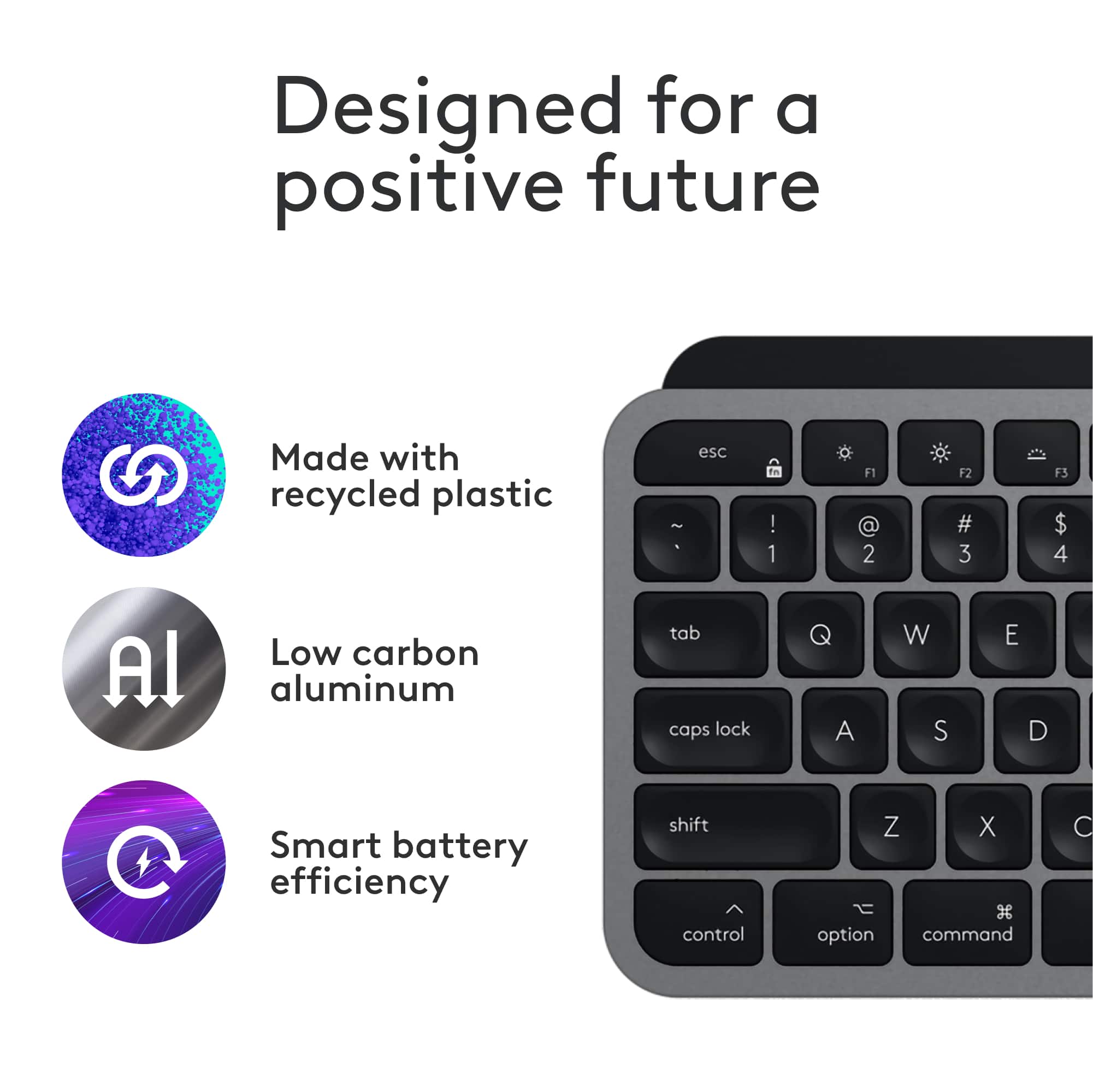
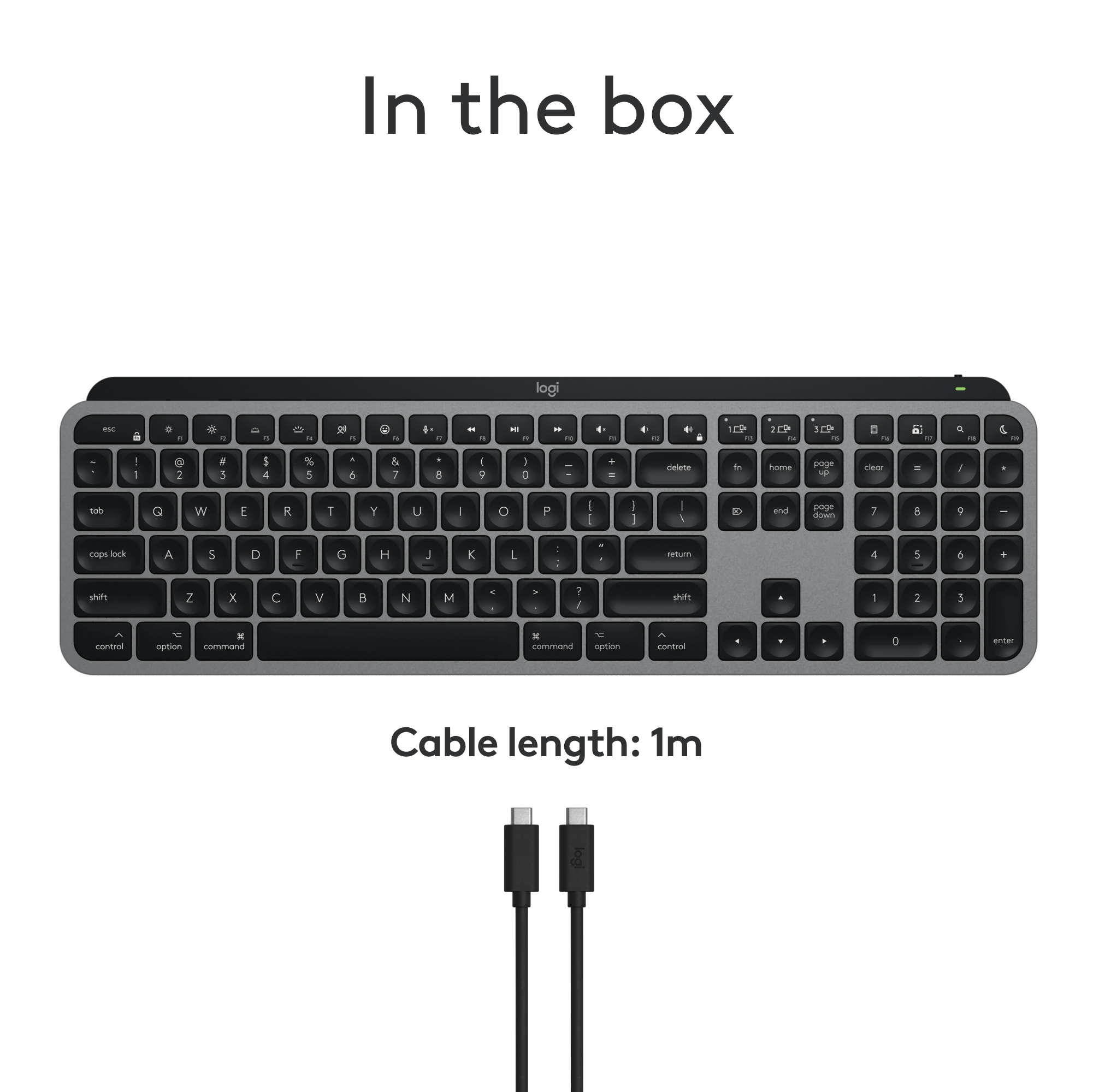
|Posted .This reviewer received promo considerations or sweepstakes entry for writing a review.The Logitech MX Keys S for Mac in Space Gray and model number 920-011621 is a wireless keyboard that is designed specifically for Mac users, and it offers a blend of functionality, beauty, and great performance. Let me explain: As I am typing with this new keyboard it matches the MacBook Pro Space Gray Color so that is a big plus. In the box there is the keyboard, the USB C Cable to charge the keyboard and finally the paperwork. The Mac layout on the keyboard is convenient and compatible with different Apple devices such as macOS, iPadOS and iOS. I also like that it is easy to pair the keyboard up to three devices via Bluetooth and the keyboard also has 1 2 and 3 button to switch between devices, finally it can be done from the app, there is no need to do anything complicated. As for the Smart Illumination, I really like this, the keys automatically light up when my hands get close to it, and the brightness is adjusted based on the environment so it is useful when needed. And also the lighting can be customized both for brightness or the duration and you can do so with the Logi Options+ app. Just know that when the backlights on, it looks cool and on the other hand the battery life is shorter. And while on the subject of the Logi Options+ App, I am familiar with the app because I also have a PC and I have the Logitech Ergo K860 keyboard on it and it works fantastic too. On the app I can tell the life of the keyboard, disable keys and also use the easy switch between devices. Also it gives me a layout of the keys and uses and best of all I can customize the keyboard for different applications to be more efficient. Another thing I like is that the keyboard uses high quality recycled plastic and I can even take off the battery to easily recycle when it needs to be done. As for the feel of the keyboard, it feels comfortable; it is on a slight angle without the need of adjusting anything. The spherically-dished keys do provide comfort and accurate typing experience. The keyboard is also quiet so I can type away anywhere I take the keyboard. Overall: the Logitech MX Keys S for Mac combines functionality, beauty, sustainability and well built so I am happy with the MX Keys S keyboard and everything it has to offer.
I would recommend this to a friendBrand response from Logitech
Posted .Hello there! Thanks for the detailed review of the Logitech MX Keys S for Mac (model 920-011621)! We appreciate you highlighting its design that matches Mac products, multiple device connectivity with easy switching, Smart Illumination with customization options, compatibility with Logi Options+ app, use of recycled plastic, comfortable typing experience, and overall build quality. It sounds like a great fit for your Apple devices!
- Pros mentioned:Battery life, Connectivity, Keyboard quality
Great keyboard!
||Posted . Owned for 2 weeks when reviewed.This reviewer received promo considerations or sweepstakes entry for writing a review.I bought this keyboard to use with my iPad for writing. The keys and layout are very comfortable, and the keyboard has all the connectivity options you may need. The backlighting works well but can be turned off to extend usage between recharging which is easily done with a USB-C cable. The keyboard is a little pricey, but it can be found on sale occasionally for a better value. It is a high quality item though.
I would recommend this to a friendBrand response from Logitech
Posted .Thank you for your detailed review of the Logitech - MX Keys S! We're glad you appreciate its comfortable keys, versatile connectivity, and effective backlighting. We hope you continue to enjoy using it for your writing and beyond.
- Pros mentioned:Battery life, Key feel
Sturdy, comfortable, & looks great with my Mac
|Posted .This reviewer received promo considerations or sweepstakes entry for writing a review.The Logitech MX Keys for Mac keyboard is a sleek, light up keyboard designed which looks great with a Mac! The colors match Apple’s pallet exactly, so it feels like it belongs with the machine, either an iPad, a Macbook, or a desktop. The keys have just enough resistance to keep even a heavy typist from pressing incorrectly. Yet, they’re soft enough that my fingers are not tired at the end of the day. This replaced another Logitech backlit keyboard that I’ve had for years. The MX Keys is a little more comfortable with rounded tops for my fingers. The spacing is perfect. This recharges with a USB plug, with a quick charge of 5 minutes taking care of all day usage. The backlight only comes on when the room is slightly dark, ensuring the keyboard lasts a while between full charges. As a Bluetooth keyboard, it connected very quickly to my machines. It also adds a few very useful buttons, including a dedicated button for dictation and one for screen shots. These can be customized to do other things as well with Logitech’s software. The software allows for macros to run from 1 button or a combination. There’s version for MacOS and Windows, which is good for me as my work laptop is Windows. My one disappointment is the Start and Alt keys are reversed when using this keyboard with a Windows machine. While this is primarily designed for use with a Mac, including the designs on the keys, it would be nice to be able to adjust the key bindings in the Options software as I don’t have a choice on which machine I use for work. Overall, it’s a sturdy, well-built keyboard that’s very comfortable to use. I expect to enjoy it for many years to come.
I would recommend this to a friendBrand response from Logitech
Posted .Hi there! Thanks for the detailed MX Keys S for Mac review! We appreciate the feedback on comfort, design, and features. Your insights are valuable for us as we continuously strive to improve our offerings.
The Perfect Mac Keyboard!
|Posted .This reviewer received promo considerations or sweepstakes entry for writing a review.Keyboards are definitely something super important when it comes to buying for a computer. I love this Logitech! It is the perfect companion for my Mac Mini. First off, it is packaged incredibly well. Easy to unbox and unpack. Everything arrived safely and neatly. A USB-C cable is included to charge it. With the cable I could plug it in directly to my Mac to charge. Love that! Wow, a backlit keyboard! These to me are almost necessary in today's computer world. The backlit keys help in the evening and even dim light situations. Unboxing to using the keyboard was under 5 minutes. It takes up about the same space as the official Mac keyboard, which is great. This has a slight elevation to it which makes it easier to type. The feel of the keys is excellent. Smooth and reactive. They feel great and I find it easier to use than the keyboard I was using. To me, the numeric keypad is a must! So much easier than finding numbers along the top. There are also many function keys on the Logitech that were not found on the keyboard I was using. Very handy! The keyboard is not loud and can be used in an office environment. I already replaced my other keyboard with this and do not plan on going back. I also love the color which matches my Mac Mini Silver. Perfect combination of function and style! I even love the gray cable! The power switch is also conveniently located. Logitech hit a home run with this keyboard and is truly perfect for the Mac! Way to go and highly recommended!
I would recommend this to a friendBrand response from Logitech
Posted .Hi there! Thanks for the enthusiastic review of the Logitech MX Keys S for Mac! It sounds like a great fit for your Mac Mini, especially considering the easy setup, backlit keys, comfortable typing experience, numeric keypad, function keys, quiet operation, and stylish design.
- Pros mentioned:Key feel
Excellent for my Macbook Pro
||Posted .This reviewer received promo considerations or sweepstakes entry for writing a review.I bought this keyboard after returning an Apple Magic Keyboard. The difference in quality and comfort is night and day. I was hesitant to purchase this keyboard because it lacks a fingerprint reader like the Apple Magic Keyboard. However, after using it for three months, I’ve come to realize that the minor inconvenience is outweighed by the Logitech’s build quality, key comfort, and overall design. It’s much more pleasant to use than the Magic Keyboard. It only makes me wish Apple would make their keyboards of a similar quality instead of compromising comfort for aesthetics.
I would recommend this to a friendBrand response from Logitech
Posted .Thank you for the detailed feedback and for choosing the MX Keys S for Mac. We're happy to hear you are enjoying the build quality, comfort, and design. We appreciate you taking the time to share your experience with our product and how it has improved your workflow.
- Pros mentioned:Battery life, Keyboard quality
Great keyboard!
||Posted . Owned for 4 months when reviewed.This reviewer received promo considerations or sweepstakes entry for writing a review.This keyboard is extremely comfortable and very attractive. The shape and feel of the keys is top notch and Logitech really hit the details right on this keyboard. I like how the backlight is automatic - I think it even has a motion sensor to detect when I move my hands towards the keyboard. The battery life is good and it is extremely customizable. I use it between my computer, iPad, and occasionally my phone as well and it is so easy to switch between each of the devices.
I would recommend this to a friendBrand response from Logitech
Posted .We're thrilled to hear that you're loving the Logitech MX Keys S for Mac! Your positive feedback about the comfort, design, and multi-device functionality is truly appreciated. We're glad it's enhancing your productivity and overall computing experience. Thank you for choosing Logitech!