Customer Ratings & Reviews
![esc ! - 1 tab caps lock shift ctrl F2 F3 # 2 3 Q W E R T Y U I O P A S D F G H J K L Z X C V B N M start opt alt cmd logi 44 HI . F10 F8 F7 F6 * ( ) - - & 0 8 9 7 O P U I Y K L H J > < N M B F + = { [ : I : ? I alt cmd 2 30 3 1 FQ page insert home up backspace page 1 delete end down ) ] / I I & shift ctrl fn opt 6 / + / clear 8 9 + 7 & P9 up home 5 6 4 a 4 2 3 enter 1 dn pg end = 0 del ins](https://pisces.bbystatic.com/image2/BestBuy_US/images/products/6539/6539508_sd.jpg)







- Model:
- 920-011559
- SKU:
- 6539508
Rating by feature
- Value
Rating 4.5 out of 5 stars
- Quality
Rating 4.8 out of 5 stars
- Ease of Use
Rating 4.7 out of 5 stars
Customers are saying
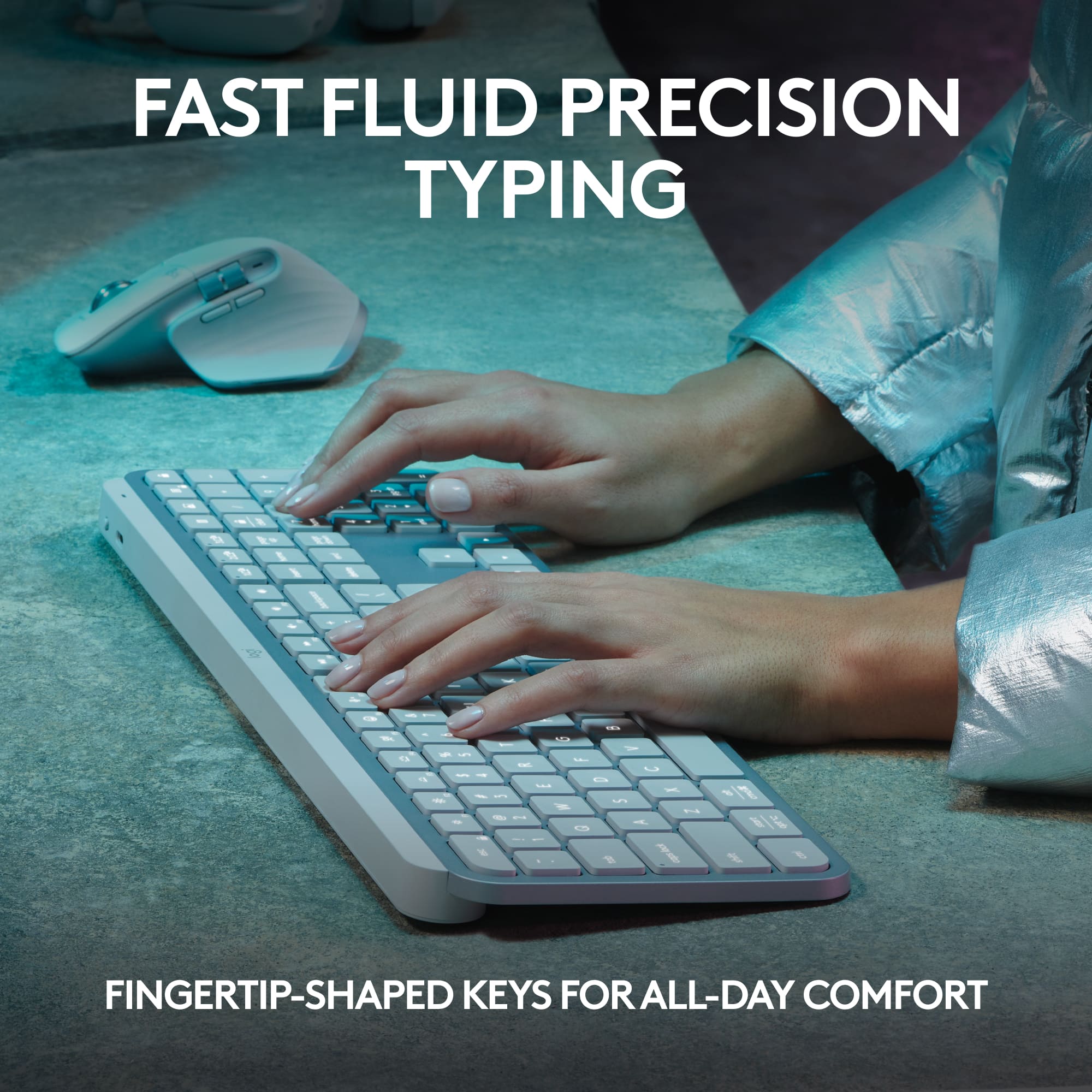
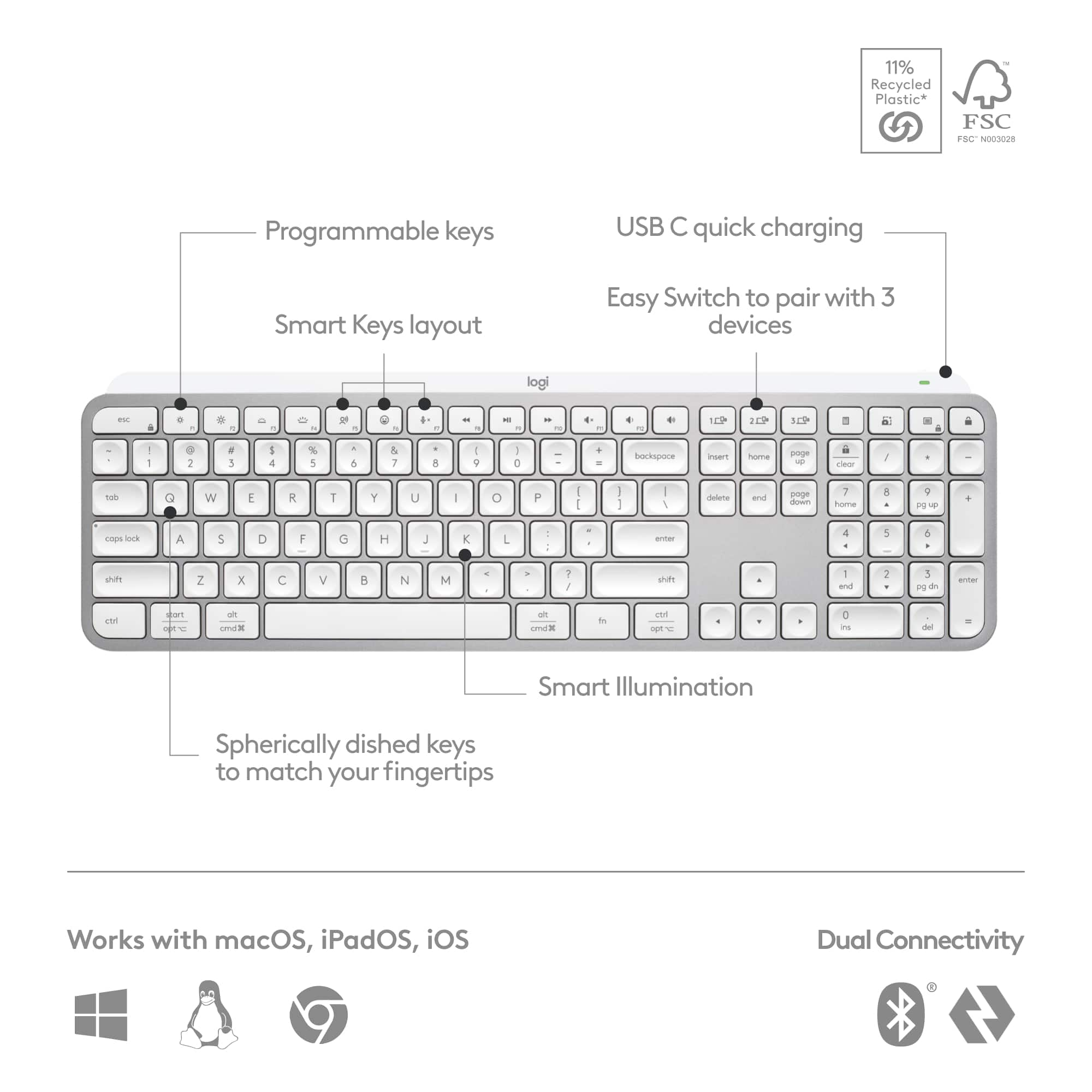
Customers recognize the exceptional quality of this keyboard, frequently highlighting the convenient backlighting and the satisfying feel of the keys. Users also appreciate the device's long-lasting battery, quiet operation, and its ability to connect seamlessly to multiple devices. While the product is highly regarded for its user-friendly design and functionality, some individuals have noted that the price point is higher than similar alternatives and that the physical size may not suit everyone's preferences.
This summary was generated by AI based on customer reviews.
- Pros mentioned:Keyboard quality

Keyboard + Desk Art
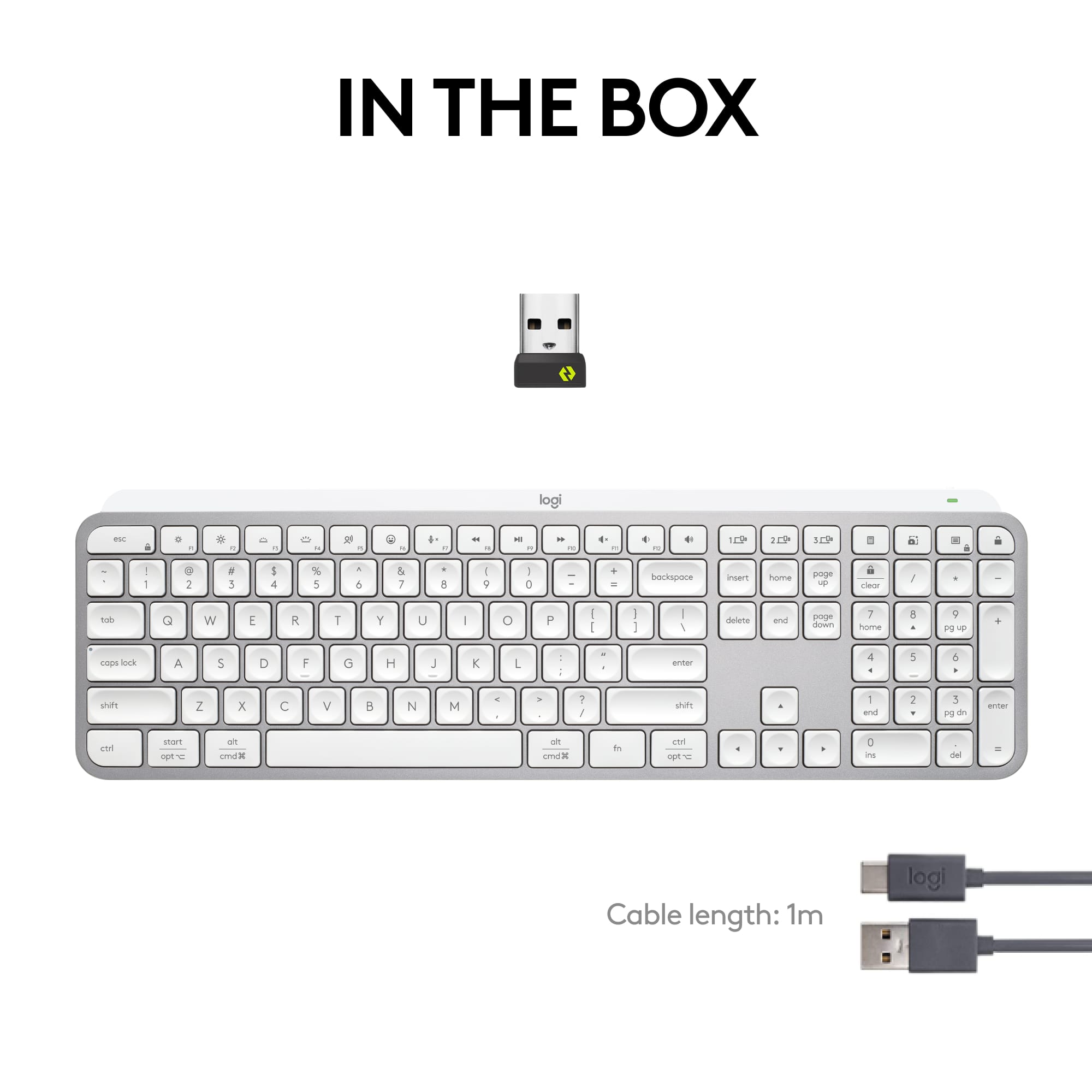
|Posted .This reviewer received promo considerations or sweepstakes entry for writing a review.I've been a user of Logitech product ever since the computer revolution began in the mid 80's. I've abused, spilled liquids, dropped, and worse of all, handed them down to my kids and now, grandkids. When it's time for a new computer, it immediately gets paired with a Logitech keyboard/mouse/trackball, and whatever came with the new pc gets relegated to the junk pile. I don't believe I've ever actually disposed of one of their products - I keep it around, and when someone complains and tells me the keyboard/mouse that came with their pc is junk, I offer them an alternative. For me, their reputation has been impeccable. That said, I was happy to receive their new Keys device. I've submitted photos, but it really needs to be seen and touched in person to appreciate the quality of the build. They say that the backbone of it is cut from a single piece of metal, and it certainly feels solid to the touch. By doing that, it allows them to create a super thin profile (I've attached a photo side by side with a AAA battery to highlight.) To me, my favorite feature is the sculpted keys, they have a deep inset that gives you positive feedback as to your finger's spacing; I tend to slide my fingers reaching for the upper keys; I find the design to be very tactile. The keyboard itself is completely silent, if you're a fan of some clickety-clack, then look elsewhere. The lighting is beautiful, bright, without being obnoxiously so. Combined with the Logitech app, there are various setup features you can use to your personal preference. The proximity sensor for lighting works very well, there's no need to ever turn the unit on/off, it sleeps after 15 minutes and wakes with your hovering hand. The Keys S can be used with 3 separate devices, your desktop, laptop, pad, or tv. The only downside I see is there's a lack of a slot for storing the dongle for storage/tranport. My early experience with this unit has been very favorable, and sitting on your desktop the looks are just downright ultra tech business.
I would recommend this to a friend - Pros mentioned:Key feel, Keyboard quality
Great keyboard
Posted .This reviewer received promo considerations or sweepstakes entry for writing a review.Bought along with mac mini computer. Heffty, solid feeling. I like the key feel. Works great no issues. A bit pricey compared to some, but feels like a quailty piece of kit.
I would recommend this to a friendBrand response from Logitech
Posted .Hey! Well said! The MX Keys S really delivers with its premium build, smooth scissor switches, and smart backlighting. It may cost a bit more, but that solid, hefty feel and flawless performance make it a worthy companion for your Mac mini.

- Pros mentioned:Key feel, Keyboard quality
Fabulous
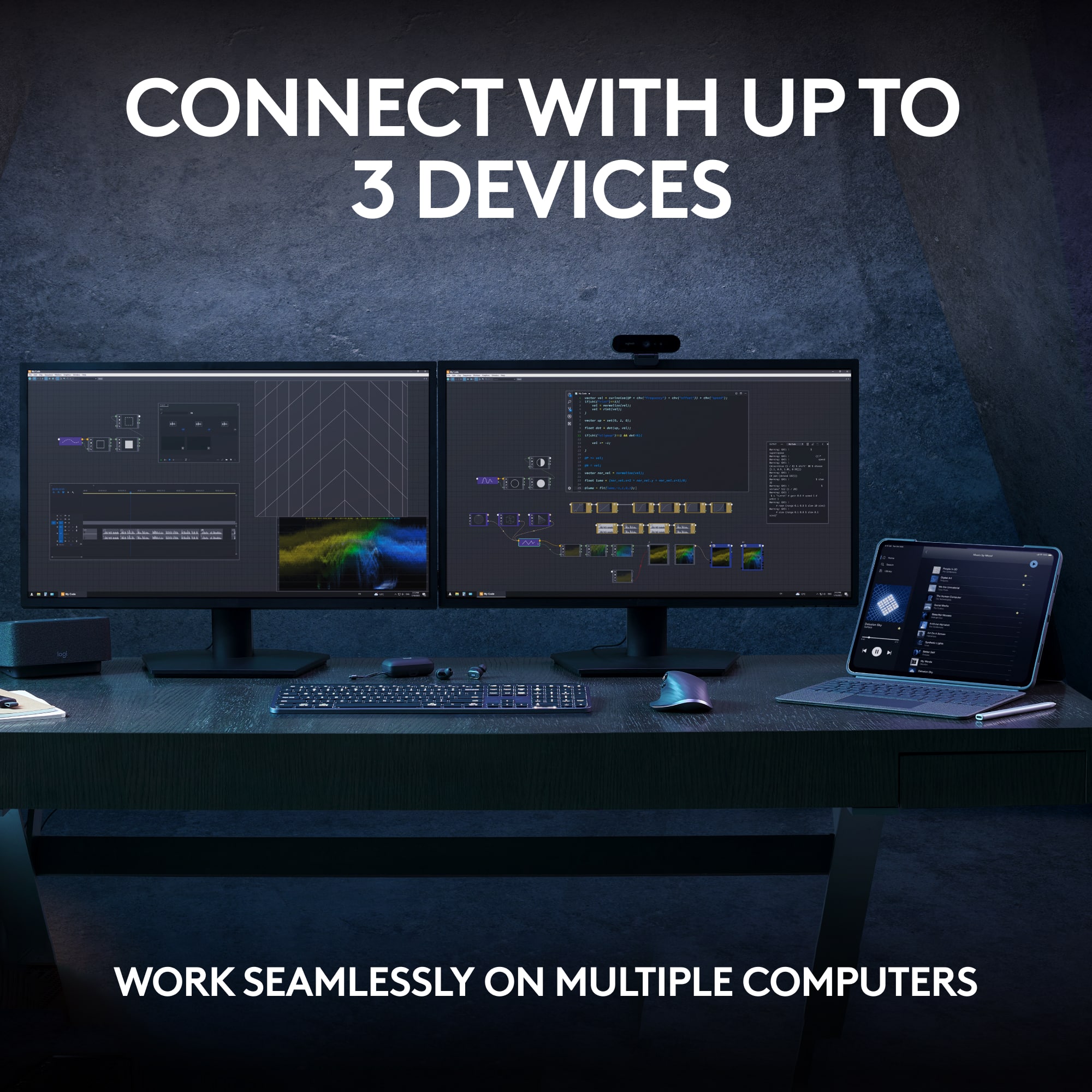
||Posted . Owned for 2 weeks when reviewed.This reviewer received promo considerations or sweepstakes entry for writing a review.Comfortable typing meets style. This keyboard has the design to fit right in with my other apple peripherals, and is more comfortable to type on than apple’s magic keyboard. I also required a backlit keyboard, which magic isn’t. USB-C charging on this device also beats out magic’s lightning port, as well as keycaps that allow use with windows machines. It will pair with up to three devices, also. They can be BT or 2.4GHz, via Logitech unifying receiver. This is the wireless keyboard to beat, IMO.
I would recommend this to a friendBrand response from Logitech
Posted .We're thrilled to hear that you're loving the MX Keys S! Thank you for choosing Logitech and for your insightful feedback.
- Pros mentioned:Keyboard quality
Worth every penny and more
|Posted .This reviewer received promo considerations or sweepstakes entry for writing a review.Unboxing this wireless keyboard the first thing I noticed was it came in a pretty compact packaging. I like this. I truly dislike too much packaging making it hard to get to my item and then dealing with so much material in the trash causing waste. The keyboard itself was about the same size as the box it came in. Taking the keyboard out, I was like woah! This thing is weighty. It felt really really solid but at the same time, I was shocked at how thin it was. There is a lip at the top of the keyboard that must house the rechargeable battery but also helps elevate the keyboard to give it a bit of an angle (please see photo). It was perfect for me but maybe not for others. Once placed on most surface, the keyboard stayed in place. The buttons where super quiet and had a real pleasant feel when pressing keys. It wasn't mushy or sloppy. The keyboard also had a backlighting but the keys themselves didn't light up, this would be one of two of my gripes. The other has to do with connection. The keyboard comes with a usb dongle to connect to your computer or you can do it by bluetooth. I noticed that when connected by bluetooth, there was a slight lag. The dongle was faster, so the lag wasn't really noticeable. But when I connected to my tablet via bluetooth, you definitely noticed it. After a few minutes of use, I didn't care that much. It wasn't as if you where typing 5-6 words ahead. All in all, this is one awesome wireless keyboard. I can't recommend it enough. Just super solid.
I would recommend this to a friend - Pros mentioned:Keyboard quality
Great keyboard!
||Posted . Owned for 2 weeks when reviewed.This reviewer received promo considerations or sweepstakes entry for writing a review.Great keyboard. Love the backlit keys. slim and compact. Quiet keys. highly recommend.
I would recommend this to a friendBrand response from Logitech
Posted .We appreciate your review and are thrilled to hear the product is performing as expected. Thanks for choosing Logitech.
- Pros mentioned:Battery life, Connectivity, Keyboard quality
excellent choice
||Posted .This reviewer received promo considerations or sweepstakes entry for writing a review.Excellent full size keyboard. Very good typing experience and nice keys as well. It can connect to 3 different pcs or mac or both. Excellent battery life as well. Months without charging. And low profile too. One of the best.much better than hp or dell keyboards.
I would recommend this to a friendBrand response from Logitech
Posted .It’s wonderful to hear that our product is meeting your needs. Your feedback is incredibly valuable and helps us continue to innovate. Thanks for being part of the Logitech community.
- Pros mentioned:Battery life, Key feel, Keyboard quality
Great Full size Wireless Keyboard
||Posted . Owned for 1 month when reviewed.This reviewer received promo considerations or sweepstakes entry for writing a review.As a longtime Apple user, I've always been drawn to the exceptional quality of their products. This keyboard stands out as it matches, and perhaps even surpasses, the quality of Apple's full-size keyboards. Additionally, it comes at a more attractive price point. One version is available with Mac-specific keys, though it comes in an unusual silver gray with black keys, which I find less appealing. I opted for the black model, which fits perfectly with my office's color scheme. The feel of the keys are very light, which took some getting use too, the battery life has been impressive so far, and the backlit keys are a definite bonus.
I would recommend this to a friendBrand response from Logitech
Posted .Hey, Thanks for the detailed review of the Logitech MX Keys S keyboard! We especially appreciate you comparing it favorably to Apple's full-size keyboards in terms of quality and price. We're glad you find the black model with backlit keys a good fit for your office's aesthetics, and that you're adjusting well to the feel of the keys. It's great to hear the battery life has been impressive!
- Pros mentioned:Battery life, Key feel, Keyboard quality

Love the keyboard!
|Posted . Owned for 2 months when reviewed.This reviewer received promo considerations or sweepstakes entry for writing a review.[Employee of bestbuy] The keys feel great on the fingers. It feels like a premium keyboard at a reasonable price. The only negative is the backlight drains the battery in a couple weeks; however, with no backlight it will last over a month on a single charge.
I would recommend this to a friendBrand response from Logitech
Posted .Thanks for the thoughtful review. We're glad the MX Keys S delivers a premium typing experience and appreciate your feedback on battery life with backlighting.
- Pros mentioned:Keyboard quality
May The Power of Light, Help Your Typing Tonight!
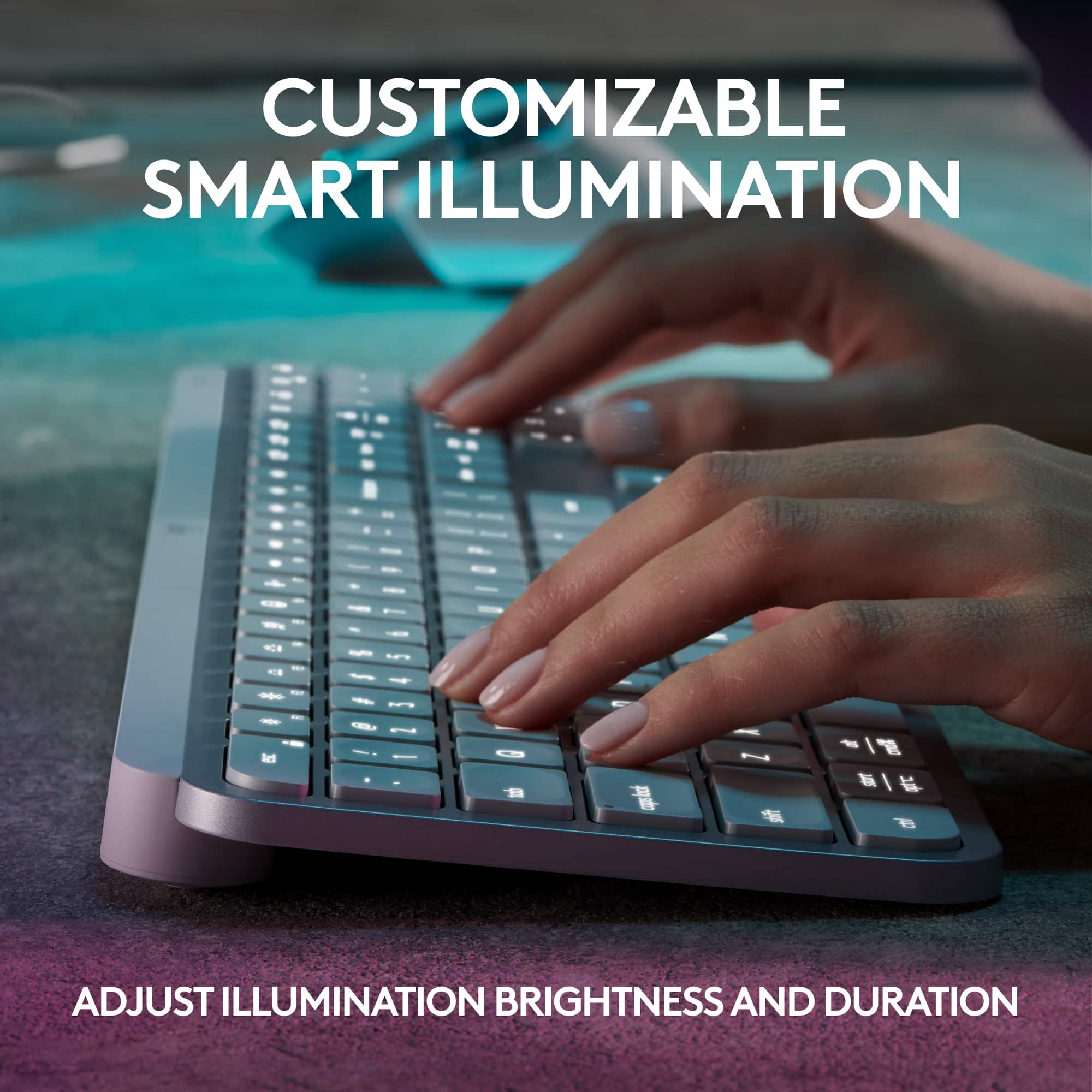
||Posted . Owned for 2 weeks when reviewed.This reviewer received promo considerations or sweepstakes entry for writing a review.This is an excellent keyboard. Its sleek design and adaptive back‑lit keys make it both stylish and highly functional, automatically adjusting brightness based on ambient light. I also appreciate the inclusion of a full numeric keypad, which adds to its practicality. If I had to note one drawback, it’s that the charging indicator isn’t very informative—the light continues to pulse even when the battery is fully charged, as long as the USB‑C cable is connected. Overall, it’s a strong value and absolutely worth the investment.
I would recommend this to a friendBrand response from Logitech
Posted .Glad to hear you like the Logitech MX Keys S! Thanks for sharing your thoughts!
- Pros mentioned:Battery life, Connectivity
Worth the extra dollars
||Posted . Owned for 3 weeks when reviewed.This reviewer received promo considerations or sweepstakes entry for writing a review.I use it for work - stays charged for a long time, comfortable, quiet, keystroke is not taxing on fingers/wrist, no connectivity issues/easy set up. Has been one of my favorite purchases. Only drawback is that it uses a usb slot to connect (vs. bluetooth like my apple keyboard), which I would be perfect to leave in a hub if I did not take it home for remote work some days.
I would recommend this to a friendBrand response from Logitech
Posted .Thank you for your feedback. It's noted that the USB receiver can be a point of inconvenience when moving between workspaces. Future designs will take this into consideration.
FREEZES & REPEATS KEYS FREQUENTLY CONSTANTLY
||Posted . Owned for 4 months when reviewed.This reviewer received promo considerations or sweepstakes entry for writing a review.THE KEYBOARD HAS A GREAT TYPING FEEL AND IS EASY TO TYPE.......WHEN IT IS NOT FREEZING UP OR STUTTERING. THE SOFTWARE IS ABYSSMAL. I USE IF FOR WORK WITH COMPANY LAPTOP AND WITH MY PERSONAL LAPTOP. EVEN WHEN I AM ONLY USING IT FOR ONE DEVICE IS FREEZES UP AND TAKES MULTIPLE SECONDS TO GET BACK TO NORMAL. I TURN IT OFF FOR A FEW SECS AND TURN BACK ON...STILL FROZEN AND DELAYED MANY TIMES. I HAVE TRIED CHARGING IT TO HELP BUT IT GENEARLLY DOESN'T. SO MANY TIMES A DAY IT WILL JUST LOCK ON A LETTER THAN I AM TYPING AND IT STICKS AND TYPES 10 TO 50 KEY STROKES AND BACKSPACE WON'T STOP IT FOR AT LEAST 50 REPEATS OR MORE. THIS IS MY 3RD ONE AS I HAVE OWNED ONE OF THE MX KEYS AND BOUGHT 2 OF THE MX KEYS S BUT IT IS WORSE IF ANYTHING. I SEARCHED FOR AN ALTERNATE WITH A SIMILAR KEYBOARD TO NOT BUY THE 3RD ONE THOSE REVIEWS WERE BAD ALSO. I AM NO LONGER A FAN OF LOGITECH ANYTHING AND HOPE NEVER TO HAVE BUY ONE OF THEIR FLAWED PRODUCTS EVER AGAIN.
No, I would not recommend this to a friendBrand response from Logitech
Posted .We’re really sorry to hear about your experience with Logitech - MX Keys S Wireless Keyboard. That’s not what we aim for. Please contact us at socialcare@logitech.com with your details so we can assist you directly.
- Pros mentioned:Ease of use, Key feel, Keyboard quality
Creamy Keys
||Posted . Owned for 3 weeks when reviewed.This reviewer received promo considerations or sweepstakes entry for writing a review.I was looking for a keyboard that was easy to use, good quality, and the key sounds were creamy. I enjoy using this keyboard as the sound it makes isn't jarring and instead is light and creamy like a good keyboard should be. This thing is easy to use and install. I would highly recommend it.
I would recommend this to a friendBrand response from Logitech
Posted .Thank you for your delightful feedback on the MX Keys S! We're thrilled to hear the smooth, “creamy” key sounds and effortless setup have made it such a joy to use. Your recommendation truly captures the thoughtful design and comfort we aim to deliver—appreciate you sharing!
- Pros mentioned:Battery life, Connectivity
EXCELLENT KEYBOARD
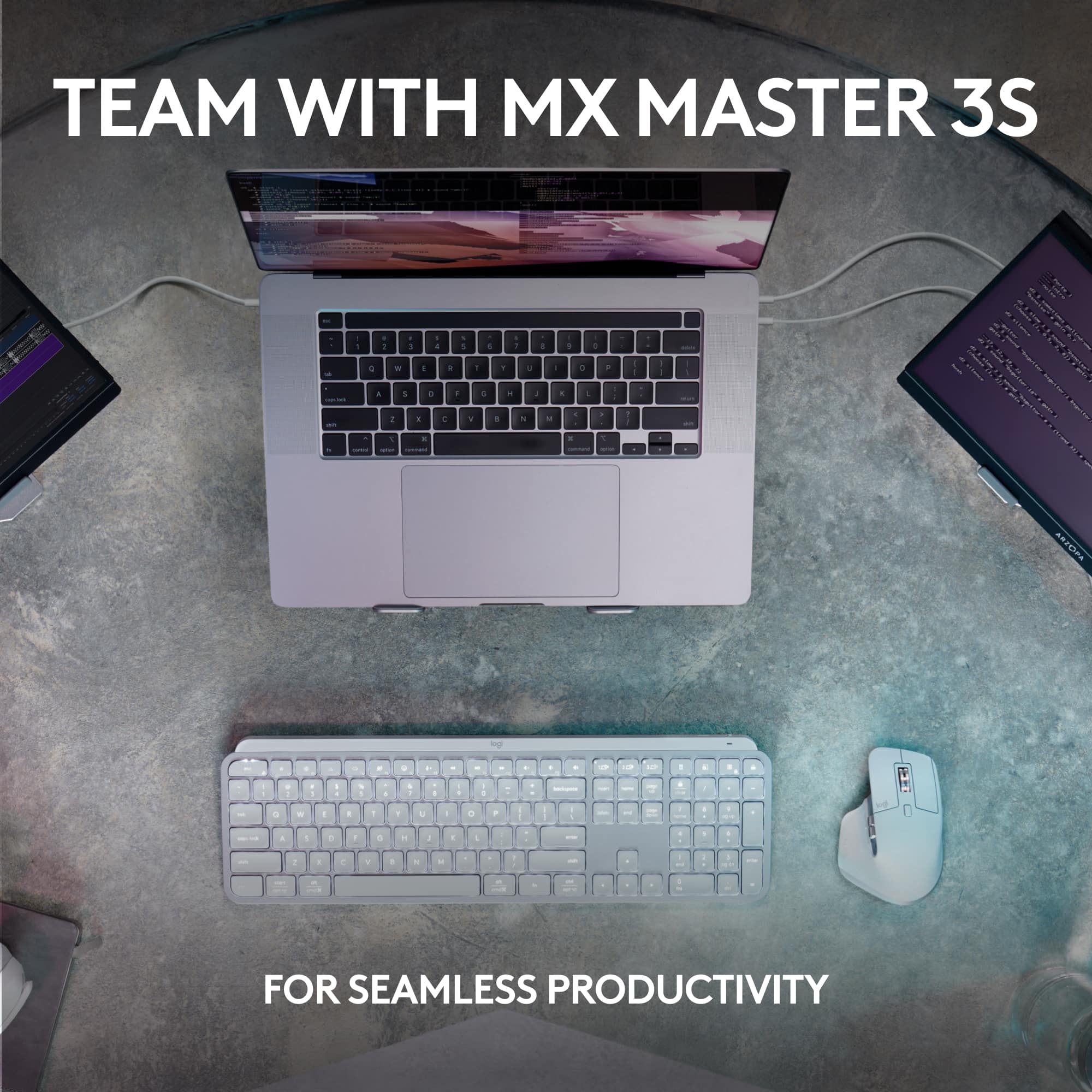
||Posted . Owned for 1 month when reviewed.This reviewer received promo considerations or sweepstakes entry for writing a review.Absolutely love this keyboard. Integrates flawlessly between my iPad and my Windows computer with the press of a button. Stays charged even with low light mode on for weeks. Buttons are responsive and easy to type with. I already owned the mouse (optionally extra) and it is phenomenal also.
I would recommend this to a friendBrand response from Logitech
Posted .Hey! Hearing that our product is serving you well is incredibly rewarding. Your feedback helps us grow and improve. Thanks for being a valued member of the Logitech family.
- Pros mentioned:Key feel, Keyboard quality
Nice and Quiet Keyboard
||Posted . Owned for 3 weeks when reviewed.This reviewer received promo considerations or sweepstakes entry for writing a review.This is a very well made keyboard. It is nice and quiet and the keys feel good on my fingers. The size is perfect for my desk. It is more compact but has all the functionality of a larger keyboard. I recommend this to anyone who is looking for a quiet keyboard.
I would recommend this to a friendBrand response from Logitech
Posted .That's wonderful to hear! We're thrilled you're loving your Logitech MX Keys S Keyboard.
It's fantastic that you find it well-made, nice and quiet, with keys that feel good on your fingers. We're also glad the compact size is perfect for your desk while still offering full functionality.
Thanks for your strong recommendation – we truly appreciate it!
- Pros mentioned:Battery life, Ease of use, Keyboard quality
This is worth it
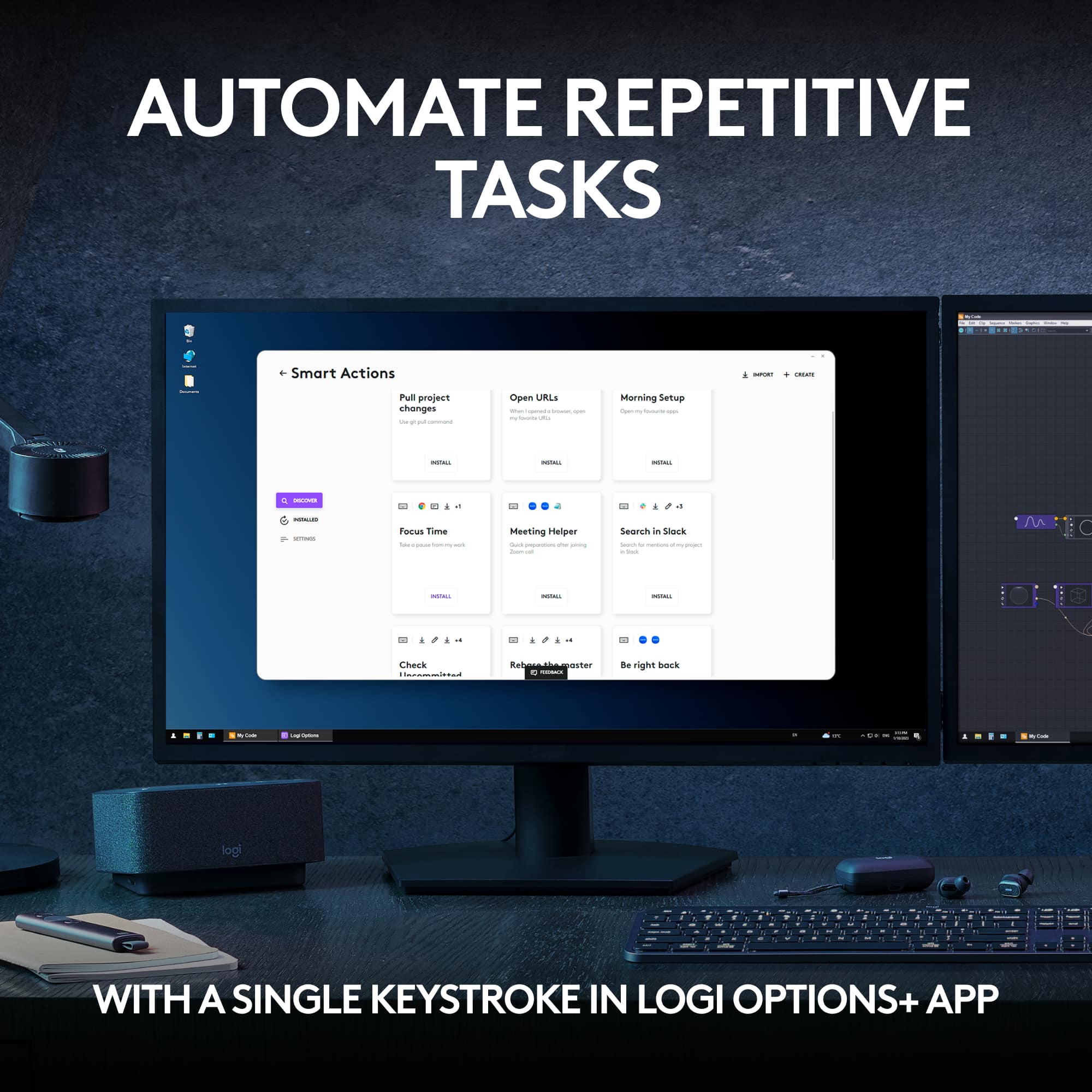
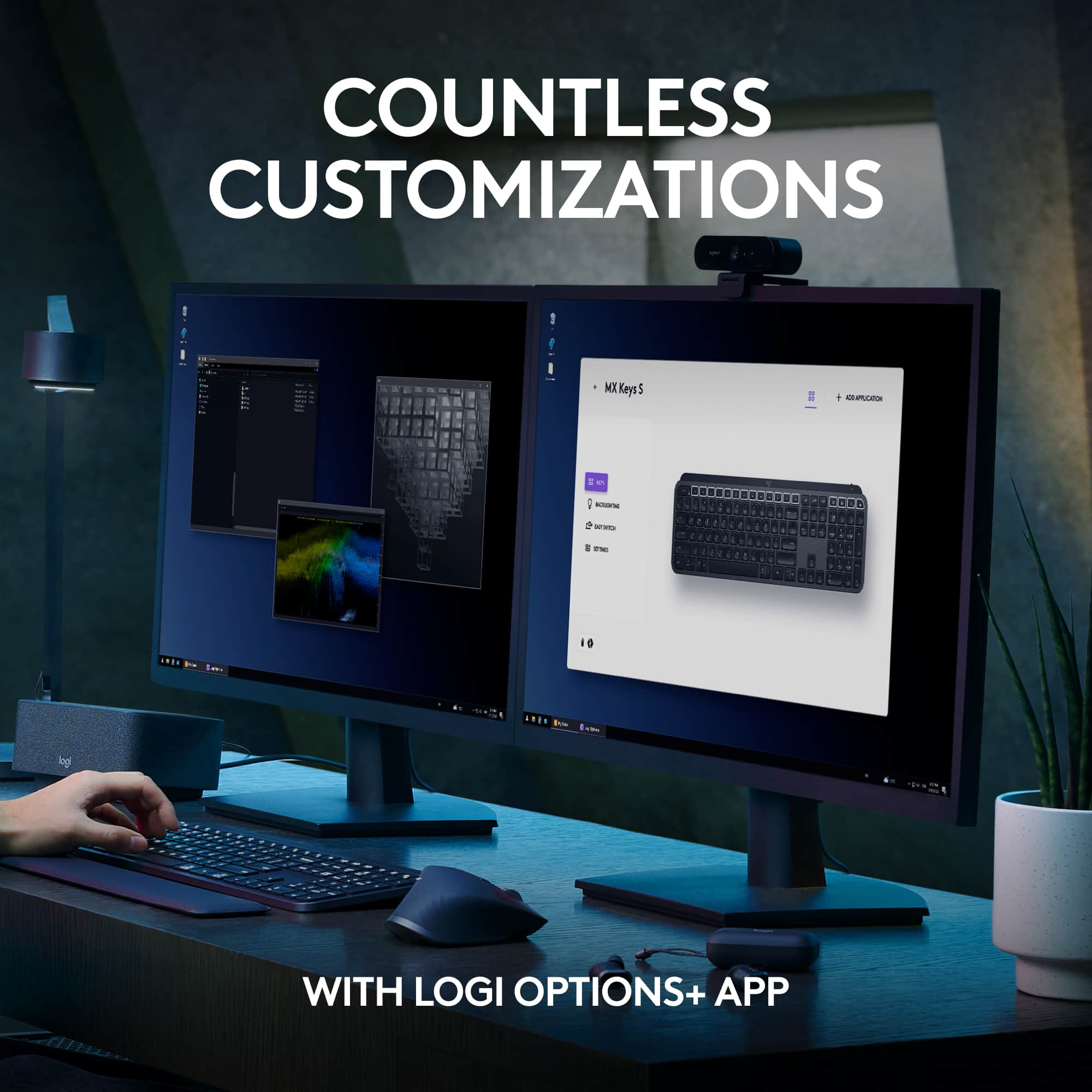
|Posted . Owned for 3 weeks when reviewed.This reviewer received promo considerations or sweepstakes entry for writing a review.[Employee of bestbuy] The keyboard is very slim, keys are soft to press and very quiet. It has a white backlight (but does not change colors). There is an option to connect with the little hub or bluetooth. There is a green light that lets you know the battery is good. When it turns red, it is time charge it and it charges fast. And the software to customize is pretty nice. There was nothing that confused me, and its simple. I love this.
I would recommend this to a friendBrand response from Logitech
Posted .Hey there! Thanks for the detailed review of the MX Keys S! It sounds like you're really enjoying the quiet, low-profile keys and the ease of use.
- Pros mentioned:Key feel, Keyboard quality
Great buy! Perfect for me.
||Posted . Owned for 3 weeks when reviewed.This reviewer received promo considerations or sweepstakes entry for writing a review.I got this keyboard because the one I was using before was loud and annoying. I am really happy with this as replacement--it's a lot quieter and easier to press the keys. I also like that the keyboard lights up.
I would recommend this to a friendBrand response from Logitech
Posted .Thank you for your wonderful feedback on the Logitech MX Keys S! We're thrilled it’s been the perfect upgrade—quieter keys, effortless typing, and that sleek backlighting truly make a difference. Your satisfaction means everything to us!
- Pros mentioned:Keyboard quality
Labtop Keyboard Experience
|Posted .This reviewer received promo considerations or sweepstakes entry for writing a review.The Logitech MX Keys Advanced Wireless Illuminated Keyboard comes with a USB-C rechargeable cable that charges the keyboard. To charge, I plugged the cable into my desktop computer. The keyboard lights up as soon as you touch it. This is nice so that you are able to see the keys at night. I have a lot of low light in the room that I am in, so this is a nice touch. The keyboard is also portable. Your able to disconnect the cable from the keyboard and take it throughout the room that your in, and your able to still type. The keyboard is also fancy because you have the ability to type on multiple devices by selecting the 1, 2, or 3, device button. Also, like that they have calculator button that your able to push. This is important to me because I compute a lot of items for my workplace. Also, this keyboard features a snip button for you to be able to take screen shots of the computer screen. That's so cool to me. It's the little things that make the difference to me. I type over 100 words a minute and this keyboard is able to keep up with my typing speed. The keyboard also has a dictation, emoji, a volume control button, and much more. Overall I like this keyboard. Pros: Light Weight Portable Fluid Typing Experience (Keeps up very well) Not Bulky Smart Illumination USB-C rechargeable Cable/Cord Cons: None at this time. Yes, I would recommend this keyboard to others.
I would recommend this to a friend - Pros mentioned:Battery life, Keyboard quality
Exceptional Typing Experience with this keyboard!
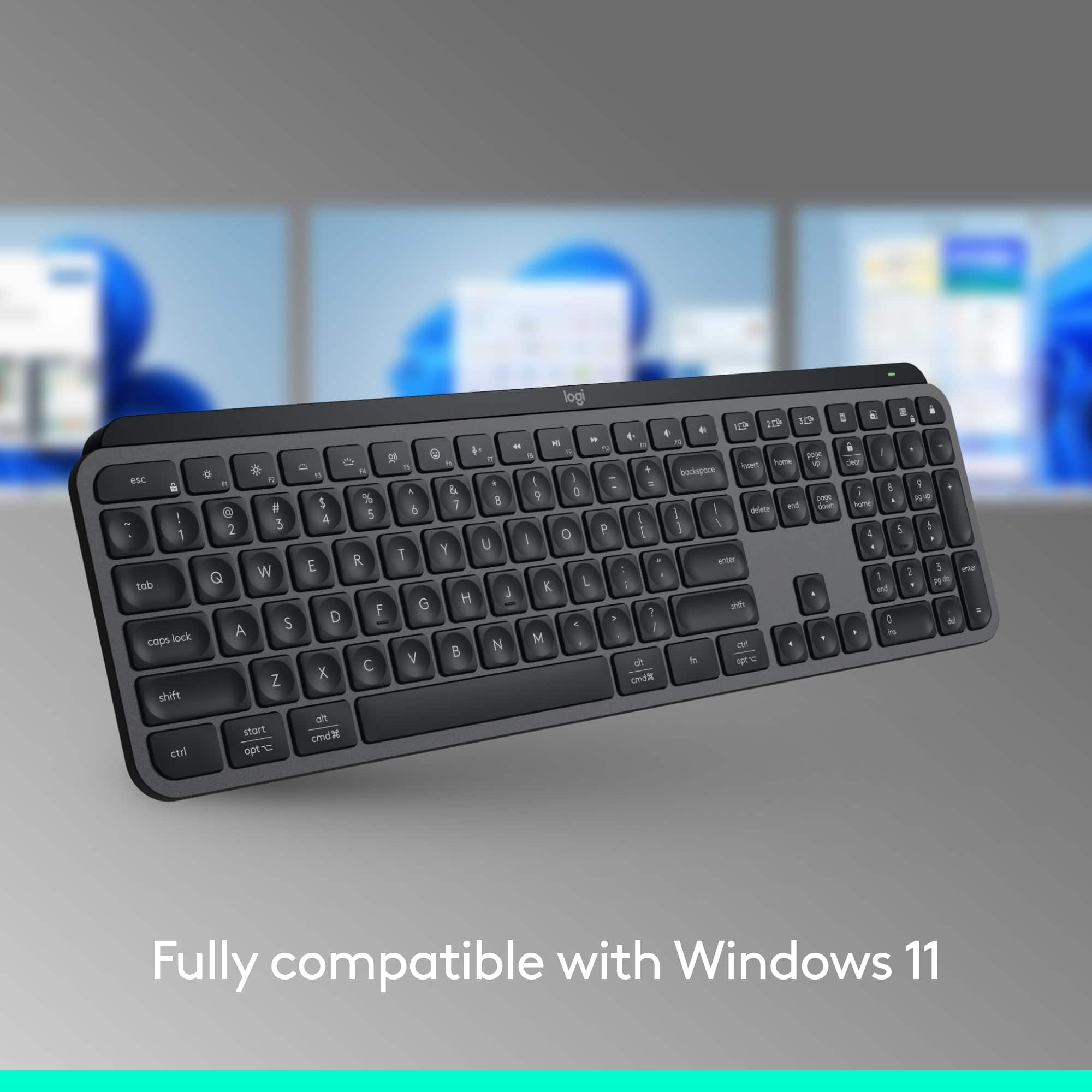
||Posted . Owned for 2 weeks when reviewed.This reviewer received promo considerations or sweepstakes entry for writing a review.I recently upgraded to the Logitech MX Keys S Advanced Full-size Wireless Scissor Keyboard in Black, and I must say, it has exceeded all my expectations. From the moment I started using it, I was impressed by the premium build quality and sleek design. The low-profile keys with scissor switches provide a typing experience that is both comfortable and responsive. I find myself typing for extended periods without any discomfort or fatigue, thanks to the well-spaced keys and satisfying tactile feedback. The backlit keys are a fantastic addition, especially for late-night work sessions or dimly lit environments. The adjustable brightness levels allow me to customize the lighting to suit my preferences, enhancing both functionality and aesthetics. One of the standout features of the MX Keys S is its seamless wireless connectivity. Pairing with my devices was effortless, and I appreciate the ability to switch between multiple devices with the press of a button. Whether I'm typing on my laptop, tablet, or smartphone, the keyboard maintains a reliable connection without any lag or latency. Another aspect that sets this keyboard apart is its long battery life. With a single charge, I can go weeks without needing to recharge, making it incredibly convenient for use on the go. Overall, the Logitech MX Keys S keyboard delivers an exceptional typing experience that combines comfort, versatility, and durability. Whether you're a professional needing a reliable workhorse or a casual user looking for a high-quality keyboard, this product ticks all the boxes. I wholeheartedly recommend it to anyone in the market for a top-notch wireless keyboard.
I would recommend this to a friendBrand response from Logitech
Posted .Hey there! We're thrilled to hear such amazing feedback about the Logitech MX Keys S Advanced Full-size Wireless Scissor Keyboard! It's fantastic to know that it's exceeded your expectations in every way.
Excellent keyboard on the go
||Posted . Owned for 1.5 years when reviewed.This reviewer received promo considerations or sweepstakes entry for writing a review.I bought this a couple years ago and have been nothing but satisfied. I run Linux on two systems, and it integrated flawlessly with each. If you're having trouble in this area, remember that with all things Linux, you have to find your own software. Solaar can handle all the necessary features of this keyboard, including F-key priority, which is all but essential on Linux. The third system is my Windows work computer, which doesn't need any special software at all unless you need advanced options. The battery lasts a full week at minimum with 8-hr daily use. I've seen other reviews that state battery issues and can only suggest they got bad stock. Charge time is reasonable for an item of this size, and charging while using poses no trouble. The keyboard is rugged and can handle a few bumps with no effect. (... as well as a minimal amount of liquids. No, don't ask... ) If I had the need for a second one of these keyboards, I would buy it for sure. Highly recommended!
I would recommend this to a friend- Pros mentioned:Key feel, Keyboard quality
Love this keyboard!
||Posted . Owned for 1 week when reviewed.This reviewer received promo considerations or sweepstakes entry for writing a review.Bought this for my work computer. This keyboard has such a satisfying snap when the keys are pressed. It feels luxurious. I love typing on this keyboard, as it feels like I can type faster and more accurately with it. Love the backlight feature as well. Key feel is better than the mx keys mini.
I would recommend this to a friendBrand response from Logitech
Posted .Thanks for letting us know how things are going. We’re happy the product is performing as expected. Your support means everything.