Customer Ratings & Reviews





- Model:
- 910-006569
- SKU:
- 10116613
Rating by feature
- Value
Rating 4.6 out of 5 stars
- Quality
Rating 4.9 out of 5 stars
- Ease of Use
Rating 4.8 out of 5 stars
The best mouse out there right now !
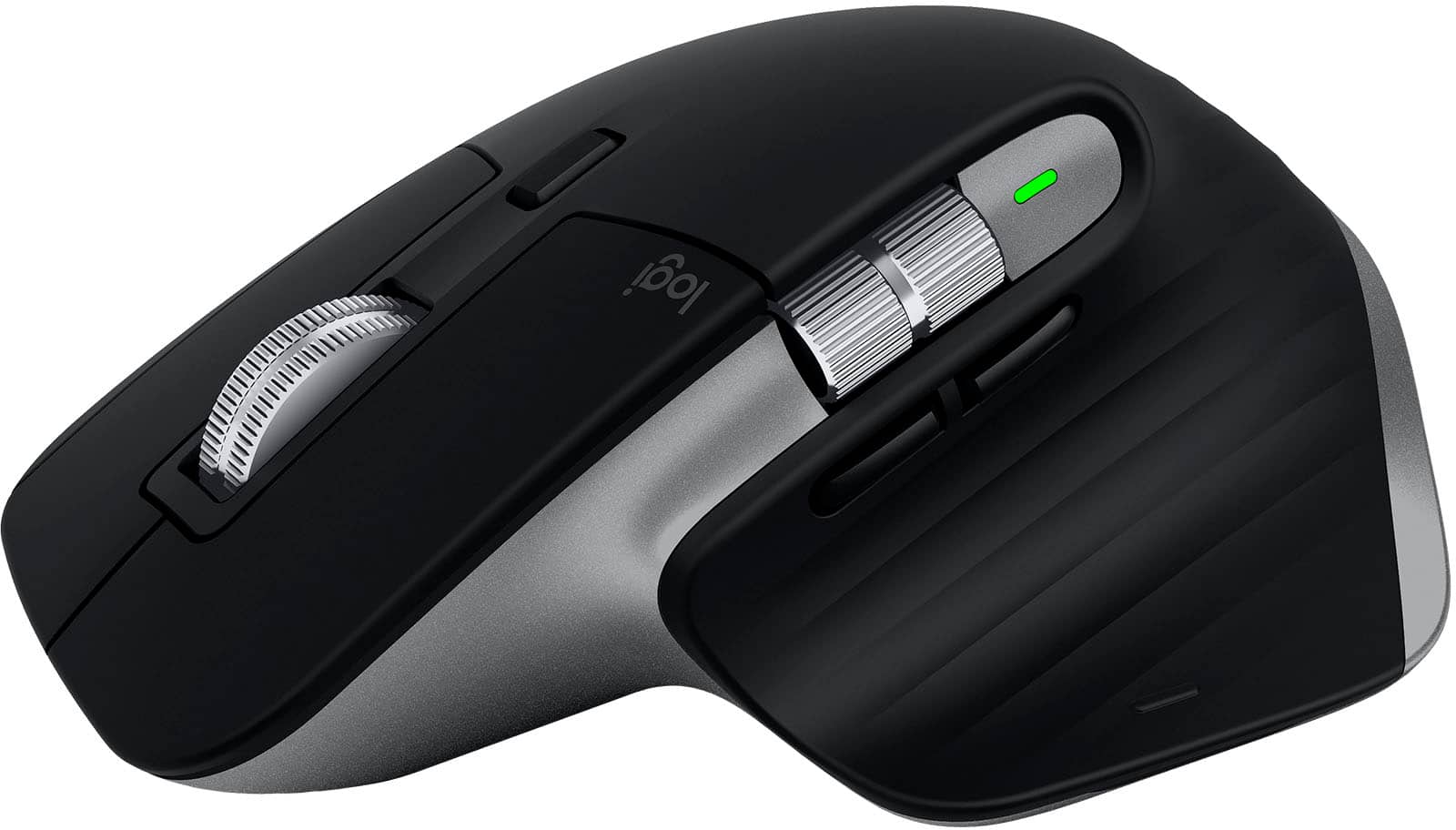
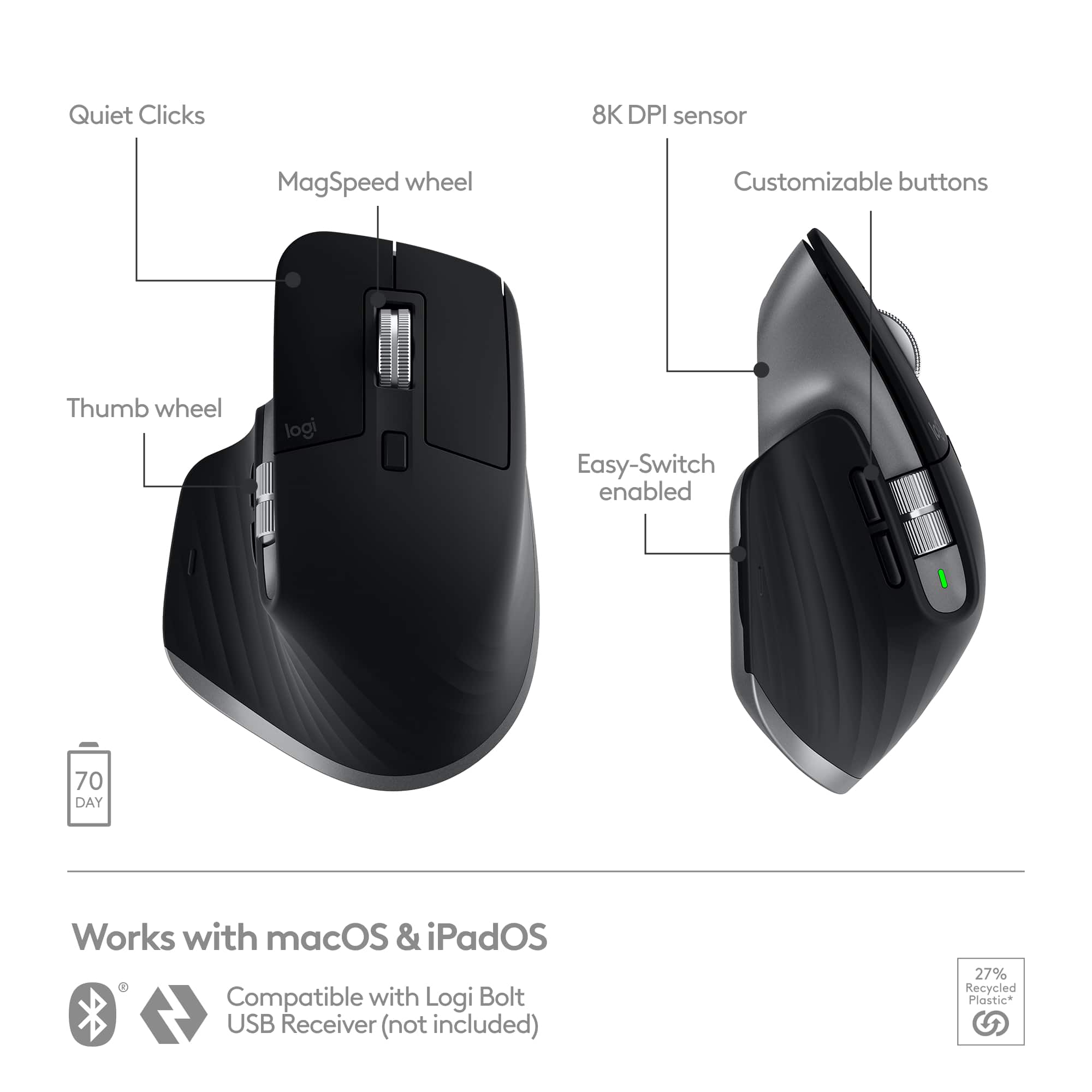
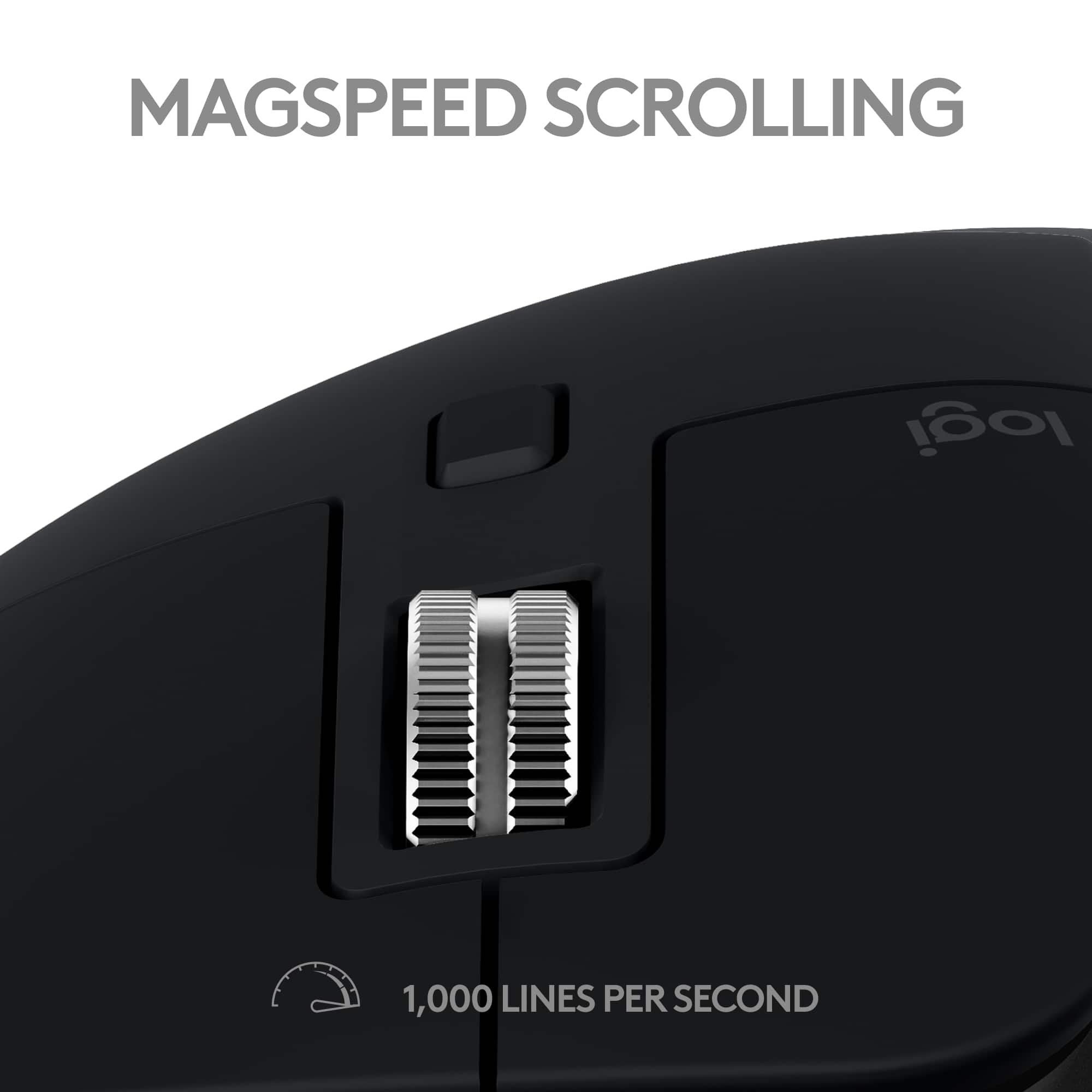
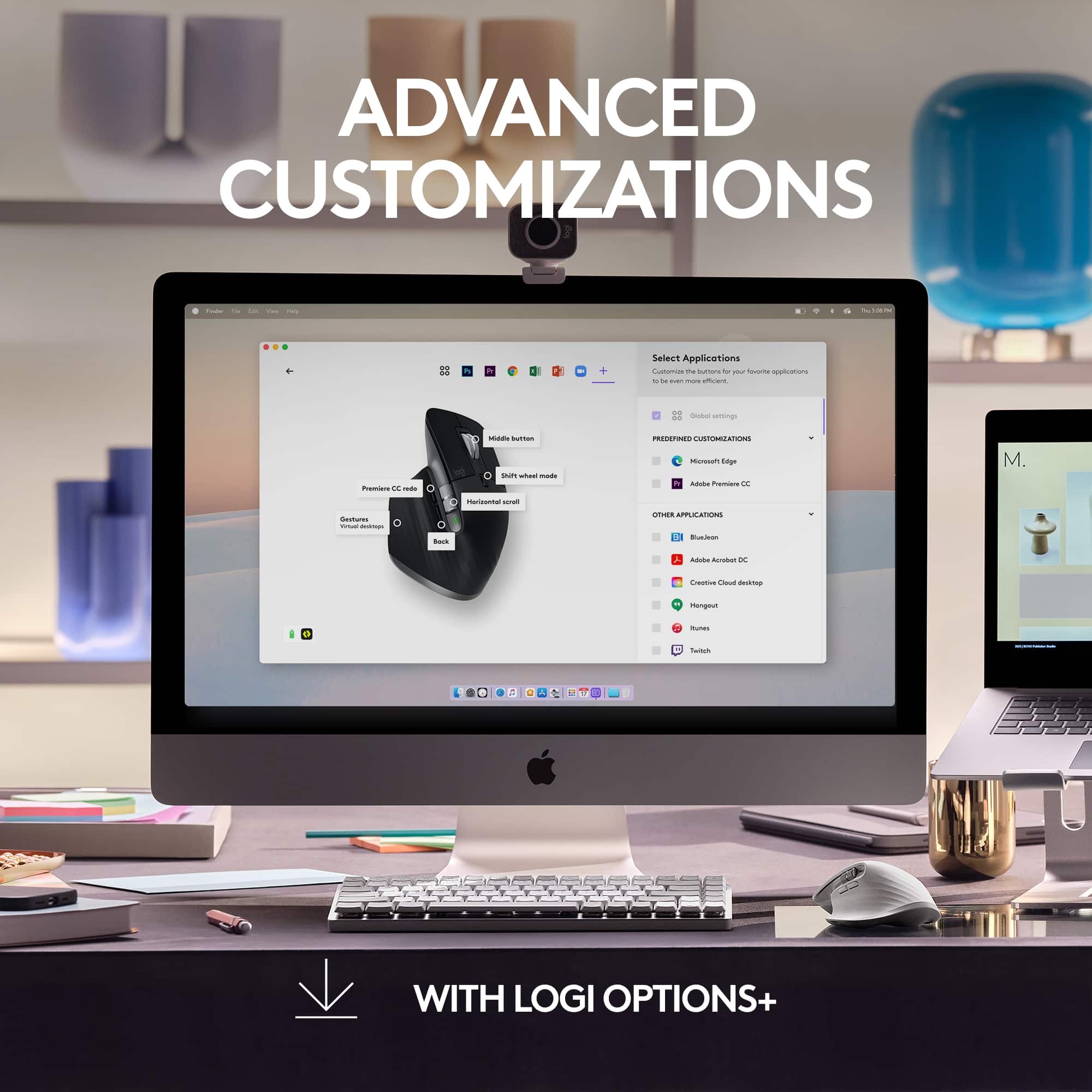
||Posted . Owned for 3 weeks when reviewed.This reviewer received promo considerations or sweepstakes entry for writing a review.This has 7 buttons and 2 scrollwheels, all programmable ! The horizontal scrollwheel works like magic and can be used for different actions in different apps. This one has an electromagnetic centre scroll wheel which is just insanely fast and butter smooth ! Best out there definitely. Also all the navigation gestures can be mapped to the thumb button and you have all the magic mouse functionality right there. The ease with which you can map the different buttons on this one using the Logic Options software (fully compatible with MacOS) is just great ! You can make it your very personal workhorse with the mapping you want on the side buttons, scroll click, thumb click and it's gestures. Even without all these button functionalities, this is a high (8k) dpi mouse which feels precise with reduced sensitivity (my personal preference). Another important point : the battery life is superb, I have used this for about a month now after having fully charged it and I am sitting at close to 80% battery. The sound of the clicks is unlike many other mice and it's really quite and feels very satisfying. The shape of the mouse is really good and ergonomic and working with it feels nice to the hand. It can swap between 3 connected devices, using a button on the bottom, is a great addition too. All in all, it's a no brainier, if you want a great mouse, just get this one. No other mouse comes even close !
I would recommend this to a friendBrand response from Logitech
Posted .Wow, thanks for this incredibly detailed review! It sounds like you've gotten the full potential out of MX Master 3S for Mac. We especially love hearing how you've customized the buttons and gestures to fit your workflow. We appreciate you taking the time to share your experience!
Don’t buy find something else
||Posted . Owned for 3 weeks when reviewed.This reviewer received promo considerations or sweepstakes entry for writing a review.Don’t buy. They say you can do command shortcuts but you can’t with the new update. I even tried getting geeksquad to help an they couldn’t DONT WASTE YOUR MONEY ON THIS LIKE I DID
No, I would not recommend this to a friendBrand response from Logitech
Posted .Hey! We're very sorry to hear you're disappointed with the MX Master 3S for Mac, especially regarding the functionality of command shortcuts after a recent update. We understand your frustration and appreciate you bringing this to our attention. In order to help you effectively, please provide your information to our support team via email at [email protected] with your
- Name:
- Email Address:
- Country:
- Product Name:
- Brief description of issue:

I Expected A Lot Better
|Posted .This reviewer received promo considerations or sweepstakes entry for writing a review.TLDR CONCLUSION: For the price I’m disappointed. Especially with the ‘For Mac’ version which doesn’t come with the Logi Bolt Receiver. As that makes a dramatic difference in a lot of my shortcomings. The idea of this mouse is brilliant. Gestures, multiple buttons, two scroll wheels, feel of clicks, sound of clicks, button layout, shape, and size are all fantastic. The latency on Bluetooth is crippling which I would assume is what ruins the sensor. But the sensor also comes locked with acceleration, smoothing, etc. that can’t be disabled which further ruins accuracy. Add that to the low polling rate that Bluetooth has and it just puts the last nail in the coffin. Switching to the Logi Bolt receiver fixes most of those issues (except for the sensor acceleration, smoothing, etc) but isn’t included in this version despite costing the same. The accuracy of the scroll wheel is also hit and miss. Where I have to jump through a few hoops in order for it to work as accurately as I would like. I also ran into issues with gestures not working and it not switching profiles correctly. Among other small things. Basically, what I am saying here is that for the price there are simply too many shortcomings for me to recommend it. Especially, as a mouse enthusiast who has tried dozens upon dozens of mice. I think investing in a gaming mouse will give you a better experience all around while costing nearly the same. You’ll miss out on gestures and double scroll wheel. But can find the dedicated or free scrolling wheel that is more accurate on other devices. Along with perhaps more buttons. SETUP: First time setup was a breeze on PC as it automatically popped up when I turned on the mouse and I was able to immediately connect. But for Mac I had to go into my Bluetooth settings and connect that way and it took a little while. Which is odd seeing as A. this is “For Mac” and B. I’m used to stuff on Mac just kind of popping up to connect like it did for Windows. Gestures were not activated upon first time setup. Only after I opened Logitech Options+. Which at this price point makes zero sense. Why not activate them with a base profile for Mac and then allow the user to download and adjust their preferences after the fact? Instead of essentially cutting off one of the main selling points of this mouse. LATENCY/LACK OF ACCURACY: The ‘For Mac’ version doesn’t Logitech Bolt Receiver like the other version does despite costing the same. Which in itself is ridiculous. Making you use Bluetooth. Some users say the Bluetooth latency is improved on Mac with the Mac version. Which is wild to me seeing as it is horrible with the Mac version. First, Bluetooth is limited to 133 Polling Rate. From my research they run this mouse at 90 – 125 Hz which is going to add 8 ms of latency right there. It also uses Bluetooth Low-Energy over Bluetooth Low-Latency meaning it uses less energy which gives you dramatically worse latency over low-latency. Which I think was a huge miss as I’d prefer better accuracy with a pointing device over a bit longer battery life. Call me crazy. I also think their firmware isn’t written super well adding more latency. All of this combined makes it so you never really know where your mouse cursor is as it is always behind where it actually is. Making it feel awful, incredibly laggy, and inaccurate. I hate it. And I never use that word. I do have a Logi Bolt receiver that came with my MX Mechanical Mini and it made the latency essentially disappear. It’s disgusting how much better this mouse feels and operates with a Logi Bolt receiver over Bluetooth. Almost night and day for me. And that is in every category, latency, sensor accuracy, scroll accuracy, etc. Which brings use to the 8K sensor. Which I think is just fine for the intended purpose. However, this too is crippled by them enabling acceleration and smoothing. Which isn’t abnormal for office mice. But at this price point I’d expect to be able to turn that off. For those of you who don’t know acceleration ruins accuracy as it destroys consistency. If you move your mouse 1 inch slowly and then move it 1 inch quickly your mouse cursor will not move the same distance on your screen. As the fast version will move a lot further. Hence why accuracy is ruined. This is surprising to me as their HERO sensor was one of the first to disable those issues. So I expected more from Logitech. Scroll wheel is interesting. Sometimes it works super well and other times it does not. At stock settings it seems either too slow or too fast. I also found if you have SmartShift ON it will make it LESS accurate. As it has a hard time keeping up with do you want dedicated notches or free scrolling. Once I turned that off it improved but still had issues not being totally accurate. Often with quick scrolling it would miss a ton of inputs. I found that manually changing to free scrolling when doing any type of type of medium to fast scrolling made it highly accurate where switching it back to dedicated scrolling for slow scrolling did the same. Making me jump through some hoops to perform at the level I wanted it to. COMFORT/CLICKS/SOUND: It is a very comfortable mouse. Very ergonomic where everything is easily reached, and all your fingers have a nice place to rest. I find the mid hump to be a bit aggressive for me. Which locks me into palm or claw grip. Making fingertip grip difficult. But in general, I think most will find this to be extremely comfortable. Scrolling with the scroll wheel, side buttons, and left and right primary click are EXTERMELY quiet while giving great tactical feedback. Meaning clicks are crisp and you could easily use it in a library and not distract anyone. However, the same quiet clicks do not include the gesture thumb button, scroll wheel toggle button, or middle mouse click. Overall, I’m very satisfied with all the clicks and how the scroll wheel feels. The mouse is very heavy compared to other gaming mice. I wish it were closer to 100 grams. Over 141 grams. But a lot of people (especially non-gamers) prefer heavier mice so I understand why they went in this direction. SOFTWARE: The Logitech Options+ Software is excellent… when it works. Which was most of the time but I ran into issues here as well. Where sometimes it wouldn’t find the mouse, wouldn’t switch programs correctly, or apply settings to my mouse. But this was few and far between. With this software you can activate gestures which is awesome. Along with automatically download different button layouts for particular programs that can be downloaded and used immediately without tweaking. Or you can go in and change those aspects to whatever you want. So a lot of customization here which is a massive selling point. But I don’t think it has onboard memory meaning you need to have this program open for it to work correctly which is a big miss. As that should be included at this price point. The ability to swtich to three different devices is awesome and much appreciated. Also works well and without the software enabled. In the software you can see what is paired to each of them though which is cool. Connected to a new device via Bluetooth and overwriting a previous profile is easy.
No, I would not recommend this to a friendBusiness-class mouse with great features for Mac
|Posted .This reviewer received promo considerations or sweepstakes entry for writing a review.The MX Master 3S for Mac is a great mouse for professional use, especially in an office setting. Logitech has identified areas where top quality mice don't meet the needs of professionals and has crafted the perfect product - then they 're-mastered' it for Mac by offering it in colors that match the modern Mac. My MX Master 3s came in Space Gray, which is a perfect match for my M2 MacBook Air in the same color. Things I love about the MX Master 3S: 1) The magnetic scroll wheel is EPIC. Until now I've been using a G604 for my office, which has a button you can click to change the scroll wheel between a ratcheting "loud" mode and a silent flywheel mode. The MX Master 3S also has a button to change modes, but now the system is all electronic using a magnet, and also adjusts on the fly as well. In the normal mode, you feel the bumps as you scroll through a few items, but if you sling the wheel with a bit more force it will automatically act like a flywheel and spin freely. This is awesome when scrolling through long lists or spreadsheets.It's taken one of my favorite features of the gaming-grade G604 and made it better. 2) The bottons are very quiet but still have a tactile click - I record training and product demo videos at work and it's always annoying how every mouse click is audible on the recording. That won't be a problem with the MX Master 3S. If I was given the choice of what mouse to outfit every computer at the office with, it would be this one just on this feature alone. 3) Logi Bolt technology and easy switch to 3 computers: I got the MX Keys Mini awhile back and purchased the Logi Bolt dongle with it to test the new tech. I like that the new MX products have this capability to use Bluetooth or Bolt, and that Bolt fixes some of the security issues present in the old 2.4g tech. Easy switch makes it super easy to switch betwen my MacBook and other PCs at my desk. Since it supports Bluetooth, you don't need to move a dongle around, and it works with iPads and Android devices! 4) USB-C charging and battery life: Logitech advertises this as having 70 days of battery life, and I have not had it long enough to question that claim - mine came with 45% charge in the box and I haven't topped it up since opening it 4 days ago. USB-C charging is a must have these days and I'm glad you can continue working with it connected to the charger. I haven't quite adapted to the gesture controls enabled by the built in gesture button on the MX Master 3S, but I have been using the mission control gesture and it is pretty nice. The horizontal scroll wheel is a welcome addition, as well. I haven't had one on a mouse in over a decade and it's so nice to be able to rapdily scroll sideways in a chart. I don't have another Mac to test the Logi Options+ feature of switching from mac to mac seamlessly, but this seems like a great feature to have if you are in a position to need it. The MX Master 3S is a great mouse that is a serious upgrade for people who want a top tier mouse marketed specifically at high productivity professionals - no more gaming mouse on my desk for work!
I would recommend this to a friendPricy for a mouse.
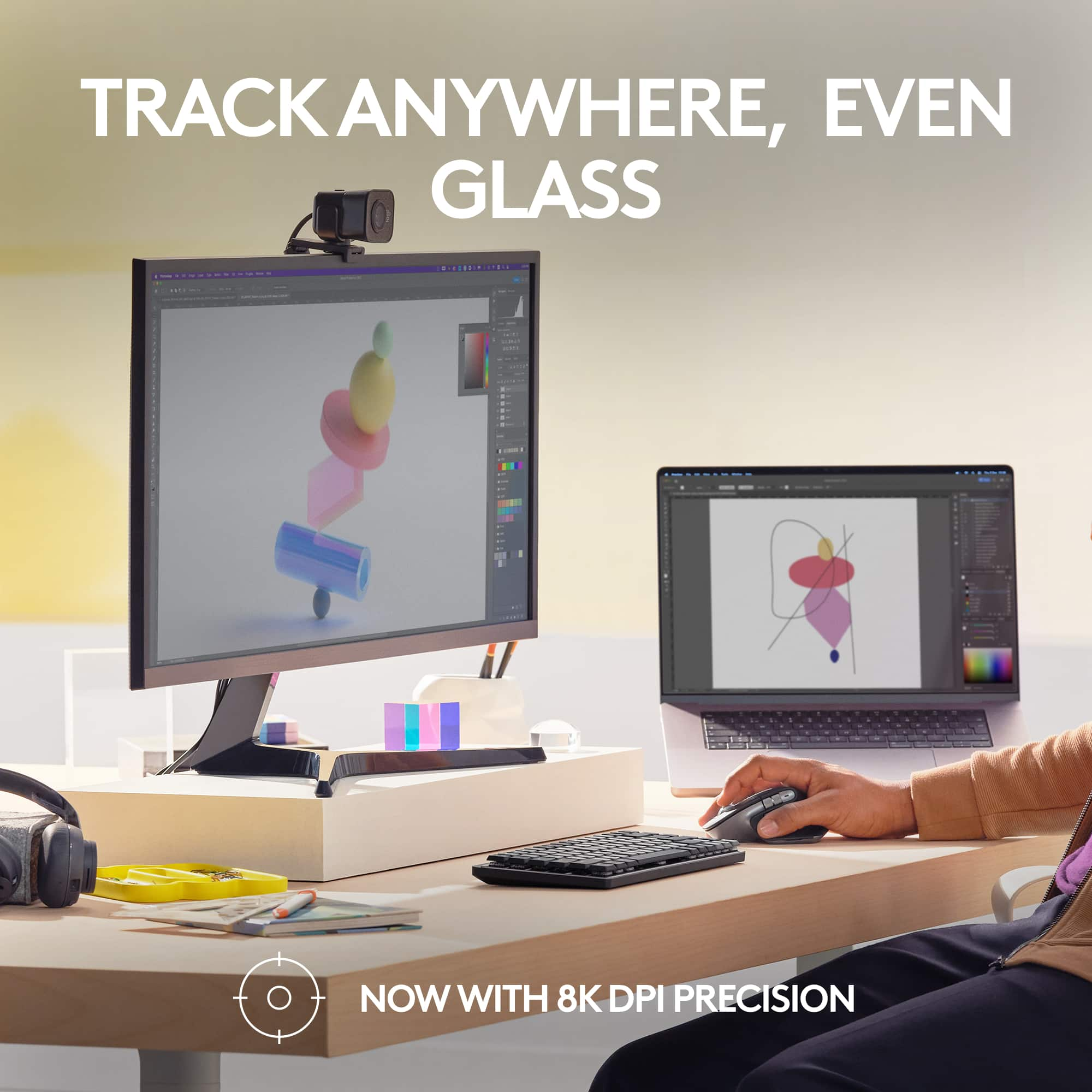
||Posted . Owned for 1 week when reviewed.This reviewer received promo considerations or sweepstakes entry for writing a review.Stylish mouse with good functionality and decent battery life. A usb adapter is not included, which seems criminal for a $100 device (there is a PC model with it included but, you cannot get this color). It is bluetooth and can be used with any device including non Mac devices. It is a beautiful mouse and the rollers are useful. I find it comfortable with one complaint. It varies by person but it feels very heavy. I prefer light mice for less moving effort and quicker responses. It's not to say its heavy but, compared to the Logitech vertical mouse it weighs much more. They could have even given it removable weights at this price point. Aside from that, the sensor on the mouse is excellent and works on a variety of surfaces. For enhanced tracking you can enable the 8k sensor, which helps with tracking on high resolutions displays (including MacBook pros). The mouse should really be priced at 69.99 or less. The ultrafast scrolling has existed for years on Logitechs gaming mice and other than some metal scrollers, you're not paying for much else. If you just need a good mouse and don't need any specific features this one offers, like using the mouse on glass or needing a side scroller, I would say save your money and look elsewhere. Its not a bad product though.
I would recommend this to a friendBrand response from Logitech
Posted .We appreciate your input and will definitely pass along your suggestions for future improvements. We understand the importance of compact receiver, and we will strive to make necessary adjustments to enhance the overall user experience. Your insights are valuable to us, and we are committed to delivering products that exceed your expectations
Best mouse i have ever owned
||Posted . Owned for 1 month when reviewed.This reviewer received promo considerations or sweepstakes entry for writing a review.I've been using the MX Master mouse with my Mac, and I can confidently say it's the best mouse I've ever owned. The design is both sleek and ergonomic, fitting perfectly in my hand and providing comfort during long working hours. The precision of the tracking is outstanding, even on different surfaces, which has significantly improved my workflow. The customizable buttons and intuitive scrolling wheel are game-changers, especially when switching between applications or navigating through large documents. Additionally, the battery life is impressive, lasting for weeks on a single charge, and the quick charging feature is incredibly convenient. Seamless integration with macOS makes the MX Master an indispensable tool for productivity. Whether for professional tasks or casual browsing, this mouse exceeds expectations. Highly recommended for any Mac user looking for a top-tier mouse.
I would recommend this to a friendBrand response from Logitech
Posted .It's wonderful to hear the MX Master 3S has become your favorite mouse for your Mac! We're so pleased you're enjoying the sleek and ergonomic design, the precise tracking across various surfaces, and how it has boosted your workflow. The customizable buttons and intuitive scrolling wheel are definitely designed to enhance productivity, and it's great to know the long battery life and seamless macOS integration are working well for you. Thanks for the high recommendation!

Great Product!
||Posted . Owned for 3 weeks when reviewed.This reviewer received promo considerations or sweepstakes entry for writing a review.The Mx Master 3S is a stellar choice for Mac users, offering a comfortable ergonomic design, seamless compatibility with macOS gestures, and customizable buttons for increased productivity. Its Darkfield sensor ensures precise tracking, while the long-lasting rechargeable battery and versatile connectivity options make it a valuable addition to any Mac setup. Though it comes with a higher price tag, its build quality and feature set justify the investment for those seeking top-notch performance and ergonomics, making it an excellent choice for both professionals and casual users.
I would recommend this to a friendMust have mouse for your computer!
||Posted . Owned for 7 months when reviewed.This reviewer received promo considerations or sweepstakes entry for writing a review.This is my third Logitech MX Master mouse. i first bought the MX Master mouse and then the 3S came out and I bought that one. The S means it is 'silent' when you click the mouse buttons. Although it isn't completely silent, it is MUCH quieter than the MX Master 3. I use a MacBook Pro for work and personal use, I configured the Logi Options+ and used a keyboard shortcut mapped to the left and right buttons below the mouse wheel to switch between full-screen apps and it does it flawlessly allowing for better productivity. I bought this mouse after getting my new MacBook Pro M2 Max because of the color scheme. The scrolling and pointer speeds can be adjusted much higher for ease of use and not having to move the mouse much. My only complaint about this mouse is the software. After rebooting my computer, I have to wait until I finish logging in and all the apps to open up before the custom settings are applied. I have the pointer speed set at 6700 DPI so I don't have to move the mouse as much and the shortcuts between full-screen apps takes a bit to load. Every now and then the custom settings will stop working during use, sometimes I can turn the mouse off and on and then close Logi Options+ and re-open it and that will solve it, a few times I have had to reboot the computer to make it work. It can be mapped to 3 devices using the button on the bottom. This is a device I would pay full price for if I had to because of how much it increases my productivity. It feels natural to use this mouse the way it is constructed and you don't have to move your fingers very far to access all the buttons. I don't use the gestures feature at all so I can't comment on that. I work in IT as a Systems Engineer and do software development as well, and this mouse makes all the difference in the world. Don't think about buying this mouse, just buy it! I have the non-Mac version mouse as well and the only difference is the color, the Mac version matches the Space Gray MacBook Pro.
I would recommend this to a friendBrand response from Logitech
Posted .Thanks for the detailed feedback! We appreciate you sharing your experience with the MX Master 3S for Mac. We're glad to hear the quiet clicks and customizable settings are working well for your workflow. We're always looking to improve our software, and your feedback about the settings loading time is valuable. We'll pass it on to our development team.
Very nice mouse for every application & every use.
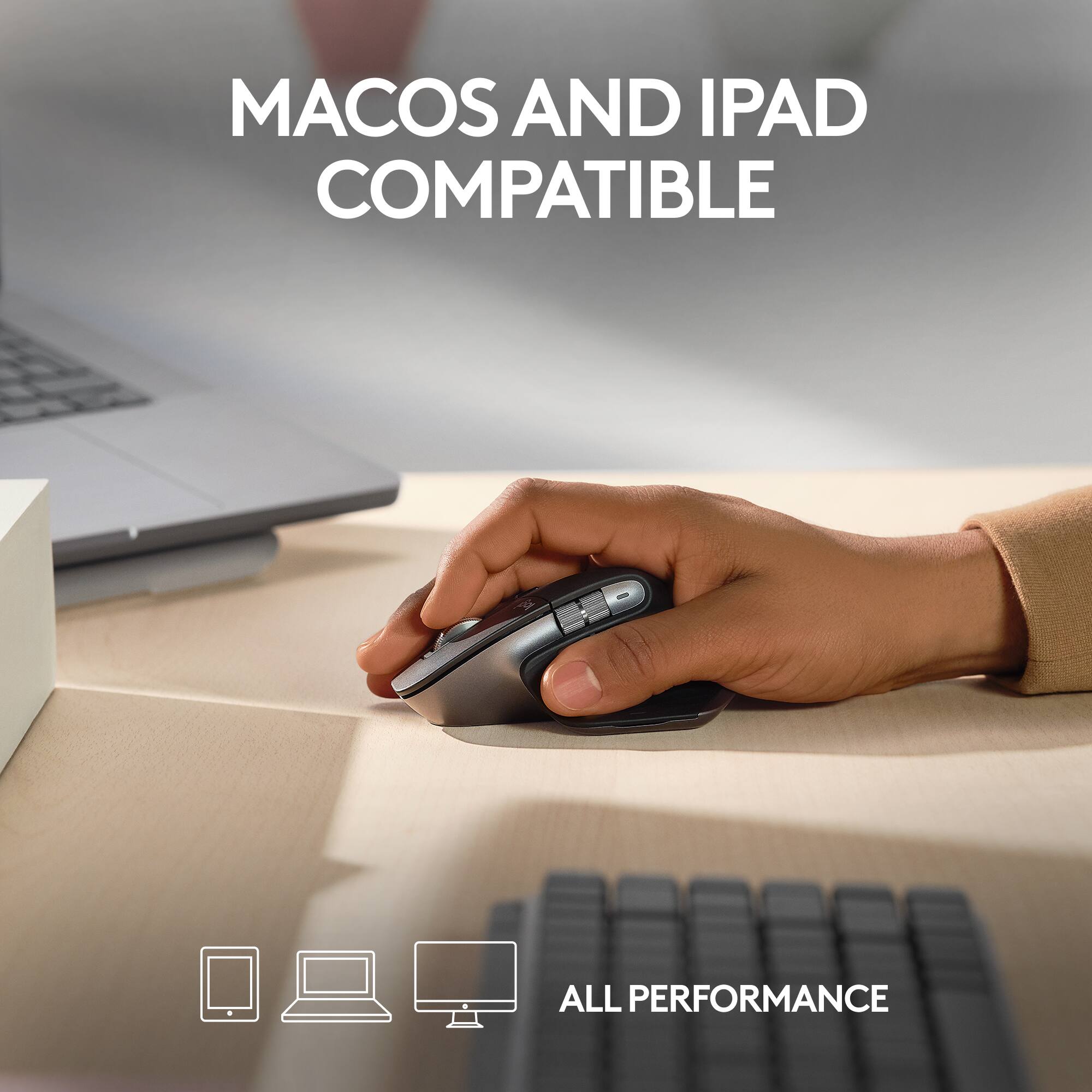
|Posted .This reviewer received promo considerations or sweepstakes entry for writing a review.Honestly, you can't not love this mouse... I already had a good experience with Logi MX Master for long time. This one is simply a continuous awesomeness... Battery life is amazing. Mouse is full of nice features you can use for any computer work: design, gaming, web browsing... Just good for any kind of work. Very quite clicks, solid body and ergonomic shape. I like the scrolling smoothness enable & disable feature and indeed the very very very fast scrolling speed. Also the back and forward navigation. This MX 3S has a USB-C charging plug which is better than the micro USB... Very accurate laser pointer and the same longer battery life as the older one. While indeed this mouse was designed and manufactured for Mac, it is till working fine with Windows and Linux. With Mac, you will have some nice shortcut features through the Logi app. The thumb button (kind of hidden) is a nice shortcut that can do several things from Windows to Mac. I really recommend it for daily use. Working very well with me through all my devices: Mac, Windows, Linux and Ipad. Very nice mouse to have.
I would recommend this to a friendBest Mouse on the Market.
||Posted .This reviewer received promo considerations or sweepstakes entry for writing a review.This is not my first rodeo with the MX Master series. I had the first generation and loved it to its death, but never replaced it due to moving to a trackpad. After a decade, I decided it was time to go back to a mouse when I bought the matching Logitech keyboard. I can say going back to a mouse is going to be an adjustment, but this one is basically starting at the top. Love the functionality, the smoothness of the scroll wheel and the ergonomics of the whole thing. My only word of caution is that I'm a pretty big guy and it fits my hand well, but if I had smaller hands, I might find this mouse to be a bit large and index finger to fall too far back on the primary button. So do test it out in store before you buy it. If it fits you, it's really the best mouse on the market.
I would recommend this to a friendBrand response from Logitech
Posted .We appreciate you sharing your detailed experience, including your comparison to the previous generation. We understand your point about the size and how it may not be ideal for everyone. Thank you for your insightful review of the Logitech MX Master 3S!
Excellent but not an Upgrade from Previous Model
|Posted .This reviewer received promo considerations or sweepstakes entry for writing a review.To make this simpler, I’ll start with the pros and cons: Pros: - Silent clicks, almost enough to get rid of the word click - Super ergonomic and comfortable - Very responsive - Top scroll wheel allows for fast scrolling, especially useful when you need to go to the bottom of the pages, such as when you’re reading EULA when you don’t want to. - Horizontal scroll wheels. It takes some time to remember that it’s there but it’s time saver - You can move it to Mac, iPad and Windows PC at any time just by selecting 1, 2 or 3 at the bottom. You pair it only once to each one Cons: - Unusable for the left-handed. One of my sons just couldn’t use it - Vertical wheel can be loud when you spin it too fast I also have the previous similar model, which I liked the overall construction better than this one. If you have that one and are thinking about upgrading it, you will not be happier. Other than the use of USB-C to charge it, the other differences are not worth it. If it is your first MX Master, then you will probably be very satisfied with it. I would. My four-star rating is because I couldn’t but compare to the older model. Otherwise, I wouldn’t have hesitated to give it five stars.
I would recommend this to a friendComfortable and long battery life.
||Posted . Owned for 1.5 years when reviewed.This reviewer received promo considerations or sweepstakes entry for writing a review.This mouse fit my hand, easy to use, and the battery will last a very long time without needing to be recharged. The battery is rechargeable and can be used while charging.
I would recommend this to a friendBrand response from Logitech
Posted .Thanks for the great feedback! We're glad the MX Master 3S delivers the control and solid feel you were looking for. It’s designed to fit comfortably and perform smoothly, so it’s awesome to hear it’s hitting the mark. Enjoy every click!
Mouse
||Posted . Owned for 2 months when reviewed.This reviewer received promo considerations or sweepstakes entry for writing a review.I recently got the Logitech MX Master 3S for Mac, and it’s fantastic. The ergonomic design is super comfortable, the MagSpeed scroll wheel is smooth, and the precision tracking works perfectly on any surface. It’s a bit pricey, but the customizable buttons and seamless macOS integration make it worth it. Highly recommend for anyone looking to boost productivity!
I would recommend this to a friendBrand response from Logitech
Posted .We're thrilled to hear that you're loving the Logitech MX Master 3S for Mac! Your positive feedback about its ergonomic design, performance, and macOS integration is fantastic. We're glad it's enhancing your productivity. Thank you for choosing Logitech!
Improvement over the 2S, this feels more premium.
||Posted . Owned for 3 weeks when reviewed.This reviewer received promo considerations or sweepstakes entry for writing a review.I think I liked my 2S better, but I really can't complain about the 3S. PROS: - I was able to get almost a full month on a single charge with daily use (8-9hrs 5x work days, a few hours on the weekends). - Just as comfortable as the 2S. I like the metal scroll wheels since they don't collect "gunk" and get sticky. - Bluetooth switching is seamless and feels faster than the 2S. I've only used two macOS laptops though, so I can't comment on the Windows Bluetooth performance CONS: - The scrolling doesn't feel as smooth as the previous 2S mouse.
I would recommend this to a friendBrand response from Logitech
Posted .Thank you for your detailed feedback on the MX Master 3S. We appreciate your insights into the battery life, comfort, and Bluetooth performance. It's helpful to know that the 3S offers improvements in certain areas while maintaining the comfort of the 2S.
Very comfortable mouse
||Posted . Owned for 1 month when reviewed.This reviewer received promo considerations or sweepstakes entry for writing a review.Fantastic battery life, great ergonomics, and easy to use. The only frustration lies with the software needed to customize the buttons. If you're computer is locked down for work this can be a bit of an issue, other than that the mouse performs well. Purchased this mouse as I was starting to get symptoms of Carpal Tunnel Syndrome and so far while using this mouse the strain on my wrist has gone down noticeably.
I would recommend this to a friendBrand response from Logitech
Posted .Thanks for the MX Master 3S feedback! We're glad it's comfy & working well. We hear you on the software for work settings. We're exploring offering more out-of-the-box options.
Best Mouse I have ever used
||Posted . Owned for 1 week when reviewed.This reviewer received promo considerations or sweepstakes entry for writing a review.This is the first high end mouse I have ever used and I am glad I bought it. Battery life is very long but it shines in two places. First the ergonomics of this mouse are top notch. It is very comfortable to use all day. The other place it shines is the ease of customizing the buttons for smart functions. I have customized the buttons to different things like easy copy and pasting which makes my job so much more efficient. Must have along with the MX Keyboard.
I would recommend this to a friendBrand response from Logitech
Posted .Hi! Thanks for the great review of the Logitech MX Master 3S for Mac! We're thrilled you're enjoying the ergonomic design, long battery life, and ease of customization. Sounds like a perfect match for the MX Keyboard!
Best computer mouse
||Posted . Owned for 2 weeks when reviewed.This reviewer received promo considerations or sweepstakes entry for writing a review.The Logitech MX Master 3S for Mac is hands down the best mouse I’ve used for work. It fits perfectly in the hand — comfortable, solid, and designed for long hours without any strain. The precision and speed are exactly what you need for a fast-paced workday. Switching between tasks, flying through documents, and managing multiple screens feels effortless. Every detail, from the smooth scrolling to the customizable buttons, is built for serious productivity. If you’re looking for a tool that keeps up with a demanding schedule, the MX Master 3S is a no-brainer.
I would recommend this to a friendBrand response from Logitech
Posted .It's fantastic to hear the MX Master 3S for Mac has become your go-to mouse for work! We truly appreciate your detailed feedback on its comfort, precision, and how it enhances your productivity. Thanks so much for sharing your positive experience!
Amazing mouse for work
||Posted .This reviewer received promo considerations or sweepstakes entry for writing a review.The click is very quiet, it has a nice weight, slides very smoothly, and both scroll wheels feel great. And I love the little thumb rest and the slight tilt that make it very comfortable to hold. I have big hands and it's a perfect fit for me. It's quite expensive but you get what you pay for. Try to catch it while it's on sale.
I would recommend this to a friendBrand response from Logitech
Posted .Thanks for the detailed review! It’s great to hear the mouse checks all the boxes for comfort, precision, and quiet performance—especially for larger hands. Definitely a smart pick for work, and catching it on sale is a solid tip!
Top notch production mouse
||Posted . Owned for 8 months when reviewed.This reviewer received promo considerations or sweepstakes entry for writing a review.Bought to replace an older model which was beginning to show its age. This is a fantastic upgrade. The quiet clicks are a huge improvement. No more incessant clicking noises. Very reliable and the battery lasts quite a while while easily recharging with a USB-C cable. Mistakenly bought this Mac version to use with Windows but it doesn't not matter. Works fine.
I would recommend this to a friendSo good, I bought two!
||Posted .This reviewer received promo considerations or sweepstakes entry for writing a review.This is my second MX Master 3s mouse. Not because I "needed" a new one, but because I have been using one at the day job for a few months, and love it. When I upgraded the M&K for my home office, I bought one of these to have at home as well. Solid build, great ergonomics for my hand, battery life is insane.
I would recommend this to a friendBrand response from Logitech
Posted .Thank you for your fantastic feedback on the MX Master 3S for Mac! We’re thrilled to hear it’s earned a place in both your work and home setups. Your appreciation for its build, comfort, and battery life truly reinforces our commitment to quality and user experience.