Customer Ratings & Reviews



- Model:
- 910-007574
- SKU:
- 11524732
Rating by feature
- Value
Rating 4.6 out of 5 stars
- Quality
Rating 4.7 out of 5 stars
- Ease of Use
Rating 4.7 out of 5 stars

Great, portable combo for hybrid work
|Posted .This reviewer received promo considerations or sweepstakes entry for writing a review.## Design Both the Pebble 2 keyboard and Pebble 2 mouse are flat and compact, making them easy to slip into your bag and transport between and home, work and the coffee shop if you're a hybrid worker. The keyboard has a sort of "retro" look to it with it's rounded keys. The top row of keys have some notable new functions that weren't always included in previous Logitech keyboards: a dedicated emoji key, a dictation key, and a screenshot key. You can also configure the keyboard shortcuts in the Logi Options+ app, available for Windows and Mac. If you don't want to install the software, you can switch the keyboard between different operating systems as follows: - Mac: hold down fn + O (the letter O) for 3 seconds - Windows: hold down fn + P for 3 seconds - ChromeOS: hold down fn + C for 3 seconds One item to note is that the keys are NOT backlit. ## Performance The Pebble 2 keyboard and mouse combo can be paired with up to 3 devices at the same time: first, with the Logi Bolt USB receiver (included) and then 2 additional devices via Bluetooth. I was hoping that switching between devices on the keyboard would also automatically switch the mouse, but it does not. You need to press the "Easy" (well, somewhat-easy) Switch button on both the keyboard and the mouse to switch between, say, your laptop and your iPad. Using the keyboard is comfortable, but if you're used to the sharp "click" of a mechanical key, you'll notice that the Pebble 2 keyboard has more of a "squishy" feel to it. It's still nice to type, and a lot quieter than a mechanical keyboard. The Pebble 2 mouse is also comfortable to use, but if you have larger hands, it might feel a little cramped, as is typical with a portable mouse. The wireless connection to the Logi Bolt dongle can sometimes get interrupted if the USB port on your computer happens to be near the built-in Wi-Fi antennae, but I've found that using a USB 2.0 extension cable for the dongle typically fixes any interference issues. Connecting over Bluetooth seems to be fairly stable as well, but if you experience issues with dropped characters or jerky mouse movements, you'll probably want to switch to the Logi Bolt dongle if you can. ## Features - Easy switch between 3 devices: It's simple to switch between 3 devices by pressing the Easy Switch button, but please note that you must switch both the keyboard and the mouse separately. - Quiet typing and clicking: Both the keyboard and mouse make minimal noise when in use, making it ideal for those times when you need to work without distracting others. - New function keys: New features like an emoji key, as well as dictation and screenshot functions. You can further customize with the Logi Options+ application for Windows and Mac. ## Battery Life The keyboard takes 2 AAA batteries, while the mouse takes a single AA battery. Logitech states that the batteries can last up to 3 years (which probably explains why there is no backlight for the keyboard). ## Logi Bolt vs Unifying Receiver If you have older wireless Logitech devices, please note that older devices use the "Unifying Receiver" while new Logitech devices like this Pebble 2 combo use the "Bolt" receiver. Unfortunately, they're not compatible with each other, so you can't pair a "Unifying Receiver" device to a "Bolt" receiver or vice versa. ## Summary If you're a hybrid worker who would like to transport their own keyboard and mouse between the office and home, and you want something that is compact and easy to pack, the Pebble 2 combo from Logitech should fit the bill. Just be aware that if you'll be switching between devices, you'll need to press the Easy Switch button on both the keyboard and mouse.
I would recommend this to a friendMy first logitech product ever
||Posted .This reviewer received promo considerations or sweepstakes entry for writing a review.Ill keep it short, the keyboard works and well with my samsung dex set up. I don't have a PC but had a 27in display. I don't use the usb plug to connnect it to my S23 Ultra instead I pair both to the phone via bluetooth. Typing experience has been good with my needs for moderate typing sessions lasting for 2 hours max at a time. The keys on the keyborad feel good but the shape of the keys to me feel small and if my hands were 1 size bigger then I would mash more keys unintentionally when typing fast. Overall the keyboard shortcuts keys are nice and the typing is very responsive. The mouse gets the job done but I would maybe think about getting a seprate mice as it only does the bare good minimun of being a responsive and quiet. Side note battery life is awsome but not rechargable which is fine with me. I only have it paired to 1 device my phone connnected to a external display but it's nice knowing the mouse and keyboard can pair the 3 devices. They work well if you get the package combo.
I would recommend this to a friendBrand response from Logitech
Posted .That's fantastic to hear! Thank you for taking the time to share your detailed feedback on the Logitech Pebble 2 Combo, especially how well it integrates with your Samsung DeX setup. We're glad the typing experience and responsiveness are meeting your needs.

- Pros mentioned:Ergonomics, Haptic feedback
I can’t wait to get my hands on this
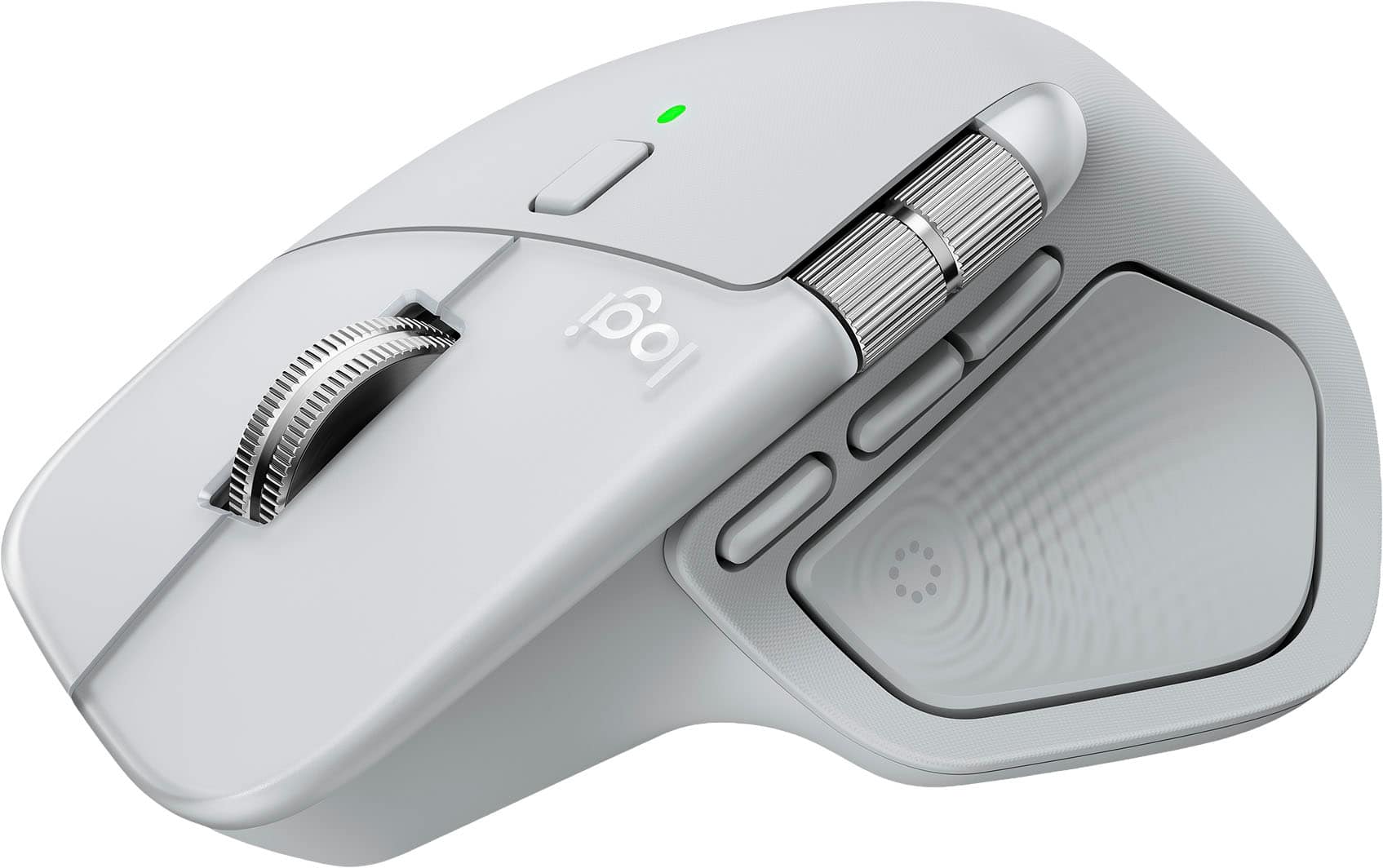
||Posted . Owned for 3 weeks when reviewed.This reviewer received promo considerations or sweepstakes entry for writing a review.Every day I go to work and pull this mouse out of my bag and think, “oh yeah…” Strange reaction. I get it. Until you’ve held a form fitting mouse with the RIGHT ergonomic feel, the RIGHT weight and movement, the RIGHT haptic response, and the life-changing buttons that are intuitive and not oddly placed (for office not gaming), you might not get it. If you do - you’ll never be the same. For me, it’s like the Birkenstocks of an office mouse.
I would recommend this to a friendBrand response from Logitech
Posted .Thank you for sharing such a thoughtful review! We’re thrilled the Logitech MX Master 4 delivers the perfect ergonomic feel and functionality you were looking for. Your feedback truly means a lot!
- Pros mentioned:Button functionality, Connectivity
Great mouse many features
||Posted . Owned for 1 month when reviewed.This reviewer received promo considerations or sweepstakes entry for writing a review.This mouse is flawless. Pairs easy and almost instantly as soon as you turn it on. I use this on a Mac, iPad, and windows laptop. Theres a toggle button on the botton that has three device options and its very easy to use. I use this mouse for 3D design and the buttons are customizable. Makes for quick edits and fast renders. There is no dongle with this mouse. Works via bluetooth. Excellent choice for multi tasking and multi system use.
I would recommend this to a friendBrand response from Logitech
Posted .Thank you for your feedback! We’re thrilled the Logitech MX Master 4 has been flawless for multitasking, easy pairing, and customizable performance across devices.
- Pros mentioned:Connectivity
Small portable
||Posted . Owned for 2 weeks when reviewed.This reviewer received promo considerations or sweepstakes entry for writing a review.The keyboard is nice size not to small easy to set up on the device you’ll use it on I bought it to use on an iPad Air 11 it’s nice to have a keyboard and mouse if I’m at a desk typing an email or other type of document while the iPad is in stand up mode on the table The mouse could fit my hand a bit better Like how you can have them switch between up to 3 devices
I would recommend this to a friendBrand response from Logitech
Posted .Thank you for sharing your feedback on the Logitech Pebble 2 Combo! We’re glad you’re enjoying its easy setup, versatility, and multi-device switching, and we appreciate your thoughtful insights.
Great buy for a great price
||Posted . Owned for 3 weeks when reviewed.This reviewer received promo considerations or sweepstakes entry for writing a review.Worked excellently with multiple devices from a Samsung galaxy s9 FE tablet, an iPhone and Samsung phone. Portable and sleek with indented keys aswell as an easy set up. Includes usb fob for easier connection to older computers without Bluetooth capabilities
I would recommend this to a friendBrand response from Logitech
Posted .That's wonderful to hear the Pebble 2 Combo is working excellently across your Samsung Galaxy S9 FE tablet, iPhone, and Samsung phone! We're so glad you appreciate its portability, sleek design with indented keys, easy setup, and the inclusion of the USB fob for broader compatibility. Thanks for the great feedback!
Great for Linux box driving a TV
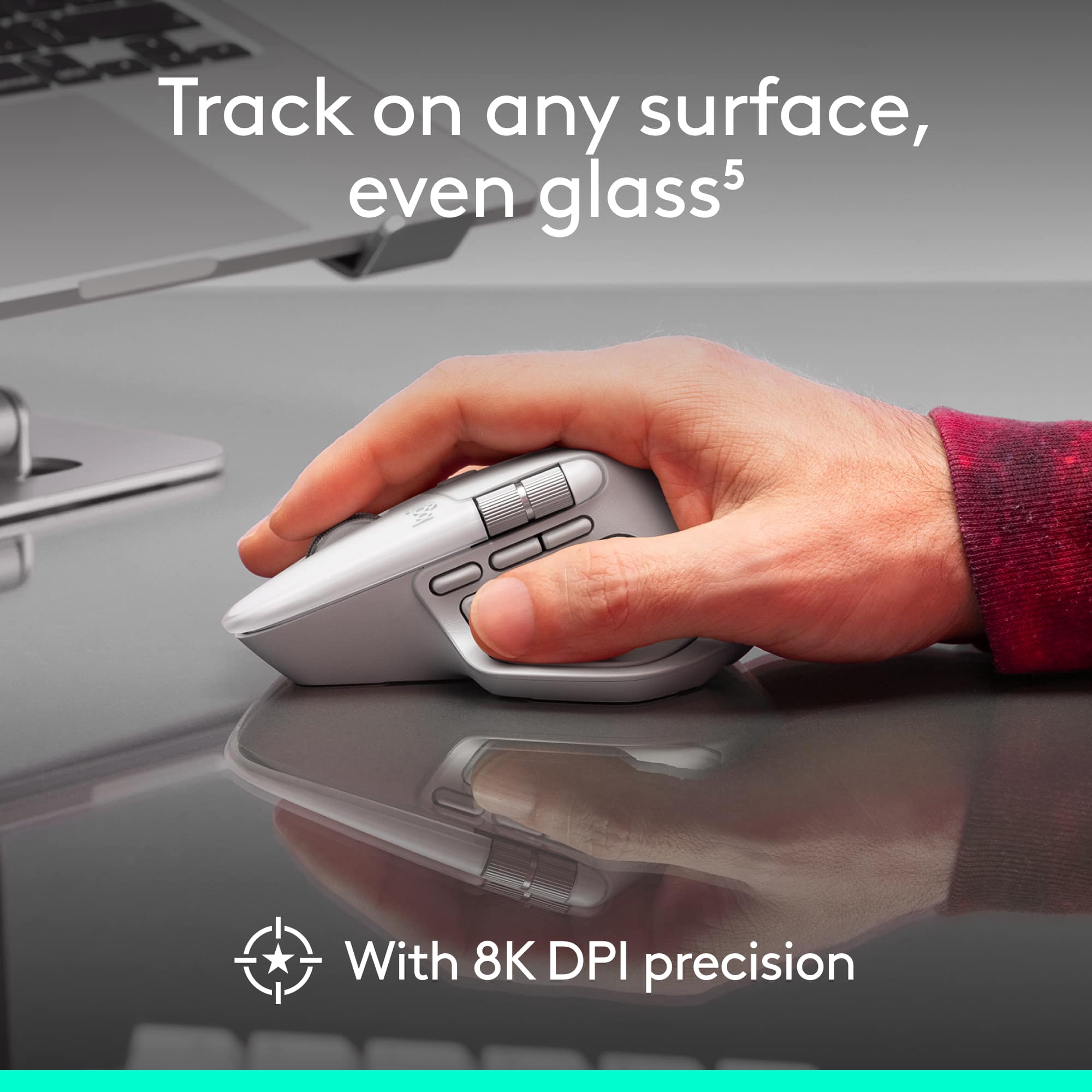
||Posted . Owned for 2 weeks when reviewed.This reviewer received promo considerations or sweepstakes entry for writing a review.Needed a small portable keyboard and mouse to use with my linux system that drives a TV in the house. This was the perfect it and worked like a charm, right out of the box. Surprisingly, the mouse works on odd surfaces quite nicely as well, which is great when driving the TV from the couch.
I would recommend this to a friendBrand response from Logitech
Posted .It’s always a pleasure to hear from satisfied users. Thanks for sharing your experience—it helps us keep doing what we love.
There are better combos out there
||Posted .This reviewer received promo considerations or sweepstakes entry for writing a review.Very easy to use keyboard and mouse. Typing is ok and the quality of the keyboard is awesome. The mouse, on the other hand, is terribly. I hate the ergonomics and it doesn't glide well.
No, I would not recommend this to a friendBrand response from Logitech
Posted .Thanks for the encouraging feedback! We’re glad the keyboard is working well for you. Regarding the mouse not meeting your expectation we will share your feedback with the team. Your support helps us keep innovating.
High quality keyboard
||Posted .This reviewer received promo considerations or sweepstakes entry for writing a review.Handy to travel with! Very high quality and battery lasts a long time
I would recommend this to a friendBrand response from Logitech
Posted .We’re so glad you’re enjoying your Logitech product. Your feedback helps us stay on track and continue delivering great experiences.
- Pros mentioned:Ergonomics, Haptic feedback

Love this mouse!!
|Posted .This reviewer received promo considerations or sweepstakes entry for writing a review.Here’s your 250-character review: The Logitech MX Master 4 sits beautifully in your palm with sculpted comfort, gliding smoothly through edits. Effortless to use, with intuitive controls and satisfying haptic feedback that gives subtle tactile cues—ideal for long photo-editing sessions.
I would recommend this to a friendBrand response from Logitech
Posted .We are so pleased to hear that you love your Logitech MX Master 4! It’s fantastic that the sculpted comfort and smooth gliding make your photo-editing sessions effortless. Thank you for the wonderful review highlighting the intuitive controls and satisfying haptic feedback!
- Pros mentioned:Ergonomics
Game Changer for Me!!!
||Posted .This reviewer received promo considerations or sweepstakes entry for writing a review.So I bought an MX 3s and thought, well…, I liked that one so I’ll try this one, the MX 4. I did not realize what I had bought till after the fact, and once you download the software from Logitech, this little guy opens up so much more than you would have ever realized. This is such a powerful little tool that literally fits in the palm of your hands, and although it takes a bit of setup (which I thought was fun because I’m a bit of a nerd for stuff like this) this has helped me streamline what I do for my job. This mouse has become a problem solving tool for me and has been one of my favorite pieces of tech I have probably ever purchased.
I would recommend this to a friendBrand response from Logitech
Posted .It’s wonderful to hear that our product is meeting your needs. Your feedback is incredibly valuable and helps us continue to innovate. Thanks for being part of the Logitech community.
- Pros mentioned:Connectivity, Ergonomics
First accessory Mouse and Would buy again.
||Posted .This reviewer received promo considerations or sweepstakes entry for writing a review.Instant connectivity and personalization options. Great ergonomics and functions well. Only thing that could be better would be if the thumb wheel mimicked the the three-finger swipe between screen function better.
I would recommend this to a friendBrand response from Logitech
Posted .Thanks for your feedback! We’re glad you like the Logitech - MX Master 4 for Mac and we appreciate your input to help us get even better.
Good product— but takes some getting used to
||Posted . Owned for 1 year when reviewed.This reviewer received promo considerations or sweepstakes entry for writing a review.Solid keyboard and ok mouse. The click of the mouse is very shallow and gets some getting used to. Battery is solid on both, though. Haven’t had to change after a year of use!
I would recommend this to a friendBrand response from Logitech
Posted .Thank you for your thoughtful feedback! We’re glad to hear the Pebble 2 Combo has delivered solid battery life, and we appreciate your insights on the mouse feel—it helps us balance performance with comfort in future designs.
- Pros mentioned:Connectivity
Keyboard review
||Posted . Owned for 3 weeks when reviewed.This reviewer received promo considerations or sweepstakes entry for writing a review.Very easy to setup, has bluetooth which makes it nice and wireless, but also comes with USB which helped me connect it initially to my desktop. The keyboard is solid, and the mouse has the click a little to soft for my preference but still works perfectly.
I would recommend this to a friendBrand response from Logitech
Posted .Thanks for the thoughtful review! We're glad the Pebble 2 Combo is offering smooth setup and versatile connectivity. Your note on the mouse click feel is helpful—it's great to hear everything is working well overall.
Amazing
||Posted . Owned for 9 months when reviewed.This reviewer received promo considerations or sweepstakes entry for writing a review.I bought the keyboard and mouse to connect to a laptop. The keyboard is amazing, it requires a battery and I used it daily for 10 months now and it is still running. I was afraid the mouse will cause wrist pain, but I did not have any problem and it work great with laptop and iPad. Love the color and the quality.
I would recommend this to a friendBrand response from Logitech
Posted .That’s a glowing review—thank you! The Pebble 2 Combo clearly delivers on durability, comfort, and style, with impressive battery life and seamless device compatibility. It’s great to hear the mouse exceeded expectations in both performance and ergonomics. Appreciate you sharing your experience!
- Pros mentioned:Connectivity
Laptop perfect!
||Posted . Owned for 3 weeks when reviewed.This reviewer received promo considerations or sweepstakes entry for writing a review.I absolutely love this keyboard! I use it with my laptop, its minimal and so the ease of use and handling is nice. The hot keys are easy to configure and you can use this scissor keyboard with multiple devices. The ergonomics are simple and has a touch smooth key design and most important it fits perfectly in my bag. It was a good buy. I highly recommend.
I would recommend this to a friendBrand response from Logitech
Posted .Thank you for the wonderful feedback on the Pebble 2 Combo. We're thrilled to hear that you love its minimal design and find it a perfect fit for your bag, providing ease of use and handling with your laptop. Your positive experience with the hotkeys and multi-device connectivity is greatly appreciated!
Exactly what I wanted
||Posted .This reviewer received promo considerations or sweepstakes entry for writing a review.I wanted a portable keyboard and mouse to take with my laptop. It's small enough to fit in my backpack with my laptop. It is laptop-sized, so be prepared for the smaller keyboard layout.
I would recommend this to a friendBrand response from Logitech
Posted .Thank you for sharing your positive feedback! We're thrilled to hear the Pebble 2 Combo is exactly what you were looking for and meets your needs for a portable keyboard and mouse.
- Pros mentioned:Ergonomics, Haptic feedback
Best mouse ever!
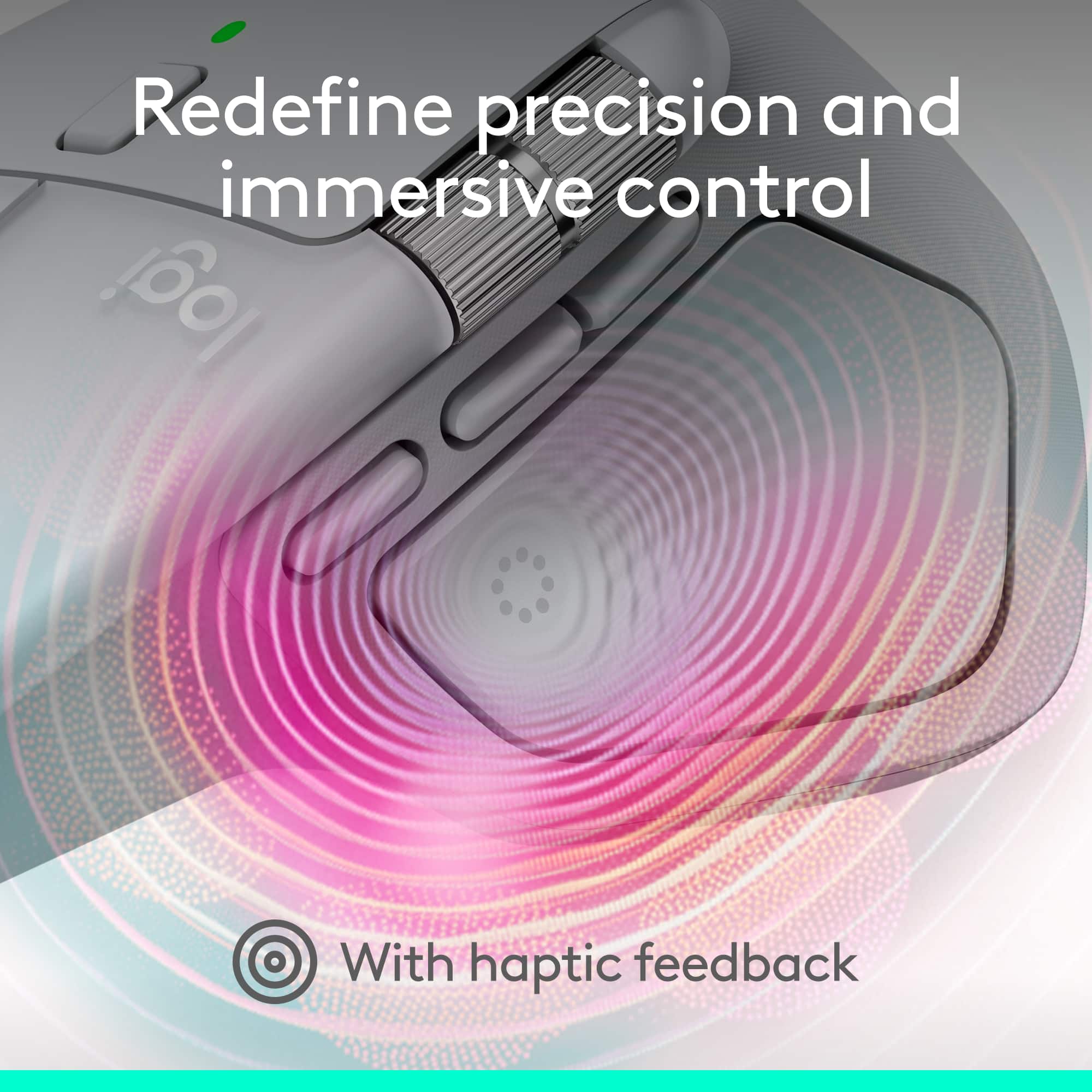
||Posted . Owned for 2 weeks when reviewed.This reviewer received promo considerations or sweepstakes entry for writing a review.Great mouse very responsive and feels good in my hand. No fatigue after usingbit for a few hours. Ant the haptuc feedback is amazing.
I would recommend this to a friendBrand response from Logitech
Posted .We’re so happy to hear that our product is working well for you. Your review helps us understand what we’re doing right and where we can grow. Thank you for being part of the Logitech community and for taking the time to share your thoughts.
User Friendly and Easy To Use
||Posted .This reviewer received promo considerations or sweepstakes entry for writing a review.I originally bought this to give me a keyboard and mouse for my Steam Deck This keyboard and mouse combo offers solid performance with user-friendly features that make it great for everyday use. The setup is quick and easy— with no hassle. The keys have a comfortable feel with decent travel, and the mouse glides smoothly with responsive tracking.
I would recommend this to a friendBrand response from Logitech
Posted .Thanks for the detailed review. We're glad the Pebble 2 Combo is delivering smooth performance and comfort across your devices, including your Steam Deck. Enjoy the seamless setup and everyday reliability.
- Pros mentioned:Button functionality
Amazing For Multitasking’s
|Posted .This reviewer received promo considerations or sweepstakes entry for writing a review.Great mouse very use full while multi tasking. I used it primarily while doing solid works and while using it I found I cut down on a lot of tasks by programming the buttons to stuff like copy and paste. The new haptic button has given me a lot more multitasking capabilities without having to go between commands and my mouse.
I would recommend this to a friendBrand response from Logitech
Posted .Thank you for sharing your experience with the MX Master 4 for Mac! We’re delighted to hear how its programmable buttons and haptic features have enhanced your multitasking and streamlined your workflow in SolidWorks. Your feedback truly highlights the value of its design.