Customer Ratings & Reviews


- Model:
- HMU-00001
- SKU:
- 6181705
Rating by feature
- Battery Life
Rating 3.8 out of 5 stars
- Speed
Rating 4.2 out of 5 stars
- Display
Rating 4.5 out of 5 stars
Customers are saying
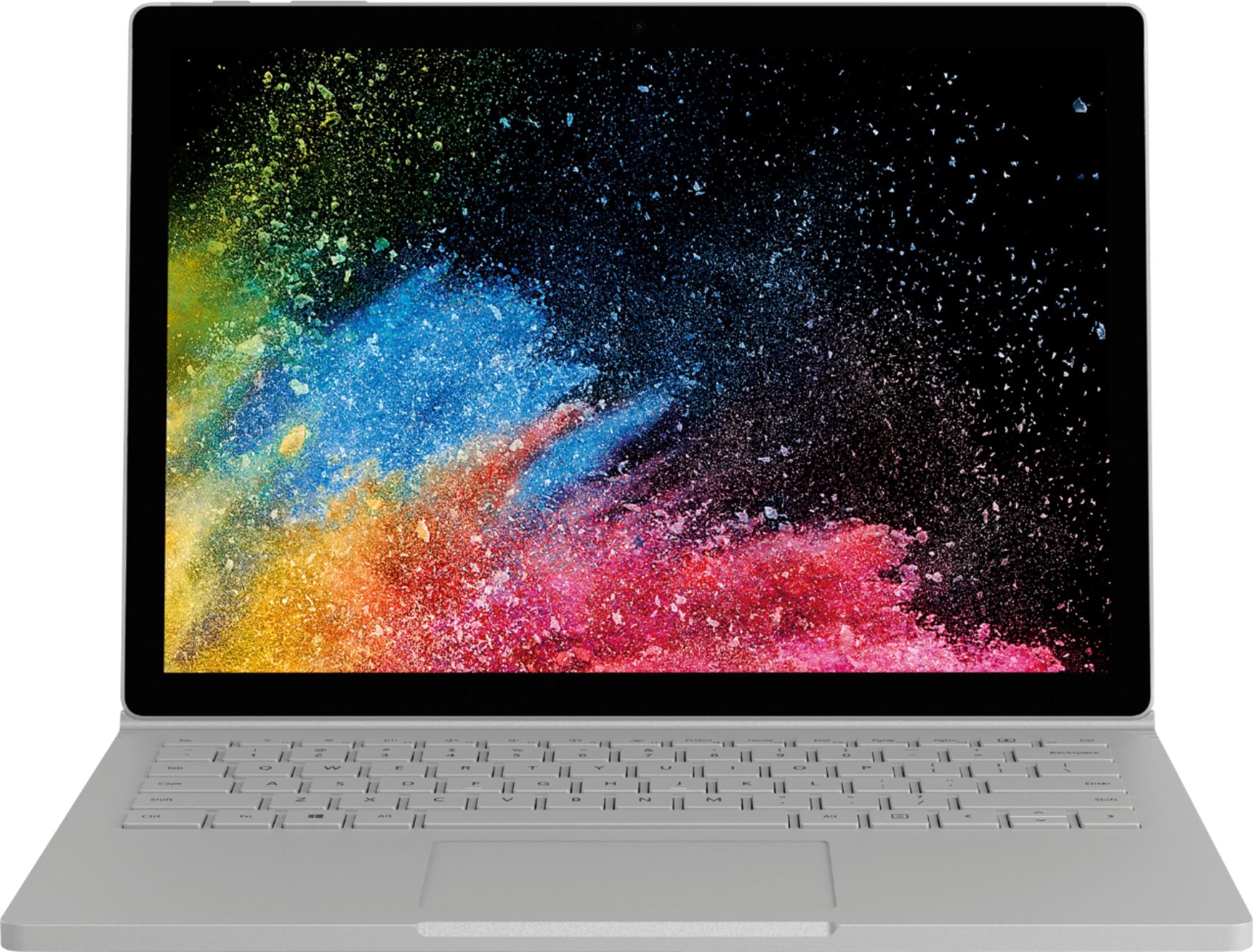
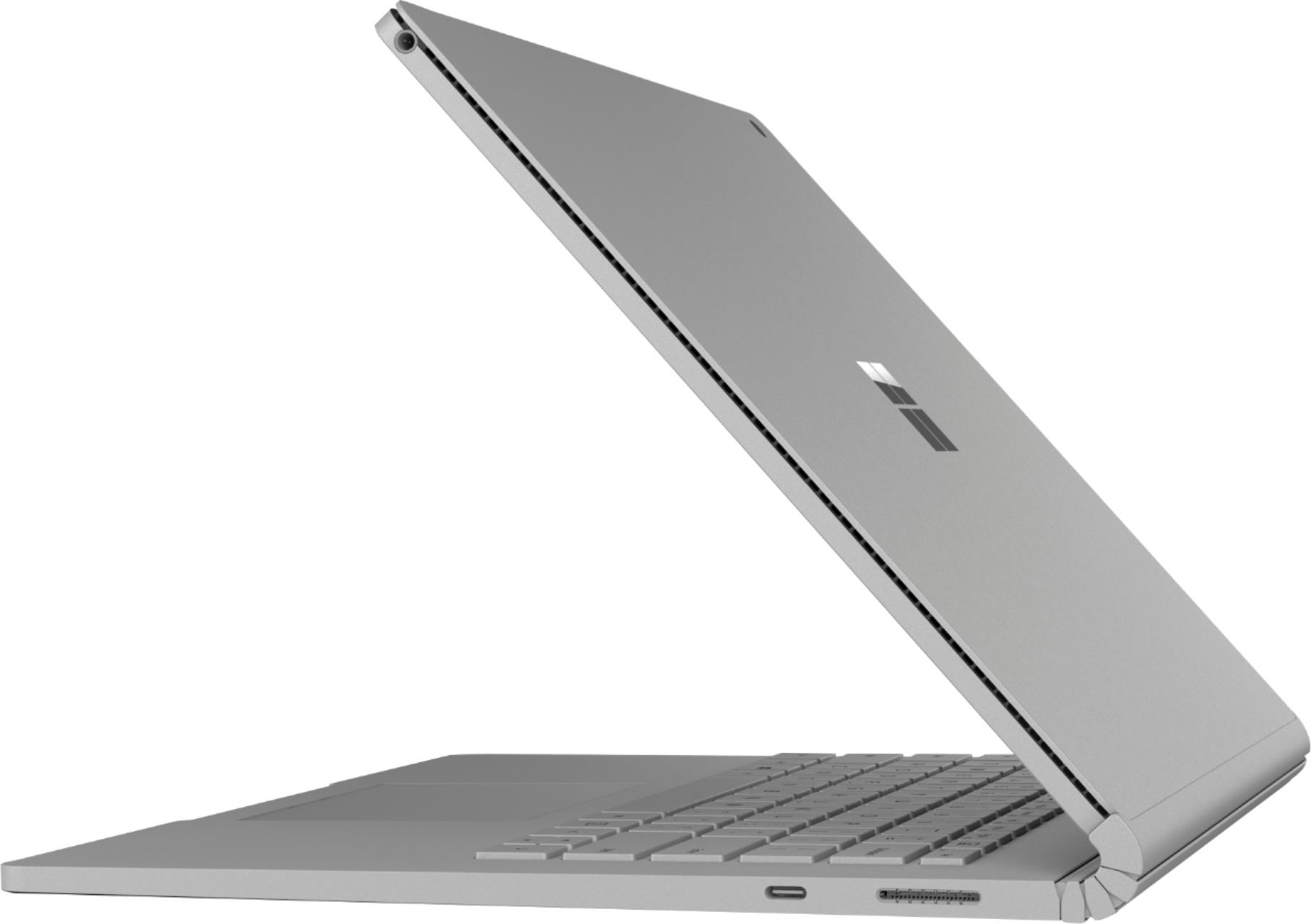
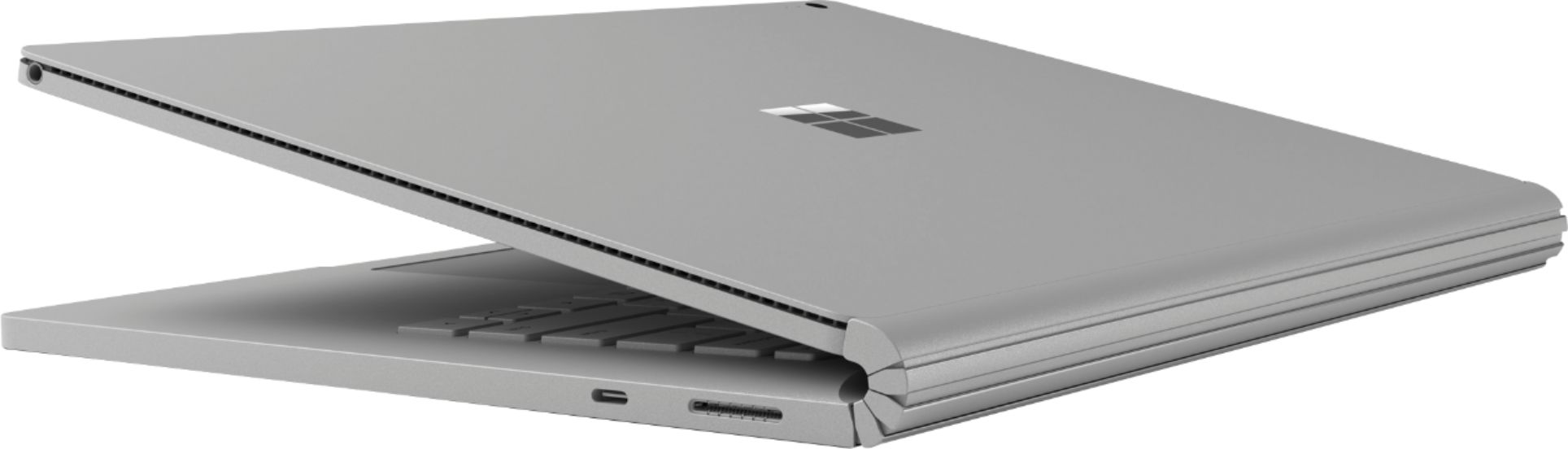
Customers highly value the Surface Book 2's ease of use, excellent keyboard, and impressive battery life. Many appreciate its portability and lightweight design, finding the tablet mode particularly handy. While some find the price high, positive feedback on the device's functionality outweighs this concern.
This summary was generated by AI based on customer reviews.
- Pros mentioned:Weight
Great 2 in 1 for beginners!
||Posted .This reviewer received promo considerations or sweepstakes entry for writing a review.I love this Microsoft- surface book 2 in 1! Easy setup. excellent sound! Screen resolution perfect! Lightweight. love the tablet mode, also lightweight. I do wish Microsoft had more apps though. I miss Google play store!!! Overall great laptop.
I would recommend this to a friendBrand response from MicrosoftOutreachTeam
Posted .Hi Tamra,
Thanks for taking the time to leave this review. We love hearing how our users are using the Surface Book 2 to empower themselves to do more. We're glad to see that you are enjoying your device so far and hope that continues for the foreseeable future. Welcome to the Surface family!
Cheers,
Jonny
Surface Customer Care
We want to hear your Surface story. Share your experience by leaving a review.
- Pros mentioned:Keyboard quality
The feel and fit of the PC is solid.
||Posted .This reviewer received promo considerations or sweepstakes entry for writing a review.My Surface Book has an excellent keyboard and clear & bright screen. I really like the touch screen. I recently used the Surface for a PowerPoint presentation and found the Surface Pen very handy to move from slide to slide.
I would recommend this to a friendBrand response from MicrosoftOutreachTeam
Posted .Hi there,
We're ecstatic that the Surface Book 2 has been helping you to accomplish more with your presentations. Thanks for calling out some of your favorite features for the community. The stunning graphics and touchscreen technology make for a highly efficient and brilliant experience. We're glad you agree!
Kind regards,
Jessica
Surface Customer Care
- Pros mentioned:Processor speed
best performance
||Posted .This reviewer received promo considerations or sweepstakes entry for writing a review.It is the first experience for me to use a surface laptop product. I found that the surface book 2 is very reliable and has a lightning speed.
I would recommend this to a friendBrand response from MicrosoftOutreachTeam
Posted .Hi there,
Thanks for choosing the Surface Book 2. We're thrilled you're loving your experience so far! This versatile device certainly brings a powerful experience!
Welcome to the Surface family, we're glad to have you!
Kindly,
Jessica
Surface Customer Care
Computer for college
||Posted .This reviewer received promo considerations or sweepstakes entry for writing a review.We purchased the computer for my daughter going to college. She loves the computer. It meets all the requirements she had on her list and she loves using it. I stopped short of 5 stars how it works in the next four years.
I would recommend this to a friendBrand response from MicrosoftOutreachTeam
Posted .Hi there,
Thanks for letting us know how much your daughter is loving her new Surface Book 2! Our customers love that this device has such extraordinary battery life, as well as two-in-one capabilities, making it perfect for college bound students. Congratulations to your daughter for furthering her education!
Kind regards,
Jessica
Surface Customer Care
Excellent product
||Posted .This reviewer received promo considerations or sweepstakes entry for writing a review.This laptop is extremely tough for daily use. I am impress with speed and performance
I would recommend this to a friendGreat
||Posted .This reviewer received promo considerations or sweepstakes entry for writing a review.I have owned this computer for a little over a month and so far I am really liking it.
I would recommend this to a friendVery Good Laptop/Tablet in 1
||Posted .This reviewer received promo considerations or sweepstakes entry for writing a review.I like it better than Apple - MacBook Pro - 13" Display
I would recommend this to a friend- Pros mentioned:Battery life, Keyboard quality, WeightCons mentioned:Price
Great work laptop!
||Posted .This reviewer received promo considerations or sweepstakes entry for writing a review.I bought this as a replacement to my obsolete work laptop and it's definitely been an eye catcher from day one. I needed something with the latest technology and components, promoted creative ways to make presentations have a bit more interactivity and flair, and could get me through a full day without needing to be charged within five hours or less. This Surface Book 2 checked all of those boxes, opening up so many possibilities for the use of a modern laptop, tablet, or convertible--all in one package while delivering impressive performance, a great screen, productivity options, and so much more. The things I like about this laptop after a few weeks of use: -Fantastic screen (high resolution, clarity, and color) -Responsive, multi-touch screen -Laptop, tablet, or convertible options -Battery life (lasts for more than two days without needing a charge) -Comfortable keyboard and typing experience -Lightweight design -Very fast boot times -Cameras are pretty good Things I dislike... -Limited ports -USB-C or USB dongles needed for basic HDMI, VGA, and other common ports -Higher options get very, very expensive If you're in the market for something that is packed with features, extra long battery life, transformation options from laptop to tablet, want to use a stylus for presentations, note taking, or drawing, and something that is very portable with a nice finish, this computer will surely meet all of your computer needs.
I would recommend this to a friendBrand response from MicrosoftOutreachTeam
Posted .Hi there,
Let us be the first to say...Wow! What an incredibly thoughtful and well written review! Thanks for sharing some of your favorite features about the Surface Book 2. We're ecstatic that you are loving the multiple modes and capabilities that make this device stand out from the crowd. We're very proud to offer our customers a design that is easier than ever to take on-the-go.
If you're looking for a larger desktop type set up, you may consider the Surface Dock as a powerful addition to your Surface Book 2. With 4 USB 3.0 ports, 2 Mini Display Port inputs, a Gigabit Ethernet port, and a 3.5mm audio line out, this is the perfect accessory to upgrade your device to a full desktop experience. Check it out at Best Buy here: https://www.bestbuy.com/site/microsoft-surface-dock-black/4561910.p?skuId=4561910.
Thanks again for sharing your valuable insights with the community. We greatly appreciate it!
Kind regards,
Jessica
Surface Customer Care
- Pros mentioned:Battery life, Keyboard quality, Processor speed
Very stylish, fast, and lightweight
||Posted .This reviewer received promo considerations or sweepstakes entry for writing a review.Excellent laptop so far. The keyboard has a great feel to it with decent force required and doesn’t feel cheap. There’s backlighting on the keys, but in the low setting, it washes out the keys making them even harder to read. It would be nice to have a number pad on the side, but it would have crowded the rest of the keyboard, so I’m okay with the way it is. The trackpad is very responsive and clicking the pad is much nicer on this model than on several other laptops I’ve tried. I haven’t found a setting for scroll on the right hand side, but it works with gestures so two fingers allows me to scroll. Very fast hard drive and processor, and electrically efficient making the battery seem to last forever. I haven’t run it all day to see how long it can last, but I would say in the real world it’s more than 8 hours with the keyboard. The screen is very fine and vibrant, only bested by widescreen 4K OLED displays. The issue I have with the display seems to be software related. When running on battery, the row of pixels closest to the camera flickers. If I move my mouse, the flickering stops, but as soon as I rest the mouse, the flicker returns. When the laptop is plugged in, again, no flicker problem. Microsoft should issue a patch to solve this as many people have reported it and every Surface Book 2 seems to have this issue. Another issue I ran into was while setting up the laptop. It would not update the software. I had to find an article online about how to unhide the admin account so I could change the update settings before it would apply any patches. I can see why users would get frustrated and return these if they couldn’t figure all of that out. I got it eventually, but I was frustrated while doing it. Overall, love the laptop and it’s worthy of 5 stars, but the flicker should be solved, so 4 feels more fitting. My only regret was the price. I picked this up for $1100 and a week later the 256 GB model dropped down to $1200. I would have paid the extra $100 for double the memory, but I had already set the laptop up and got it updated, which was a pain.
I would recommend this to a friendBrand response from MicrosoftOutreachTeam
Posted .Hello,
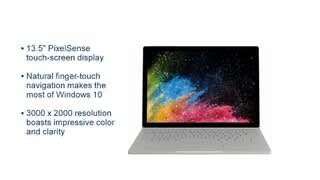
Thank you for writing such a thoughtful review. We truly enjoyed reading every piece of feedback you had to offer us. We're glad to know you're having an excellent experience so far. The Surface Book 2 has fantastic keyboard functionality to offer in this two-in-one device, and we're thrilled you noticed! In addition, 13.5" PixelSense Display does not disappoint when it comes to displaying powerful graphics on this lightweight device.
We apologize that you ran into some issues when setting up your device, and using it without a charger. We are here to help you have the best Surface experience, and would like to offer that you try using the Surface Diagnostic Toolkit, which you can find here: https://support.microsoft.com/en-us/help/4037239/surface-fix-common-surface-problems-using-surface-diagnostic-toolkit. This can be a good tool for diagnosing any issue you are facing with your Surface device, as well as help resolve it.
If for any reason you should still be experiencing any unusual issues, our support team is always here to help you get your device running in tip-top shape! You can always reach out to them here: https://support.microsoft.com/en-us/contactus/.
Thanks again for offering us so much insightful feedback. We are always striving to bring the best quality and service we can to our customers, and we appreciate that you took the time to let us know about your experience.
Kind regards,
Jessica
Surface Customer Care
- Pros mentioned:Battery life, Keyboard qualityCons mentioned:Price
Good looking, functional, portable laptop solution
||Posted .This reviewer received promo considerations or sweepstakes entry for writing a review.I was looking for a laptop for my fiancee. Since I'd be using it as well I wanted something that I would also enjoy using. Having come from a Macbook Pro background and currently using an older Asus laptop I personally wanted something with a premium feel. The surface book 2 satisfies that premium itch I had. It feels good, the keyboard types well, the touchpad is responsive. The display is very pleasant to look at, though I did disable the auto-brightness setting it has on by default. We took it on an airplane and it was easy to use both in laptop or tablet mode given the confined space. Battery wise, the laptop mode has very long legs though I personally would only use the tablet mode lounging around the house and not out-and-about doing real work; the battery life on the tablet mode was (understandably) much shorter. The surface book appears top tier when it comes to the display/screen quality. Touchpad is also noticeably better than other options at a lower price point. I think we got what we paid for: a solid performing and feeling laptop that you can comfortably tote around. I only gave it four stars due to the high price, because you could find cheaper options for simply a travel laptop. On the software side of things it didn't have too much that I had to remove (not too much bloatware).
I would recommend this to a friendBrand response from MicrosoftOutreachTeam
Posted .Hi there,
What an incredibly thoughtful review! We enjoyed reading all the ways you're loving all Surface Book 2 has to offer. Thanks for telling the community about the premium build, portability, and power to-boot. We know switching operating systems can be quite a large task, so we have some helpful tips for switching from Mac to Windows: https://support.microsoft.com/en-us/help/4023448/surface-switch-from-mac-to-microsoft-surface.
We hope you continue to discover all there is to love about Surface Book 2!
Cheers,
Jessica
Surface Customer Care
- Pros mentioned:Keyboard quality, Processor speed
Gets the job done
||Posted . Owned for 1 year when reviewed.This reviewer received promo considerations or sweepstakes entry for writing a review.Good solid construction. Excellent keyboard. Quick and responsive. You can get work done on this, so long as your files are in the cloud. There is a magnet for holding the surface pen on the screen. It is usable for light drawing in Photoshop so long as your canvas isn't too big and you aren't using complicated brushes. This machine is more appropriate for taking notes in meetings. OneNote works very well with this. Not enough space. There is no SD card slot in the screen so it will disconnect every time you flip it. This means that you can't safely format the SD Card as fast NTFS storage. The SD card slot is shallow. You'll need a special adapter to make it flush with the case. It struggles to charge and run at the same time. The USB-C port can be used for charging with a laptop grade USB-C charger. It seems to be more reliable than the stock charger but you'll lose the magnetic connection.
I would recommend this to a friendBrand response from MicrosoftOutreachTeam
Posted .Hi there,
Thanks for sharing with the community your experience with Surface Book 2! We're delighted to hear you've become a fan of using Surface Pen with your Surface Book 2 to take notes and create with. In regards to the difficulties you're having with using an SD with your device we'll be sure to pass that information along to the rest of our team. In the meantime, there are a few other ways you can get some additional storage for your Surface Book 2, which you can learn more about here : https://aka.ms/AA4rbqn.
For the charging difficulties you mentioned, we highly recommend checking out these troubleshooting tips here: https://support.microsoft.com/en-us/help/4023536.
Best,
Heather
Surface Customer Care
- Pros mentioned:Battery life, Ease of use
Absolutely LOVE!
||Posted . Owned for 4 months when reviewed.This reviewer received promo considerations or sweepstakes entry for writing a review.I bought this laptop so that I would have a solid device to complete work for my online courses as well as for my job. I was looking for something lightweight that I can carry every day, excellent battery life, high computing power, and a two-in-one. This meets and exceeds all my needs. It easily handles my courseload and has seamlessly adapted to my professional work. I always get asked what computer this is after using it at a meeting. The flexibility of this device is well suited for my needs and I am thoroughly enjoying it. Beware that it is not at all water-resistant. I spilled water on the keyboard and had to have the device replaced by Geek Squad. So make sure that your information is back-up at all times just in case. Because most of my work is cloud-based I did not have an issue. I highly recommend.
I would recommend this to a friend - Pros mentioned:Keyboard quality
Sleek Laptop with Cool Features
||Posted .This reviewer received promo considerations or sweepstakes entry for writing a review.Very aesthetically pleasing laptop that had all the features I wanted. Had I waited one more week I could have gotten the 256 GB model for the regular price of the 128, and that’s my only real regret so far. The keyboard has a solid feel to it in comparison to cheaper laptops and I’ve found that to be a joy to use. The backlighting on the keyboard is a little strange in that when you turn on the lights it can almost wash out the look of the character causing the key to be even harder to read. Software updates were difficult to apply right out of the box. I had to search for answers because it wouldn’t install an update on its own. You’ll have to learn how to activate the admin profile and then change update settings. There’s threads online for how to do this and it’s easy enough, just not intuitive if you don’t have instructions. It seemed like this was a common occurrence for the Surface Book and Surface Pro models. With internet help, my Book is now fully up to date. I recommend an external hard drive to everyone for backups but especially for those with the 128 GB model. Old versions of Windows take up 32 GB of storage leaving little room for anything else. You can delete old versions of Windows, but your recovery safety net will be gone. Create frequent backups and recovery points to get around losing the old versions of Windows. The only real issue I still have with this laptop is likely software related. When on battery power, the top row of pixels flicker; only the top one and never when plugged in. Not very noticeable if that row is dark, but throw something bright in that region and it’ll be a small strobe light. What’s strange is if you move the mouse the flicker stops and when you stop touching the mouse the flicker comes back. That screams software and not hardware to me. I’ve had the screen flash in protest when rotating the screen from landscape to portrait once while in tablet mode, but I don’t use that mode much so it won’t be a long term problem. I would have given this laptop 5 stars had the screen been perfect, but these flashes seem like a patch could solve them so a 4 seems more appropriate.
I would recommend this to a friendBrand response from MicrosoftOutreachTeam
Posted .Hi there,
We're so excited you're enjoying your new device! We work hard to create a sleek design for our customers, that not only functions as an on-the-go tablet, but also as a full laptop experience with a sturdy keyboard. We're so glad that you have been able to get your Windows OS up-to-date, and found great ways to add external storage to your device! Thanks for leaving some great feedback for the community!
We would like every aspect of your Surface experience to be a positive one, so we would like to look into the pixel flicker at the top of your screen. This sounds like an unusual issue, and we would like to offer specialized care from our support team to address this issue. We highly recommend filing a ticket here: aka.ms/SurfaceCare-us. Be sure to use the unique reference code: 1807121580056.
We hope we can make your Surface experience even better than you have already described!
Best regards,
Jessica
Surface Customer Care
- Pros mentioned:Battery life, Ease of use, Weight
Great multifunctional Laptop
||Posted . Owned for 3 weeks when reviewed.This reviewer received promo considerations or sweepstakes entry for writing a review.Love this device! It is so functional with the Touchscreen and ability to disconnect as a tablet and reattach backwards so the keyboard becomes a stand. I use it for schoolwork, home finances, and work projects with ease. It’s also good for just browsing watching videos and playing games. Very light and easy to bring with me everywhere. The long battery life is amazing. Would recommend to anyone.
I would recommend this to a friend - Pros mentioned:Battery life, Ease of use, Keyboard quality
Surface Book 2 13.5" 8GB 128 GB SSD
||Posted . Owned for 4 months when reviewed.This reviewer received promo considerations or sweepstakes entry for writing a review.Excellent, is the best way to describe this laptop. I use it daily. It charges quickly, holds a charge for much longer than my older computer and it is so versatile. I can use it as a laptop or take it apart and use it as I need to. It has a touch screen and the colors on the screen are very nice. I do a lot of art work and it is nice to have so many possibilities from one machine.
I would recommend this to a friend - Pros mentioned:Battery life, Processor speed, Weight
great tablet and laptop computer in one!
||Posted . Owned for 1 month when reviewed.This reviewer received promo considerations or sweepstakes entry for writing a review.This laptop is very light and very affordable. It is a great tablet and laptop computer in one. A very fast processor and long battery life. The touch screen is very convenient. the backlit keyboard is nice when working in low light. Overall a very good quality laptop that also is a tablet.
I would recommend this to a friend - Pros mentioned:Battery life, Ease of use, Keyboard quality
I LOVE THIS LAPTOP!!!
||Posted .This reviewer received promo considerations or sweepstakes entry for writing a review.This is easily the best laptop I have owned - bar none. It is so easy to use. I love having the option to detatch the keyboard. And the battery life - oh my gosh!!! I use it daily and the battery lasts me over a month before recharge!
I would recommend this to a friendBrand response from MicrosoftOutreachTeam
Posted .Hi there,
Thanks for raving about the Surface Book 2 to the community! We loved reading your excitement in this review. We're absolutely delighted we have wowed you with the Surface Book 2's powerful performance and long lasting battery. We appreciate the stellar shout-out!
Cheers,
Jessica
Surface Customer Care
- Pros mentioned:Ease of use, Processor speed, Weight
Great Laptop
||Posted .This reviewer received promo considerations or sweepstakes entry for writing a review.I had been searching for a new laptop for a few months. The Microsoft Surface Book 2 is awesome. Lightweight, runs fast, great for class notes, and versatile as a laptop or tablet. Haven’t gotten to explore much in the line with using the pen or drawing but seems pretty good! Overall a great buy!
I would recommend this to a friendBrand response from MicrosoftOutreachTeam
Posted .Hi Keri,
Thanks for the great shout-out! We're delighted you're loving getting to know the Surface Book 2. If you're interested, we have compiled some great tips to help you get to know how to use your Surface Pen with Windows Ink. Check out our tips here: https://www.microsoft.com/en-us/store/collections/windowsinkcollection/pc?rtc=2.
We hope you continue to discover all there is to love about the Surface Book 2!
Cheers,
Jessica
Surface Customer Care
- Pros mentioned:Ease of use, Keyboard quality, Weight
Love it.
||Posted .This reviewer received promo considerations or sweepstakes entry for writing a review.I love it. I had the surface pro 4 previously and I thought I'd switch to this since the keyboard is much better. Best decision I've ever made. Its lightweight enough for me to take to school and easy for me to write on. Easy to figure out. Just love everything about it.
I would recommend this to a friendBrand response from MicrosoftOutreachTeam
Posted .Hi Amy,
Thanks for the great compliments! We're delighted to hear from a long time Surface fan like yourself. We're very proud the Surface Book 2 has been the perfect new addition for you during your college career. We are extremely proud of this very versatile lightweight design. It's great to hear we've hit the mark!
Cheers,
Jessica
Surface Customer Care
- Pros mentioned:Keyboard quality
GREAT Lap Top!!
||Posted .This reviewer received promo considerations or sweepstakes entry for writing a review.I bought this lap top for my college student son.He was using a Mac Pro for his first year of college that we leased through school .When he changed colleges I had to now purchase a lap top for him.I went to the store will all intentions of buying him a Macbook Pro as he used this in the past,has an iPhone and is a big fan of Apple as most of his generation is. After seeing the MS Surface Book in the store and speaking with someone there I was really impressed with some of its features .The price point was slightly cheaper than Apple, but I was willing to pay the price of the Mac Book Pro anyway because I wanted a good product that lasted. After going back and forth in my mind and going back home and doing some research, I chose to purchase the MS Surface book.Best decision ever! My son absolutely loves it! The tablet feature is Fantastic, it is comfortable to use and is well equipped for what he needs for his school work. It is a great choice! DON'T get hung up on names as I was with Apple..thinking because it is so popular it is a better product....it's actually not. Although Apple makes a great phone they are not #1 in the computer industry. Microsoft is a far better product when it comes to computers.I am very happy with my purchase and more importantly my son who I thought for sure wouldn't be impressed ,LOVES it!! My only complaint is I had to purchase MS WORD..u would think for $1500 MS would already have that program included on their computers.
I would recommend this to a friendBrand response from MicrosoftOutreachTeam
Posted .Hi Dori,
Welcome to the Surface family! We're glad to hear that we surpassed your expectations with the Surface Book 2 and that your son was impressed as well. We're always jazzed when we hear that our devices are empowering our users to do more. Thanks for the wonderful review!
Cheers,
Jonny
Surface Customer Care
We want to hear your Surface story. Share your experience by leaving a review.















