Customer Ratings & Reviews





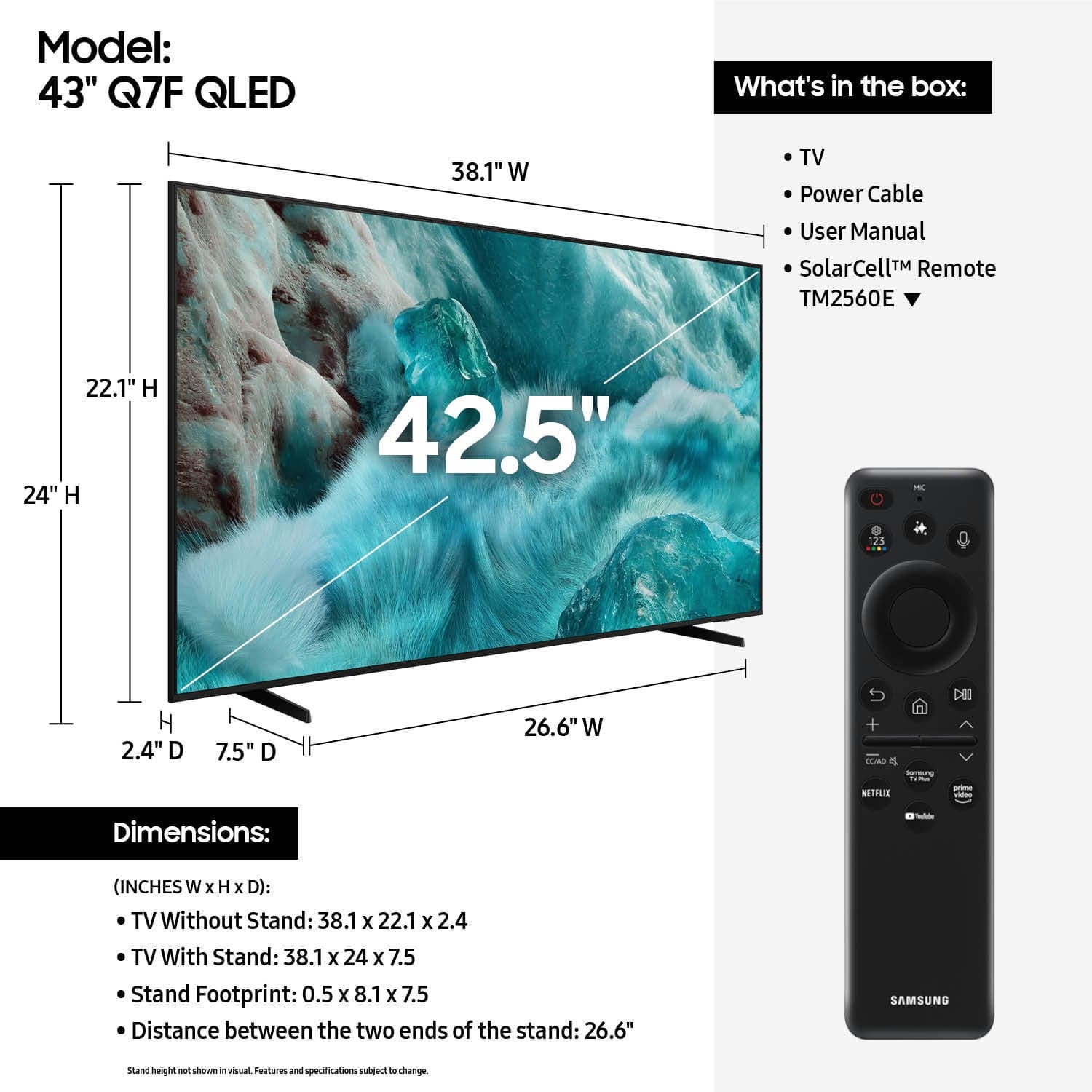









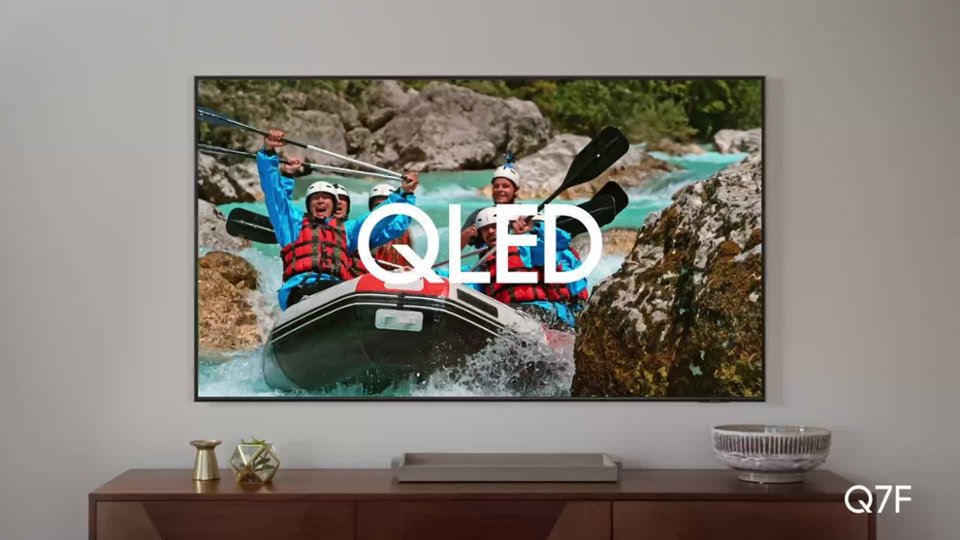


- Model:
- QN43Q7FAAFXZA
- SKU:
- 6619443
Rating by feature
- Picture Quality
Rating 4.8 out of 5 stars
- Sound Quality
Rating 4.6 out of 5 stars
- Brightness
Rating 4.8 out of 5 stars
Customers are saying
Customers are pleased with the excellent picture quality of the 43” Class Q7F Series QLED 4K UHD SamsungVision AI Smart Tizen TV (2025). Many also appreciate how easy it is to install and setup, as well as its perfect size and light weight. The only notable drawback mentioned by some customers is the remote control.
This summary was generated by AI based on customer reviews.
- Pros mentioned:Picture quality, Setup easeCons mentioned:Remote control
Remote Control Lacking Clarity
||Posted . Owned for 1 month when reviewed.This reviewer received promo considerations or sweepstakes entry for writing a review.The unit was easy to see up and the color and sound are good. However, for an 88-year old with vision problems, the remote control is far too small and its symbols are not labeled. I'd probably be equally satisfied with a less expensive model.
I would recommend this to a friendBrand response from Samsung
Posted .Hi 1234,
Thank you for sharing your user experience. Learn TV Remote is a feature designed to help users become familiar with the layout and function of each button on the Samsung remote. When enabled, pressing any button (except the Power button, which will still turn off the TV) will prompt the TV to announce the button’s name and its purpose – without affecting TV operation.
This teaching mode is especially useful for users who are visually impaired or new to Samsung remotes. To enable this feature, go to: Settings > All Settings > General & Privacy > Accessibility > Learn TV Remote. To exit, simply press the Return key twice.
If you’d like more assistance with this feature, please reach Samsung Support at 1-800-SAMSUNG, available 8AM – 12AM EST, 7 days a week. LiveChat agents are also available through the ‘Support’ link on our website.
~ Samsung Specialist
- Pros mentioned:Picture quality, Weight
Great Choice
||Posted . Owned for 3 weeks when reviewed.This reviewer received promo considerations or sweepstakes entry for writing a review.Light weight and easy to mount on an existing wall mount. Picture is very clear and colorful. We love it !
I would recommend this to a friend - Pros mentioned:Picture quality
SAMSUNG 4K TV: GREAT BUY AND VALUE
||Posted . Owned for 2 weeks when reviewed.This reviewer received promo considerations or sweepstakes entry for writing a review.TV was a birthday present from my wife. It replaces a non-smart TV of over 15 years old. The main reason I am giving only 4 stars is because of the lack of tech support that comes with the TV. I had to go to Samsung's tech support to get some help and even then I was disappointed with that as well. I consider myself better than average when it comes to tech. But I am still learning how to use the remote that comes with it. The picture is outstanding! Would recommend this set to anyone. Just need more assistance with the setup at times.
I would recommend this to a friendBrand response from Samsung
Posted .Hi SteveEI625,
We appreciate you sharing your experience with the included remote. To help you get the most from your TV and remote functions, you can download the full e-Manual and more by visiting Samsung’s website then navigating to: Support > Manual & Software > TVs & Home Theater. From there, you can search for and select your Q7F TV model to view or download the available guides.
The Remote Control Guide is also conveniently built into your TV: Settings > Support > Tips and User Guides
Learn TV Remote is another feature designed to help users become familiar with the layout and function of each button on the Samsung remote. When enabled, pressing any button (except the Power button, which will still turn off the TV) will prompt the TV to announce the button’s name and its purpose – without affecting TV operation.
This teaching mode is especially useful for users who are visually impaired or new to Samsung remotes. To enable this feature, go to: Settings > All Settings > General & Privacy > Accessibility > Learn TV Remote. To exit, simply press the Return key twice.
If you’d like more assistance with this feature, please reach Samsung Support at 1-800-SAMSUNG, available 8AM – 12AM EST, 7 days a week. LiveChat agents are also available through the ‘Support’ link on our website.
~ Samsung Specialist
- Pros mentioned:Picture quality
Great buy, great price
||Posted . Owned for 3 weeks when reviewed.This reviewer received promo considerations or sweepstakes entry for writing a review.I've been using my Samsung tv for a little over a month now and I am genuinely impressed with the quality, the sound could be a little better,but overall the performance is excellent. Where it really gets me is when I'm gaming, the action comes to life and it makes everything pop. Its a very clear crisp picture and the colors really stand out. I got this tv on sale and I can say it was a great deal. I am not the only one that loves this tv, apparently the rest of the family loves it to because they stay in my room more than me.
I would recommend this to a friendBrand response from Samsung
Posted .Hi AnthonyB,
It's great to hear you're enjoying the picture on your Q7F, and we appreciate your feedback on the sound quality. To ensure you’re experiencing the best possible audio, we first recommend checking that your TV is running the latest firmware. To do this, navigate to: Home > left directional key > Settings > Support > Software Update
If the sound still doesn’t meet your expectations, there are a few settings you can try adjusting:
Go to: Settings > All Settings > Sound > Sound Mode
• Standard: Balanced sound without emphasis on any one range
• Optimized: Enhanced effects and spacious sound
• Amplify: Boosts mid and high tones to make dialogue clearer
You can also explore Expert Settings to fine-tune options such as Balance, Equalizer, Auto Volume, and more to match your personal preferences.
If you're considering expanding your setup, Samsung’s Q- and S-Series Soundbars (like the HW-QS700F) support Q-Symphony, a feature that synchronizes your TV and soundbar speakers for an immersive 3D audio experience.
For further help adjusting your sound settings or finding the right soundbar for your space, feel free to reach Samsung Support at 1-800-SAMSUNG (8AM – 12AM EST, 7 days a week) or visit the Support link on our website for:
• LiveChat
• Manuals, Software, & Warranty Info
~ Samsung Specialist
- Pros mentioned:Picture quality
Samsung 43" Class 4K AI Smart Tizen tv.
||Posted . Owned for 1 month when reviewed.This reviewer received promo considerations or sweepstakes entry for writing a review.It is a great tv for the price. It has an excellent picture. Also I like that I can downstream Disney +, Paramount +, and I can add other streaming websites. Tv remote does not need batteries. It can be recharged by my cell phone cord or by the sun because it is solar powered. Also I like the fact the tv has the Samsung Tv plus that gives me access to my local news stations and movies. The tv remote is easy to use to switch between between streaming networks.
I would recommend this to a friend - Pros mentioned:Picture quality, Setup ease
Almost great
||Posted . Owned for 1 month when reviewed.This reviewer received promo considerations or sweepstakes entry for writing a review.Pretty good TV. Picture excellent, setup easy. Only minus is the inability to quickly kill the display and leave the audio on (streaming music). Thank you.
I would recommend this to a friend - Pros mentioned:Size
Samsung
||Posted . Owned for 2 weeks when reviewed.This reviewer received promo considerations or sweepstakes entry for writing a review.TV is great , it is for the bedroom , finally got a bigger TV for the bedroom , samsung makes very good products , i have several different ones
I would recommend this to a friend - Pros mentioned:Picture quality
Great TV especially for the very reasonable price!
||Posted . Owned for 2 weeks when reviewed.This reviewer received promo considerations or sweepstakes entry for writing a review.We’re happy with this new TV. It’s a bit more intuitive than the last TV (I kind of miss the old “just turn the channel knob” days). But the picture is good and the sound isn’t nearly as tinny sounding as the last TV. We already had a Bose Bluetooth speaker, so we’re still using it, but if we lost the Bluetooth connection, the TV speaker is pretty good.
I would recommend this to a friend - Pros mentioned:Picture quality
My Samsung
||Posted . Owned for 1 month when reviewed.This reviewer received promo considerations or sweepstakes entry for writing a review.I was pleasantly surprised with my TV, Samsung has always been a good set but the reviews I read were mixed. Everything about this set is great, even the remote and it got a lot of bad reviews. Picture, sound, ease of operation all ideal. Couldn’t be happier.
I would recommend this to a friend - Pros mentioned:Picture quality
Didn't get a remote or legs with this tv
||Posted .This reviewer received promo considerations or sweepstakes entry for writing a review.Tv came with no remote and no legs, old customers account was still connected and had changed the pins so I had to take the time to figure out how to bypass it to reset the pins. I think it's a pretty reasonable expectation that a remote and legs will come with the TV even if it is open box and I had ordered it in excellent condition. I had to buy a tabletop stand and pair an existing Samsung remote to take care of all the issues and spend extra for a tabletop stand (still don't have a new remote for this tv). I wasn't going to take the extra time to get the TV back to them when I was the one who lost out. The 2 stars are for a working screen and it is a nice TV too (so far it's still working) but I dumped way more extra time, money and effort into this TV than I should've had to.
I would recommend this to a friendBrand response from Samsung
Posted .JessicaW,
We appreciate your feedback regarding the missing parts from your Samsung TV. As your unit was purchased in open-box condition, we recommend contacting Best Buy directly for assistance with resolving this matter.
Once resolved, please know we’re happy to help with setup or any product-related questions. You can reach us at 1-800-SAMSUNG, 8AM – 12AM EST, 7 days a week, or via LiveChat on our website under the ‘Support’ section.
~ Samsung Specialist
- Pros mentioned:Picture quality, Weight
Great
||Posted . Owned for 2 weeks when reviewed.This reviewer received promo considerations or sweepstakes entry for writing a review.Great picture quality and it doesnt weight much…..
I would recommend this to a friend - Pros mentioned:Picture quality, Setup ease
NEW TV
||Posted . Owned for 1 month when reviewed.This reviewer received promo considerations or sweepstakes entry for writing a review.Great picture!!!! Easy set up! The remote is so easy to handle too!
I would recommend this to a friend - Pros mentioned:Picture quality
Highly recommend
||Posted . Owned for 3 weeks when reviewed.This reviewer received promo considerations or sweepstakes entry for writing a review.Setup eay since I already had a Samsung account. Clarity is GREAT. Even old shows like little house on the prairie are crusp and sharp. Times i feel like i could reach out and touch the people on the screen.
I would recommend this to a friend - Pros mentioned:Picture quality
Excellent Picture
||Posted . Owned for 1 week when reviewed.This reviewer received promo considerations or sweepstakes entry for writing a review.Superb picture quality. This TV is mounted in my lanai and even in the brightest of days I have no trouble with the picture. Blacks are not washed out and colors are true. I recommend this to anyone looking for a smart tv that can handle differing light levels with precision.
I would recommend this to a friend - Cons mentioned:Remote control
My Opinion
||Posted . Owned for 2 weeks when reviewed.This reviewer received promo considerations or sweepstakes entry for writing a review.Everything is great with the TV, but one does have to get used to the solar-powered remote (it's not the standard remote with buttons), but with practice you'll get used to it.
I would recommend this to a friend - Pros mentioned:Setup ease
New TV
||Posted . Owned for 3 weeks when reviewed.This reviewer received promo considerations or sweepstakes entry for writing a review.I’m very happy with this purchase. It was relatively easy to set up and reload my apps.
I would recommend this to a friend - Pros mentioned:Picture quality
Samsung 43 class QLED 4k
||Posted . Owned for 1 month when reviewed.This reviewer received promo considerations or sweepstakes entry for writing a review.Great TV system with all the updated features from AI to Smart TV to clarity and very reliable company. The QLED makes the pitch quality more crisp than any OLED or LEDs out there.
I would recommend this to a friend - Pros mentioned:Picture quality
A great smart tv
||Posted .This reviewer received promo considerations or sweepstakes entry for writing a review.The tv works great. I like the Tizen software and the coldcolor looks great. Videogames look good and the automatic recognition of gaming systems is a nice touch. It only loses 1 star due to color dilution when viewing tv from a deep angle or from the side.
I would recommend this to a friend - Pros mentioned:Picture quality
Worth the extra $
||Posted . Owned for 3 weeks when reviewed.This reviewer received promo considerations or sweepstakes entry for writing a review.Excellent picture quality. Family member with vision issues and this was a noticeable improvement over previous 4k full HD model.
I would recommend this to a friend - Pros mentioned:Picture quality
Samsung
||Posted .This reviewer received promo considerations or sweepstakes entry for writing a review.Samsung TV has a nice picture and sound quality is pretty good also.
I would recommend this to a friend