Customer Ratings & Reviews













- Model:
- K55S30
- SKU:
- 6578581
Rating by feature
- Picture Quality
Rating 4.8 out of 5 stars
- Sound Quality
Rating 4.5 out of 5 stars
- Brightness
Rating 4.8 out of 5 stars
Customers are saying
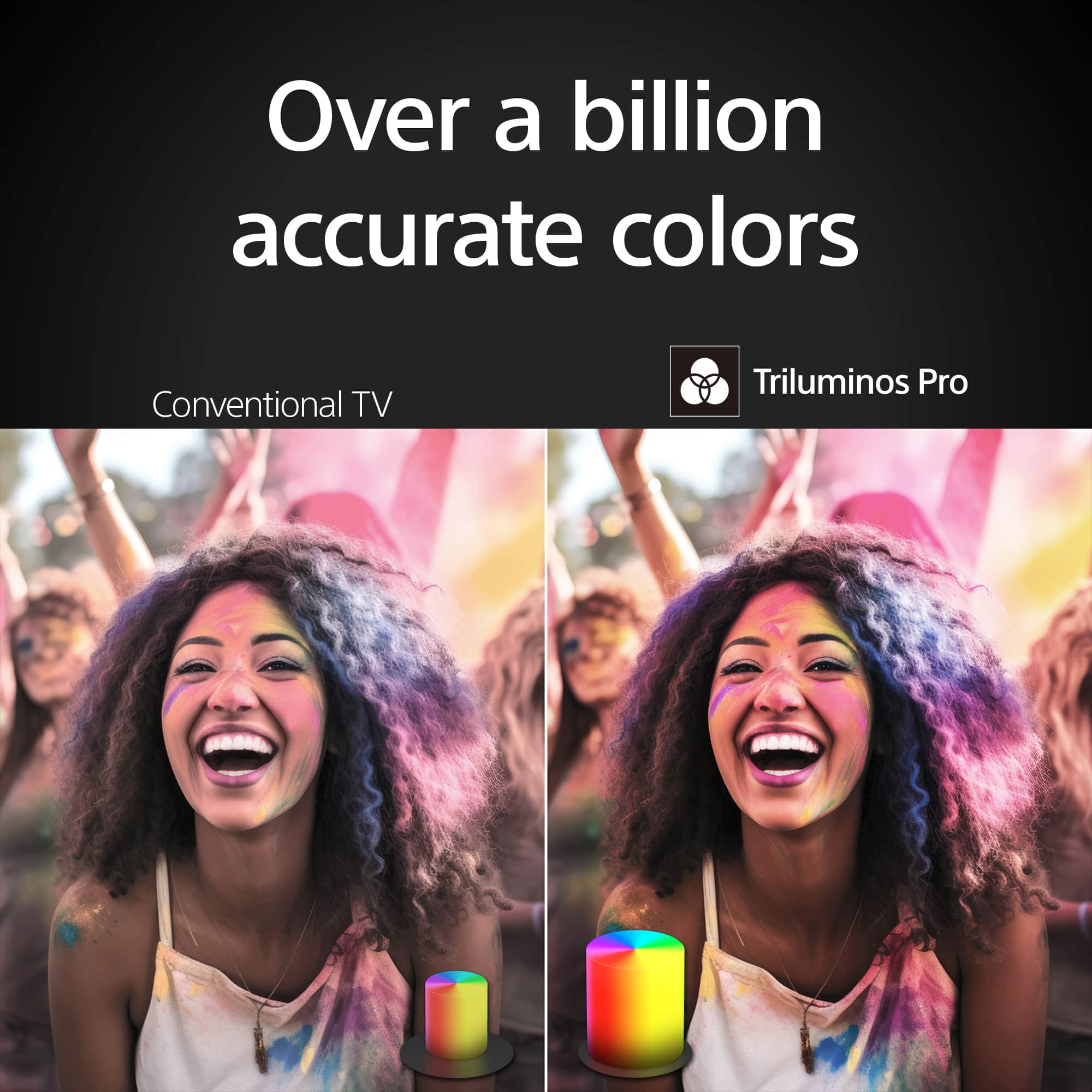
Customers appreciate the outstanding picture quality and vibrant colors of the product. They also find it very easy to set up and are pleased with its size. However, some customers have noted issues with connectivity, specifically the absence of a headphone jack, and have expressed dissatisfaction with the software. Additionally, there are wishes for an illuminated remote control.
This summary was generated by AI based on customer reviews.
- Pros mentioned:Picture quality
Sony
||Posted . Owned for 1 week when reviewed.This reviewer received promo considerations or sweepstakes entry for writing a review.Awesome Sony Tv. Excellent quality and best in my option.
I would recommend this to a friendBrand response from SonyListens
Posted .Hi ChaM, You made the right choice! We're delighted that you are enjoying the features and superb performance of the TV. Thank you for choosing Sony! -Jess

Sound
||Posted .This reviewer received promo considerations or sweepstakes entry for writing a review.I'm looking to add a sound bar, as the audio could us a little help.
I would recommend this to a friendBrand response from SonyListens
Posted .Hi Kirby,
We are thrilled to hear that you are enjoying your new television!
Adding a soundbar is a fantastic way to enhance your audio experience and truly complement the visuals. We recommend checking out the Sony BRAVIA Theater System 6 or the Sony BRAVIA Theater Bar 6; both are excellent options designed to deliver a deep, cinematic experience right in your living room.
Thank you for trusting Sony.
Best regards,
Dominick
Great gift
||Posted .This reviewer received promo considerations or sweepstakes entry for writing a review.Nice tv for the price. Great gift for the size and price of the item.
I would recommend this to a friendBrand response from SonyListens
Posted .Thank you for the wonderful review, Ryan!
We are so pleased to hear that you are happy with the K-55S30 television and that you find it to be a nice tv for the price. It's rewarding to know that you recognize the great value our TVs offer, making it an excellent gift option!
Thank you again for choosing Sony!
Best regards, Gus, Sony Social Media Team
- Pros mentioned:Picture quality
New Sony 55" TV
||Posted . Owned for 3 weeks when reviewed.This reviewer received promo considerations or sweepstakes entry for writing a review.Beautiful, it is like sitting in a movie theater.
I would recommend this to a friendBrand response from SonyListens
Posted .Hi JudyMyers, Thank you for giving the product a perfect rating! It's really good to hear you are enjoying the impressive performance of the BRAVIA 3, especially the superb 4K HDR picture and that you feel just like in a movie theater. Thank you for choosing Sony! -Jess
- Pros mentioned:Picture quality
Very nice
||Posted . Owned for 1 month when reviewed.This reviewer received promo considerations or sweepstakes entry for writing a review.The best product I’m very happy and I love this tv
I would recommend this to a friendBrand response from SonyListens
Posted .Hi LuzD, You've made an excellent choice! Thank you for upgrading to your new Sony BRAVIA 3. We are truly happy to hear that it matches your expectations and you like the smart Google TV features of this great TV. We always strive to deliver the best picture and sound quality with our TVs. Thank you for your purchase. Enjoy! -Jess
- Pros mentioned:Picture quality
What a Deal!
||Posted . Owned for 2 weeks when reviewed.This reviewer received promo considerations or sweepstakes entry for writing a review.An excellent television at an even better price. A+
I would recommend this to a friendBrand response from SonyListens
Posted .Hi JamesS,
Nothing makes us happier than hearing about satisfied customers! We're really glad you like your new BRAVIA 3 TV. Thanks for your positive feedback and for choosing Sony! - Kris
- Pros mentioned:Picture quality
Ramiro sony tv
||Posted . Owned for 1 week when reviewed.This reviewer received promo considerations or sweepstakes entry for writing a review.Love my tv the few colors are great , easy to stalls
I would recommend this to a friendBrand response from SonyListens
Posted .Hi RamiroS, Amazing! We're glad you love the great color quality and ease of installation of your new Sony Bravia 3. Thanks for choosing Sony! -Sam
- Pros mentioned:Picture quality
Sony Bravia 3
||Posted . Owned for 3 weeks when reviewed.This reviewer received promo considerations or sweepstakes entry for writing a review.Great tv. Easy to setup and navigate OS. Fantastic picture quality.
I would recommend this to a friendBrand response from SonyListens
Posted .Hi Gamer, thank you for taking the time to share your experience with your new Sony TV! We're thrilled to hear that you're enjoying the stunning 4K Ultra HD picture quality of your Sony BRAVIA 3 and finding it so user-friendly. We truly appreciate your support and look forward to providing you with more amazing entertainment moments. Thank you for choosing Sony! - Maria
- Pros mentioned:Picture quality
Thanks
||Posted . Owned for 2 months when reviewed.This reviewer received promo considerations or sweepstakes entry for writing a review.Good tv, thank you my dear best buy !!!!!!!!! Good
I would recommend this to a friendBrand response from SonyListens
Posted .Hi FedorM, Thank you so much for the 5 stars! We're glad that you are enjoying your new Sony BRAVIA 3 TV. Thank you for choosing Sony! Enjoy! -Maria
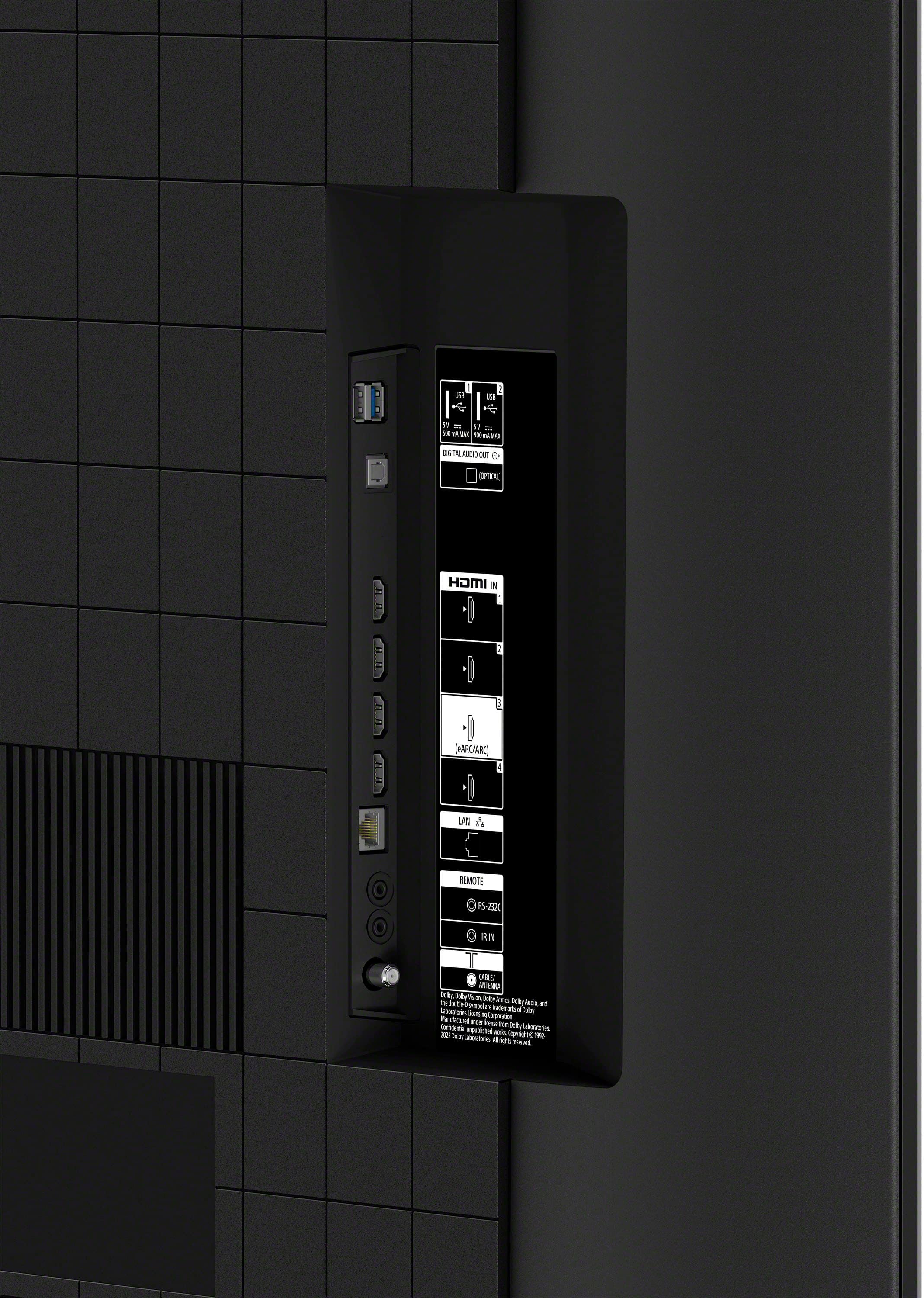
- Cons mentioned:Connectivity
First TV broken, subsequently replaced by Best Buy
||Posted . Owned for 2 weeks when reviewed.This reviewer received promo considerations or sweepstakes entry for writing a review.The first TV I received have issues with pixels showing and kept losing the network connection. I did call Best Buy to tell them about my dissatisfaction and they did replace the TV at no charge.
No, I would not recommend this to a friendBrand response from SonyListens
Posted .Hi JuliaS, we appreciate your feedback and are sorry to hear that your first TV had issues. We're glad to hear now that you were able to get a new replacement! Your experience is important to us, and we strive to deliver the best quality possible. Thanks for choosing Sony. Regards, - Dominick
Happy Customer
||Posted . Owned for 1 week when reviewed.This reviewer received promo considerations or sweepstakes entry for writing a review.This is my first Sony TV and I love it so far. Would’ve gone with the OLED but maybe next time for sure. What’s amazing is how fast it works when I turn on my PS5 or XBSX. Graphics look way more smoother and plays better at 60fps. Bestbuy, you will hear from me again for the OLED lol.
I would recommend this to a friendBrand response from SonyListens
Posted .Hi Will, we're glad you love your new TV! Thanks for choosing Sony. ~Earl
- Pros mentioned:Picture quality
Sony TV
||Posted . Owned for 1 month when reviewed.This reviewer received promo considerations or sweepstakes entry for writing a review.Excellent picture might need a sound bar.Install was great by geek squad.
I would recommend this to a friendBrand response from SonyListens
Posted .Hi DRC54,
Thank you for sharing such an excellent shopping experience. We are glad to hear the installation of this TV turns out extremely well and it delivers amazing picture quality. Your feedback regarding the TV speaker is extremely important to us and is very much appreciated. As a suggestion, you can configure various settings related to the TV’s sound such as sound quality and sound customization. For more information on how you can enhance your listening experience check the Adjust Sound Settings on your Google TV on the link below.
https://helpguide.sony.net/tv/lusltn2/v1/en-003/01-03-09_04.html
Thank you for purchasing the 55" BRAVIA 3 and for choosing Sony!
-Jess
- Pros mentioned:Picture quality
Very good second TV
||Posted . Owned for 1 week when reviewed.This reviewer received promo considerations or sweepstakes entry for writing a review.Very good video quality and decent sound for use in bedroom.
I would recommend this to a friendBrand response from SonyListens
Posted .Hi WJHmusic, Fabulous! We're delighted to hear your enjoyable experience with the amazing picture and sound quality of your BRAVIA 3 TV. It's fantastic to know that it works great so far in your bedroom. Thanks for choosing Sony! -Jess
- Pros mentioned:Picture quality
Great tv
||Posted . Owned for 1 week when reviewed.This reviewer received promo considerations or sweepstakes entry for writing a review.The display is bright and sounds great. Great tv for the price.
I would recommend this to a friendBrand response from SonyListens
Posted .Hi FranciscoH,
Awesome! We're thrilled to hear your enjoyable experience with the incredible picture and sound quality of your new BRAVIA 3 TV. Thanks for choosing Sony! - Kris
- Pros mentioned:Picture quality
Sony
||Posted . Owned for 2 weeks when reviewed.This reviewer received promo considerations or sweepstakes entry for writing a review.The picture is good, but is is a bit difficult to open. I need help.
I would recommend this to a friendBrand response from SonyListens
Posted .Hi HelenM,
Thank you for your time writing this review! While we are glad you like the picture quality of your new BRAVIA 3, we're sorry to hear your difficulties with the TV. To better assist, could you provide us more information of your concern?
For the meantime, you may find this link helpful with information on getting started and using the features of this TV: https://helpguide.sony.net/tv/lusltn1/v1/en-003/01.html
May we contact you to help? If so, please email the below information to socialsupport@am.sony.com:
Name:
Best Buy Username:
Telephone Number:
Model Number:
Issue:
We are sorry for the inconvenience and hope to speak to you to resolve this matter. - Kris
- Cons mentioned:Connectivity
CEC issues
||Posted .This reviewer received promo considerations or sweepstakes entry for writing a review.have had other Sony models with no cec issues, but this does not place nicely with Apple TV boxes.
No, I would not recommend this to a friendBrand response from SonyListens
Posted .Hi Mulvone19,
Thanks for sharing your feedback! We're sorry to hear you're experiencing CEC issues with your BRAVIA 3 and Apple TV box, especially since you've had a seamless experience with other Sony models before.
CEC can sometimes be finicky between different brands, but there are a few things you can try to get them working together smoothly: Ensure that your TV's firmware is up to date, try a different HDMI port on the TV and power cycle all your devices ( unplug them from the wall for about 30 seconds before plugging them back in).
If the problem persists, please don't hesitate to contact our official support team. They can provide more in-depth troubleshooting to resolve this for you. Here's the link: https://us.esupport.sony.com/support/s/support-contact?language=en_US&category=tv
Thanks for choosing Sony!
Sincerely,
Jenn | Sony Social Media Team.
- Pros mentioned:Picture quality
Sony TV
||Posted . Owned for less than 1 week when reviewed.This reviewer received promo considerations or sweepstakes entry for writing a review.Remote slow reacting but picture and sound are great.
I would recommend this to a friendBrand response from SonyListens
Posted .Hi Wayne,
We're sorry to hear about the TV responding slow to input from remote. This is definitely not the buying experience we want our customers to have. Your feedback is extremely important to us and is very much appreciated. To make sure your TV runs as smooth as possible, we highly recommend downloading and installing the latest software for the TV.
If you experience slow, unresponsive or freezes with the TV, please follow the steps from this link to resolve this issue: https://www.sony.com/electronics/support/televisions-projectors-lcd-tvs-android-/k-55s30/articles/00202120
Despite your concerns, we're happy that you appreciate most of the features of the TV, especially its amazing picture and sound quality. Thank you for choosing Sony! -Jess
- Cons mentioned:Connectivity
An expensive and frustrating waste of my time!!!
||Posted . Owned for 1 week when reviewed.This reviewer received promo considerations or sweepstakes entry for writing a review.I'm having nothing but issues with this tv! The view is fine but it takes forever to do any kind of setting task. It's like finding a needle in a haystack when you're used to just a simple return button. It's absurd what you have to go through! Not only that but if you don't have internet it makes your life a living nightmare! I keep trying simple wireless display adapters to mirror my phone to the TV and it's been nothing but a nightmare nothing works! I've tried hotspot to this TV and it won't connect! My hotspot says it's giving off internet but my TV won't connect.. it's a living nightmare going back
No, I would not recommend this to a friendBrand response from SonyListens
Posted .Hi, Theylied
Thanks for letting us know the situation with your BRAVIA TV. We understand this is not the experience that our customer are meant to go through. For this type of situations, where your TV is not connecting to internet, we recommend some troubleshooting steps:
1. Perform a power reset on the TV: Unplug the device from the power source for 2 minutes
3. Perform a power reset on the router: Unplug the device from the power source for 1-2 minutes
3. Set the correct date and time on TV: You can go to settings > System > Date and Time > Automatic date & time > OFF
You may find more information on the link below, hope this information comes useful:
https://www.sony.com/electronics/support/articles/00151038?utm_source=glean
Please, let us know any outcomes, and in case problems persist, feel free to reach our Live Support Team at https://us.esupport.sony.com/support/s/support-contact?language=en_US&category=tv.
Best regards,
-DiegoV
Lets go!
||Posted . Owned for 1 week when reviewed.This reviewer received promo considerations or sweepstakes entry for writing a review.none of the Sony TV's I have owned ever failed. The technology moved forward making the current TV obsolete.
I would recommend this to a friendBrand response from SonyListens
Posted .Hi billonahill. Thank you for your feedback and for choosing Sony TVs over the years. We’re glad to hear that our TVs have performed reliably for you. We continually strive to innovate and bring you the latest in television technology. Thanks for choosing Sony!. Regards, Milton.
Great TV for Value
||Posted . Owned for 3 weeks when reviewed.This reviewer received promo considerations or sweepstakes entry for writing a review.Great TV for gaming and watching sports. No frame rate issues, great contrast
I would recommend this to a friendBrand response from SonyListens
Posted .Hello RobertR,
Thank you for choosing Sony!
We're thrilled to hear that you're enjoying the K55S30 TV for both gaming and watching sports! We really appreciate your feedback about the absence of frame rate issues and the impressive contrast. Your input means a lot to us, and we’re confident you’ll enjoy your new TV for many years to come!
Best regards,
-Fred