Customer Ratings & Reviews
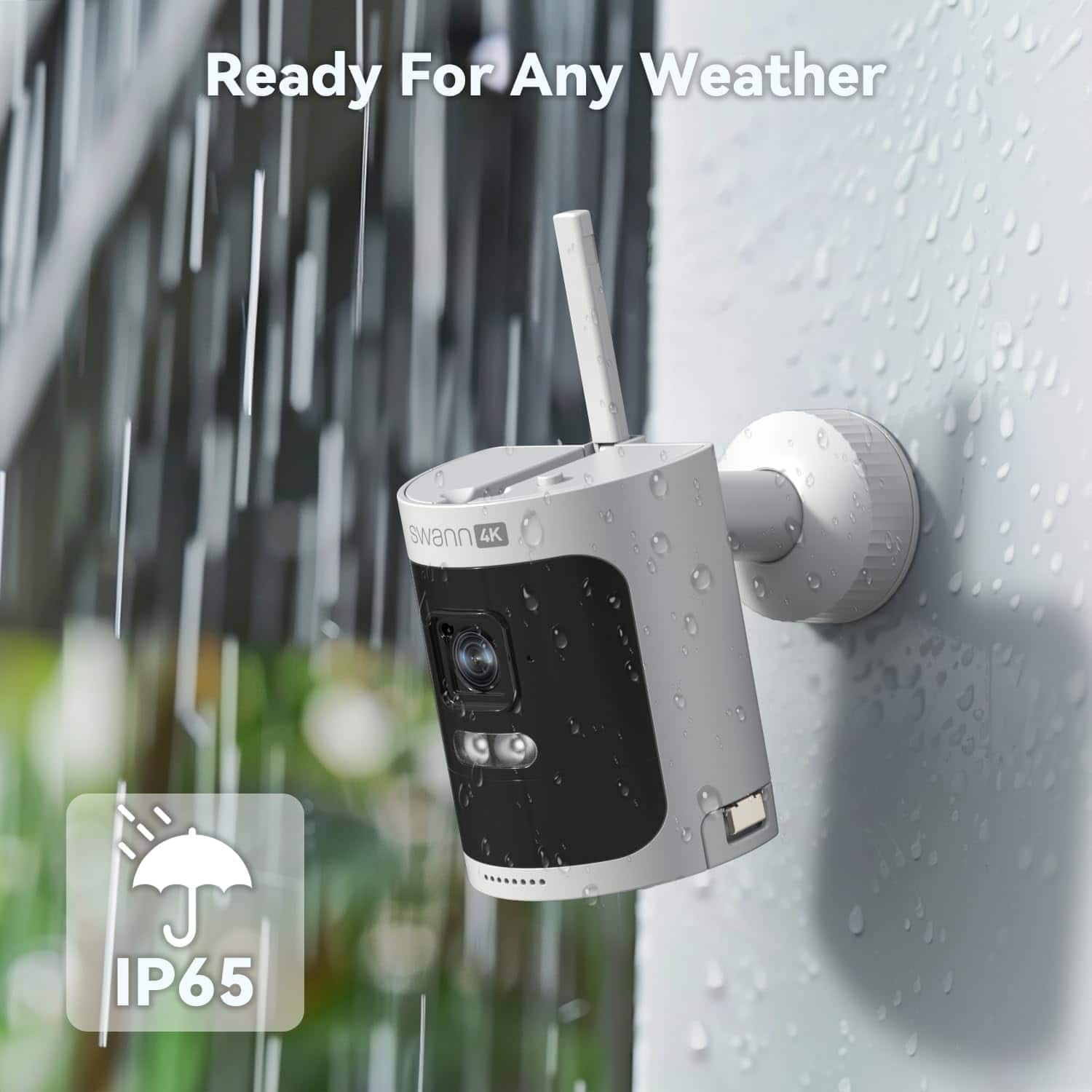

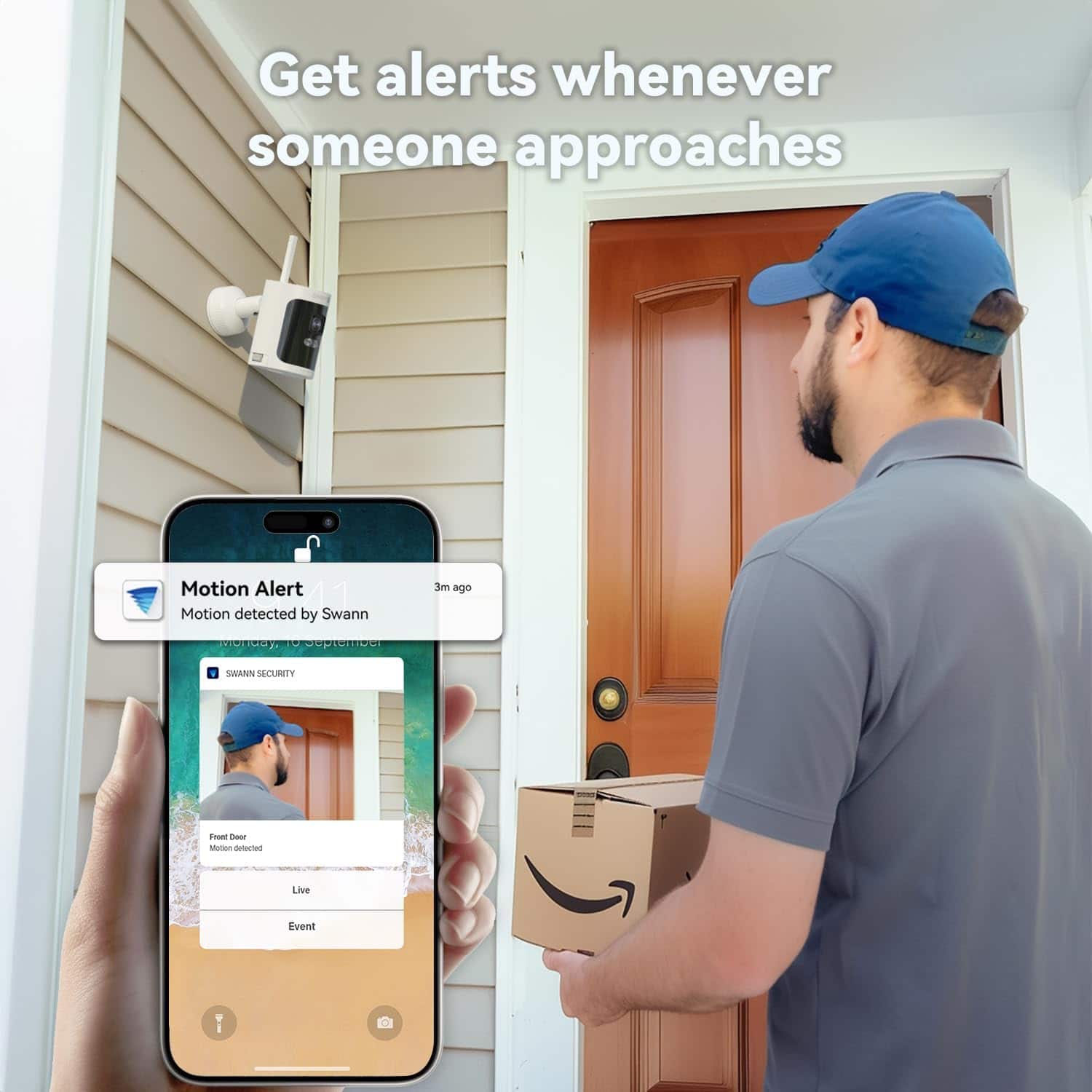
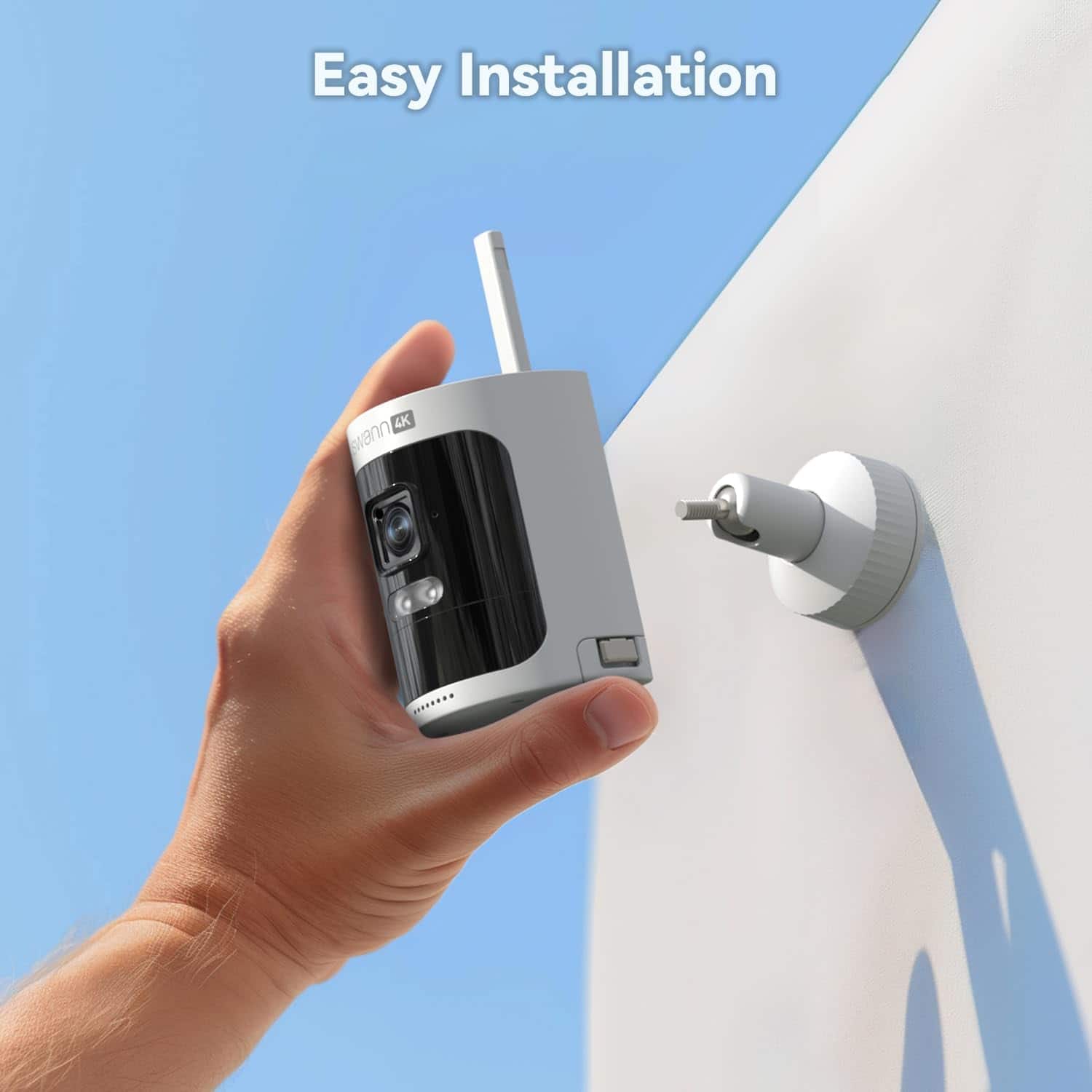
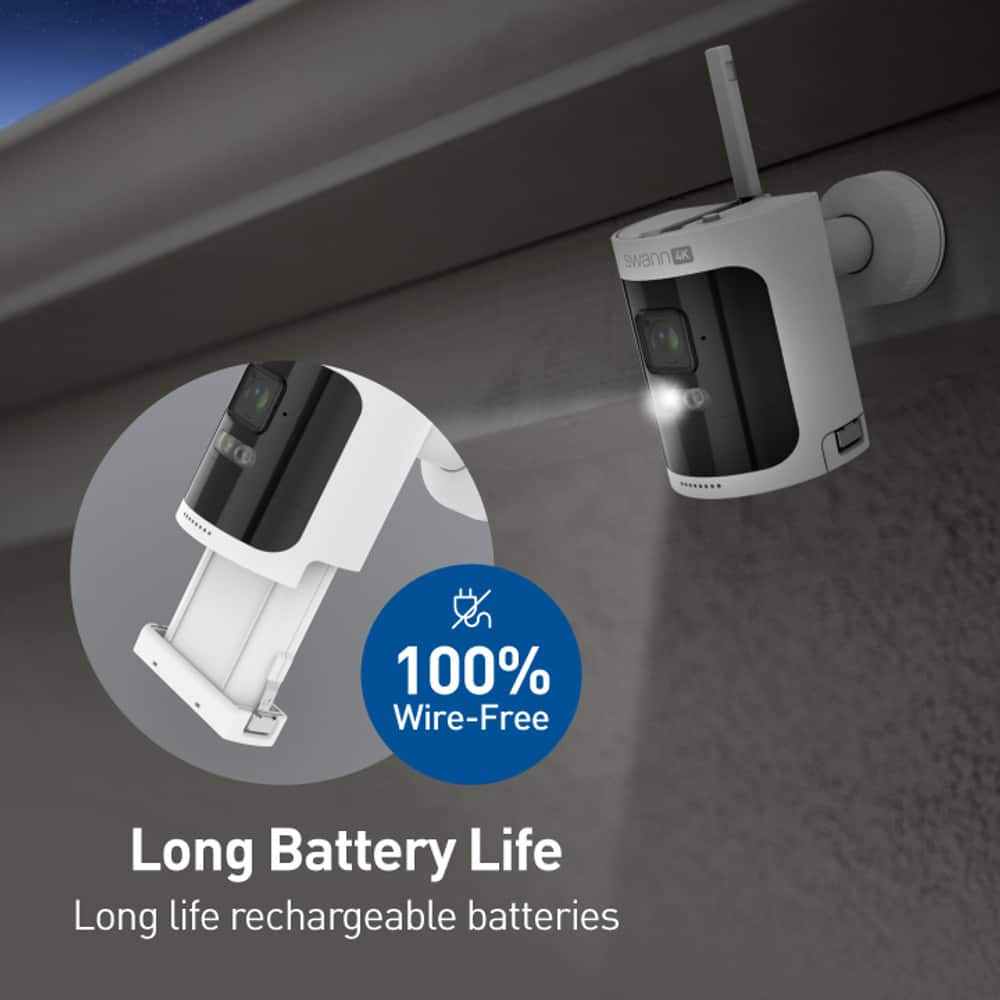
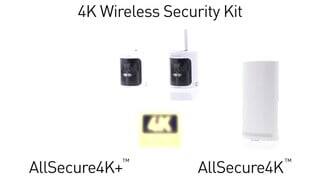
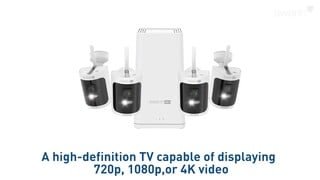
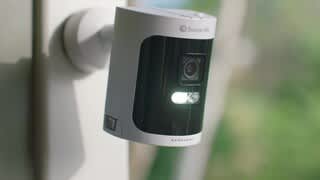
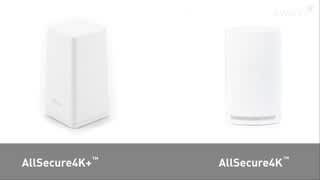
- Model:
- SWNVK-AS4K650SD3-BB
- SKU:
- 6586052
Rating by feature
- Value
Rating 4.4 out of 5 stars
- Quality
Rating 4.4 out of 5 stars
- Ease of Use
Rating 4.4 out of 5 stars
Customers are saying
Customers praise the AllSecure 4K Wireless Security System for its good camera quality, extended night vision, and free local and cloud storage. Many find the system easy to use, with simple mounting and quick setup. Battery life is also appreciated, lasting around 4-5 days. However, some customers have reported connectivity issues.
This summary was generated by AI based on customer reviews.

Limited connectivity
|Posted . Owned for 3 weeks when reviewed.This reviewer received promo considerations or sweepstakes entry for writing a review.[Employee of bestbuy] The connection is awful whether you’re on the base station or wifi.
No, I would not recommend this to a friendBrand response from Swann
Posted .Hi Bbyr,
Thank you for sharing your feedback. We’re sorry to hear that you’ve been experiencing connectivity issues and understand how inconvenient this can be. Connection performance can be affected by a number of factors, and we’d really like the opportunity to look into this further.
Please feel free to reach out to our support team at tech@swann.com so we can assist you with troubleshooting and explore possible solutions. We’re here to help and want to improve your experience.
We understand this hasn’t met your expectations, and we truly appreciate you bringing this to our attention. Your feedback is valuable to us.
Mary - Swann Team.
- Pros mentioned:Camera quality, Night vision, Storage

A great NVR home security system!
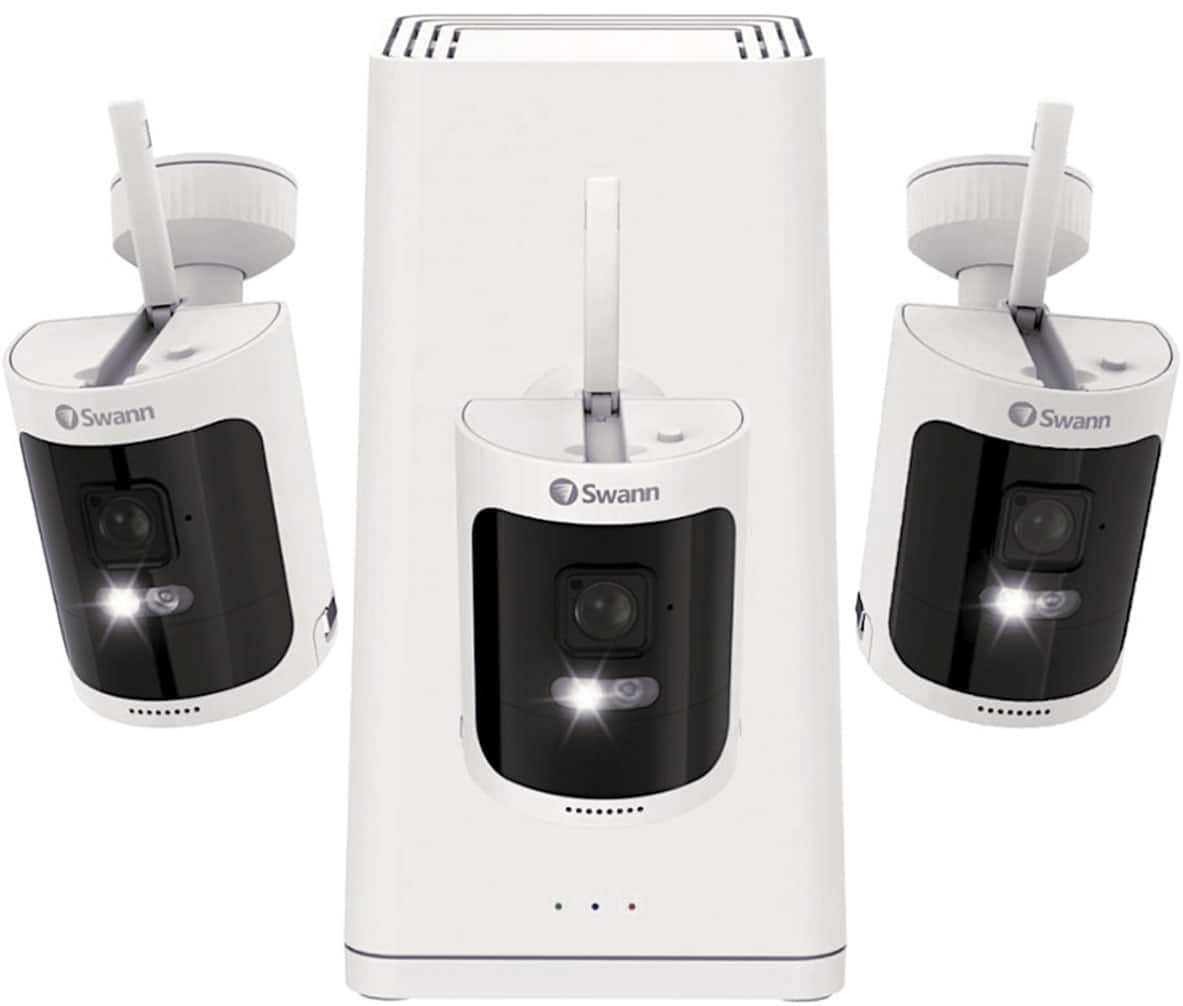
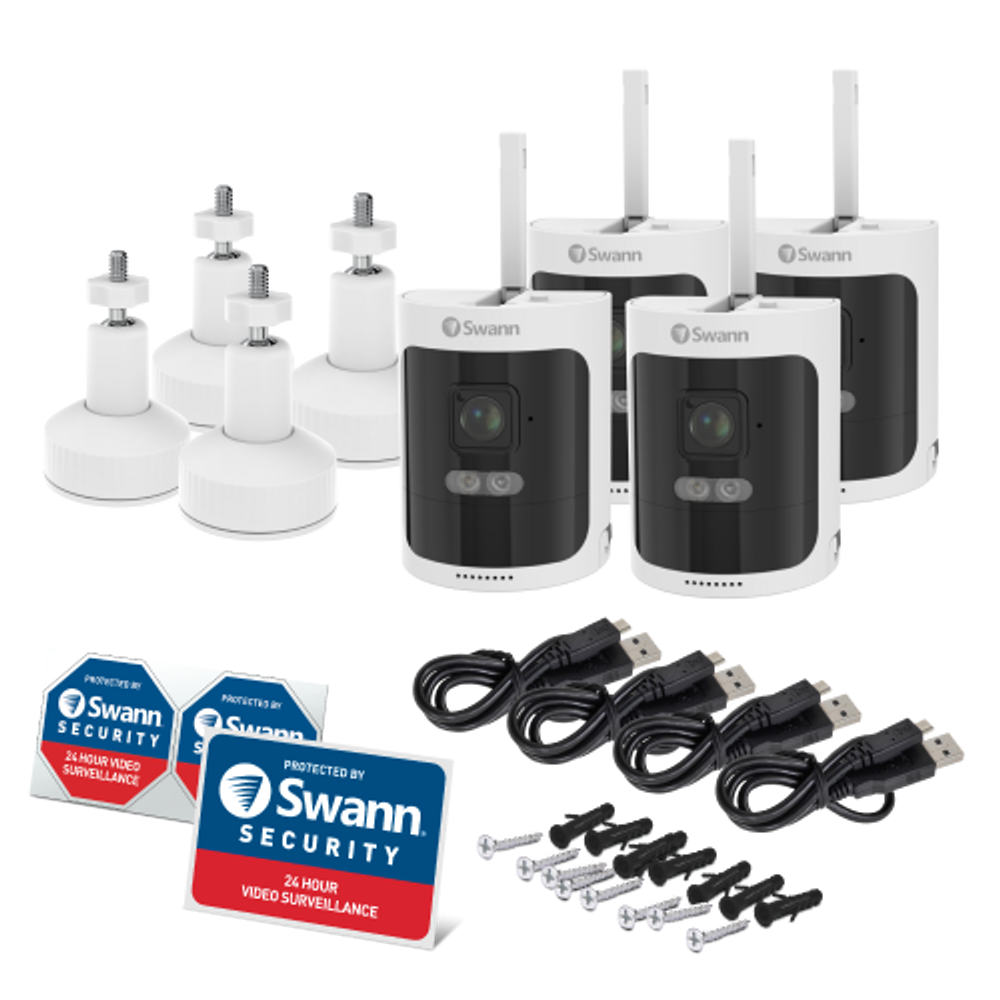
|Posted .This reviewer received promo considerations or sweepstakes entry for writing a review.The Swann, easy to setup & install, AllSecure4K Hub with 64GB Micro SD Card, NVW-AS4KCAM 100% Wireless Cameras x 3, Outdoor Mounting Stands x 3, Camera Batteries x 3, Power Adapter, Ethernet Cable, USB to USB-C Charging Cable, Mounting Screws & Plugs, Operating Instructions, and Theft Deterrent Stickers, works great with a high-speed broadband network with Wi-Fi enabled and upload speeds of at least 2Mbps, mine speed are much higher so I can not vouch for their statement, but my experience is AWESOME. First why have a home security system? 1. Reduced likelihood of break-ins if aggressor / thief realizes you have a security system 2. Better situation awareness and cost mitigation a. can alert you including 2 way audio, if you are on premises or remote, to break-ins, breakage, water leaks, heat and motion aberrations etc. b. can help mitigate dollar losses / insurance cost etc. Second, a home great security system combines various components and technologies to protect your home. Indoor and outdoor high-resolution (4Kwireless) video cameras with, night vision, and motion detection capabilities. This system can also incorporate a large variety of both Swann and other provider elements such as water detection. It has several apps for iOS / Android etc. The local storage capability along with remote monitoring covers the best of both worlds. Since police response times can be as much as 40 minutes to NEVER, a video and audio of the intrusion may help with legal or insurance issues. PLUS – in my opinion NVR beats DVR in most circumstances. Swann also has a very robust online presence for information. I chose DIY Installation but depending on your confidence in your handyman abilities — you may want to opt for professional installation.
I would recommend this to a friendBrand response from Swann
Posted .Hello jhancock,
Thank you for sharing your 5-star review! We appreciate your detailed and honest feedback. Should you need assistance in the future please contact our support team for assistance.
For real-time support, check the numbers below:
1. USA & Canada: 1800 627 2799
2. Australia: 1800 788 210
3. United Kingdom: 0808 168 9031
Your feedback is important to us.
LV-Swann Team
False Advertising
||Posted . Owned for 3 weeks when reviewed.This reviewer received promo considerations or sweepstakes entry for writing a review.Says the battery lasts at least 3 months(90days). More like 3 hours. After a week of having it I can’t view live footage anymore and had to buy the solar panels because of the battery drainage, and of course the solar panels don’t work either in direct sunlight. Don’t waste your money
No, I would not recommend this to a friendBrand response from Swann
Posted .Hello Nessyyy,
We’re truly sorry to hear about the challenges you've experienced with the battery life and solar panels. The battery is designed to last 2-3 months under normal use, so this sounds far from typical. We'd love to help resolve the live footage issue and review your solar panel setup to ensure everything is working as it should. Please contact our team at tech@swann.com for personalized assistance.
Your feedback is important to us.
LV - Swann Team
- Pros mentioned:Camera quality, Night vision
Perfect for home or commercial space - easy to use
|Posted .This reviewer received promo considerations or sweepstakes entry for writing a review.The Swann - AllSecure4K Wireless Security Kit with 3 Wire-Free Cameras is a solid choice for anyone seeking a robust and versatile home security system. This kit offers a well-rounded package with its advanced features, ease of installation, and reliable performance, making it suitable for both tech-savvy users and those new to home security systems. Installation and Setup One of the standout features of the Swann AllSecure4K is its wire-free design. The cameras are battery-powered, eliminating the need for complicated wiring and making the installation process straightforward and quick. The included mounting hardware is durable, and the cameras can be positioned flexibly around the property. The initial setup through the Swann Security app is user-friendly, guiding users step-by-step to connect the cameras to the NVR (Network Video Recorder) and ensuring everything is up and running smoothly. Video Quality and Performance The 4K Ultra HD resolution is a significant upgrade, delivering crisp and clear video footage. Daytime video quality is excellent, capturing fine details with accurate colors. The night vision is equally impressive, utilizing infrared LEDs to provide clear images in low-light conditions up to a reasonable distance. This ensures reliable monitoring both day and night, giving users peace of mind. Features and Functionality The Swann AllSecure4K kit is packed with useful features. Motion detection is highly sensitive and customizable, reducing false alarms. The system can send push notifications to the user’s smartphone, alerting them to any suspicious activity in real-time. Additionally, the two-way audio feature allows users to communicate directly through the cameras, which is useful for scaring off intruders or simply interacting with visitors. The NVR offers ample storage capacity and supports continuous recording, ensuring that no important footage is missed. Moreover, the system is compatible with various smart home devices and can be integrated with Google Assistant or Alexa for added convenience. The option for cloud storage, although requiring a subscription, provides an additional layer of security by backing up footage remotely. Durability and Design The cameras are built to withstand the elements, with an IP66 weatherproof rating ensuring they perform reliably in various weather conditions. The sleek, modern design of the cameras and NVR means they don’t look out of place in a home setting, blending seamlessly with contemporary decor. Conclusion Overall, the Swann - AllSecure4K Wireless Security Kit with 3 Wire-Free Cameras is a comprehensive and reliable security solution. Its ease of installation, superior video quality, and rich feature set make it an excellent investment for anyone looking to enhance their home security. While the upfront cost might be higher than some other options, the performance and peace of mind it offers justify the price tag. This kit is highly recommended for those seeking a top-tier wireless security system.
I would recommend this to a friendBrand response from Swann
Posted .Hello Michael,
Thank you for taking the time to leave such a positive & detailed review on the AllSecure4K system. We're glad to hear you've been as impressed with it as we are. Your review will be useful to others who may be interested in purchasing this product. If you need assistance or have any questions please visit our support page or contact us over the phone.
https://support.swann.com/s/
Your feedback is important to us.
LV-Swann Team
Terrible Customer Service
||Posted . Owned for 1 month when reviewed.This reviewer received promo considerations or sweepstakes entry for writing a review.Came with a broken camera out of the box and Best Buy customer service did nothing to correct the situaution.
No, I would not recommend this to a friendBrand response from Swann
Posted .Thank you for the feedback. Please reach out to our support team at tech@swann.com if you need our assistance with replacing your cameras. It is usually faster to consult with Best Buy about getting a replacement, but our Customer Service team is also here to assist.
Swann Support - AP
- Pros mentioned:Battery life, Camera quality, Night vision
Wireless Security Camera’s
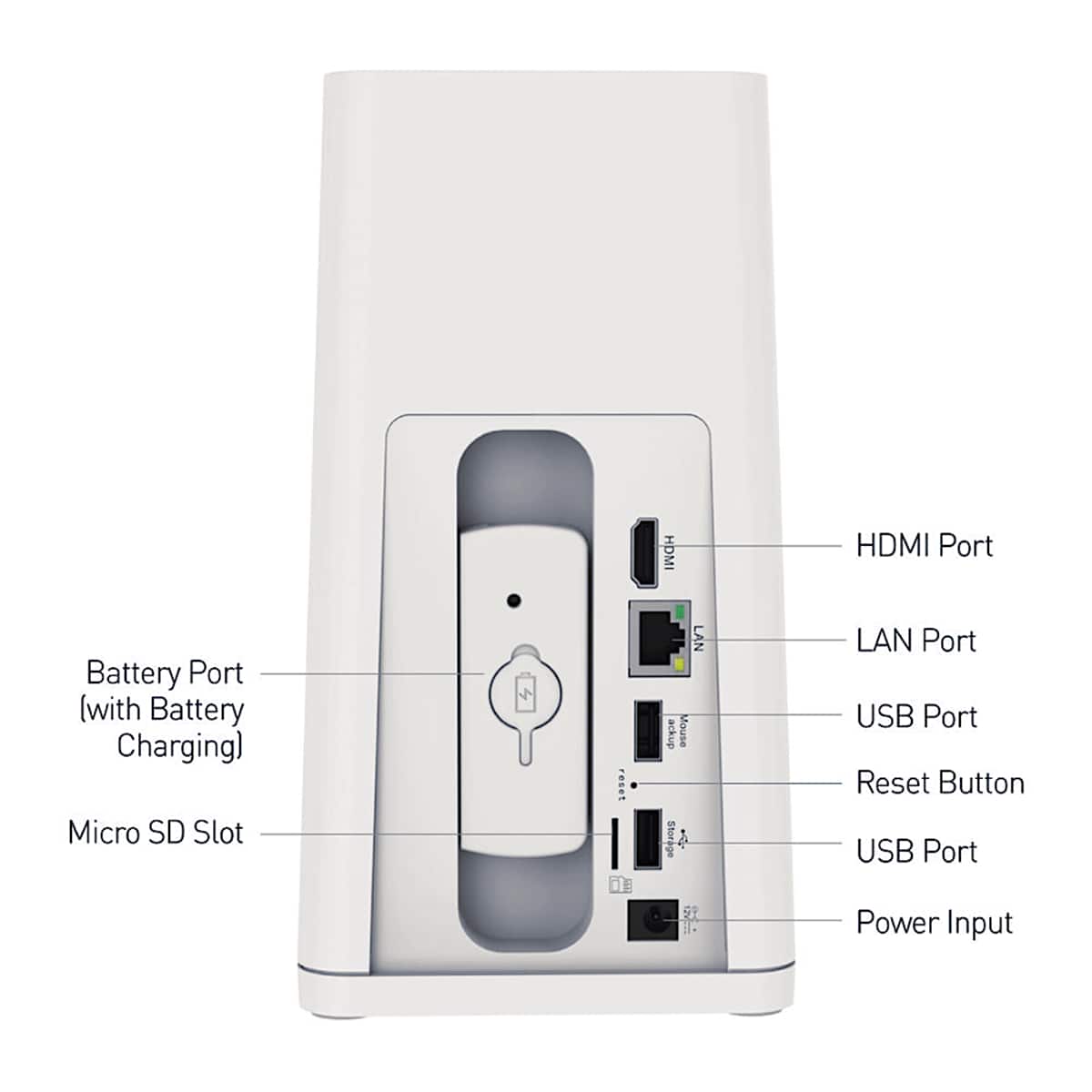
|Posted .This reviewer received promo considerations or sweepstakes entry for writing a review.Swann has been a leader in home security systems for many years. I have owned at least 15 different systems over the past 25 years. Having upgraded every few years. The current system is a Swann – All Secure 4K wireless security kit. I just had to try it. This system comes with 3 battery operated 4K wireless cameras with the ability to monitor from your phone with the Swann Application, which is easily downloaded from the store for your device. The cameras automatically hooked up to the base station without any problems. This system will hold up to 5 additional cameras, which can be purchased directly from their website. The base station has a spot for an additionally provided battery. This keeps the base station up and running during a power outage or allows you to swap out a dead battery with a fully charged battery and recharge it. There are also 2 USB A to USBC charging cables. These batteries are not compatible with your standard USB C chargers, so don’t lose them. There are 4 batteries provided in the kit. There is also mounting hardware for the 3 cameras along with the screws. The latest software for the base station is loaded on the unit. If you have ever used any Swann security system, you can easily navigate the setup procedures and set your output to your monitor. In its default state this base station only records when the camera notices movement within its selected area. While this system is set up for a 4K playback it is backwards compatible with any modern monitor. The playback to my phone was very clear even at night. I could also hear and understand the conversation on the camera and they could hear and understand me. I enjoyed this system so much I will order the extra cameras later and completely remove my older system.
I would recommend this to a friendBrand response from Swann
Posted .Hello Nicholas,
Thank you for sharing your 5-star review! We appreciate your detailed and honest feedback. Should you need assistance in the future please contact our support team for assistance.
For real-time support, check the numbers below:
1. USA & Canada: 1800 627 2799
2. Australia: 1800 788 210
3. United Kingdom: 0808 168 9031
Your feedback is important to us.
LV-Swann Team
- Pros mentioned:Camera quality, Night vision
Impressive
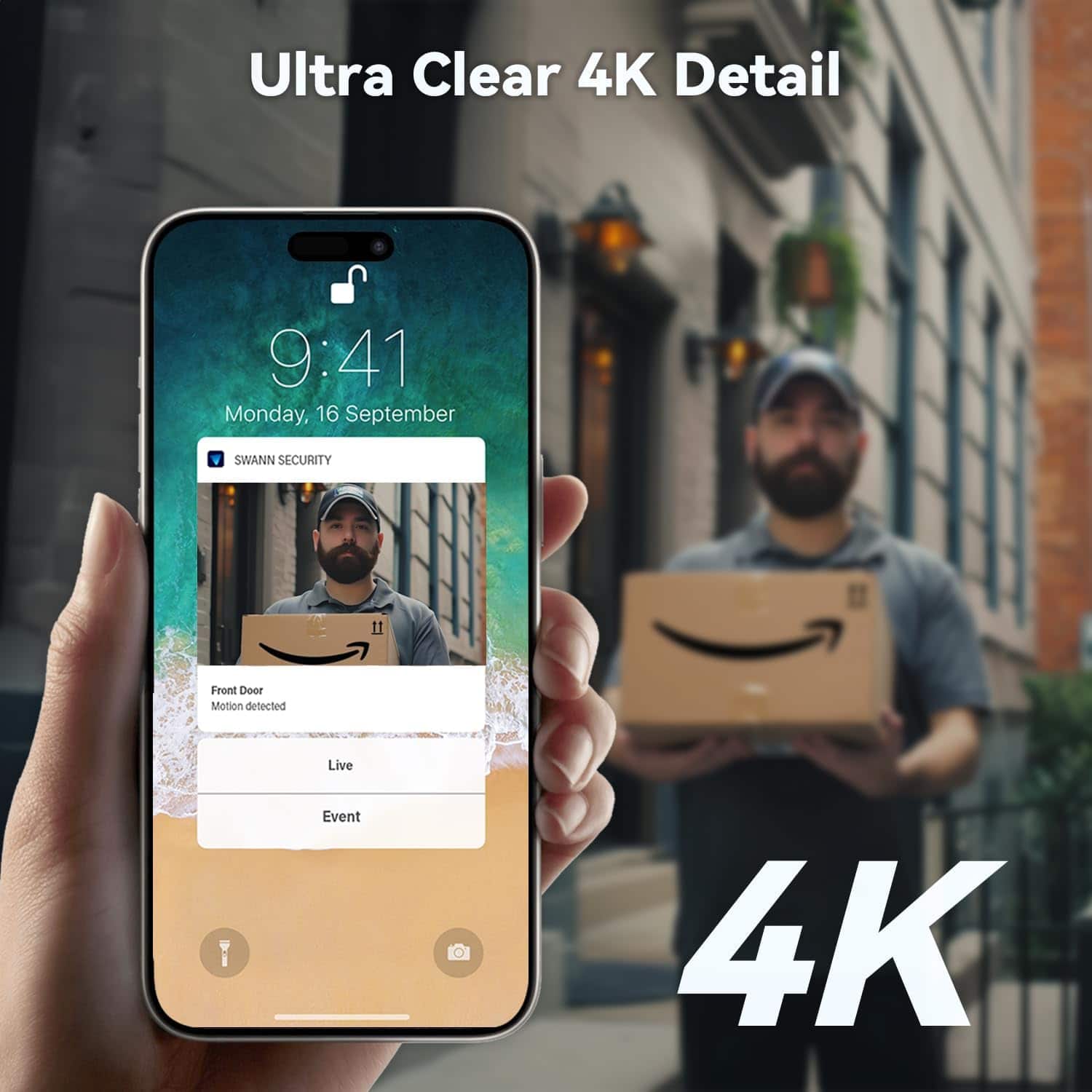
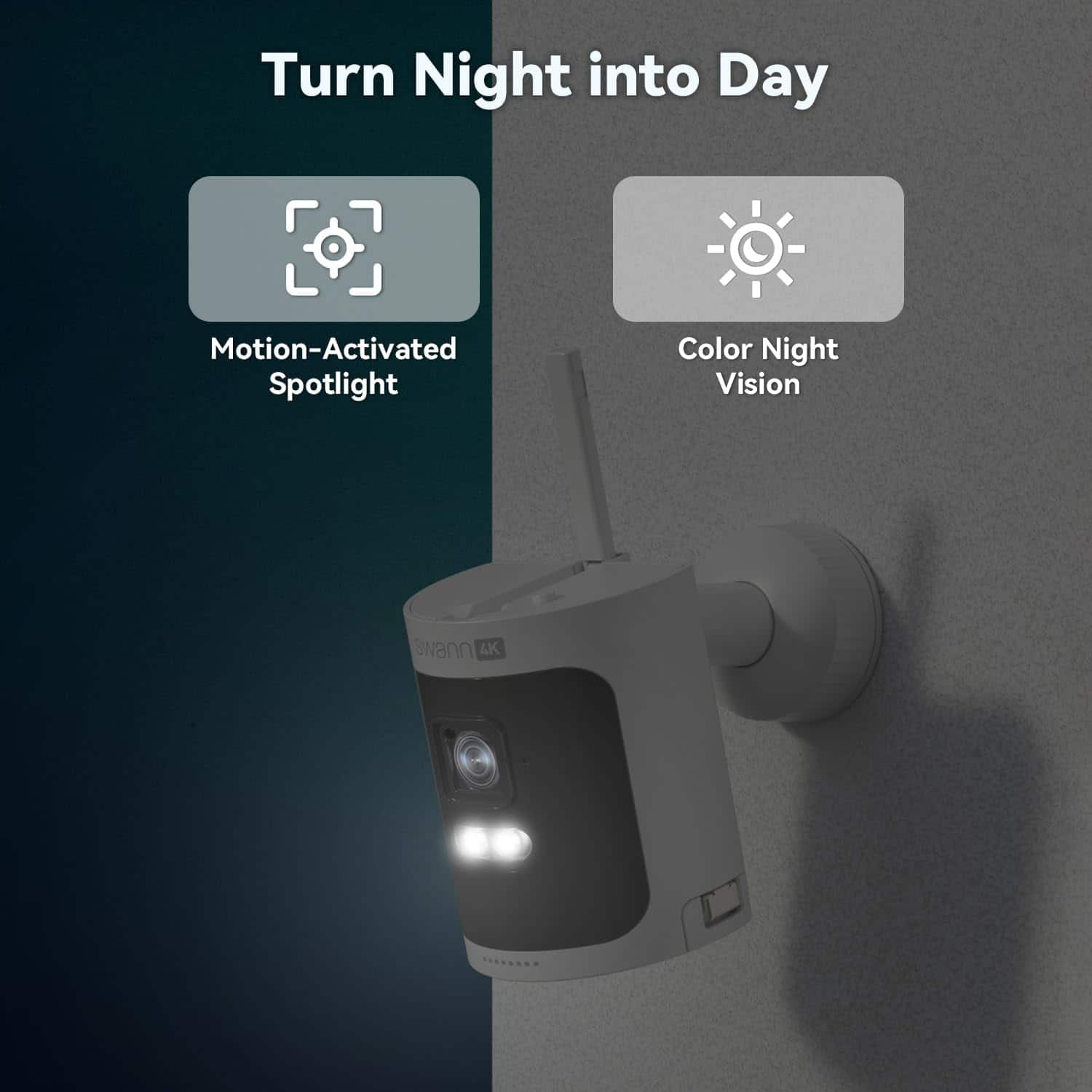
|Posted .This reviewer received promo considerations or sweepstakes entry for writing a review.To be totally honest, I was a little surprised how much I liked the Swann AllSecure4K+ 3 Cameras Wireless Security System. In the past, I’ve often gone for other brands but this system has be rethinking that. The 4K Ultra HD quality gives you super clear and detailed images, so you can actually identify faces and license plates in playback. The 100% wire-free design makes using the system very flexible since you can position the cameras wherever needed without worrying about power outlets or 20 different cables. Installation is straightforward with clear instructions, and the system connected seamlessly to my Wi-Fi. Heat and motion sensing technology help you make sure the cameras only record relevant activity, which significantly reduces false alarms. The 2-way audio feature adds another layer of security, enabling real-time communication with anyone on your property, whether it’s to greet a visitor or deter an intruder. The Night2Day color night vision is very nice, giving you a full-color view even in low-light conditions. This feature alone sets the AllSecure4K+ apart from many. Overall, the Swann AllSecure4K+ 3 Cameras Wireless Security System is a great solution for anyone serious about home security, combining advanced technology, ease of use, and superior video quality into one package.
I would recommend this to a friendBrand response from Swann
Posted .Thank you for sharing your positive feedback on our Swann System glspark2007. We are happy to learn you are as impressed with the AllSecure4K as we are. We're glad that your installation experience went smoothly. Should you need assistance in the future, please visit our support page or contact us over the phone. https://support.swann.com/s/ Your feedback is important to us. LV - Swann Team
- Pros mentioned:Camera quality, Ease of use
Simple to setup and easy to manage.
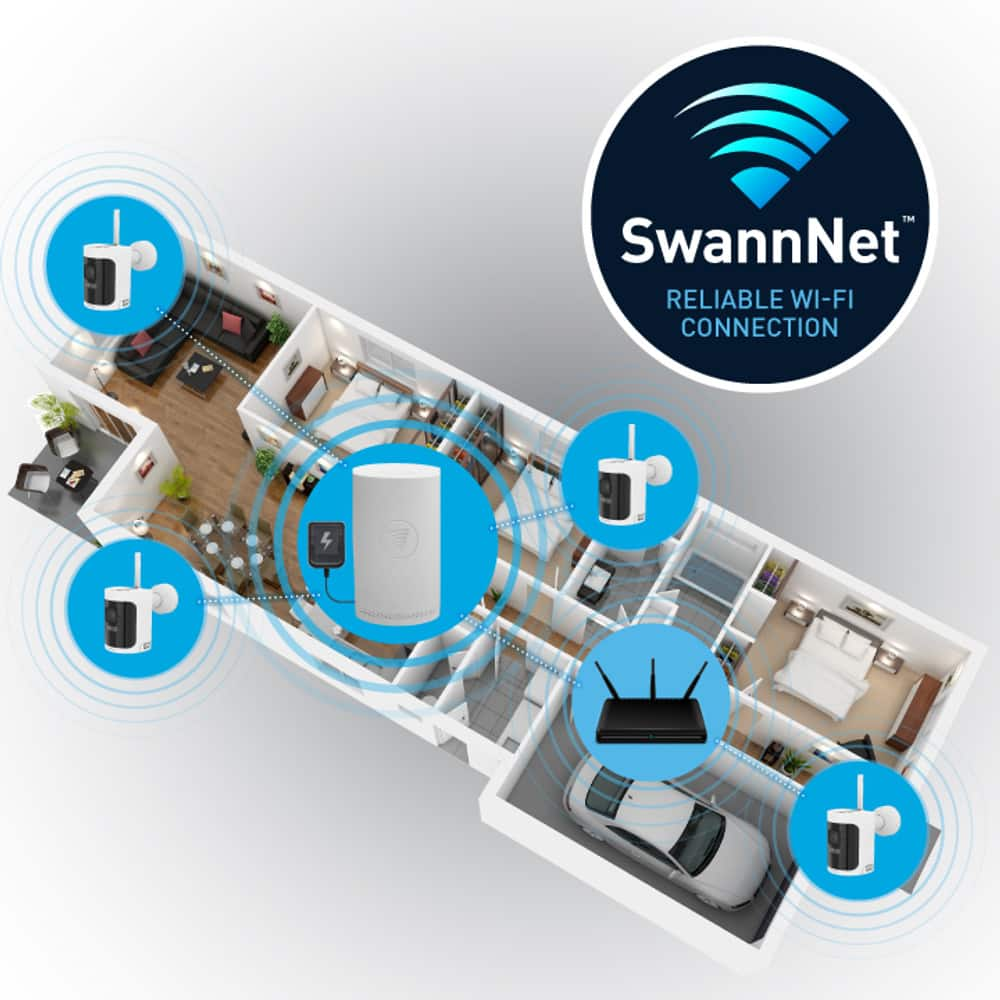
|Posted .This reviewer received promo considerations or sweepstakes entry for writing a review.Overall this wireless camera kit is super simple to setup and get working, the three included cameras all come pre paired to the included NVR Hub so after the batteries are all charged and you turn everything on setup is as simple as following on screen instructions. As a bonus the NVR can be managed over the network as well, so you do not have to have it plugged into a tv or monitor beyond initial setup. Each camera is equipped with spotlight and an ear splitting siren that can be set to activate on motion, thankfully the system warns you when you go to activate it, so you shouldn’t accidentally turn it on. While the kit comes with 3 cameras pre setup, you can get additional cameras and adding them is as simple as clicking one of the disconnected feeds in the interface, clicking pair, and hold the pairing button on the camera you want to add. You can add motion trigger zones to the cameras if you only want them to record when something moves through dedicated areas, good for if your camera has a window in frame and don’t want it to capture every time a bird flies by. Overall I like how well this was all packaged together and how easy they made setting things up, But I dislike the design of the NVR, and their decision to go with Micro SD as the default included storage. I also feel that 4k recording is pushing this system to its limit even with only three cameras. Everything is connected via a proprietary 900mhz WiFi signal, which gives it all great distance but puts significant lag on live feeds so I wouldn’t recommend this system for situations where you want to monitor an area in realtime. I recommend getting an external usb drive if you expect this to be saving footage often, and need it to be reliable, SD cards can be fickle, and security is only as good as it’s weakest element, and that is the weakest part of this setup overall. The peace of mind having security cameras keeping an eye on things for you cannot be beat in the end. Knowing if something happens you will have it on video is a calming notion, and the mere presence of security cameras will dissuade the less bold of trespassers. Just don’t rely solely on cameras, intrusion sensors and other security measures should be taken if you feel your in an area where there might be the threat of a break in.
I would recommend this to a friendBrand response from Swann
Posted .Hello RedMage,
Thank you for sharing your positive experience with the AllSecure 4K system. We are glad to know you find value in this product. For further assistance, please visit our support page or contact us over the phone.
https://support.swann.com/s/
Your feedback is important to us.
LV - Swann Team
- Pros mentioned:Battery life, Camera quality, Storage
I really wanted to like this DVR system!
|Posted .This reviewer received promo considerations or sweepstakes entry for writing a review.I've had wireless network cameras before and was very excited to try this set out for the 4K UHD picture and local SD storage. I tested them out inside near the base station to set them all up, and all worked perfectly with setup being really quick and fairly easy. Then when I went to locate them where they would be permanently the enormous disappointment came after mounting the cameras where I wanted them. Simply put, the wireless connection is this camera DVR system is extremely unreliable and weak. In fact it is so much so, I just cannot recommend it except in very specific scenarios (like using it inside where the base station is close) or maybe just one area like an office and a few doors near the base station. With the performance I observed after setting this up, I have no idea how you'd get this thing to support 8 cams located in places all around your house let alone the 3 as I have all on the front of my house (one near the door, the garage and on the same corner next to the garage. All within about 50 feet of each other in near line of sight). Inside, the base station was at first located near my front door and then the garage cams wouldn't connect (but the front door cam would), especially the one on the side next to the garage on the same corner pointed at the side of the house. So then I moved the base station to my kitchen near the window which was in between and almost had line of sight directly to one and just down the wall 30 feet from the other. Same issue, one would connect strong the others were unstable still. So then I tried in the garage. Well then that fixed those two and then the front door cam stopped connecting. So then I reset it and tried again with the ethernet port thinking maybe that'd allow it to have a better signal with the cams. Nope, nada, same results. I literally spent hours troubleshooting and resetting it to try out different locations for the base station, using the Ethernet instead of Wifi to the base station to no avail. The result would always nearly be the same, I could get one or two cameras to connect reliably but the one furthest away from the base station would have low/weak signal and generally would not display an image or freeze up the app. So then I took an extension cord outside with the base station outside in my front yard with line of sight to both and it worked better but not great. The live view was still very laggy for the most distant cam but then not the others. Suffice to say, the antennas either are just of poor design and are VERY directional and literally can tolerate no walls in between or something. Could just be this system but I really don't think so based on how when I moved the base station around it would affect the cams in what became a predictable way it's not and it could be reproduced in other houses. The last thing was the microphones.. they are a joke, you cannot hear someone talking loudly, mostly all you can tell is that there's a voice but not what is being said without turning your volume up ALL the way and even then it was still muffled/hard to hear but you sure could hear the breeze or the trees good when the leaves rustle or when someone drove by in a car. Next was the app, it mostly was good but there is absolutely no way to reconfigure the Wifi connection from the app once it's setup leaving you the painstaking way of just factory resetting the system to get it to let you reconfigure the Wifi network. On my Samsung Galaxy S23 Ultra the app would occasionally stop responding and have to be force closed which could have been due to the cameras just not connecting and some poorly written code. The positives.. well.. while there are very few and I do want to be fair. The 4K UHD image quality was really great and the night vision seems to work too but you do lose some quality at night (as you do with most cams). The big batteries and the USB-C ports make them easy to charge and get solar panels for so you don't have to charge them and setup really was pretty easy and quick. There are other features in this system that are good like the alerts, light, sound and alarm but where the system doesn't work reliably I couldn't get the features to work reliably of course but when they did work they seemed pretty good. Unfortunately, this system is absolutely not something I'd recommend based on my experience with it. It's in no way reliable and the app is lacking key features and stability.
No, I would not recommend this to a friendBrand response from Swann
Posted .Hello btb2k. Thank you for reaching out with your feedback. We are sorry you are experiencing issues with your Swann product. Please note person detection configuration and record settings must be done from the NVW main menu. This system connects to 2.4GHz Wi-Fi bands. The exact distance will vary from home to home based on the network environment, obstacles around the home, thickness of walls, including steal walls or tin can affect the wireless range. Please contact our support team and have your internet upload and download speeds ready so our team can help to isolate the issue. You can reach our support team by clicking on the link below, then click on the blue box on the bottom right-hand corner to chat with a technical support agent or contact us over the phone.
https://support.swann.com/s/
Your feedback is important to us.
LV-Swann Team
- Pros mentioned:Battery life, Camera quality
Great wireless security kit - Easy setup!!
|Posted .This reviewer received promo considerations or sweepstakes entry for writing a review.Super, super happy to finally have a nice wireless setup for our outdoor security. Setting this up was very easy. Followed the quick set up guide and had it testing in less than 15 minutes. The 3 cameras even paired themselves to the base unit automatically as soon as I popped the batteries in them. I was able to set everything up through the home wifi which was great because I could set the base unit near the TV, run the HDMI cable into my receiver and not have to wire it to the router which is on the other side of the room during the set up process. Really made it that much easier to get going. I used my TV to get everything working before I downloaded the app. Once I installed the app on my own and my fiance's phone, I mounted the cameras in their finally spots. One out front, one in the back yard and one in the garage. All 3 have no issues pushing their signal to the base unit probably between 50 to 60 feet away. All 3 are prefectly placed to give us the perfect security and piece of mind we've wanted for so long. The 4k quality is key and the audio quality is fantastic too. I've had them installed for 5 days now, and battery life has been great. One at 77% full, and the other 2 in the mid 80s. This package even comes with a spare 4th battery that actually charges itself right inside the base unit so it's always ready to go. Very impressed with battery life thus far. There are a lot more setup things to look at on the TV than there are on the app and I still need to sit down with that and figure that all out but you can have a really good system basically set up in less than 30 minutes and then get into the fine details later like setting zones and sensitivity among other things. The defaults were all good for me to get started. Only issue I've had is for some reason, it thinks I'm not online and won't check for firmware updates or let me register my email for forgotten password reset, etc. Not sure what's going on with that yet because I know I'm successfully on our network with it or I wouldn't be able to check the cameras on my phone from 30 miles away like I've been doing all week. But I'll get that figured out. I also had difficulty getting the time to sync up correctly but finally figured that out by making sure I had DST set to on Overall, this is a really cool camera kit and I'm ecstatic to finally have all this wirelessly Highly recommend to anyone
I would recommend this to a friendBrand response from Swann
Posted .Hello Zeppelin33,
Thank you for reaching out to us and sharing your positive feedback on our Swann System. Your review gives us more insight into the things we have done correctly. We're glad you had a great experience with your Swann system. Should you need assistance in the future, please visit our support page or contact us over the phone.
https://support.swann.com/s/
Your feedback is important to us.
LV - Swann Team
- Pros mentioned:Camera quality, Night vision
Highly sensitive system that captures everything
|Posted .This reviewer received promo considerations or sweepstakes entry for writing a review.The Swann AllSecure4K+ Wireless Security Kit is a highly sensitive surveillance system that can supply complete visual security around a persons’ home. I needed two days to install the system, because there are so many steps to do that make installation tedious. First, I had to connect the NVR to my TV and router. After hardware connection, I completed updating software information into the NVR. Mounted cameras were easily paired inside Live View mode, by pressing the pair button for 5 seconds. I was instructed to install the Swann Security app to give me 24/7 monitoring access of my home. The camera gives sharp details of people and things. It has Artificial Intelligence that grows in Human recognition for awareness of the people and things that become common. The quality is crystal clear and I can even see color at night. Video in color gives exact clarity of colors and black and white video comes out similarly with the same clarity. I can watch live current video or view the recorded history on the hard drive. With the two-way audio, I can hold a conversation with anyone within viewing range. There is a manual alarm that is very loud and screeching to scare off intruders. Another security feature is the very bright sensor spotlight to get a better view of what’s happening and shine it on an intruder. It is also weather proofed to avoid damage from the elements of nature. The Swann AllSecure4K+ Wireless Security Kit is full security and gives me feelings of being secured in my home.
I would recommend this to a friendBrand response from Swann
Posted .Hello TheTruthRealDeal,
Thank you for reaching out to us and sharing your positive feedback on our Swann System. Your detailed review gives us more insight into the things we have done correctly to help further improve your sense of security. We hope you continue enjoying all the great features the system offers. If you have any questions or require further assistance, please know our technical support is here to help. Visit our support page on the link below, then click on the blue box on the bottom right-hand corner to chat with a technical support agent.
Ask our team for more information on our extended warranties with our Secure Plus Plans. Your feedback is important to us.
https://us.swann.com/swann-security-subscription/
Please let us know how we may further assist you,
Thank you.
LV - Swann Customer Support
- Pros mentioned:Camera quality, Night vision
This is one fantastic camera. you can't go wrong.
|Posted .This reviewer received promo considerations or sweepstakes entry for writing a review.One thing about this camera is the fantasticl video quality. This camera is crystal clear with the 4 k Ultra Hd resolution. Many cameras you struggle to see at night but this night vision is amazing. The night vision on these cameras go as far as 65 feet and it also shows in color. This camera is equipped with speakers, a siren and heat sensor. This camera is waterproof so when and if it is exposed to the element, you don't have to worry about it being able to perform. This camera is equipped with a USB cable and the batteries are rechargeable. This camera will inform you if the batteries are low or if you have a low signal strength. battery life depends on if this is in a high traffic area so it it is getting a lot of usage, you may need to charge al little more often. I love this because you can buy extra cameras to go with this if originally the 3 are not enough. if you are going to purchase this camera you will not go wrong. It has so many wonderful features and with the high definition quality, you can make sure you family is safe all year round.
I would recommend this to a friendBrand response from Swann
Posted .Hello Sanman,
Thank you for sharing your 5-star review! We appreciate your detailed and honest feedback. Should you need assistance in the future please contact our support team for assistance.
For real-time support, check the numbers below:
1. USA & Canada: 1800 627 2799
2. Australia: 1800 788 210
3. United Kingdom: 0808 168 9031
Your feedback is important to us.
LV-Swann Team
- Pros mentioned:Night vision
Pretty good!
|Posted .This reviewer received promo considerations or sweepstakes entry for writing a review.Swann has done a pretty good job with this security camera setup. Once I got these out of the box, I got to setting it up. It was pretty simple to do. I secured all the mounts to each camera and then brought them outside. I mounted one on the back corner of my home, one on the front corner of my home and one inside facing the front door. Mounting them was very easy and it took just a minute for each camera. Once mounted where I wanted them, I got the base setup and then downloaded the app. I followed the instructions and within no time, I had the camera running and synced with my phone app. The fact that these are actually wireless and don't need a power cord for each camera is awesome. It makes using this system very simple. On the app, I adjusted all my settings and brought up the feeds for each camera. The picture quality is very very good. I'm impressed for how sharp the picture is for a system at this price point. That makes me happy. These have some cool features like heat sensing, motion sensing, 2 way audio and night vision. The heat sensing feature is pretty cool but I did notice that it doesn't always work. I hope that improves but it's still a cool feature. The motion sensing works very well and is instant as soon as it senses anything. And, of course, the night vision is great. It provides a clear image and the transition when switching from night to day or day to night. That's great as my older set had issues when going from one or the other. Finally, the two way audio is pretty good. I don't really seem to need it much but it does seem like it will come in handy. Overall, I am pretty happy with this camera system. Thanks Swann!
I would recommend this to a friendBrand response from Swann
Posted .Helllo bigshayn87,
Thank you for taking the time to share your experience with the Allsecure 4K system. We are glad to hear you find value in the product. You can reach our support team with any questions by clicking on the link below, then click on the blue box on the bottom right-hand corner to chat with a technical support agent or contact us over the phone.
https://support.swann.com/s/
For real-time support, check the numbers below:
1. USA & Canada: 1800 627 2799
2. Australia: 1800 788 210
3. United Kingdom: 0808 168 9031
Your feedback is important to us.
LV-Swann Team
Good for General Camera Security
|Posted .This reviewer received promo considerations or sweepstakes entry for writing a review.This Swann 4K Wireless Security system is good for general use, but might not be what is needed for more strict applications. The features are good with the 2 way audio, siren, light and email alert system. The base comes with a 64GB micro sd card that is capable of recording up to 195 hours of footage. The sd card can be swapped out for a larger card, and can probably hold a 1TB card, but I was unable to find specifics on this. The base also houses an extra battery pack for the cameras that doubles as emergency power to the base if the power is cut. When plugged in the base keeps the spare battery charged all the time for a quick swap out of a dead camera battery. Luckily the batteries will die most likely at different times because of the amount of times each camera is triggered. I had one camera facing the street that died in 2 days because I did not set the camera angle to avoid the passing traffic, nor did I set up a trigger zone in the settings for that camera to only be triggered if an object enters the designated area of the cameras view. The other cameras are still over 90% full because they were not being constantly triggered. The cameras can record at up to 4K resolution, but to be honest it still doesn't have the clarity of what you'd expect to see from a 4K video. Don't get me wrong, it's much better than a lot of other security cameras. You can at least make out some license plates if the vehicle is within 20 to maybe 25 ft from the camera. Facial features are also very good within that distance, but start to fade a bit past that. It would still be easy to get a general description as far as build, height, color of hair and stuff like that if needed for a police report. The base can be hooked up to any monitor or TV with an HDMI cable. You can even download the app and keep an eye on everything remotely through your phone. The app works pretty good most of the time, although it is a bit buggy in that one of my cameras is frequently showing no feed. Like I said, this system is a pretty good deterrent, but lacks some features that others might need. The cameras only record at up to 15fps, so that means anyone or anything moving very fast might not be recorded or you might only get a few partial clips of the object. You also can not constantly live stream any or all of the cameras as they are battery powered. To conserve battery life they will automatically shutdown after 10 to 30 seconds of live viewing, and then you will have to click on the play button again to continue watching. Unless there are objects triggering the camera to stay on. These cameras also only record "events" and do not offer a continuous timeline of recordings to be able to go back to, if you need to see for example, what car was parked in front of your house at 2pm on a Saturday, you will not be able to see this unless an "event" happened to be triggered at that time. You can review all of the "events" recorded on any channel at any day for at least the past few weeks (this depends on the size of the SD card you are using. A larger card will allow more recordings.) Setup was very easy. There is a paper template to use for drilling the holes for the base of the camera stand. Once the base is screwed to the wall or object, all you have to do is screw the rest of the stand onto the base, you can do this by hand. Because there are no wires and the cameras pretty much self sync with the base unit, set up only takes minutes. The toughest part is figuring out where to put these so you can get back to them easily enough to change out the batteries but not too easy so as anyone else can mess with them. Overall, this is a good plug and play system that will alert you of most intruders and can be set to startle anyone as a combined alarm system when a camera is triggered. The video quality is good enough to see what is going on during the day or night, and will definitely help to secure your home.
I would recommend this to a friendBrand response from Swann
Posted .Hello Aaronxx7,
We are glad you are happy with your most recent purchase of our AllSecure 4K Swann System. It is great to hear from your perspective on how we have since improved your sense of security. Swann understands that true security is about preventing crime, that’s why most cameras now feature clear video, sensor lighting, alarms, sirens, two-way talk and more. Here at Swann, we believe that there is always room for improvement. We will continue to launch updates to the firmware and application to help further improve your experience. For further assistance, please visit our support page or contact us over the phone.
https://support.swann.com/s/
Your feedback is important to us.
LV - Swann Team
- Pros mentioned:Camera quality
Overall good but can't make up for setup :-(
|Posted .This reviewer received promo considerations or sweepstakes entry for writing a review.Overall the system does exactly what it’s supposed to do but the setup and the instructions just about made me pitch this system. Setup – the only instructions I could find in the box were to add the camera(s) to the system, but nothing on how to set up the system. I’ll use the QR code on the box to take me to the system – the link is invalid. So I used the app to set the system up like other Swann security products I have used -No that doesn't work either – Now I’m getting pretty frustrated and after a YouTube search and a Google search back to the Swann site I was able to find the setup instructions for this particular system. The only way to set it up is to use a dedicated monitor or TV via the HDMI cable (supplied in the box). That would have been nice to know before I spent 2.5 hours trying other ways – like some instructions in the box maybe. After I got it hooked up to the monitor it was pretty smooth – the system I have has 3 cameras and it took about 30 mins to get everything up and running correctly. Functionality – the cameras provide a very sharp and clear image in both day and night modes. I did have a little problem with the distance (probably 20-25 yards from the base) of one of the cameras caused a bit of choppiness in the video however moved it about 10 ft closer and was able to overcome that. Once it was set up I used both my phone and tablet to monitor, you can use the TV/monitor to view however after setup I didn’t take the time to move the system and reconnect. If you have the system near your tv might be nice to hook it up if you have an open HDMI slot. Battery life – as for the batter life of the camera it seems to be about what I get from others – one camera was in a high-traffic area and the battery drain was fairly quick – fortunately, you can swap the battery with the one in the base station so keep a charged battery is not really a problem. Notification – the notification time to my iPhone seems to be pretty good – slightly faster than the G cameras I have in a side-by-side comparison Overall I would give this a 4+ star rating however the pain of getting it set up left me a bit tainted so I will only give it three stars.
Brand response from Swann
Posted .Hello BigA,
Thank you for sharing your feedback. We are happy to learn you find value in your new system. Your review gives us more insight into the things we have done correctly and tells us where there might be room for improvement. Please know you can find and download a complete operators manual for your system on our support page. Swann manuals are easy to read and provide instructions for every step of the way. A complete operator's manual for this product is available on the product's page. Once there, scroll down to the bottom of the page, and download the manual under the Downloads section. For further assistance, please visit our support page or contact us over the phone.
https://support.swann.com/s/
Please let us know how we may further assist you.
LV - Swann Team
A solid entry by Swann into a very crowded space.
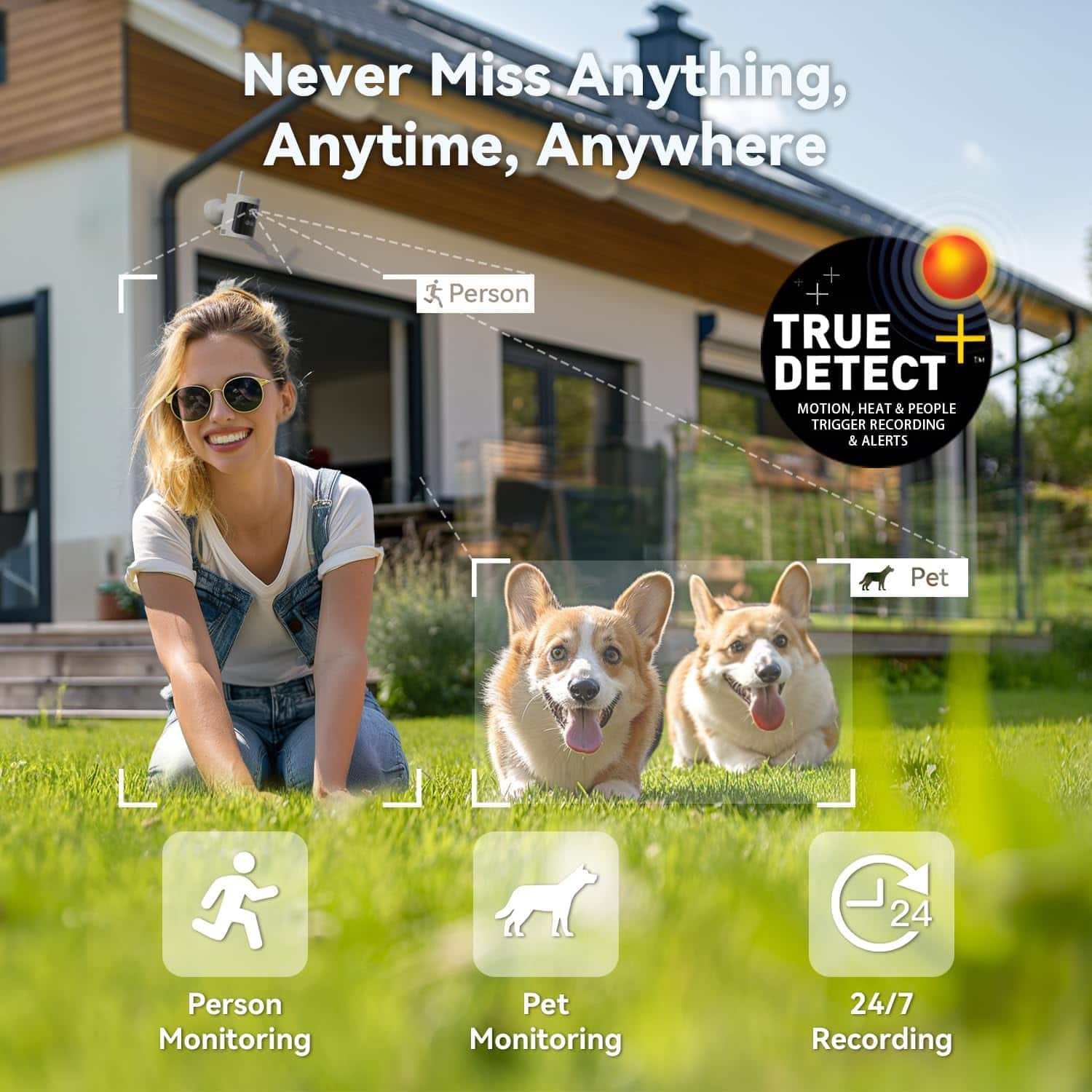
|Posted .This reviewer received promo considerations or sweepstakes entry for writing a review.Swann has been a major player in security cameras for the longest time so I was excited to get to try this new system out and it didn't disappoint - Swann truly has a winner on their hands! Pros: - The camera's batteries are rechargeable and replaceable which allows you to maximize the life of the cameras and not contribute to e-waste. - Motion detection is enhanced by offering heat detection for people and cars to reduce false alerts. - IP66 weather rating is above the "standard" IP65 rating many manufactures go with. - FREE local and cloud storage. A 64GB SD is included. - The physical installation of the cameras is super easy. I'm by no means a handy man, but I was able to knock this out fairly quickly and to be honest, I spent more time tinkering around with the settings in the mobile app. - Siren/two-way speaker to deter potential threats or to talk to people when you're not home (bonus you can also choose from pre-selected messages). - The Hub is pretty cool - not only does it have an HDMI for easy connectivity directly to a monitor or TV, but it also has a bay hidden on the back to charge the batteries for the cameras (one extra battery is included) as well as a mouse. There's also a USB port to directly copy event clips to - i.e. if you need to provide a copy of an event or set of events for law enforcement. Areas for Improvement - Support for higher capacity microSD's. Current cap is 128GB -- ideally a higher cap of say 512GB or 1TB would seem more ideal for 4k recording. - Manufacturers should be using USB-C to USB-C instead of the aging USB-C to USB-A cables (this has more to do with I have USB-C bricks all over the house but as USB-A has phased out I've gotten rid of most of these bricks) and if I'm not mistaken, USB-A also charges slower. - Support Network Attached Storages (NAS) or cloud services outside of just DropBox (e.g. OneDrive, iCloud Drive). - Come out with a cradle that allows you to charge 3 batteries at a time. This would ensure you always have a battery ready to go when the battery on any given camera inevitably needs to be charged. Other Considerations/Recommendations - Batteries drain somewhat quickly with regular activity/recording. This can be mitigated by purchasing the Outdoor Solar Panels which come in a 3-pack for $99.99. - There is an optional subscription which runs $9.99/month or $99.99/year. This gives you smart alerts (i.e. can detect packages and vehicles based off of shape in addition to pets); rich notifications or images included with the mobile alert instead of just text; 60 days fo rolling cloud storage vs. the standard up to 7 days; replacement of stolen devices free of charge with police report and it also extends the warranty on the equipment to 36 months. Be aware, that you only have 6 months to purchase this "Secure+" plan WITH the warranty extension - after that you get all the benefits sans. It's also important to note that the coverage date (even with extension) is always from the original purchase date so the best value (if you're going to do it) is to purchase it as close to that date as possible.
I would recommend this to a friendBrand response from Swann
Posted .Thank you for taking the time to leave such an honest & detailed review Gadgeteer, we're delighted to hear about your positive experience with the AllSecure4K system. As you mentioned, adding solar panels can come in handy for many users. Please know this system is durable and designed to last for many years. We will continue to launch updates to the firmware and application to help further improve your experience. We hope you continue to enjoy all of the features this system has to offer. For further assistance, please visit our support page or contact us over the phone.
https://support.swann.com/s/
For real-time support, check the number below.
1. USA & Canada: 1800 627 2799
2. Australia: 1800 788 210
3. United Kingdom: 0808 168 9031
Your feedback is important to us.
LV-Swann Team
Must have Cameras
Posted .This reviewer received promo considerations or sweepstakes entry for writing a review.Love the resolution on these cameras, catches everything passing by and stopping in front of our house. The cameras are amazing and help us feel safe when we’re home and when we’re not. The audio is great as well.
I would recommend this to a friendBest wireless cameras
Posted .This reviewer received promo considerations or sweepstakes entry for writing a review.I’ve been using Swann wireless cameras for a while now, and overall my experience has been positive. The installation process was straightforward, and the wireless setup made it easy to place the cameras where I needed without dealing with complicated wiring.
I would recommend this to a friendBrand response from Swann
Posted .Hi Samson,
Thank you for sharing your experience. We’re glad to hear the installation was straightforward and that the wireless setup made it easy to position your cameras exactly where you needed. It’s great to know you’re enjoying the convenience of your Swann system.
If you ever have any questions or need assistance down the line, feel free to reach out to us anytime. We're here to help. Your feedback is truly appreciated. Mary - Swann Team
Inconsistent Connectivity & 4K - Dealbreaker
|Posted .This reviewer received promo considerations or sweepstakes entry for writing a review.I’ve used wireless security cameras for years to monitor my home and property. They’re fantastic for an extra sense of security or just to check on the pets or even the weather while away from home. This Swann AllSecure4K+ is however my first 4K system and I was excited to try it. In the box you get 3 wireless cameras, 3 outdoor mounts, 4 batteries, AllSecure4K Hub, 64GB micro SD card, power adapter, usb charging cable, Ethernet cable, HDMI cable, mouse, Swann security stickers, and instructions. The inclusion of an HDMI cable and mouse were my first indications that this security system was different from others I’ve owned. Moving onto setup this became quickly apparent. In the 3 part instruction manual you’re first directed to hook up the hub/NVR to a monitor or TV via hdmi and so you need the mouse to navigate. All other systems I’ve owned simply utilized an app to setup the devices. I personally found the Swann setup a less efficient and less advanced approach. Ultimately you just pop the batteries in the cams, connect the NVR to a monitor or TV, connect it to the internet via ethernet, and the cams paired with the NVR automatically. You do need to setup a Swann account too. The interface of the NVR is quite confusing to navigate and I’m unsure why anyone would bother with it when there’s also an app for your phone. Only problem with the Swann app is that it has fewer features than the NVR settings which was just another big negative for me. I do love that a fourth battery is included which you insert into the back of the NVR to charge. It stays here for when one of your cam batteries loses it charge so you can quickly swap it with the fresh battery. The NVR battery also acts as a backup power for the NVR if it loses electricity. Very nice feature. I was however a bit confused as to why the NVR is so large. It houses a battery and a micro SD card and I’m assuming some wireless antennas. It just seems large and unsightly for what it does. Once setup, I wanted to check out the video quality since these are 4K cameras. I was very impressed with crisp and detailed video. I initially tested the cameras indoors but planned on moving them outside. Night vision was excellent on the cameras. My next move was to set them up outdoors. I used the included mounts and selected 3 spots around the exterior of my home. Once in place I noticed connectivity issues with the cameras where Live View within the app would hang for extended periods of time while displaying a “opening secure connection” notification. Then I would often get a notification stating “live view from device has stopped”. Oddly I could switch to another device and live view would work instantly for the exact same camera. Very frustrating. I was excited to have 4K video coverage of my property but I quickly discovered a deal breaking issue here as well. It seemed to me that the video quality seemed somewhat less crisp once I moved that cameras outside. I recorded a clip from outside and discovered that video was now in 1080 and not 4K. I moved the same cam inside and recorded another clip which was now 4K. When this camera was outside it was only about 20 feet from the NVR but it was apparent that connectivity was insufficient and so Swann downgrades video quality to 1080. It seems these cams are 4K only if very close to the NVR and so very disappointing indeed. Ultimately I found that the Swann AllSecure4K+ just does not measure up to the competition.
No, I would not recommend this to a friendBrand response from Swann
Posted .Hello PG460,
We are sorry to learn you are experiencing issues with your product. Based on the information you provided we suggest you contact our support team who can help you troubleshoot the unit, optimize settings, and offer solutions for your particular application. Please have your Swann Security App id as well as internet upload and download speeds ready for your support team to help isolate the issue. You can reach our support team by clicking on the link below, then click on the blue box on the bottom right-hand corner to chat with a technical support agent or contact us over the phone.
https://support.swann.com/s/
Your feedback is important to us.
LV-Swann Team