Customer Ratings & Reviews

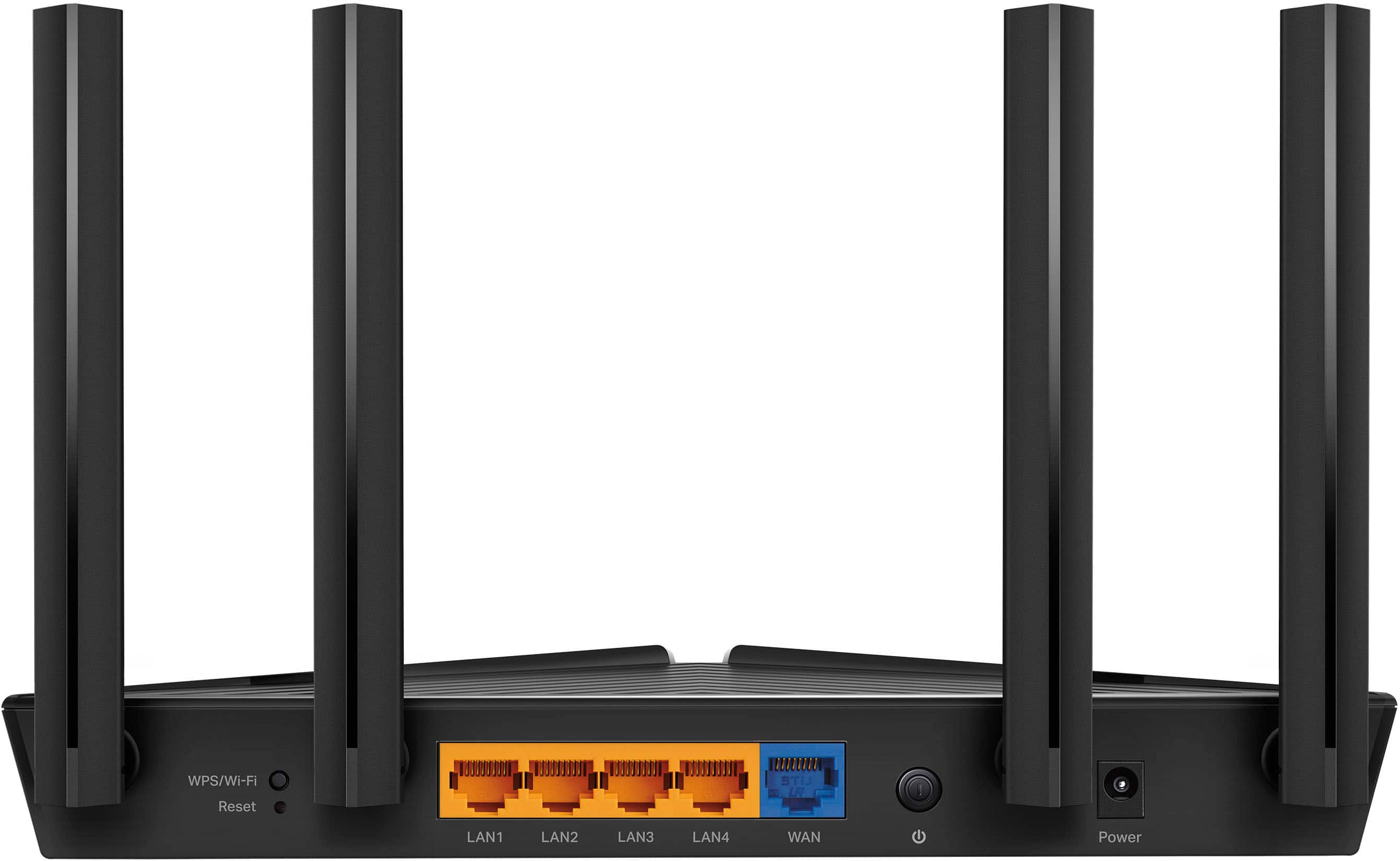
- Model:
- Archer AX20
- SKU:
- 12239261
Rating by feature
- Setup
Rating 4.7 out of 5 stars
- Range
Rating 4.6 out of 5 stars
- Signal Strength
Rating 4.7 out of 5 stars
Not bad
||Posted . Owned for 2 months when reviewed.This reviewer received promo considerations or sweepstakes entry for writing a review.Range is not great, but it is adequate for short distances.
I would recommend this to a friendBrand response from TPLinkSupport
Posted .Hi,
Thank you for your review. To ensure the best possible signal, it is important to make sure placement is as optimal as possible. Reducing obstructions and placing the router in a central location will help ensure your signal reaches the areas you need.
To ensure optimal performance of your wireless router please check, and if needed, update its firmware using the steps outlined in FAQ 2139 on our official website. To locate this FAQ, visit our website and enter 2139 in the top-right search field, then click the corresponding FAQ in the search results.
If you would like assistance with any of these steps, please reach out to our free support team using any of the resources included with the product, or from our official website, and we'll gladly have a Support Agent follow up with you directly.
Thank you,
TP-Link Support
Don't buy
||Posted . Owned for 1 year when reviewed.This reviewer received promo considerations or sweepstakes entry for writing a review.the port that connects it to the modem broke after a year and best buy can't replace it and if I wanted a replacement I would've payed $20 for shippping just to get a refurbished one that probably wouldn't have worked much longer than the new one.
No, I would not recommend this to a friendBrand response from TPLinkSupport
Posted .Hi,
Thank you for your review. Your Archer AX20 comes with a 2-year warranty, and we would greatly appreciate the opportunity to help address your concerns. At your convenience, please reach out to our support team using any of the resources included with the product, or from our official website, and we'll gladly have a Support Agent follow up with you directly.
Thank you,
TP-Link Support
You get what you pay for
||Posted . Owned for 1 week when reviewed.This reviewer received promo considerations or sweepstakes entry for writing a review.My router was deemed a "unique case" by TP-Link, but I just returned it to avoid the headache. Inconsistent speeds wirelessly. Customer service also told me they only guaruntee 40-60% of your wired speed through wireless on this. Not good.
No, I would not recommend this to a friendBrand response from TPLinkSupport
Posted .Hello Jordan,
Thank you for your review. To ensure the best possible signal, optimal placement is important. Reducing obstructions and placing the router in a central location will help ensure your signal reaches the needed areas.
To ensure optimal performance of your wireless router, please check, and if needed, update its firmware using the steps outlined in FAQ 2139 on our official website: https://www.tp-link.com/us/support/faq/2139/
If you would like assistance with any of these steps, please reach out to our support team using any of the resources included with the product, or from our official website, and we'll gladly have a Support Agent follow up with you directly.
Thank you,
TP-Link Support
No good
||Posted . Owned for 2 months when reviewed.This reviewer received promo considerations or sweepstakes entry for writing a review.I need to constantly reboot it so the wifi can stay stable. Its annoying and not woth the money.
No, I would not recommend this to a friendBrand response from TPLinkSupport
Posted .Hi There,
For an issue like this we would like to have you contact our support team at [email protected] so we can help troubleshoot and provide a suitable resolution to address your concern. Please consider contacting us as soon as your are able.
TV
||Posted .This reviewer received promo considerations or sweepstakes entry for writing a review.Doesn't communicate with all smart tv's as required.
No, I would not recommend this to a friendBrand response from TPLinkSupport
Posted .Hi,
Thank you for your review. If your smart TVs utilize Wi-Fi network connectivity, please ensure you have re-configured the Network Settings on each TV to connect to the new router's network. The steps may vary depending on your TV manufacturer.
Our support team is always happy to answer any questions you might have about our products. Please reach out to our free support team using any of the resources included with the product, or from our official website, and we'll gladly have a Support Agent follow up with you directly.
Thank you,
TP-Link Support
AMAZING!
Posted .This reviewer received promo considerations or sweepstakes entry for writing a review.My Internet is insanely fast and best buy was amazing with quick shipping times and the package was packaged well has very good range and signal strength and was the easiest router I have ever set up
I would recommend this to a friendDisappointed
||Posted . Owned for less than 1 week when reviewed.This reviewer received promo considerations or sweepstakes entry for writing a review.Nightmare to set up. Put it back in box and returned it. You get what you pay for
No, I would not recommend this to a friendBrand response from TPLinkSupport
Posted .Hi,
Thank you for your review. Our Archer AX20 Dual-Band Wi-Fi 6 Router is designed for quick and intuitive setup, offering several options for your convenience, including the TP-Link Tether app, or a web browser.
If you encountered difficulty with the Internet connection step of the setup, it could be that your modem's MAC (Media Access Control) binding needs to be released and renewed, so it can provide an IP address (and Internet) to the Router. This can typically be done using the following steps:
1. Unplug the power from both your router and cable modem
2. Unplug the coax cable from the modem
3. Re-connect power ONLY to your cable modem
4. Wait until the cable modem is fully booted, then re-connect coax
5. Re-connect power to the router and connect it to the modem via Ethernet
This process should release and renew the MAC binding, so your modem can provide connectivity to the router. If you'd like assistance with any of these steps, please reach out to our toll-free support team using any of the resources included with the product, or from our official website, and we'll gladly have a Support Agent follow up with you directly.
Thank you,
TP-Link Support
Not good
||Posted . Owned for 1 year when reviewed.This reviewer received promo considerations or sweepstakes entry for writing a review.Not a great product very expensive and not worth it
No, I would not recommend this to a friendBrand response from TPLinkSupport
Posted .Hi,
Wireless signal and connection can be optimized in multiple ways to ensure you get the most out of your router. To ensure optimal performance of your wireless router, please check, and if needed, update its firmware using the steps outlined in FAQ 2139 on our official website: https://www.tp-link.com/us/support/faq/2139/
If you would like assistance with any of these steps, please reach out to our support team using any of the resources included with the product, or from our official website, and we'll gladly have a Support Agent follow up with you directly.
Thank you,
TP-Link Support
Bad
||Posted . Owned for 1 month when reviewed.This reviewer received promo considerations or sweepstakes entry for writing a review.Wasnt good product lowered my speed through LAN and wireless connection
No, I would not recommend this to a friendBrand response from TPLinkSupport
Posted .Hi,
Thank you for your review. The Archer AX20 is designed to provide Gigabit Ethernet (up to 1000Mbps) and AX1800 Dual-Band Wi-Fi 6 connectivity for your home. Please make sure all Ethernet cables used are Cat5e or higher for Gigabit compatibility.
To ensure optimal performance of your wireless router, please check, and if needed, update its firmware using the steps outlined in FAQ 2139 on our official website: https://www.tp-link.com/us/support/faq/2139/
If you would like assistance with any of these steps, please reach out to our support team using any of the resources included with the product, or from our official website, and we'll gladly have a Support Agent follow up with you directly.
Thank you,
TP-Link Support
TP-Link - Archer AX20 AX1800 Dual-Band Wi-Fi 6 Rou
Posted .This reviewer received promo considerations or sweepstakes entry for writing a review.Works great--great price--very happy. Had some difficulty using the auto set-up, but, as I recall, once I downloaded the install app to my phone, the set-up went fine. Range is great--have it on the 1st floor in one corner of the house, and have full signal strength in 2nd floor opposite corner of the house. No complaints now, especially for the great price [$49 on sale].
I would recommend this to a friendGreat AX Router on a Budget
Posted .This reviewer received promo considerations or sweepstakes entry for writing a review.This router is replacing an ASUS RT-1200 that lasted 7 years. A power surge decided to end it, so I replaced it with the TP-Link Archer AX20 router. Setup was easy through the Tether app and it connected to my Spectrum real easy, its definitely faster than what i had before. Im paying for 600 Meg, and i was getting from 400 Meg even with a wired ethernet connection from it. With this AX20, I get at least 550+ Meg, overall welcome change. The only gripe from me is it feels a little cheap, but what do you expect from something that ends up on a table or shelf.
I would recommend this to a friendGarbage
||Posted . Owned for 3 months when reviewed.This reviewer received promo considerations or sweepstakes entry for writing a review.Garbage, owned it for 4 months and now 5G randomly resets and my various computers lose connectivity. Do NOT buy.
No, I would not recommend this to a friendBrand response from TPLinkSupport
Posted .Hi,
Thank you for your review. To ensure the best possible signal, it's important to make sure placement is as optimal as possible. Reducing obstructions and placing the router in a central location will help ensure your signal reaches the areas you need.
To ensure optimal performance of your wireless router please check, and if needed, update its firmware using the steps outlined in our FAQ: https://www.tp-link.com/us/faq-2139.html
If you would like assistance with any of these steps, please reach out to our free support team using any of the resources included with the product, or from our official website, and we'll gladly have a Support Agent follow up with you directly.
Thank you,
TP-Link Support
Satisfied
Posted .This reviewer received promo considerations or sweepstakes entry for writing a review.So far so good. Needed something quickly and this worked as expected. Relatively easy install and does the job well.
I would recommend this to a friendBelieve it or not!
Posted .This reviewer received promo considerations or sweepstakes entry for writing a review.So I live in an apartment that is 1250 ft.² and I had an Asus gaming router that I spent well over $400 for and I constantly had to reprogram. It was only receiving speeds topped out at 350 meg for my Xbox wired in the router I had was for 3500 ft.² so I believe it was causing interference within itself due to the square footage of my home once I pick this router up I really didn’t expect much. Just wanted to see what it would do and I was immediately blown away now when I’m hardwired in I get the 700 bag of download speed and 38 of upload speeds on my Xbox and that’s with 12 other devices connected I would highly recommend this product best $69 I’ve ever spent.
I would recommend this to a friendreview
Posted .This reviewer received promo considerations or sweepstakes entry for writing a review.Easy set-up, works great. Reasonable cost. Would buy again.
I would recommend this to a friendGreat for gamers
Posted .This reviewer received promo considerations or sweepstakes entry for writing a review.Huge upgrade from the dinosaur we had. FASTER stronger.
I would recommend this to a friendGreat Router
Posted .This reviewer received promo considerations or sweepstakes entry for writing a review.Works great so far. I got sick of paying extra for a router so I bought my own. I've been using this router for about 2 months and it's been great. It was easy to set up and connect all my devices including one that requires 2.5ghz frequency.
I would recommend this to a friendEasy Set up
Posted .This reviewer received promo considerations or sweepstakes entry for writing a review.The directions are easy to follow. My internet speed has increased exponentially.
I would recommend this to a friendStarter router
Posted .This reviewer received promo considerations or sweepstakes entry for writing a review.Great router ez to setup fast internet speeds, would recommend as a starter router
I would recommend this to a friendworks great
Posted .This reviewer received promo considerations or sweepstakes entry for writing a review.Setup was insanely easy. Sleek looking unit also. Also got great help in the retail store.
I would recommend this to a friend