Customer Ratings & Reviews


---
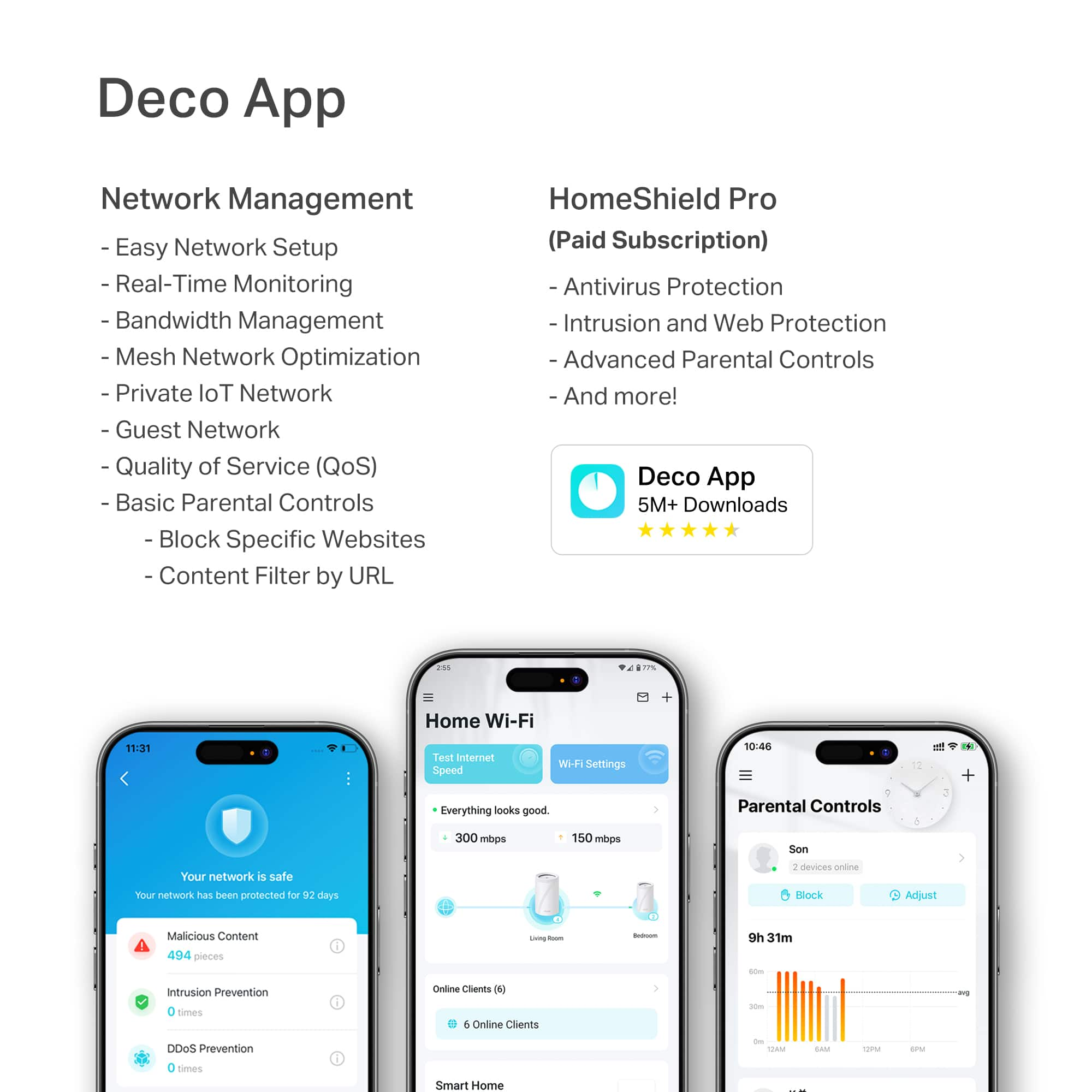
**HomeShield**
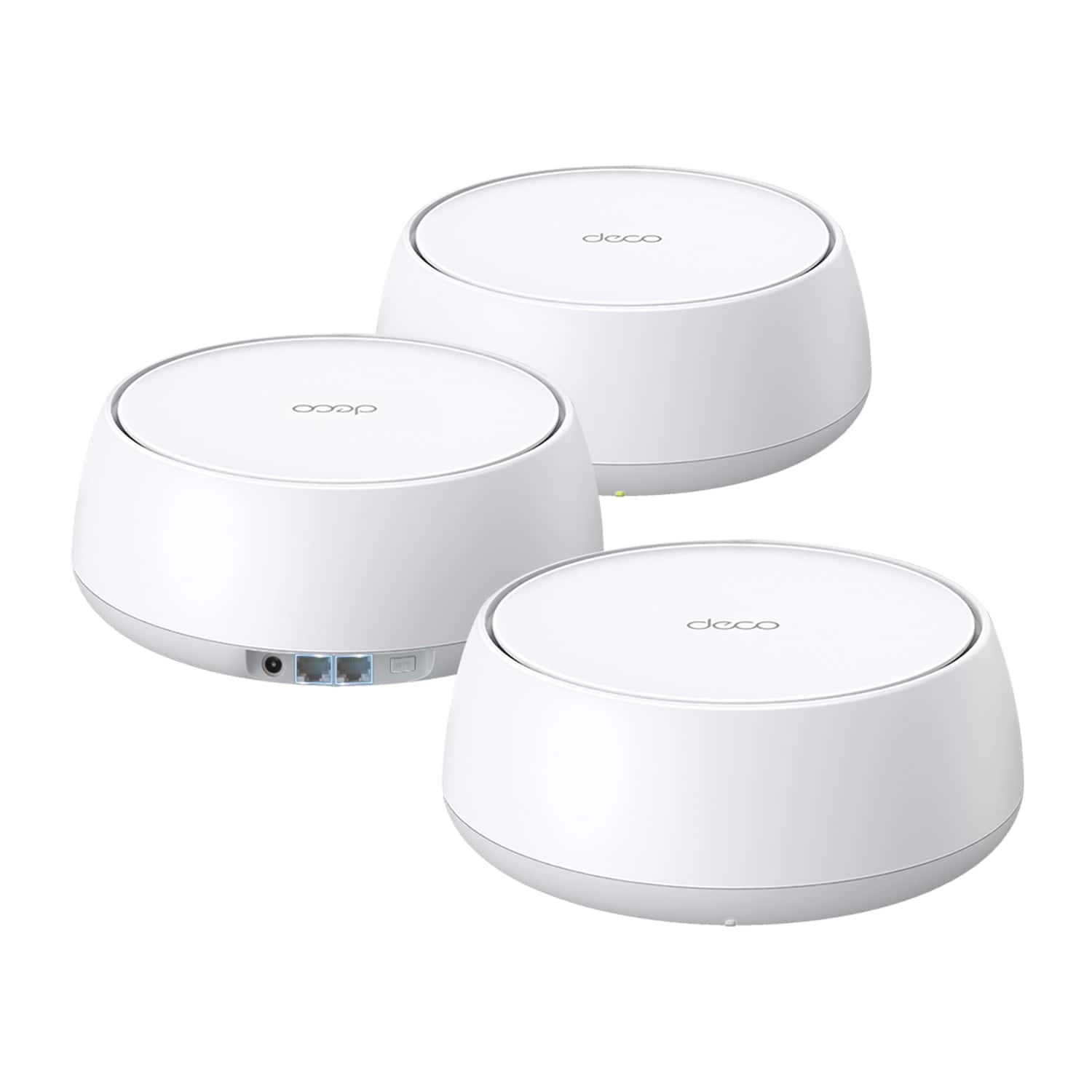
HomeShield is a built-in service, available in all HomeShield routers and Deco mesh products.
- Router Security Scan
- Wireless Security Scan
- IoT Device Identification
- Basic Parental Controls
- IoT Protection*
- Web Protection*
- Intrusion Prevention*
- Antivirus Protection*
*Included with HomeShield premium subscription service](https://pisces.bbystatic.com/image2/BestBuy_US/images/products/73c91144-7506-4315-aced-8c1035bdc301.jpg)

- Model:
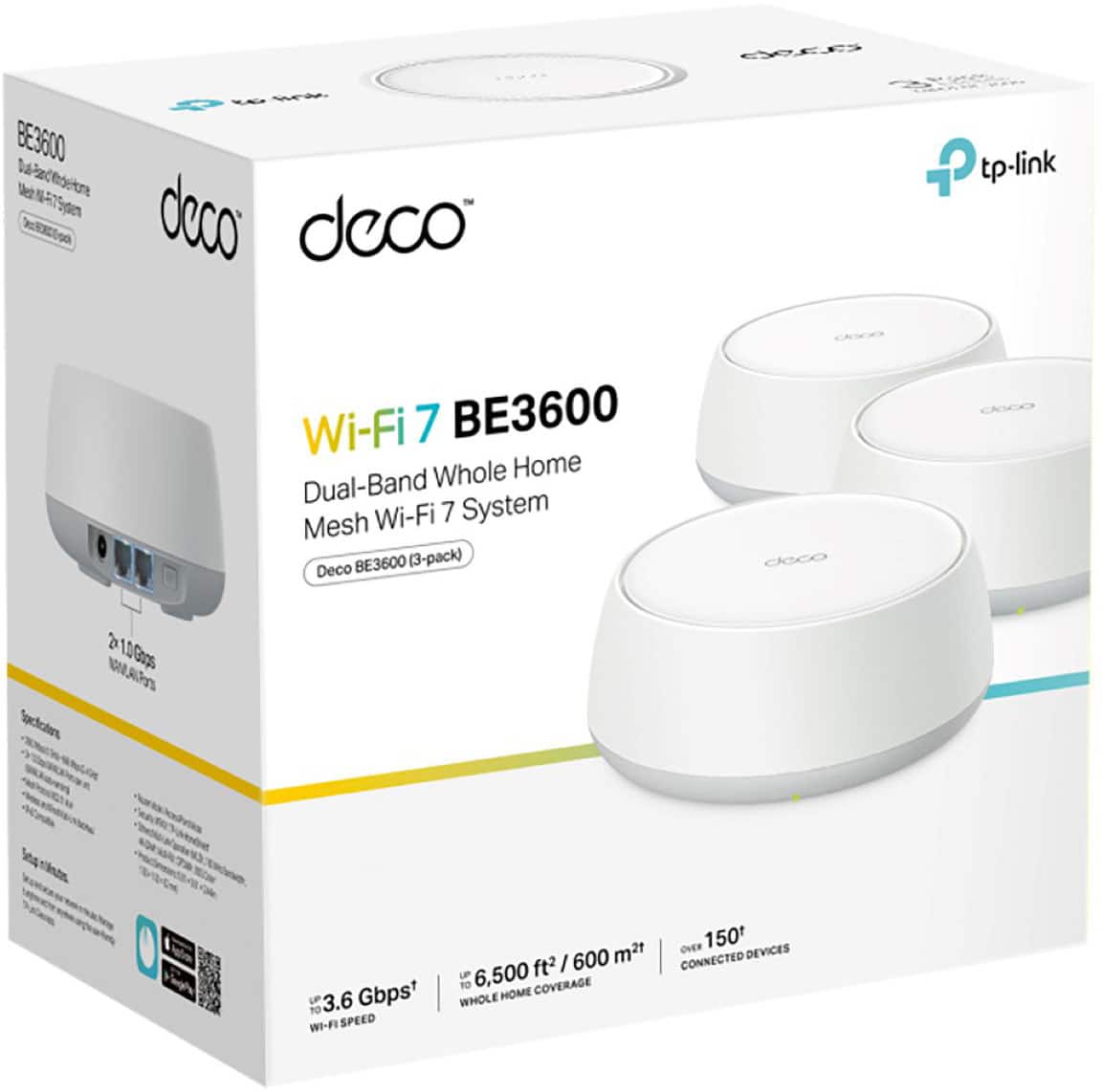
- Deco BE3600(3-Pack)
- SKU:
- 6605262
Rating by feature
- Setup
Rating 4.7 out of 5 stars
- Range
Rating 4.6 out of 5 stars
- Signal Strength
Rating 4.7 out of 5 stars
Customers are saying
Customers have good things to say about the Deco BE3600's performance, ease of use, Wi-Fi speed, and coverage. Many appreciate the straightforward setup process and reliable, high-speed connection, resulting in a seamless user experience. The app's functionality is also frequently praised for its user-friendly design and helpful tools. While some users noted connectivity challenges with certain devices, the overall feedback highlights the system's strong performance and ease of use.
This summary was generated by AI based on customer reviews.
Will work only if modem is centrally located.
||Posted . Owned for less than 1 week when reviewed.This reviewer received promo considerations or sweepstakes entry for writing a review.Should be plug in play. Purchased a mesh system because Internet coverage from my ISP and their router was poor in some of my house. Purchased mesh system, thinking I could have nodes that would talk to each other and provide signal at my intended location. (Like previous mesh systems I've had) Not so. Each satellite **only connects to the main modem**, which is at ISP modem location. I thought separate nodes would talk to each other and piggyback wifi, providing better coverage at intended location. What I have basically now is same problem as I started with. The farthest node does not talk to the node right below it on first floor, but rather to the main node (the farthest node), which is by ISP modem. No way to select how each satellite connects to each other. Defeats the whole purpose of mesh. Should've stuck with the other brand beginning with A. At least with that one, I knew that I would get decent coverage because of the piggyback option
No, I would not recommend this to a friendBrand response from TPLinkSupport
Posted .All Mesh systems operate in similar function as TP-Link Deco. The satellite units will attempt to create a direct link to the main unit. If the main unit is not available or the connection is too poor then a satellite will connect to another satellite. Satellites will also connect to each other if the link between the satellite and the main unit is broken. Additionally relay connections typically have poorer performance than direct links, even if that satellite unit is close to another satellite. If you have concerns you would like to specifically address with Support. Please reach out to us at [email protected].
Best Regards
TP-Link Systems Technical Support.
Complicated Instillation Process
||Posted . Owned for 3 weeks when reviewed.This reviewer received promo considerations or sweepstakes entry for writing a review.When I plugged them in, I attempted to access TP-Link's website to activate the security features and to register my products. I could not successfully do that . My first internet connection was in 1999 and it was dial up telephone internet. It shouldn't be that difficult to have secure, stand alone wi-fi in my house.
No, I would not recommend this to a friendBrand response from TPLinkSupport
Posted .Hello Tyler,
We would like to collect more information related to your concern. Registering the product is not a requirement for setting up a Deco system. All you need is your ISP service, a compatible modem for that service, and the Deco app. Once you create an account, the app can take you through the step-by-step process of installing and configuring the Deco system. Please call us at 866-225-8139 or email [email protected] at your convenience. Support is available 24-hours a day.
Best regards
TP-Link Systems Support.
- Pros mentioned:Ease of use, Performance, Setup

Plug and play Wi-Fi 7
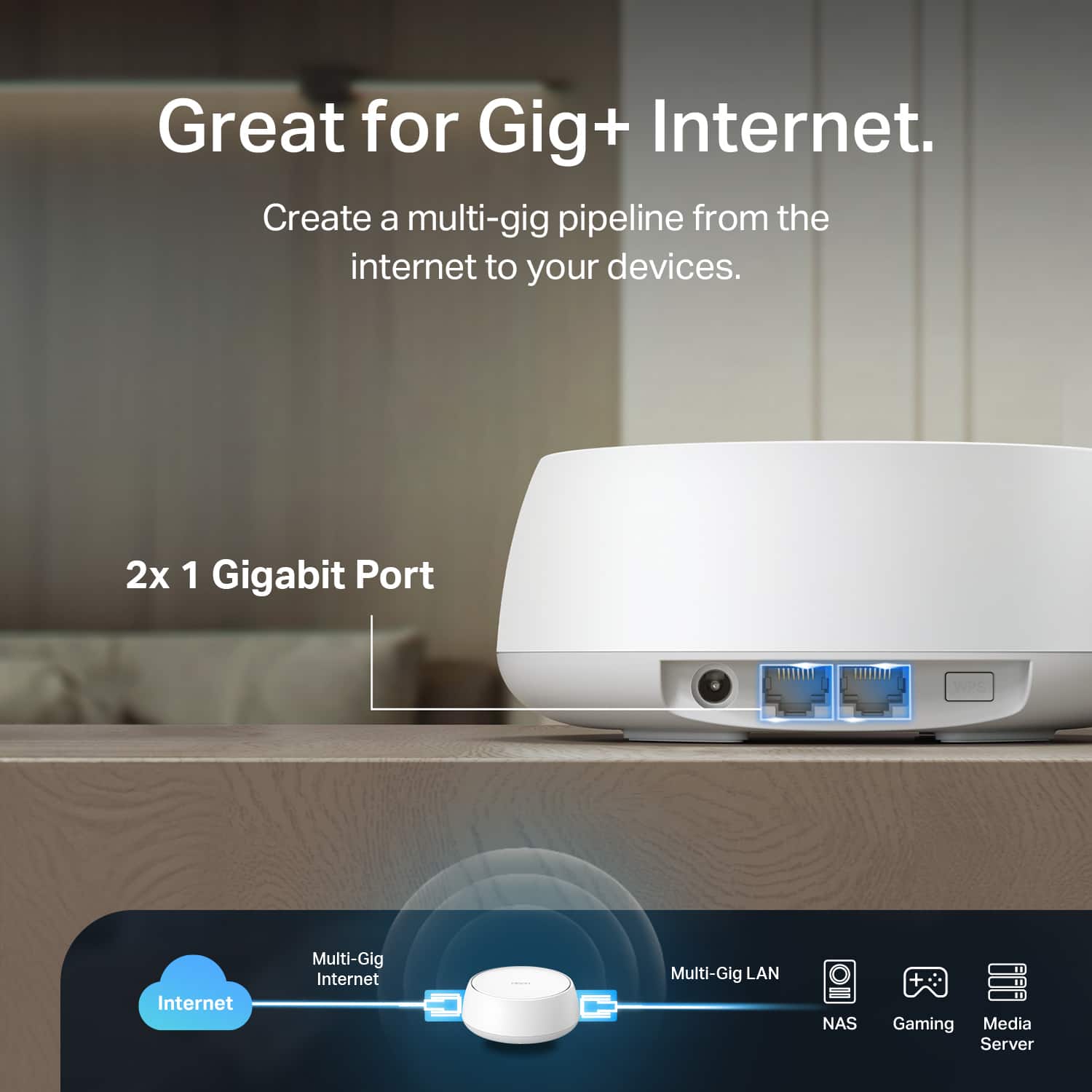
|Posted .This reviewer received promo considerations or sweepstakes entry for writing a review.I have been planning to upgrade my older WIFI 5 wireless network to WIFI 7. I now have a couple of handheld Wi-Fi 7 gaming devices and I also plan on upgrading my cell phone soon which will also then be Wi-Fi 7 capable. Later this year I also hope to replace my VR headset. It will also be WIFI 7 capable. The TP Link Deco BE3600 Mesh WIFI System should be a perfect match for what I want to do. The Deco is a 3-Pack system so I expect to make quite an improvement over my current system. The Deco BE3600 actually has a higher rated throughput than my current internet service supports. Along with better overall WIFI i coverage I am also hoping to keep the access times low. This will be very important for wireless VR. Setting up the Deco BE3600 was probably the easiest router setup I have experienced. I am using the Deco phone app on Android. You plug in the first device and connect through your phone's Bluetooth. Once the Deco device is found you connect your cable modem to the BE3600 and follow the instructions. If you are ready with a wireless name and password that’s about it. If you have any issues during the setup you can always start over. There is a reset button on the bottom of each device where you can do a complete reset if needed. Device resets are also supported in the Deco software. The initial setup took less than 15 minutes and the internet was back up. The other two devices are then connected to power and the first device connects to them automatically. I do recommend you be patient. It was a few minutes before the other devices reported they were connected. The WIFI system has been rock solid for the week it's been in service. In my home network I also have a mix of wired devices. The first or master Deco BE360 is located in a far bedroom closet. All of my network connections originate from there. The Deco BE360 has two wired Lan connections. In my setup one is dedicated to the cable modem and the other to a network switch. This adds all of my wired connections to the Deco BE360 router. To transition from an older WIFI system and to be back up and running so fast was fantastic. Walking through my two story house I am getting a solid download speed for the maximum my internet service supports. My wired Lan clients also are connected at their fastest speeds. As a busy person I am very satisfied with the performance and ease of use the TP Link Deco BE3600 Mesh WIFI System provides. Overall I rate this as a very good value for a Wi-Fi 7 router and should provide years of service.
I would recommend this to a friend Definitely not a good fix.
||Posted . Owned for 1 month when reviewed.This reviewer received promo considerations or sweepstakes entry for writing a review.Hooked everything up, downloaded the app, updated the software, annnnnnndddd it absolutely tanked my internet speed. Gig up and gig down speeds from my actual router before. Between 8-9 megabit after using these.
No, I would not recommend this to a friendBrand response from TPLinkSupport
Posted .Hello Brandon,
Definitely not the results any of us would expect. Please consider contact our 24/7 support center at 866-225-8139 or [email protected]. I would not try Chat as you many need to power cycle and well, 9 Mbps is not ideal for online support. Rest assured though our support team will help identify the concern and provide the proper solution to resolve it.
Best Regards
TP-Link Systems Support
- Pros mentioned:Setup
Very Fast and no Lag
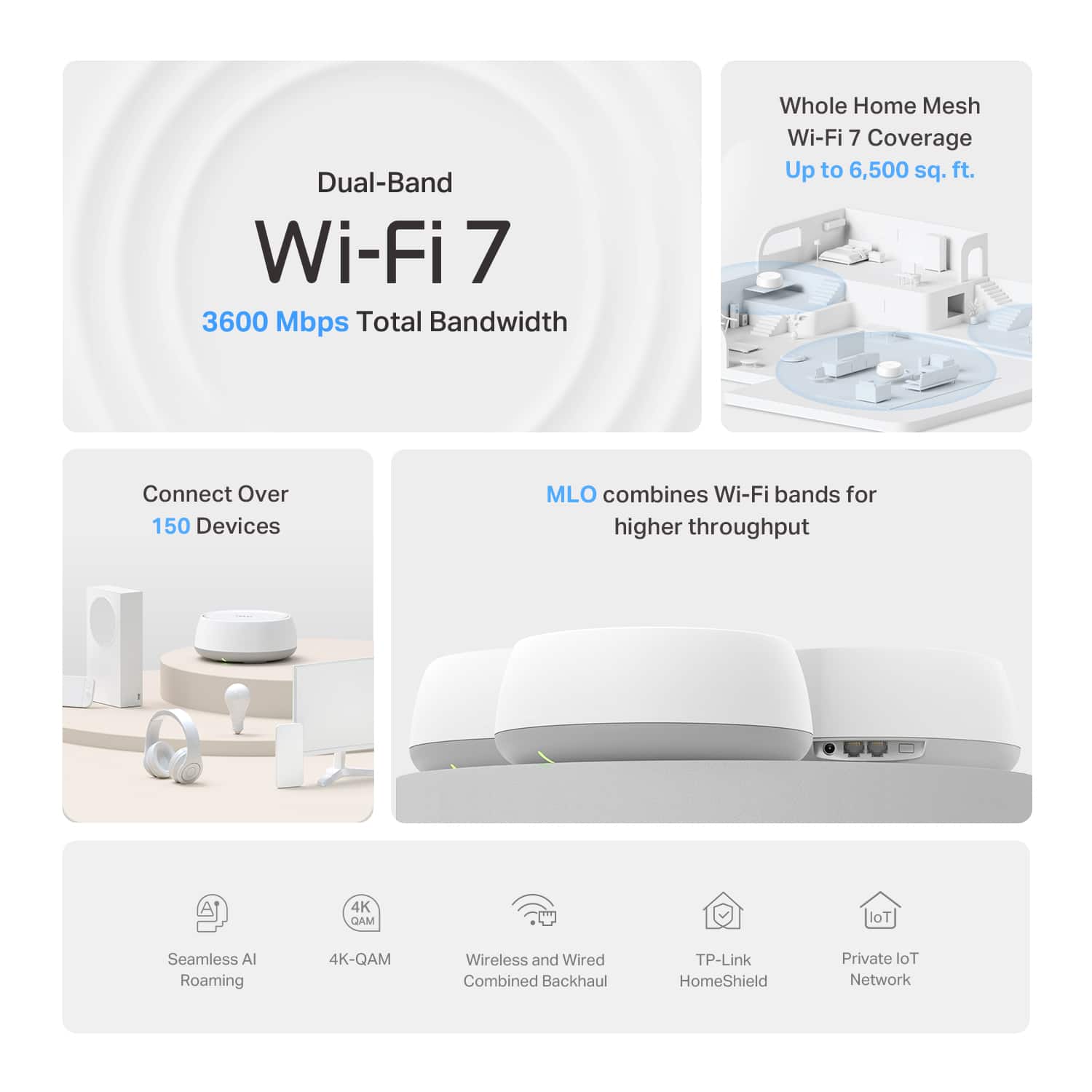
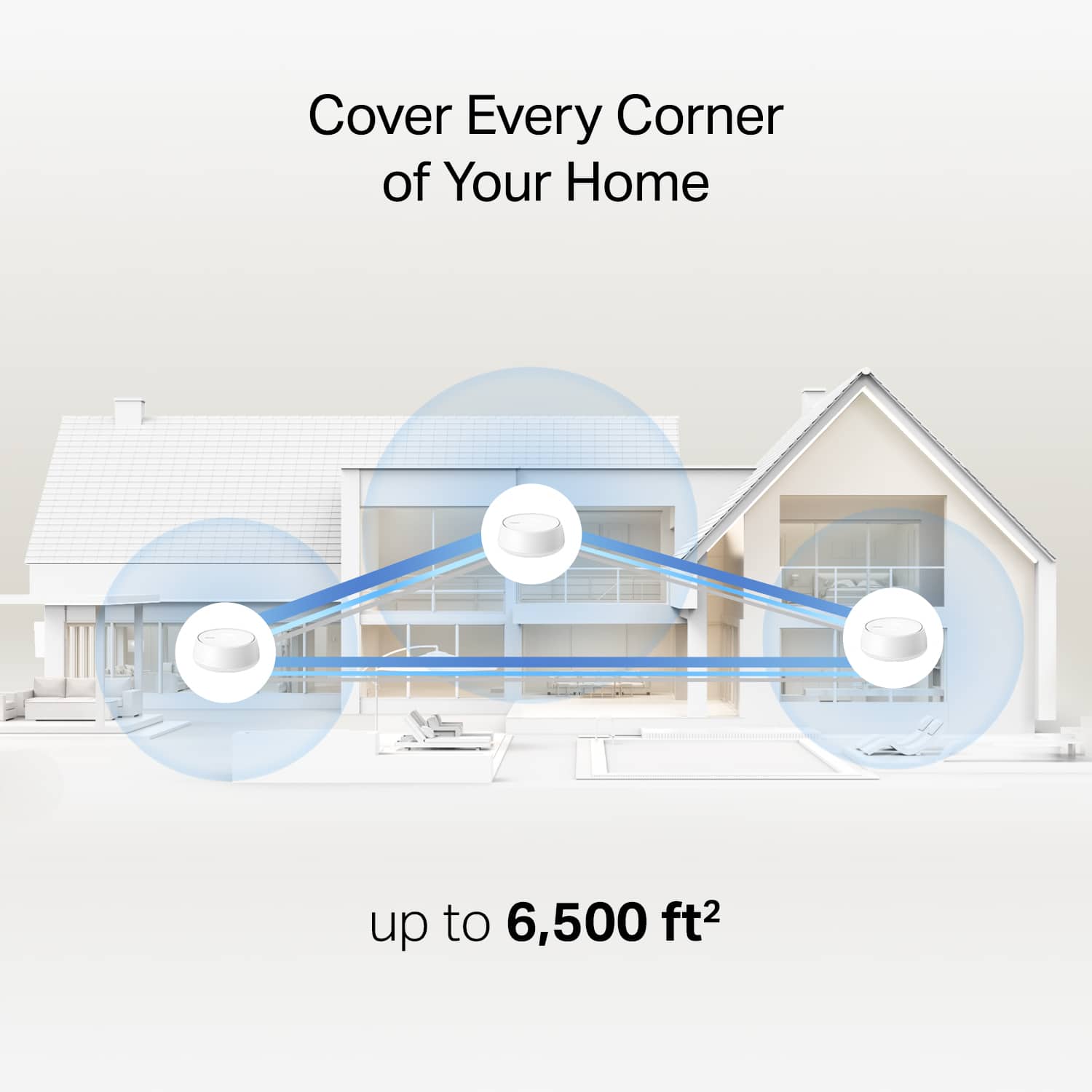
|Posted .This reviewer received promo considerations or sweepstakes entry for writing a review.The TP-Link Deco BE3600 Dual Band WiFi 7 Mesh System 3 Pack has been a great addition to my network. Internet speed is very stable, and it is a super simple set up. I have come to find out that this can be interconnected with other Deco wifi systems. So if you have 3 of the other Deco you can add these also to expand the network even more. It can provide up to 1 Gbps when hardwired. it provides up to 6,500 sq ft of coverage which is fantastic for bigger homes. Getting all the devices in your home connected will not be an issue since it can have 150 plus devices. WiFi 7 is the latest technology available. Each Deco is small in size will need to sit on top of a desk or table. I wish it had wall mount capability, but it does not. The devices are very simple to set up with the Deco app. The app makes things very simple and easy to use. It allows you to run speed test and see how many devices you have connected as well as setting up a guest account. Overall, very happy and satisfied with the wifi 7 mesh system and would recommend it if you are looking to upgrade you wifi routers.
I would recommend this to a friend Ethernet switch port
||Posted . Owned for less than 1 week when reviewed.This reviewer received promo considerations or sweepstakes entry for writing a review.I had two different decoders connected to Ethernet, but instead of using the Ethernet, the secondary router would only remain connected wirelessly, not via LAN.
No, I would not recommend this to a friendBrand response from TPLinkSupport
Posted .Hello Rick,
Its most likely how the system is installed. We would suggest reaching out to support to address your concerns. You can call us at 866-225-8139 or email us at [email protected]. Our team will work with you to address your concerns.
Best Regards
TP-Link Systems Technical Support
- Pros mentioned:Ease of use, Performance
A Must-have Wi-Fi 7 mesh for modern smart home
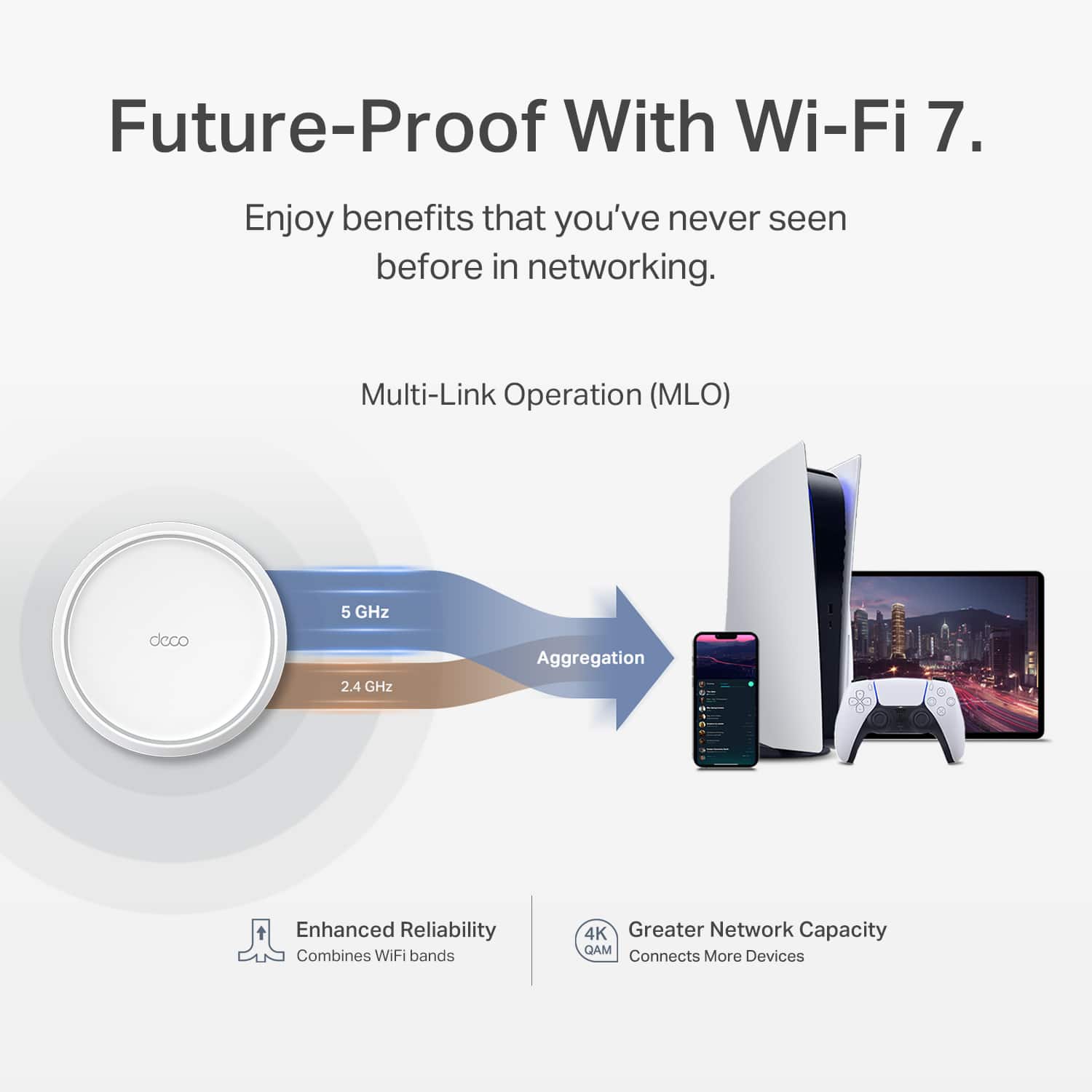
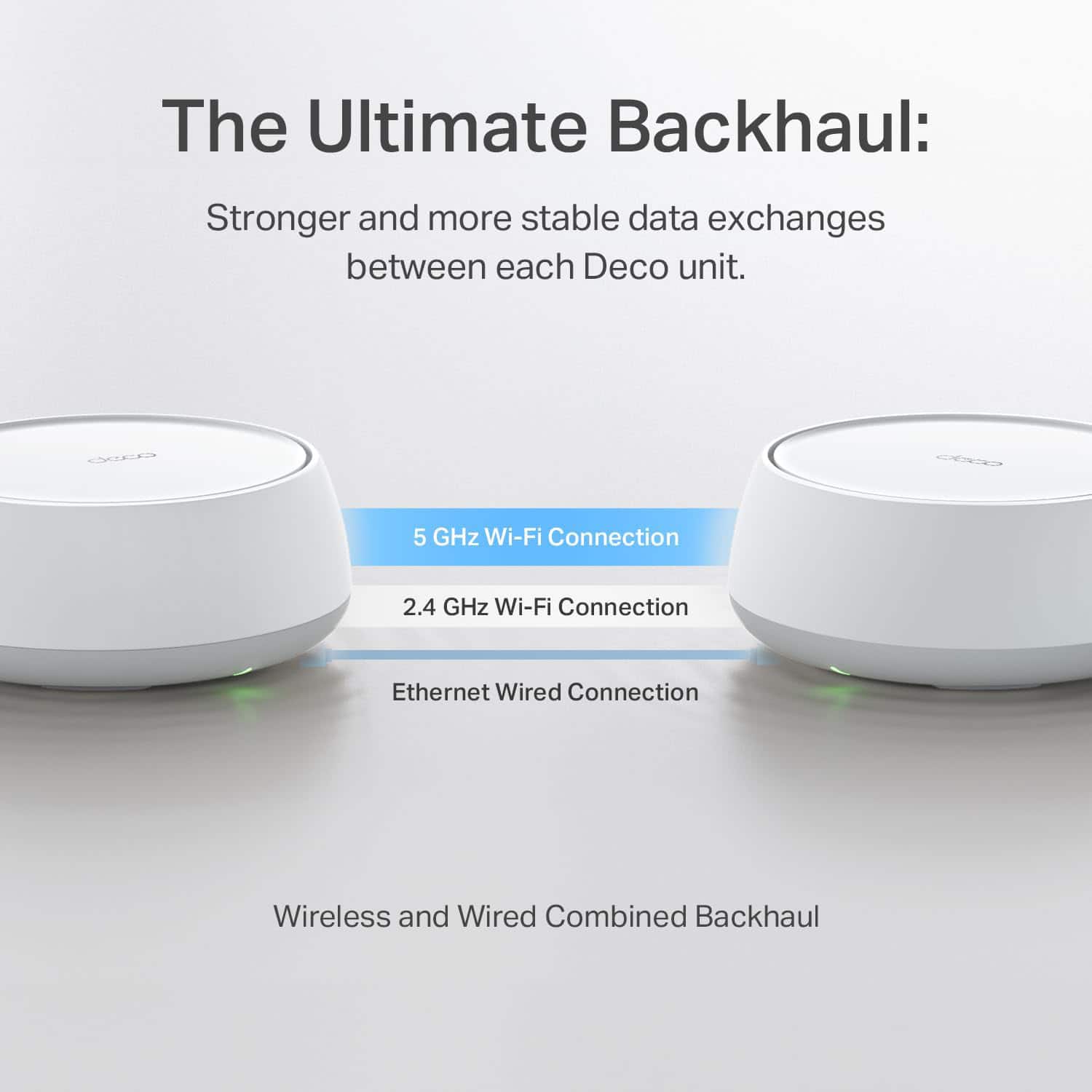
|Posted .This reviewer received promo considerations or sweepstakes entry for writing a review.The Deco whole home mesh Wi-Fi 7 system has redefined my home network experience. Managing a tech-savvy smart home with countless connected devices has always been a challenge, but this system has truly impressed me with its effortless setup, great performance, and thoughtful design. Ease of setup: Setting up this system was an absolute breeze. TP-Link has nailed the process, making it accessible even for those less familiar with networking technology. After downloading the new Deco app, it was as simple as scanning a QR code and accepting the default settings. The entire setup process took less than 20 minutes, seamlessly replacing my older router. I appreciated the app's intuitive design and step-by-step guide. Everything needed for setup was included in the box, making the process entirely hassle-free. Speed & Performance : The performance of this system is good. With blazing WiFi 7 speeds, I’m now experiencing the full bandwidth I pay for, even at greater distances from the router. Streaming 4K and 8K content is now smooth and buffer-free, and online gaming is lag-free and seamless. One standout feature is Multi-Link Operation (MLO), which significantly reduces latency and boosts reliability. Whether I'm video conferencing, cloud gaming, or casually browsing, the system handles all tasks with ease. This upgrade has transformed my home network into a high-speed powerhouse. Wired & Wireless flexibility : The dual 2.5 Gbps wired ports are great for tasks that require maximum speed. These ports provide 2.5x the speed of standard gigabit ports, making them ideal for connecting gaming consoles, NAS drives, or desktops. At the same time, the wireless network is a beast, effortlessly supporting smartphones, tablets, and IoT devices. The ability to combine wireless and wired backhauls simultaneously ensures that performance remains consistent and reliable, even when all units are running at full capacity. Flawless connectivity everywhere : The AI-driven roaming feature gives uninterrupted connectivity as I move throughout my home. My devices automatically switch to the strongest signal without missing a beat. This is especially useful in larger homes with over 3000 sqft or setups with multiple floors, where dead zones can be a common issue. With this system, connectivity has been flawless everywhere in my home. Overall, this mesh WiFi 7 system is a powerful, future-proof investment for anyone looking to upgrade their home network. With blazing-fast speeds, solid security, and excellent roaming features, it's an ideal solution for modern households, gamers, remote workers or home offices. If you’re ready for Wi-Fi like never before, this system is a must-have.
I would recommend this to a friend - Pros mentioned:Ease of use, Wi-fi speed
Cheap Wi-Fi 7 Access Pioints for me.
|Posted .This reviewer received promo considerations or sweepstakes entry for writing a review.Setup: They have tried to make setup simple by using an App on your phone. I'm really not a fan of that, because they don't always support these applications for long term, that said, setting it up via the application wasn't an issue, but also you need an android or an apple device with Internet ahead of time to do this, and I've been in instances where that wasn't possible. I would prefer a secondary method in the instructions to do it via ethernet, and maybe it is possible, but it wasn't clear from the directions or the website. You then just need to place where it makes sense for your house. In my test while the newer Wi-FI 7 protocols did much better on the backhaul, it still wasn't great for the way my house is built, which is why I need a mesh system. That is why I have some wired ethernet ports in the house and the Deco supports wired backhaul with 2.5 Gigabit it was perfect and I was getting great speed from them and coverage as I expected. Deco Pods: Once it was setup, which the application does a good job of walking you through you can start using it. While this is Wi-Fi 7, and has two 2.5 Gigabit network connections as well, it does have the 6Ghz band, and while that Band is limited distance, it is high speed and nothing yet is on it and would have been a nice touch to round this out. However the 2.5 Gigabit, and having two is awesome because as a backhaul it can cover must of the speed of the wireless and it gives you a secondary port for either local access in the room. So the design is great for small pods. The Firmwire is based on WRT so the bones are solid, however its been heavily modified for the pods as normal OpenWRT will not fit due to lack of RAM. Overall the performance was great and the improved wi-fi 7 protocol seemed to stablize some of my IoT devices as well. The kids and significant other have been happy with them. If you don't mind the app setup and want something simple to cover your house in Wi-Fi this will do the job, but I can't speak to the router performance as I used this is wireless access points and a mesh not as my full internet solution. As AP's I have no compliants. Solid overall.
I would recommend this to a friend - Pros mentioned:Ease of use, Performance
Wifi7 works great, and is finally affordable!
|Posted .This reviewer received promo considerations or sweepstakes entry for writing a review.I have set up multiple mesh systems over the years, both in my own home and for friends and family. TP-Link has always had a competent app, and the setup of their mesh networks has always been straightforward and quick to do. You simply need to follow the prompts in the app, and it will guide you through the whole process without much fuss. I was excited to see a 3 pack Wifi7 system hit the market at such a reasonable price. When Wifi7 systems first released, they were definitely priced as premium products. Now these systems are available at typical consumer prices, and that's great to see. This TP-Link system has been great so far. I upgraded from an older Wifi5 system that I was testing to this one, and the difference was impressive. These mesh networks are great additions to most households, and while they really shine with a higher tier gigabit internet connection, they also work well for lower speed internet service while providing excellent coverage and wifi signal throughout your home. I highly recommend this system for anyone that wants performance without breaking the bank.
I would recommend this to a friend - Pros mentioned:Coverage, Performance
Excellent Mesh 7 Dual Band Wi-Fi System 3-Pack
|Posted .This reviewer received promo considerations or sweepstakes entry for writing a review.As a TP-Link Wi-Fi 6 mesh system user, I was excited to receive, test and review TP-Link's latest Wi-Fi 7 mesh system, the BE6300 3-pack. The TP-Link BE6300 Mesh Wi-Fi 7 System features 4-stream GBPS with 160 channels that cover up to 6,500 square feet, has 2 x 2.5gb wired back-haul ports along with VPN, MLO, AI roaming and Home Shield (3 pack.) It also provides wide coverage with ultra-fast wired performance, is backward compatible with all Wi-Fi generations and all internet service providers. I found it very easy to replace my older TP-Link Wi-Fi 6 system with these new TP-Link Wi-Fi 7 devices. The existing power plugs work just fine with these new devices, I was able to continue using my old network password saving a lot of setup and updating time. It was as close to plug and play as possible! Speed and coverage is noticeably better. The TP-Link BE6300 system is very strong, fast and stable even with almost 100 devices connected throughout the house. (TP-Link says up to 150 devices recommend this TP-Link Mesh 7 BE6300 3-pack system to you.
I would recommend this to a friend - Pros mentioned:Wi-fi speed
Nice Wi-Fi 7 mesh system
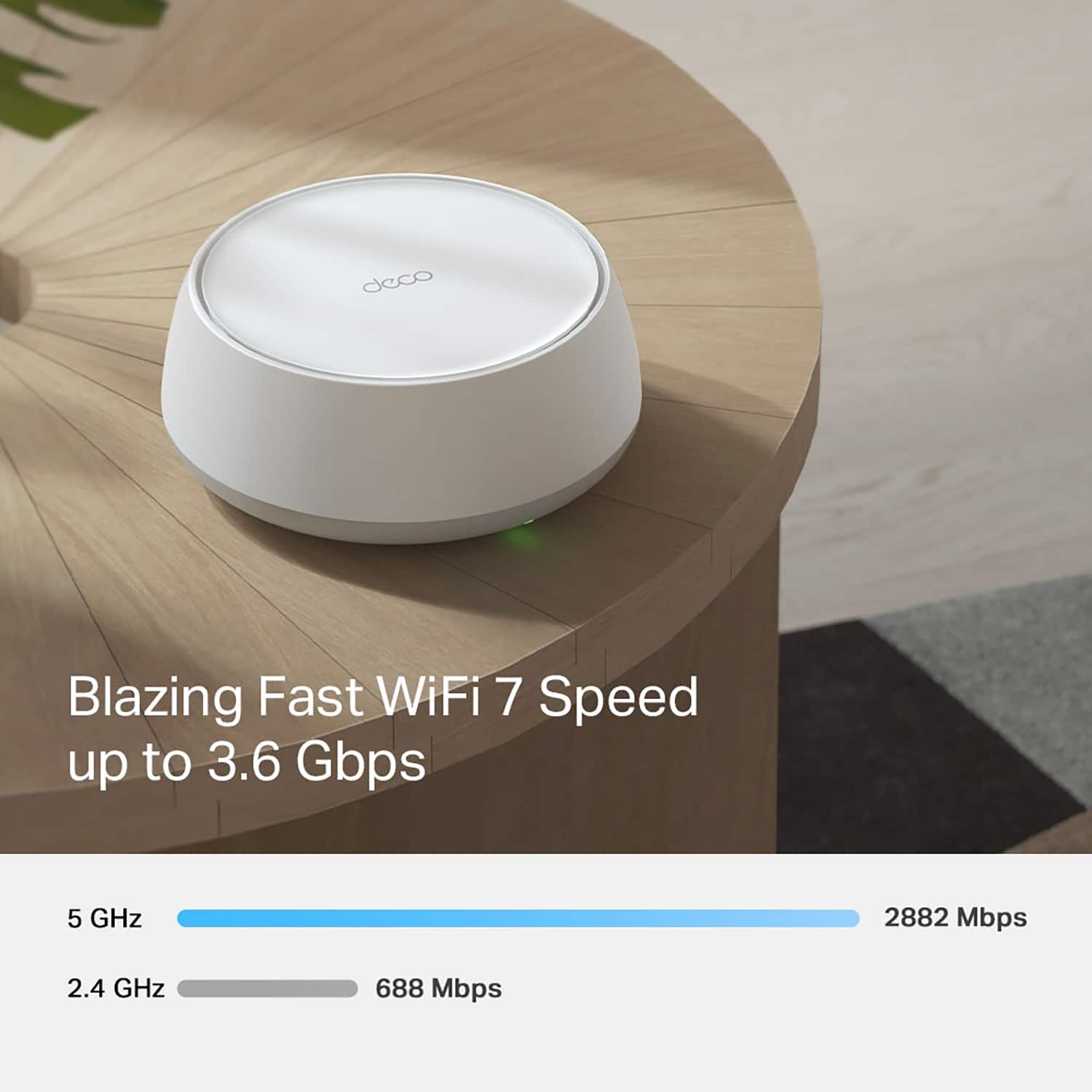
|Posted .This reviewer received promo considerations or sweepstakes entry for writing a review.Nice mesh system. This TP-Link Deco BE3600 mesh WiFi-7 system is a simple and cost-effective way to jump into the WiFi-7 realm. This unit boasts multi-gig speeds, bandwidth, and range advancements afforded with Wi-Fi 7 technology at a reasonable price point without breaking the bank. This dual-band mesh system utilizes 2.4 GHz and 5.0 GHz bands to deliver very fast data transfer speeds, although not the ultra-fast bandwidth seen with some of the even newer devices utilizing the 6.0 GHz band as well. Speed is quite good with low latency, and excellent network efficiency. The mesh aspect of this system really works well at covering our entire house with six people who are constantly on some type of connected device. Whether it is cellphones, smart tv’s, computers, or gaming counsels. This was a good upgrade to our previous mesh router system to offer great speeds and increased bandwidth to allow more and more devices to connect and run seamlessly over our internet connection. While not being the fastest on the market, this Deco BE3600 system utilizes the latest Wi-Fi 7 technology standard, offering speeds up to 3.6 Gbps over the air. This is a massive upgrade from the previous Wi-Fi 6 technology. This results in obviously faster data transfer rates, but also reduced latency, and improved network stability while not needing to always run at full capacity. The dual band technology is nice for me since not all our “toys” are brand new, meaning the older stuff can still connect to the 2.4 GHz band and function well. TP link uses AI-Driven Mesh technology in order to ensure seamless roaming and optimal connectivity throughout your home. Meaning it quickly and automatically connects your device to whichever node it is closest to for the strongest and fastest continuous connection. The ability to turn on optional Multi-Link Operation (MLO) really speeds things up for capable Wi-Fi 7 devices and allows the router to use its multiple frequency bands simultaneously for the fastest connections possible and reduced congestion on either individual band. Design and Build Each of these Deco BE3600 nodes are all identical and all have a pleasant, modern design with fairly minimalistic footprints and aesthetic. Each node features 4 antennas that enhance signal strength and coverage. The 3 node pack I have works great for my 4,000 square foot home and is rated for up to 6,500 square feet. Performance Speed: The nodes deliver impressive speeds up to 3.6 Gbps, making it ideal for high-bandwidth households heavy in activities such as 4K streaming, online gaming, and large file transfers/downloads. However, while the 3.6 Gbps speed works great for local network transfers and local connections, it should be noted that the LAN ports on all of these are only 1 Gbps ports, meaning that 1 Gbps will be the fastest internet connection fully supported over Wi-Fi. For example, I have a 2 Gbps internet connection coming into the house, which is great over wired connections, but the most any of these nodes can receive is the 1 Gbps, so I’m technically not able to experience that whole 2 gig speed over this Wi-Fi. It does however get close to the full 1 Gbps speed over Wi-Fi though which is of course blazing fast for a cord-free connection. I just wish at least one of the nodes had a 2.5 Gbps LAN port for connection to the internet feed. It does support wired backhaul through those LAN ports that which greatly reduce Wi-Fi traffic when possible which greatly increases speed over the wireless channels. Coverage: With the 4 high-gain antennas and 4 high-power FEMs, the Deco BE3600 mesh provides excellent coverage over our entire home and most of the yard out back. I encountered zero dead zones and it really has a stable and seamless connections throughout our home. Device Handling: We run A LOT of connected devices at our house all throughout the day. This mesh systems high bandwidth and speed efficiently manages everything simultaneously without any hiccups or lag. Setup and Management Set up was very easy and straightforward guided by the TP-Link Deco app. The app makes setup a breeze and provides comprehensive management features at your fingertips, allowing me to monitor network status, check internet speed, check connection strength between nodes in order to ensure proper placement, manage connected devices, and customize a plethora of other settings as well. Pros • Advanced Wi-Fi 7 technology: Future-proofs your network with the latest advancements and best security options available today. • High speed and low latency: Excellent for high-bandwidth applications and gaming. • Wide coverage: Effective in larger homes or offices. • Wired backhaul to increase speed and reduce wireless burden. • User-friendly Deco app: Simplifies setup and network management right from the palm of your hand. • Price: All the new technology without the exorbitant price tag. Cons • My only request would be to include at least one 2.5 Gbps LAN port for connecting to faster internet if you have it. Conclusion The TP-Link Deco BE3600 Dual-Band Wi-Fi 7 mesh Router system is a midrange Wi-Fi 7 system that offers impressive speed, great coverage, and many advanced features. It's been a great option for me to upgrade my home network to the latest Wi-Fi 7 technology without breaking the bank like some of the other overkill ridiculous systems that are out there. This will definitely remain future proof for a while and has all the capabilities I need.
I would recommend this to a friend - Pros mentioned:Performance
Small but Mighty with Tons of Features
|Posted .This reviewer received promo considerations or sweepstakes entry for writing a review.Having owned and used a Deco WiFi system before installing this one, I sort of already knew what to expect with this product. My old system was WiFi 6, had no issues ever, and out performed my Linksys system. When I saw that TP-Link released the WiFi 7, I was excited to get my hands on it and see what changed from the old to the new! Setup went OK... I did hit some snags while trying to set it up. First, after setting up the Deco and getting it configured, I then proceeded to re-wire it to be plugged into a dummy switch on my desk as I have other Ethernet connected devices on my desk that go beyond the 1 available ethernet port on the main Deco. However, when I plugged the Deco into the switch, it did not know what to do and confused the MAC address for the switch as the MAC for the Deco and caused chaos on the network. It was just counting all devices in the switch as 1 and mislabeling them. Eventually I was able to get it sorted after much trial and error, but perhaps that is a bug that they should look into. After that, the rest of the Decos were easy to setup, just plug it in and thats it! I really like how this new product has new features such as the IOT network. I have always wanted a separate network for my IOT devices as I do not want them consuming bandwidth on my regular network, well this Deco does that! It can create a separate IOT network that you can then rejoin your devices to and also perform automations with it. The speed and performance is outstanding, on my iPhone 15 Pro, I am getting 600mbps down and 35 up with Spectrum internet (600/30). With over 35 devices connected across the 3 decos, there is never a slowdown, can run multiple 4k streams, work, play games, browse the internet, etc without issue. The network congestion tool on the app is useful when you have slowdowns due to channel congestion. Really, the app in general is just great, the amount of functionality from a mobile app for a wireless mesh system is quite impressive. I appreciate the robustness and customizability for someone who is more tech savvy. The only complaint I have is that the 3rd Deco that resides in my garage, even though it shows a medium-strong strength, it definitely struggles to perform when doing mundane tasks like browsing the web, but there is a significant amount of concrete in the way so I get it, but I feel like the signal on my older Deco was stronger than this new one, perhaps that is the case, cheaper signal parts? Not sure, but not the end of the world. This is a great, cheap, entry level WiFi 7 mesh system that will satisfy the non-technical and the tech savvy.
I would recommend this to a friend Great Upgrade from my older system
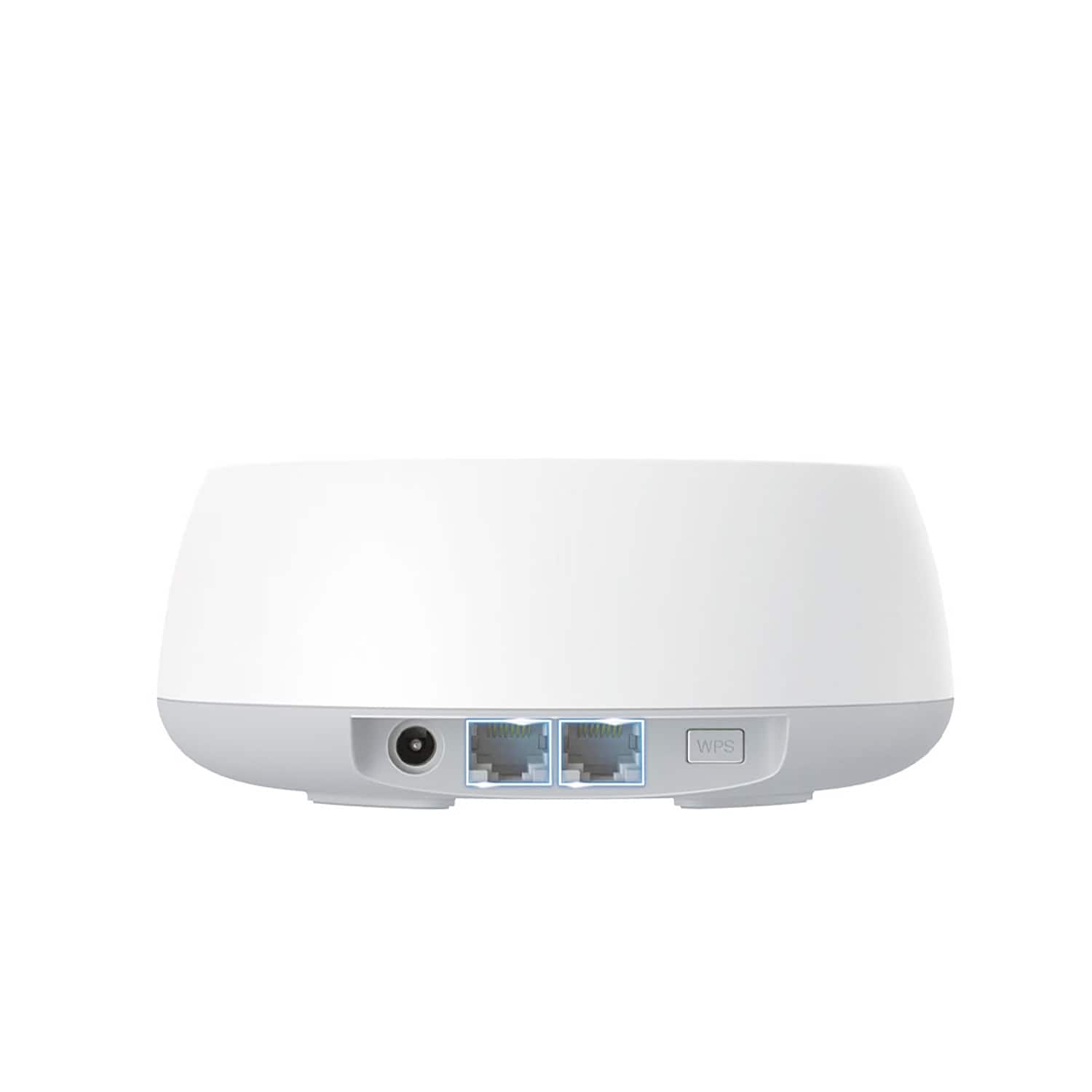
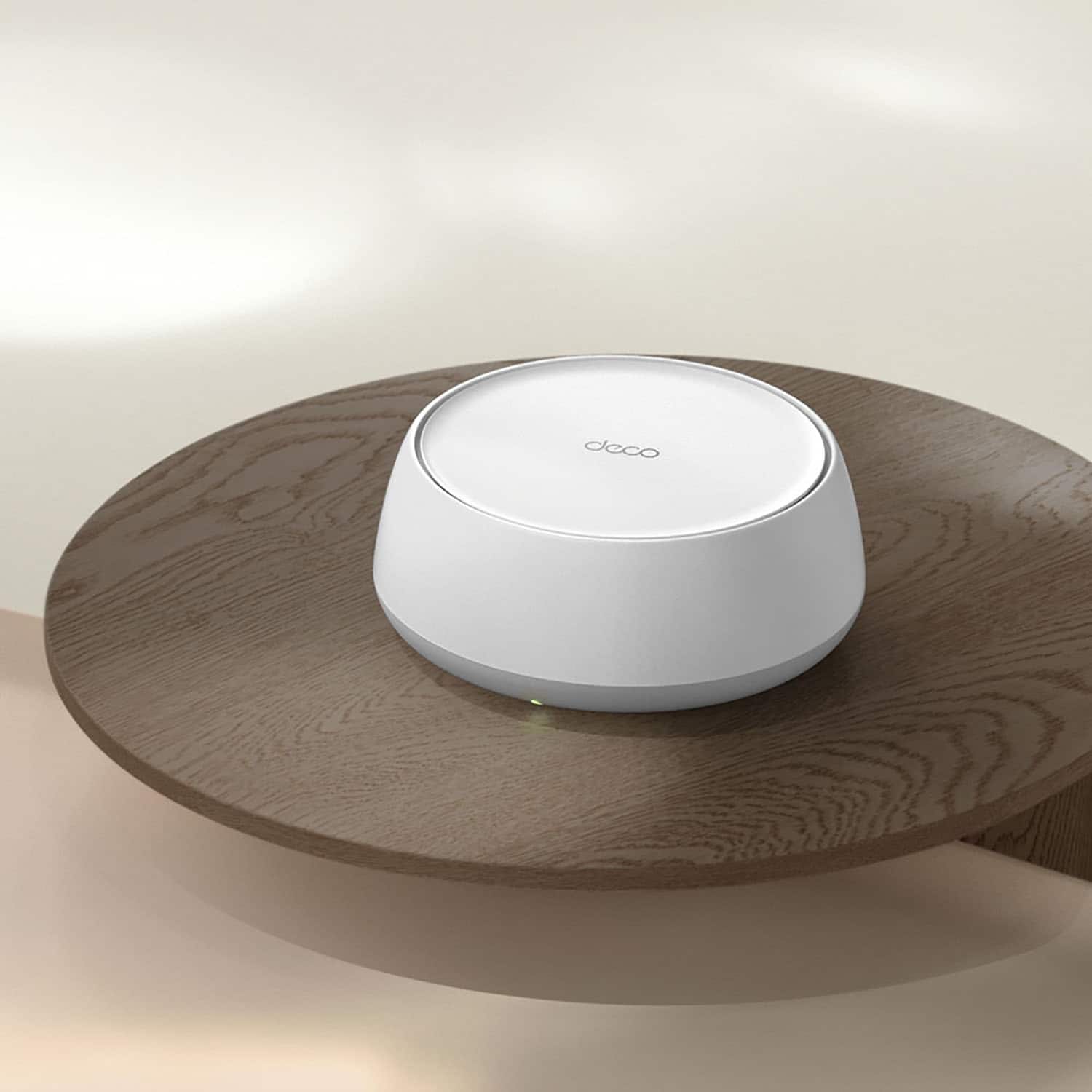
|Posted .This reviewer received promo considerations or sweepstakes entry for writing a review.In the box are 3 DECO BE25 units with power cord/plug, one Ethernet cable and a quick installation guide. First Impression - I like the round shaped units and it looks so much better than my previous rectangle and tower shaped router units. They are a little taller than I expected (I was hoping that they would be a little more flat) but they are smaller than my previous systems, so that is a HUGE perk. One of the good things I like about the smaller sized unit is the two Ethernet plugs on the back. Our previous unit only had one so now, we downsize all of the cords going to main system and my daughter who has multiple devices in her room can now have two devices plugged into the Ethernet ports. Disclaimer, We have a 6 rooms with at least 3 electronic wireless devices and at least 1 Ethernet ported device (7 rooms if you count our front loading washer and dryer that also connects to the WiFi.) I was definitely excited to get this product to test out the connectivity when one or more rooms are using electronic devices since the previous system would buffer constantly when playing online games or watching a streaming service on multiple devices. Installation - The installation was pretty easy - all I had to do was completely remove my old nodes and plugged in the new nodes and download the app and I was still able to use my previous names and passwords as the old system. This only took about 10-15 minutes. The app is very useful. One of the best things is getting a notification when a new device is using the wifi. I am able to remove, segregate or even not allow the device to get on streaming services using the app (parental controls). I basically learn something new every time I access the app. Connectivity - (Disclaimer - I live in an older house and I am not sure how old the outside wiring is. I pay for 600M cable internet with my local cable provider. I checked my download a couple of times an I got 452 down and 20-22 up. For our household, this is way better than our previous router system.) So far, I have been able to get way better connectivity with using multiple devices in the same room. Before, I was not able to stream on my TV and use other devices in the same room without my TV constantly going in to buffer mode. One of the days, I had 3 phones, 5 tablets (2 of the tablets were streaming) and something streaming on my TV and there was no buffering. Overall, this was the perfect upgrade for our family and I would definitely recommend to friends and family.
I would recommend this to a friendGreat Mesh Network Option
|Posted .This reviewer received promo considerations or sweepstakes entry for writing a review.I’ve been using mesh systems for years and have appreciated the coverage, but the problem I’ve always run into is interference between the nodes where the signal from a node slows down or blocks the signal from the router or another node. The TP Link Deco uses AI to determine the best module to connect to and seamlessly move throughout you home. This is what I’ve been looking for in a mesh wi-fi system and with wi-fi 7 capabilities, and at this price, the TP Link Deco is a winner. Setup was a little more difficult than I anticipated. It took several attempts before the app connected to the router. Sometimes it connected if there were touching, other times me phone needed to be a few feet away. Eventually, we got there, and by using the old WiFi network SSID and password, all of my devices immediately connected. There’s really no instructions on the nodes, but once the base station is set, you can plug them in and they should automatically connect to your system. Overall, the setup and system management are fairly simple, but you’ll want to have someone that’s a little bit tech savvy available just in case. The speed is great, and on par with my outgoing router. We have a gigabit connection and expect solid wi-fi performance, while using wired ethernet connections for gaming, etc. In my week of using the TP Deco, I can say that it performs as well, if not better, than competing products that are 3-4x as expensive. The range is fantastic, and the signal is strong, even when passing through walls. Overall, I still have some adjustments to make and will be moving the base station and nodes to different positions to maximize their effectiveness. I definitely recommend this as a solid mesh networking solution at a reasonable price point with a user friendly app and ease of setup.
I would recommend this to a friend- Pros mentioned:Ease of use
Not Great - Looks Elsewhere for Wifi Needs
|Posted .This reviewer received promo considerations or sweepstakes entry for writing a review.I was excited for a good priced, WiFi 7 solution that would bring faster speeds to my Wifi 7 enabled devices. Sadly, the TP-Link Deco BE3600 didn't deliver. First, let's start with the good. The setup for the mesh system was pretty straight forward and easy. After downloading the Deco app, just plug in and setup each of the nodes. The app guides you through each step to get your WiFi system up and running without much hassle. The size of the nodes was also a plus. Not super tall like some systems, you can easily place each node in an area and it doesn't take up a lot of room. After using the system for a week, I must admit I am not impressed. The speeds are not any better than my old WiFi 6 system was delivering. That I could probably be OK with as it is more bandwidth than what I need for 4k streaming, etc., if it wasn't for the other two issues I continue to experience. The handoff from node to node as you move around your house is abysmal. Devices continue to drop WiFi completely as you move around and the device tries to connect to the best node. So you will have WiFi, you move around, WiFi drops for a bit (seconds to minutes), then reconnects as it finds another Node. Not close to the seamless handoff experience TP-Link promises. Secondly, I find a number of my IoT devices continually disconnect from WiFi. As an example, I have a smart lock that I had zero issues with before on my old mesh solution. Not once did it disconnect from WiFi. Since setting up the BE3600 system, it drops WiFi connects multiple times a day. In the end, I will be returning to my WiFi 6 mesh solution as the TP-Link BE3600 falls very short in delivering. If you need stable and worry free WiFi, avoid the system at all costs.
No, I would not recommend this to a friendBrand response from TPLinkSupport
Posted .Hi bobcats9498,
Thank you for your review. Our Deco Mesh Wi-Fi systems are designed to provide robust, seamless Mesh Wi-Fi for your whole home. In your case, we first recommend ensuring your Deco app and firmware are both fully up to date and your Deco units are optimally positioned within your home and in proximity to each other.
We also suggest using the IoT Network feature to help ensure compatibility and ease of connectivity for your IoT devices.
Our support team is always happy to help answer any questions you may have about our products. Please feel free to reach out using any of the resources included with the product, or from our official website, and we'll gladly have a Support Agent follow up with you directly.
Thank you,
TP-Link Support
excellent. worth it
Posted .This reviewer received promo considerations or sweepstakes entry for writing a review.It works way more better than my stock router/modem. A smarter choice instead of getting a wifi repeater. WORTH EVERY PENNY. I finally have the full wifi speed that my provider gives in every room
I would recommend this to a friend