Customer Ratings & Reviews
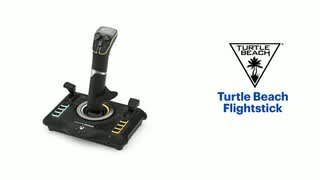
- Model:
- TBS-0722-05
- SKU:
- 10917673
Rating by feature
- Value
Rating 4.5 out of 5 stars
- Quality
Rating 4.5 out of 5 stars
- Ease of Use
Rating 4.3 out of 5 stars
Great!
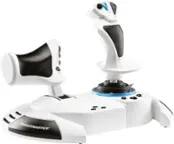
||Posted . Owned for 2 weeks when reviewed.This reviewer received promo considerations or sweepstakes entry for writing a review.Lights up! Works great! Keybinds are easy to map over into various Flight Simulators like DCS, or MSFS!
I would recommend this to a friendQuality Quality Quality
||Posted . Owned for less than 1 week when reviewed.This reviewer received promo considerations or sweepstakes entry for writing a review.You get what you pay for best fir Flight Simulator Games ..
I would recommend this to a friendGood flight stick with minor issues
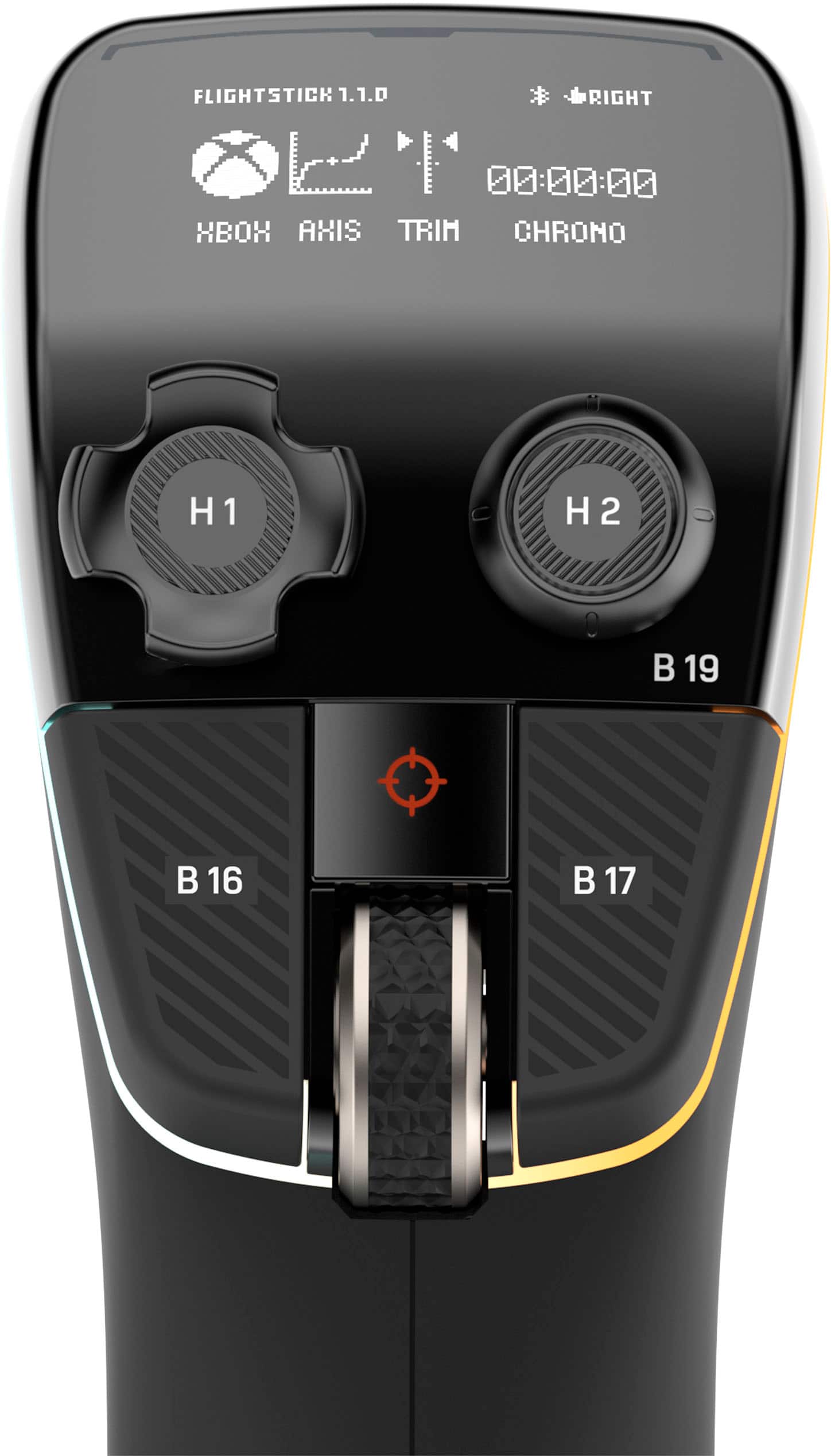
||Posted . Owned for 1 month when reviewed.This reviewer received promo considerations or sweepstakes entry for writing a review.The two buttons on either side of the trim wheel are extremely sensitive and very easy to accidentally press. Also the stick tension is a bit too high. Other than these relatively minor issues the stick is excellent.
I would recommend this to a friendNot as great as I expected
||Posted . Owned for 4 months when reviewed.This reviewer received promo considerations or sweepstakes entry for writing a review.Difficult to use, not as simple to set up on pc as it should be, stick is way too tight out of the box. Worth your time if you want to mess with it, but not if you want it working right out of the box
No, I would not recommend this to a friendBrand response from Turtle Beach Support
Posted .Hello Kurt! We are sorry to hear about the experience you've had with your Turtle Beach Product. Our products are each sold with a manufacturer's warranty, and we have a dedicated Support Team available to provide assistance as needed. Please reach out directly to our dedicated Support Team so they can lend a hand. They’re always happy to help and can be reached right from the support section of the Turtle Beach website. Thank you and have a great day!


A fantastic joystick for flight games!
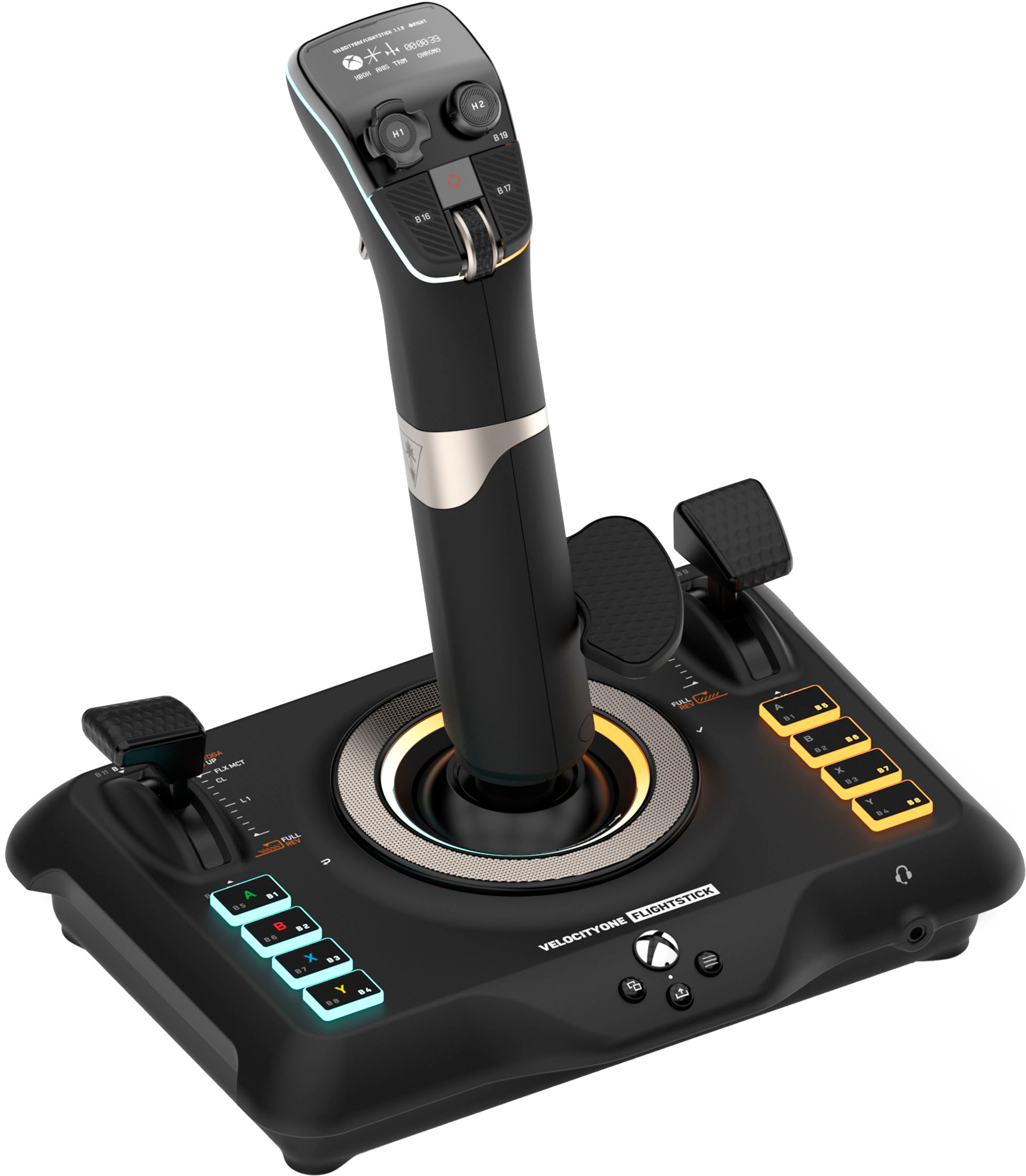
|Posted .This reviewer received promo considerations or sweepstakes entry for writing a review.I have several joysticks like this but the main one I use is the MS Xbox/PC one that most of us use. It's a great controller but has a very large footprint. This joystick is a bit more slender and takes up much less of a footprint thankfully. This stick has a really premium feel and the LCD screen makes it seem far more expensive than it actually is (thankfully again). Setting it up is a breeze, as the only thing in the box is the controllers, a short guide and the USB cord. Setting it up and running the program that the QR code brings up allowed me to update the firmware on my PC. As the instructions say, one must remember to keep the stick in Xbox mode (which mine defaulted to) or else the update will not work. My firmware was updated though without any issue and once I read a bit on how to utilize the input (it's the ring around the base of the stick!) then I was up and running in no time.; Booting up Microsoft Flight Simulator required quite a few updates of course but once that was done the stick was immediately recognized and worked. The video I watched showed how to disable the joystick cap look around and instead allow the mouse to do it but I just left mine to the default, which is to use the joystick hat to look around. This worked amazingly well and all the keys are already setup to what you expect them to be, although re-assigning them is of course very easy in the program. The rudder worked great and overall the stick performed amazingly well. Yes I did tilt it a little as the base isn't quite as big as my other Thrustmaster stick, but it was not really an issue once I adjusted a little and quite behaving like a maniac on the stick. The stick worked great for my two hour play session and I had no issues. Amazingly I also really didn't change anything as the button assignments all seem very well thought out. The LCD screen is really cool to see what the settings are. All in all this joystick is fantastic, especially for Flight Simulator 20. It already has everything setup to work in the game and is ready to play right out of the gate. Easy setup, quality craftsmanship and great work in the trenches makes this joystick a no-brainer to recommend to any of my fellow PC or Xbox pilots, especially if you enjoy Microsoft Flight Simulator!
I would recommend this to a friendHorrible
||Posted . Owned for 1 week when reviewed.This reviewer received promo considerations or sweepstakes entry for writing a review.Didnt work with anything! PC, xbox, manual configuration nothing!
No, I would not recommend this to a friendBrand response from Turtle Beach Support
Posted .Hello! We are sorry to hear about the experience you've had with your Turtle Beach Product. Our products are each sold with a manufacturer's warranty, and we have a dedicated Support Team available to provide assistance as needed. Please reach out directly to our dedicated Support Team so they can lend a hand. They’re always happy to help and can be reached right from the support section of the Turtle Beach website. Thank you and have a great day!
Broke after a week
||Posted . Owned for 2 weeks when reviewed.This reviewer received promo considerations or sweepstakes entry for writing a review.The throttle stick broke after a week. It still worked, but the top plastic bit snapped off.
I would recommend this to a friendBrand response from Turtle Beach Support
Posted .Good morning Jeremy,
We’re sorry to hear about this inconvenience; however, please note that our products are each sold with a one-year manufacturer's warranty, and we have a dedicated Support Team available to provide assistance as needed. We’re always happy to help, and we can be reached right from the support section of the Turtle Beach website.
Best regards!
screwup
||Posted .This reviewer received promo considerations or sweepstakes entry for writing a review.can't write a review since best buy sent the wrong joy stick. I never got the one in the picture.
No, I would not recommend this to a friendBrand response from Turtle Beach Support
Posted .We're sorry to hear about your experience, however, please understand that we are not involved with the fulfillment of orders made outside of the official Turtle Beach website. Please contact Best Buy directly for assistance with exchanging your product for the correct one. Best Regards!
Skip on Xbox
||Posted . Owned for 1 week when reviewed.This reviewer received promo considerations or sweepstakes entry for writing a review.It only officially supports 1 game on Xbox, yet is advertised as “made for Xbox”. Excellent hardware, probably fantastic for PC but not so much for Xbox.
No, I would not recommend this to a friendBrand response from Turtle Beach Support
Posted .Hello,
Thank you for leaving your feedback; however, is there anything in particular that we are able to assist you with? Our Support Team is always happy to help as needed, and we can be reached right from the support section of the Turtle Beach website.
Best regards!
Great all-in-one Xbox Series S/X rig.
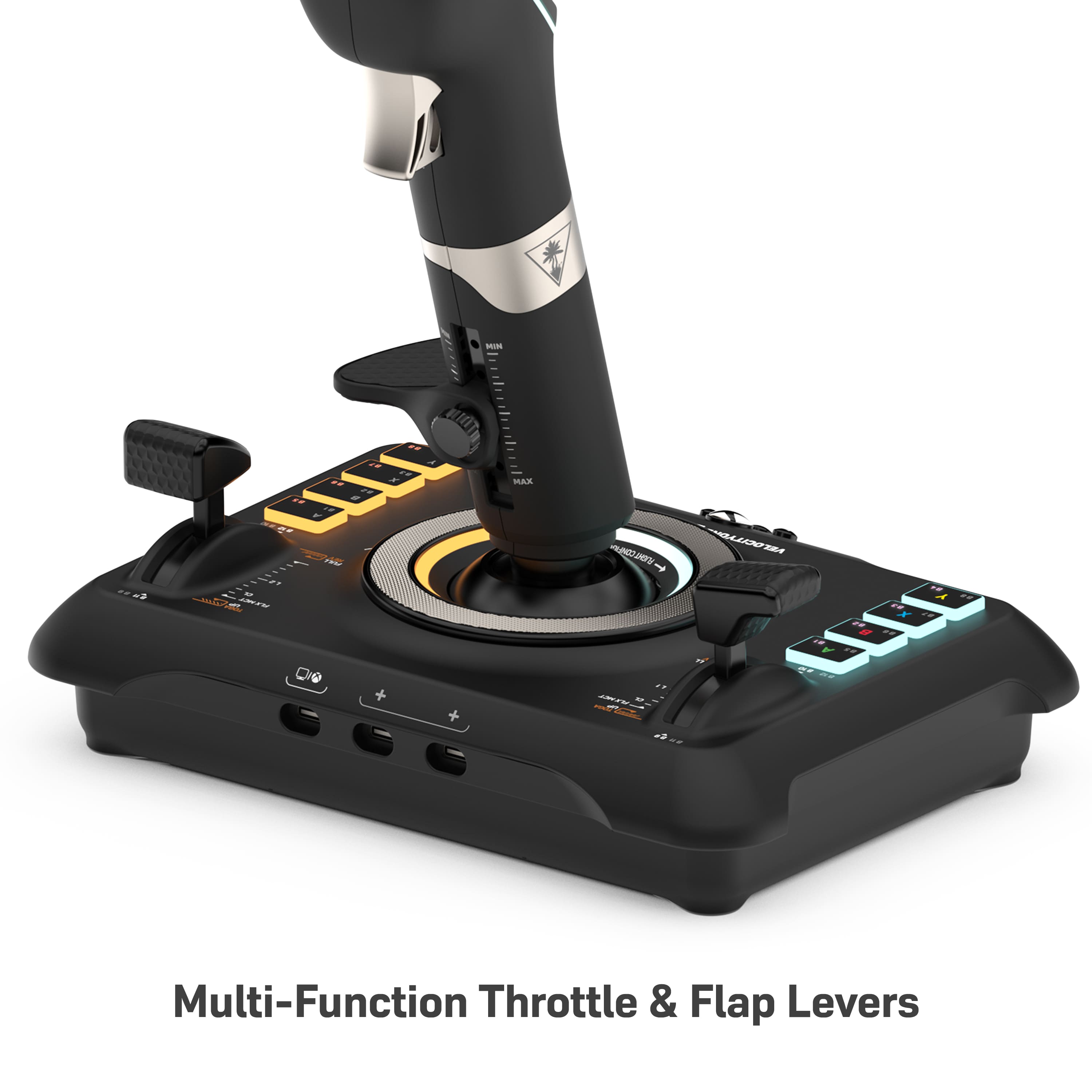
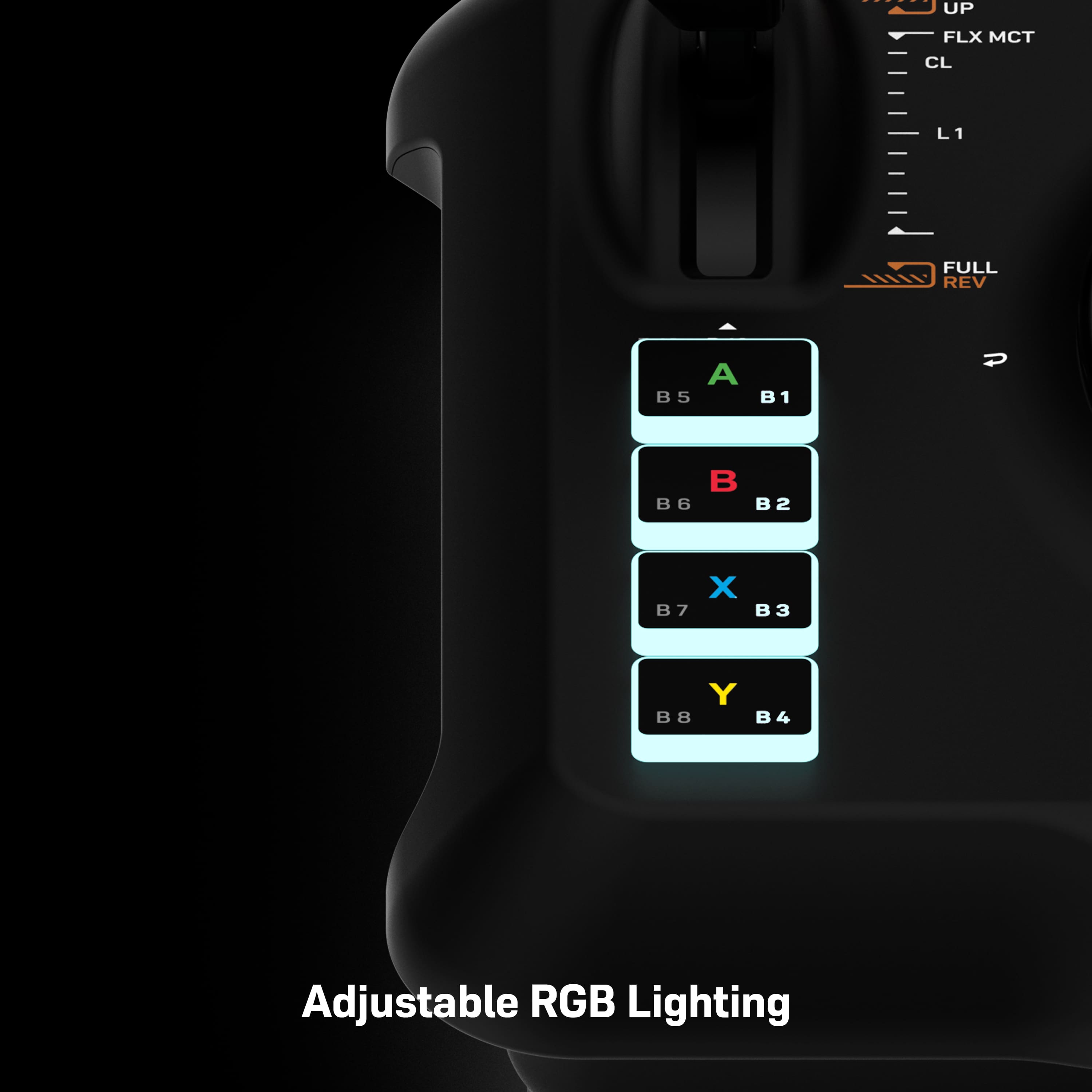
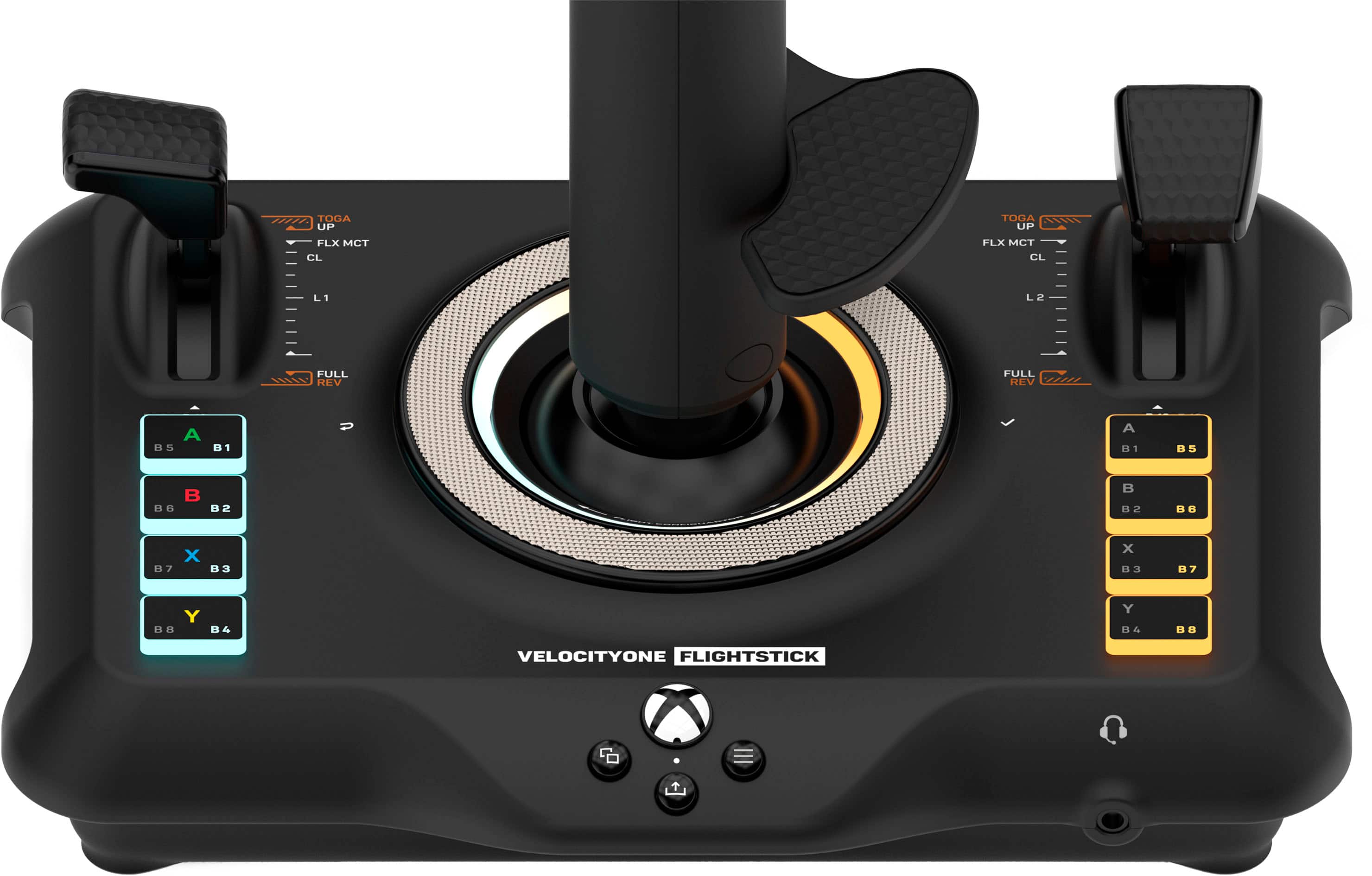
|Posted .This reviewer received promo considerations or sweepstakes entry for writing a review.I could easily have bought a different setup IF I was playing on PC, but on Series S/X (I have both) this really is the best option. Well packaged, colour coded cables and an excellent fitting system. No bits sticking out under the table once the built in clamps are anchored. Really neat. Smooth operation of all parts except the push/pull yoke has stiff spots. Not an actual issue, as we have assurances from the manufacturer that it beds in and smooths out, confirmed by one YouTuber yesterday after he used it for two weeks. The prop engine controls work very well (Throttle, Prop and Mixture) and feel like a real prop plane. The jet engine levers will allow you to fly a quad engined plane smoothly. On prop planes they double the other controls and add a flaps lever. For that, they feel a little “loose”, but I already have a fix in mind with a simple rubber sheath to increase the drag on them. The Trim Wheel is fantastic, closest I have seen to the real thing, just make sure you’re not on “EASY” level on all settings, because the Turtle Beach - Velocity-One Flight Stick Universal Simulation Controller for Xbox Series X and Windows PCs auto trims for level flight to help beginners. Easy to find and turn it off. The many buttons, twin hats, additional 4-way hats, and full set of Series X buttons are all fully configurable. There are two presets in the Flight Sim already for Prop or Jet, but you can make as many new ones as you like. I use the XBox controller or a mouse for the Turtle Beach - Velocity-One Flight Stick Universal Simulation Controller for Xbox Series X and Windows PCs menus, just because the sim is designed that way, but once in the plane, you don’t need to take your hands off the yoke rig. The initial yoke stiffness and slightly floppy levers are the only reason I took one star off an otherwise excellent rig. I may buy some pedals in the future to go with it, but coping well with the responsive triggers on the yoke. Currently working my way through the tutorials, landing challenges and so forth, with some free flights gradually learning where the default controls are before messing with them. The buttons are illuminated (your choice of colours) and stickers and spare panels are provided, with more functionality to be added in future updates. There’s also an XBox app to let you update the Firmware without a PC. I think that covers most of it. Worth the purchase price in my opinion.
I would recommend this to a friendA Fine New Controller/Joystick
||Posted . Owned for 3 weeks when reviewed.This reviewer received promo considerations or sweepstakes entry for writing a review.Well constructed joystick that easily adapts to MSFS2020 computer or XBox programs. A pretty good value for the price!
I would recommend this to a friendGreat Flightstick - works easily cross-platform
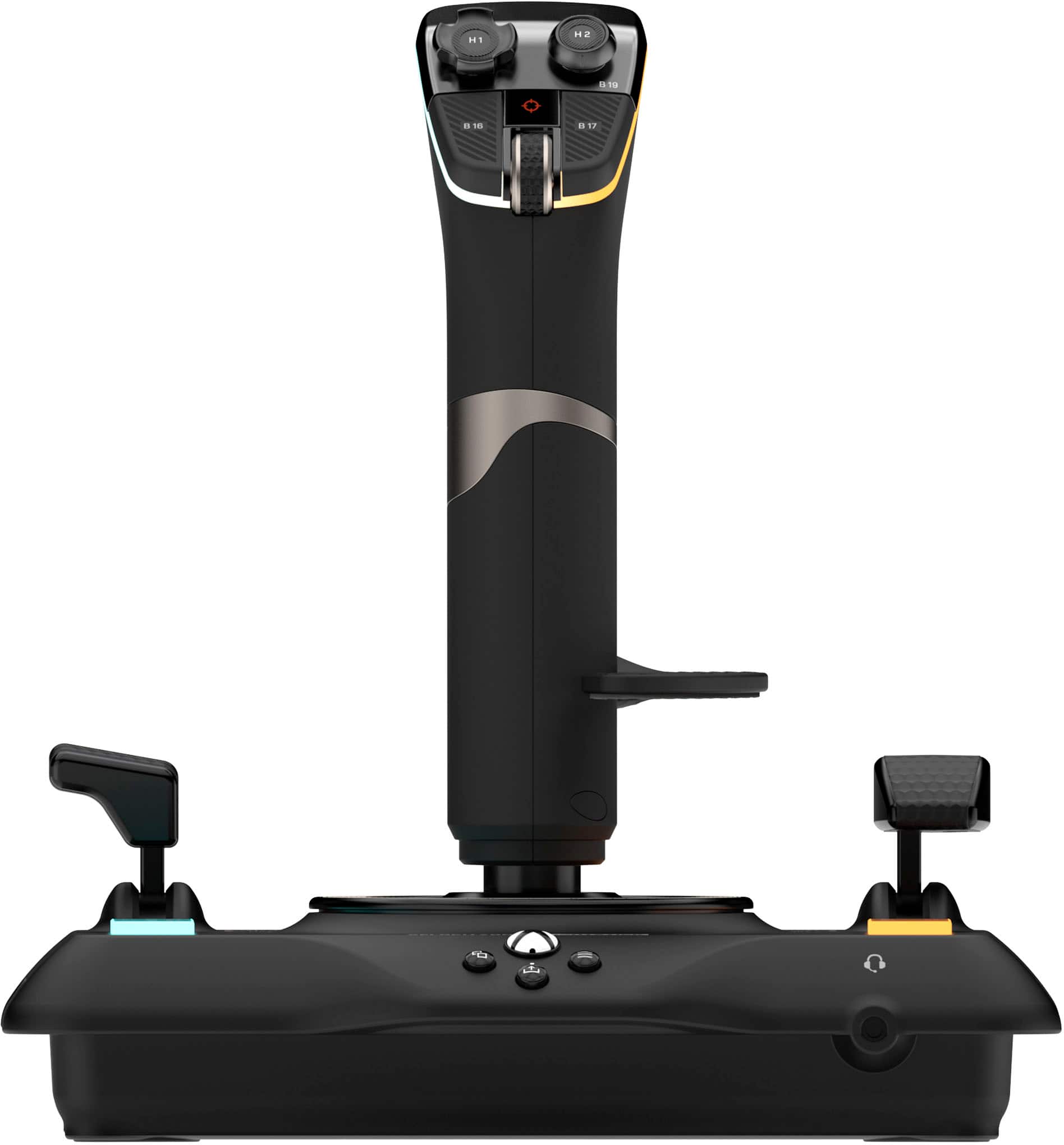
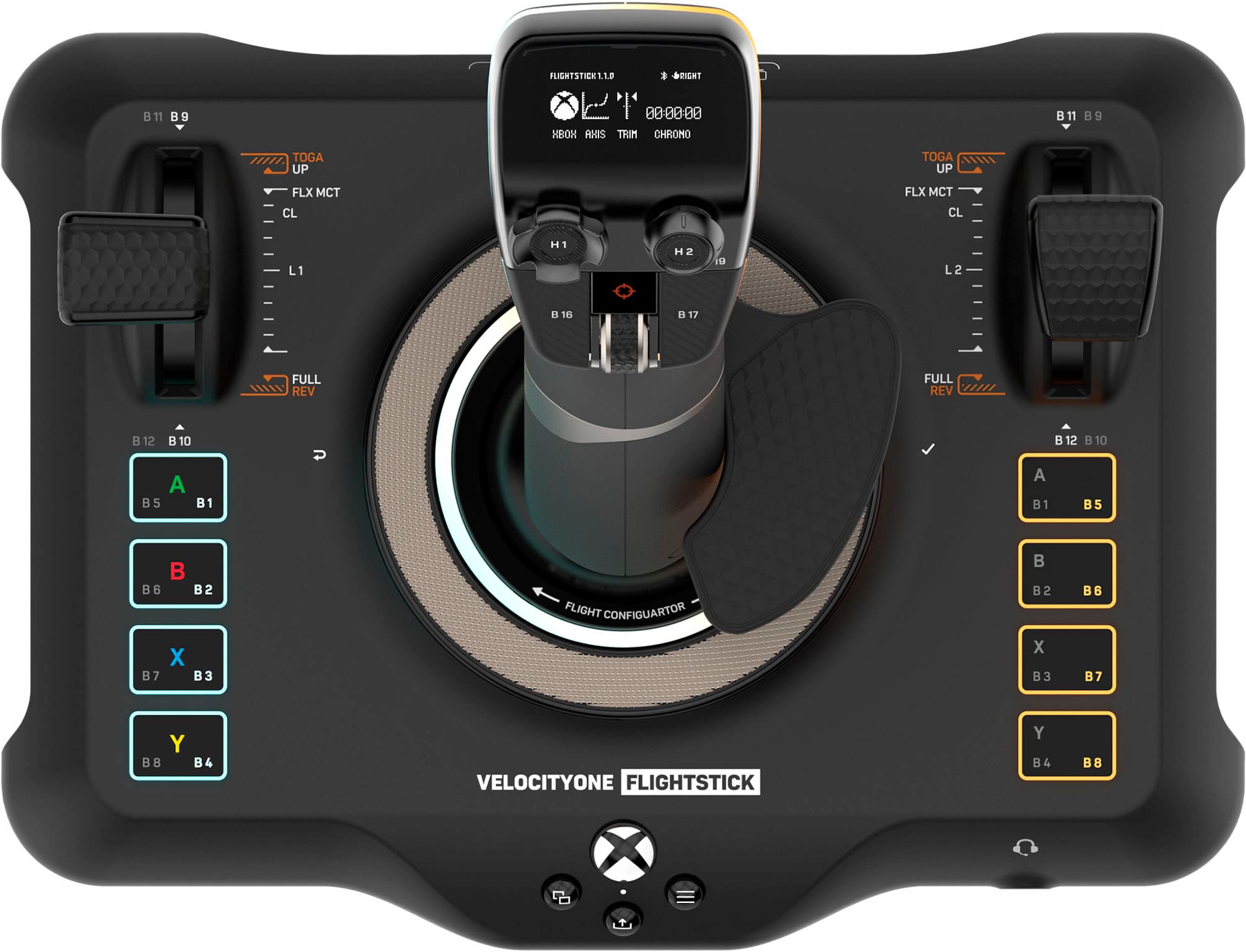
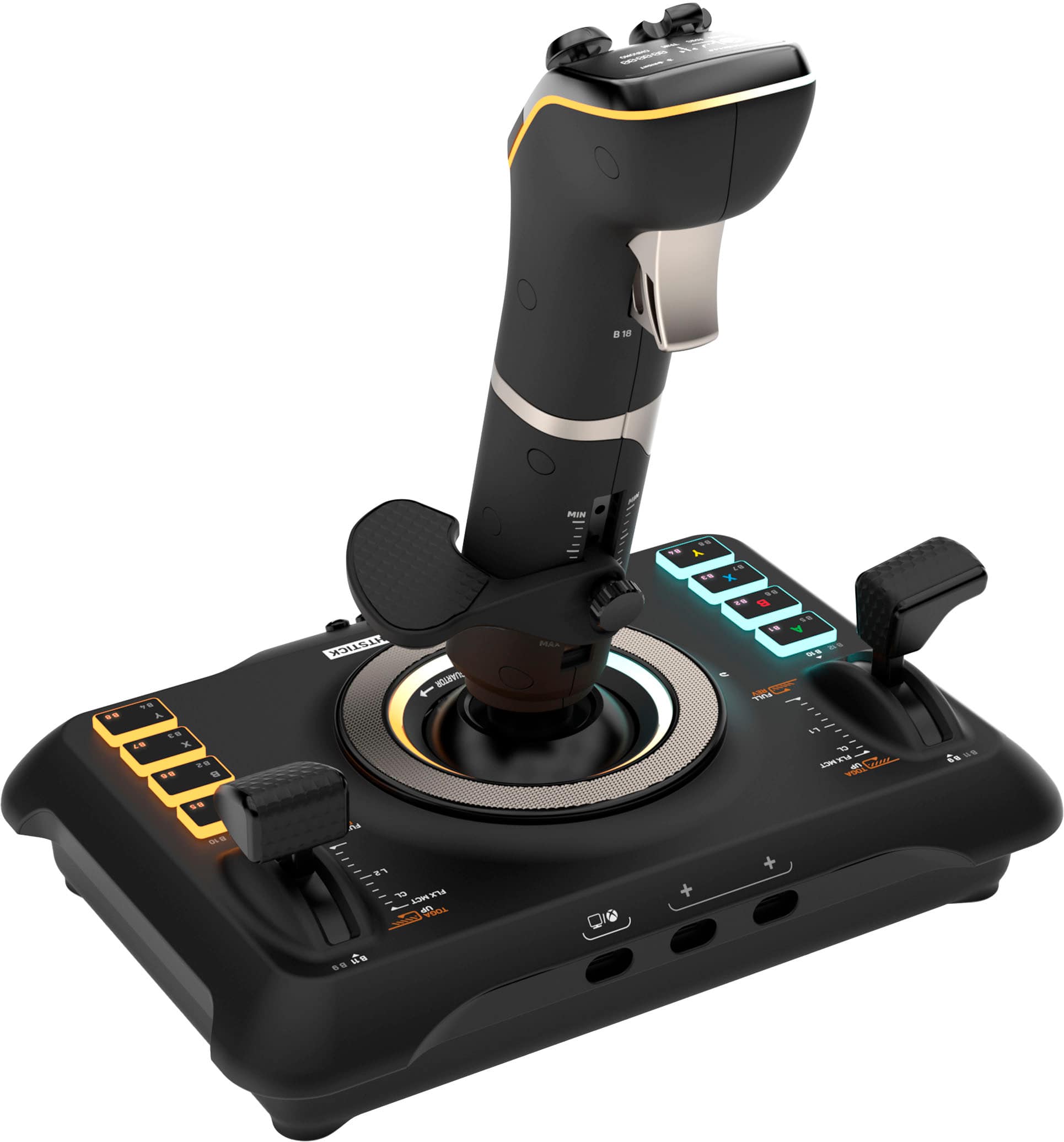
|Posted .This reviewer received promo considerations or sweepstakes entry for writing a review.This is an awesome flight stick - it's not perfect (few things are, really) but it's a lot of fun, well-built and well worth the price of entry. It's solidly built and feels amazing in your hands - the actions are smooth and the adjustable wrist rest makes it comfortable to use even for longer gaming sessions. The fairly long included cable is a big positive, as you can sit further from your screen (particularly useful for use with the Xbox which would generally be further away from a coffee table or other surface you might set this on). And it's a generic, detachable USB-A to USB-C cable (though a nice one) so if you do need a longer cord, you can easily replace it. This is comes in handy if the cable would ever break - it can be replaced without having to replace the entire stick. The stick itself packs in a LOT of functionality, between the plentiful buttons and two levers on the base to the Xbox button set in front of the main stick to the two hats, scroll wheel and multiple buttons plus trigger on the stick itself. The OLED display on the stick lets you change some settings - LEDs, connection mode, Bluetooth, etc - and the dial at the bottom of the stick lets you scroll through the settings/select/cancel. The LEDs aren't full RGB - they have preset options - but they're a nice touch anyhow. And the Bluetooth is for a companion app that can be used to put additional buttons on your phone when playing on a PC - a neat trick, but not as useful as if it could connect via Bluetooth. So, given all that, what's not to like about the stick? Really, the biggest issue to me is the weight. the base especially is fairly light, which might be a good thing in some electronics, but here means that you have to be careful that in a heated dogfight you don't just slide the whole stick around instead of making the movement that you want. There are screw mounting holes on the bottom (and, likewise, a set of included bolts to fit them) but that would mean I'd have to drill into my desk or my coffee table? Not likely - I'll probably try to figure out some sort of clamping mechanism. Otherwise, this is a great stick for those that love flying simulations - it works out of the box with Microsoft Flight Simulator (tested it on both PC and Xbox Series X and it's great) and other games like Ace Combat. Highly recommend it - IF you don't mind figuring out a mounting point!
I would recommend this to a friendFeature packed device that fills the gap
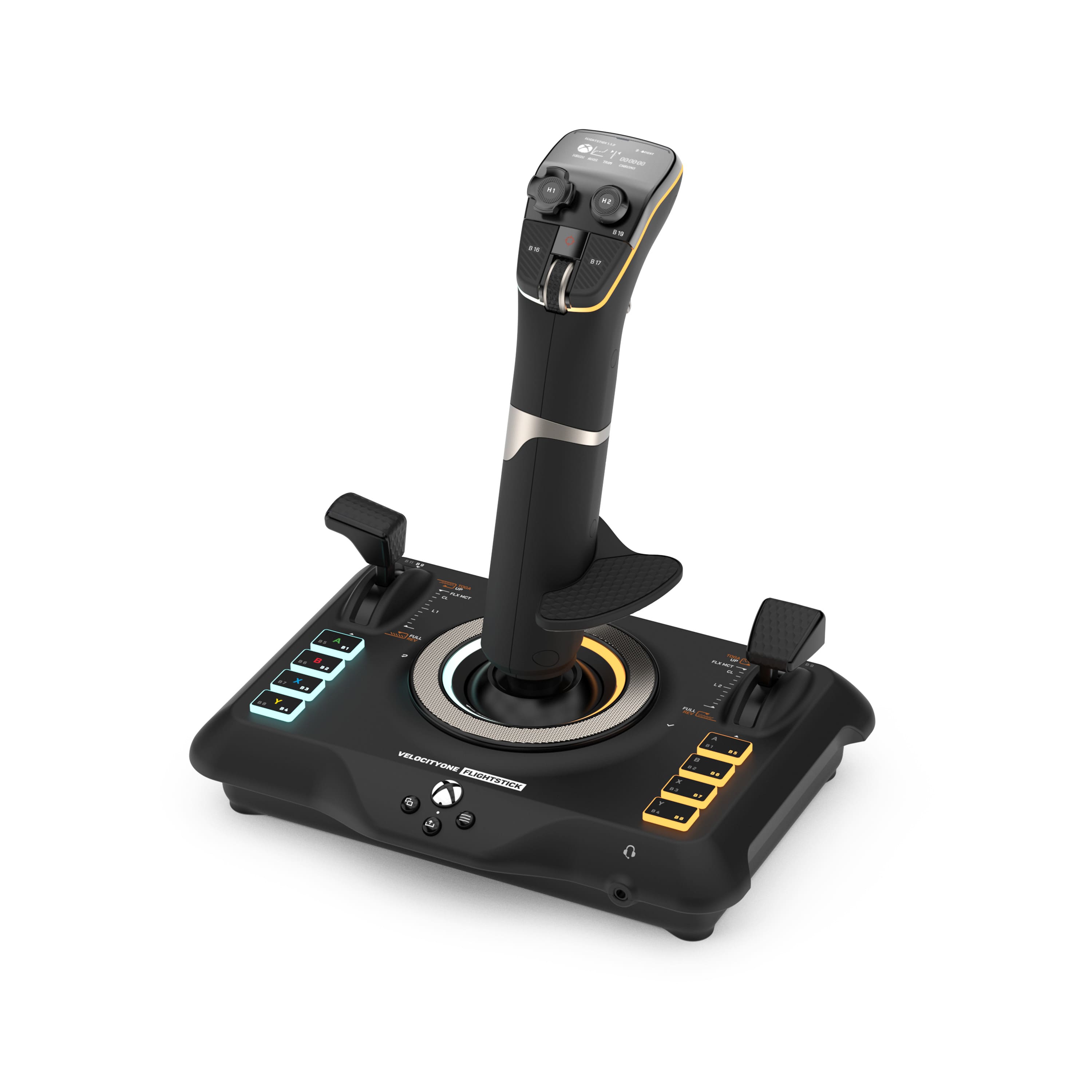
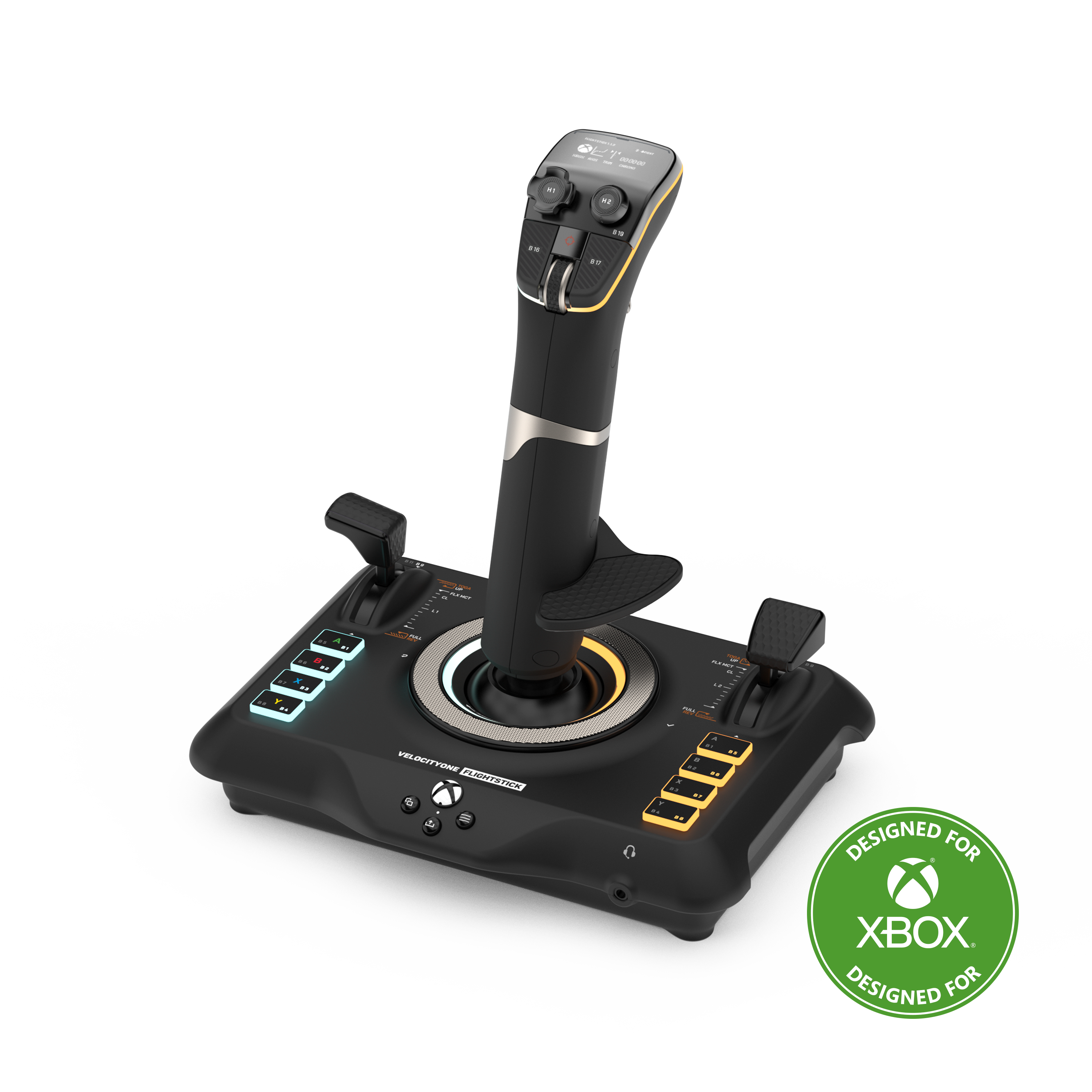
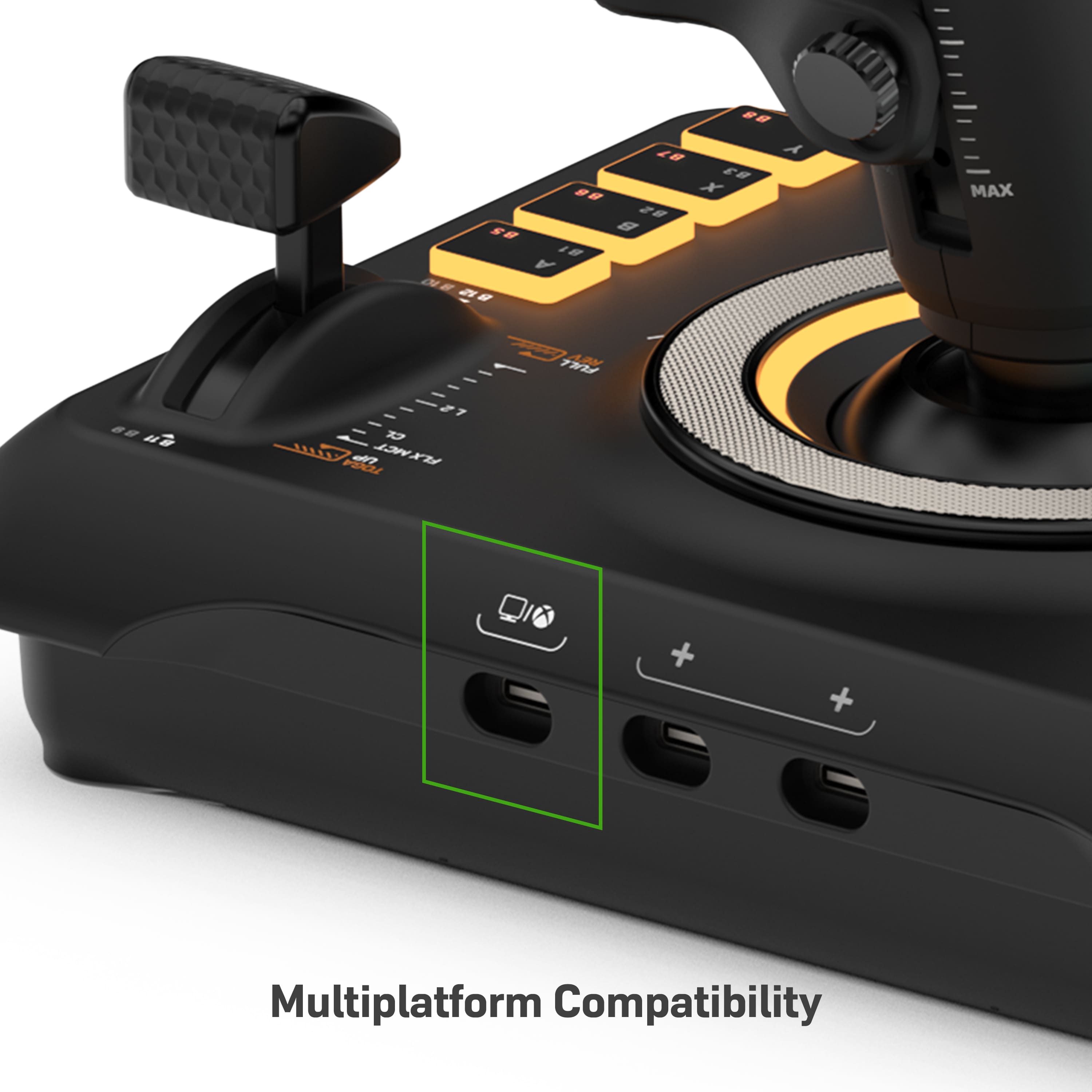
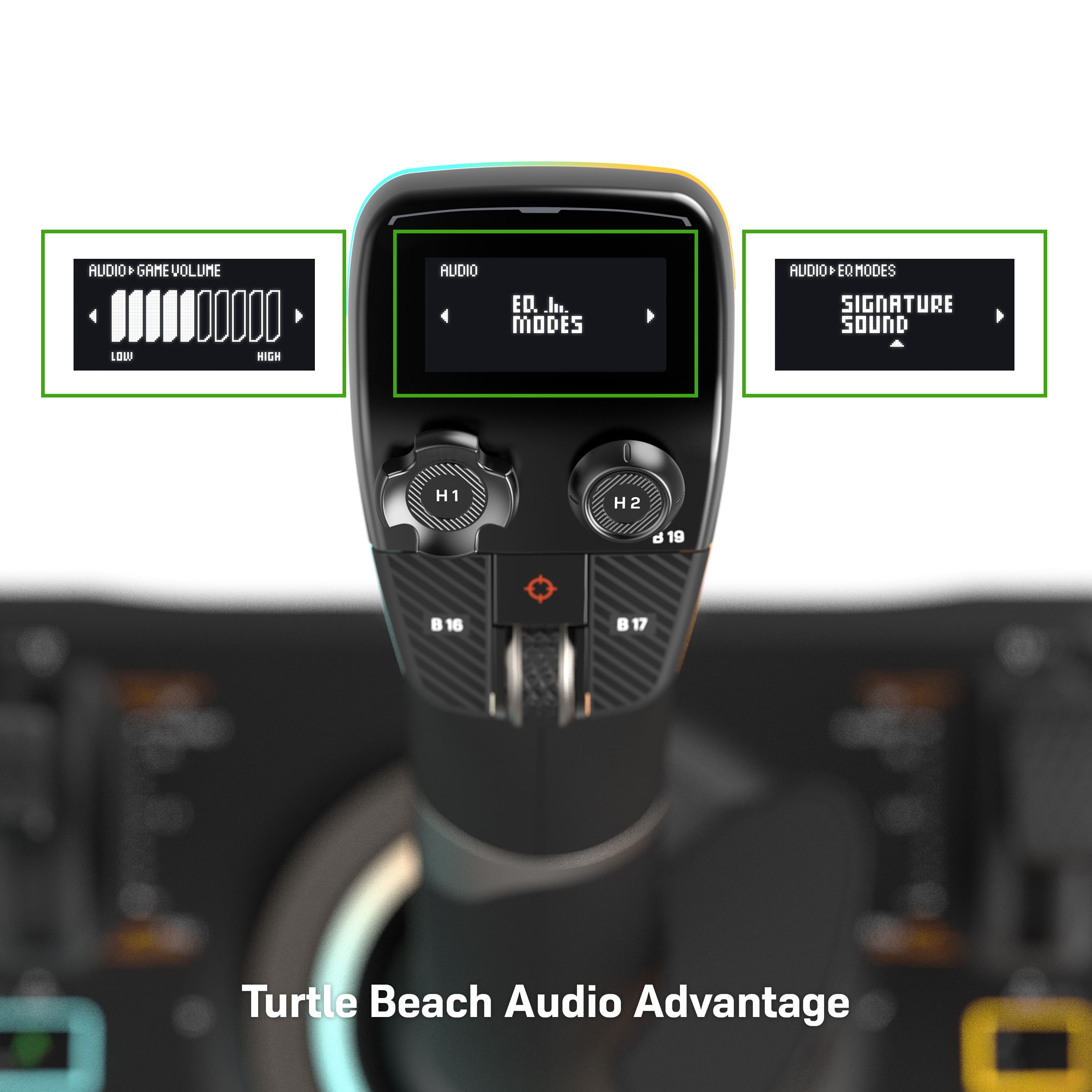
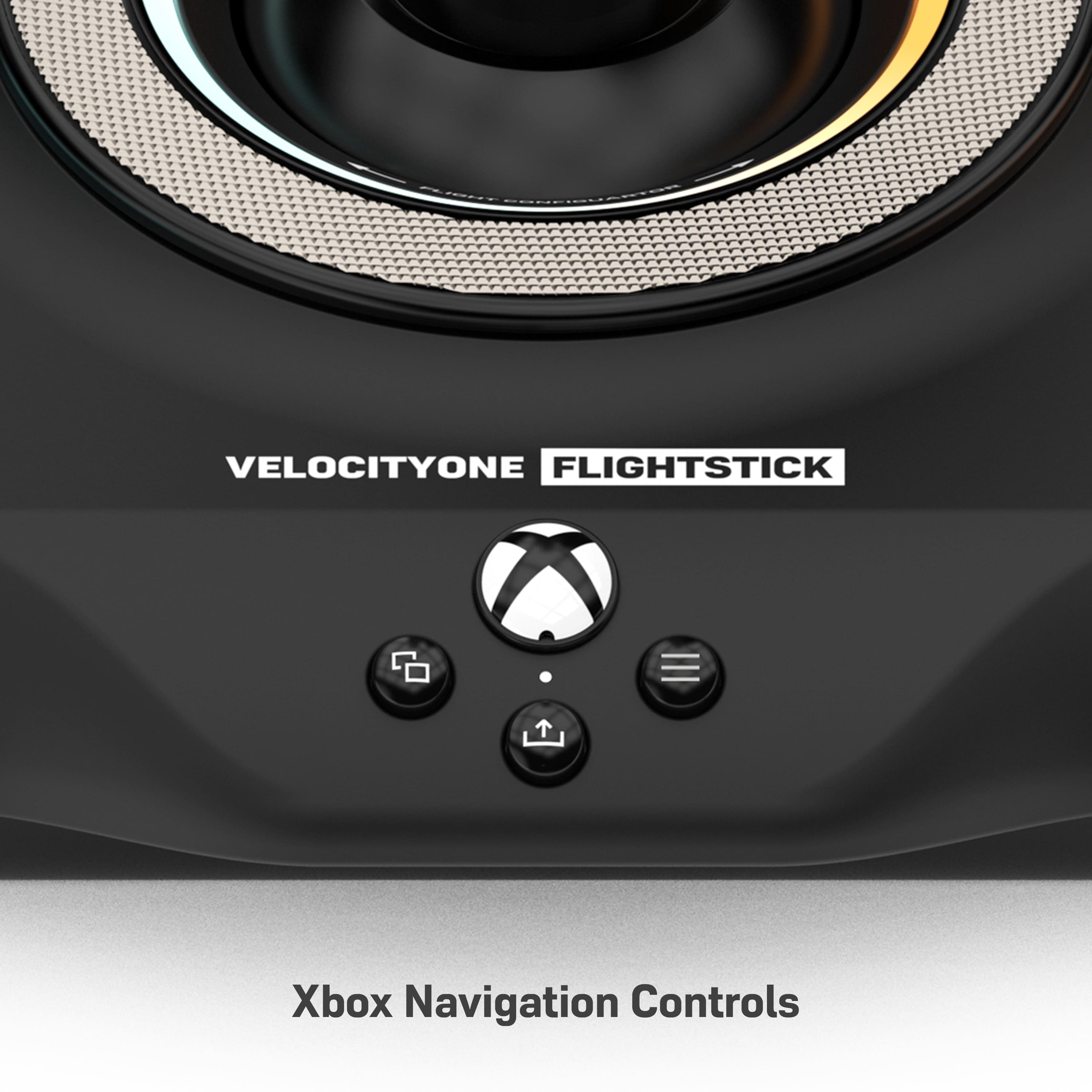
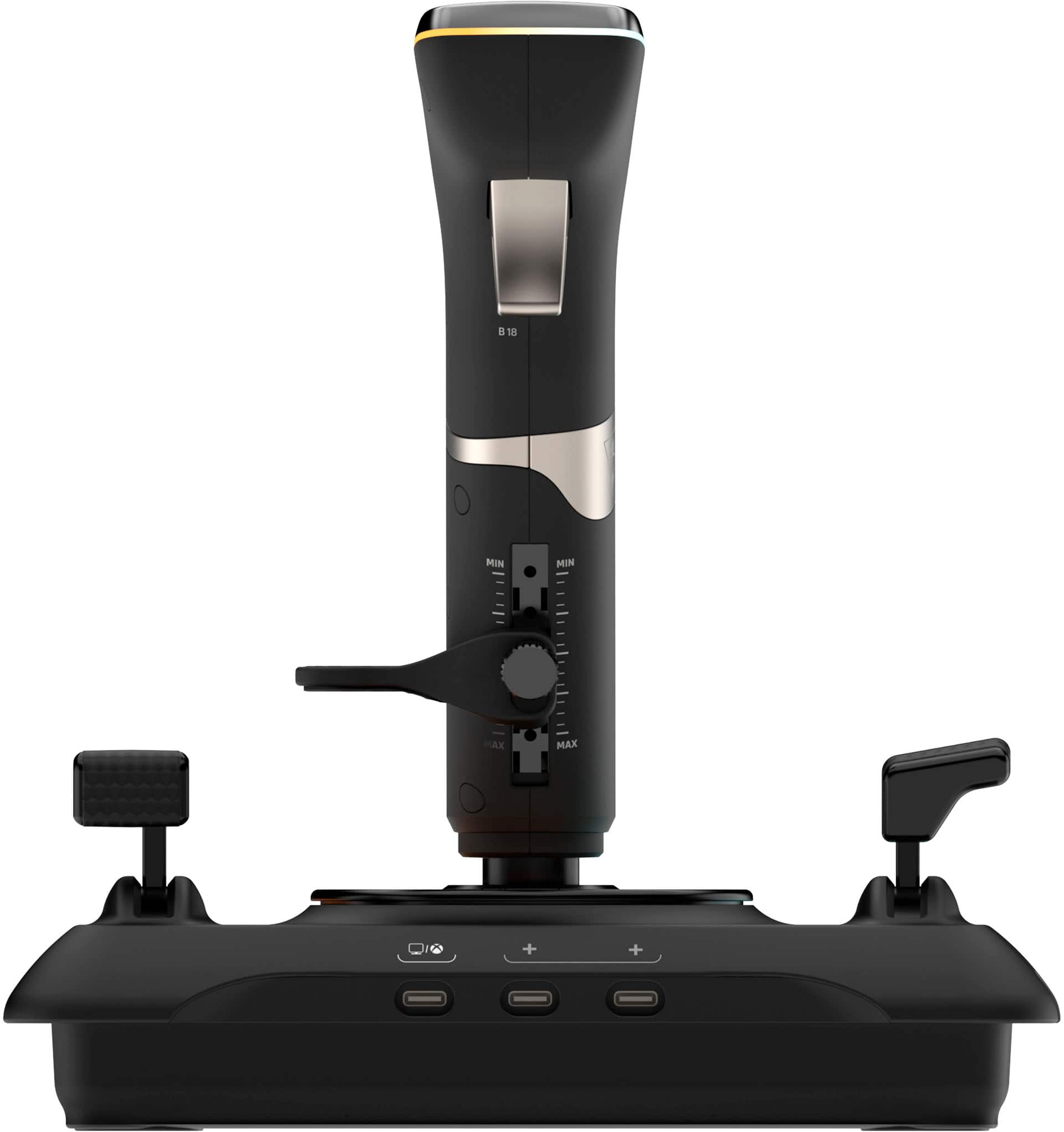
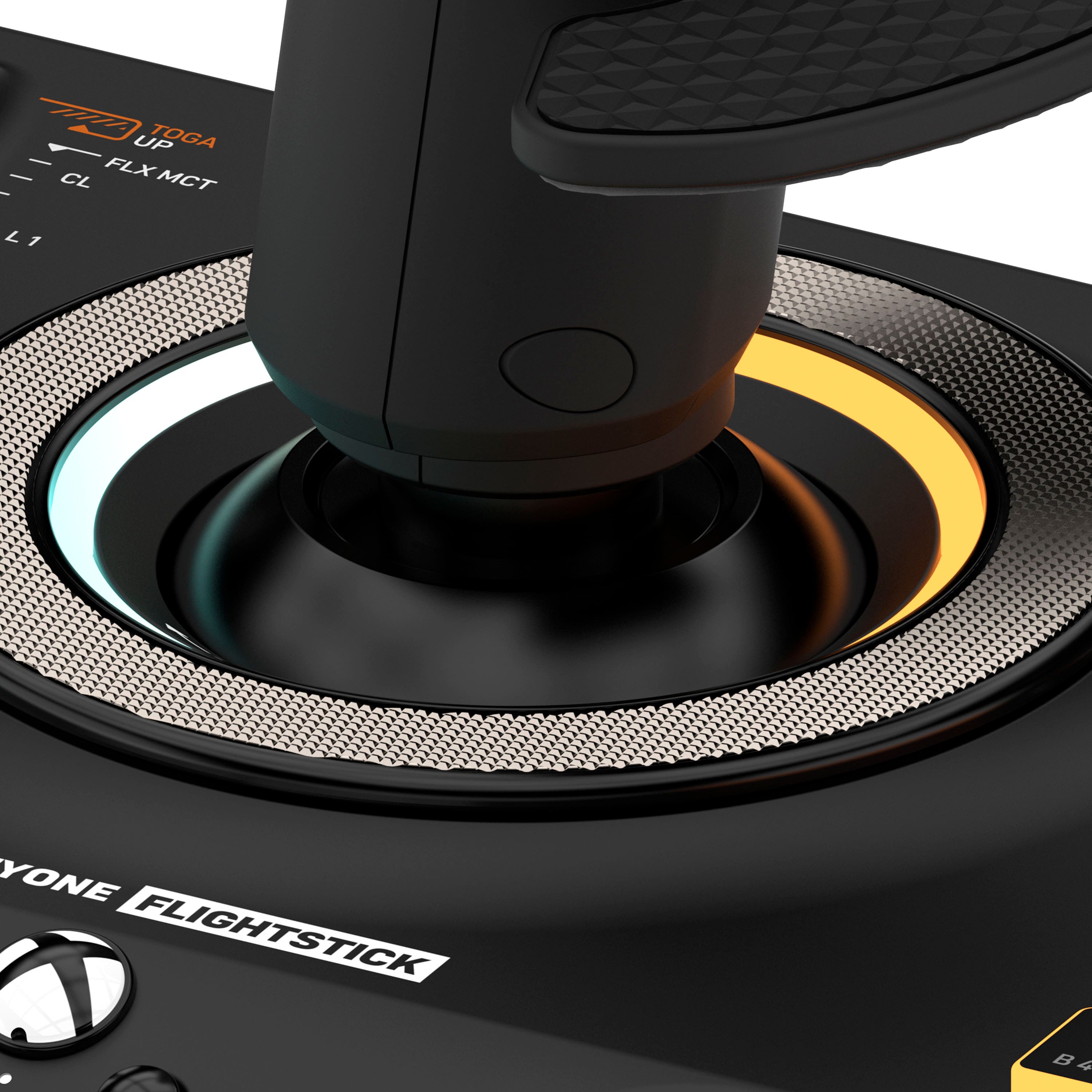
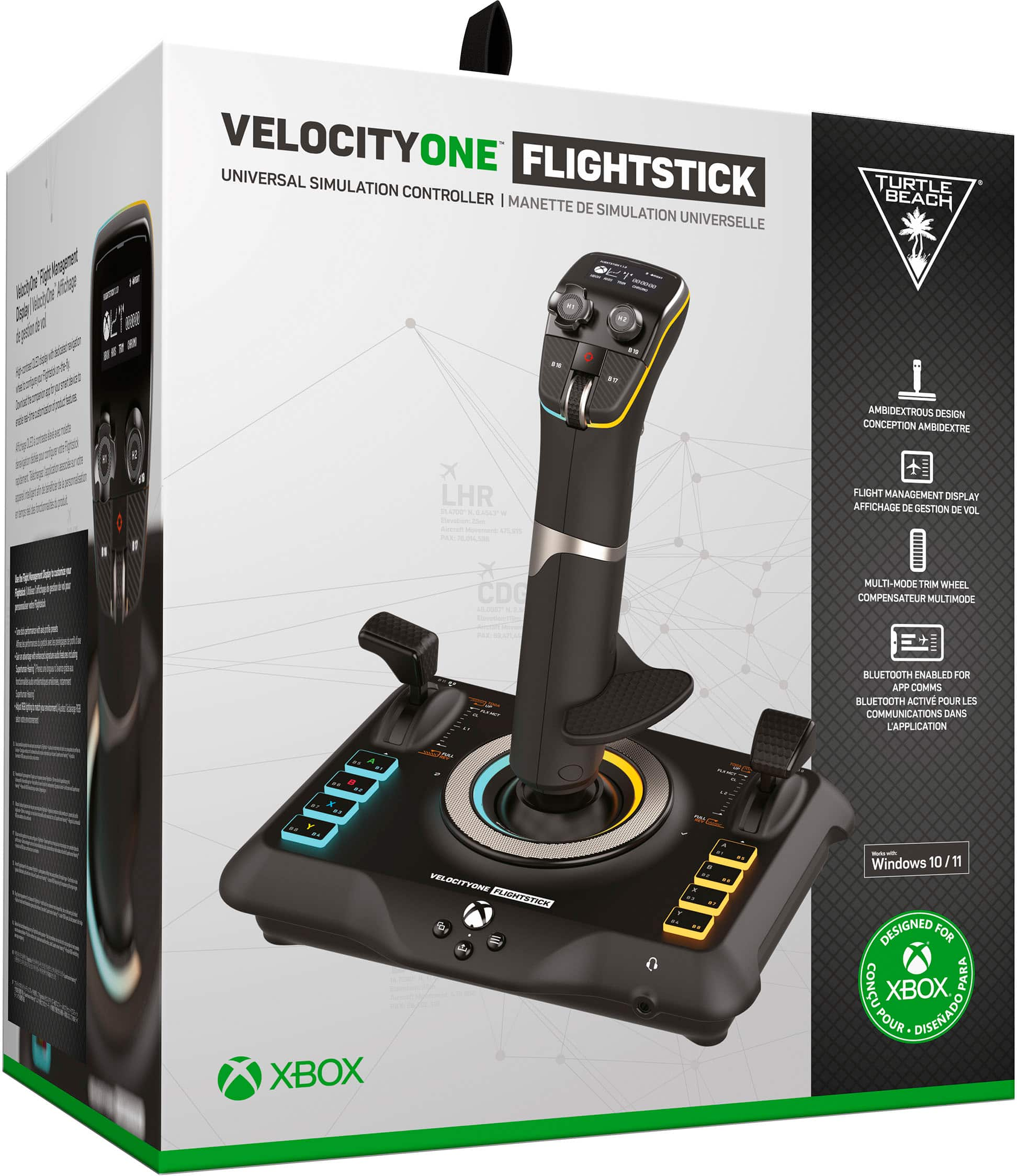
|Posted .This reviewer received promo considerations or sweepstakes entry for writing a review.When your basic joystick just ain't cutting it and you want to move to something more robust you can grab dual stick HOTAS (hands on throttle and stick) setup but those are notoriously expensive. Or you can get something more reasonable and still gives you a basic HOTA experience... enter the Turtle Beach VelocityOne Flightstick for $130. Setup is really easy. Just plug into the USB port on your XBox onr PC and the OLED display on top of the stick guides you through the steps. Navigating the steps is done with the silver ring at the base of the stick. Very ingenious! There are buttons galore!!! Plenty of buttons for basic controls are pretty much default set but you can adjust configuration in your game to fine tune to your needs. Running Microsoft Flight Simulator I had the left sliding control set as throttle and the right was elevator trim. The dual top hat controls took a bit to get use to but once I did using to view out the cockpit windows was a breeze. The base has all the XBox nominclature but again if you are on a PC you can change these buttons to just about anything you need. I ran the Flightstick through its paces with several games. I spent a fair amount of time with Microsoft Flight Simulator but I also played Elite Dangerous, Tom Clancy's H.A.W.K.s and Project Wingman. All the buttons came in handy when programmed for switching weapons or counter measures during flight battles. The Flightstick is solidly built, with a quality build. There is some weight to it... not too heavy but enough to keep it from sliding around on your desktop or snack tray during game play, with the help from the 4 no-slip rubber feet on the bottom. I am happy to see the USB-C cable connection using the included cable but also there are a couple of other ports. Two more USB-C ports for "future" product integration and a headphone jack. Additionally there are control stand mounting screw holes on the bottom so if you have a sim-rig you can easily bolt to it. For someone that has gone the expensive route with a full blown HOTAS controller I can honestly say that if can get an enjoyable experience using the VelocityOne instead of something that is 3 times the cost. Heck, go this route and you have more funds for buying a couple more flight or dogfight sims.
I would recommend this to a friendThis is a lot of fun
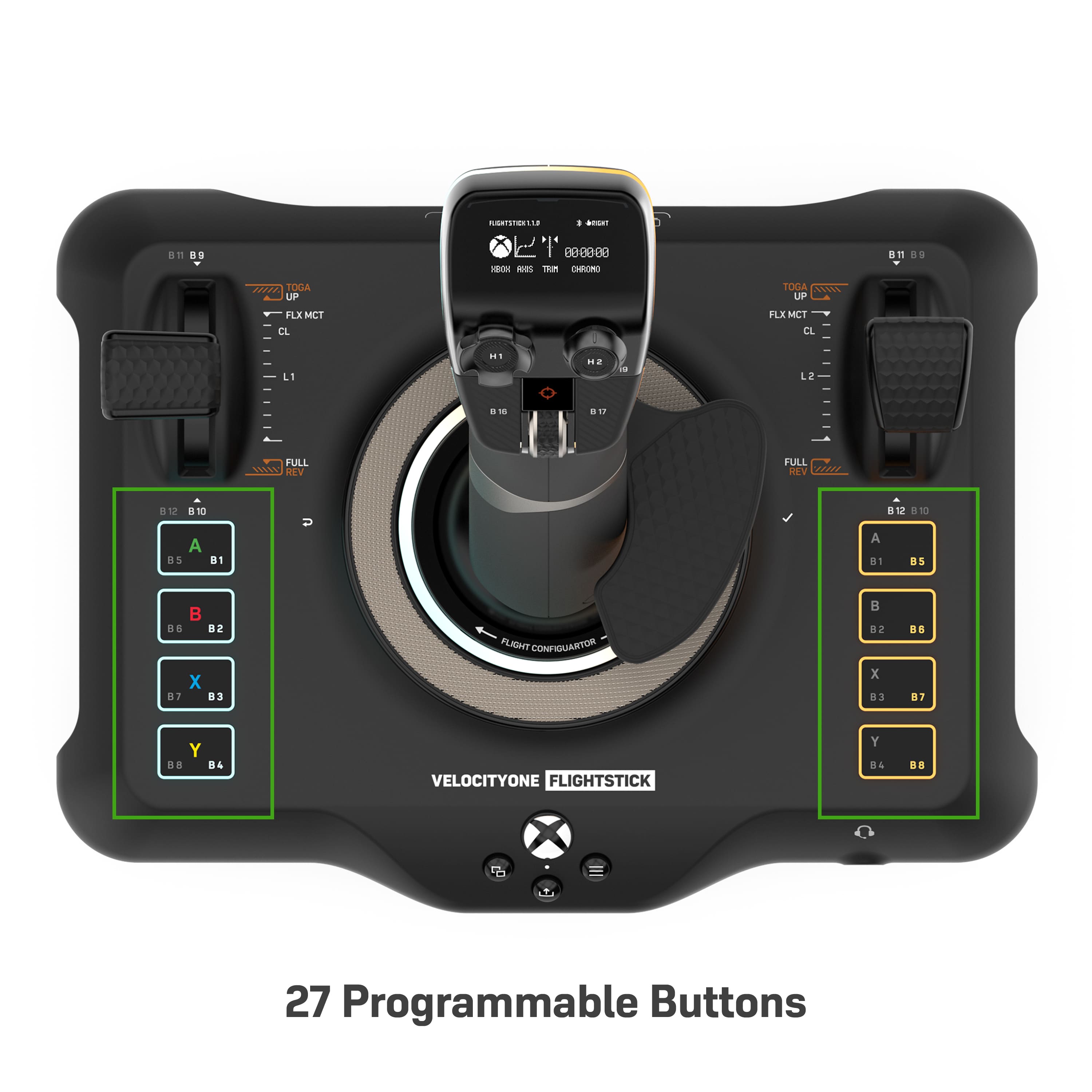
|Posted .This reviewer received promo considerations or sweepstakes entry for writing a review.This adds a whole new dimension to Flight Simulator for me. I haven’t had a flight stick in many years. So I can’t really compare it to anything else that’s out there. I’ve been using the keyboard and a game pad since the new Flight Sim came out and was happy enough with it. I didn’t realize what a huge difference this Flight Stick would make. Set up was pretty easy. The quick start guide was a little vague on how to change it from Xbox to PC (it defaults to Xbox) so it took a while for me to figure that out. Once I had it set to PC, it self installed and Windows recognized it immediately for exactly what it was. I love the little OLED screen on top of it and all the blue and yellow lights on the stick itself. Looks really cool. Flight Sim recognized it the first time I ran the game with the stick plugged in. I didn’t need to do anything in the game to get up and running. The stick is very responsive and precise. The throttle/ flap levers are both firm and steady. With 27 customizable buttons, there’s a lot you can do with it but since the game pretty much detected and set it up automatically, I haven’t needed to customize anything yet. I’m, admittedly, not an avid flight sim guy. I bought Microsoft Flight Simulation just because it looked so cool and I have a high enough end PC to display the graphics almost maxed out. I do know that I will now be spending a lot more time with this game, and maybe others just because of the flightstick. Really looking forward to using this flight stick more and more and maybe even try out a few other flight games now. Highly recommended. I’m really enjoying it
I would recommend this to a friendExcellent configuration, poor manuever
Posted .This reviewer received promo considerations or sweepstakes entry for writing a review.The overall stick is excellent. The way the buttons are layed out is amazing. Trim wheel is by far the best feature. Easy use plugged right into pc for flight sim. Throttle is very good considering it is not a separate component. Beautiful design overall. The only big problem here is the stiffness of the stick. Wayyyy to stiff to be able to manuever properly. Base is not heavy enough even if the stick was not soo stiff. Unfortunately this is a major deal braker since the basic HOTAS X handles better. I'm really disappointed that I need to return it for this reason. Hopefully in the future this improved. If they fix these two problems this would be the perfect stick at this price point.
No, I would not recommend this to a friendGreat budget Flightstick, needs a lighter touch
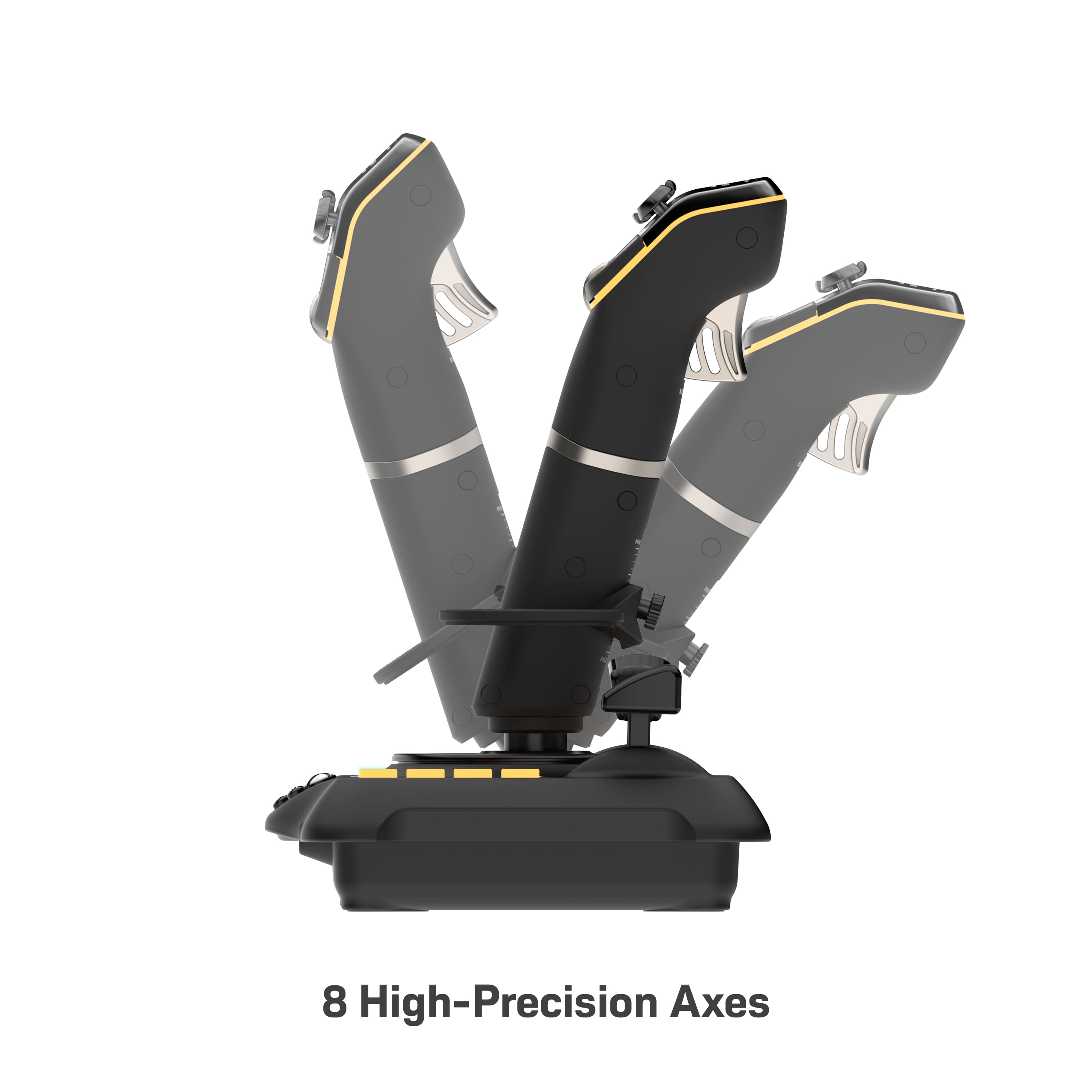
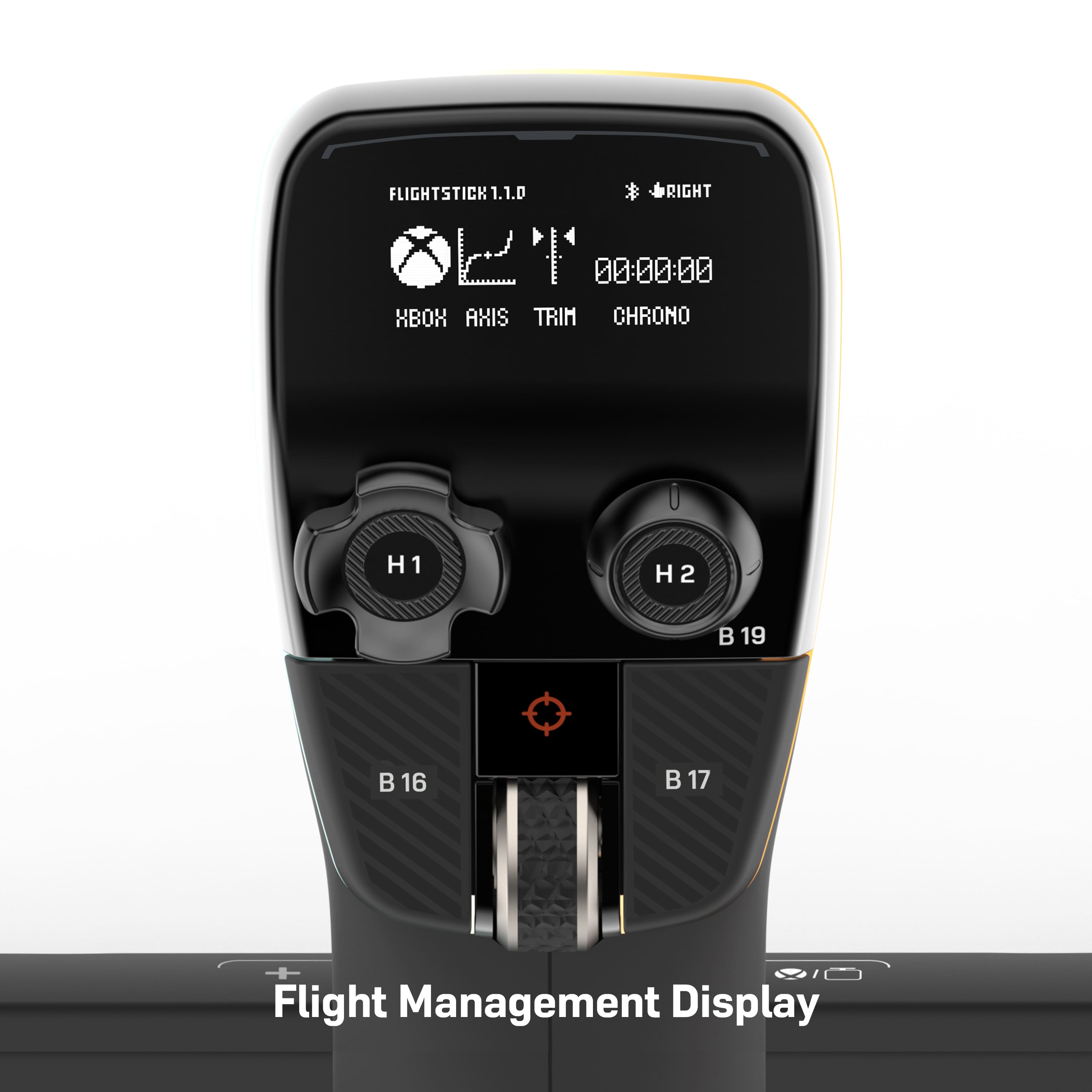
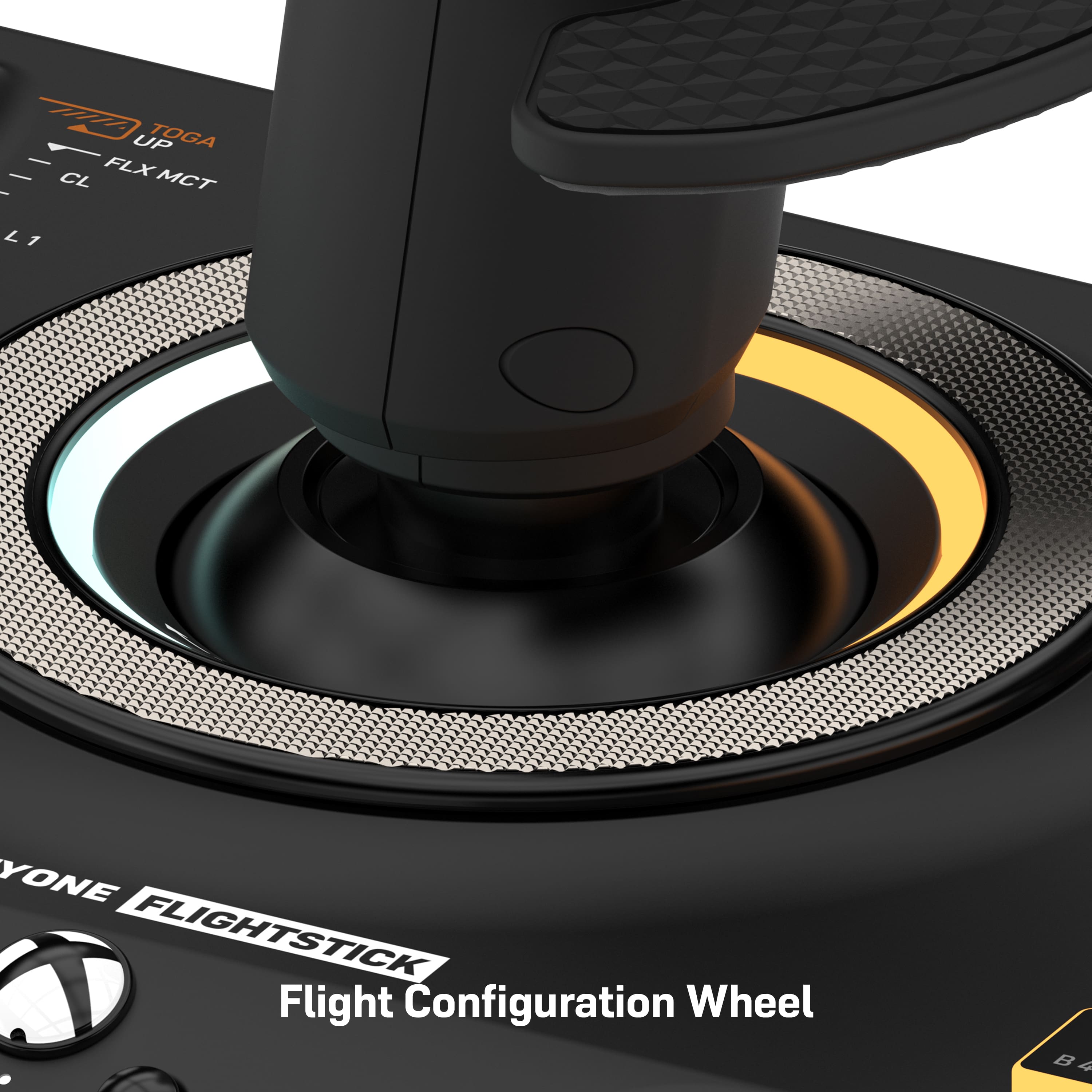
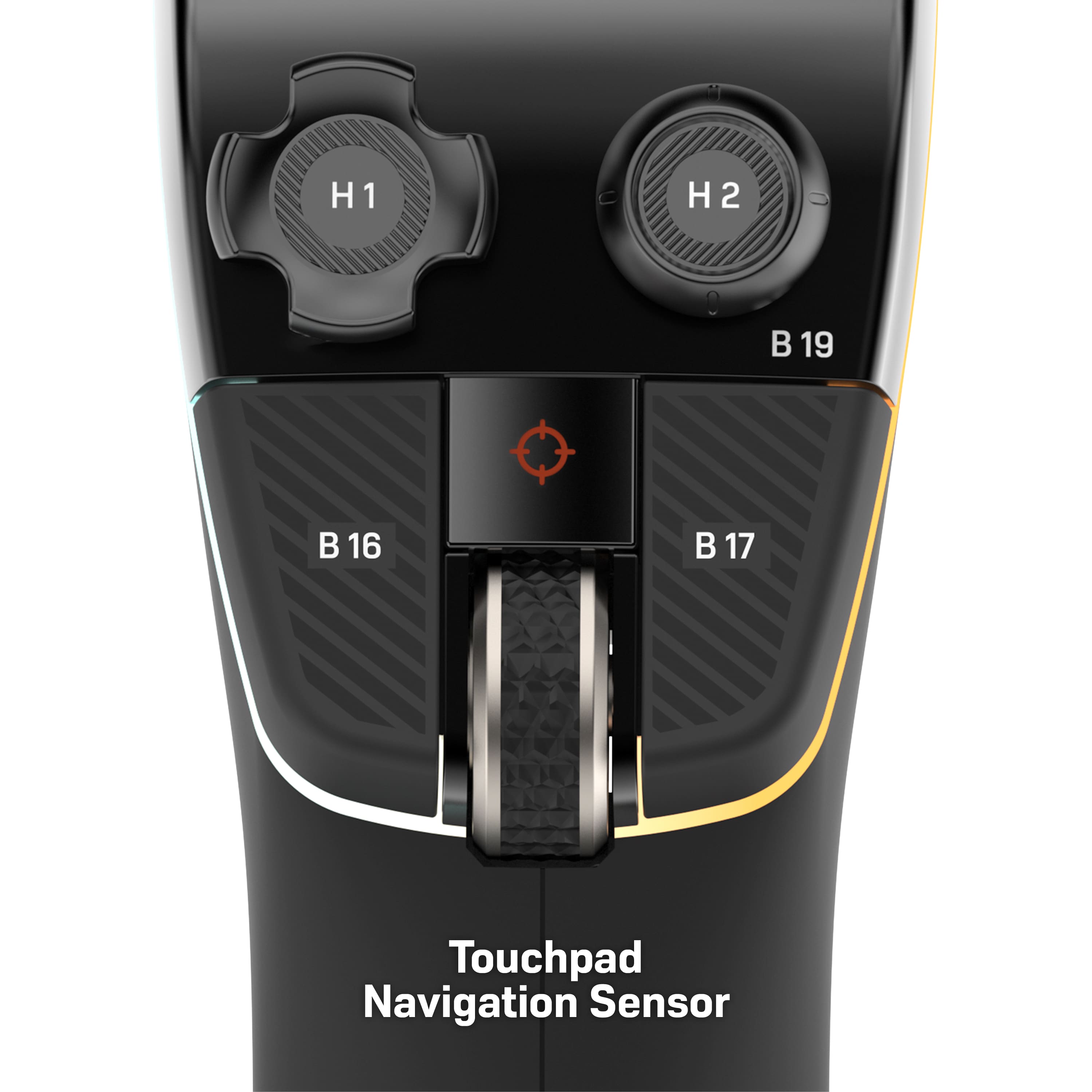
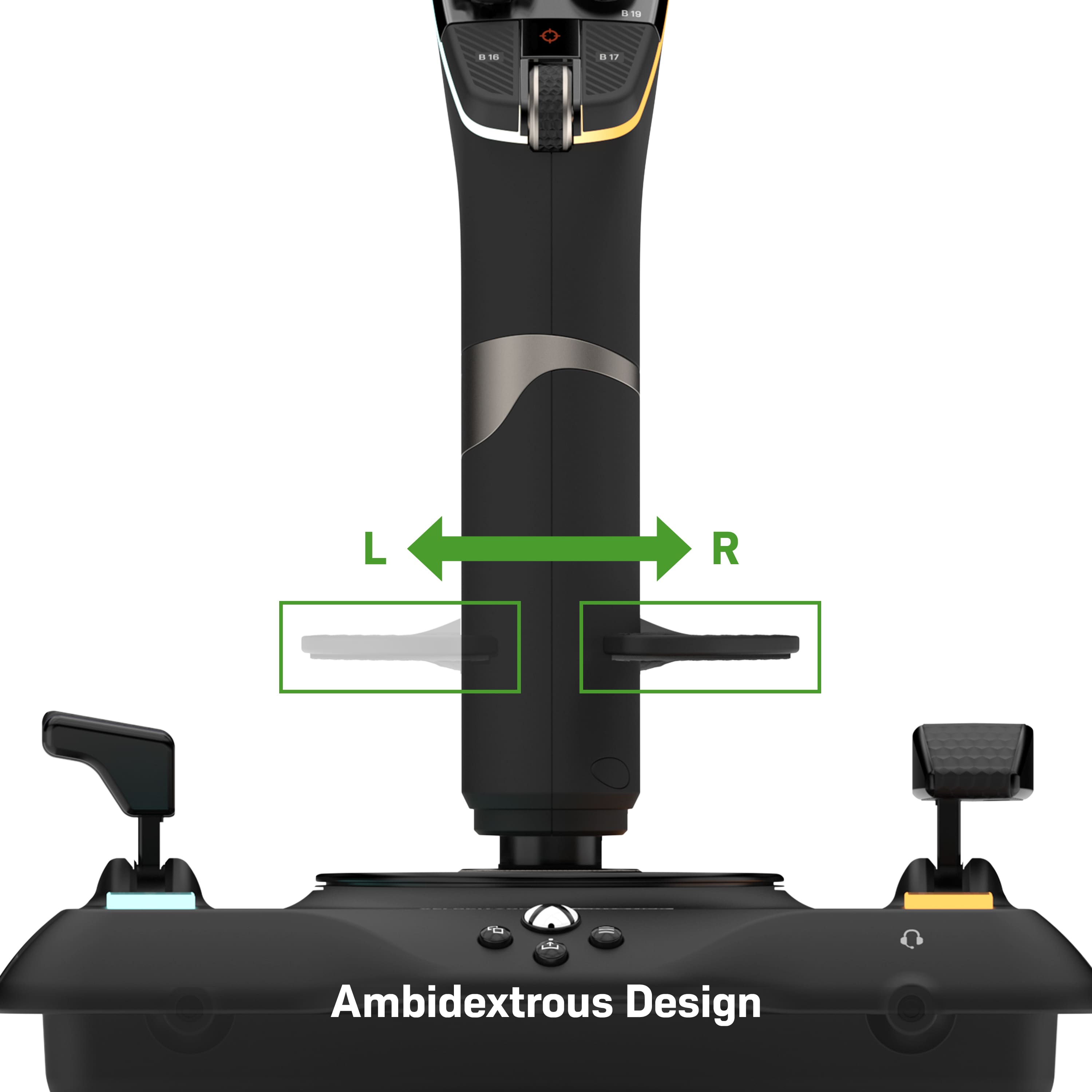
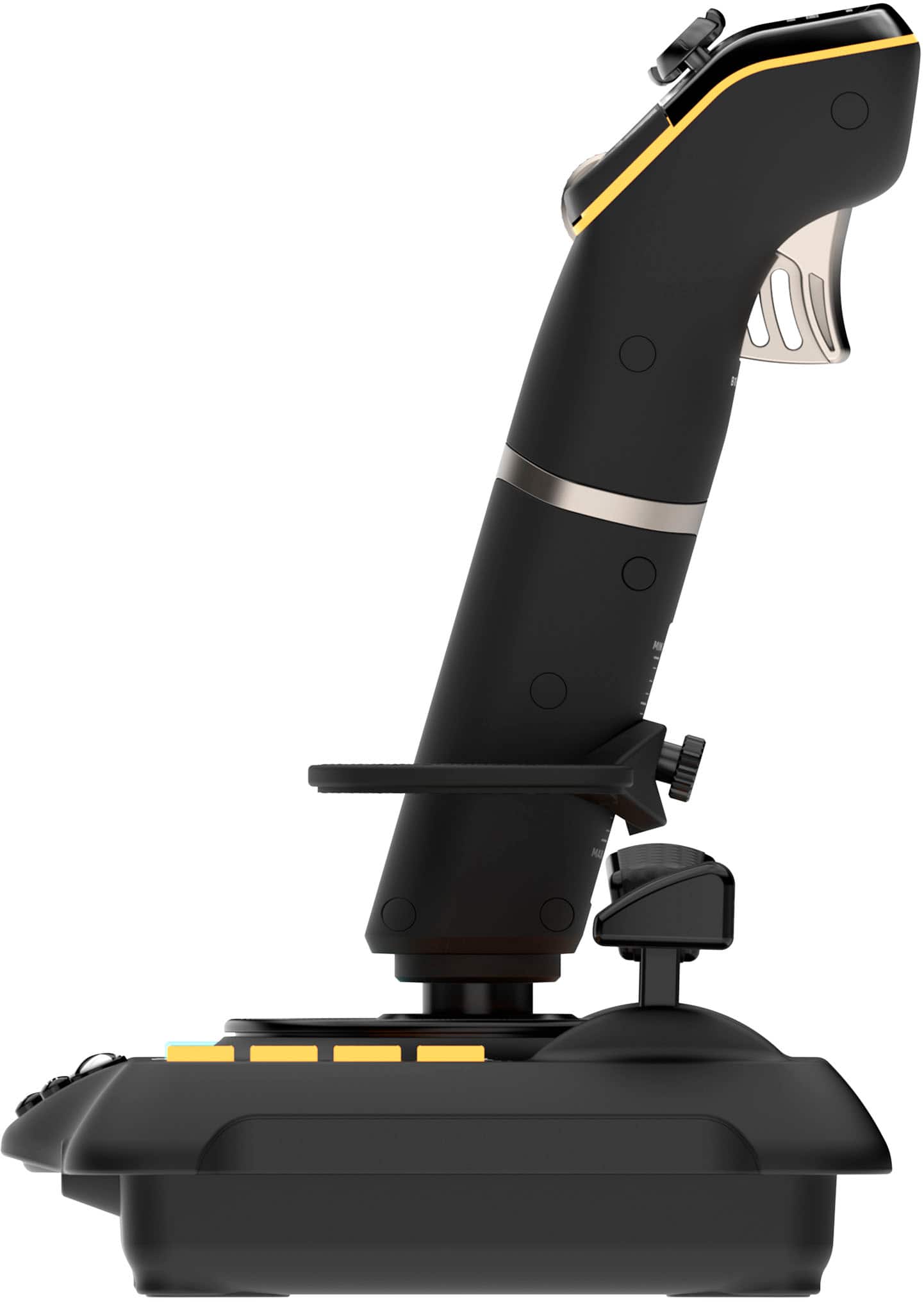
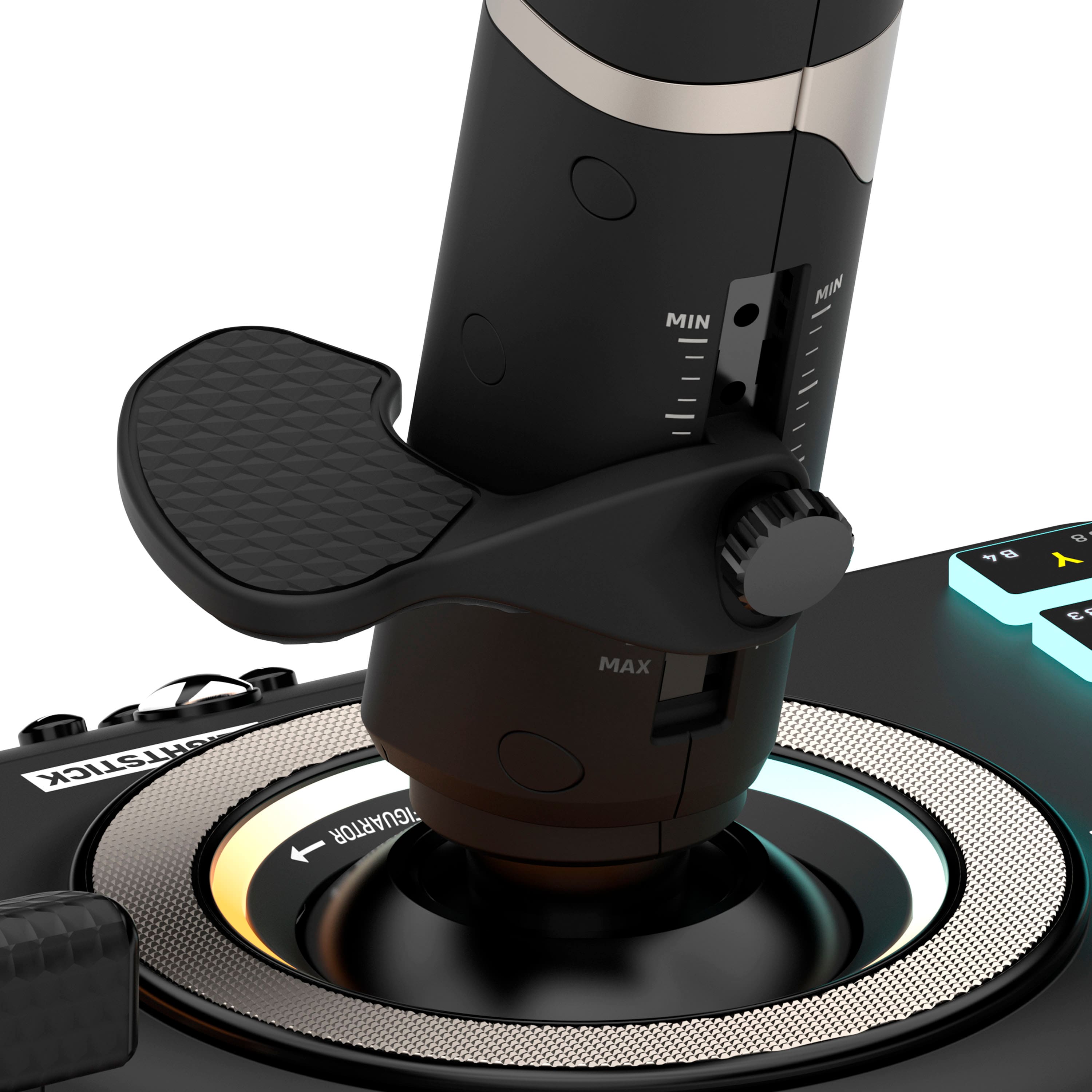
|Posted .This reviewer received promo considerations or sweepstakes entry for writing a review.As a piece of hardware the Turtle Beach - VelocityOne Flightstick seems like an amazing value. But as a game/sim controller it does have a few shortcomings. The number one problem for me is the stiffness of the stick. I am spending more time trying to get the feel right than I think I should have to. I will find some middle ground that I can live with but for me it probably will not work in a shooting game like Star Wars Squadrons. It is not such a problem in Microsoft Flight Simulator and the trim wheel helps. I also think that for a controller like this a detailed manual would have been a well received addition. The included instructions are fine for getting started. But pilots like their manuals. I did have to flash the firmware that is available in the Microsoft store and that went without any issues. I am on a Windows 11 PC. The stick feels good in the hand and the rubber-like material is smooth and helps with the grip. My small finger does rub the knurled screw used for adjusting the wrist rest but that's nothing I can’t fix. Changing the direction of the wrist rest allows for using the Flightstick in either hand. Once you get your wrist rest height set you have plenty of ways to control your aircraft. On the top of the Flightstick you have the flight management display where you set many of the functions of the stick using the large ring at the base for navigation. Within reach of your thumb you have an 8-way POV, analog POV, two microswitches, and the oh so nice to have, trim wheel and finally a small touch pad. On the base you get left and right multi-function levers. The left is mapped to forward and reverse thrust. While the right is mapped as flaps. There are the usual assortment of Xbox buttons that you can setup pretty much however you want. All of the buttons and switches look and feel good. There is a 3.5MM headset port at the base. I didn’t try to use this as my headset is wireless. Turtle Beach says, this support functions like Superhuman Hearing, EQ modes, mic monitoring and game and chat balance. This might be of interest for those with these audio needs and is another example of the value I think is available here. If you can overlook the stiffness of the stick there is nothing but good things to say about the rest of the hardware. The Flightstick is easy to setup although it might take a bit to get it how you like. It's built well and looks good. The base could be a bit heavier. I used it on a flat desk and it didn’t move but I don’t recommend using it in your lap. Finally there’s the stiffness. Because of that I can not recommend the Flightstick. This is a shame because I would like to. What I can recommend is that if you can try it first then you can decide for yourself if that is a problem for you.
No, I would not recommend this to a friendGreat controller - best for use on a table or desk
|Posted .This reviewer received promo considerations or sweepstakes entry for writing a review.This is an excellent and highly configurable flight stick that is a perfect companion for flight and space sim games on both XBOX and PC. I’ve spent most of my time using the stick in PC mode with Microsoft Flight Simulator and overall it’s been a joy to use with the sim. The controls are comfortable, responsive, precise, and generally feel great to use. The dual POV hats (one digital and one analog) make switching views around a complex sim like MSFS a breeze and the analog hat provides excellent control as you pan the cockpit controls or external views. A second throttle lever can be used for things like multi-engine control, RPM control, or flaps. Even better is the perfectly placed scroll wheel, which is mapped by default to adjust elevator trim – brilliant. Attractive and adjustable LED lighting is a nice bonus. There has clearly been some collaboration between Flight Sim maker Asobo Studios and Turtler Beach because the stick adopts a sensible and useful set of defaults as soon as you connect it. There is also a handy printed sheet that provides a quick reference on the default mappings. The only change I made was to the “toggle view” button, making it switch between internal and external views rather than opening and closing the in game menu. If control sensitivity is not to your liking, you can adjust the curve along with other parameters from the very clear integrated display or a cell phone connected via Bluetooth. In my testing, the app connected and worked without any issues, but the integrated menus have a good range of quick options available without the need for the app. The only real issue I've found with this controller is the tension, which is not adjustable and is strong enough that the stick is most easily used on a flat surface like a desk. Definitely not a great hand held option, which is a shame because support for casual gaming on a console is otherwise excellent. Pros - High quality feel - Excellent range of thoughtfully designed inputs, especially trim scroll wheel and multiple throttles. - Sensible default mapping built in to MSFS on both PC and XBOX - Highly configurable - Has two USB-C ports to add other peripherals such as rudder pedals. - Controller and LED lighting look great. - Comes with a nice, long USB cable. Cons - Control tension is very probably too tight for hand held use for many and is not adjustable. Bottom line – a great controller for flight simulators so long as you’re willing to use it on a desk.
I would recommend this to a friendPretty awesome
|Posted .This reviewer received promo considerations or sweepstakes entry for writing a review.So I just got into Xbox’s flight simulator which I have never been into games like this before so I don’t really have any experience with joysticks like this but I’ll give you my honest opinion on this one. It’s pretty fantastic too to bottom and has transformed my gameplay like no other. Going from an Xbox series x controller to this joy stick is night and day for gameplay. Set up is and absolute breeze almost as simple as setting up an Xbox controller it synced right up. The controller is seamless with every movement you make from banking your aircraft to pulling a maverick and going full vertical. It honestly feels like you’re flying an actual aircraft I can’t stress this point enough. You’re also able to customize the controllers to your liking even though I didn’t seem to need any real customization the fact that it’s there if you need it is a nice little security blanket. I’m sure flight simulator isn’t for everyone if you’re into it then this controller is an absolute must in my opinion!
I would recommend this to a friendFlying high
|Posted .This reviewer received promo considerations or sweepstakes entry for writing a review.First impression of the Turtle Beach VelocityOne Flightstick is this is one cool looking flightstick that feels great! Whether you're gaming on an Xbox or PC it runs off a usb-c connection and the response is good. The stick features a soft rubberized grip and an adjustable wrist support that you can swap between five different heights as well as converting it to left handed. It has two throttles with swappable texturized rubber handles. I appreciate all of the buttons on this flightstick, as it makes playing Microsoft Flight Simulator that much easier. On the stick itself there's a handy little oled screen, a couple buttons, scroll wheel, a d-pad like stick, analog stick and a small trackpad for doing mouse movements. I find the pad to be to small to be really of any use and just use my regular mouse instead. There's a few settings that you can change onboard of the stick and the UI is operated using the disc at the base of the stick. You rotate it to scroll through the options and press it on the right side to make a selection, and the left side goes back. You can change the rgb colors, stick sensitivities among other things. While it does seem a bit odd to me the wheel isn't hard to get used to. Overall I'm quite impressed and pleased with this VelocityOne Flightstick, and would definitely recommend it to anyone that is looking for something better than an entry-level flightstick or someone that doesn't want a larger hotas flight setup.
I would recommend this to a friendThe Single Device that helps Immerse you in Flight
|Posted .This reviewer received promo considerations or sweepstakes entry for writing a review.Firstly, I have been an avid flight simmer for a very long time. I have flown X-Plane, P3D, MSFS, Flight Sim X, DCS, You name it. Now with the huge advent of Microsoft Flight Simulator 2020 the gaming genre of flight simulation was turned on its head. Everyone wanted to jump in head first but didn't have the hardware to truly immerse themselves in the experience. The Turtle Beach VelocityOne Flight Stick bridges that gap. Granted you aren't getting a throttle quadrant and yoke and rudder pedals but that isn't the purpose of this. It is to give you something better than a controller or a keyboard and mouse to fly with. The build quality on this is outstanding. It feels really well built and firm and the tension on the pitch, roll, and yaw axis is spot on where it should be. The one thing that threw me way off was the control wheel around the stick. That silver ring. Yeah it isn't for show. It has control on it for settings on the stick. The manual does not make that well understood. It took a YouTube video for me to realize it. The stick comes with so many buttons and axis choices to map to that it allows you to fly an airliner or a helicopter. Perhaps you want to fly a glider, it can do that too. Just open your favorite flight sim software and it will recognize the stick immediately and you can get to work customizing your mappings. Overall this stick is worth every penny and I can see myself using this for the very foreseeable future.
I would recommend this to a friend