Customer Ratings & Reviews


Customer reviews
Rating 3.6 out of 5 stars with 161 reviews
(161 customer reviews)to a friend
Customers are saying
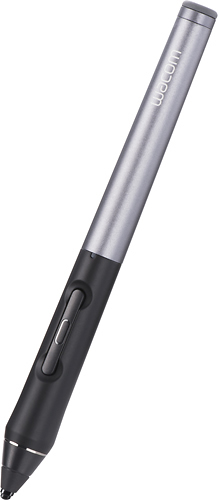
Customers are impressed with the Intuos Creative Stylus 2's ease of use, pressure sensitivity, and long battery life, finding it enjoyable for drawing and note-taking. However, some users experienced compatibility issues and accuracy problems, particularly with tilting the stylus. Concerns were also raised regarding the price and occasional lag or Bluetooth connectivity problems. Despite these drawbacks, many appreciate the stylus's precise tip and comfortable feel.
This summary was generated by AI based on customer reviews.
- Cons mentioned:Bluetooth, Lag
Rated 2 out of 5 stars
Ok, but there is better out there.
||Posted .This reviewer received promo considerations or sweepstakes entry for writing a review.I bought this to use with an iPad. it worked ok but there was some lag and the bluetooth disconnected more often than not.
No, I would not recommend this to a friend Rated 5 out of 5 stars
Perfect for Drawing on my Tablet
||Posted .This reviewer received promo considerations or sweepstakes entry for writing a review.I've been looking for a reliable way to draw on my tablet , and it really makes it easy. Thank for having such excellent products.
I would recommend this to a friend- Pros mentioned:Ease of use
Rated 4 out of 5 stars
Works
||Posted .This reviewer received promo considerations or sweepstakes entry for writing a review.Works great with the apple air 2. Just need to buy apps if you wanna use to draw.
I would recommend this to a friend - Pros mentioned:Drawing
Rated 4 out of 5 stars
Excellent tool
||Posted .This reviewer received promo considerations or sweepstakes entry for writing a review.Well worth the money and it shades well as well as pin point drawing
I would recommend this to a friend Rated 5 out of 5 stars
Fantastic pen!
||Posted .This reviewer received promo considerations or sweepstakes entry for writing a review.My daughter uses Wacom tablets for her PC. This pen works amazing on her iPad. Perfect for school and traveling.
I would recommend this to a friendRated 1 out of 5 stars
Not worth the money!
||Posted .This reviewer received promo considerations or sweepstakes entry for writing a review.A traditional capacitive stylus is significantly cheaper and delivers better performance than this bluetooth stylus (and every bluetooth stylus I've tried, for that matter). The iPad screen just isn't designed for an integrated stylus experience (like the S Pen, or Surface Pro pens), and trying to mimic those capabilities via a bluetooth connection simply doesn't work well, especially for handwriting. I'd instead go with the amPen hybrid capacitive stylus ($7) or traditional wacom bamboo stylus (~$20).
No, I would not recommend this to a friendRated 5 out of 5 stars
Love it
||Posted .This reviewer received promo considerations or sweepstakes entry for writing a review.My friend recommended Wacom stylus to me and I finally bought it. I am drawing and doodling on my iPad
I would recommend this to a friendRated 5 out of 5 stars
Great pen
||Posted .This reviewer received promo considerations or sweepstakes entry for writing a review.I have long nails so this tool helps me to get my work done on timee without using my fingerprints
I would recommend this to a friend- Cons mentioned:Compatibility
Rated 1 out of 5 stars
Sketchy performance
||Posted .This reviewer received promo considerations or sweepstakes entry for writing a review.Rarely ever able to complete a word without skipping. Simply put, it doesn't work with the iPad 2. Period. Waste of $75
No, I would not recommend this to a friend - Cons mentioned:Accuracy
Rated 3 out of 5 stars
Good but not good enough
||Posted .This reviewer received promo considerations or sweepstakes entry for writing a review.The pen works really well, but it may start writing a quarter inch or less from where you actually tip down.
No, I would not recommend this to a friend Rated 5 out of 5 stars
Google Play Cards
||Posted .This reviewer received promo considerations or sweepstakes entry for writing a review.Never had a problem with them,better than using a credit card to get your info stolen.
I would recommend this to a friend- Cons mentioned:Accuracy
Rated 2 out of 5 stars
This thing is a joke
||Posted .This reviewer received promo considerations or sweepstakes entry for writing a review.I thought an active stylus meant for the iPad would be nice. I was very excited to try this and as soon as I touched it to the screen I was immediately disappointed. It's like something made for a 1980s kids' toy, barely usable for anything. The lag is terrible, as well as the accuracy. Don't bother with this product, you'll be sorry.
No, I would not recommend this to a friend Rated 5 out of 5 stars
Luv this digital pen
||Posted .This reviewer received promo considerations or sweepstakes entry for writing a review.Useful and responsive. :) My daughter uses it for animating on the ipad.
I would recommend this to a friendRated 2 out of 5 stars
Not worth the price
||Posted .This reviewer received promo considerations or sweepstakes entry for writing a review.I picked this up to use with my Nexus 9. I did not like the feel and the resolution wasn't as fine as I expected. I returned it.
No, I would not recommend this to a friend- Cons mentioned:Accuracy
Rated 1 out of 5 stars
Terrible
||Posted .This reviewer received promo considerations or sweepstakes entry for writing a review.Awful unit. I could not consistently get marks to record and line thickness was random.
No, I would not recommend this to a friend - Pros mentioned:Ease of use
Rated 5 out of 5 stars
Writes well
||Posted .This reviewer received promo considerations or sweepstakes entry for writing a review.Pen initially had a problem connecting . But once I connected it was like writing on paper. But I can only write slow. Needed to learn how to write on a smooth paper without much resistance. It feels slippery, but you will get used to it
I would recommend this to a friend - Cons mentioned:Compatibility
Rated 3 out of 5 stars
Pen.
||Posted .This reviewer received promo considerations or sweepstakes entry for writing a review.For the price it's not bad. Works great on some apps not so great on others
I would recommend this to a friend Rated 2 out of 5 stars
Not that Great!
||Posted .This reviewer received promo considerations or sweepstakes entry for writing a review.I returned this too the store because it didn't really seem to work any better then my finger of the cheap $12 stylus.
No, I would not recommend this to a friendRated 5 out of 5 stars
I like it
||Posted .This reviewer received promo considerations or sweepstakes entry for writing a review.So far I like this. I just started using it with my tablet.
I would recommend this to a friendRated 4 out of 5 stars
Wish there were more apps that utilize it...
||Posted .This reviewer received promo considerations or sweepstakes entry for writing a review.It's a great and comfortable pen and when it works (in sketchbook, it's great. I just wish there were versions of the Adobe suite that worked with this pen. They're coming soon so this is about to get a lot better.
No, I would not recommend this to a friend