Customer Ratings & Reviews




Customer reviews
Rating 4.6 out of 5 stars with 650 reviews
(650 customer reviews)Rating by feature
- Value4.4
Rating 4.4 out of 5 stars
- Quality4.6
Rating 4.6 out of 5 stars
- Ease of Use4.4
Rating 4.4 out of 5 stars
Rated 5 out of 5 stars
I could actually grade homework in online classes.
||Posted .This reviewer received promo considerations or sweepstakes entry for writing a review.In the covid-19-necessitated switch to all-online classes, I could have my students turn in their homework as pdfs. I was able to easily start with, and use this graphic tablet to grade their work, and write on them just like I would do normally. Oddly enough, I was much neater since I could quickly and easily undo any errant/misspelled/sloppy comments/writing that I made.
This review is from Wacom - Intuos Graphic Drawing Tablet for Mac, PC, Chromebook & Android (Medium) with Software Included (Wireless) - Black
I would recommend this to a friendRated 5 out of 5 stars
Bigger not better
||Posted . Owned for 1 week when reviewed.This reviewer received promo considerations or sweepstakes entry for writing a review.Works really well, no problems. I’ve been using the smallest pad Wacom make for almost 20 years. After the learning curve, i never want to use a mouse again. I decided to buy this larger one thing it might help as my hands have become a little shaky in my older age, I think I still like the small east one best. I found out the bigger the pad the more you have to move your are. No difference in precision.
This review is from Wacom - Intuos Graphic Drawing Tablet for Mac, PC, Chromebook & Android (Medium) with Software Included (Wireless) - Black
I would recommend this to a friendRated 5 out of 5 stars
Great Small Tablet!
||Posted . Owned for 1 month when reviewed.This reviewer received promo considerations or sweepstakes entry for writing a review.I bought this small Wacom tablet for my travels and I love it! Compact, works perfect!
This review is from Wacom - Intuos Graphic Drawing Tablet for Mac, PC, Chromebook & Android (Medium) with Software Included (Wireless) - Black
I would recommend this to a friendRated 5 out of 5 stars
Fantastic!
||Posted . Owned for 3 weeks when reviewed.This reviewer received promo considerations or sweepstakes entry for writing a review.This was a gift for my daughter and she absolutely loves it! It works great and was easy for her to set up! She has been drawing on it since Christmas Day, and she has no problem using all the features. Excellent drawing tablet!
This review is from Wacom - Intuos Graphic Drawing Tablet for Mac, PC, Chromebook & Android (Medium) with Software Included (Wireless) - Black
I would recommend this to a friendRated 5 out of 5 stars
Artsy
||Posted .This reviewer received promo considerations or sweepstakes entry for writing a review.My son enjoys it and facilitates honing his skills in art.
This review is from Wacom - Intuos Graphic Drawing Tablet for Mac, PC, Chromebook & Android (Medium) with Software Included (Wireless) - Black
I would recommend this to a friendRated 5 out of 5 stars
Happy Customer
||Posted .This reviewer received promo considerations or sweepstakes entry for writing a review.Meets all my expectations. Great product Definitely recommend.
This review is from Wacom - Intuos Graphic Drawing Tablet for Mac, PC, Chromebook & Android (Medium) with Software Included (Wireless) - Black
I would recommend this to a friendRated 4 out of 5 stars
Pretty Neat
||Posted . Owned for 2 weeks when reviewed.This reviewer received promo considerations or sweepstakes entry for writing a review.Had to buy this for my design class because sketchbook Pro was required. Never used it prior, it’s pretty weird to get used to in my opinion but I think after enough hours spent drawing digitally it will feel more natural. You must download software to use this which is kinda annoying but so far the digital drawings and renderings I’ve been able to do are sick! Drawing, sketching, rendering digitally are very forgiving unlike paper and pencil or pen.
This review is from Wacom - Intuos Graphic Drawing Tablet for Mac, PC, Chromebook & Android (Medium) with Software Included (Wireless) - Black
I would recommend this to a friendRated 5 out of 5 stars
Replacement upgrade
||Posted . Owned for 1 week when reviewed.This reviewer received promo considerations or sweepstakes entry for writing a review.Couldn’t find my old Wacom tablet after moving into my new house, and I need one as a digital artist. I love these products and it was a perfect excuse to upgrade to a larger size!
This review is from Wacom - Intuos Graphic Drawing Tablet for Mac, PC, Chromebook & Android (Medium) with Software Included (Wireless) - Black
I would recommend this to a friendRated 4 out of 5 stars
Easy to use and effortlesly portable!
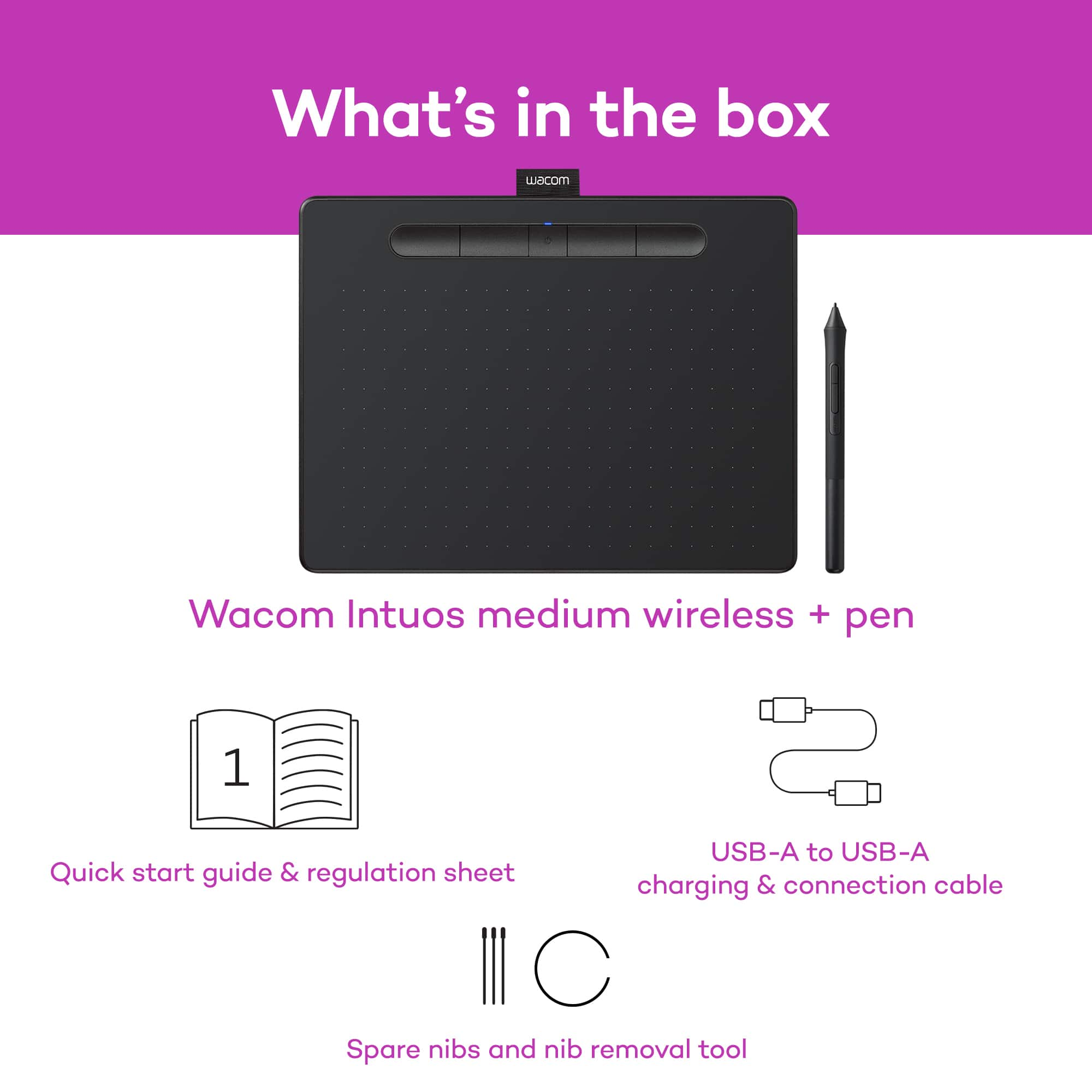
||Posted . Owned for 9 months when reviewed.This reviewer received promo considerations or sweepstakes entry for writing a review.The software to work with the tablet allows me to map the tablet to a specific section of my ultrawide monitor, which helps maintain proportional strokes of the stylus on a digital canvas. It weighs next to nothing and works like a charm, but my one complaint is that the stylus tips (which there are multiple to start with and can be replaced), can wear down if too much pressure is applied.
This review is from Wacom - Intuos Graphic Drawing Tablet for Mac, PC, Chromebook & Android (Medium) with Software Included (Wireless) - Black
I would recommend this to a friendRated 5 out of 5 stars
great
||Posted . Owned for 3 weeks when reviewed.This reviewer received promo considerations or sweepstakes entry for writing a review.Has a bit of a learning curve, but once you get used to it, it’s so nice
This review is from Wacom - Intuos Graphic Drawing Tablet for Mac, PC, Chromebook & Android (Medium) with Software Included (Wireless) - Black
I would recommend this to a friendRated 4 out of 5 stars
Nice working space
||Posted . Owned for 3 weeks when reviewed.This reviewer received promo considerations or sweepstakes entry for writing a review.The size is just right for in the field work. Bluetooth is a great way to have no wires. Very happy with this item.
This review is from Wacom - Intuos Graphic Drawing Tablet for Mac, PC, Chromebook & Android (Medium) with Software Included (Wireless) - Black
I would recommend this to a friendRated 5 out of 5 stars
Great product. Great for Zoom
||Posted . Owned for 3 weeks when reviewed.This reviewer received promo considerations or sweepstakes entry for writing a review.Highly recommend. Works great!! Easy to use. Size works great with two monitors.
This review is from Wacom - Intuos Graphic Drawing Tablet for Mac, PC, Chromebook & Android (Medium) with Software Included (Wireless) - Black
I would recommend this to a friendRated 5 out of 5 stars
Fun beginner tablet
||Posted . Owned for 1 month when reviewed.This reviewer received promo considerations or sweepstakes entry for writing a review.Easy to install and use. A+ it's small so it doesn't take up space and if you connect it there is 0 lag.
This review is from Wacom - Intuos Graphic Drawing Tablet for Mac, PC, Chromebook & Android (Medium) with Software Included (Wireless) - Black
I would recommend this to a friendRated 5 out of 5 stars
Convenient Interface for Painter and Photoshop
||Posted . Owned for 3 weeks when reviewed.This reviewer received promo considerations or sweepstakes entry for writing a review.Having used graphic arts programs for many years, I rely on the use of Wacom Tablet to provide consistent and accurate pen functions. I recently had the need to replace my older Wacom tablet and found this slight smaller version. As always with Wacom, an excellent performer and consistent quality.
This review is from Wacom - Intuos Graphic Drawing Tablet for Mac, PC, Chromebook & Android (Medium) with Software Included (Wireless) - Black
I would recommend this to a friendRated 4 out of 5 stars
Incompatible with Chrome, unfortunately
||Posted .This reviewer received promo considerations or sweepstakes entry for writing a review.Great piece of equipment, but couldn't be used with any of our laptops. If you're not running Chrome OS, it's top-notch
This review is from Wacom - Intuos Graphic Drawing Tablet for Mac, PC, Chromebook & Android (Medium) with Software Included (Wireless) - Black
I would recommend this to a friendRated 5 out of 5 stars
Perfect drawing tablet for online presenters!
||Posted . Owned for 8 months when reviewed.This reviewer received promo considerations or sweepstakes entry for writing a review.This is for all of you presenters that have to "draw with a mouse." I hesitated for years, but when I finally bought a drawing tablet, it made a world of difference. This Wacom-Intuos is just enough to provide me the functionality of really drawing on the screen. Takes just a little practice, buy you'll be writing like a pro in no time!
This review is from Wacom - Intuos Graphic Drawing Tablet for Mac, PC, Chromebook & Android (Medium) with Software Included (Wireless) - Black
I would recommend this to a friendRated 5 out of 5 stars
Graphic Designers Need This
||Posted . Owned for 1 month when reviewed.This reviewer received promo considerations or sweepstakes entry for writing a review.Great drawing tablet with a good price. Works perfectly with my Adobe products and has enhanced my graphic design work!
This review is from Wacom - Intuos Graphic Drawing Tablet for Mac, PC, Chromebook & Android (Medium) with Software Included (Wireless) - Black
I would recommend this to a friendRated 5 out of 5 stars
We Own Several
||Posted .This reviewer received promo considerations or sweepstakes entry for writing a review.This is one of several Wacom tablets we have purchased for our household. They are used by children, ages 9-16, as well as adults 18 and over. The Wacom tablets have proven reliable and sturdy, and we take them everywhere we go. Our tablets are used daily and for hours by novice and experienced artists. Be certain to purchase additional stylus tips, as they do wear down quickly (under what I would consider moderate to heavy use.) All-in-all, this tablet is a good purchase at its price point and we will likely purchase one to two more in the future.
This review is from Wacom - Intuos Graphic Drawing Tablet for Mac, PC, Chromebook & Android (Medium) with Software Included (Wireless) - Black
I would recommend this to a friendRated 5 out of 5 stars
Love this thing
||Posted . Owned for 3 weeks when reviewed.This reviewer received promo considerations or sweepstakes entry for writing a review.Excellent product super smooth and easy to use . Drawing is a breeze
This review is from Wacom - Intuos Graphic Drawing Tablet for Mac, PC, Chromebook & Android (Medium) with Software Included (Wireless) - Black
I would recommend this to a friendRated 5 out of 5 stars
Great Graphics tablet
||Posted . Owned for 3 weeks when reviewed.This reviewer received promo considerations or sweepstakes entry for writing a review.When it comes to graphics tablets Wacom is the industry standard. Adding Bluetooth means that you don't have to worry about it breaking because you damaged the connector while drawing. Obviously it still needs to be plugged in to charge, but that's not a lot of time compared to always needing it plugged in. It's not cheap, for the price I would like more of the features found in the pro.
This review is from Wacom - Intuos Graphic Drawing Tablet for Mac, PC, Chromebook & Android (Medium) with Software Included (Wireless) - Black
I would recommend this to a friend