Customer Ratings & Reviews
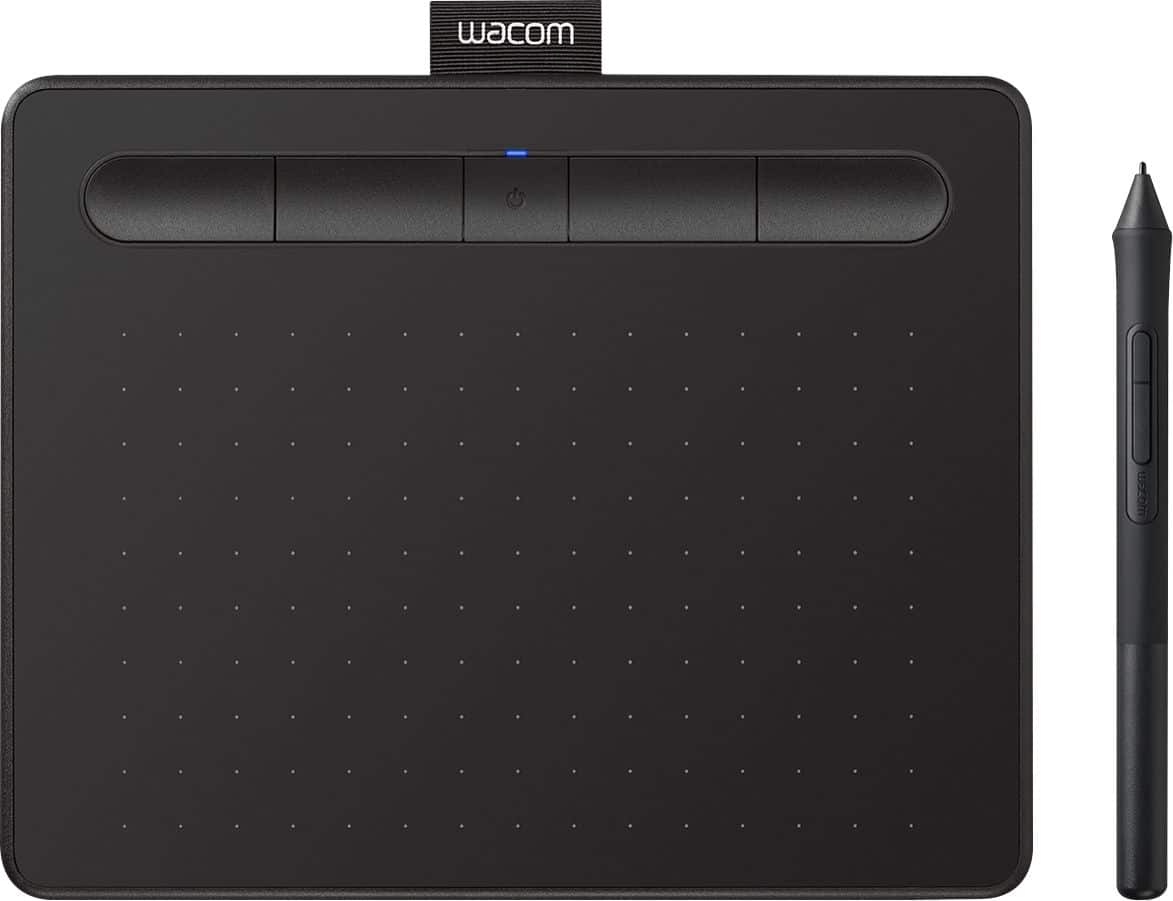
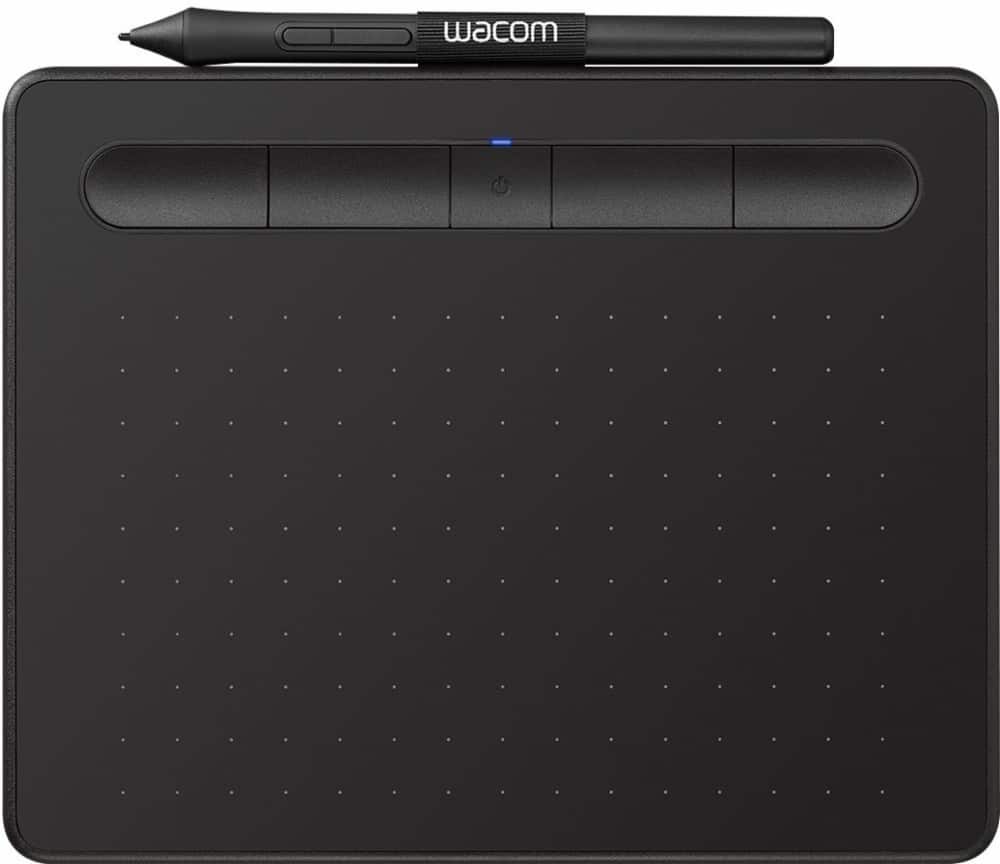




- Model:
- CTL4100WLK0
- |
- SKU:
- 6196634
Customer reviews
Rating 4.5 out of 5 stars with 996 reviews
(996 customer reviews)Rating by feature
- Value4.4
Rating 4.4 out of 5 stars
- Quality4.6
Rating 4.6 out of 5 stars
- Ease of Use4.3
Rating 4.3 out of 5 stars
Customers are saying
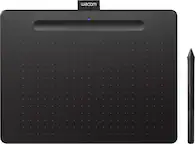
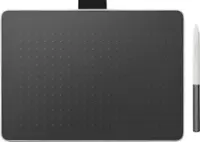
Customers are positive about the Intuos Graphic Drawing Tablet's ease of use, overall performance, wireless capabilities, and included software. Many appreciate the tablet's price and compatibility with various graphic programs. However, some customers have noted issues with lag when using Bluetooth, as well as some difficulty during the initial setup. A few customers also feel the tablet surface could be smoother.
This summary was generated by AI based on customer reviews.
- Pros mentioned:Size, Wireless
Rated 5 out of 5 stars
Don't know what I'd do without it
||Posted . Owned for 7 months when reviewed.This reviewer received promo considerations or sweepstakes entry for writing a review.As a photographer, I retouch my own client photos, and sometimes, if it's urgent, I'll retouch a couple of content shots on set. This is a great tablet to have on hand on days like that since it's compact and can be used wirelessly. It's also Wacom quality which has always been great for me.
I would recommend this to a friend - Pros mentioned:Ease of use, Wireless
Rated 5 out of 5 stars
goodness of earth
||Posted . Owned for 7 months when reviewed.This reviewer received promo considerations or sweepstakes entry for writing a review.I really enjoy using the Wacom tablet. I like the is wireless, and it is so easy to set up. I definitely recommend it. You won't go wrong I waited 6 months before I bought this, but I regret waiting that long. It is so worth it for the price.
I would recommend this to a friend - Pros mentioned:Ease of use, Size
Rated 5 out of 5 stars
Works for Me!
||Posted . Owned for 1 year when reviewed.This reviewer received promo considerations or sweepstakes entry for writing a review.This works well for what I need. I had the larger size, and I was constantly hitting the buttons or it just took a lot of space on the desk, so this works perfectly in size and comfort. I use mine for digital covers and I feel like I am working with pen and paper!
I would recommend this to a friend - Pros mentioned:Wireless
Rated 5 out of 5 stars
Great for a beginner! Wireless is a must!
||Posted . Owned for 1 week when reviewed.This reviewer received promo considerations or sweepstakes entry for writing a review.We originally bought the coded version of this tablet. However, the cord gets in the way. So, we returned it, and for $20 more, were able to get the Bluetooth version. That combined with three included software, make this an excellent product. My son uses this daily!
I would recommend this to a friend - Pros mentioned:Ease of use
Rated 4 out of 5 stars
Entry Level Drawing Tablet
||Posted .This reviewer received promo considerations or sweepstakes entry for writing a review.I have limited experience with drawing tablets (only having used them in high school for graphic design purposes). I purchased this in order to make note taking in Microsoft OneNote a little more streamline and cut down on my use of paper. The installation and setup of the device is easy and the software is very manageable. It is one of the smaller drawing tablets on the market being the length of 1.25 pens and width of 1 pen (great units of measurement I know) so that may be a deterrent for some however it fits will in all my bags and pairs to all my devices seamlessly. I have not noticed any input latency over the wireless connection which is a bonus. I rate this a good entry level drawing tablet for those who are looking to take notes on the computer or get into computer art.
I would recommend this to a friend - Pros mentioned:Size, Wireless
Rated 4 out of 5 stars
Digital Drawing Tablet
||Posted . Owned for 2 weeks when reviewed.This reviewer received promo considerations or sweepstakes entry for writing a review.Compact, Wireless, Accurate, digital drawing tablet. I use it for signatures and works great.
I would recommend this to a friend - Pros mentioned:Ease of use
Rated 5 out of 5 stars
Great drawing pad to get you started
||Posted . Owned for 1 month when reviewed.This reviewer received promo considerations or sweepstakes entry for writing a review.For the artist that is just starting out or when you are on a budget the Wacom wireless tablet is perfect. Setting up the Bluetooth connection is simple and has great battery life. Added bonus if you catch it on sale
I would recommend this to a friend - Pros mentioned:Size
Rated 5 out of 5 stars
Handy little digital drawing pad
||Posted . Owned for 1 year when reviewed.This reviewer received promo considerations or sweepstakes entry for writing a review.As an almost daily user of Photoshop / Illustrator, this has become a vital part of my workspace! Really makes it feel more like using an actual pen and/or brush, helps with accuracy, and saves the frustration of having to rely on only a mouse -- can't recommend it enough for artists and editors alike! Just a heads up, there's a small fix you'll need to do at the beginning as the default setting is to go into brush size if you hold down the brush too long. But after you change it, it's all good again. Otherwise can be pretty annoying. Last, while I recommend the wireless pad for sure, it wouldn't be too annoying or much different to have the wired one, I find, as you'll need to charge it up fairly regularly regardless if you're using it on a daily basis. Oh, and in terms of size, I'm not a big person or have big hands or anything, but the smaller pad suits me just fine and doesn't leave me longing for any further space!
I would recommend this to a friend Rated 5 out of 5 stars
Good for beginners
||Posted . Owned for 3 weeks when reviewed.This reviewer received promo considerations or sweepstakes entry for writing a review.I was looking for something to start with for my first drawings, this product met my expectations, despite being Bluetooth it is still faster if connected via USB cable. No issues with sensor movements, the pen or anything else. The app is easy to understand and has a couple options for macros and to set the orientation of the tablet (very helpful and comfortable).
I would recommend this to a friend- Pros mentioned:SizeCons mentioned:Setup
Rated 3 out of 5 stars
Meh.
||Posted . Owned for 2 months when reviewed.This reviewer received promo considerations or sweepstakes entry for writing a review.I've had versions of this product for about a decade. In all that time it seems there has been no effort spent on making it more intuitive to use and especially to set up. Especially for a product called Intros, lol. The website is a nightmare from 2004 and good luck with the "free" software. It works fine-ish, but not for $90. It's about $40 worth of quality so if it's on sale consider it. It's a good size and the bluetooth connection is solid.,
No, I would not recommend this to a friend - Pros mentioned:Ease of use
Rated 5 out of 5 stars
Good
||Posted . Owned for 3 weeks when reviewed.This reviewer received promo considerations or sweepstakes entry for writing a review.It's super simple to use, easy use at that. Makes sketching and drawing easy, very compatible with other art platforms, etc!
I would recommend this to a friend - Pros mentioned:Overall performance
Rated 5 out of 5 stars
Wacom intous
||Posted . Owned for 1 year when reviewed.This reviewer received promo considerations or sweepstakes entry for writing a review.I got this for my Brother for Christmas, and I've heard no complaints from him. I've used Intous Products in the past and they've always been high quality and I suspect this would be the same. I'll honestly always recommend Wacom Intous Product, I've recently switched to using an ipad, but I still gravitate back to my desktop to use my Wacom Tablet for those bigger projects and touch-ups. The only Qualms I would say I have with This is their drivers do sometimes get out of sync on computers so you sometimes do have to go through 30minutes of trouble shooting and redownloading drivers like once every 6 months which can be annoying.
I would recommend this to a friend Rated 5 out of 5 stars
Gaming faster
||Posted . Owned for 1 month when reviewed.This reviewer received promo considerations or sweepstakes entry for writing a review.Very very easy to use little set up very smooth surface
I would recommend this to a friend- Pros mentioned:Price, Size
Rated 5 out of 5 stars
Great Wacom
||Posted . Owned for 1 year when reviewed.This reviewer received promo considerations or sweepstakes entry for writing a review.This tablet provides enough space for me in Adobe AF to makes scribbles and any other animations I need for video editing. No it's not the top tier tablet, but for those on a budget and need an awesome tablet this will do just fine.
I would recommend this to a friend Rated 5 out of 5 stars
W drawing pad
||Posted . Owned for 2 months when reviewed.This reviewer received promo considerations or sweepstakes entry for writing a review.amazing product, it has its own software. I use ir for blender and it works great.
I would recommend this to a friend- Pros mentioned:Wireless
Rated 5 out of 5 stars
Very compatible, works well!
||Posted . Owned for 2 weeks when reviewed.This reviewer received promo considerations or sweepstakes entry for writing a review.Works really really well. Linking it with chromebook is super easy. Unfortunately, the Hot Keys don't work with Chrome/Google interface, but regardless it works wonderfully. Holds a bluetooth charge well as far as I can tell, but since I usually hook it directly to my chromebook, bluetooth isnt necessary. I have also used it with my S23 and then used Dex with a Samsung TV. It is very versatile and well worth the money. I use with ClipArt.
I would recommend this to a friend - Pros mentioned:Ease of use, Wireless
Rated 5 out of 5 stars
Works great
||Posted . Owned for 3 weeks when reviewed.This reviewer received promo considerations or sweepstakes entry for writing a review.Connects easily through Bluetooth. Easy to use. Flow is perfect. The free software that came with are programs I had free trials of when I bought my laptop, so I was super excited to have the full length versions, for free! I would def. recommend this product!
I would recommend this to a friend - Pros mentioned:Size
Rated 5 out of 5 stars
Great size, perfect for teaching
||Posted . Owned for 2 months when reviewed.This reviewer received promo considerations or sweepstakes entry for writing a review.Fantastic feeling writing on this small pad. Bought this for remote teaching and it does the job perfectly. It is just the right size and one charge lasts about five hours of continuous use. Wouldn't recommend for drawing though.
I would recommend this to a friend - Pros mentioned:Ease of use, Overall performance
Rated 5 out of 5 stars
Great for Art Work
||Posted . Owned for 1 month when reviewed.This reviewer received promo considerations or sweepstakes entry for writing a review.As an artist, this is a fabulous tool which is helping me build my college portfolio. This is easy to use and I get fantastic results with it! The cost of this tool is insignificant compared to the benefits and quality of the things I create on it.
I would recommend this to a friend - Pros mentioned:Ease of use
Rated 5 out of 5 stars
Works Well with Macbook
||Posted . Owned for 3 weeks when reviewed.This reviewer received promo considerations or sweepstakes entry for writing a review.I recently purchased the Wacos Drawing Tablet for my wife, and it has been a great addition to her creative workflow. The tablet works seamlessly with her MacBook, providing smooth and accurate pen input. The pressure sensitivity is impressive, allowing for precise and nuanced drawings. The size and weight are perfect for portability, making it easy for her to take it on the go. Overall, the Wacos Drawing Tablet has exceeded our expectations and has become an essential tool for her artistic endeavors.
I would recommend this to a friend