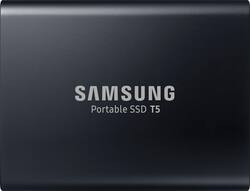
Samsung - T5 2TB External USB Type C Portable SSD - Deep black
- Key Specs
- Storage Capacity: 2000 gigabytes (Measured in megabytes (MB), gigabytes (GB) and terabytes (TB), this is the amount available for storing files, music, movies, photos and more. The total includes the capacity of the hard disk drive and solid state drive if both are included on the computer.)
- Storage Drive Type: SSD (Traditional, mechanical hard disk drives are the most common type of storage because they're relatively inexpensive and offer huge capacities. However, they also generate both noise and heat. Solid state drives, also known as SSDs, are many times faster than hard disk drives and have no moving parts to wear out, but typically offer less capacity for the same price.)
- Interface(s): USB Type C (USB 3.1 Gen1) (Refers to the types of connections that devices use to interact and communicate with each other.)
- General
- Product Name: T5 2TB External USB Type C Portable SSD
- Brand: Samsung
- Model Number: MU-PA2T0B
- Capacity
- Storage Capacity: 2000 gigabytes (Measured in megabytes (MB), gigabytes (GB) and terabytes (TB), this is the amount available for storing files, music, movies, photos and more. The total includes the capacity of the hard disk drive and solid state drive if both are included on the computer.)
- Performance
- Storage Drive Type: SSD (Traditional, mechanical hard disk drives are the most common type of storage because they're relatively inexpensive and offer huge capacities. However, they also generate both noise and heat. Solid state drives, also known as SSDs, are many times faster than hard disk drives and have no moving parts to wear out, but typically offer less capacity for the same price.)
- Compatibility
- Internal Or External: External
- External Hard Drive Type: Portable (Physical characteristics of the hard drive, including size, weight and how you connect to your device.)
- Interface(s): USB Type C (USB 3.1 Gen1) (Refers to the types of connections that devices use to interact and communicate with each other.)
- Features
- Security Features: Password Protection
- Data Encryption: true
- Encryption Algorithm: 256-bit AES (The algorithm standard used to encrypt data on a device.)
- Usage: Backup, Enterprise/server, Everyday computing, Gaming, Low power storage
- Memory
- NAND Flash Memory Type: V-NAND (Single Level Cell (SLC) stores 1 bit of data per memory cell; Multi Level Cell (MLC) stores 2 bits per cell, Triple Level Cell (TLC) 3 bits, and Quad Level Cell (QLC) 4 bits. Vertical NAND (V-NAND) or 3D NAND stores more data by layering cells vertically. Similarly, there are 3D MLC, 3D TLC and 3D QLC stacked cells.)
- Power
- Power Source: USB port
- Dimensions
- Product Height: 2.3 inches (The out of box height of the item. Height is measured as the vertical distance from the bottom of the item to the top as it would be primarily used or placed.)
- Product Width: 2.91 inches (The out of box width of the item. Width is measured as the horizontal distance from one side of the item to the other as it would be primarily used or placed.)
- Product Weight: 0.11 ounces (The out of box weight of the item.)
- Included
- Included Software: Samsumg Portable SSD Software
- Other
- UPC: 887276226323
Back up data on this 2TB Samsung solid-state drive. Its USB 3.1 interface produces transfer speeds up to 540MB/sec. to save large files quickly, and it has an aluminum frame with no moving parts, so it's resistant to shock. This Samsung solid-state drive has a lightweight, compact design for easy portability.
- 2TB portable storage capacity: Gives you simple and efficient access to your massive data so you can complete tasks quickly and on the move. Take along your documents, large-sized photos or videos, and get things done wherever you go.
- USB Type-C interface: Offers convenient connection to an extensive range of devices from PCs, Macs, smartphones and other devices.
- Transfer speeds of up to 540 MB/s: With Samsung V-NAND flash memory and a USB 3.1 Gen 2 interface, the T5 provides transfer speeds of up to 540 MB/s.*
- Password protection with AES 256-bit hardware encryption: Keeps your personal and private data more secure.
- Solid inside and out: Stay worry-free. The T5 has no moving parts and a sturdy body, so it can handle drops of up to 6.6'.**
- Top-to-bottom metal design: Comes in a rounded unibody that fits comfortably in the palm of your hand.
- Management software: The T5 comes embedded with an intuitive software for PCs and Macs to easily set the password and get the latest firmware updates. You can also download the mobile app for Android smartphones and tablets.
Whats Included
- Samsung T5 2TB External USB Type C Portable Solid State Drive
- USB Type-C to C cable
- USB Type-C to A cable
A: Absolutely. I am currently using this daily. Nice and easy hookup/process. Even easier to use on PS5 than it was on PS4.
Q: what is this hard drive model's rpm?
A: To be sure your talking about the Samsung drive listed there correct? that's not a hard drive it's a Solid State Drive. it's flash based memory, there are no moving parts. no disk, no spinning
Q: If USB C/ USB 3.2 gen 2 (10Gb/s) why is the maximum transfer speed listed as 540mb/s?
A: The USB 3.2 gen 2 interface is capable of 10 Gb (lower case "b") per second (that's 10 giga-"bits"). That translates to 1 GB (upper case "B") per second (1 giga-"byte"), under laboratory perfect conditions. With computers, there is always a bottleneck. There is always some part capable of some maximum speed, and that part is always throttled by some associated part that cannot reach that same speed. Such is the case with the Samsung T5. It's theoretical maximum read / write speed is 500 MB (mega-bytes) per second. But you will never get that speed. You will usually get in the neighborhood of 350 MB per second, when the drive is being written to (or from) an NVMe drive. At times, you might get a bit over 400 MB per second. For example, if you have multiple mechanical drives, all writing to the T5, simultaneously. That is when the T5 will exceed 400 MB per second (but not by much). If you want faster speeds, then get the Samsung T7. It is roughly twice as fast. But that is a dubious rating. Here's why: The T7 will do much faster speeds than the T5, but only for, perhaps, 100 GB of data being written without rest. After that, it slows down, dramatically. You see, the T7's internal NAND fabric (that stores the data) is not uniform. Samsung used super fast NAND fabric for initial bursts of high speed, and used far cheaper, and far slower, NAND fabric for the vast majority of the drive's storage fabric. For most users, you will never notice the slower part of the drive. Why? Most users do not hit the drive with over 100 GB of data without rest. And when the drive is idle (when you are not slamming it with data), the drive quietly transfers data off of its super fast NAND fabric to its much slower NAND fabric. Then, the next time you go to use the drive, all of the fast NAND fabric is available, and the drive runs super fast. But if you write hundreds of GBs to the drive, without rest (for example, if you use the drive as temp storage for mining Chia crypto currency), you will run out of the drive's fast NAND fabric, and the drive will slow to a crawl -- it will slow to USB 2.0 speed. Note that this only affects writing data to the drive. Reading data from the drive, no matter where within the drive that the data is stored, it will be very fast. If you want consistently fast write speeds to the drive, no matter how much you write to the drive, then get the T5. Samsung did not play games with the T5. It is uniformly fast, throughout the entire drive. But if your work involves chunks of data that do not exceed 100 GB at once, then the T7 will be much faster than the T5. If your work involves chunks of data that do exceed 100 GB of data, then you will probably be better off with the T5. Again, this applies only to the write speed, and only if you will be pounding away on the drive non-stop for hundreds of GB of data. If the T7 did not pull that slow-down crap, with large data writes, then it would be the ideal portable drive, and would flirt with USB 3.2 gen 2's speed limit. Two final points: 1) I quoted 100 GB of constant writes as the point where the T7 slows down. That is an approximation. Nearly all SSD manufacturers do this with consumer level SSD drives (such as the T7), and it is why you are not paying $hundreds$ more for the drives. There is no set percentage of the drive that is built for the fast part or the slow part. It varies by model, and by drive capacity. Usually the larger drives will have more of the fast NAND fabric. How much of the fast NAND fabric is present is hard to say. But 10% is probably in the ballpark. 2) If you see benchmark tests, keep in mind that those benchmark test never test the slower part of the drive, because those benchmarks do not hit the drive with enough non-stop data to reach the slower part of the drive. So you will see exactly what the manufacturer wants you to see -- just the first few percentage points of storage space, which runs the fastest. You would have to run a benchmark test that writes at least 250 GB of data, to really get a glimpse of how the "entire" drive performs. You do not find such tests in reviews, because they run for a long time, so people do not run them. Also, the people that run the benchmarks might not know all of the above. They might assume that the results for a 5 GB benchmark would have the same speed results as doing the test for 250 GB of data. But all of this is moot, if the amount of data that you will write never is in the 100+ GB range in a single shot. Cheers!
A: undefined
Q: Can the drive be formatted to exFAT so it will store from both Windows and MAC OS?
A: Easily formats to exFAT
Q: Do any cables come with it?
A: Comes with 2 cables: 1) with a USB to C plugs and 2) C to C lugs
Q: Does this external SSD work on the XBOX SERIES X?
A: Yes. It can be used to play games and store content... BUT note that optimized Series X/S games are designed to be run from the Internal drive (or the optional Seagate expanded storage drive), so all other (non optimized) games can be played from this drive.














