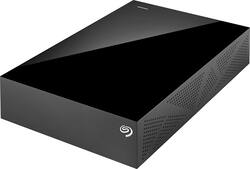
Seagate - Backup Plus Desktop 3TB External USB 3.0/2.0 Hard Drive - Black
- Key Specs
- Storage Drive Type: HDD (Traditional, mechanical hard disk drives are the most common type of storage because they're relatively inexpensive and offer huge capacities. However, they also generate both noise and heat. Solid state drives, also known as SSDs, are many times faster than hard disk drives and have no moving parts to wear out, but typically offer less capacity for the same price.)
- Rotational Speed: 5900 revolutions per minute (The rate at which the hard drive spins its platters. The higher the rotational speed, the faster the drive can read and write data.)
- Interface(s): USB 3.0, USB 2.0 (Refers to the types of connections that devices use to interact and communicate with each other.)
- General
- Product Name: Backup Plus Desktop 3TB External USB 3.0/2.0 Hard Drive
- Brand: Seagate
- Model Number: STDT3000100
- Performance
- Storage Drive Type: HDD (Traditional, mechanical hard disk drives are the most common type of storage because they're relatively inexpensive and offer huge capacities. However, they also generate both noise and heat. Solid state drives, also known as SSDs, are many times faster than hard disk drives and have no moving parts to wear out, but typically offer less capacity for the same price.)
- Rotational Speed: 5900 revolutions per minute (The rate at which the hard drive spins its platters. The higher the rotational speed, the faster the drive can read and write data.)
- Compatibility
- Internal Or External: External
- External Hard Drive Type: Desktop (Physical characteristics of the hard drive, including size, weight and how you connect to your device.)
- Interface(s): USB 3.0, USB 2.0 (Refers to the types of connections that devices use to interact and communicate with each other.)
- Dimensions
- Product Height: 7.1 inches (The out of box height of the item. Height is measured as the vertical distance from the bottom of the item to the top as it would be primarily used or placed.)
- Product Width: 4.7 inches (The out of box width of the item. Width is measured as the horizontal distance from one side of the item to the other as it would be primarily used or placed.)
- Product Weight: 30.4 ounces (The out of box weight of the item.)
- Other
- UPC: 763649053430
Save plenty of data on this Seagate Backup Plus STDT3000100 external hard drive, which offers a generous 3TB capacity. The Protect, Save and Share features allow you to back up your digital files with ease.
- 3TB capacity: Provides ample storage space for your music, movies and other files.
- USB 3.0 interface: Backward compatible with USB 2.0 for simple connection to your computer.
- Data transfer rates up to 4.8 Gbps: For quick response when updating files.
- Save feature: Lets you automatically back up user-generated content from your favorite social networking sites, even photos that you're tagged in, so you can manage your files locally.
- Share feature: Allows multiple files to be uploaded at the same time to social networking sites from your computer.
- Seagate Dashboard: Back up your photos, videos and movies, including those you've shared on Facebook, Flickr and YouTube, so you can easily manage your favorite media wherever you are.
- Seagate Mobile Backup app (download required): Lets you back up pictures and videos stored on select iOS and Android mobile devices to the drive or to the Cloud.
- Lyve app (download required): Allows you to display photos and videos from your compatible devices in a single collection.
- Sleek metal design: Offers durability and a sleek profile.
- Preloaded NTFS driver for Mac: Allows you to use the drive interchangeably between PC and Mac computers without having to reformat the drive.
Whats Included
- Seagate Backup Plus Desktop 3TB External USB 3.0/2.0 Hard Drive
- Power adapter, 4' USB 3.0 cable
- Owner's manual
Q: Dose this product do a compete system backup for windows 8.1?
A: Yes, this hard drive will allow you to perform a full system backup of your Windows 8 laptop. Out of the box, you have two options: 1) Use the Seagate utility to perform a snapshot/backup of your system and maintain any deltas. 2) Windows has it's own built-in backup utility. This option will snapshot your system configuration and files (if you choose to do so). That way, once you replace your dying HDD, you can restore a little more efficiently because most of your system configuration will already be in tact. You may have to reinstall your applications. i.e. adobe, office 2013, etc.
Q: can i use this for xbox one? i know i can butttt,
A: Firstly, congratulations on your new purchase. To answer your question; Yes, it does say Desktop Drive on the box, but I assure you that it is the exact same product that you ordered. It is most definitely compatible with your Xbox One.
Q: Will this work with OS X 10.10.1 Yosemite?
A: Yes it does, I use the same OS. You just have to download a file from Seagate to make the drive writable an Mac, because it actually come as a windows ready drive. No big deal though, I can now use it on Windows and Mac, very versatile drive.
A: While I own an Xbox One, I'm sure that use with PS4 would be just as easy. It's pretty much plug and play, after a short formatting period. There is no need to swap drives with you PS4. If you ARE looking to swap drives, then there are many better choices than this particular model and cheaper too. Hope this helps.
Q: Can you use it on a P's 3 to down load games to it
A: No, you can not use it on a PS3 to download games to it.
Q: Can you transfer photos and videos from your Mobile phone?
A: The TV wont store your videos but it should play them probably with a Mini USB to USB cable and the Roku Media player app and or , "The following Roku players and software versions currently have screen mirroring enabled: ***Roku TV Currently on most Roku TVs. (Other Roku TVs will receive the Screen Mirroring feature in a future software update)- (software v6.2 and above) Don't see the software version on your Roku right away? Update your software by going to Settings>System>System update and check for an update.****** Roku 4 Model 4400 (software v5.6 and above) Roku 3 Model 4200, 4230 (software v5.6 and above) Roku 2 Model 4210 (software v5.6 and above) Roku Streaming Stick Model 3500, 3600 (software v5.6 and above) Note: Roku Premiere (Model 4620), Roku Premiere+ (Model 4630), and Roku Ultra (Model 4640) will receive the Screen Mirroring feature with the Roku software OS 7.5 update. " https://support.roku.com/article/208754928-screen-mirroring-overview
Q: It can be used with disk network hopper DVR?
A: undefined














