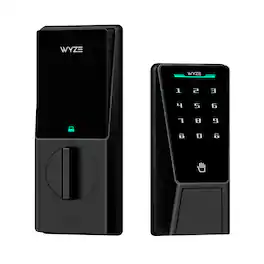
Wyze - Palm Lock Smart Door Lock with Palm Vein Recognition, Keypad, Auto Lock, Dual Battery, Wi-Fi, BHMA3 Certified - Black
Related Item

Highlights
- Key Specs
- Color Finish: Black
- Lock Type: Deadbolt
- Lock/Unlock Mechanism: App, Keypad, Fingerprint, Key (There are several technologies used by smart locks to manage access, such as biometrics, Bluetooth, or NFC. Some locks allow codes to be entered via a keypad or touchscreen; digital keys can often be sent to multiple authorized devices or temporarily shared with guests.)
- Power Source: Battery-powered
- Installation Type: Replacement
- Wireless Connectivity: Wi-Fi, Bluetooth (The manner in which a device sends data to another device over a short distance without the use of wires or cables.)
- General
- Brand: Wyze
- Model Number: WPLCK1
- Product Name: Wyze Palm Lock Smart Door Lock with Palm Vein Recognition, Keypad, Auto Lock, Dual Battery, Wi-Fi, BHMA3 Certified
- Color: Black
- Color Finish: Black
- Features
- Finish: Black
- Lock Type: Deadbolt
- Lock/Unlock Mechanism: App, Keypad, Fingerprint, Key (There are several technologies used by smart locks to manage access, such as biometrics, Bluetooth, or NFC. Some locks allow codes to be entered via a keypad or touchscreen; digital keys can often be sent to multiple authorized devices or temporarily shared with guests.)
- Auto Unlock: true (Locks with this feature automatically unlock when certain conditions are met, such as coming within range of a home wireless network or when activated via a mobile app.)
- Unlock Notifications: true
- Shareable Keys: true (This feature allows a single key to be shared with multiple users or authorized devices.)
- Power
- Power Source: Battery-powered
- Rechargeable Battery: true
- Battery Chemistry: Lithium-ion
- Low-Battery Indicator: true
- Compatibility
- Installation Type: Replacement
- App Compatible: true (The product can be connected to a program or software application on a mobile device, which then receives collected data from the product.)
- Wireless Connectivity: Wi-Fi, Bluetooth (The manner in which a device sends data to another device over a short distance without the use of wires or cables.)
- Operating System Compatibility: Apple iOS, Android
- Works With: Amazon Alexa, Google Home (Compatible with or able to be connected to other smart devices or applications.)
- Performance
- Minimum Operating Temperature: -4.0 degrees fahrenheit (The lowest recommended ambient (surrounding) temperature in which the product can ideally operate stated by the manufacturer. Generally long-term exposure of the product to temperatures less than the minimum can result in ineffective operation.)
- Maximum Operating Temperature: 122 degrees fahrenheit (The highest recommended ambient (surrounding) temperature in which the product can ideally operate stated by the manufacturer. Generally long-term exposure of the product to temperatures more than the maximum can result in ineffective operation.)
- Warranty
- Warranty - Parts: 1 year
- Warranty - Labor: 1 year
- Other
- UPC: 810083475004
Meet Wyze Palm Lock, the smart lock that feels like the future. Using advanced palm vein recognition, it securely identifies you by the unique pattern beneath your skin—no touch, no keys, just a quick hover of your hand for instant access. For added flexibility, Wyze Palm Lock also includes an illuminated keypad that supports up to 50 unique codes, including one-time passcodes for guests. Its dual-battery system powers months of use, with a backup battery to keep you covered while recharging. And if you ever prefer the classics, you can still unlock with the included mechanical keys. Packed with smart features like auto-lock, anti-peep code entry, Wi-Fi remote control, tamper and ajar alarms, and seamless integration with Wyze Video Doorbells, Alexa, and Google Assistant—this lock works hard to keep your home secure and convenient. Built tough with BHMA3 certification and IP53 weather resistance, Wyze Palm Lock is tested against thousands of slams, twists, and splashes so it can handle real life. Whether it’s advanced radar sensing for smart battery savings, or an emergency USB-C power option, every detail is designed to keep you in control. With Wyze Palm Lock, security has never felt this smart, or this effortless.
- Contactless, Secure Entry with Palm Vein Recognition: Wyze Palm Lock uses a highly secure, contactless biometric technology that identifies you based on the unique pattern of veins beneath the surface of your palm. Just hover your palm near the reader, and voilà, the door unlocks. It’s like a secret handshake with your front door. It's fast and even more reliable than fingerprints.
- Numbered Keypad with Access Codes: A bright, numbered keypad illuminates with a simple tap. Set and store up to 50 unique access codes, or create one-time guest passcodes that expire on a schedule.
- Dual Battery System: The main is a removable lithium ion battery that provides up to 6 months of battery life. A secondary backup battery keeps things running for up to two weeks while you charge the main.
- Auto Lock: A built-in gyroscope detects the angle and movement of the door in real time. Once it senses the door has closed then it automatically locks, preventing false or jammed locks.
- Anti-Peep Technology: Don’t worry if someone watches you enter your code. Simply add extra digits before or after your code and Wyze Palm Lock will still unlock.
- Works with Wyze Video Doorbells: Lock and unlock directly from the live view of Wyze Doorbell v2, Duo Cam Doorbell, and Doorbell Pro so you don’t have to switch between screens to open the door for family and friends.
- Mechanical Lock and Key Option: Still yearning for the comfort of a traditional key? We got you covered. Simply slide up the damping cover and manually unlock the old-fashioned way (set of keys included).
- Smart Battery Saver: Wyze Palm Lock is equipped with millimeter wave radar, the same used in self-driving cars. It scans for the presence of a person (not just movement) and only “wakes up” the lock when a person is detected.
- Type-C Emergency Power Port: If the batteries die while you're away, the USB-C port allows for a charge from a power bank so you can enter your access code for entry.
- IP53 weather-resistant and BHMA3 Certified: Backed by the Builders Hardware Manufacturers Association, this lock has been tested, slammed, twisted, and splashed thousands of times to make sure it can handle real life. It meets rigorous standards for security, durability, and performance. It’s not just smart, it’s strong.
- Control from Anywhere with Wi-Fi: Control and monitor the lock status from anywhere, anytime. Customize lock notifications in the Wyze app.
- Tamper and Ajar Alarms: Wyze Palm Lock speaks up and sounds an alarm if it detects tampering from brute force or excessive incorrect unlock attempts. It’ll also chirp if you accidentally leave the door open (customizable in the Wyze app).
- Control with Your Voice: Works with smart assistants like Amazon Alexa and Google Assistant. Customize even more automations with Wyze Rules.
Whats Included
- Exterior Lock Assembly
- Interior Lock Assembly
- Mounting Plate
- Main Battery
- Backup Battery
- Hardware Packet
A: Hi there, we’re sorry to hear about the confusion regarding the Wyze Palm Lock battery charging process. The main battery for the Wyze Palm Lock can’t be charged while it’s installed in the lock. You can charge the battery using either a USB-C power cable and 5V2A adapter or the Wyze Battery Charging Dock (sold separately). The charging dock is sold separately to ensure safe and reliable charging. We appreciate your feedback and understand that it would be helpful if this were clearer at the time of purchase. If you need help with your Wyze Palm Lock or have additional questions, please reach out to our Wizards Team at https://support.wyze.com/hc/en-us so we can further assist you. Thank you.
A: Hi there! Thumb Turn Position When Locked: The Wyze Lock’s thumb latch can be either vertical or horizontal when the door is locked, depending on how it is installed. For most deadbolts, you can choose the orientation you prefer. For Kwikset and Baldwin Reserve/Prestige deadbolts, the thumb latch must be vertical when locked and horizontal when unlocked. Is the Position Changeable? Yes, you can change the orientation of the Wyze Lock’s thumb latch. To do this: Remove Wyze Lock from the door (if already installed). Turn the thumb latch to a vertical position. Continue turning through the resistance, forcefully rotating the motor to the opposite side. Reinstall Wyze Lock. Additional Details: Wyze Lock’s motor allows for a full 180 degrees of movement, so you can install the lock in whichever position you prefer (except for the specific brands mentioned above). For a visual guide, please see the image below: (https://www.youtube.com/watch?v=WeZ8Ib2ZmCY)
Q: Does the lock icon on the inside unit change to indicate whether or not the door is locked?
A: Hi! Thanks for reaching out! For the Wyze Palm Lock, no — the interior unit does not have a lock icon that changes shape or color to visually indicate whether the door is locked or unlocked. However, it does have status lights on the front that show various states, such as a marquee green light when the lock has successfully locked or unlocked. If you have any further questions, please contact our Wizards Team at Wyze Support. Tap the Message icon in the bottom-right corner of the page, fill out the questionnaire, and choose how you’d like to reach us.
Compare similar products
Meet Wyze Palm Lock, the smart lock that feels like the future. Using advanced palm vein recognition, it securely identifies you by the unique pattern beneath your skin—no touch, no keys, just a quick hover of your hand for instant access. For added flexibility, Wyze Palm Lock also includes an illuminated keypad that supports up to 50 unique codes, including one-time passcodes for guests. Its dual-battery system powers months of use, with a backup battery to keep you covered while recharging. And if you ever prefer the classics, you can still unlock with the included mechanical keys. Packed with smart features like auto-lock, anti-peep code entry, Wi-Fi remote control, tamper and ajar alarms, and seamless integration with Wyze Video Doorbells, Alexa, and Google Assistant—this lock works hard to keep your home secure and convenient. Built tough with BHMA3 certification and IP53 weather resistance, Wyze Palm Lock is tested against thousands of slams, twists, and splashes so it can handle real life. Whether it’s advanced radar sensing for smart battery savings, or an emergency USB-C power option, every detail is designed to keep you in control. With Wyze Palm Lock, security has never felt this smart, or this effortless.

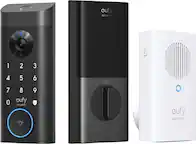
Take front door protection to the next level with eufy's FamiLock S3 Max, allowing you to effortlessly and securely unlock your door with just a wave of the hand. The 3-in-1 smart lock features a 2K HD camera, video doorbell, and smart lock developed to meet your family's evolving access needs. With accurate, forgery-proof palm vein technology, FamiLock S3 Max recognizes the unique vein pattern on your hand's palm in just 0.1 seconds with up to 99.99999% accuracy. Ideal for the whole household, including kids and older relatives, each person's palm vein data is stored locally on-device, making it only accessible to you. The integrated color video screen on the inner lock provides a seamless, app-free alternative for monitoring who or what is at the front door. Providing peace of mind when older parents or kids arrive home, eufy FamiLock S3 Max keeps you connected and reassured. Gain sharp, clear views from the built-in 2K HD camera and f/1.6 lens that provides detailed footage even in twilight or sunset hours. Goodbye blind spots with the camera's 150° head-to-toe, wide-angle coverage. Innovative PowerDuo technology offers powerful charging options and superior flexibility. Enjoy up to 6 months of power with the 15,000mAH rechargeable battery; and an emergency set of four AAA batteries provide an extra month of charge in case of emergency power outages. Enjoy a robust, customized smart home ecosystem by adding HomeBase 3 for advanced AI features and enhanced security. The eufy app provides remote control and access from anywhere and sends real-time alerts when packages are delivered, or guests stop by. Matter compatibility provides easy, secure connection with Apple Home, Google Home, Alexa, and SmartThings.

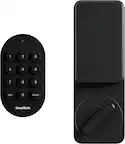
Experience ultra-fast, convenient keyless door unlocking and seamless smart home integration to your new and existing automation devices with eufy Smart Lock E31. Stop fumbling for keys when your hands are full and unlock your front or back door in less than 0.3 seconds using just your fingerprint. The lock’s intelligence improves fingerprint recognition with each use, ensuring quick access for your family. Enjoy multiple door unlocking options: eufy App, built-in keypad, included physical key, or voice commands via Siri, Alexa or Google Assistant. Seamlessly link eufy’s Matter-supported smart lock to your current smart home ecosystem using your existing home automation hub. It features compatibility with all major smart home ecosystems, including Apple Home, Google Home, Alexa, and SmartThings for easy, hands-free management of your Smart Lock and more. It pairs with Apple HomePod or other smart devices to experience simple setup, guest access management, real-time notifications, event logs, and remote unlocking.

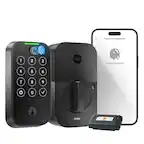
Unlock convenience and security with Tapo DL110. Its lightning-fast fingerprint sensor unlocks your door in under 1 second, and the ultra-long battery life keeps it powered for up to 1 year. Access in six different ways: by fingerprint recognition, using custom passcodes on the keypad, manage from anywhere with Wi-Fi, via close-range Bluetooth, your smart home assistant, or by using the included backup keys. Manage residents and guests with ease by creating custom permanent, one-time or scheduled passcodes. Pair with your Amazon Alexa, Google Home or Samsung SmartThings for hands-free voice operation and mangement. Security features such as auto-lock, real-time alerts for suspicious activity, and a detailed activity log give you ultimate peace of mind. Finally, the Tapo DL110 boasts a hassle-free installation with all necessary tools included so that you can take control of your front door security in no time.
| Pros for Wyze - Palm Lock Smart Door Lock with Palm Vein Recognition, Keypad, Auto Lock, Dual Battery, Wi-Fi, BHMA3 Certified - Black | |||
|---|---|---|---|
| There were no pros for this product— | Battery Life, Video Quality, Setup Ease, Palm Scanner | Overall Performance, Battery Life, Installation, Ease of Use, Fingerprint Sensor | Battery Life, Installation, Overall Performance, Ease of use, Fingerprint Recognition |
Specs
Reviews
The vast majority of our reviews come from verified purchases. Reviews from customers may include My Best Buy members, employees, and Tech Insider Network members (as tagged). Select reviewers may receive discounted products, promotional considerations or entries into drawings for honest, helpful reviews.
- Rated 3 out of 5 stars
Too much plastic and not reliable
This is my third smartlock. I have used Kwikset and Yale. I was not prepared for how plasticky and cheap a BHMA 3 (the lowest rating for homes) would be compared to locks made by lockmakers. Everything about it is so lightweight. Even the locking pin that goes through the bolt is just a thin flat piece of metal instead of a half oval that fits securely so there is a lot of slop in the bolt mechanism. It just feels like a hammer could destroy it. Now onto the lock device function. My hand scan worked about 1 out of every 10 times i tried. My left a little more often than the right. When I tried to remove and add it it failed completely and Wyze advised I should return it. So basically I had an expensive cheaply made keypad lock. One of the reasons I got it (besides that I love Wyze devices and own 5) was that it claims the door opening sensor will prevent deadbolt autolock when the door is ajar. That didn't work either despite me calibrating it several times and following instructions to the T. It is also very slow to unlock compared to past locks. Yes it is pretty and musical but when it is 20 degrees outside I want it to just open and very quickly. It is about 4 seconds both ways. Also the palm recognition position is kind of awkward. Instead of the camera facing upward it faces outward. I really wanted to love this lock especially with all the positive reviews, but mine was half-baked even if it hadn't failed. There are BHMA 2 vein locks at this same price point that work with all voice assistants and Matter.
Posted by Fraamus
- Rated 5 out of 5 stars
Wise to go with Wyze
This device is awesome, the auto lock is what peaked my interest and the palm scanning to unlock is great as well. Great buy, easy to install, and setup with the Wyze app. Plan on getting the cameras and door bell in the future
Posted by MikeS
- Rated 5 out of 5 stars
Palm lock
My family loves this lock. I wish there was a way to lock it from the outside instead of just on the app. Other than that this is a great option.
Posted by BrandonW