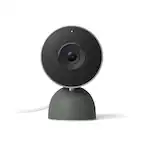
Google - Nest Doorbell (wired, 3rd gen) - Latest Model - 2K Video and Gemini - Hazel
Google - Nest Doorbell (wired, 3rd gen) - Latest Model - 2K Video and Gemini - Hazel
Color
HazelMore Buying Options
Related Item

Highlights
- Key Specs
- Camera Resolution: 2048 x 2048 (Refers to the number of pixels, both horizontally and vertically, used to capture video/images. The higher the resolution the finer the detail that can be seen.)
- Field Of View: 166 degrees (The area of a target, measured as an angle from the location of viewing, that can be observed.)
- Night Vision: true
- Works With: Google Home, Amazon Alexa (Compatible with or able to be connected to other smart devices or applications.)
- Storage Type: Cloud
- Minimum Operating Temperature: -4.0 degrees fahrenheit (The lowest recommended ambient (surrounding) temperature in which the product can ideally operate stated by the manufacturer. Generally long-term exposure of the product to temperatures less than the minimum can result in ineffective operation.)
- Maximum Operating Temperature: 104 degrees fahrenheit (The highest recommended ambient (surrounding) temperature in which the product can ideally operate stated by the manufacturer. Generally long-term exposure of the product to temperatures more than the maximum can result in ineffective operation.)
- Audio Communication: 2-way (1-way communication devices allow a user to hear detected audio, while 2-way communication adds the ability for a user to talk back through the device.)
- General
- Brand: Google
- Model Number: GA09968-US
- Product Name: Nest Doorbell (wired, 3rd gen) - Latest Model - 2K Video and Gemini
- Color: Hazel
- Camera
- Video Camera Resolution: 2K (1440p) (Refers to the number of pixels, both horizontally and vertically, used to capture video/images. The higher the resolution the finer the detail that can be seen.)
- Camera Resolution: 2048 x 2048 (Refers to the number of pixels, both horizontally and vertically, used to capture video/images. The higher the resolution the finer the detail that can be seen.)
- Field Of View: 166 degrees (The area of a target, measured as an angle from the location of viewing, that can be observed.)
- Night Vision: true
- Night Vision Distance: 10 feet
- Night Vision Image: Black and white
- Camera Movement: Fixed
- Zoom Mode: Digital
- Power
- Power Source: Hard wired
- Compatibility
- App Compatible: true (The product can be connected to a program or software application on a mobile device, which then receives collected data from the product.)
- Operating System Compatibility: Android
- Works With: Google Home, Amazon Alexa (Compatible with or able to be connected to other smart devices or applications.)
- Connectivity
- Camera Connectivity: Wireless (Security system cameras can be set up in several ways. Wired cameras require cables for power and footage transmission, while wire-free cameras don't need cables for either. Wireless cameras still require cables for receiving power but are able to transmit footage via a wireless network.)
- Wireless Connectivity: Bluetooth (The manner in which a device sends data to another device over a short distance without the use of wires or cables.)
- Network Connectivity: 5G (The manner in which a device sends data to another device over a long distance using a cellular network.)
- Wireless Networking Standard: Wi-Fi 7 (The wireless networking standard used by the device. Each iteration of the standard developed by the Wi-Fi Alliance corresponds to an existing IEEE 802.11 protocol; for example, standard 802.11ac (or AC) is termed Wi-Fi 5. Refers specifically to the standard the device is designed to use, but ultimately determines product interoperability and backward compatibility including previous versions.)
- Chime: Connects to existing
- Frequency Band: 2.4 GHz, 5.0 GHz (Bands may be grouped into categories such as low- and high-band VHF (Very High Frequency), low- and high-band UHF (Ultra High Frequency), or certain frequency channels (measured in MHz or GHz). Generally, higher frequencies transmit information faster but have shorter range than lower frequencies.)
- Recording & Playback
- Streaming Video: true (The ability to transmit a live video feed from the product.)
- Video Recording Capability: true
- Records Audio: true
- Subscription: Optional but not included
- Video Recording Prompt: Doorbell
- Storage
- Storage Type: Cloud
- Performance
- Protective Qualities: Weather resistant, Water resistant
- Minimum Operating Temperature: -4.0 degrees fahrenheit (The lowest recommended ambient (surrounding) temperature in which the product can ideally operate stated by the manufacturer. Generally long-term exposure of the product to temperatures less than the minimum can result in ineffective operation.)
- Maximum Operating Temperature: 104 degrees fahrenheit (The highest recommended ambient (surrounding) temperature in which the product can ideally operate stated by the manufacturer. Generally long-term exposure of the product to temperatures more than the maximum can result in ineffective operation.)
- Features
- Audio Communication: 2-way (1-way communication devices allow a user to hear detected audio, while 2-way communication adds the ability for a user to talk back through the device.)
- Mobile Notifications: true
- Dimensions
- Product Height: 5.2 inches (The out of box height of the item. Height is measured as the vertical distance from the bottom of the item to the top as it would be primarily used or placed.)
- Product Width: 1.1 inches (The out of box width of the item. Width is measured as the horizontal distance from one side of the item to the other as it would be primarily used or placed.)
- Product Depth: 1.7 inches (The out of box depth of the item. Depth is measured as the distance from the front of the item to the back as it would be primarily used or placed.)
- Product Weight: 0.3 pounds (The out of box weight of the item.)
- Included
- Installation Hardware Included: true
- Warranty
- Warranty - Parts: 1 year
- Warranty - Labor: 1 year
- Other
- UPC: 840353926097
Meet the smarter, sharper wired Nest Doorbell with 2K video and Gemini. Get more peace of mind about the things that matter with the intelligence of Google Home. It provides more details, summarizes what happened, and lets you search video history simply by asking for something.¹,²,³
- Always in the know with always-on power.: No need to recharge or replace batteries. The wired Nest Doorbell also powers 24/7 continuous video recording with Google Home Premium Advanced.
- Keep up with what’s important to you.: With the intelligence of Google Home, get more detailed event descriptions and search your video history by just asking (subscription required).³
- See far more than you thought possible.: Check in on what’s happening at your doorstep in sharp 2K HDR, the highest resolution ever on a Nest Doorbell.²
- Scroll less. Find more.: Search your video history with help from Gemini.³ Try something like “Who let the dogs out?” to see a summary and relevant clips (subscription required).
- Get the fuller picture behind every alert.: With Google Home Premium, you can know even more about what’s happening at your door with notifications like “Alex with flowers.".³,⁴
- Nest Doorbell’s widest, tallest field of view yet.: See the big picture with an expanded 166° diagonal field of view.¹
- Know what’s happening 24/7.: Check in whenever you want in the Google Home app. Plus, talk and listen to people at your doorstep through the built-in speaker and mic.⁵
- Intelligent alerts that are actually intelligent.: The Nest Doorbell sends built-in alerts when it spots a person, package, vehicle, or animal, so you know who’s coming and going.⁵
- Knows a face. And a name.: With a Google Home Premium subscription, Nest Doorbell can learn the faces of your friends and family, so you know who’s at the door before they knock.⁶
- Know more about what went down.: With an Advanced subscription to Google Home Premium, get more detailed event descriptions and tap to see a longer summary of what happened.³
- Catch up on your home at a glance.: See a summary of recorded events in a daily recap with help from Gemini, so you don’t miss a thing at home (subscription required).³
- Focus on what matters most.: With Zoom & Crop in the Google Home app, you can zoom in and crop your doorbell’s view to stay focused on one important spot, like the walkway.⁵
- See what you missed.: If you miss an alert, check out event video previews with 10-second clips of each event that happened over the past 6 hours.⁵
- Don’t miss a thing with Google Home Premium.: Get 30 days of event video history – or 60 days of event history plus 10 days of continuous video recording with an Advanced subscription.⁵
- Works with compatible doorbell transformers.: Requires a 16-24VAC, 10-40VA, 50/60Hz rated doorbell transformer and chime (sold separately). You may need to replace your current hardware.
- Create easy home automations with Gemini.: With a Google Home Premium subscription and Help me create, just type what you want to do in the Google Home app, like “Lock the doors and turn off the lights at bedtime.”.³,⁷
Whats Included
- Nest Doorbell (wired)
- Base plate
- 20° wedge
- Chime & Wire connector
- Hex key
- 2 wall screws
- 2 wall anchors and spacers
- Extra security screw
- Window decal
- Quick start guide & Safety and Warranty Document
Disclaimers
- ¹ Compared to earlier Nest Cam and Nest Doorbell models.
- ² Availability of 2K resolution is dependent on Wi-Fi and network strength, and requires connectivity speed of at least 3.3Mbps.
- ³ Requires Google Home Premium Advanced plan (sold separately), Google Home app, Wi-Fi, and internet connection. Features subject to change; available in select countries and languages. Gemini features work independently of Gemini apps. Check responses for accuracy; results may vary.
- ⁴ Familiar face alerts not available in Nest Cams used in Illinois.
- ⁵ Some features, including mobile and browser notifications, remote control, video recording, video streaming and video history, require the Google Home app and working internet and Wi-Fi.
- ⁶ Familiar face alerts require Google Home Premium subscription, working Internet and Wi-Fi. Not available in Nest Cams used in Illinois.
- ⁷ Home Automations may require additional enrollment and setup, and depend on working internet, Wi-Fi and service availability for compatible smart home devices (sold separately) included in the automations.
Q: What voltage is used with this doorbell?
A: undefined
Q: Will the wired Nest doorbell camera ring the existing doorbell?
A: Hey there, Mo. Yes, the Nest Doorbell (Wired, 3rd Gen) may be compatible with your current chime system — here’s a link to double check it will be the best fit for you: https://support.google.com/googlenest/answer/9247132?hl=en#zippy=
Q: I keep getting a low battery message when it gets cold. This is a wired device
A: Hi there, Spanky. The Nest Doorbell (Wired, 3rd Gen) has an operating temperature of –4°F to 104°F (–20°C to 40°C). Going beyond these temperatures may result in connection or battery issues. We’d be happy to further look into this with you. When you get a second, talk to us here: https://support.google.com/googlenest/gethelp
Q: what is the model number of this Nest doorbell/camera? Is there a model number GWX3T ?
A: Hey there, gene. The model number for this Nest Doorbell (Wired, 3rd Gen) is GA09967. We’d be happy to look into the GWX3T model number and find the product for you. Reach out to us here: https://support.google.com/googlenest/gethelp
A: Pop the doorbell off(unscrew it) and scan the QR code. It’s a pain, but I had to do the same thing.
Q: How to connect to door chime?
A: Thank you for your question, Al. Here are the steps to install the Nest Doorbell (Wired, 3rd Gen): 1. Check compatibility and voltage requirements. 2. Check that you have everything for installation. 3. Turn the power off to your doorbell system. 4. Remove your old doorbell. 5. Connect the doorbell to the app with the QR code. 6. Troubleshoot if needed. 7. Use your doorbell. Here’s a guide with more details: https://support.google.com/googlenest/answer/12570869 We’re available 24/7 to help: https://support.google.com/googlenest/gethelp
Q: How to charge a google door bell?
A: I went with the wired model, but have used a battery model in the past.
Q: My chime doesn't work with toys doorbell
A: Thanks for reaching out about your Nest Doorbell (Wired, 3rd gen). There are a few things check to make sure everything is working properly — here’s what to review: 1. Check chime settings: If you have a mechanical chime (moving parts that make the sound), the chime duration option should be turned off. This setting is for electronic or digital chimes only. 2. Check doorbell wires: It's possible that a wire came loose when you put your doorbell on the backplate, or that the wires aren't tight enough. Make sure that the wires are securely connected. 3. Check chime connector: Check the chime box to ensure the Chime Connector and wires aren't touching any moving parts, which could muffle the sound. Here’s a link with more suggestions: https://support.google.com/googlenest/answer/9317473 We’re here and ready to help anytime: https://support.google.com/googlenest/gethelp
Compare similar products

Meet the smarter, sharper wired Nest Doorbell with 2K video and Gemini. Get more peace of mind about the things that matter with the intelligence of Google Home. It provides more details, summarizes what happened, and lets you search video history simply by asking for something.¹,²,³

Always know what’s happening at your door with the SimpliSafe Video Doorbell Pro. Its crystal-clear 1080p HD video and 162° field of view give you a clear shot of your property 24/7. Two-way audio lets you hear and speak to unwanted guests (and welcomed ones too) - even when you're not home. Have the SimpliSafe App? The Video Doorbell Pro will send instant alerts whenever someone approaches. And with Smart Person Detection, it can tell the difference between people, vehicles and animals. That means you only get the alerts that matter. Plus, when backed by 24/7 professional monitoring, you’ll have experts who are ready to request emergency dispatch when you need it most. This camera is designed for all weather extremes—so you're still protected in rain and snow. (Compatible with the SimpliSafe Gen 3 security system. Requires Wi-Fi (2.4GHz) and existing wired doorbell setup with mechanical chime and a transformer with 8-24 VAC, 30VA max. Not compatible with digital chimes.)
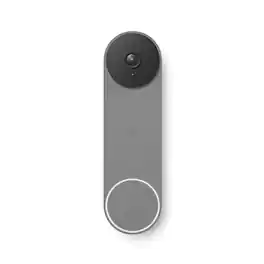
The Nest Doorbell is the battery-powered video doorbell that works with any home. See what’s happening at your door from anywhere and get intelligent alerts about important activity, like when there’s a person, package, animal, or vehicle.* And because there are no wires, you can install it yourself. Nest Doorbell requires the Google Home app and a Google Account – it’s not compatible with the Nest app or the home.nest.com site.

Answer the door from anywhere and stay connected with this Ring small wired doorbell. It delivers 1080p HD video, two-way talk, advanced motion detection, real-time alerts sent straight to your phone, Alexa device or Ring Chime (sold separately). Filter out movement next door or on a busy street with adjustable motion settings so you'll only receive the alerts that matter. Night vision with sharp contrast lets you see every detail - even in the dark.
| Pros for Google - Nest Doorbell (wired, 3rd gen) - Latest Model - 2K Video and Gemini - Hazel | |||
|---|---|---|---|
| Video Quality, Overall Performance, Installation Ease, Field of View, Design | Video Quality, Ease of use, Installation, Overall Performance, Night Vision | There were no pros for this product— | Ease of use, Video Quality, Overall Performance, Installation, Price |
| Cons for Google - Nest Doorbell (wired, 3rd gen) - Latest Model - 2K Video and Gemini - Hazel | |||
| Night Vision | Compatibility, Motion Detection, WiFi Connectivity, App Performance | There were no cons for this product— | Compatibility, Connectivity, Battery Life, Chime, Wired |
Specs



Reviews
Customers are saying
Customers appreciate the Nest Doorbell for its good video quality, ease of installation, and wide field of view. Many find its overall performance to be a great improvement and admire its modern design. While the majority are satisfied, some customers have noted that the night vision could be improved.
Customer Images
The vast majority of our reviews come from verified purchases. Reviews from customers may include My Best Buy members, employees, and Tech Insider Network members (as tagged). Select reviewers may receive discounted products, promotional considerations or entries into drawings for honest, helpful reviews.
- Rated 5 out of 5 stars
Google - Nest Doorbell (wired, 3rd gen)
Great doorbell with excellent 2K video quality. The picture is sharp day and night, motion detection is accurate, and alerts are fast and reliable. Installation was easy since it’s wired, and the Google Home app works smoothly for live view and event history. Sleek design and solid performance overall. Highly recommended.
ToddT Posted
- Rated 5 out of 5 stars
Great product!
A huge improvement on video quality and field of view on previous generations. Easy installation with seamless integration with google home. My previous generation was working well after 10 years I only upgraded because my home got a new color paint!
This review is from Google - Nest Doorbell (wired, 3rd gen) - Latest Model - 2K Video and Gemini - Linen
ThomasM Posted
- Rated 5 out of 5 stars
3rd Gen for it right!
Installed this doorbell with existing doorbell wire. Had 20 volts so didn't have to do anything. Comes with everything needed for the install. Connected with my Google home app instantly and works perfectly. Wife wanted to get rid of ugly doorbell ringer so ours rings just to our Google mini's placed throughout the house.
This review is from Google - Nest Doorbell (wired, 3rd gen) - Latest Model - 2K Video and Gemini - Linen
William Posted