LG - UltraWide 34" VA Curved WQHD 100Hz Monitor with HDR 10 (HDMI, DisplayPort, USB-C) - Black
About this product
For work or even play, see the big picture with the LG UltraWIde 34" WQHD curved monitor, the ultimate screen space upgrade for those who crave more screen space. The wide 21:9 aspect ratio and 3440 x 1440 resolution offer a crisp, immersive workspace—perfect for those whose work demands lots of screen space to see multiple windows all at once. Enjoy smoother performance with a 100Hz refresh rate and the convenience of USB Type-C connectivity, delivering power and data through a single cable. The height and tilt-adjustable stand ensures ergonomic comfort, while the 3-side virtually borderless design keeps your focus where it matters. Multitasking and managing large projects on one display has never been easier.
Highlights
Features
More Space for Multi-Tasking
The 21:9 UltraWide WQHD (3440 x 1440) monitor is great for work. The widescreen allows you to see everything you're working on, with multiple windows open, all on one screen.
Pictures That Pop
Immerse yourself in a world of brilliant color from HDR10 that helps enhance picture quality and up to 99% sRGB color gamut expression to make games pop.
Easier User Interface
You can customize the workspace by splitting the display or adjusting basic monitor options with just a few mouse clicks.¹
Multi-Tasking Evolved
OnScreen Control supports Picture-by-Picture (PbP) allowing you to configure your monitor to show content from two separate input sources. Play, watch, stream or work from multiple input sources at the same time, on one screen.¹
Multiple Devices-One Cable
Seamlessly connect to external devices or charge your laptop with the convenience of USB Type-C with up to 65W power delivery.
Easy Viewing, Comfortable Reading
Watch your monitor for longer periods of time. Reader Mode provides optimal conditions for reading by reducing blue light.
Versatile Connectivity
Connect with confidence. Along with USB Type C, this UltraWide monitor has two HDMI ports, two USB ports, a DisplayPort and headphone jack.
Easy and Comfortable
The ergonomic stand makes it easy to flexibly adjust the height and tilt of the screen in the optimal position for you.
Specifications
- Refresh Rate100HzMaximum Resolution3440 x 1440Response Time5 millisecondsPanel TypeVASynchronization TechnologyNot Applicable, Not Applicable
Reviews
Rating 4.7 out of 5 stars with 33 reviews
Customer Images
The vast majority of our reviews come from verified purchases. Reviews from customers may include My Best Buy members, employees, and Tech Insider Network members (as tagged). Select reviewers may receive discounted products, promotional considerations or entries into drawings for honest, helpful reviews.

Compare similar products
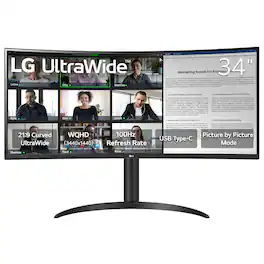
For work or even play, see the big picture with the LG UltraWIde 34" WQHD curved monitor, the ultimate screen space upgrade for those who crave more screen space. The wide 21:9 aspect ratio and 3440 x 1440 resolution offer a crisp, immersive workspace—perfect for those whose work demands lots of screen space to see multiple windows all at once. Enjoy smoother performance with a 100Hz refresh rate and the convenience of USB Type-C connectivity, delivering power and data through a single cable. The height and tilt-adjustable stand ensures ergonomic comfort, while the 3-side virtually borderless design keeps your focus where it matters. Multitasking and managing large projects on one display has never been easier.
The 34U640B-B LG UltraWide monitor is built to elevate productivity, creativity, and everyday comfort. Its expansive 34" 21:9 UltraWide WQHD (3440×1440) display gives you more room to multitask across multiple windows—reducing clutter and helping you stay focused. A subtle 1800R curve and slim, virtually borderless design create a more natural, distraction-free workspace. A 144Hz refresh rate¹ and 5ms response time keep visuals smooth and clear for video calls, streaming, and gaming. AMD FreeSync Premium reduces tearing and stutter for controlled responsive motion. With up to 99% sRGB coverage and HDR10 support, content appears vibrant and consistent across documents, media, and HDR visuals. Simplify your setup with USB-C connectivity, delivering display, data, and up to 65W laptop charging through a single cable. HDMI, DisplayPort, and dual USB ports make it easy to connect multiple devices while keeping your desk clean and organized. Control two PCs with one monitor, keyboard, and mouse, and move files between systems with simple drag-and-drop—no extra hardware required. The Switch app² enhances productivity by letting you split the screen into up to six sections, customize layouts, or launch video calls instantly with a hotkey. Reader Mode reduces blue light with warmer tones for easier reading and browsing. The slim stand saves desk space, while height and tilt adjustment help you find a comfortable viewing position. One-click mounting makes setup quick and effortless.
One screen. Endless possibilities. The 21:9 ultra-wide 34” curved Smart monitor offers stunning widescreen visuals and a sleek design that's perfect for work, play, cinematic viewing, and everything in between. Experience vivid color with up to sRGB 99% coverage, HDR10 support and impeccable clarity with the 21:9 WQHD (3440x1440) screen, bringing every detail to life. Thanks to LG’s streaming platform webOS23¹, find your favorites fast with built-in access to Netflix, Prime Video, the Apple TV app, Disney+, HBO Max and instant access to over 300+ free LG Channels with everything from comedy to movies to sports. Apple AirPlay 2 & HomeKit compatibility² allow you to wirelessly control your monitor plus cast and mirror content from iOS or MacOS devices, no Apple TV necessary. Gaming on the monitor’s wide screen with the 100Hz refresh rate assures ultra-smooth action.
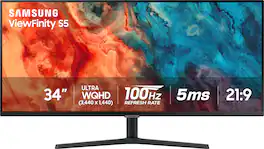
Samsung's 34" ViewFinity S50GC offers a wider workspace featuring a 21:9 ratio and lifelike detail with Ultra-WQHD resolution. AMD FreeSync and 100Hz refresh rate allow an ultra-smooth user experience. Avoid eyestrain with TUV-certified Intelligent Eye Care that automatically adjusts brightness. With HDR10 that displays over 1 billion colors compared to 16.7 million for typical SDR technology, dark colors are darker and the brightest are even brighter.
| Pros for LG - UltraWide 34" VA Curved WQHD 100Hz Monitor with HDR 10 (HDMI, DisplayPort, USB-C) - Black | |||
|---|---|---|---|
| There were no pros for this product— | There were no pros for this product— | Screen Size, Overall Performance, Resolution, Refresh Rate, Smart Features | Screen Size, Overall Performance, Resolution, Refresh Rate, Ease of use |
| Cons for LG - UltraWide 34" VA Curved WQHD 100Hz Monitor with HDR 10 (HDMI, DisplayPort, USB-C) - Black | |||
| There were no cons for this product— | There were no cons for this product— | Connectivity, Controls | Speakers, Stand, Curvature |
Specs
Questions & Answers
Does this monitor with built-in dock? E.g. connect to a thinkpad with a single USB-C cable? Thx.
Answered by LG Digital Customer CareHello, Mike. As implied in its title, the LG 34" UltraWide™ WQHD HDR 10 100Hz Curved Monitor with USB Type-C, Model # 34WR55QK-B, has a USB Type-C port that has a Power Delivery of 65W and can be connected to Laptops/Pcs with a single USB-C cable. The USB Type-C port is part of a built-in hub that can be connected to a host Laptop or PC to activate the two USB downstream ports on the monitor, which can be used with peripheral devices like a mouse, keyboard, or camera...^Ivan.

Does this monitor support Windows Snap functionality?
Answered by LG Digital Customer CareWindows Snap is a built-in multitasking feature in Windows 10/11 that automatically resizes and organizes windows into predefined screen areas—such as side-by-side or corners (up to four)—by dragging them, using keyboard shortcuts, or hovering over the maximize button. Windows Snap works with any monitor connected to a PC or laptop that supports Windows Snap. The functionality operates independently on each screen, allowing you to snap, resize, and arrange windows on primary and secondary displays. It works on external monitors, TVs, or projectors connected via HDMI, USB-C, or wireless displays...^Ivan.
How does the monitor receive power? Is it through the USB-C or is it through a power cable?
Answered by LG Digital Customer CareAn AC/DC Adapter is an included accessory with the LG 34-inch UltraWide™ WQHD 1440P HDR 10 100Hz Curved Monitor with USB Type-C, Model # 34WR55QK-B...^Ivan.
What is the minimum height if using the stand? I need it to fit below a 19.5 inch shelf on my desk.
Answered by LG Digital Customer CareProduct Height With Stand under 'Dimensions' in the specifications on the product detail page for this LG 34-inch UltraWide™ WQHD 1440P HDR 10 100Hz Curved Monitor with USB Type-C, Model # 34WR55QK-B, is listed as 22.4"...^Ivan.
What is the refresh rate of the monitor?
The refresh rate of this LG UltraWide monitor is 100Hz.
This question and answer was generated by AI based on customer and product data.

Customers often buy these together
Computer Keyboards

Monitor and Video Cables
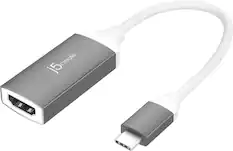
j5create - USB-C to 4K HDMI Adapter - Space Gray/White
$21.99The price was $24.99


More recommended items
 Laptop Docking Stations
 Computer Speakers
 Cables and Adapters
Customers ultimately bought
Acer Nitro ED340CUR Gaming 34” 1500R 21:9 Curved QHD 200Hz 1ms FreeSync Premium Gaming Monitor with HDR10 (DisplayPort, HDMI)
Holiday Deal$249.99The price was $349.99Samsung 27" (S70H) IPS LED 4K UHD HDR10 High Resolution Monitor (HDMI, DP)
$249.99The price was $299.99AOC CU34G4HV 34" VA Panel Curved Gaming Monitor, LED, WQHD (3440x1440), 200Hz, 0.5ms, Freesync
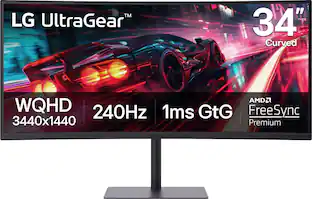
$269.99The price was $349.99LG UltraGear 34" Curved WQHD 240Hz FreeSync Premium Gaming Monitor with DisplayHDR400 (HDMI, DP, USB-C, USB-A)
$399.99The price was $449.99Dell SE2426HS 24" IPS LCD FHD 144Hz FreeSync Height Adjustable Monitor (HDMI, USB)
Black Friday Deal$89.99The price was $119.99

Explore tech essentials Sponsored
LG UltraGear 34" Curved WQHD 240Hz FreeSync Premium Gaming Monitor with DisplayHDR400 (HDMI, DP, USB-C, USB-A)
$399.99The price was $449.99
Discover related products
Acer USB C Docking Station With 2 HDMI, 9-IN-1 Docking Hub with USB A&C 3.0, SD/Micro SD, 100W Charging
$42.99The price was $47.99Acer USB C to HDMI Cable for Home Office 6.6FT (4K@60Hz), High-Speed Type C to HDMI 2.0 Braided Cord
$12.99The price was $19.99Logitech X56 HOTAS Microsoft Flight Simulator RGB Dual-Throttle and Joystick
$247.00The price was $275.00Intel Core i5-14400F 14th Gen 10-Core 16-Thread - 4.7GHz Turbo Socket LGA1700 Unlocked Desktop Processor
$165.87The price was $197.23AGPtek 8 in 1 External CD/DVD Drive for Laptop, USB 3.0 Ultra Slim Portable CD Burner with 4 USB Ports
$31.99The price was $32.99




Keep exploring
MSI MAG 272QP QD-OLED 27" 240Hz Gaming Monitor, 0.3ms, WQHD, DP 1.4a, HDMI 2.1, HDR, G-SYNC & FreeSync
$419.99The price was $453.31ASRock Phantom Gaming 27" QHD 360Hz 0.03ms OLED Monitor, FreeSync Premium Pro, HDR400, Adjustable Stand
$376.99The price was $469.67Samsung 49 inch Odyssey G9 Dual QD-OLED Curved Ultrawide Gaming Monitor LS49DG910SNXZA
$899.99The price was $1,299.99ASUS ROG Strix 32" 4K OLED Gaming Monitor - 4K@165Hz, 0.03ms, G-SYNC, USB-C, HDMI 2.1
$824.99The price was $999.00Ingnok 15.6" Portable Monitor for Laptop - FHD 1080p USB-C with Adjustable Stand, Mini HDMI and VESA
$79.99The price was $89.99ASUS TUF Gaming 34" 1440P 1500R Curved Monitor - 180Hz, 1ms, Freesync Pro, HDR, 3 Year Warranty
$269.99The price was $323.99Acer Nitro 29.5" 1080P 200Hz AMD FreeSync 1ms 1800R Curved Gaming Monitor
$161.99The price was $172.99ASUS ROG 32" 4K 240Hz OLED Gaming Monitor (PG32UCDM) - 480Hz Dual Mode, 0.03ms, G-SYNC, DP2.1
$1,511.99The price was $1,669.34Acer PM161Q 15.6" Portable Monitor Full HD 1920x1080 IPS USB-C HDMI Refurbished
$46.34The price was $48.99