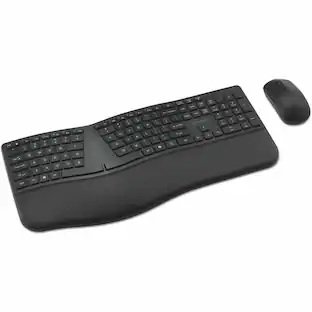
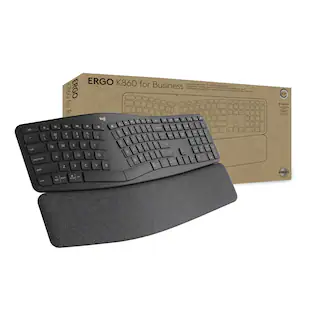
Microsoft - Logitech ERGO Keyboard & Mouse - USB Wireless Bluetooth/RF 2.40 GHz Keyboard - Graphite - USB Wireless Bluetooth/RF - Unknown
Reviews coming soon
About this product
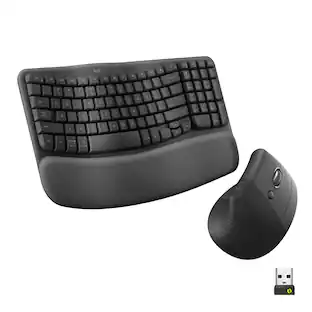
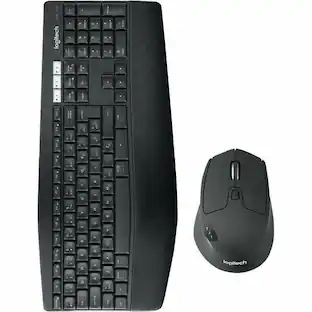
Logitech ERGO Keyboard & Mouse - USB Wireless Bluetooth/RF 2.40 GHz Keyboard - Graphite - USB Wireless Bluetooth/RF Mouse - Graphite
Features
ERGO K860 + MX VERTICAL | HOW THE FEEL-GOOD HAPPENS
Day-long comfortMore wrist support, less pressureImproved upper body posture
Work comfy, work advanced.
Elevate your comfort and performance with the ERGO K860 Split Ergonomic Keyboard and MX Vertical Advanced Ergonomic Mouse. Approved by ergonomists, this duo is designed to help you feel better, and do better. A great fit for medium to large-sized hands.
ERGO K860 | FEEL-BETTER TYPING
Crafted to support you just right, ERGO K860 ergonomic keyboard's split, curved keyframe and sloping form help improve your typing posture. Long days at work feel more relaxed with fingers, hands, wrists, forearms and shoulders placed in a natural position.
MX Vertical | RAISE YOUR HAND INTO COMFORT
MX Vertical's natural handshake position reduces muscular strain
As compared with a traditional non-vertical mouse.
, promotes a more ergonomic posture, and reduces wrist pressure throughout the day.
Specifications
- Form FactorFull-sizeConnection TypeWireless
Reviews
This product doesn't have any reviews yet.





Compare similar products
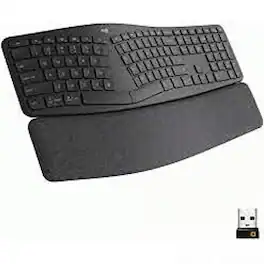
Logitech ERGO Keyboard & Mouse - USB Wireless Bluetooth/RF 2.40 GHz Keyboard - Graphite - USB Wireless Bluetooth/RF Mouse - Graphite

Type more naturally with ERGO K860 – an advanced ergonomic keyboard that promotes a more relaxed typing posture – reducing wrist bending and offering wrist support. A curved keyframe helps reduce wrist strain, while a pillowed wrist rest keeps your forearms elevated to help prevent excessive bending. This Logitech ERGO keyboard features Perfect Stroke keys for quiet performance and responsiveness, and the 2-year battery life offers long-lasting use.
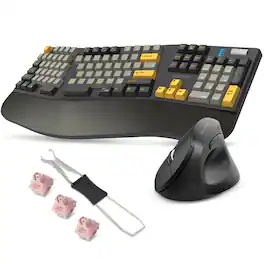
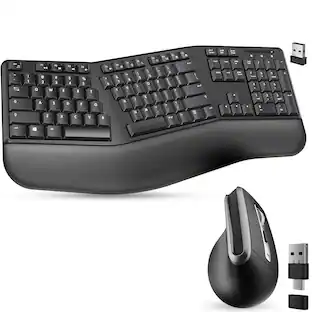
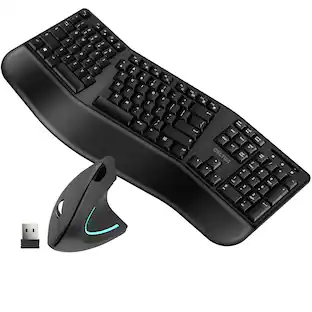
Upgrade your daily setup with a Delton E450 wireless ergonomic keyboard and vertical ergonomic mouse designed to keep you comfortable and focused. The mechanical keyboard supports 2.4G, Bluetooth, and USB C wired connections, includes a magnetic wrist rest, customizable switches, a full 104-key layout, a volume wheel, and up to 40 hours of working time for dependable use across Windows, Android, iOS, and ChromeOS devices. Its ergonomic shape helps reduce strain so you can type with ease. The vertical computer mouse wireless connects instantly with its USB A dongle and offers 6 accessible buttons, 3 DPI levels, smooth scrolling, and long battery life, making it an ideal choice for both home and office work. Together, this comfortable keyboard and wireless mouse pair deliver steady performance, natural hand positioning, and simple, everyday reliability.
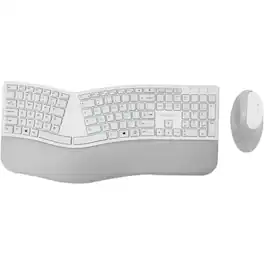
Kensington Pro Fit Ergo Wireless Keyboard and Mouse-Gray - USB Wireless Bluetooth/RF 4.0 Keyboard - Gray - USB Wireless Bluetooth/RF Mouse - Gray - Compatible with PC, Mac - Retail
| Pros for Microsoft - Logitech ERGO Keyboard & Mouse - USB Wireless Bluetooth/RF 2.40 GHz Keyboard - Graphite - USB Wireless Bluetooth/RF - Unknown | |||
|---|---|---|---|
| There were no pros for this product— | Ergonomics, Wrist Support, Ease of use, Key Feel, Bluetooth | There were no pros for this product— | There were no pros for this product— |
| Cons for Microsoft - Logitech ERGO Keyboard & Mouse - USB Wireless Bluetooth/RF 2.40 GHz Keyboard - Graphite - USB Wireless Bluetooth/RF - Unknown | |||
| There were no cons for this product— | Price, Size | There were no cons for this product— | There were no cons for this product— |
Specs
Be the first to ask a question.
We’ll try to get your question answered within 24 hours by a Best Buy customer or brand representative.
Customers often buy these together

Logitech - MK270 Full-size Wireless Membrane Keyboard and Mouse Bundle for PC - Black
$26.99The price was $29.99


![esc 1 ! 2 @ 3 # 4 $ 5 % 6 ^ 7 & 8 * 9 ( 0 ) - = | F1 F2 F3 F4 F5 F6 F7 F8 F9 F10 F11 F12 tab Q W E R T Y U I O P [ ] { } | caps A S D F G H J K L : : enter shift Z X C V B N M , < > ? shift ctrl alt fn ctrl](https://pisces.bbystatic.com/image2/BestBuy_US/images/products/bc5bce35-ca08-45da-bcc3-8d6fb215154b.jpg;maxHeight=232;maxWidth=233?format=webp)



![Sure, here is the corrected and grouped text from the image:
**Top Row:**
- ESC
- F1
- F2
- F3
- F4
- F5
- F6
- F7
- F8
- F9
- F10
- F11
- F12
- PRTSC
- DEL
**Number Row:**
- 1
- 2
- 3
- 4
- 5
- 6
- 7
- 8
- 9
- 0
- -
- =
- \
**Letter Row:**
- TAB
- Q
- W
- E
- R
- T
- Y
- U
- I
- O
- P
- [
- ]
- \
**Letter Row:**
- CAPS
- A
- S
- D
- F
- G
- H
- J
- K
- L
- ;
- '
**Letter Row:**
- SHIFT
- Z
- X
- C
- V
- B
- N
- M
- ,
- .
- /
**Function Row:**
-](https://pisces.bbystatic.com/image2/BestBuy_US/images/products/9be10b95-8e90-4a5d-b85f-cbc6a7d8e8df.png;maxHeight=232;maxWidth=233?format=webp)




![Esc F1 F2 F3 F4 F5 F6 F7 F8 F9 F10 F11 F12 Print Screen Scroll Lock Pause Break 1 2 3 4 5 6 7 8 9 0 - + = Backspace Insert Home H Page Up A Num Look 1 I Tab Q W E R T Y U I o P { [ } ] I I Delete End IN Page Down 7 Home 8 9 Pg Up Caps A Lock A S D F G H J K L ; : DE g Enter 4 5 6 Shift Z X C V N M < > ? I Shift 1 End 2 3 Pp Dn Enter Ctrl Alt Alt Ctrl 0 Ins Del](https://pisces.bbystatic.com/image2/BestBuy_US/images/products/a588d446-5678-40ae-86b8-1f15e0026e66.jpg;maxHeight=232;maxWidth=233?format=webp)
![Sure, here is the corrected and grouped text:
```
ESC F1 F2 F3 F4 F5 F6 F7 F8 F9 F10 F11 F12 1 2 3 logitech - - 1 2 # $ 4 % 5 6 & 7 8 9 0 - - back insert home page up num lock clear / . tab Q W E R T Y U I O P { [ } ] / delete end page down 7 home 8 A 9 P9 up + caps lock A S D F G H J K L : ; a enter 4 5 6 shift Z X C V B N M < > ? shift 1 end 2 3 pg dn enter ctrl fn start alt opt alt crnd x alt cmd x fn ctrl alt opt 0 ins del 1 logitech
```](https://pisces.bbystatic.com/image2/BestBuy_US/images/products/5761/5761911_sd.jpg;maxHeight=232;maxWidth=233?format=webp)

More to consider
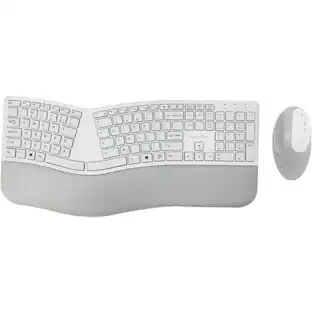 Techtober Deal$52.99The price was $73.99

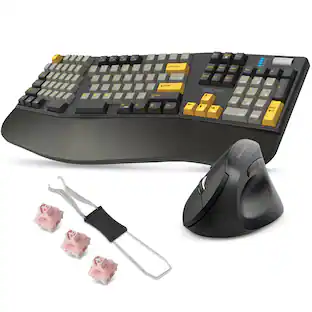

Explore tech essentials Sponsored
 Techtober Deal$129.99The price was $159.99
 $179.99The price was $249.99
 $164.99The price was $199.99



Keep exploring
 $129.95The price was $159.95