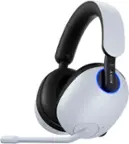
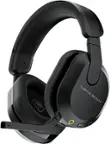
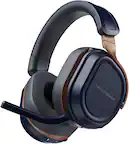
Logitech - G535 LIGHTSPEED Wireless Over-the-Ear Gaming Headset for Windows, PS5, PS4 - Black
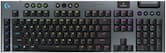 Logitech - G915 X LIGHTSPEED Full-size Wireless Mechanical GL Brown Tactile Switch Gaming Keyboard for PC/Mac with RGB Backlighting - Black$199.99$259.99
More Buying Options
Related Item

Specifications
- Noise Cancelling (Active)NoConnection TypeWirelessWireless ConnectivityRadio Frequency (RF)True WirelessNoMaximum Wireless Range39 feetWater ResistantNo
- Key Specs
- Noise Cancelling (Active): false
- Connection Type: Wireless
- Wireless Connectivity: Radio Frequency (RF) (The manner in which a device sends data to another device over a short distance without the use of wires or cables.)
- True Wireless: false (These headphones not only lack wires between the device and headphones, they also lack wires between the headphones themselves. (true wireless is really only possible with in-ear headphones))
- Maximum Wireless Range: 39 feet
- Water Resistant: false (Resists some degree of water penetration.)
- Built-In Microphone: true
- Carrying Case: false
- Microphone Features: Flip to mute, Adjustable
- Headphone Fit: Over-the-Ear
- Adjustable Headband: true
- Battery Life: 33 hours (Battery life will vary depending on the product configuration, product model, applications loaded on the product, power management setting of the product and the product features used by the customer. As with all batteries, the maximum capacity of this battery will decrease with time and usage.)
- Compatible Platform(s): Mac/Windows, PlayStation 5, PlayStation 4
- Voice Assistant Built-in: Not Applicable (A digital assistant built into the device that uses voice commands to answer questions and control smart devices.)
- General
- Brand: Logitech
- Model Number: 981-000971
- Product Name: G535 LIGHTSPEED Wireless Over-the-Ear Gaming Headset for Windows, PS5, PS4
- Color: Black
- Series: G535 (Part of a group of the same product type with similar features.)
- Audio
- Noise Cancelling (Active): false
- Sound Isolating: true
- Minimum Frequency Response: 20 hertz (Describes the maximum range of frequencies or musical tones a product can reproduce, from very low tones to very high treble tones. The minimum frequency or musical tone the speaker can reproduce. High treble tones have higher frequencies while low tones and deep bass have lower frequencies.)
- Maximum Frequency Response: 20 kilohertz (Describes the maximum range of frequencies or musical tones a product can reproduce, from very low tones to very high treble tones. The maximum frequency or musical tone the speaker can reproduce. High treble tones have higher frequencies while low tones and deep bass have lower frequencies.)
- Impedance: 36 ohms (Describes the resistance of an electric signal throughout the system. Devices with low impedance require less power to deliver optimal signals but are more at risk for damage from overloading. Higher impedance requires more power but is more protected from overload damage.)
- Sensitivity: 87.5 decibels adjusted
- Volume Limiting Function: false
- Driver Size: 40 millimeters
- Connectivity
- Connection Type: Wireless
- Wireless Connectivity: Radio Frequency (RF) (The manner in which a device sends data to another device over a short distance without the use of wires or cables.)
- True Wireless: false (These headphones not only lack wires between the device and headphones, they also lack wires between the headphones themselves. (true wireless is really only possible with in-ear headphones))
- Maximum Wireless Range: 39 feet
- Features
- Water Resistant: false (Resists some degree of water penetration.)
- Waterproof: false (Designed or treated to be impervious to water in certain situations. Products are tested under controlled laboratory conditions and then assigned an Ingress Protection (IP) rating to denote the degree of protection from water ingress. The level of protection may decrease over time with natural wear of the product.)
- Built-In Microphone: true
- Carrying Case: false
- Microphone Features: Flip to mute, Adjustable
- Controls: Volume, Mute
- Body Metrics Measured: Not Applicable
- Lighting Type: None
- High Resolution Audio: None (Hear music the way musicians and sound technicians intended it to be heard. Products that support hi-res audio deliver audio signals with a dynamic range and bandwidth far greater than that of a standard CD so you'll be able to enjoy pure music with outstanding sound quality. The device supports high-resolution audio signals, which more closely resemble the quality of music as it was originally recorded, with more texture and detail than can be heard via typical music streaming services or CDs.)
- Design
- Headphone Fit: Over-the-Ear
- Style: Gaming
- Adjustable Headband: true
- Foldable Design: false
- Power
- Rechargeable: true
- Battery Life: 33 hours (Battery life will vary depending on the product configuration, product model, applications loaded on the product, power management setting of the product and the product features used by the customer. As with all batteries, the maximum capacity of this battery will decrease with time and usage.)
- Charging Accessory Included: Cable
- Charging Interface(s): USB-C (The connection for transmitting power to charge the device.)
- On/Off Switch: Yes
- Compatibility
- Compatible Platform(s): Mac/Windows, PlayStation 5, PlayStation 4
- Voice Assistant Built-in: Not Applicable (A digital assistant built into the device that uses voice commands to answer questions and control smart devices.)
- Material
- Ear Cushion Material: Memory foam ear cups
- Headband Material: Mesh
- Dimensions
- Product Height: 3.1 inches (The out of box height of the item. Height is measured as the vertical distance from the bottom of the item to the top as it would be primarily used or placed.)
- Product Width: 7.1 inches (The out of box width of the item. Width is measured as the horizontal distance from one side of the item to the other as it would be primarily used or placed.)
- Product Length: 7.4 inches (The out of box length of the item. Length is measured as the longest dimension of the item.)
- Product Weight: 0.52 pounds (The out of box weight of the item.)
- Warranty
- Warranty - Parts: 2 years
- Warranty - Labor: None
- Other
- UPC: 097855165428
G535 gives you performance, freedom and comfort for all your gaming sessions. Enjoy advanced LIGHTSPEED wireless, up to 33-hour battery life, and 40 mm drivers for crystal-clear sound. Just 236 grams, an adjustable headband, and soft memory foam earpads ensure all-day comfort.
- 40 mm Drivers: With 40 mm neodymium drivers, this wireless gaming headset delivers crisp, clear, and deep stereo sound that makes your game come alive.
- LIGHTSPEED Wireless: Pro-grade LIGHTSPEED wireless technology provides up to 33 hours of battery life and up to 39 ft of reliable wireless freedom.*
- PC and Console Compatible: PlayStation 5, PlayStation 4.
- Plug and Play: Optimize your game time with an easy-to-use plug-and-play gaming headset; G535 uses a USB connection compatible with PC and PlayStation gaming devices.
- Lightweight materials: At only 236 grams, G535 is smaller and lighter than the G733; reversible suspension headband helps distribute weight and is adjustable for a customized fit.
- On-Ear Controls: Volume roller is located directly on the ear cup, to quickly turn up your game, music or comms; simply flip up microphone to mute and get it out of the way.
- All-Day Comfort: Comfortable soft memory foam ear cups and sports mesh material are great for extended use.
- Discord Certified: Guarantees crystal clear communication performance with amazing audio and voice clarity.**
- More sustainable: Certified carbon neutral: the carbon impact of the product and packaging has been reduced to zero.
- 40 mm Drivers: With 40 mm neodymium drivers, this wireless gaming headset delivers crisp, clear, and deep stereo sound that makes your game come alive.
- LIGHTSPEED Wireless: Pro-grade LIGHTSPEED wireless technology provides up to 33 hours of battery life and up to 39 ft of reliable wireless freedom.*
- PC and Console Compatible: PlayStation 5, PlayStation 4.
- Plug and Play: Optimize your game time with an easy-to-use plug-and-play gaming headset; G535 uses a USB connection compatible with PC and PlayStation gaming devices.
- Lightweight materials: At only 236 grams, G535 is smaller and lighter than the G733; reversible suspension headband helps distribute weight and is adjustable for a customized fit.
- On-Ear Controls: Volume roller is located directly on the ear cup, to quickly turn up your game, music or comms; simply flip up microphone to mute and get it out of the way.
- All-Day Comfort: Comfortable soft memory foam ear cups and sports mesh material are great for extended use.
- Discord Certified: Guarantees crystal clear communication performance with amazing audio and voice clarity.**
- More sustainable: Certified carbon neutral: the carbon impact of the product and packaging has been reduced to zero.
Whats Included
- G535 LIGHTSPEED Wireless Gaming Headset
- Reversible soft headband (attached)
- LIGHTSPEED USB receiver
- USB-C charging cable
- User documentation
- G535 LIGHTSPEED Wireless Gaming Headset
- Reversible soft headband (attached)
- LIGHTSPEED USB receiver
- USB-C charging cable
- User documentation
Product Manuals
Q: How does one know when headset is fully charged ?
A: The light will be green for about 3 seconds, then turn off., when you plug it it in. That means it is fully charged. If green light is slowly blinking, that means it is still charging. So you have to keep an eye on the light , and of course, you have to make sure your USB port is powered. So for example, let's say battery is dead, you plug in to an unpowered USB port, you see no light, now you know the USB port is unpowered, i.e, when plugging in, their is always some light activity.
Q: does it work on iphone xsmax ?
A: Hi soolow, the G535 Lightspeed Wireless Gaming Headset uses a USB receiver to communicate with the device it's being used with. So this will not work with a mobile phone. However, check out the G435 Gaming Headset! It has both Lightspeed AND Bluetooth connection capabilities, which means you can use this one with your phone! Hope that helps! -N from Logitech
Q: Does these work with xbox series x?
A: Hello, Flashjordan2010! Unfortunately, the G535 does not work with the Xbox Series X due to the USB protocol that Xbox uses. - Maggie from Logitech G
A: Hello, The G535 is indeed supported by G Hub (Version 2021.11, released November 2nd of this year). Make sure that your headset is plugged in with the USB charging cord as well as the Lightspeed receiver. Here's a link to the Logitech G's sub reddit that has some great support for the G535: https://www.reddit.com/r/LogitechG/comments/qn52cq/g_hub_202111_update/.
A: Only the power button glows.
A: I see nothing in the G Hub software regarding Dolby Atmos for this headset. My G733 headset has spatial sound and DTS options, but none of that is available for the 535. You can, however, easily enable Windows Sonic for Headphones by right-clicking on the sound icon in the Windows taskbar , which does enhance the surround sound.
A: Hello, Massy! The G535 does require the included USB receiver in order to connect to the device. I would recommend taking a look at the G435 headset. This works with either the receiver or Bluetooth. This way your son can switch between his PS5 and iPad Air. - Maggie from Logitech G
A: I’ve used mine while they were plugged into my computer several times and haven’t ever had any issues.
Compare similar products

G535 gives you performance, freedom and comfort for all your gaming sessions. Enjoy advanced LIGHTSPEED wireless, up to 33-hour battery life, and 40 mm drivers for crystal-clear sound. Just 236 grams, an adjustable headband, and soft memory foam earpads ensure all-day comfort.

Meet G733, a gaming headset designed to suit your style. Embrace total wireless with 2.4 GHZ LIGHTSPEED wireless, featuring up to 33 ft of range and up to 29 hours of battery life. Customize how you look and sound in G HUB with dual-zone, front-facing LIGHTSYNC RGB and Blue VO!CE real-time voice filters. G733 features advanced audio technologies, including 40 mm PRO-G audio drivers, internal acoustic chambers, and DTS Headphone:X 2.0. Play your way with four colorways to choose from and play with comfort with a comfortable, reversible headband, dual-layer memory foam earcups, and a lightweight headset that weighs just 9.8 oz.

The CORSAIR HS80 RGB WIRELESS Gaming Headset connects with hyper-fast SLIPSTREAM WIRELESS, delivering incredibly detailed sound through custom-tuned 50mm neodymium audio drivers. Immersive Dolby Atmos on PC puts you into the game with three-dimensional precision, while a broadcast-grade omni-directional microphone captures your voice with outstanding clarity. Play in plush comfort with memory foam earpads and a stress-free floating headband design, with years of durability thanks to sturdy construction reinforced with aluminum. Connect to PC with USB wired for 24bit/96kHz sound or wirelessly to PC, PS5, and PS4. Powerful CORSAIR iCUE software enables in-depth customization of audio settings and RGB lighting, letting you hear every shot, step, and shout like never before.

Play doesn’t end when the game does. You play games, play music, and play with friends. It’s who you are. All the time. That’s why we designed the G435 Headset for every aspect of your life. The combo of gaming-grade LIGHTSPEED wireless and Bluetooth give you the freedom to wirelessly connect to your PC, phone and other devices. Its 40 mm drivers deliver incredible sound while the dual beamforming mics eliminate the mic arm and background noise. Play never ends with G435.
| Pros for Logitech - G535 LIGHTSPEED Wireless Over-the-Ear Gaming Headset for Windows, PS5, PS4 - Black | |||
|---|---|---|---|
| Sound Quality, Comfort, Battery Life, Weight, Wireless | Sound Quality, Comfort, Battery Life, Weight, Wireless | Sound Quality, Comfort, Battery Life, Wireless, Fit | There were no pros for this product— |
| Cons for Logitech - G535 LIGHTSPEED Wireless Over-the-Ear Gaming Headset for Windows, PS5, PS4 - Black | |||
| Volume, Bass | Bass, Volume, Price, RGB, Software | Bass, Range | There were no cons for this product— |
Specs



Reviews
Customers are saying
Customers often highlight the good sound quality and comfort of the G535 LIGHTSPEED Wireless Gaming Headset, with many also appreciating its decent battery life and lightweight design. The wireless functionality and good fit are also appreciated by some users. However, some customers have noted concerns about the volume and bass quality.
Customer Images
The vast majority of our reviews come from verified purchases. Reviews from customers may include My Best Buy members, employees, and Tech Insider Network members (as tagged). Select reviewers may receive discounted products, promotional considerations or entries into drawings for honest, helpful reviews.
- Rated 5 out of 5 stars
Lightweight, Sidetone, & Flip-Up Mic!
When it comes to headsets, I'm a bit of a snob, but not about sound quality. I get headaches easily, so weight and clamping pressure are major issues with many headsets, and I also want sidetone (mic monitoring) so I can make sure I'm not shouting into the mic. These two desired features eliminate most headsets on the market currently, and I've tried A LOT of them! I've been using a wired Razer BlackShark V2 (which is very comfortable and has sidetone), but I got tired of getting tangled in the cord and wanted a wireless headset for my new couch gaming PC. After days of research and realizing I couldn't rationalize spending $300 on "pro" wireless headsets like the Astro A50, I narrowed my choices to the new SteelSeries Arctis 7P+ (which has a sidetone wheel on the ear cup), Logitech G733, and this new G535 that isn't even listed on Logitech's website yet. The main differences between the Logitech G733 and 535 wireless headsets appear to be the RGB lighting on the 733 and the flip-to-mute microphone on the 535. Since RGB lights only deplete the battery faster (and can't be seen while you wear them anyhow), and I loathe headsets without detachable or flip-up microphones, I decided to take a chance on the brand new Logitech 535 headset...and I'm glad I did. I'm a middle-aged woman with a big head, and this headset with its elastic headband fits perfectly and is SO comfortable! The elastic band is stretchy and barely is felt while wearing, the ear cups have soft cushioned fabric, and the headset's clamping pressure is very gentle. I also ordered the SteelSeries Arctis 7P+, and the Logitech 535s are noticeably lighter weight (the Arctis is mostly metal) and much more comfortable on my sensitive noggin due to less clamping pressure. Plus, the USB dongle on the 535 doesn't block adjacent PC ports like the wide USB-C dongle on the Arctis 7P+. Yes, you need to install Logitech's G Hub software in order to enable sidetone on the 535 headset, but you also then have access to customize equalizer settings (see my photo) and adjust other mic settings. If you've never used sidetone, I highly recommend trying it, as you'll likely never want another headset without it. My ONLY gripe is that the 535's sidetone only seems to be active when the microphone is being used...which makes sense, but I'm used to my Razer headset's always-on sidetone that allows me to monitor room sounds even when the mic is not being used. Since I have only used my headset for a day (and Best Buy doesn't allow reviews to be updated later), I cannot attest to battery life or all-day comfort of the 535, but sound and mic quality are perfectly fine for my needs, though I'm no audiophile. If you are super picky about sound quality, you'll probably want to look at the "pro" headsets anyhow, but for basic audio and impressive features and comfort, the Logitech 535 is an excellent deal in my opinion! Plus, the reversible purple and blue elastic band looks so sharp with the all-black plastic headset.
Posted by AllisChalmers
- Rated 5 out of 5 stars
Love them!
For the price they’re a great set of gaming headphones. I’ve owned a few pairs of headphones and they’ve all broken on me or have cracked in little time. I’ve had these headphones for about a year now and haven’t had complaints regarding the microphone audio on discord and haven’t had an issue with hearing audio from games or videos online (both issues I’ve had with previous headphones). These are a great set of headphones to start off your gaming journey with!!
Posted by Jani
- Rated 5 out of 5 stars
Best over-the-ear headset I've owned!
Seems unfair that I can't give this product more than five stars. As someone who goes out of their way to find earbuds for every situation due to the discomfort of an over-the-ear headset, the G535 has just landed as the only exception I've found. They're insanely lightweight, super sleek in appearance, incredibly comfortable, and the audio quality is fantastic. I'm assuming this is a newer design with headsets, but the wider head support and fabric headband is a really great idea. The G604 is perhaps the best gaming mouse I've ever used and the MX Keys is my daily keyboard for my career as a Technical Writer. From my experience, Logitech equipment never ceases to deliver exceptional quality.
Posted by Zen757