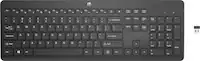
Microsoft - Surface Keyboard (2nd Edition) - Full-size Wireless - Silver
 Microsoft - Surface Slim Pen (2nd Edition) - Matte Black$103.99$129.99
More Buying Options
Related Item

Specifications
- Lighting TypeNoneForm FactorFull-sizeKeyboard TechnologyOpticalKey Switch BehaviorLinearConnection TypeWireless
- Key Specs
- Lighting Type: None
- Form Factor: Full-size (The size, arrangement, and physical configuration of the product.)
- Keyboard Technology: Optical (Type of technology that detects a key press.)
- Key Switch Behavior: Linear (Refers to the mechanisms under the keycaps on a keyboard that enable you to type faster and more precisely. Linear switches move straight up and down without any sound or bump. Tactile switches provide a noticeable bump in the key press, and no sound. Clicky switches provide a bump in the key press and "clicky" sound.)
- Connection Type: Wireless
- General
- Brand: Microsoft
- Model Number: EP2-04209
- Product Name: Surface Keyboard (2nd Edition) - Full-size Wireless
- Color: Silver
- Features
- Lighting Type: None
- Numeric Keypad: true
- Touchpad: false
- Keyboard Type: Keypad
- Palm Rest: false
- Spill Resistant: false (Designed to resist some degree of accidental liquid spill. The level of spill-resistance is indicated by the product manufacturer, but the degree of protection may not be guaranteed after normal wear of the product.)
- Keyboard Features: Soft grey finish topcase, Window shortcut keys to control music and video functions, instant aceess to Copilot, Bluetooth 4.0 connectivity,
- Foldable: false
- Functions
- Form Factor: Full-size (The size, arrangement, and physical configuration of the product.)
- Number Of Keys: 110
- Keyboard Technology: Optical (Type of technology that detects a key press.)
- Key Switch Behavior: Linear (Refers to the mechanisms under the keycaps on a keyboard that enable you to type faster and more precisely. Linear switches move straight up and down without any sound or bump. Tactile switches provide a noticeable bump in the key press, and no sound. Clicky switches provide a bump in the key press and "clicky" sound.)
- Connectivity
- Connection Type: Wireless
- Wireless Connectivity: Bluetooth (The manner in which a device sends data to another device over a short distance without the use of wires or cables.)
- Compatibility
- Operating System Compatibility: Windows, Mac, Android
- Dimensions
- Product Height: 1.07 inches (The out of box height of the item. Height is measured as the vertical distance from the bottom of the item to the top as it would be primarily used or placed.)
- Product Width: 5.06 inches (The out of box width of the item. Width is measured as the horizontal distance from one side of the item to the other as it would be primarily used or placed.)
- Product Depth: 17.23 inches (The out of box depth of the item. Depth is measured as the distance from the front of the item to the back as it would be primarily used or placed.)
- Product Weight: 0.79 ounces (The out of box weight of the item.)
- Mouse
- Mouse Included: false
- Warranty
- Warranty - Parts: 1 year limited
- Warranty - Labor: 1 year limited
- Other
- UPC: 196388386758
The Copilot¹˒² key on Surface Keyboard brings the power of AI to your fingertips with experiences available on Windows 11. This sleek keyboard offers classic typing, a built-in number pad, and dedicated keys for quick access to Snip & Sketch, Expressive Input, Call Mute,³ and more.
- Meticulously Crafted: Designed with the same attention as Surface devices ensuring high-quality and seamless experiences.
- Dedicated Copilot¹ Key: Instant acess to a new set of experiences on Windows 11.
- Express Yourself: Access your favorite features with a single touch. Dedicated keys such as Call mute, Snip & Sketch, Expressibe input, and Widget³ keys.
- Optimized Feedback: Enjoy the solid feel of the keyboard from the perfect angle to the key texture.
- 24/7/365: Battery life lasting up to a full year.
- Go Wireless: Seamless pairing through wireless Bluetooth 4.0 with a range of up to 16 feet.
- Perfect Match: Compatible with Surface Pro, Surface Laptop running Windows 11 Home/Pro, and other Surface devices and accessories.
Whats Included
- Microsoft Surface Keyboard (2nd Edition)
- 2 AAA Batteries
Disclaimers
- ¹Use Copilot key with supported Windows 11 devices; feature availability varies by device and market, see aka.ms/KeySupport.
- ²Copilot in Windows is rolling out gradually in preview within the latest update to Windows 11 in select global markets. To use Copilot with commercial data protection, see Your AI-powered chat for the Web with commercial data protection | Microsoft Copilot.
- ³Call mute and Widgets hot keys require Windows 11.
Q: How do you connect this keyboard to a device?
A: This keyboard uses Bluetooth 4.0 for a wireless connection.
Q: How many keys does this keyboard have?
A: This keyboard has 110 keys.
Q: Is this keyboard compatible with Surface Laptop?
A: Yes, this keyboard is compatible with Surface Pro, Surface Laptop running Windows 11 Home/Pro, and other Surface devices and accessories.
Q: Does this keyboard have a number pad?
A: Yes, this sleek keyboard offers classic typing, a built-in number pad, and dedicated keys for quick access.
Q: What is the battery life of this keyboard?
A: This keyboard has a battery life of up to a full year.
Q: Can i connect it with multiple devices?
A: undefined
Compare similar products

The Copilot¹˒² key on Surface Keyboard brings the power of AI to your fingertips with experiences available on Windows 11. This sleek keyboard offers classic typing, a built-in number pad, and dedicated keys for quick access to Snip & Sketch, Expressive Input, Call Mute,³ and more.
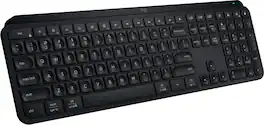
MX Keys S Logitech Wireless Keyboard — a low-profile full-size keyboard that offers a fluid, precise typing experience and customizable, time-saving Smart Actions that automate your most repetitive tasks with a single keystroke. The backlit keyboard features smart backlighting that lights up when your hands approach it and automatically adjusts to suit the time of day.
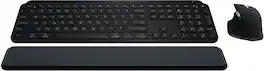
Master your flow with the MX Keys S Combo Wireless Mouse and Keyboard — the ultimate combo that combines the power of the fluid, fast precision typing of MX Keys S Wireless Keyboard with the precise, fast scrolling experience of MX Master 3S Wireless Mouse.

Introducing the JLab Epic Wireless Keyboard with Multi-device compatability and illuminated full-depth keys with number pad. Connect via Bluetooth or USB wireless dongle. Easily switch between three saved devices and enjoy the accessible shortcut keys and media knob to improve productivity for the ultimate home or work set up.
| Pros for Microsoft - Surface Keyboard (2nd Edition) - Full-size Wireless - Silver | |||
|---|---|---|---|
| There were no pros for this product— | Keyboard Quality, Battery Life, Key Feel, Ease of use, Compatibility | Keyboard Quality, Battery Life, Ease of use, Connectivity, Scroll Wheel | Keyboard Quality, Battery Life, Key Feel, Connectivity, Volume Control |
| Cons for Microsoft - Surface Keyboard (2nd Edition) - Full-size Wireless - Silver | |||
| There were no cons for this product— | Price, Size | Price, Palm Rest | There were no cons for this product— |
Specs



Reviews
Customer Images
The vast majority of our reviews come from verified purchases. Reviews from customers may include My Best Buy members, employees, and Tech Insider Network members (as tagged). Select reviewers may receive discounted products, promotional considerations or entries into drawings for honest, helpful reviews.
- Rated 5 out of 5 stars
Microsoft Bluetooth Wireless Key Board
Just as the description states full size keyboard. Literally purchased, unboxed, removed battery tag from underneath keyboard. Surface Pro 8 recognized Bluetooth wireless keyboard. Asked to confirm pairing. Input pairing confirmation number and that was it. Simplest Bluetooth Wireless key board set up ever. Great job on this wireless keyboard set Microsoft.
Posted by Valentine
- Rated 5 out of 5 stars
Good keyboard
Very comfortable, great click noise (not too loud), and very good battery life
Posted by Tyler
- Rated 5 out of 5 stars
good keyboard
The keyboard works well, easy to use, just the right sensitivity and fits perfectly with my setup
Posted by Magnum