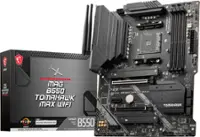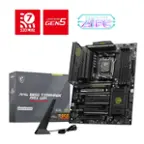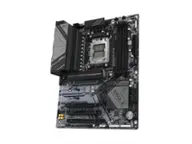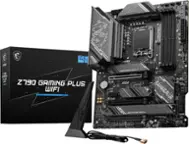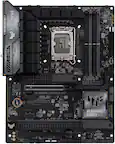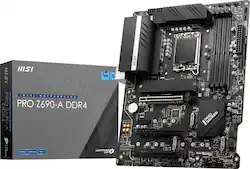
MSI - PRO Z690-A DDR4 (Socket LGA 1700) Intel Z690 ATX DDR4 Motherboard - Black
- Key Specs
- Chipset: Intel Z690
- Form Factor: ATX (The size, arrangement, and physical configuration of the product.)
- Processor Socket: Socket LGA 1700 (Type of pin configuration that connects a CPU to a computer’s motherboard.)
- Number of PCI-E Slots: 4 (How many peripheral component interconnect express slots are available.)
- Wireless Networking Standard: No Wi-Fi standard (The wireless networking standard used by the device. Each iteration of the standard developed by the Wi-Fi Alliance corresponds to an existing IEEE 802.11 protocol; for example, standard 802.11ac (or AC) is termed Wi-Fi 5. Refers specifically to the standard the device is designed to use, but ultimately determines product interoperability and backward compatibility including previous versions.)
- Number Of Memory Slots: 4
- Maximum Memory Supported: 128 gigabytes
- Memory Type Supported: DDR4
- General
- Brand: MSI
- Model Number: PRO Z690-A DDR4
- Product Name: PRO Z690-A DDR4 (Socket LGA 1700) Intel Z690 ATX DDR4 Motherboard
- Color: Black
- Compatibility
- Chipset: Intel Z690
- Chipset Compatibility: Intel
- Form Factor: ATX (The size, arrangement, and physical configuration of the product.)
- Processor Socket: Socket LGA 1700 (Type of pin configuration that connects a CPU to a computer’s motherboard.)
- Processor Compatibility: Intel Core i9 14th Generation, Intel Core i7 14th Generation, Intel Core i5 14th Generation, Intel 13th Generation Core i9, Intel 13th Generation Core i7, Intel 13th Generation Core i5, Intel 12th Generation Core i9, Intel 12th Generation Core i7
- Operating System Compatibility: Windows 10, Windows 11 Home, Windows 11 Pro
- Slot
- Number of M.2 Slots: 4 (This interface is most commonly used for high-speed solid state drives (SSDs), and is often used in laptops due to its small size.)
- Number of PCI-E Slots: 4 (How many peripheral component interconnect express slots are available.)
- Number Of PCI-E x16 Slots: 3
- Number Of PCI-E x1 Slots: 1
- Number Of Memory Slots: 4
- Connectivity
- SATA Connector: 6x SATA 6G (The configuration of the connector as it connects a computer power supply unit to a SATA-based drive.)
- Fan/Cooling System Connector: 6x 4-pin (The configuration of the connector as it connects a computer component to a fan or cooling system.)
- Wireless Connectivity: None, None, None, None (The manner in which a device sends data to another device over a short distance without the use of wires or cables.)
- Wireless Networking Standard: No Wi-Fi standard (The wireless networking standard used by the device. Each iteration of the standard developed by the Wi-Fi Alliance corresponds to an existing IEEE 802.11 protocol; for example, standard 802.11ac (or AC) is termed Wi-Fi 5. Refers specifically to the standard the device is designed to use, but ultimately determines product interoperability and backward compatibility including previous versions.)
- Ports
- USB Ports: 4 x USB-A 2.0, 4 x USB-A 3.0, 2 x USB-C 3.1 (The number and type of USB ports the product has.)
- Audio Ports: 6
- Number of Audio Channels: 7.1 (The number of discrete channels of sound output. This can be a single number or multiple numbers separated by decimal(s). The first number is the primary, horizontally directed audio channels. The number after the first decimal, if applicable, is the number of subwoofer outputs or channels. The number after the second decimal, if applicable, is the number of height or atmospheric channels designed to immerse the listener by producing overhead sound effects.)
- Dimensions
- Product Length: 304.8 millimeters (The out of box length of the item. Length is measured as the longest dimension of the item.)
- Product Width: 243.84 millimeters (The out of box width of the item. Width is measured as the horizontal distance from one side of the item to the other as it would be primarily used or placed.)
- Product Weight: 32 ounces (The out of box weight of the item.)
- Memory
- Maximum Memory Supported: 128 gigabytes
- Memory Type Supported: DDR4
- Memory Format Supported: UDIMM (Memory module size that will fit with the device.)
- Memory Speeds Supported: 1R 2133/ 2666/ 2933/ 3200 MHz (by JEDEC & POR) (The RAM's bandwidth rating supported by the device. The number refers to transfer speed. For example, 12800 would indicate that the memory has a theoretical bandwidth of 12,800 megabytes per second (MBs). The higher the number, the faster the speed.)
- Memory Slot Type: 288-pin DIMM
- Features
- Multi-GPU Support: CrossFire
- RAID Support: RAID 0, RAID 1, RAID 5 (A Redundant Array of Independent Disks (RAID) includes a collection of separate disks that your computer recognizes as one disk unit. Each configuration offers a different level of mirroring, striping and read/write speeds.)
- Other
- UPC: 824142269831
PRO series helps users work smarter by delivering an efficient and productive experience. Featuring stable functionality and high-quality assembly, PRO series motherboards provide not only optimized professional workflows but also less troubleshooting and longevity. With more cores’ processors, thermal and power design is more important to make sure the temperature keeps lower. MSI extended PWM heatsink with 7W/mK thermal pad ensures even high-end processors to run in full speed with MSI motherboards. World’s fastest SSDs can start to lower performance when getting hot. Part of the motherboards heatsink design, M.2 SHIELD FROZR is the next generation M.2 thermal solution to avoid this by offering the best thermal protection to make sure that SSD maintains maximum performance. MSI motherboards let you manage speeds and temperatures for all your system and CPU fans. Total Fan Control allows you check your primary system characteristics in a simplified graphical interface. You can also set up to 4 temperature targets for CPU and motherboard, which will adjust the fan speeds automatically. Designed to support the most popular All-In-One & customized water cooling solutions on the market. A dedicated water pump PIN header supports up to 2 amp, giving you full control of the water pump speed. A clearly marked ‘keep-out-zone’ allows for easy and safe installation and a perfect fit. 14 + 1 +1 POWER DESIGN Unleash and sustain maximum performance with an aggressive VRM design built with a total of 14 digital CPU power phases. Combining 2x 8-pin power connectors and exclusive Core Boost technology, PRO series motherboard is ready to sustain heavy daily work. MSI OC LAB does not merely work hard on extreme overclocking. The XMP memory profile has great improvement on performance and efficiency for Z690 . Easy to enable XMP profile with auto power settings to get the best memory speed and stability. Core Boost technology combines MSI's premium layout and optimized power design which allows for faster and undistorted current delivery to the CPU at pin-point precision. Not only supporting multi-core CPU, also creating the perfect conditions for your CPU overclocking.
- Supports Intel 12th Gen processors: Including Celeron, Core i5, Core i3, Core i7, Core i9 and Pentium Gold in an LGA 1700 socket
- Chipset: With an Intel Z690 chipset for fast computing.
- Dual Channel DDR4-5200Mhz: 4 DIMM
- Graphics Interface: 1x PCIe 5.0 x16 1x PCIe 3.0 x16
- Expansion Slots: 1x PCIe 3.0 x16 1x PCIe 3.0 x1
- Storage: 3x M.2 Gen4 x4 64Gbps 1x M.2 Gen3 x4 32Gbps 6x SATA 6Gbps
- USB: 1x USB 3.2 Gen 2x2 20 Gbps (1 Type-C) 2x USB 3.2 Gen 2 10Gbps (1 Type-A + 1Type-C) 6x USB 3.2 Gen 1 5 Gbps (6 Type-A) 8x Usb 2.0
- Supports Intel 12th Gen processors: Including Celeron, Core i5, Core i3, Core i7, Core i9 and Pentium Gold in an LGA 1700 socket
- Chipset: With an Intel Z690 chipset for fast computing.
- Dual Channel DDR4-5200Mhz: 4 DIMM
- Graphics Interface: 1x PCIe 5.0 x16 1x PCIe 3.0 x16
- Expansion Slots: 1x PCIe 3.0 x16 1x PCIe 3.0 x1
- Storage: 3x M.2 Gen4 x4 64Gbps 1x M.2 Gen3 x4 32Gbps 6x SATA 6Gbps
- USB: 1x USB 3.2 Gen 2x2 20 Gbps (1 Type-C) 2x USB 3.2 Gen 2 10Gbps (1 Type-A + 1Type-C) 6x USB 3.2 Gen 1 5 Gbps (6 Type-A) 8x Usb 2.0
Product Manuals
Q: Will these board work with 13th gen? Specifically, the 13-600k?
A: Yes. I did this with the same processor. But you will probably have to update the motherboard bios before you can use the processor. This is usually called bios flashback and can be done on a board without a processor installed. You download the newer bios from the MSI site, rename it, put it on a USB drive, insert the USB drive into a specific 'bios' USB port, press the bios flash button, and wait 10 minutes while a light blinks until the bios is updated. then you can proceed with your installation of your processor on your motherboard. See you tube video: 'MSI HOW TO use Flash BIOS Button'
Q: Can I use all the SATA connectors at the same time as the m.2
A: Yes I did.
Q: Is it compatible with the intel i5 12600k
A: Hello there. Yes, this board is listed as a compatible motherboard for the Intel® Core™ i5-12600K. You can view more details about the compatible boards here: Processorhttps://compatibleproducts.intel.com/ProductDetails?activeModule=Desktop%20Processors&pcsr_num=i5-12600K. Thank you for choosing Intel.
Q: This supports ddr4 and ddr5 memory ?
A: DDR4 and DDR5 are not compatible. The board will state either it is compatible with DDR4 or DDR5. The model you are inquiring about is DDR4 only.
Q: Do this will work with 600 watts power supply
A: Please note that power supply recommendations require more specs of your system. We would advise you to use a tool like a power supply calculator to help answer this question.
A: I have the same processor running on my MSI motherboard. It was the best bang for your buck at the time. However, you will probably (almost 100 percent) have to update the bios for this 13th gen processor. I did not have a 12th gen processor either. Search you tube for 'MSI HOW TO use Flash BIOS Button'. This will bring up a video from MSI showing the steps. You basically just hook up power to the motherboard (ONLY hook up the motherboard 24 pin and CPU 8 pin power cables, leave the CPU, memory, video card slots empty). Download the bios from the MSI site. Rename the bios file to 'MSI.ROM' and put it on a USB drive. Stick the USB drive into the USB port on the back of the motherboard labelled 'BIOS' (it is next to the tiny black button). Then, turn on the power supply to the motherboard. Nothing will happen. Press and release the tiny black button on the back of the board next to the USB port labelled bios flash. The light next to the button will light up and flash for several minutes. Do not interrupt this process even though it seems to take forever. When the light stops flashing the bios will be updated. Now insert your 13th gen processor and the rest of your components and it should start up and work. Do not unplug the USB drive or turn off the power supply until the blinking light goes out. Another white light also lights up on the other side of the board while this is going on (debug lights). If you cannot see the words 'bios' on the motherboard then look at the metal I/O shield cover which goes on the back of the motherboard for the wording. You will, of course, have to have another computer available to download the bios from the MSI site and watch these you tube videos. So, basically leave the motherboard naked like it came out of the box. Only hook up the 2 power cables from your power supply. I see someone else made the mistake of entirely mounting their motherboard and hitting the power button on their case, which will NOT work. Carey Holzman also has a you tube video which does the same process on a Gigabyte motherboard, but the instructions are the same other than the name of the bios file. Search: 'LIVE: How to use 13th Gen Intel CPUs 13600k - 13900k on 12th Gen Intel motherboards Z690' . Carey doesn't get to this process until 2 hours into his video, so you may want to skip ahead, and he is doing this for gigabyte, so bios flashback is perhaps a different name and the button is in a different place on the gigabyte motherboard, but it basically is the same process. The MSI web site also lists the DDR4 memory that is compatible with this motherboard, but I am confident that your memory will work fine.
Q: does this model have bluetooth
A: No. But you can buy an inexpensive adapter that plugs into a USB port. Such as: (Insignia™ - Bluetooth 5.0 USB Adapter - Black) for 15 bucks. I am not advertising for Best Buy, but I bought a pair of 2 bluetooth adapters about 7 years ago that both work well. You can also buy a more highly rated/often purchased bluetooth dongle on Amazon for less than 15 bucks. It is not worth spending another 100 bucks for a motherboard that has wifi/bluetooth as you can find inexpensive USB adapters for less as the prices on motherboards have gone way up in the last few years. I saved money on this motherboard and used it to buy a better video card.
Q: How many SATA port does this motherboard have?
A: It has up to 6 sata ports. They're faced outwards likely towards where you'll be connecting your drives from so conncecting your drives will be easy