Questions & Answers
- Model:
- B09BZZ3MM7
- |
- SKU:
- 6522377
Q: QuestionDoes the cube require separate internet service or does it provide its own internet connectivity to access streaming?
Asked by theone.
- A:Answer Hello and thank you for asking this question. The Fire Cube requires a separate WIFI source from a router or hotspot to connect to the internet and stream content. I hope this answers your question and that you have a great day.
Answered by Amazon Devices Customer Support
Q: QuestionI have an alexa echo for my brother. He is blind and needs control of his tv with voice controls only. He cannot press a button to activate the remote. Will fire cube allow him to control the tv, with voice only. his tv is a vizio D series 24" model D24H.
Asked by Greg.
- A:Answer Hello Greg, thank you for your question. Yes, an Amazon Fire TV Cube can be set up to allow your brother to control his Vizio D-series TV using voice commands alone. The Fire TV Cube has far-field microphones, which means it can hear and respond to voice commands from across the room without needing to press any buttons. The Fire TV Cube has Alexa built-in, similar to an Echo speaker. This enables it to function as a hands-free voice control hub for your brother's entertainment system. I hope that helps, have a great day!
Answered by Amazon Devices Customer Support
Q: QuestionI just bought an Amazon firestick to use instead of cable. Now I find out that cable is necessary to watch cbs,nbc, or abc live Will this firecube allow it? If not, I have an antenna. Unlike Firetv the firestick won't allow me to download those channels
Asked by Cici.
- A:Answer Hi Cici! Often networks like ABC have their own streaming apps which will need to be downloaded in order to watch them, and may restrict local channels to current subscribers. For example where I live I can access ABC News for free without even signing into an account, but my local station requires that I log in with a cable or satellite provider. Looking online NBC's channels are tied to the Peacock app, and CBS seems to currently require a provider login to access anything. This will be the same on a Fire TV Stick or a Fire TV Cube. To download apps: Search for an app by going to Find on the main menu. You can also use the Alexa or microphone button on your remote. Select the app that you want to download. To download the app, select Get or the Shopping Cart icon. Either way, if you'd like to use your Fire TV device for streaming and the antenna for local channels that should work just fine. You should even be able to use your Fire TV Remote to control your TV, and many TVs will allow you to control them with voice controls via Alexa as well. I hope that helps, have a great rest of your day!
Answered by Amazon Devices Customer Support
Q: QuestionI have jailbroken firesticks and tv's through out my house. I just want this cube to boost my streaming services. Will this interfere with my 3rd party app to stream cable. Will I be able to use my firestick tv remote to watch everything on my stick.
Asked by FIRBOY510.
- A:Answer Yes you cN. It works just like the firestick.
Answered by Anonymous
Q: QuestionDo I need something more to enable the Alexa voice? I don't have Alexa.
Asked by Daph.
- A:Answer You don't have to add anything more to enable voice commands. They are embedded in the Cumbe. Alexa can hear you and you can speak to Alexa, on the Cube. Also, the Cube/Alexa can talk to you. Tell you notifications, or timers, probably more.
Answered by Matt
Q: Questionwhat are the monthly fees I live in Boynton beach Fl.
Asked by Will.
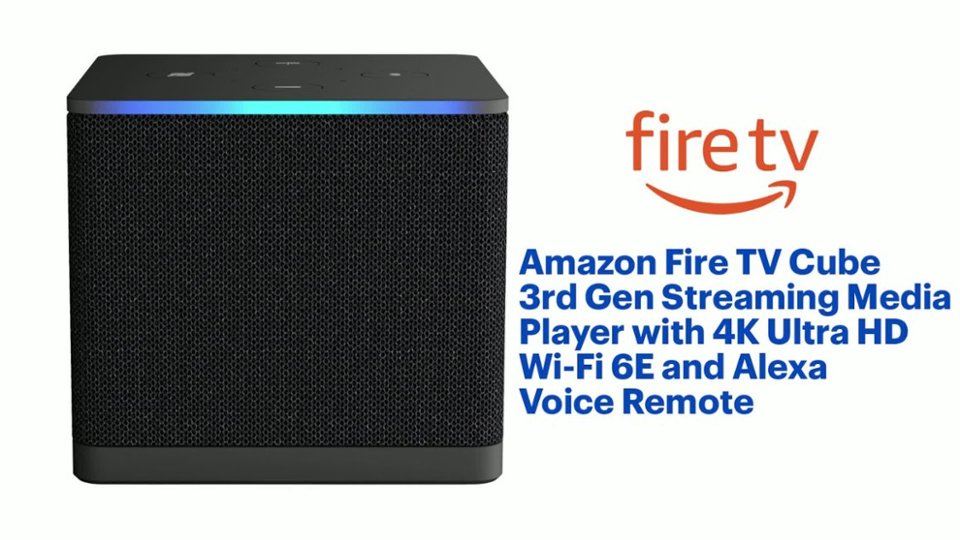
- A:Answer Hello Will, you want to know what are the monthly fee on the Amazon Fire TV Cube 3rd Gen Streaming Media Player with 4K Ultra HD Wi-Fi 6E and Alexa Voice Remote. The Amazon Fire TV Cube 3rd Gen Streaming Media Player with 4K Ultra HD Wi-Fi 6E and Alexa Voice Remote does not have a monthly fee, however streaming services available may have monthly or yearly fees. Those fees are all different for the streaming services of your liking. Hope this has answered your question. Have an amazing day!
Answered by Amazon Devices Customer Support
Q: QuestionCan the Fire TV Cube be connected to the internet (router) with an ethernet cord instead of WiFi?
Asked by Lalo.
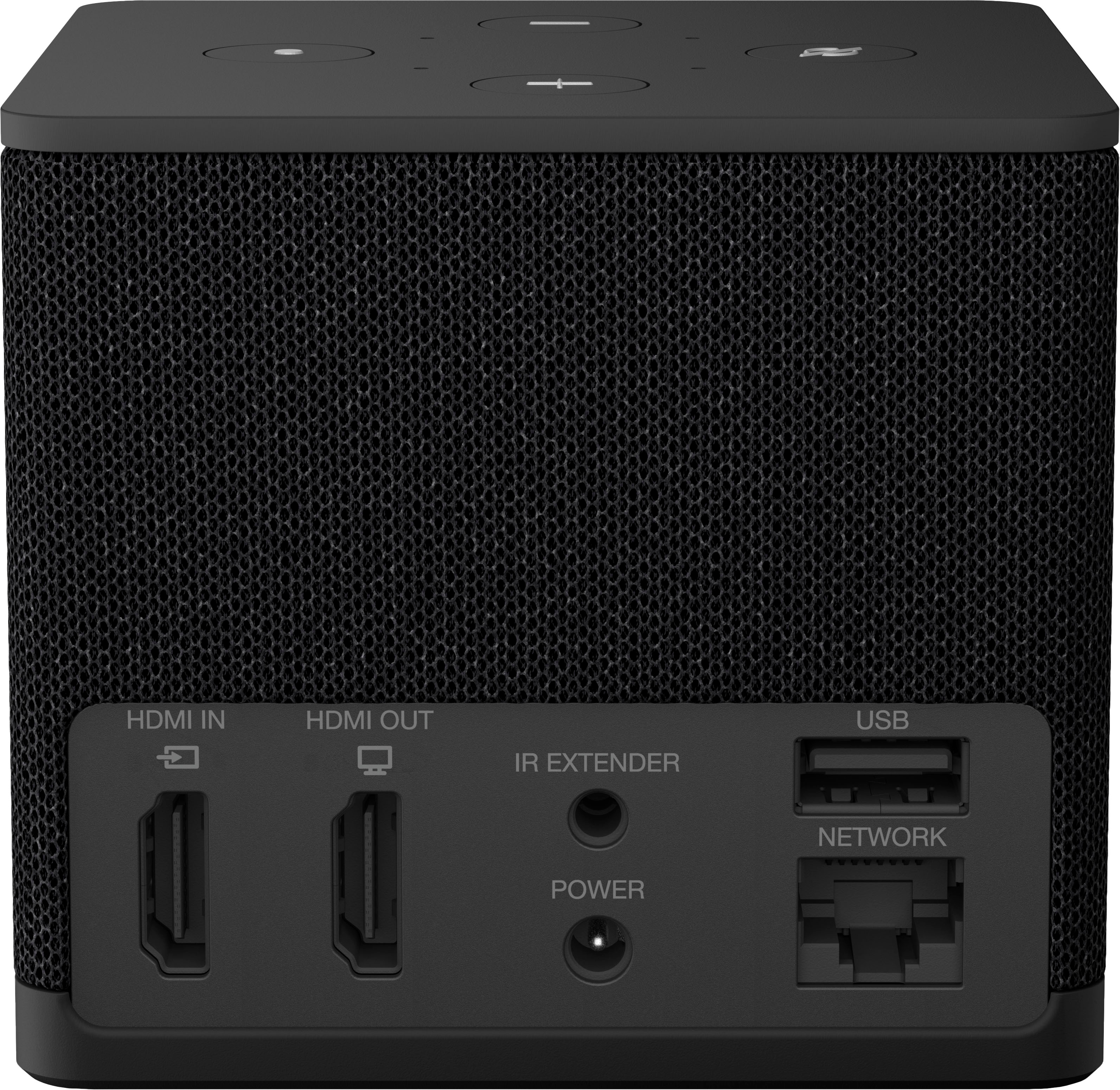
- A:Answer Hello Lalo, Thank you for your question. Yes! Our new Fire TV Cube supports Wi-Fi 6E + Ethernet port for a direct connection to your router or switch. Ethernet cable not included. Have a great day!
Answered by Amazon Devices Customer Support
Q: QuestionDo I have to use the Alexa function? The only function I like using on my current Firestick is the microphone button when I search. Can I use the cube the same way?
Asked by Rich.
- A:Answer yes, I have used it the same way. By ask Alexa turning on turning the volume up, off etc
Answered by zip51
Q: QuestionDoes it read ntfs formatted drives plugged into it's usb port? I have read yes and no.
Asked by Crash.
- A:Answer Hi Crash! Yes, the 3rd Gen Fire TV Cube does support NTFS formatted drives. Thanks for your question, have a great day!
Answered by Amazon Devices Customer Support
Q: QuestionWill an Xbox controller connect to this wireless?
Asked by StrangerThing.
- A:Answer Hi StragerThing! Yes, an Xbox controller can wirelessly connect to the Amazon Fire TV Cube, as newer models support Bluetooth for gaming, allowing you to play Xbox Cloud Gaming titles directly or use it for general navigation after pairing through the Fire TV's settings menu! I do this often to play on Game Pass, its one of my favorite features of the Fire TV Cube. Hope this answers your question!
Answered by Amazon Devices Customer Support
Q: QuestionIs one fire stick good for 2tv's or due you need a fire stick for each TV
Asked by Anonymous.
- A:Answer Hello, You would need to have a Fire Stick for each TV if you were looking to use both TV's at the same time. If you were only looking to use one TV at a time, the Fire Stick could be swapped between TVs. You can log in to one Fire Device and transport it between TV's for viewing, but I would say it would probably be easier to have a separate Fire Stick for both TV's. You will be able to sign in to each Fire Stick as well as the on board apps allowing you to share your progress on shows between the two devices without having transfer one Fire Cube between two TVs. I hope this helps.
Answered by Amazon Devices Customer Support
Q: QuestionDoes it record like a DVR?
Asked by Coogs.
- A:Answer Hello Coogs, the Amazon Fire TV Cube does not have a DVR built into the device. There are several devices on the market that will allow you to record local channels via an antenna which you can access using the Amazon Fire TV Cube. Have a great day!
Answered by Amazon Devices Customer Support
Q: QuestionDoes it have Bluetooth
Asked by Anonymous.
- A:Answer Hello and thank you for your question! Yes, the Amazon Fire TV Cube has built-in Bluetooth, allowing you to easily connect wireless headphones, speakers, game controllers, and remotes for private listening or expanded functionality; you pair them through the Settings. Hope this helps! Have a great day!
Answered by Amazon Devices Customer Support
Q: QuestionCan I get all kinds of different channels to watch?
Asked by Rose.
- A:Answer Hi Rose, Yes, the Fire TV Cube lets you install tons of apps, so you can watch many different channels and streaming services. Hope this helps!
Answered by Amazon Devices Customer Support
Q: QuestionIf we already have a Hulu and Netflix account do we delete those and pay for it through the cube or how does it work?
Asked by Maxxx.
- A:Answer Hi Maxxx! You don't need to delete your existing Hulu and Netflix accounts. The Fire TV Cube is just a streaming device that helps you access your existing subscriptions more easily. How it works: Keep your current Hulu and Netflix accounts exactly as they are Download the Hulu and Netflix apps on your Fire TV Cube Sign in with your existing account credentials Continue paying those services directly as you do now What the Fire TV Cube adds: Voice control: Say "Alexa, play Stranger Things on Netflix" All your apps in one place: Access Netflix, Hulu, Prime Video, and 500,000+ other movies and shows Hands-free streaming: Control everything with voice commands 4K Ultra HD: Enhanced streaming quality for compatible content Your existing subscriptions stay separate - the Cube just makes them easier to navigate and control with your voice! Thanks for reaching out and have a great day!
Answered by Amazon Devices Customer Support
Q: QuestionCan I add an external hard drive for more recording ?
Asked by Anonymous.
- A:Answer Hello and thank you for your question! No, you cannot use an external hard drive to record directly to on a Fire TV Cube. You can use an external drive to expand storage for apps, if you need to free up internal memory. Hope this helps! Have a great day!
Answered by Amazon Devices Customer Support
Q: QuestionCan you listen to music on the cube
Asked by Bayaly.
- A:Answer Yes pandora and a few streamers work, Apple Music doesn’t work unless you play from your phone
Answered by RobertM
Q: Questionwhat is the release year of this amazon cube
Asked by dmgr.
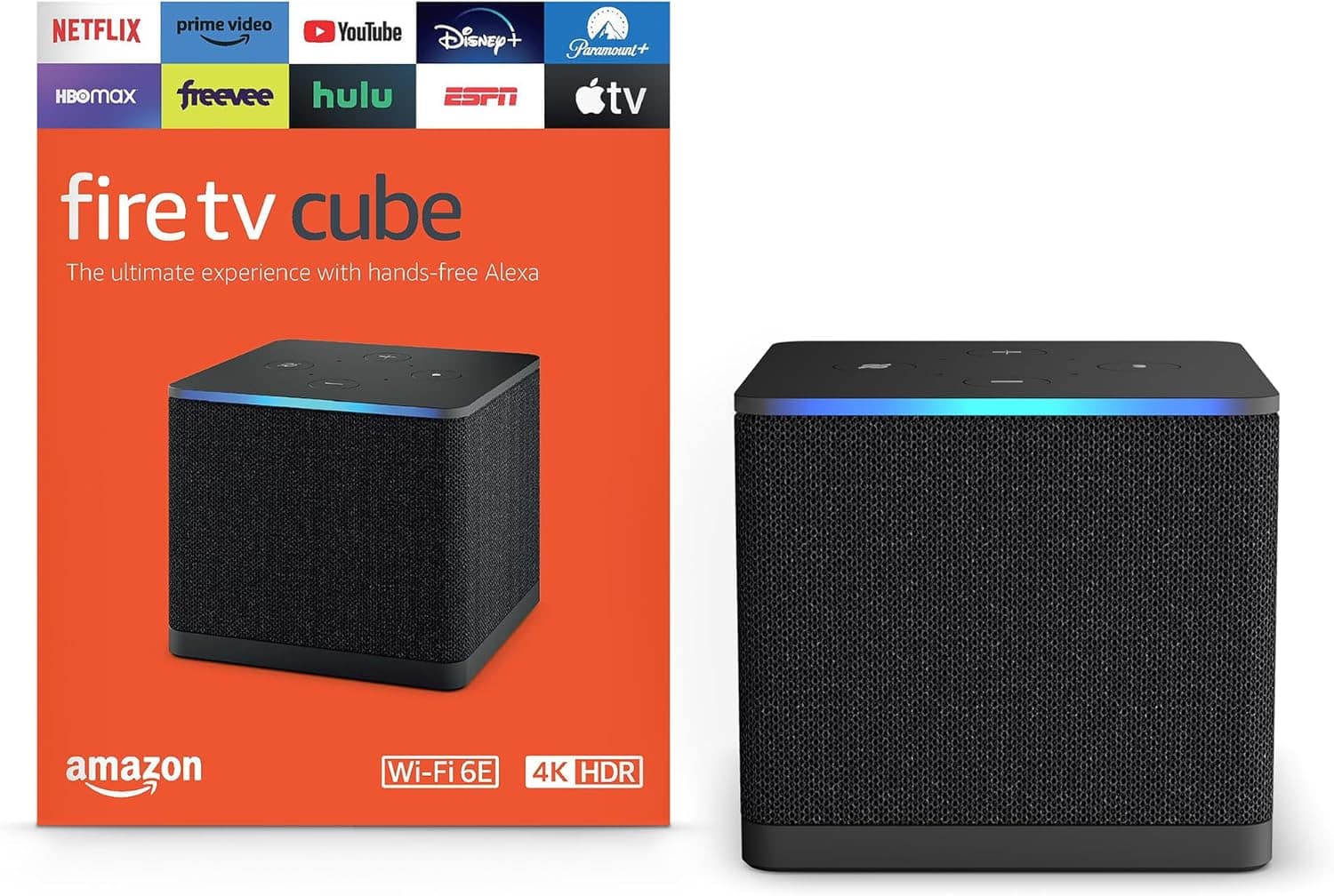
- A:Answer Hello DMG and thank you for your question! This Amazon FireTV Cube is the 3rd gen, which was released in 2022. Hope this helps! Have a great day!
Answered by Amazon Devices Customer Support
Q: QuestionWhat’s the best TV to use with Fire Tv hand-free voice control?
Asked by Jeffrey.
- A:Answer Any TV that connects with it, better quality tv the better
Answered by RobertM
Q: QuestionWill sound from my cable box play through the cube?
Asked by BobB.
- A:Answer Hi BobbyB, No, the Fire TV Cube will not play your cable-box audio through its built-in speaker. If you plug the cable box into the Cube’s HDMI-IN the audio is passed through to your TV or receiver, and the Cube can control and switch inputs, but it won’t output that cable audio from the Cube itself. Hope this helps!
Answered by Amazon Devices Customer Support
Top Rated
- $129.99Your price for this item is $129.99
- $21.99Your price for this item is $21.99$34.99The comparable value for this item is $34.99
- $81.99Your price for this item is $81.99$99.99The comparable value for this item is $99.99
- $149.99Your price for this item is $149.99
- $29.99Your price for this item is $29.99
- $24.99Your price for this item is $24.99$39.99The comparable value for this item is $39.99
- $49.99Your price for this item is $49.99$59.99The comparable value for this item is $59.99
- $199.99Your price for this item is $199.99
- $34.99Your price for this item is $34.99$49.99The comparable value for this item is $49.99
- $39.99Your price for this item is $39.99
- $14.99Your price for this item is $14.99
- $59.99Your price for this item is $59.99
- $27.99Your price for this item is $27.99$34.99The comparable value for this item is $34.99
- $149.99Your price for this item is $149.99
- $650.00Your price for this item is $650.00