A:AnswerHello. Yes, the ET-2800 can do full-page printing, also known as "borderless" printing. However, this feature's two supported paper sizes are 3.5 × 5 inches and four × 6 inches. Regards, Kevin - The Epson Team.
A:AnswerHello. The ET-2800 is compatible to work with Apple computers using macOS 10.6 - 12. To download the latest printer software, please visit our official Epson Support page. Regards, Kevin - The Epson Team.
A:AnswerHello Debbie. You have the option of downloading additional Epson Scan software to use with the ET-2800. Depending on the type of "editing" you are looking to do, the software can do basic editing functions like cropping and enlarging photos. If you are looking for more image-enhancing editing, we recommend 3rd party software. Regards, Kevin - The Epson Team.
A:AnswerHi Sally. Unfortunately, we have not tested the ET-2800 with heat transfer paper, so we cannot guarantee print functionality. We would recommend reaching out to the paper manufacturer to confirm compatibility with our All-In-One inkjet printers. Regards, Kevin - The Epson Team.
A:AnswerHello. Yes, the ET-2800 is compatible with various Epson photo paper types and can print impressive photographs as the printer uses Micro Piezo Heat-Free Technology. Regards, Kevin - The Epson Team.
A:AnswerHello Plsmyob. No cable is required to connect the ET-2800 to your computer. You can set up your device over a Wi-Fi connection and then scan to your computer using the Epson Scan software. To get started, please visit our official Epson Support page to download the latest printer drivers. Regards, Kevin - The Epson Team.
A:AnswerHello Benson. Unfortunately, the ET-2800 does not have fax functionality. We recommend looking at the ET-4760 as the printer is an All-In-One printer that includes print, copy, scan, and fax functionality. At the time of this posting, the ET-4760 is currently in stock on BestBuy's website; please be aware that inventory can change. Regards, Kevin - The Epson Team.
A:AnswerHello Pat. The heaviest paper the Epson ET-2800 supports is 27 lb (100 g/m2). If the card stock you are planning on using meets this specification, make sure it is inkjet compatible and select Thick Paper in the printer driver when printing. Regards, Kevin - The Epson Team.
A:AnswerHello Carrie. The connection issues with your ET-2800 could be a result of different variables. Please visit our official Epson Support page, and contact our Technical Support team for additional assistance. Regards, Kevin - The Epson Team.
A:AnswerHello Edward. The ET-2800 uses Micro Piezo Heat-Free Technology which produces excellent quality prints. The printer is compatible with various Epson photo papers and has a print resolution of 5760 x 1440 dpi. Regards, Kevin - The Epson Team.
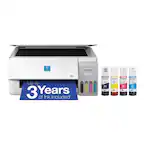
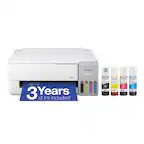
A:AnswerHello Relado. Yes, four Epson 522 ink bottles (Cyan, Yellow, Magenta, and Black) are included with the ET-2800. Regards, Kevin - The Epson Team.
A:AnswerI don’t see why it would, they still update drivers and firmware for other printers that have long been discontinued, like any large manufacturer should.
A:AnswerHello DianaKay. Unfortunately, the ET-2800 does not include Bluetooth functionality. The printer can only be connected via a Wi-Fi or USB cable connection. Regards, Kevin - The Epson Team.
A:AnswerHi Epsson, You can continue printing with black ink once one or more colors are expended, but we recommend that you refill ink tanks as soon as possible to prevent ink from drying around the nozzles and potentially damaging the print head. Regards, Mark - The Epson Team.