Questions & Answers
- Model:
- C11CJ63201
- |
- SKU:
- 6470009
Highly rated by customers for: Print Quality, Ease of use, Overall Performance
$349.99Your price for this item is $349.99
Page Showing 1-20 of 443 questions
Q: QuestionSometimes I only print once per month or longer. I am concerned about the ink and print heads freezing up or not working. I have had to trash (2) printers in the past for this problem. Please advise. thanks
Asked by andy.
- A:Answer My last EcoTank had no issues with very occasional printing. I too only print here & there. Sometimes, once every 2 months & I’ve never had the problem of frozen or clogged print heads. I only upgraded to a new EcoTank printer because I wanted more capabilities. If you’re still concerned, though for me it was a non issue, perhaps bring up a notepad on your cell & draw 4 lines, 1 in each color (black, blue, yellow, red) & print it once every couple weeks. ;-)
Answered by Headset
Q: QuestionHow many pages do you get just using black ink, and is this one of the printers that needs all color ink in order to print B&W?
Asked by Bobg26.
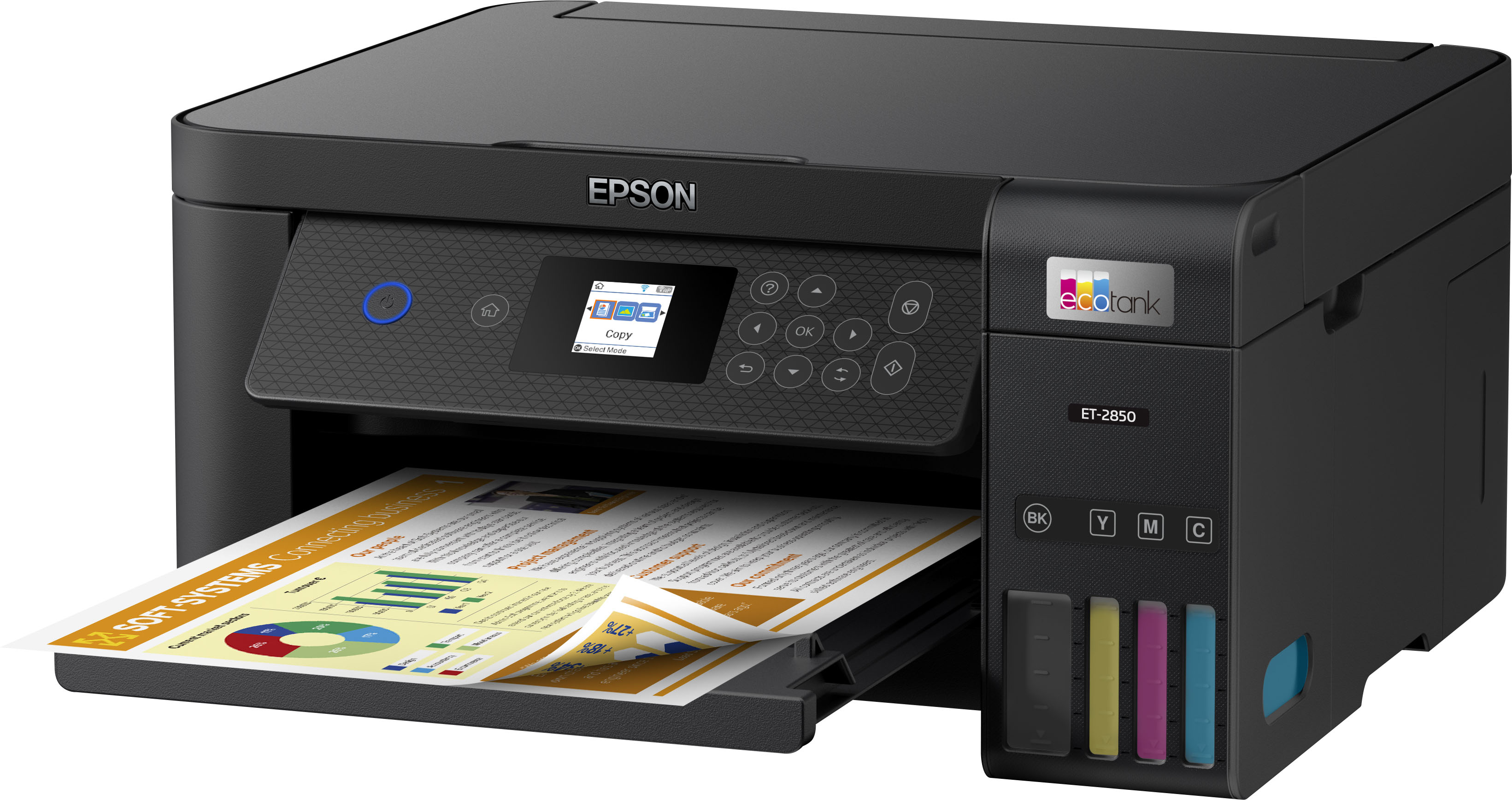
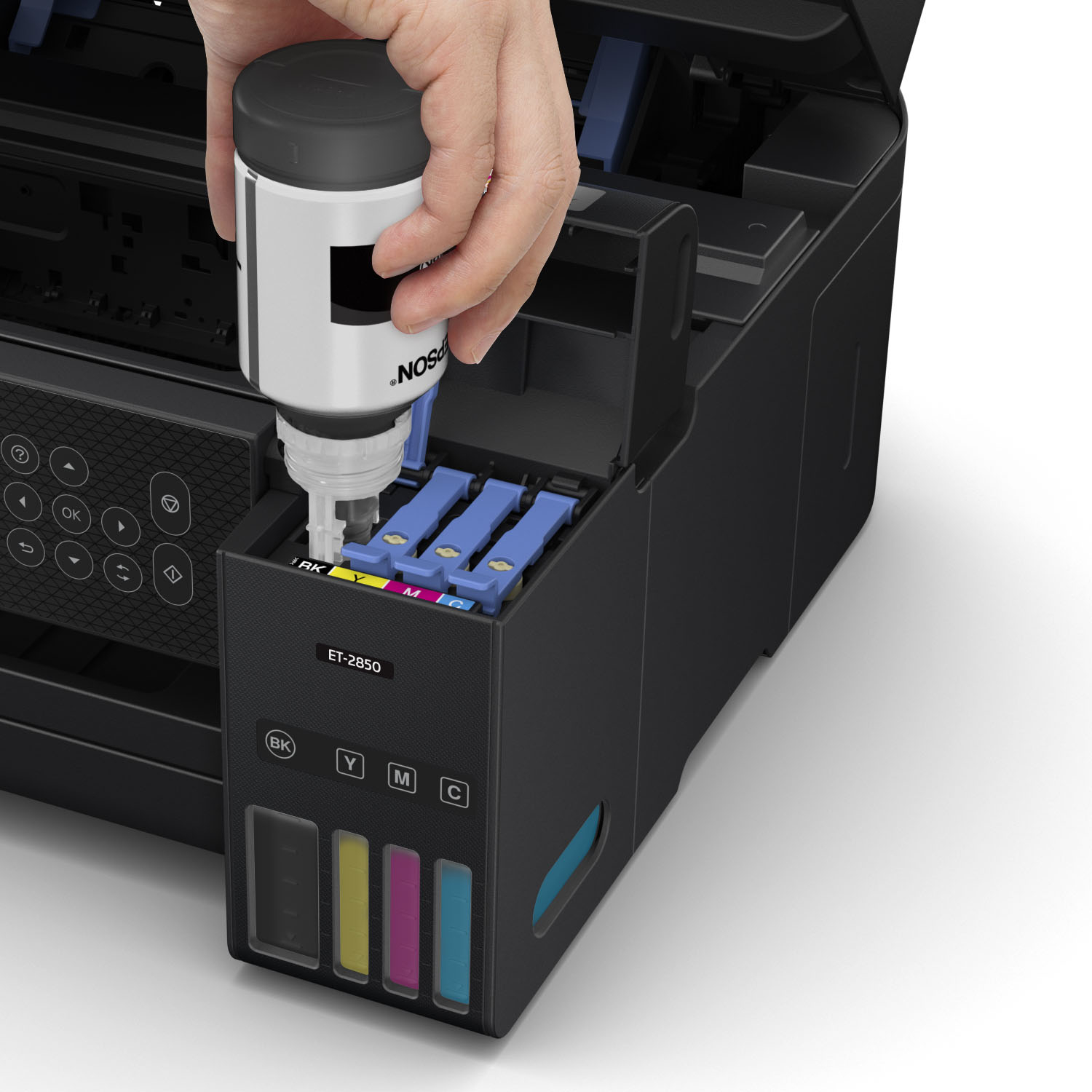
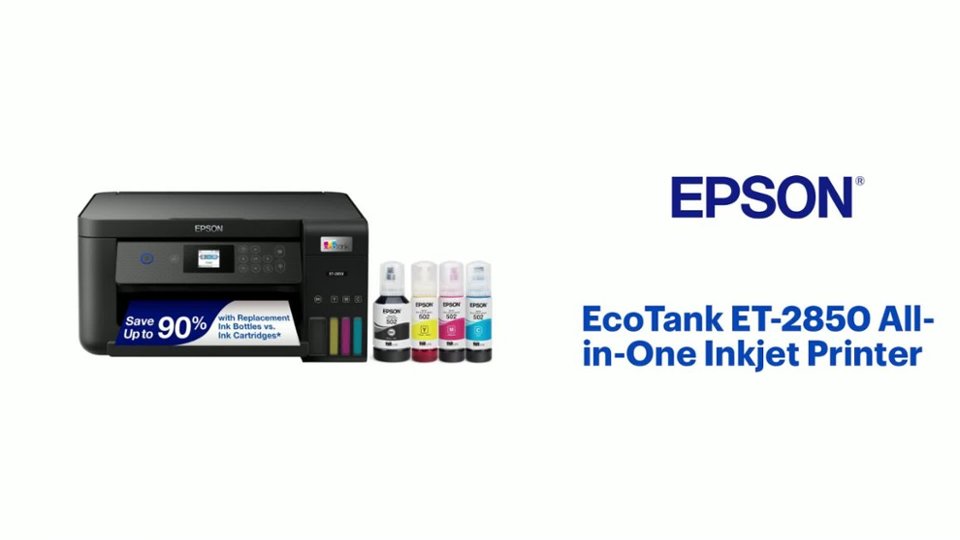
- A:Answer Hi Bobg26, Using the Epson T502 refill bottles, the EcoTank ET-2850 is designed for, you can expect an average of 7,500 black pages and 6,000 color pages. You do not need the other colors to print using black, but if one of more colors is expended, we recommend refilling them as soon as possible to avoid having ink dry around the print nozzles. This could potentially cause clogs. Regards, Mark - The Epson Team.
Answered by Epson

Q: QuestionIs this printer able to do sublimation printing?
Asked by Sublimation.
- A:Answer Indeed you can but if you plan to use this printer for sublimation DO NOT use the ink that comes with it. Be sure you install the sublimation ink from the very beginning. Of course doing so will void all warranties with Epson I believe, so keep that in mind!
Answered by Jre1025
Q: QuestionWhere do you load the paper? Sticking out the back or ?
Asked by Rebel.
- A:Answer Hi Rebel, The EcoTank ET-2850 has a rear feed tray that holds 100 sheets of plain paper. Regards, Mark - The Epson Team.
Answered by Epson

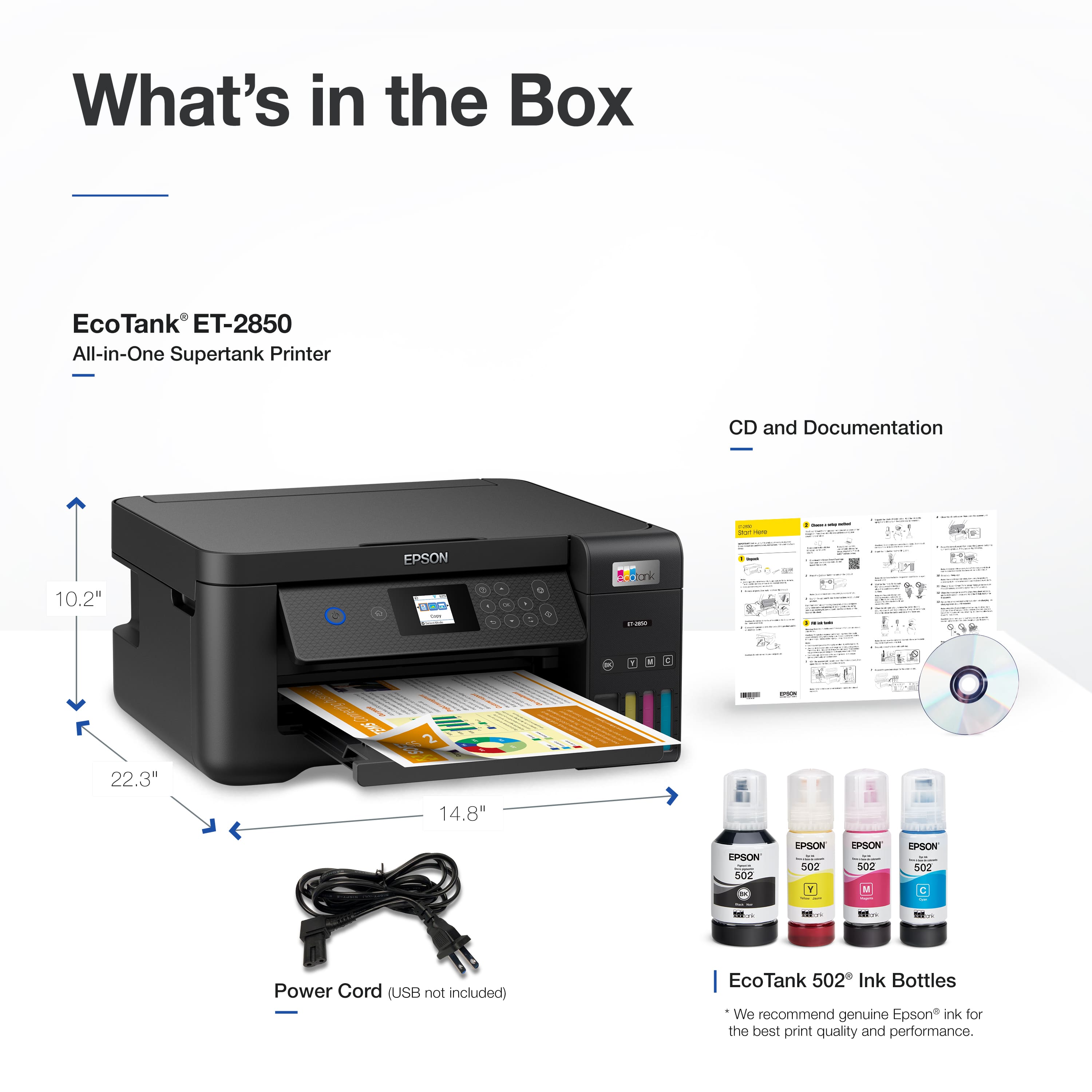
Q: QuestionI noticed the printer comes with a CD for configuring the printer. My computer doesn’t have a CD slot. Is it possible to load the printer over WiFi?
Asked by Anonymous.
- A:Answer Hello. Yes, the ET-2850 does not require a CD to complete the setup. You can download the latest print driver software from our official Epson Support page to set up and install your printer. Regards, Kevin - The Epson Team.
Answered by Epson

Q: QuestionDoes the printer print double sided pages?
Asked by Lookingfor.
- A:Answer Hello Lookingfor. Yes, the ET-2850 includes automatic 2-sided printing functionality for paper up to 8.5" x 11" in size. Regards, Kevin - The Epson Team.
Answered by Epson

Q: QuestionDoes this print on 65lb cardstock?
Asked by Tiffany.
- A:Answer I just purchased this exact printer and was able to print on 65lb cardstock just fine. Now i only tested it with 1 sheet of cardstock in the tray. So not sure if it will feed through if there are more than 1 sheet in the paper tray
Answered by Anonymous
Q: QuestionCan you use card with this printer (single sided printing).? Thank you
Asked by Benynsee.
- A:Answer I have yet to ever find this Thick Paper setting on my ET-2850 and I have done so many online searches to try and find how or where I find this setting and not found any answers. Please can you tell me where to find it. I have gone through all the paper setting options when reloading paper, I have tried going through the Epson photo printing software, through PowerPoint, printing as an image from documents... nothing has a Thick Paper option in the printer settings. I am so sick and tired of having blurred grainy pictures, I might as well not have bought a colour printer. I use the Epson Photo papers and it's just as shocking quality. I am so disappointed.
Answered by Anonymous
Q: QuestionCan this machine fax?
Asked by KyokoShimizu.
- A:Answer Hello KyokoShimizu. The ET-2850 is an All-In-One printer that includes print, copy, and scan functionality. Unfortunately, the printer does not have fax features. Regards, Kevin - The Epson Team.
Answered by Epson

Q: QuestionWill this printer work right off my computer without any internet or wifi?
Asked by Anonymous.
- A:Answer Hi, You can use a USB cable to connect the EcoTank ET-2850 to your computer. In order to load the drivers, you must either use the CD that comes in the box, or connect to the Internet to download them from the Epson support site. Regards, Mark - The Epson Team.
Answered by Epson

Q: QuestionDoes this printer come with a USB cable for connecting directly to a PC?
Asked by Susan.
- A:Answer Hi Susan, The EcoTank ET-2850 does not include a USB cable. In order to connect it to a computer, you can use Wi-Fi if it is available or purchase a standard USB 2 Type-A to Type-B cable. Regards, Mark - The Epson Team.
Answered by Epson

Q: QuestionDo any of the EcoTank ET models have an output tray that automatically opens when a print job is sent from a computer? I do not want to have to manually open the output tray each time a print job is sent from a computer.
Asked by smer.
- A:Answer The Epson answer is correct. I sure wish it would automatically go back in though. You have to push the touch screen twice (3 if the screen went black) to get it retract, and then the spring powered door does not close. Epson could at least place the retract button on the first touchscreen page and strength the spring. (Epson, if you are reading this, please pass on to the engineers, thanks)
Answered by EpsonUserInMissouri
Q: QuestionDoes this have a mirror printing function?
Asked by Lori.
- A:Answer Hi Lori, Yes, the EcoTank ET-2850 has a Mirror Image setting in the printer driver. Regards, Mark - The Epson Team.
Answered by Epson

Q: QuestionDoes this printer print on 11 x 17 paper?
Asked by Vic1523.
- A:Answer No, I believe the largest it will go is 8.5x14
Answered by Jre1025
Q: QuestionDoes this unit have automatic feed tray for copies and scanning
Asked by RobS.
- A:Answer Hi RobS, No, the ET-2850 does not have an automatic feed tray for the scanner. The Epson EcoTank ET-3850 has a 30-sheet automatic feed tray and it is currently available at Bestbuy.com. Inventory levels may change. Regards, Mark - The Epson Team.
Answered by Epson

Q: QuestionCan this printer scan and/or copy multiple pages at once?
Asked by Geno.
- A:Answer Hello Geno. Unfortunately, the ET-2850 cannot scan or copy multiple pages at once. We recommend looking at the ET-3850 as it is a similar printer and includes an Auto Document Feeder to copy and scan multiple pages. At the time of this posting, the ET-3850 is currently in stock on BestBuy's website. Please be aware that inventory is subject to change. Regards, Kevin - The Epson Team.
Answered by Epson

Q: QuestionThanks for getting back to me re speed. I'm looking for a wireless printer with refillable ink tanks, scanner, and isn't too big. Automatic double-sided printing would be a bonus; as would fast b&w printing. Which printers would you recommend?
Asked by Edd.
- A:Answer Hello Edd. The ET-2850 is going to be a great option. Based on the information you described, the printer includes all of those features and the automatic 2-sided printing function. Regards, Kevin - The Epson Team.
Answered by Epson

Q: QuestionHow well does this print photos? Should I look else where?
Asked by Major.
- A:Answer Hi Major. The EcoTank ET-2850 is primarily designed for home and light-office document printing, but if you use Epson photo or photo matte paper and set it to high quality, the ET-2800 prints good photos. If you want excellent-quality photos, consider a printer from the Epson Expression line. Regards, Kevin - The Epson Team.
Answered by Epson

Q: QuestionWhat’s the largest paper size does this printer print on?
Asked by MrsMcCoy.
- A:Answer Hi MrsMcCoy, The EcoTank ET-2850 can print on a sheet that is 8.5-inches wide by 47.2-inches long. In order to print paper that large, you must create a user-defined size in the driver. This is a simple, one-time operation. Regards, Mark - The Epson Team.
Answered by Epson

Q: QuestionCan this be used for sublimation printing?
Asked by Von.
- A:Answer It can be converted BUT it voids the epson warranty
Answered by Anonymous
Top Rated
- Black Friday Deal$499.99Your price for this item is $499.99
- Black Friday Deal$179.99Your price for this item is $179.99
- $269.99Your price for this item is $269.99$369.99The comparable value for this item is $369.99
- $141.00Your price for this item is $141.00$248.00The comparable value for this item is $248.00
- $319.89Your price for this item is $319.89$469.89The comparable value for this item is $469.89
- Black Friday Deal$229.99Your price for this item is $229.99
- Black Friday Deal$309.99Your price for this item is $309.99
- $449.99Your price for this item is $449.99$699.99The comparable value for this item is $699.99
- $349.99Your price for this item is $349.99$499.99The comparable value for this item is $499.99
- $239.89Your price for this item is $239.89$369.89The comparable value for this item is $369.89
- $329.99Your price for this item is $329.99$419.99The comparable value for this item is $419.99
- $649.99Your price for this item is $649.99$849.99The comparable value for this item is $849.99
- $699.99Your price for this item is $699.99
- $219.99Your price for this item is $219.99$269.99The comparable value for this item is $269.99
- $279.00Your price for this item is $279.00$349.99The comparable value for this item is $349.99
- $363.49Your price for this item is $363.49$399.99The comparable value for this item is $399.99
- $499.99Your price for this item is $499.99$863.99The comparable value for this item is $863.99
- $429.99Your price for this item is $429.99$755.99The comparable value for this item is $755.99
- $349.99Your price for this item is $349.99$431.99The comparable value for this item is $431.99

.](https://pisces.bbystatic.com/image2/BestBuy_US/images/products/b5569c02-8627-4a03-9957-b063abecb45b.jpg;maxHeight=54;maxWidth=54;format=webp)


. 1 Most features require a Internet connection to the printer, as well as an Internet- and/or email-enabled device. For a list of Epson Connect enabled printers and compatible devices and apps, visit [www.epson.com/connect](http://www.epson.com/connect).](https://pisces.bbystatic.com/image2/BestBuy_US/images/products/f1212168-027b-4ffa-9155-e0532bbc2ece.jpg;maxHeight=54;maxWidth=54;format=webp)