A:AnswerMine is operational with both. I set ig up using the QR code with my android phone. Aftef it was sdt up it asked me if i wanted to add a laptop.
A:AnswerHi Bea, Yes, you can reduce or enlarge copies from 25% to 400% using the EcoTank ET-2850's front control panel. If you are referring to printing from a computer, you can use the settings in the printer driver. Regards, Kevin - The Epson Team.
A:AnswerHello Jimbo. The ET-2850 can print on half-letter-sized paper. However, the printer might not be able to detect pre-punched paper correctly. Unfortunately, we cannot confirm compatibility. Regards, Kevin - The Epson Team.
A:AnswerHello Noni. Yes, the ET-2850 can print on 8.5" x 15" paper. For reference, the printer supports paper sizes ranging from 3.5" x 5" to 8.5" x 47.2". Regards, Kevin - The Epson Team.
A:AnswerHi bobcat, The EcoTank ET-2850 can connect to other devices using a USB cable or 2.5 GHz Wi-Fi. If you have a dual-band router, set it to 2,4 GHz/5 GHz so the ET-2850 can connect. Regards, Mark - The Epson Team.
A:AnswerHi Dbr23, Yes you can. If you use photo or photo matte paper, the EcoTank ET-2850 can print borderless photos on the following size sheets: 4 × 6 inches, 5 × 7 inches, 8 × 10 inches, A4, and Letter. Regards, Mark - The Epson
Team.
A:AnswerHi Pat, You can connect the EcoTank ET-2850 to a computer using Wi-Fi. In order to print, you must load drivers for the ET-2850 on your computer. Drivers are available for download at the Epson support site. Regards, Mark - The Epson Team.
A:AnswerHello Scott. Using your computer, the ET-2850 can scan an original and attach it to a message in your e-mail program, such as Microsoft Outlook, Mac Mail, Windows Live Mail, and Entourage. As an additional option, you can set up Epson Connect services on the printer, which allows you to print and scan documents using a registered e-mail. Please visit our official Epson Support page for additional information on these options. Regards, Kevin - The Epson Team.

A:AnswerHello Dee. The ET-2850 includes print, copy, and scan features only. We recommend looking at the ET-4850 as it is similar in design and includes all the same features plus faxing. It is currently in stock On BestBuy's website, but please note inventory can change. Regards, Kevin - The Epson Team.
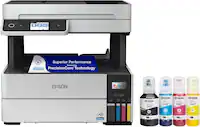
A:AnswerHello Piper. Yes, the ET-2850 comes with four Epson 502 Ink Bottles in the box. That includes Cyan, Magenta, Yellow, and Black. Regards, Kevin - The Epson Team.