Questions & Answers
- Model:
- GA05169-US
- |
- SKU:
- 6587626

Highly rated by customers for: Ease of Use, Overall Performance, Design
$279.99Your price for this item is $279.99
Page Showing 21-27 of 27 questions
Q: QuestionDoes Best Buy offer an extended guarantee
Asked by Anonymous.
- A:Answer I believe you can purchase the extended warranty
Answered by PearsonW
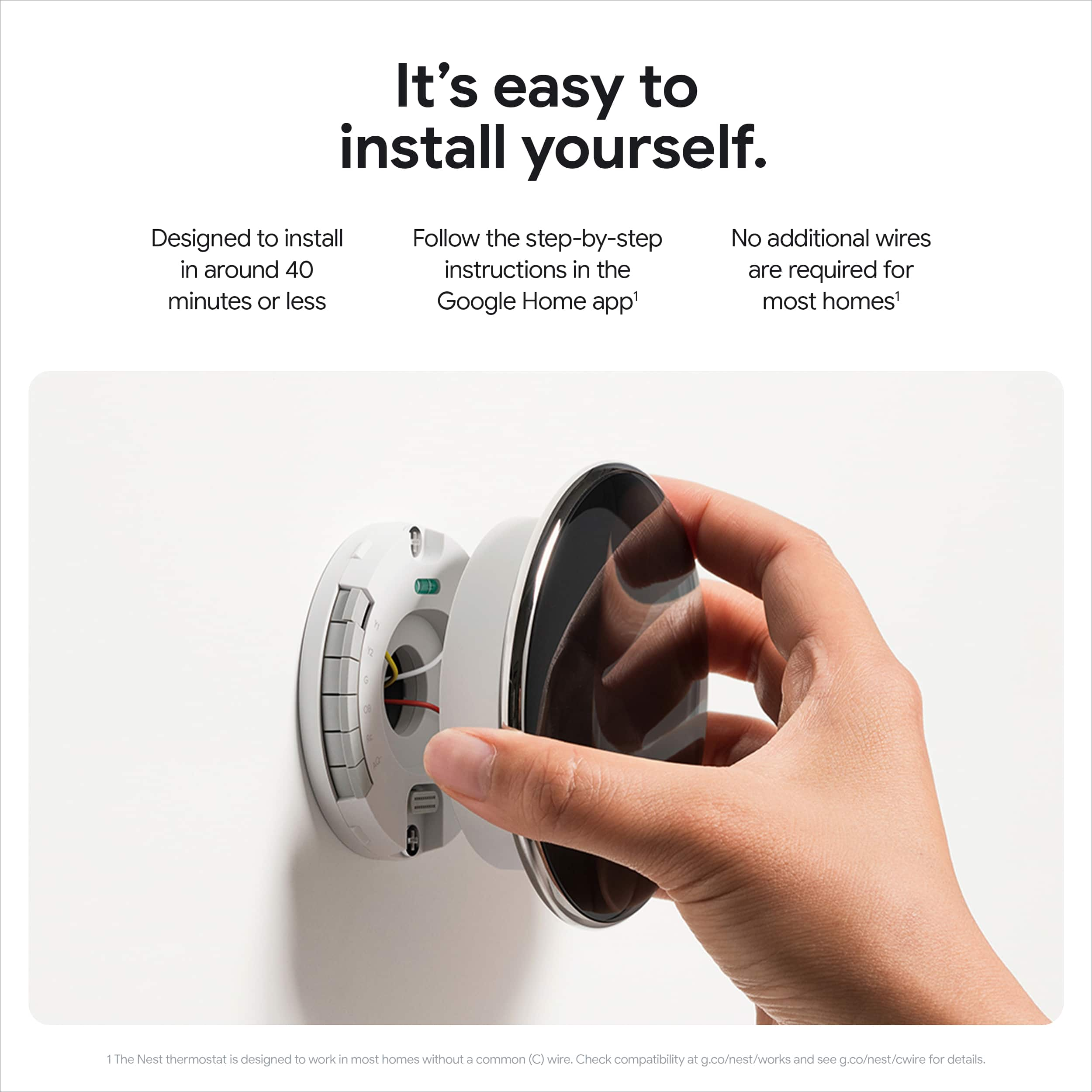
Q: QuestionDo you provide an electrician to install the thermostat?
Asked by Top.
- A:Answer Not needed and a 3rd grader could probably do it but would advise against trying that.
Answered by Upnorth231
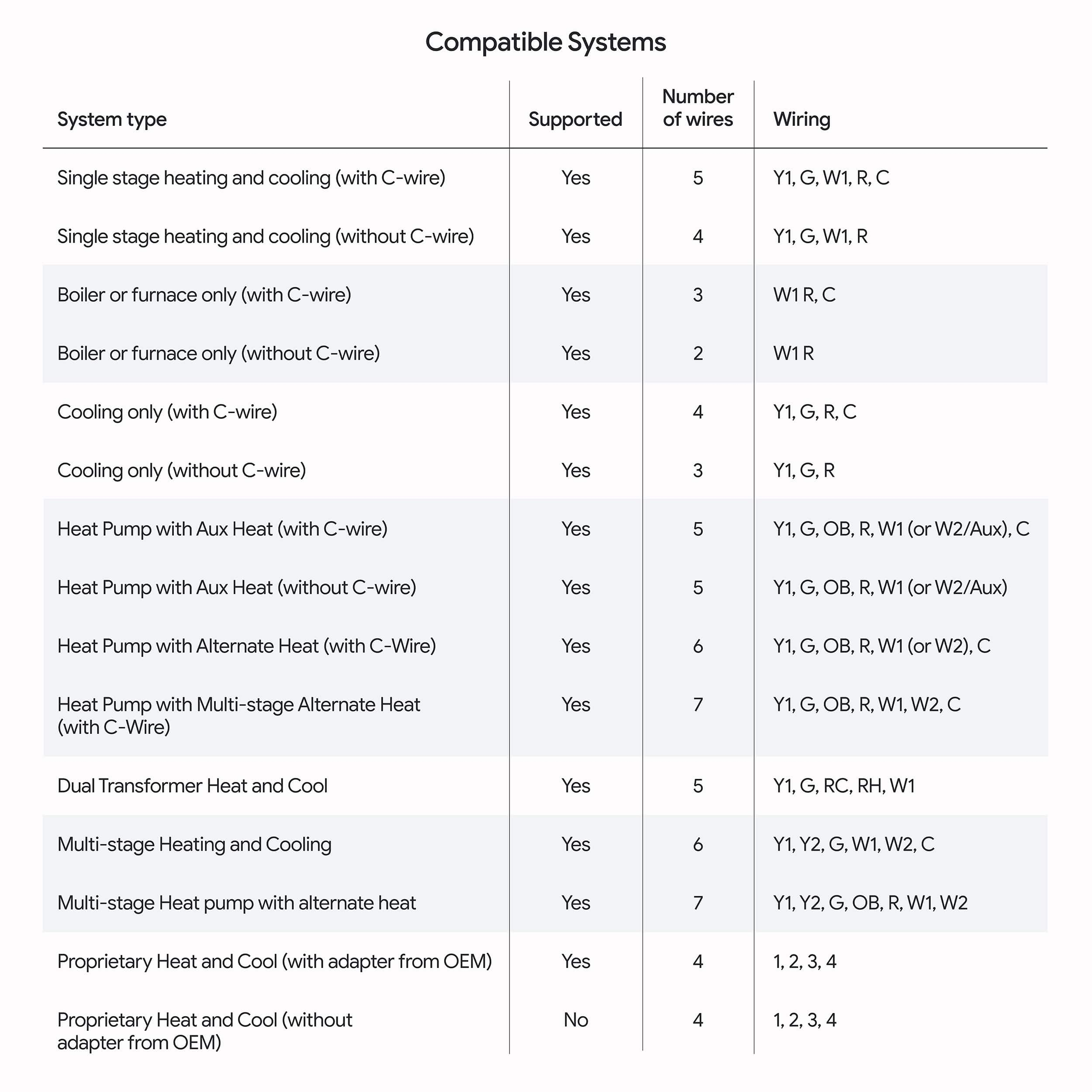
Q: QuestionHi, my installer tells me I need a "wire extender common maker". Is this included in the package or do i need to get it separately (and where do I get it from)? Thanks in advance.
Asked by Anonymous.
This question was asked about the related product: Google - Nest Learning Thermostat (4th gen) with Nest Temperature Sensor (2nd gen) - Polished Gold
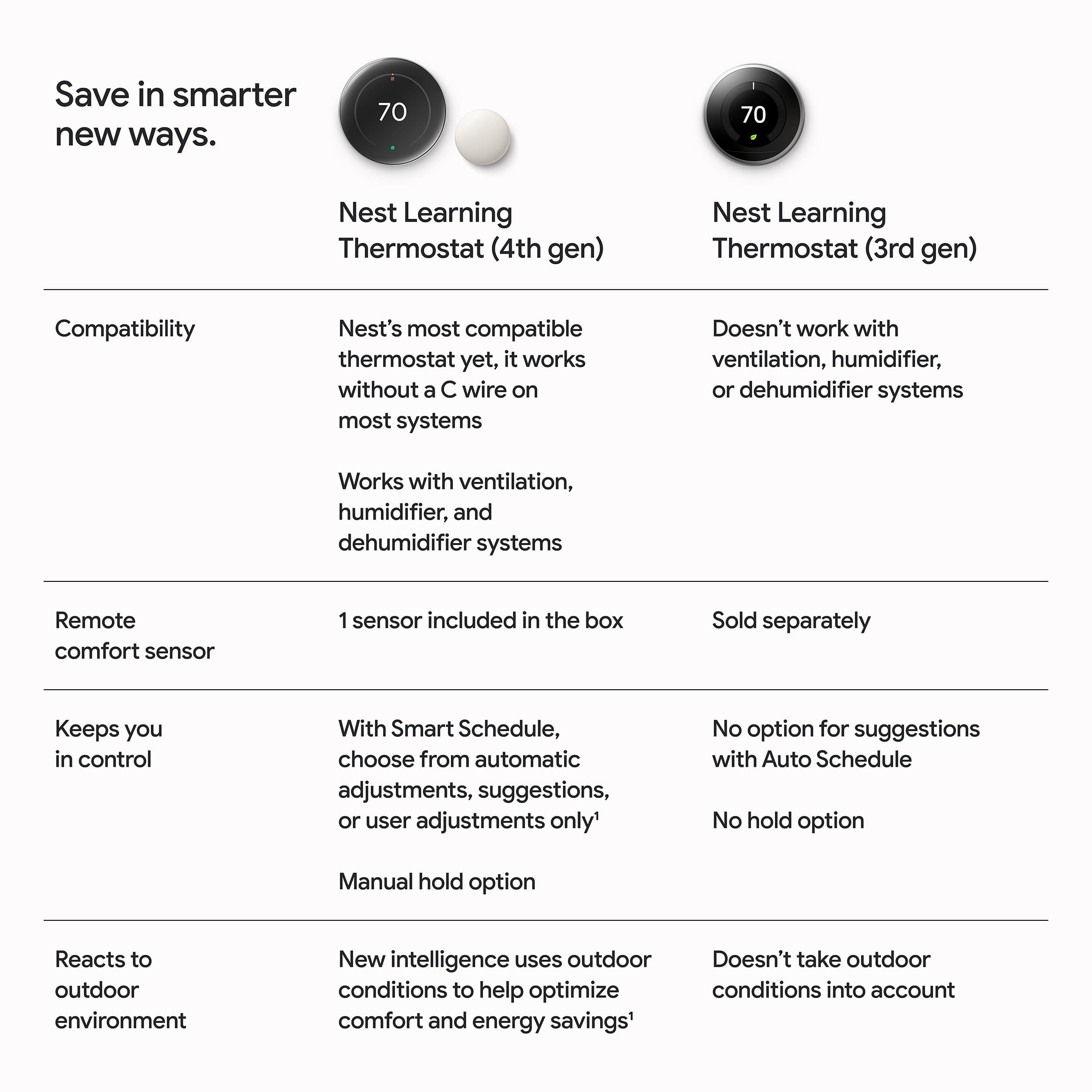
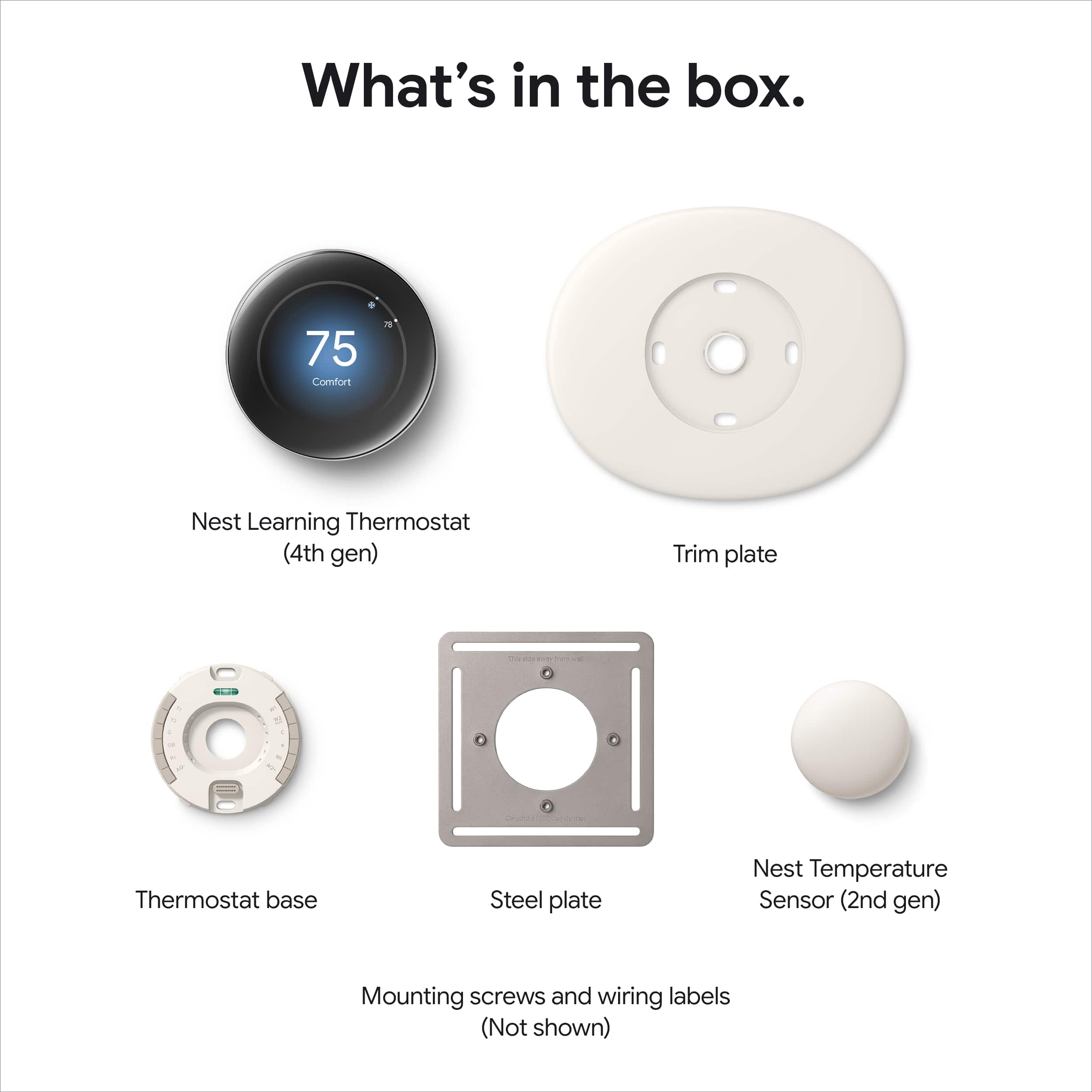
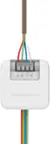
- A:Answer Hey there! We're glad you've chosen us to help keep your home comfortable, year-round. Usually, most homes don't need a C-wire for the Nest Learning Thermostat (4th Gen) to work. However, some systems require one for consistent power. If a C-wire doesn't work for you, the Nest Power Connector is a simple and affordable alternative! It's not included with the Thermostat, but you can buy one at the following link: https://store.google.com/product/nest_power_connector If you have any other questions, reach us at this link: https://support.google.com/googlenest/gethelp?hl=en
Answered by Google Team

Q: QuestionDo I need a weekly subscription with Google to use a 4th gen Nest thermostat
Asked by Anonymous.
- A:Answer No
Answered by ROBERTM
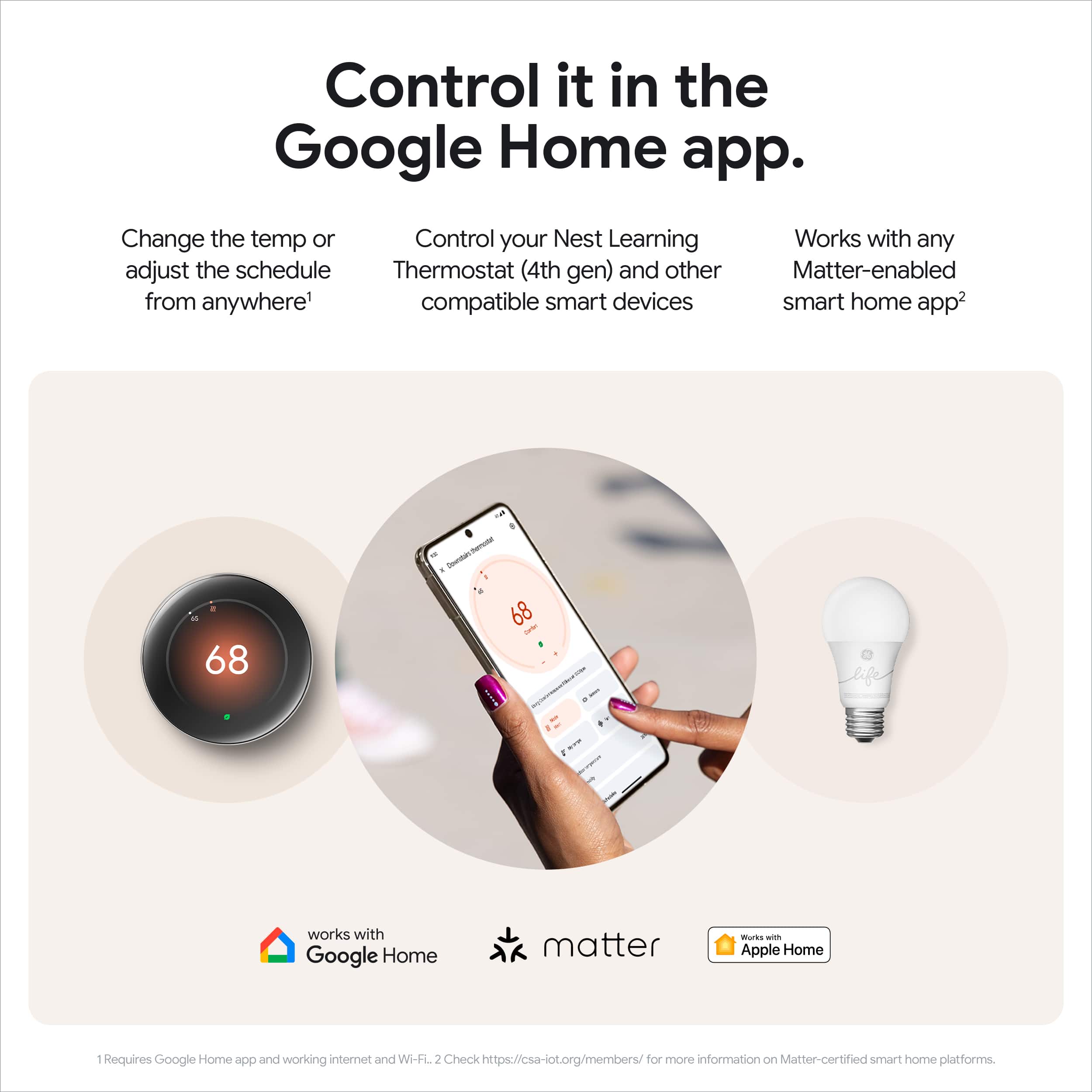
Q: QuestionIs this model compatible with Control4?
Asked by Atco.
- A:Answer Hello there. Your Nest Learning Thermostat (4th gen) can be integrated with other smart home apps using Matter. To connect your thermostat to a Matter-compatible app, you might need to provide a pairing code. Here's how to find your pairing code: 1. On your Nest Learning Thermostat, go to Settings > Matter > Manage. 2. You'll see a list of services already linked using Matter. If you don't see the app you want to connect, tap Add Service.
Answered by Google Team

Q: QuestionHow can I adjust the brightness of the thermostat, I want to make it brighter, thank you in advance.,
Asked by AngelM.
- A:Answer They pushed an update to the thermostat so its in the settings under brightness
Answered by Jbreeze
Q: QuestionIs a C-wire required?
Asked by Sk.
This question was asked about the related product: Google - Nest Learning Thermostat (4th gen) with Nest Temperature Sensor (2nd gen) - Polished Gold
- A:Answer Yes
Answered by PakyanT
Page 2, Showing 21-27 of 27 questions
Most-viewed items
- $129.99Your price for this item is $129.99
- $259.99Your price for this item is $259.99
- $199.99Your price for this item is $199.99
- $179.99Your price for this item is $179.99
- $79.99Your price for this item is $79.99
- $138.47Your price for this item is $138.47
- $139.99Your price for this item is $139.99
- $279.99Your price for this item is $279.99
- $79.99Your price for this item is $79.99
- $24.99Your price for this item is $24.99
- $119.99Your price for this item is $119.99
- Clearance$21.99Your price for this item is $21.99
- $249.99Your price for this item is $249.99
- $169.99Your price for this item is $169.99$189.99The comparable value for this item is $189.99
- $134.99Your price for this item is $134.99
- $159.99Your price for this item is $159.99
- $84.00Your price for this item is $84.00
- $14.99Your price for this item is $14.99
- $264.49Your price for this item is $264.49
- $14.99Your price for this item is $14.99