Black Friday is hereShop new DoorbustersShop now

Main Content

Questions & Answers

Your price for this item is $499.99
Page Showing 1-20 of 28 questions
  • QuestionIs this monitor compatible with Apple AirPlay?

    • Answer Yes, this monitor is compatible with Apple AirPlay 2, allowing you to wirelessly cast and mirror content from your Apple devices.
    This question and answer was generated by AI based on customer and product data.
  • QuestionWhat is the resolution of this LG monitor?

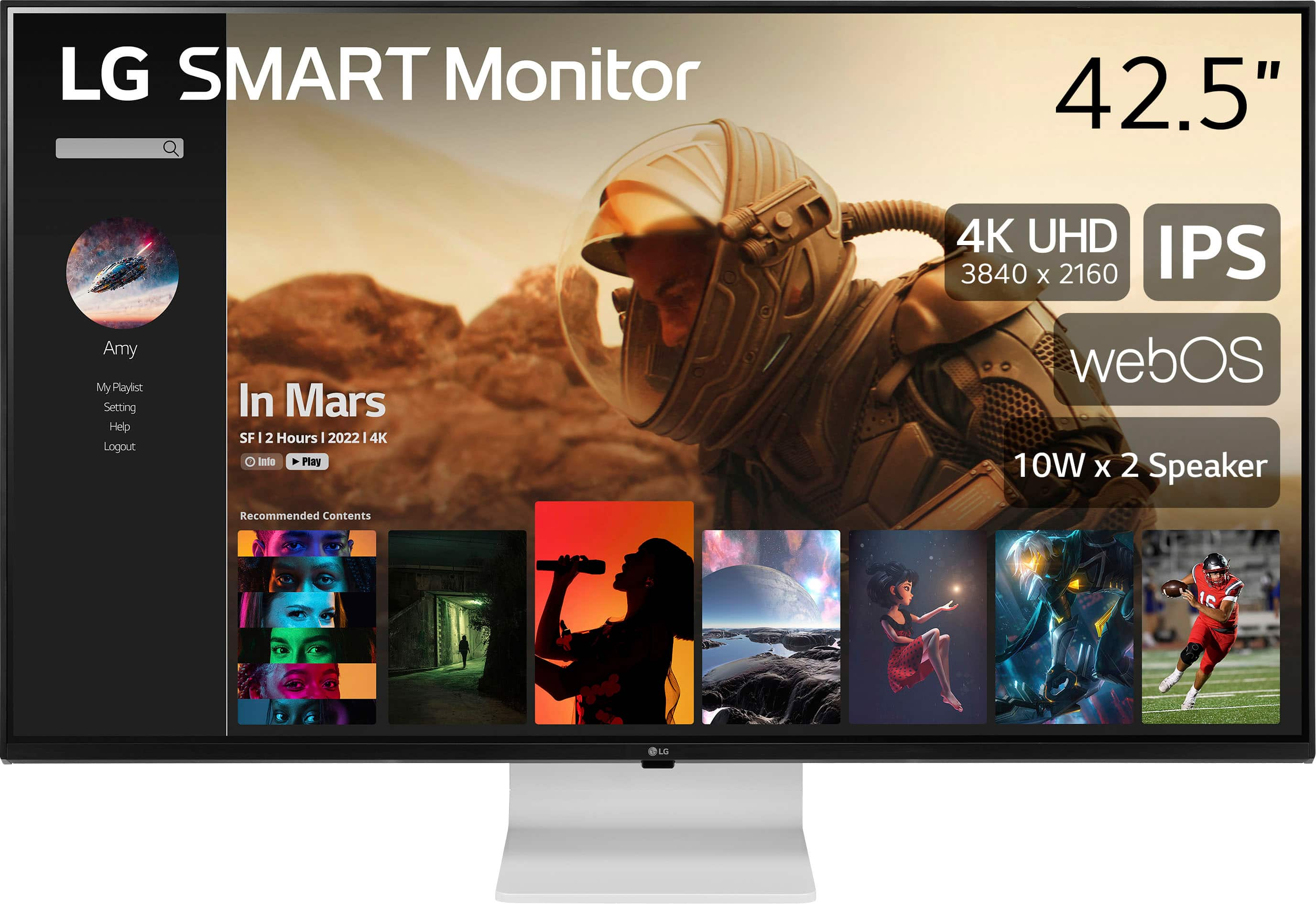
    • Answer This LG monitor has a 4K UHD resolution, specifically 3840 x 2160 pixels.
    This question and answer was generated by AI based on customer and product data.

  • QuestionDoes this monitor have built-in speakers?

    • Answer Yes, this monitor comes with built-in speakers.
    This question and answer was generated by AI based on customer and product data.

  • QuestionWhat is the response time of this monitor?

    • Answer The response time of this monitor is 5 milliseconds.
    This question and answer was generated by AI based on customer and product data.

  • QuestionCan I use this monitor with a gaming console?

    • Answer Yes, you can connect this monitor to a gaming console to enjoy immersive gaming experiences.
    This question and answer was generated by AI based on customer and product data.

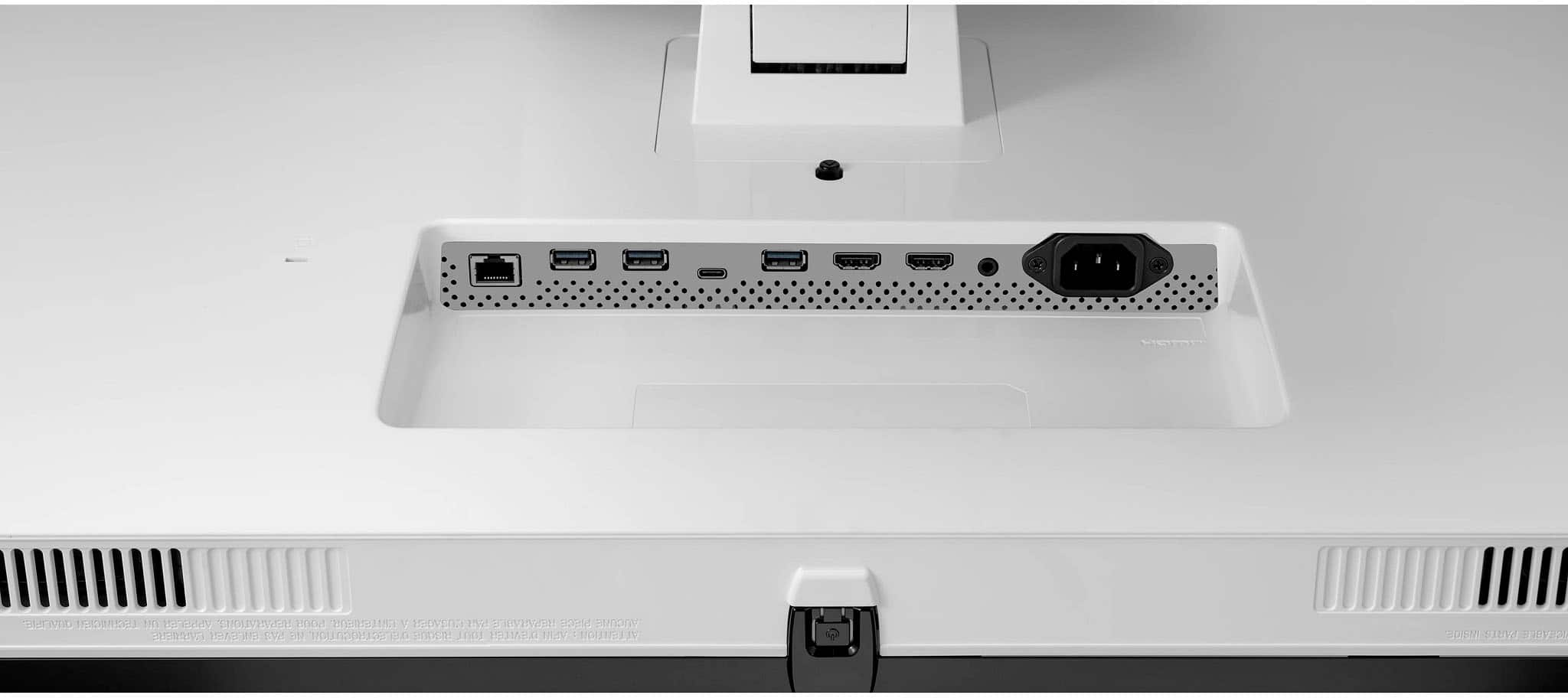
  • QuestionHow many HDMI ports does this monitor have?

    • Answer This monitor is equipped with two HDMI ports.
    This question and answer was generated by AI based on customer and product data.

  • QuestionDoes this LG monitor support HDR?

    • Answer Yes, this monitor supports HDR content in HDR10 format.
    This question and answer was generated by AI based on customer and product data.

  • QuestionIs it possible to disable wifi and Bluetooth on this monitor?

    Asked by Alex.

    • Answer Hello there! Thank you for reaching out about the LG 43SQ700S-W 4K UHD monitor. We understand your situation regarding the ability to disable Wi-Fi and Bluetooth. Yes, you can disable both Wi-Fi and Bluetooth on this monitor through the settings menu. Simply navigate to the network settings to turn off the Wi-Fi, and you can manage Bluetooth options as well. If you have any further questions or need assistance with the setup, please send us a private message on Social Media @LGUSSupport, and our team will be more than happy to assist you. We appreciate your interest in our monitors! —Renzo

      Answered by LG Digital Customer Care

  • QuestionHi, there is zero documentation on this Best Buy Web Site, your LG.com Web Site, your Owner's Manual on LG.com, or your Quick Setup Guide on LG.com, that lists the version of the HDMI and Display Port Inputs. Could you please provide this information.

    Asked by GoodOleSouthernBoy.

    • Answer Hi there! Thank you for reaching out about the LG 43SQ700S-W.AUS TV. I understand how important it is to have detailed specifications. This model features HDMI 2.1 inputs and DisplayPort 1.4. These versions support higher resolutions and refresh rates, enhancing your viewing experience. If you need further details or assistance, please send us a private message on Social Media @LGUSSupport or call us at 1-800-243-0000. We’re here to help! We appreciate your patience and feedback! —Avril

      Answered by LG Digital Customer Care

  • QuestionWhat is the width and Length of this monitor? I would need two of them. Need to see if it fits in my shelve area. Thank you.

    Asked by Ed.

    • Answer Hello there. Thank you for reaching out about the 43SQ700S-W.AUS monitor. We understand how important it is to ensure that your new monitors will fit in your designated space. The dimensions for the 43SQ700S-W.AUS monitor are approximately: Width: 38.3 inches (97.5 cm) Height: 22.2 inches (56.4 cm) For two monitors, you will need to double these dimensions to ensure they fit comfortably in your shelf area. If you need further assistance or have any other questions, please send us a private message on social media @LGUSSupport. We’re here to help you with any additional information you might need. —Renzo

      Answered by LG Digital Customer Care

  • Questionis this compatible with arm desk mounts? If so, do you have a recommendation?

    Asked by Anonymous.

    • Answer The LG 43" IPS 4K UHD 60Hz Smart Monitor (HDMI, USB-C) - Black, Model # 43SQ700S-W is a VESA-Compliant display with a 100 x 100 mm VESA Mount Pattern that can be used to mount the monitor with a VESA-Compliant wall mount or VESA-compliant desktop monitor arm that supports the monitor's VESA mount pattern. The monitor weighs 24 lbs so you will need to check the specifications of the desktop monitor arm to see what maximum weight it supports. VESA compliance guarantees that any VESA-Compliant desktop monitor arm that supports the monitor's weight and VESA mount pattern, regardless of type, brand, or manufacturer can be used to mount the monitor, so we do not have any recommendations...^Ivan.

      Answered by LG Digital Customer Care

  • QuestionCan this monitor be wall mounted

    Asked by CJ.

    • Answer The LG 43" IPS 4K UHD 60Hz Smart Monitor (HDMI, USB-C) - Black, Model # 43SQ700S-W is a VESA-compliant display with a 100 x 100 mm VESA Mount Pattern...^Ivan.

      Answered by LG Digital Customer Care

  • QuestionWhat is color space/gamut of it? Coverage of sRGB?

    Asked by PJAA.

    • Answer The LG 43" 4K UHD IPS MyView Smart Monitor with webOS and USB Type-C, Model # 43SQ700S-W covers 80% of the DCI-P3 (CIE1976) Color Gamut...^Ivan.

      Answered by LG Digital Customer Care

  • QuestionDoes this monitor works well with Mac Mini M4 or M4 Pro desktops? Does it scale correctly to their resolutions, especially text sizing and scaling?

    Asked by Zakk.

    • Answer Hello there, Zakk. Thank you for sharing your inquiry with us regarding the compatibility of the LG 43SQ700S-W 4K UHD Monitor with your Mac Mini M4 or M4 Pro desktops. We understand your situation and the importance of ensuring that the monitor scales correctly for optimal text sizing and display clarity. Our 43SQ700S-W is designed with a 3840 x 2160 resolution and IPS technology, offering vibrant and sharp images. In most cases, Mac Mini M4 and M4 Pro desktops work well with 4K monitors like this one. macOS is equipped with robust scaling options that allow you to adjust text and interface sizes to your preference. One troubleshooting step we recommend is to verify your Mac's display settings. In System Preferences under Displays, try selecting the "Scaled" option and choose a resolution that offers the best balance between workspace and readability. Also, ensure that you're using a high-quality HDMI or USB-C cable that fully supports 4K resolution, as this can further enhance the scaling performance. https://www.lg.com/us/monitors/lg-43sq700s-w-4k-uhd-monitor#pdp_specs Please send us a private message on Social Media @LGUSSupport so our team can explore your specific setup in more detail and assist you further. —Renzo

      Answered by LG Digital Customer Care

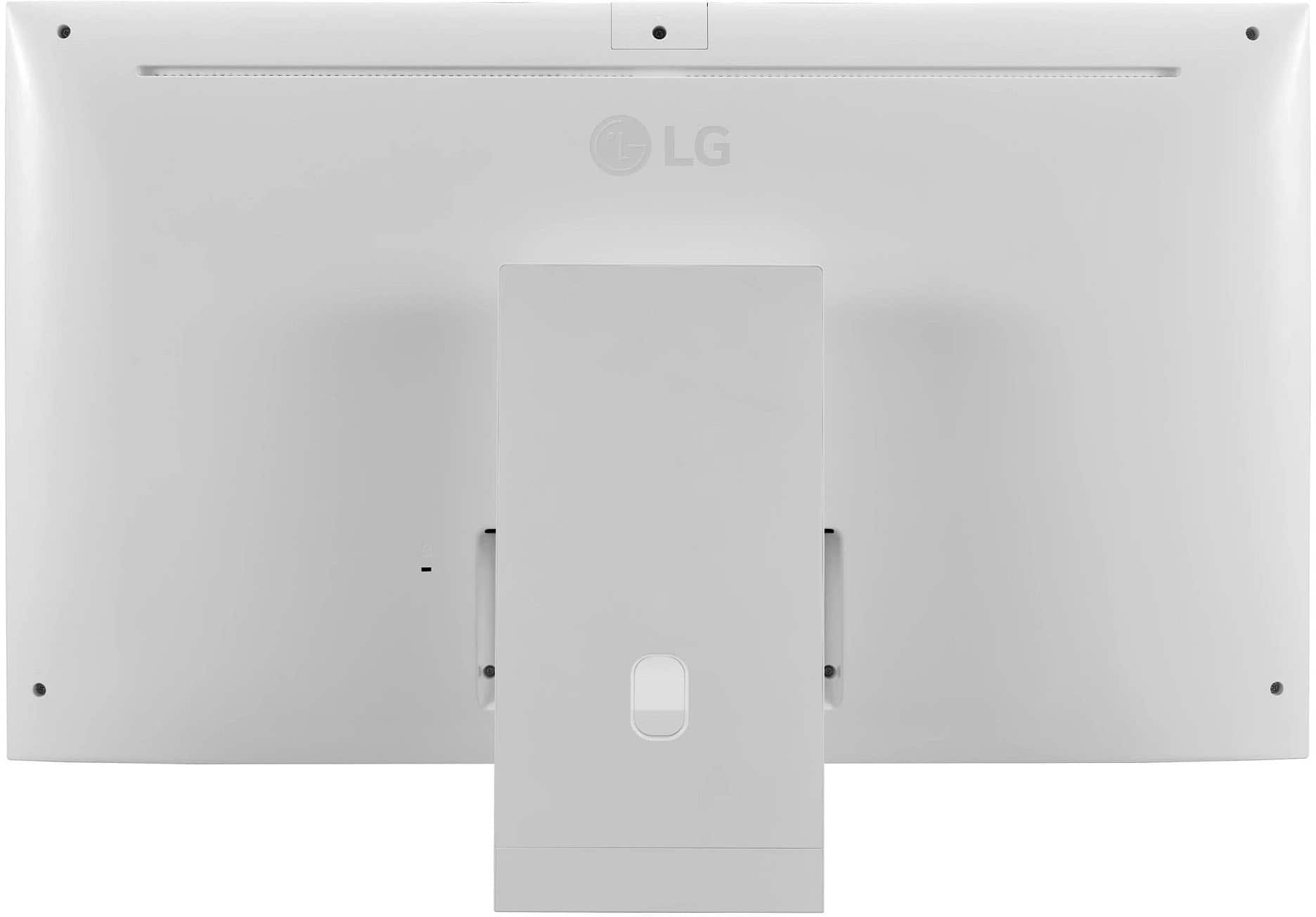
  • QuestionI see there's a similar spot for a camera as the other models. Can a camera be purchased and add? also where would you get the camera from?

    Asked by CaliQbn.

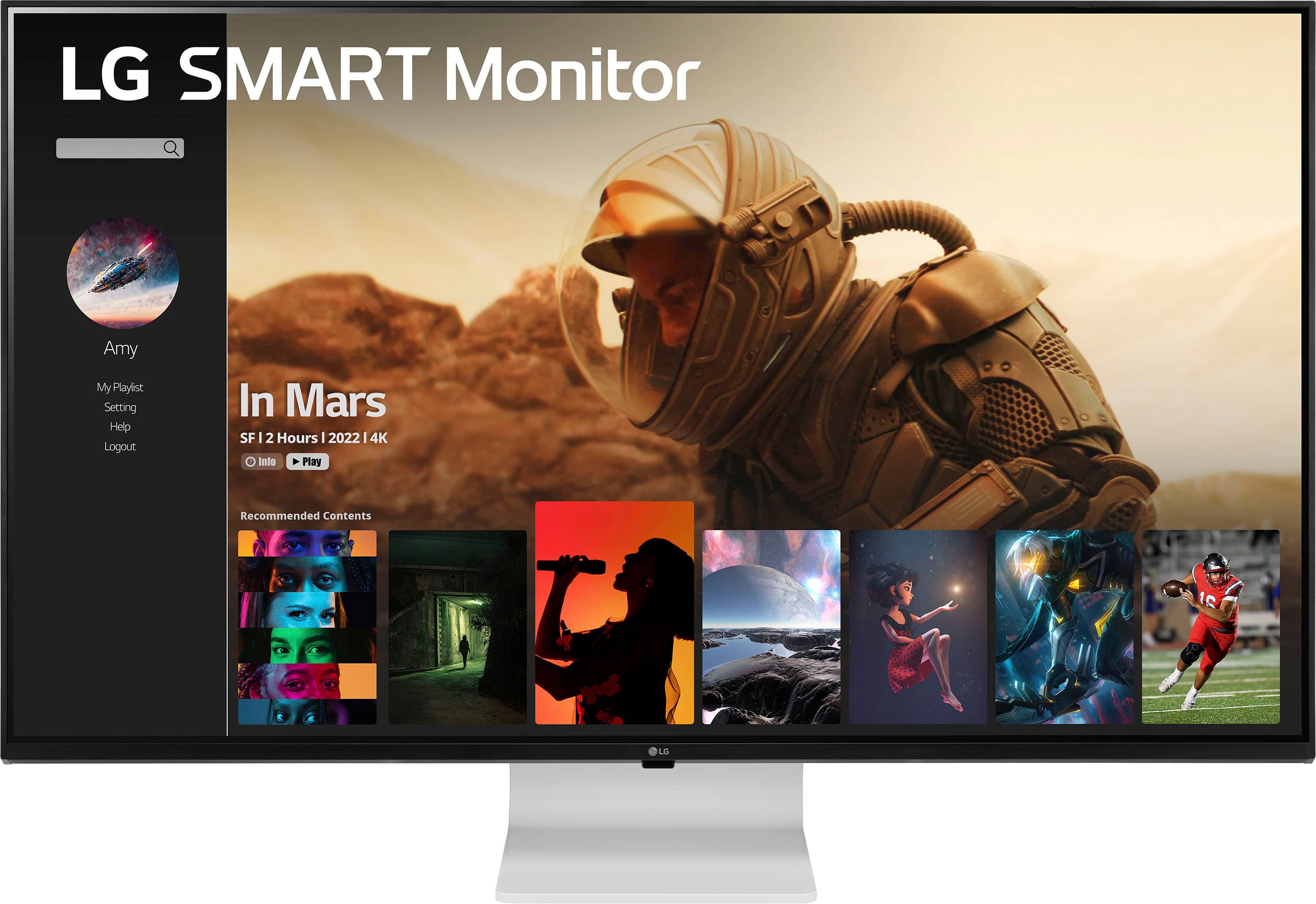
    • Answer Hello there! Thank you for reaching out. Yes, you can purchase a camera and attach it to the LG 43SQ700S-W 4K UHD Monitor. As mentioned, the monitor has a similar spot for a camera, similar to other models in the same series. For the webcam, we recommend the EBP64142401, which is compatible with this monitor. You can purchase it directly from a trusted retailer like Encompass: https://encompass.com/item/13620124/LG/EBP64142401/ If you would prefer a different webcam, any USB-compatible webcam that is suitable for your operating system should also work. If you have any other questions, feel free to reach out to us through @LGUSSupport on social media. —Renzo

      Answered by LG Digital Customer Care

  • QuestionWHat is the length of power cord on this monitor?

    Asked by Anonymous.

    • Answer It's standard length.

      Answered by Aces

  • QuestionIs it good for day trading stocks?

    Asked by Buffet.

    • Answer Hi there, thank you for your question about the LG 43SQ700S-W 4K UHD Smart Monitor. We understand that you're considering it for day trading stocks. The LG 43SQ700S-W is a 42.5-inch 4K UHD monitor with an IPS panel, offering wide viewing angles (178˚) and excellent color accuracy, which are beneficial for displaying multiple charts and data windows simultaneously. Its features like Eye Comfort Mode and low blue light settings can help reduce eye strain during long trading sessions. Key features that make it suitable for day trading: Large screen size (42.5"): Provides ample space to view multiple applications, stock charts, and trading platforms side by side. 4K resolution (3840 x 2160): Offers sharp and detailed visuals for analyzing stock trends and data. IPS panel: Ensures consistent color and clarity, even when viewing from different angles. Built-in speakers and remote control: Adds convenience for multitasking and managing settings. USB-C with 65W Power Delivery: Enables a single-cable connection for charging your laptop while trading. While it’s well-suited for stock trading, the choice ultimately depends on your specific requirements, such as additional connectivity options, refresh rates, or a desire for multiple monitors. https://www.lg.com/us/monitors/lg-43sq700s-w-4k-uhd-monitor#pdp_specs If you have more questions, feel free to send us a private message on Social Media @LGUSSupport. We’d be happy to help you further. We appreciate your patience. —Renzo

      Answered by LG Digital Customer Care

  • QuestionIs this a gloss or a matt screen?

    Asked by Lars.

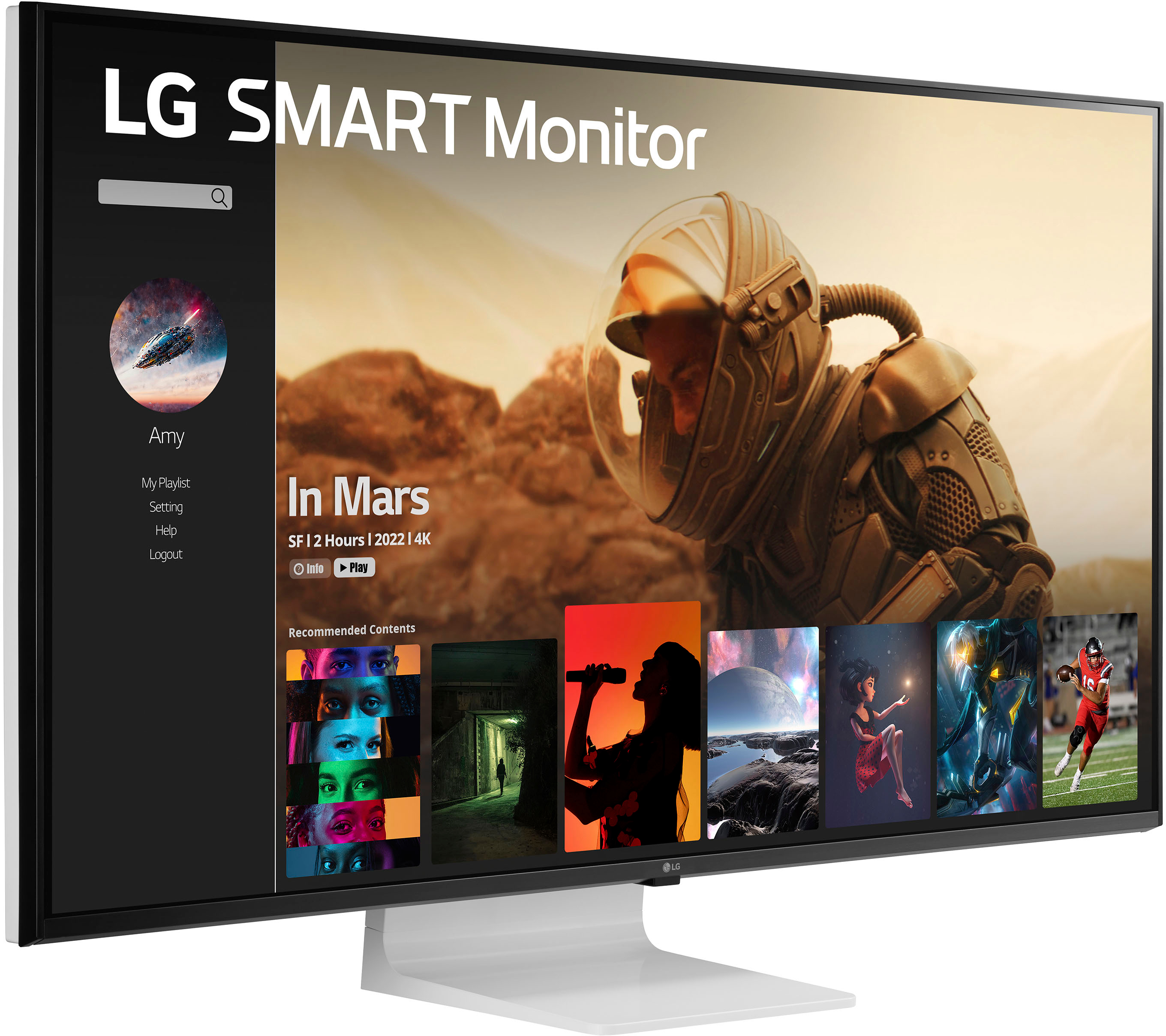
    • Answer Hi there, Lars! Thank you for reaching out with your question about the LG 43SQ700S-W.AUS. This model features a matte display, which helps to reduce reflections for a better viewing experience, even in brightly lit environments. Should you have any other questions or need further assistance, please feel free to send us a private message on Social Media @LGUSSupport, and our team will be happy to help! We appreciate your interest in LG. —Avril

      Answered by LG Digital Customer Care

  • QuestionIs the back of it white or silver?

    Asked by Jessiejay.

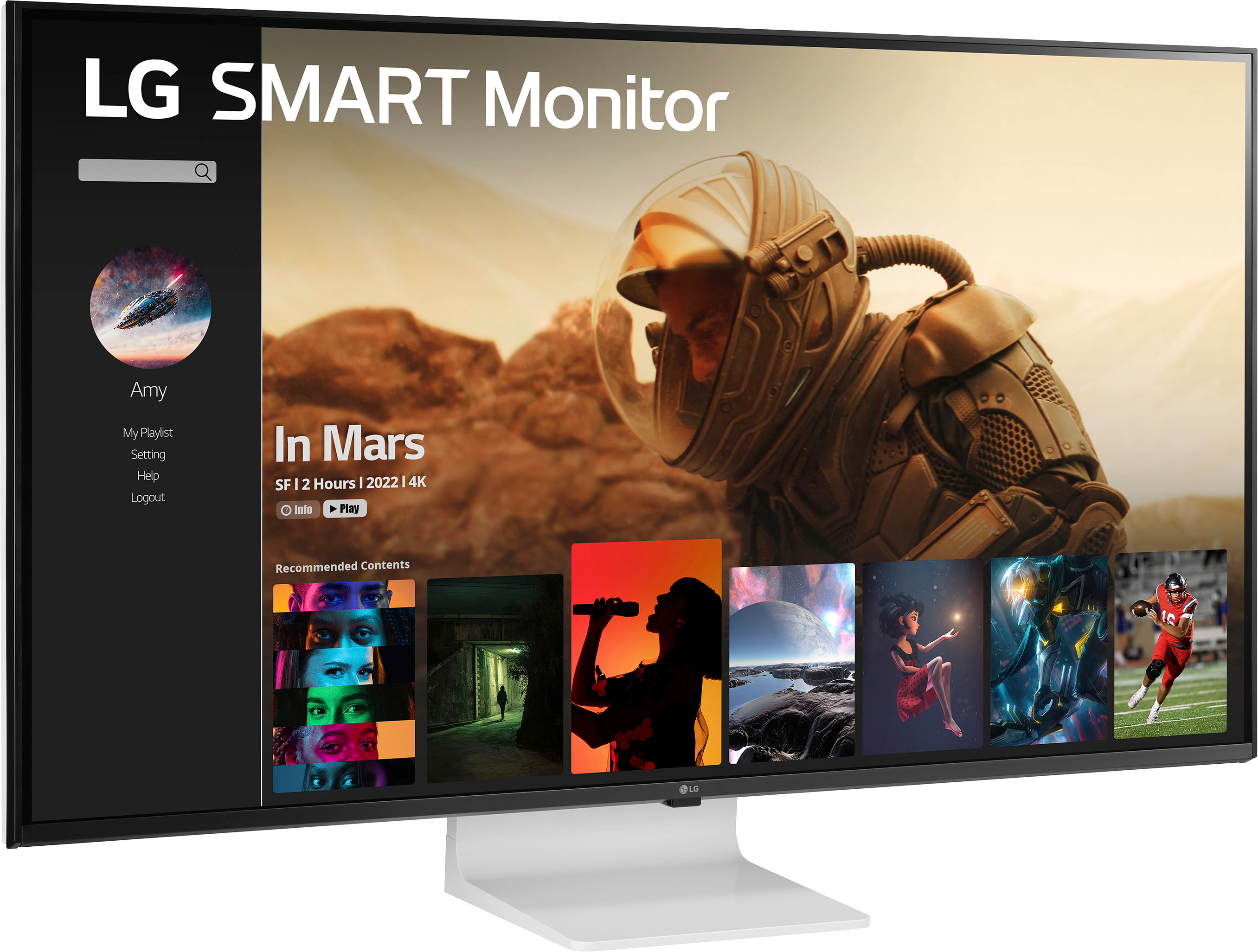
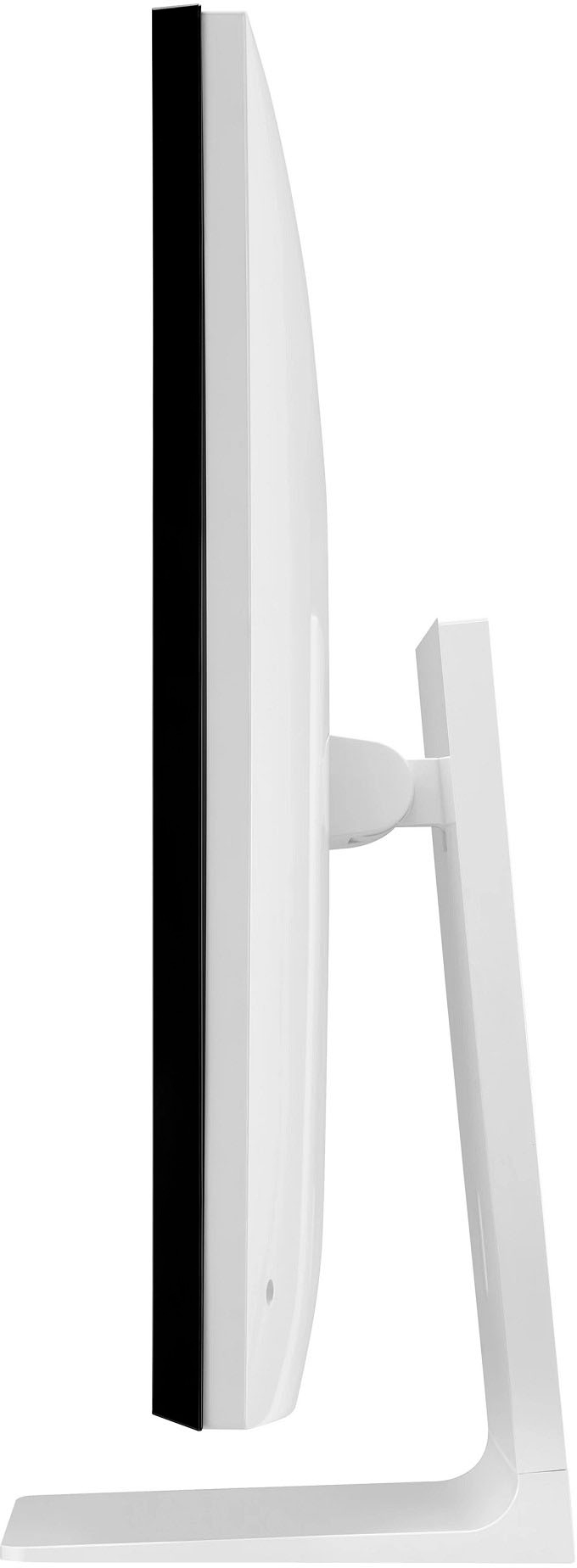
    • Answer Hi there, Jessie! Thank you for your question! The back of the 43SQ700S-W.AUS monitor is white, which complements its sleek and modern design. If you have any other inquiries or need further assistance, please send us a private message on Social Media @LGUSSupport, and our team will be happy to assist you. —Avril

      Answered by LG Digital Customer Care

  • QuestionDoes the monitor come with multiple ports or will I need adaptors to for my mouse and keyboard?

    Asked by Member.

    • Answer Has ports

      Answered by Aces