Questions & Answers
- Model:
- 27GN800-B
- |
- SKU:
- 6437476
Q: QuestionIs this monitor good for creating art/illustrations as well? I'm looking for a monitor that's good for both gaming and drawing
Asked by Flowey.
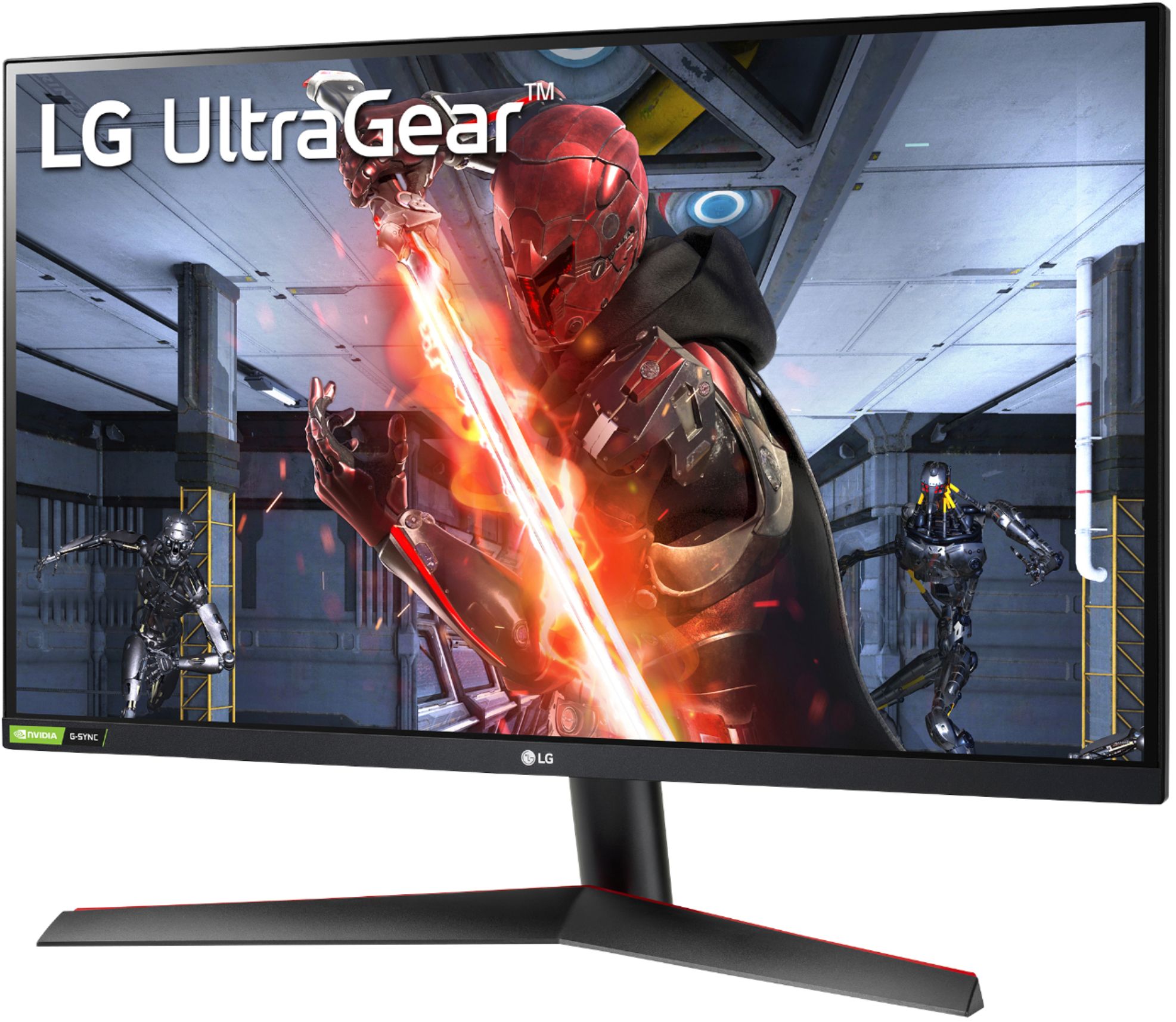
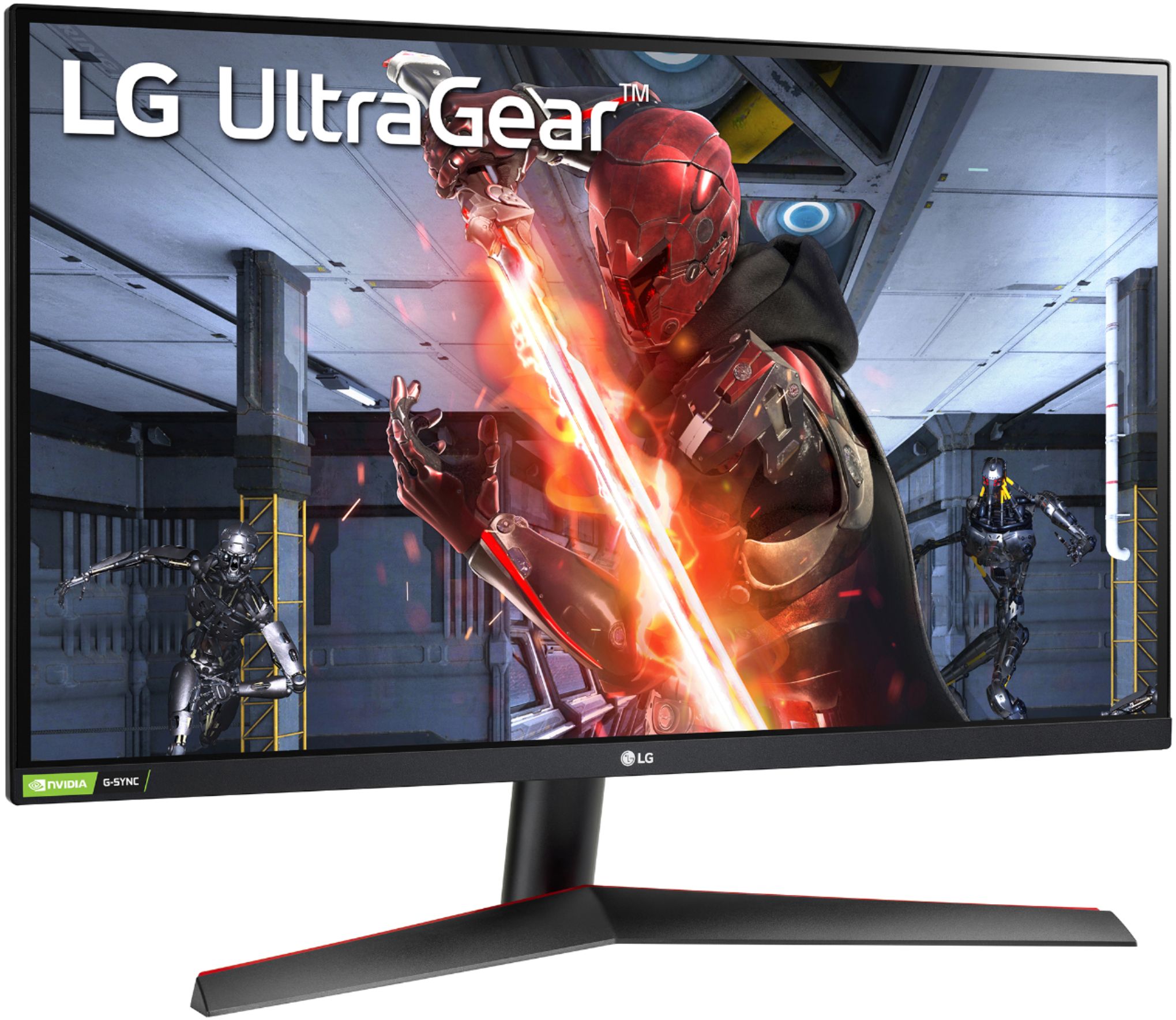
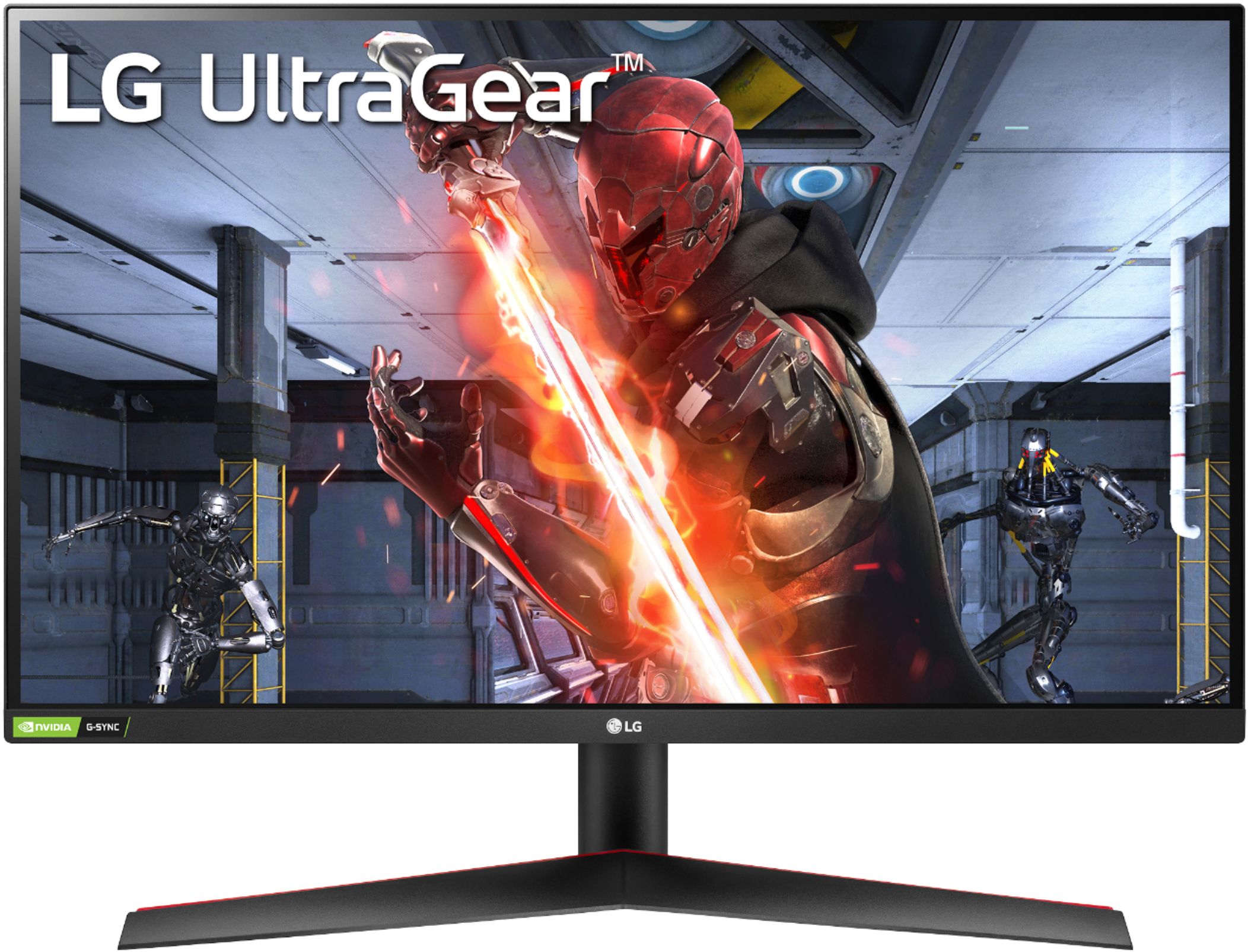
- A:Answer Hi there, Flowey. Thank you for your question. The LG 27GN800-B gaming monitor is an excellent choice for both gaming and creative work like art and illustrations. With its 27" IPS display, 99% sRGB color gamut, and color calibration, it offers accurate and vibrant colors, which are essential for tasks like drawing and graphic design. The 2560 x 1440 resolution ensures crisp details, while the 350 nits brightness and anti-glare surface make it easy to work in various lighting conditions. https://www.lg.com/us/monitors/lg-27gn800-b-gaming-monitor#pdp_specs We understand your situation, and if you'd like more information or assistance, feel free to send us a private message on Social Media @LGUSSupport. Our team will be happy to help further! —Renzo
Answered by LG Digital Customer Care

Q: QuestionDoes the monitor tilt?
Asked by Goudlas.
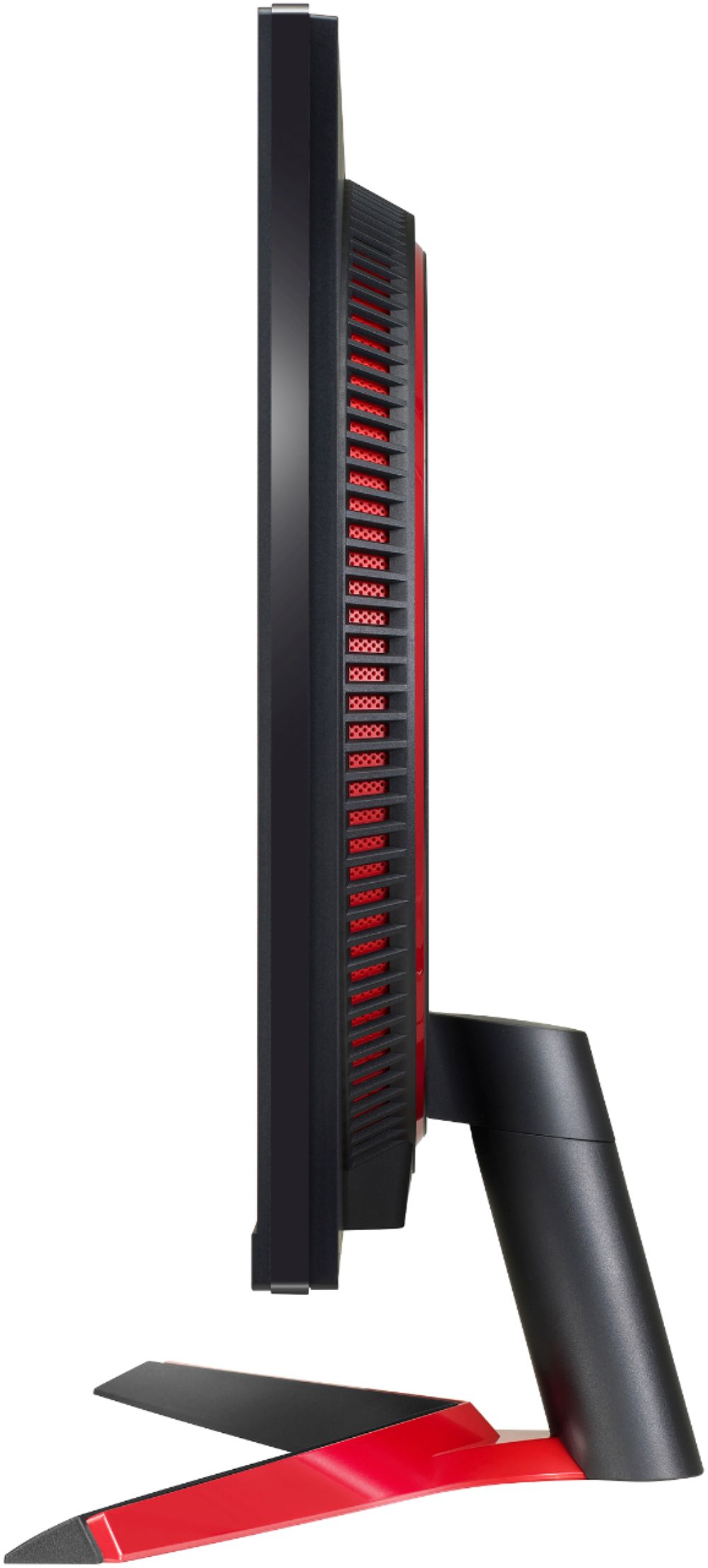
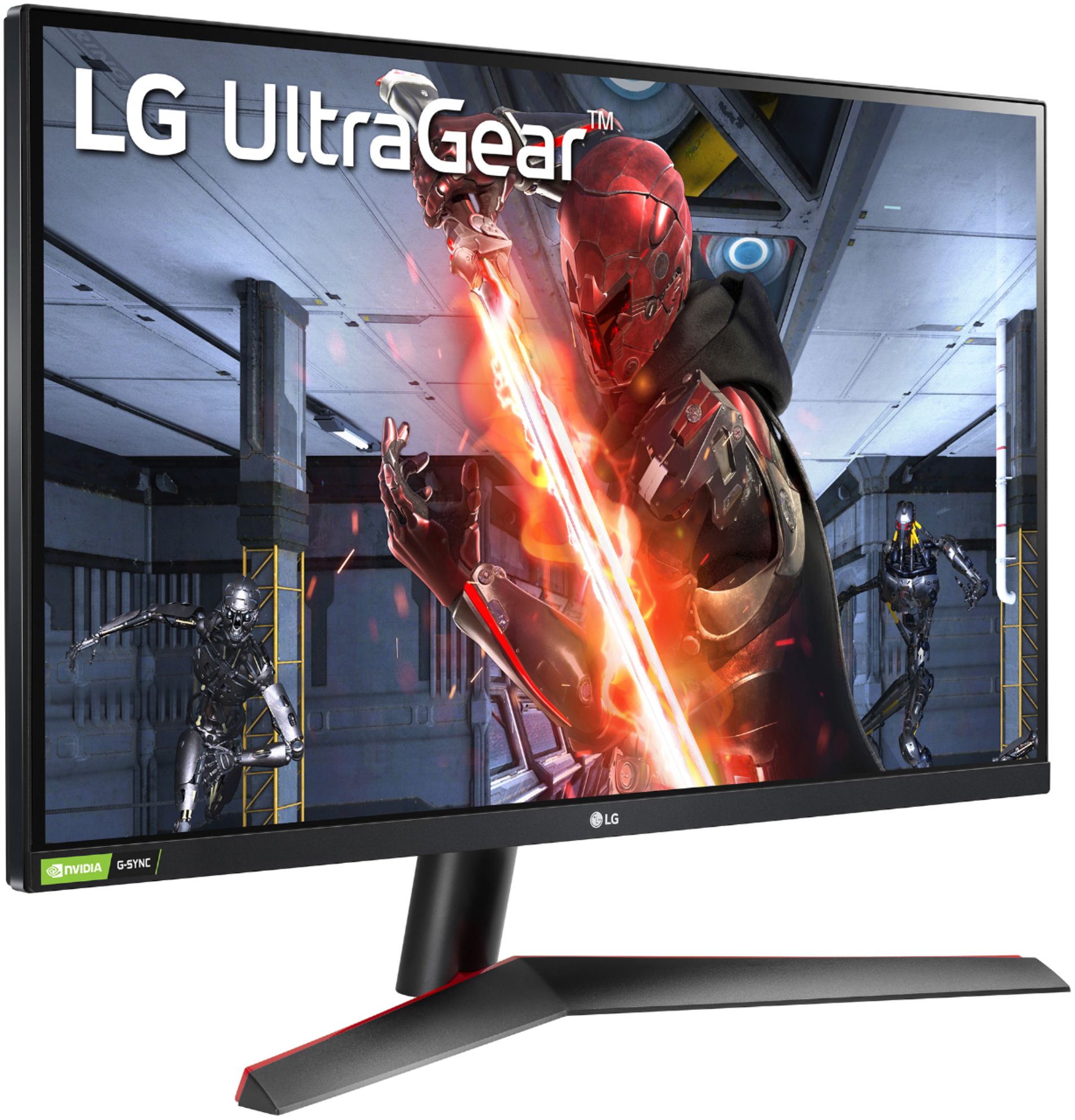
- A:Answer Yes the tilt does work, your are easily able to tilt the screen up and down a few degrees without needing to take anything apart. I also haven’t had a problem from tilting the screen, it stays at the desired angle without tilting back down.
Answered by LuisS
Q: QuestionAre there built in speakers
Asked by Amy.
- A:Answer Hello there, Amy! Thank you for reaching out about the 27GN800-B. This monitor does not come with built-in speakers. To enjoy audio, you'll need to connect external speakers or headphones. If you have any other questions or need further assistance, please send us a private message on Social Media @LGUSSupport, and our team will be more than happy to assist you! Thank you for choosing LG! —Avril
Answered by LG Digital Customer Care

Q: QuestionCan this become a vertical monitor.
Asked by Anonymous.
- A:Answer Thank you for your interest in the LG Monitor. Yes, the LG 27GN800-B monitor can be used in a vertical orientation. You can download its owner's manual through this link for more information: https://www.lg.com/us/support/product/lg-27GN800-B.AUS. ^Cris
Answered by LG Digital Customer Care

Q: QuestionIn the image is the quality which I consider to be grainy. Looks low quality in most areas, same with Jedi Survivor. I use Xbox Series S (highest res 1440p). Monitor says to use the native resolution (1440p), and thats what I do. How to fix this quality?
Asked by MarcoM.
- A:Answer The LG 27GN800-B is generally a good quality gaming monitor, but it does have some limitations that could be causing the grainy or low-quality image you're seeing, especially when playing games on your Xbox Series S. In this case, ensure that you are using the monitor's native 1440p resolution and not a lower resolution. Additionally, try to select the highest available refresh rate. If you require additional assistance, you may reach out to our social media platform via Facebook or X using @LGUSSupport. `Al
Answered by LG Digital Customer Care

Q: QuestionWhat voltage does it have I am trying to bring it to europe
Asked by Mike.
- A:Answer This runs on 110 Volts.
Answered by Marceline
Q: QuestionCan you adjust the height of the monitor
Asked by Jose.
- A:Answer The monitor can be turned vertically unfortunately you can’t change the height of the monitor and it is quite short to the ground I would recommend propping it up or mounting it . The monitor it self is great for its price would recommend for a cheap powerful monitor.
Answered by Chase
Q: QuestionWould this work with a ps5 or only with a gaming system?
Asked by Anonymous.
- A:Answer Yes, just plug in the hdmi cable into the ps5 and the other end into the back of the display.
Answered by Krieger17
Q: QuestionI have the same monitor but 32 inches and I wanted to get a dual monitor setup. Can this monitor and the 32-inch one be mounted on a dual-arm monitor mount? What mounts will work for these two monitors if they can be mounted?
Asked by Anonymous.
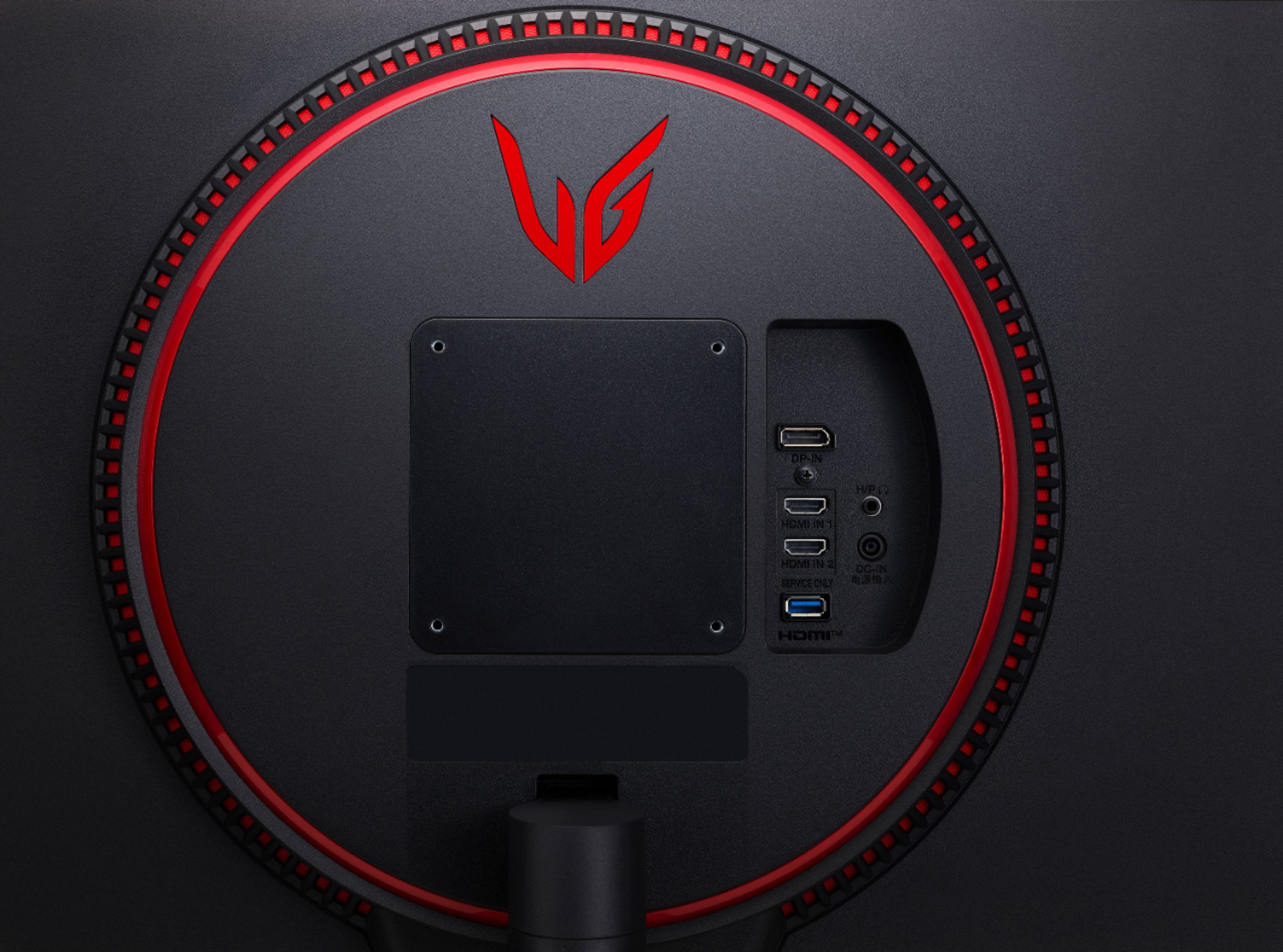
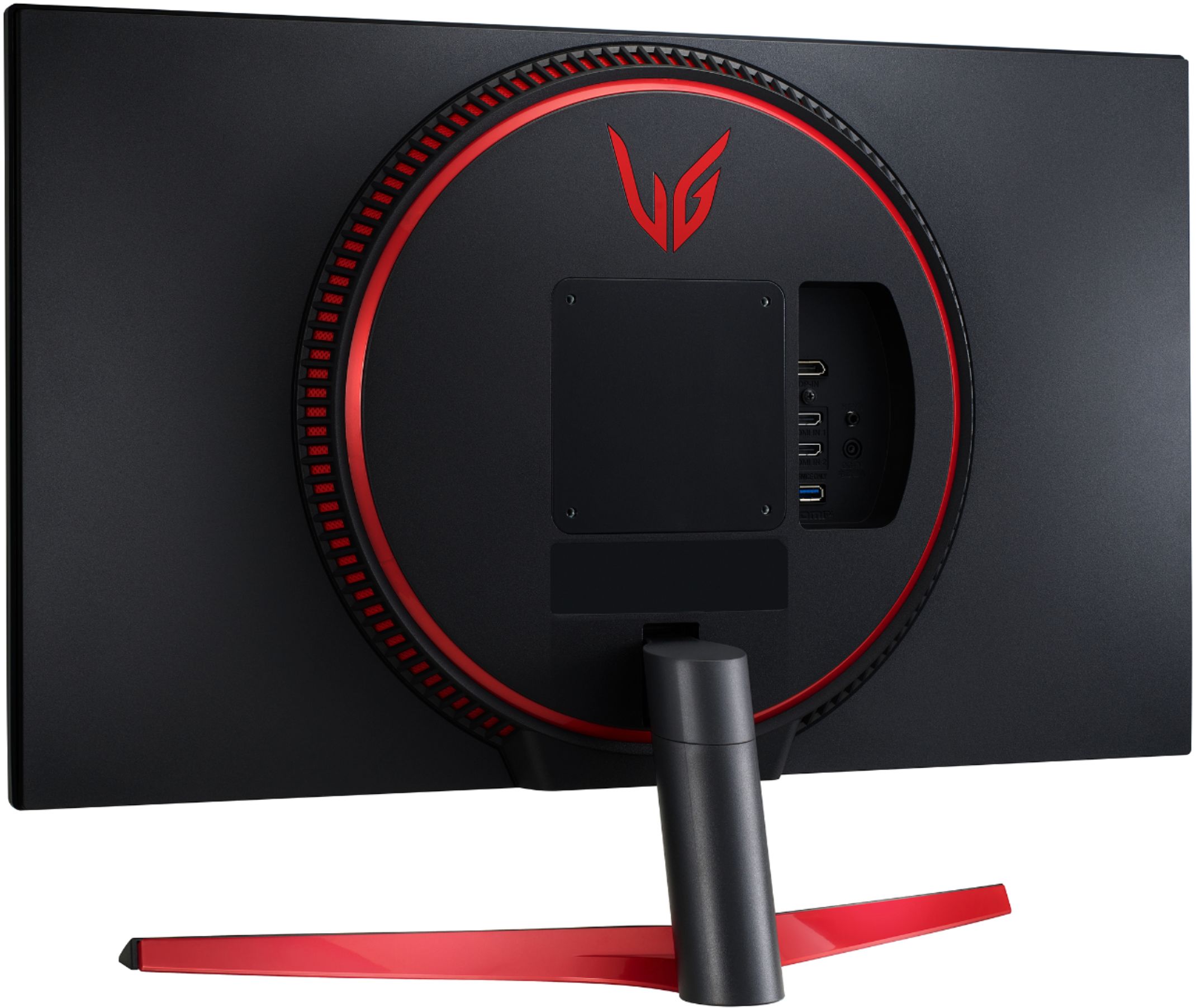
- A:Answer Thank you for your interest in the LG HDR Monitor (27GN800-B) model. The LG 27GN800-B monitor can be easily mounted on a VESA-compatible dual-arm monitor mount with a 100 x 100 mm standard. However, it's crucial to check if the mount can support the weight of both the 27-inch and 32-inch monitors. The 27GN800-B weighs 13.45 lbs (6.10 kg) without the stand, so ensure that the dual-arm mount has the right weight capacity for both monitors. You can download its owner's manual through this link for more information: https://www.lg.com/us/support/product/lg-27GN800-B.AUS. ^Cris
Answered by LG Digital Customer Care

Q: Questiondoes this monitor work for a pc
Asked by asker.
- A:Answer It absolutely does! Any PC with Display Port or HDMI. You get this best quality from using the display port it comes with but if you don’t mind losing a small touch of quality an HDMI will suffice.
Answered by JakeP
Q: QuestionSince HDMI 2.1 supports 4K @ 120Hz, does this mean that I can run 2K @ 120Hz on my PS5? I see many mixed answers but recently the PS5 had an update that lets it run at 2K @ 120Hz
Asked by Bob.
- A:Answer Hello there, Bob. Thank you for your question about the 27GN800-B monitor and PS5 compatibility. The 27GN800-B features an HDMI 2.0 port, which supports up to 2K (QHD) at 60Hz or 1080p at 120Hz. While the PS5 update allows for 2K output, to achieve 2K @ 120Hz, you would need a monitor with an HDMI 2.1 port, which this model does not have. For 120Hz gaming on this monitor, the resolution would be limited to 1080p. If you need further assistance or have any more questions, feel free to send us a private message on social media @LGUSSupport, and we’ll be happy to help. —Avril
Answered by LG Digital Customer Care

Q: QuestionI need a monitor to pair with my new computer that is a good fit for Adobe photoshop applications professionally. Is this right for me?
Asked by dogfoto.
- A:Answer Thank you for your interest in the LG 27" UltraGear QHD IPS 1ms 144Hz HDR Monitor with G-SYNC Compatibility (27GN800-B) model. No, the LG 27GN800-B monitor may not be the best fit for professional Adobe Photoshop applications. You can download its owner's manual through this link for more information: https://www.lg.com/us/support/product/lg-27GN800-B.AUS. ^Cris
Answered by LG Digital Customer Care

Q: QuestionCan this monitor be wall mounted
Asked by Ferd.
- A:Answer Thank you for your interest in the LG 27" UltraGear QHD IPS 1ms 144Hz HDR Monitor with G-SYNC Compatibility (27GN800-B) model. Yes, the LG 27GN800-B monitor can be wall-mounted. It has a VESA size of 100 x 100 mm, which is a standard mounting pattern for many monitors. You can download its owner's manual through this link for more information: https://www.lg.com/us/support/product/lg-27GN800-B.AUS. ^Cris
Answered by LG Digital Customer Care

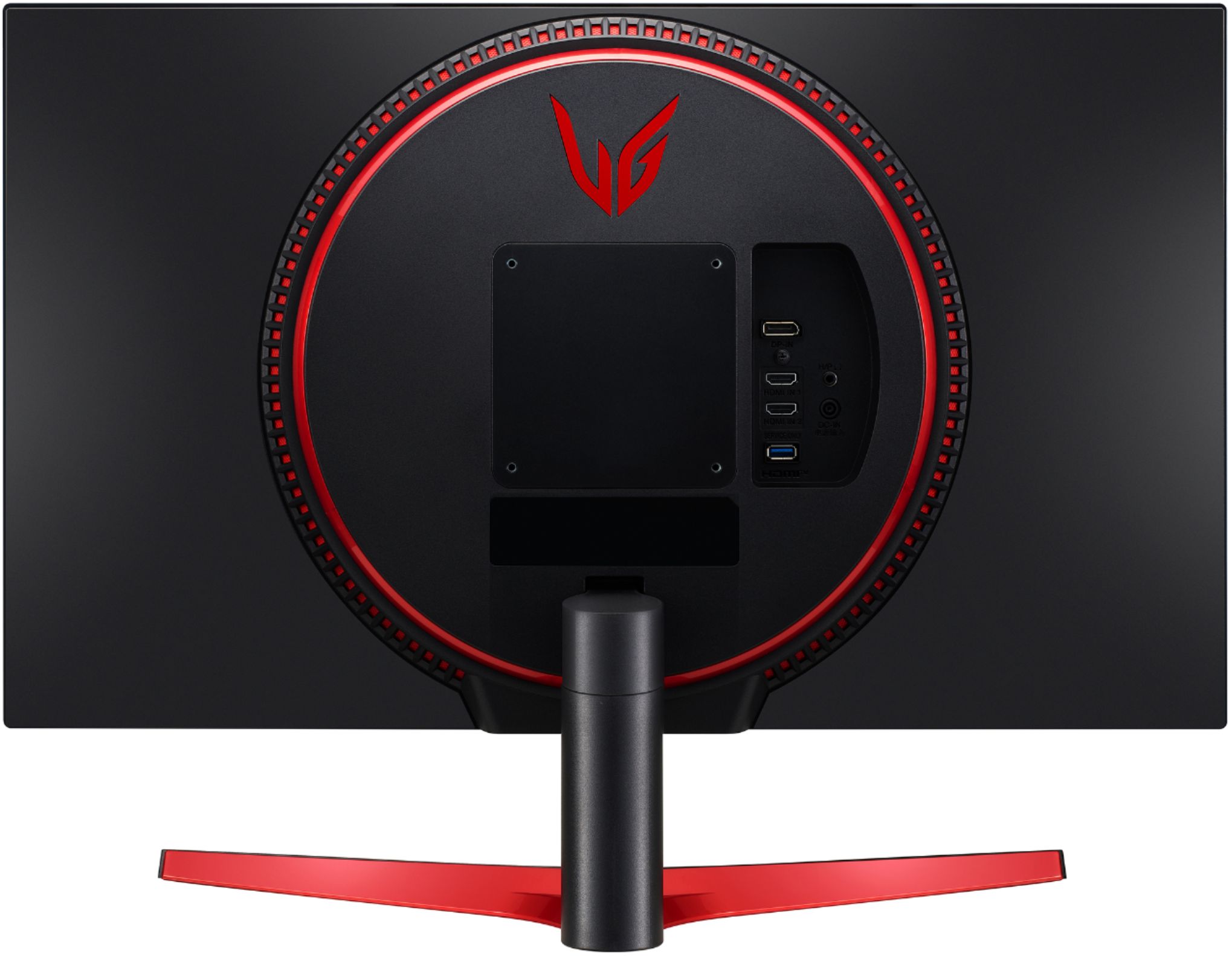
Q: QuestionWhat is the red circle on back, does it have built in speaker ?
Asked by Jenny.
- A:Answer No built in speaker, only an audio output plug in.
Answered by JimmyRustles
Q: QuestionWould this work fine with a ps5???
Asked by Robert.
- A:Answer Yes, It will work great. 60 fps games are no problem. 1440p is the perfect resolution for this screen. anything higher is negligble at this size
Answered by KyleP
Q: QuestionDoes this product come with a remote?
Asked by Sassy1978.
- A:Answer It does not.
Answered by user631720
Q: Questioncan i buy this monitor walk in store?
Asked by jin.
- A:Answer No, but Iordered it on Monday and it was supposed to come in on Friday. Came in on Wednesday.
Answered by RobertN
Q: Questiondoes this work on ps5 with 120 hz and vrr options? and does it come with an hdmi cable because i have a 2.1 cable and not really sure if this monitor supports the 2.1 cable on its 2.0 plug in
Asked by jin.
- A:Answer This has HDMI, displayport and headphone out, HDMI HDCP 2.2 Inputs. THis includes Displayport cable. No VRR. ^Vanessa
Answered by LG Digital Customer Care

Q: QuestionThe monitor can go to 120hz at 1440p, I have used it that way on my Xbox series x. Now when I plug it into my gaming laptop that outputs 165hz I only am able to choose 60hz in the options for the monitor, Is there any solution to this?
Asked by Bigguy.
- A:Answer You may have to go into the settings on the monitor itself and make sure it is set to make refresh rate. If that does don’t work make sure you have a hdmi or display cable capable of 165hz.
Answered by Ethan
Q: QuestionWhat do I need to hook up another screen to this monitor?
Asked by Newguy406.
- A:Answer Hi, you can use the Onscreen display, How to operate OnScreen Control on your PC. Open LG OnScreen Control and from the screen list on the top left corner, you can customise each screen split type. You can manage up to four monitors when split type is selected. The selected layout will be shown visually on your screen with highlighted red boxes. ^Vanessa
Answered by LG Digital Customer Care

Most-viewed items
- $129.99Your price for this item is $129.99$209.99The comparable value for this item is $209.99
- $399.99Your price for this item is $399.99$649.99The comparable value for this item is $649.99
- $249.99Your price for this item is $249.99$349.99The comparable value for this item is $349.99
- $899.99Your price for this item is $899.99$1,199.99The comparable value for this item is $1,199.99
- $279.99Your price for this item is $279.99$379.99The comparable value for this item is $379.99
- $229.99Your price for this item is $229.99$349.99The comparable value for this item is $349.99
- $1,099.99Your price for this item is $1,099.99$1,699.99The comparable value for this item is $1,699.99
- Clearance$720.99Your price for this item is $720.99
- $1,499.99Your price for this item is $1,499.99$1,999.99The comparable value for this item is $1,999.99
- $1,099.99Your price for this item is $1,099.99$1,699.99The comparable value for this item is $1,699.99
- $649.99Your price for this item is $649.99$899.99The comparable value for this item is $899.99
- $1,188.99Your price for this item is $1,188.99$1,299.99The comparable value for this item is $1,299.99
- $299.99Your price for this item is $299.99$399.99The comparable value for this item is $399.99
- $209.99Your price for this item is $209.99$459.99The comparable value for this item is $459.99
- $199.99Your price for this item is $199.99$249.99The comparable value for this item is $249.99
- $269.99Your price for this item is $269.99$349.99The comparable value for this item is $349.99
- $149.99Your price for this item is $149.99$209.99The comparable value for this item is $209.99
- $799.99Your price for this item is $799.99$1,299.99The comparable value for this item is $1,299.99
- $749.99Your price for this item is $749.99$999.99The comparable value for this item is $999.99