Questions & Answers
- Model:
- 920-009600
- |
- SKU:
- 10783218
Q: QuestionDoes the Mac software allow a numeric keypad function? Pressing a key converts some of the letter keys to numbers like a keypad. Thanks
Asked by Randy.
- A:Answer Hello Randy, Without knowing what Mac software that you're referring to, using Logitech's Options software allows you to customize certain buttons and functions on the K380. Although, to the best of my knowledge, I don't think there's one that allows you to convert keys to a numeric keypad function. Here's a link to the product support page for the K380 that will have some troubleshooting FAQs that you may find helpful. If that doesn't help, there's access to live technical chat support: https://support.logi.com/hc/en-us/articles/360025182594--FAQ-K380-Multi-Device-Bluetooth-Keyboard. - Richard from Logitech
Answered by Logitech
Q: QuestionWill this work with a Clear Touch Interactive Panel?
Asked by CC.
- A:Answer Hello CC, The K380 TKL connects to devices like Bluetooth wireless computers or other devices that support external keboards (HID profile). Consult the manual of your Clear Touch Interactive Panel to see if your device will support an external keyboard and if it has Bluetooth connectivity. - Richard from Logitech
Answered by Logitech
Q: QuestionIs this keyboard good for software programming and writing scripts on a samsung tablet? Can it input in CMD/Terminal and run the commands on android/Windows 10 installed on Android?
Asked by Nomusictomyears.
- A:Answer Hello Neverusedscreenprotectorb4, The K380 Wireless Bluetooth Keyboard is certainly a good option to use with your Samsung tablet to type programs and scripts with. A better option would be the MX Keys Mini TKL. Here's a comparison chart for you to check out: https://www.logitech.com/en-us/compare.html?category=products:keyboards&products=keyboards:k380-multi-device,keyboards:mx-keys-mini. - Richard from Logitech
Answered by Logitech
Q: QuestionK380 How to tell by looking if Upper Case is on or off
Asked by Donald.
This question was asked about the related product: Logitech - K380 TKL Wireless Scissor Keyboard for PC, Laptop, Windows, Mac, Android, iPad OS, Apple TV - Rose
- A:Answer Hello, Donald! Unfortunately, the K380 does not have a Caps Lock indicator on the keyboard itself. However, it will notify you on your computer every time you press the Caps Lock button. - Maggie from Logitech
Answered by Logitech
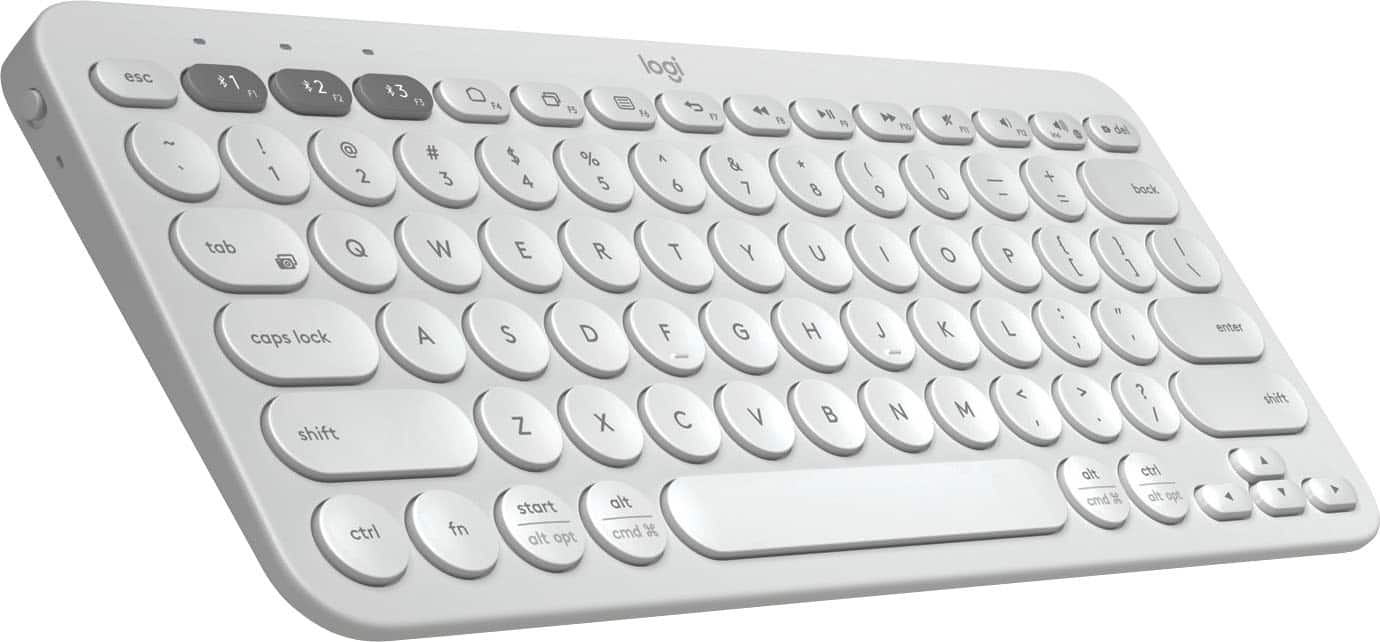
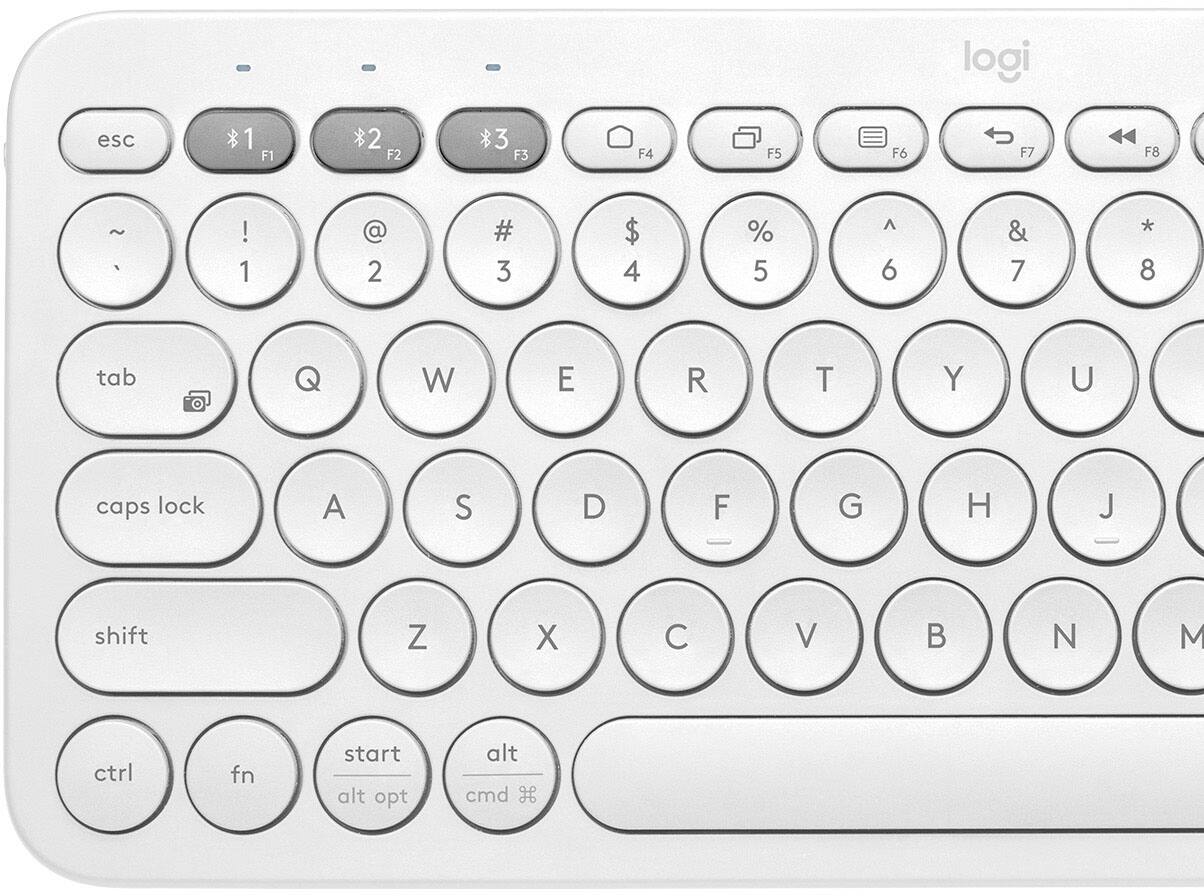
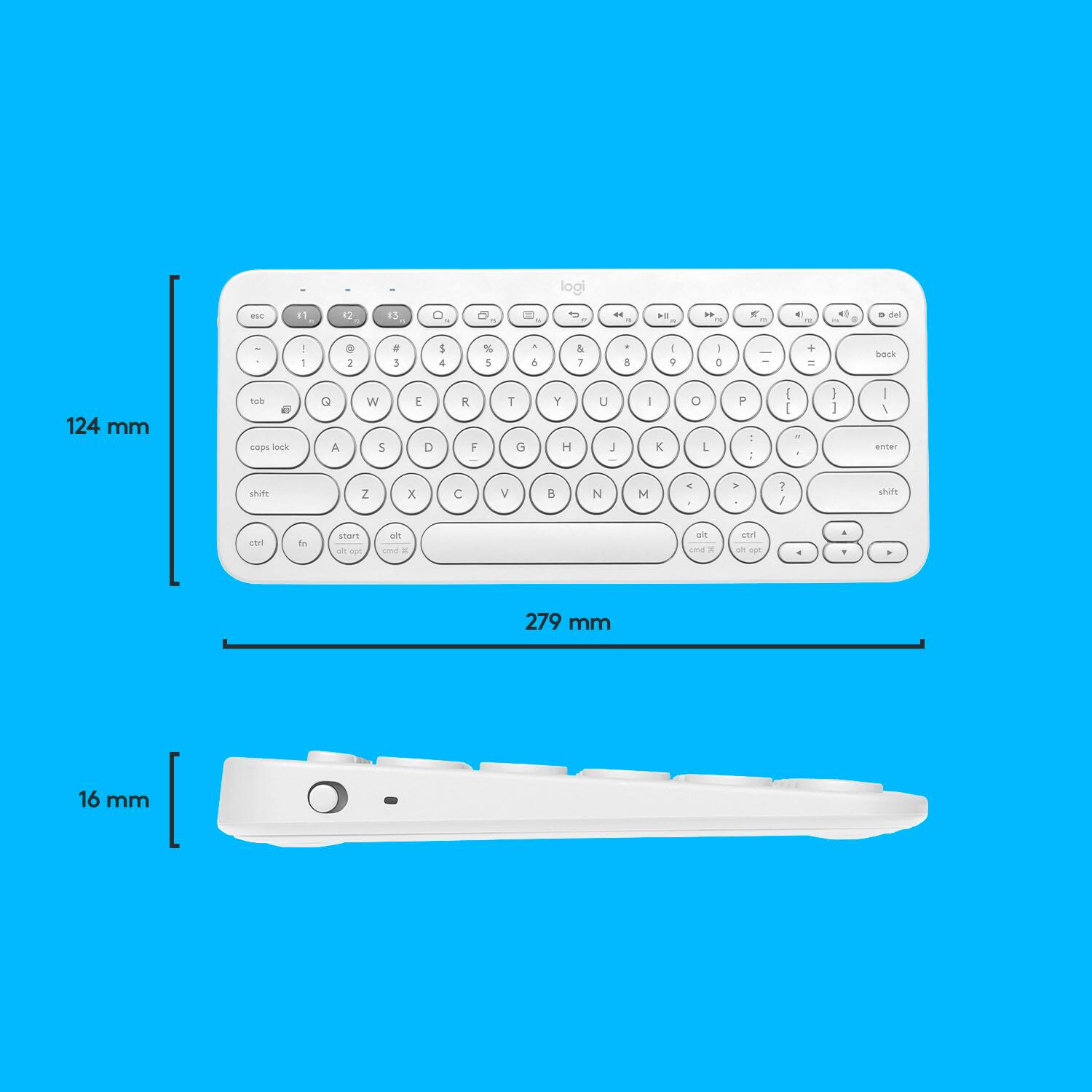
Q: QuestionIs this a full-sized keyboard? I understand that it doesn't have number keys on the side, but I am trying to understand whether the alpha keys are positioned and spaced like a regular keyboard. Thank you.
Asked by JK2017.
- A:Answer The keyboard is the exact same size as the one on my laptops (Lenovo Yoga and MacBook) with about the same spacing (the keys are round instead of square), which makes switching back and forth super easy.
Answered by Anna
Q: QuestionDoes this keyboard work with Apple - 10.2-Inch iPad - Latest Model - (8th Generation) ?
Asked by Sandy.
This question was asked about the related product: Logitech - K380 TKL Wireless Scissor Keyboard for PC, Laptop, Windows, Mac, Android, iPad OS, Apple TV - Rose
- A:Answer Hi Sandy, yes this will work with any iPad that has iPadOS® 13.1 or later
Answered by Logitech
Q: QuestionWill this keyboard connect with a dell laptop?
Asked by AM.
This question was asked about the related product: Logitech - K380 TKL Wireless Scissor Keyboard for PC, Laptop, Windows, Mac, Android, iPad OS, Apple TV - Rose
- A:Answer Hello, this keyboard can connect to your Dell laptop, if your laptop has bluetooth enabled.
Answered by Logitech
Q: Questionwould it work with a iphone 11pro? and what about a samsung tv?
Asked by More650.
This question was asked about the related product: Logitech - K380 TKL Wireless Scissor Keyboard for PC, Laptop, Windows, Mac, Android, iPad OS, Apple TV - Rose
- A:Answer Hello Veronica23. The K380 does work with the iPhone 11 Pro. You will connect via Bluetooth. It is difficult to say with certainty if the keyboard will work with your Samsung TV without knowing the exact model. If the TV supports an external keyboard, then yes, it will work.
Answered by Logitech
Q: QuestionWould it work for galaxy tab s7+?
Asked by TpMOUA.
This question was asked about the related product: Logitech - K380 TKL Wireless Scissor Keyboard for PC, Laptop, Windows, Mac, Android, iPad OS, Apple TV - Rose
- A:Answer Hello TpMOUA! The K380 Bluetooth Scissor Keyboard will work with a Galaxy Tab S7+, as long as the tablet has an Android™ 7 or later.
Answered by Logitech
Q: QuestionWill this keyboard work with a Barnes & Noble Nook? If yes, is there a minimum version it’s compatible with?
Asked by Anonymous.
- A:Answer Not all versions of Nook will have Bluetooth enabled, but if your Nook does have Bluetooth then the K380 keyboard will work just fine with it!
Answered by Logitech
Q: QuestionMy Moto Stylus Android 9 had Gboard with text emphasis keys. (For bold, italic, underline.) Disappeared after auto upgrade to 10. Of course on a desktop I type CTRL-B and such, but not on my smartphone. Will typing this make my smartphone enhance text?
Asked by noprem.
- A:Answer Hello, the K380 is has the default keyboard layout. Enhanced keyboards on would be dependent on your Android device and its software capabilities.
Answered by Logitech
Q: QuestionWill this work with an Amazon fire tablet and an up windows 10?
Asked by Anonymous.
This question was asked about the related product: Logitech - K380 TKL Wireless Scissor Keyboard for PC, Laptop, Windows, Mac, Android, iPad OS, Apple TV - Off-White
- A:Answer Hello! Yes, the K380 Bluetooth Scissor Keyboard will work with an Amazon Fire tablet, and pretty much any device that has a Bluetooth pairing capability, so that includes Windows, Mac OS, Chrome OS, Android, iOS, etc.
Answered by Logitech
Q: QuestionWould it connect to my Sumsung Galaxy Note cell phone?
Asked by Tee.
This question was asked about the related product: Logitech - K380 TKL Wireless Scissor Keyboard for PC, Laptop, Windows, Mac, Android, iPad OS, Apple TV - Rose
- A:Answer It works with any Bluetooth capable device.
Answered by Valentina
Q: QuestionDoes this work with a Samsung TV?
Asked by CarlosQ.
- A:Answer Hi, the K380 is compatible with the following: Bluetooth wireless computers or other devices that support external keyboards (HID profile). For more information, check with the device manufacturer. Windows 7, 8, 10 or later Mac OS® 10.10 or later Chrome OS Android tablet or smartphone 3.2 or later iPad® or iPhone®: iOS 5 or later Apple TV 2nd or 3rd generation However, we do have other great choices like the K600 and the K800 keyboards that should work with your TV.
Answered by Logitech
Q: QuestionDoes this keyboard come with a USB receiver for computers that do not have Bluetooth?
Asked by Kathy.
This question was asked about the related product: Logitech - K380 TKL Wireless Scissor Keyboard for PC, Laptop, Windows, Mac, Android, iPad OS, Apple TV - Off-White
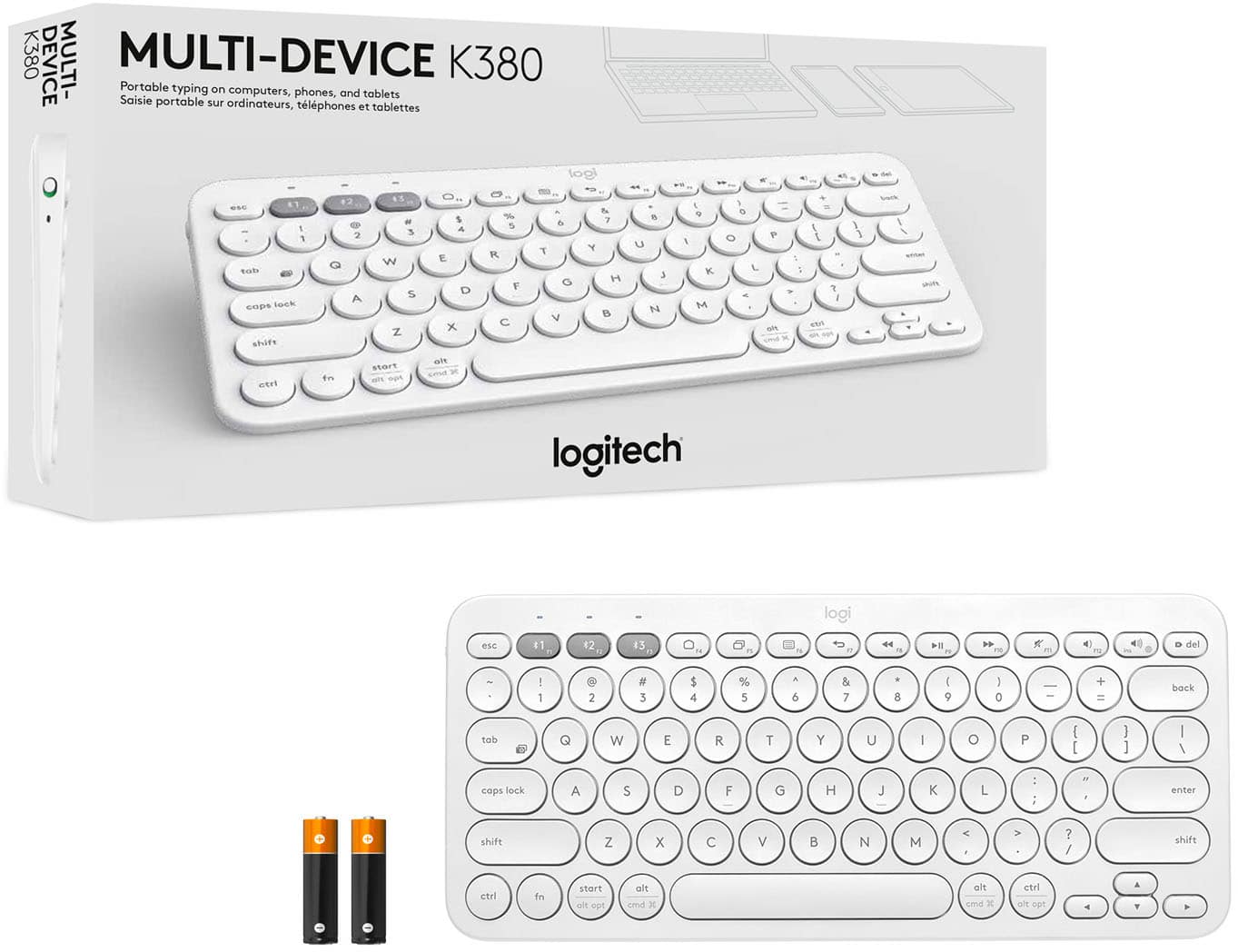
- A:Answer no it doesn’t. it just comes with the keyboard and batteries in the box.
Answered by yikes
Q: Questionwill this work with nvida shield pro?
Asked by goob.
- A:Answer Hello Goobies, The Logitech K380 Keyboard will work with Nvidia Shield Pro. I have read on some forums that you may need to set the language of the Nvidia Shield device to English(US) when pairing. This is a link for the K380's setup guide: https://www.logitech.com/en-us/manuals/k380-setup-guide Please feel welcome to visit the Logitech website if you need any product support. Regards, John
Answered by Logitech
Q: QuestionWill this work with an iMac. Mid 2011. Can this be connected by USB?
Asked by Jena.
This question was asked about the related product: Logitech - K380 TKL Wireless Scissor Keyboard for PC, Laptop, Windows, Mac, Android, iPad OS, Apple TV - Rose
- A:Answer Since the K380 only connects via Bluetooth, and the 2011 iMac models did not have Bluetooth internally built in, this will unfortunately not work for you. Some options that would work via USB on your iMac are the K750 or MX Keys for Mac.
Answered by Logitech
Q: QuestionWill this keyboard with a Samsung UHD 4K television?
Asked by Tls092355.
- A:Answer Yes actually works f Perfect on my lg oled
Answered by Jjbb
Q: Question1st time user. Want to use this with ipad 6. Do I simply touch a key and sync to blue tooth on iPad or does it connect some other way. Can I type on Facebook and emails? Box indicates I need Windows but iPads don’t have windows.
Asked by Bill.
- A:Answer Hold down one of the three yellow buttons on this keyboard. (You can have one device on each button, for a total of 3 devices.) This will make the light above the button start flashing. Open the Settings app on the iPad. Select Bluetooth. Look down at the bottom of the screen. After a few seconds, "Keyboard" or "Keyboard K380" or "Logitech K380" will show up. Tap that. You may be asked to type in a passcode on the keyboard to pair it. You will not see this on the screen as you type it. After that, the keyboard will work with the iPad; if it does not, tap the yellow button that you used during setup to switch back to the iPad channel.

Answered by tomxp411
Top Rated
- $114.99Your price for this item is $114.99$129.99The comparable value for this item is $129.99
- $129.99Your price for this item is $129.99
- $129.99Your price for this item is $129.99$149.99The comparable value for this item is $149.99
- $159.99Your price for this item is $159.99$179.99The comparable value for this item is $179.99
- $29.99Your price for this item is $29.99$34.99The comparable value for this item is $34.99
- $59.99Your price for this item is $59.99$69.99The comparable value for this item is $69.99
- $99.99Your price for this item is $99.99
- $33.99Your price for this item is $33.99$39.99The comparable value for this item is $39.99
- $199.99Your price for this item is $199.99
- $114.99Your price for this item is $114.99$129.99The comparable value for this item is $129.99
- $89.99Your price for this item is $89.99$99.99The comparable value for this item is $99.99
- $149.99Your price for this item is $149.99
- $143.99Your price for this item is $143.99$159.99The comparable value for this item is $159.99
- $29.99Your price for this item is $29.99$54.99The comparable value for this item is $54.99
- $45.49Your price for this item is $45.49$69.99The comparable value for this item is $69.99
- $64.99Your price for this item is $64.99$69.99The comparable value for this item is $69.99
- $19.99Your price for this item is $19.99
- Clearance$41.99Your price for this item is $41.99