A:AnswerI have my Modal phones paired to my Samsung Galaxy S4 phone, and Galexy Tab Pro tablet, and a Lenovo Android Tablet, and I've never had to re-pair manually with any of these devices.
I'm not an iOS person, so I can't say for sure, but the behavior you describe is not consistent with my experience. Maybe there is a problem with your particular headset.
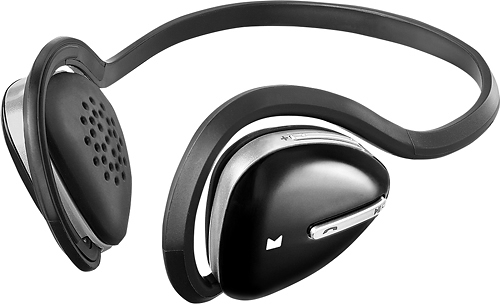
A:AnswerI called customer service after I thought the box with the ear foams had been thrown away and I was told to go to Walmart or Radio Shack. Modal doesn't sell replacement ear pads.
A:AnswerYou used to be able to buy them from Rocketfish.....if you bought the protection plan you can take them back and they will replace them. I could not find a web page for Modal and am not sure if they are a part of Rocketfish or not......you should have gotten an extra set when you purchased yours to begin with......anyway, I am sure GeekSquad would be able to help you locate where to order them.
A:AnswerGo to settings on your computer under Bluetooth. Make sure to take your headphones are off the list. You have it scan for new devices. Make sure your headphones are set to pair with the lights flashing red blue red blue red blue and then your computer will find it and you can connect it.
A:AnswerTry doing a hard reset. Push the On toggle and the Volume Up button at the same time. Then try plugging them in to charge. The red light comes on until they are charged then turns solid blue.
A:AnswerTry following the instructions in this thread on Tom's Guide to enable Bluetooth support on it and see if it can pair with the headphones:
http://www.tomsguide.com/answers/id-2449750/stream-samsung-smart-audio-bluetooth-headphones.html
A:AnswerWhen attempting to pair the headphones while they are turned off, hold down the power button for 4 seconds and the LED should quickly blink blue and red.
A:AnswerFirst go to Best Buy. I had the same problem and they took the item back and replaced it with a better one as they did not have the same item. Next look at your paperwork from the manufacture and see if there is a number to call. If not look the phone number up and call. I'm sure they will give you the answer you are looking for
A:AnswerIt sounds like they may have a faulty cell in the battery, that is not allowing it to fully charge. I would suggest taking the unit back to your local Best Buy store and exchanging for another set.