A:AnswerNo same but as you know distance is based on the router router antenna and router software not the receiving unit. If you need a long distance I bounced Wifi down the street with better router antenna. My router has external screw in antenna
A:AnswerI bought the Roku Premiere+ for this exact purpose and it works great! With the Spectrum app, you get all of your subscribed channels just as if you were using a box with no DVR. I move the grandkid's tv around, so it is actually more useful than having the Spectrum box.
A:AnswerRoku requires a fast internet connection. We pay for a 75 Mb download and get usually at least 40 Mb. Roku works great under those conditions. It seems like the Roku has some internal caching it does to keep the picture from freezing if there is an intermittent interruption in streaming. If the Vz hotspot can provide that level of connection you should be ok. The more devices you run off the connection I would expect would degrade the performance.
A:AnswerNo, you don't need a receiver for Roku, but you do have to have an internet connection (wireless or wired). Mine is running on wireless at this time. You also have to have access to a computer for initialization: part of the setup procedure.
A:AnswerAll you need to start up Roku Premier+ is....... fast enough internet ( if you can get a utube video in 15 or 20 seconds your speed should be okay, my speed is 100mbps Spectrum), a TV with a HDMI plug in the back ( HDMI to HDMI cable), a computer to start the service with Roku ( a couple of other channels needs computer "sign up" also) and the Roku box plugs into an electric outlet. Also a credit card goes on file with the start-up. I use a prepaid credit card for all internet purchases. You will find so many FREE channels you probably won't need to "buy or rent" anything. If your TV is 4K or 3D capable buy the proper HDMI cable. There are many channels and videos in both 4K and 3D. Check out Roku.com to see the 4500 channels available and their descriptions. Free channels play commercials, but I don't think they are offensive like regular TV.
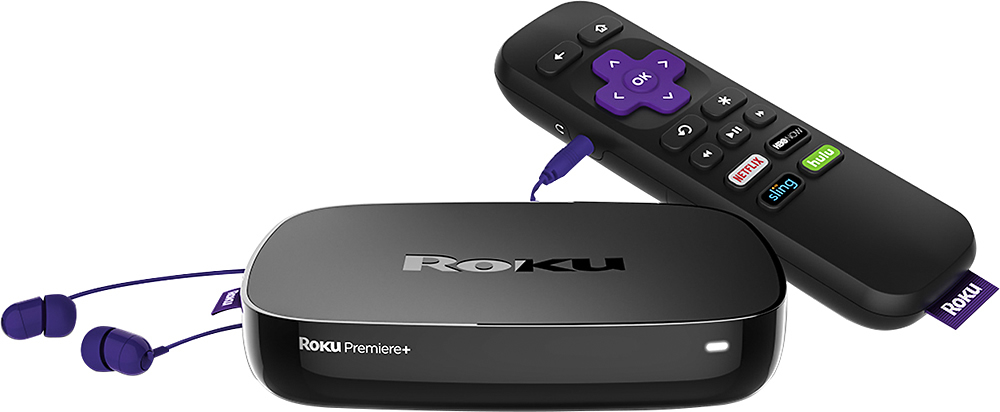
A:AnswerYou are only using Data when streaming via Roku. It has nothing to do with audio being streamed to remote with ear piece. That is bluetooth technology which is separate from your Internet connection.
A:AnswerNo need for ethernet cable.....the wifi works very well, assuming you have what is relatively come service available in most areas of the country.
A:AnswerSounds like your wifi signal is not strong enough. Try hard wiring it. If that takes care of it your good. If you still want wifi, upgrade to a wifi mesh. I bought the NetGear Orbi. No more wifi problems.
A:Answerstorage of media is via the usb port, so if you have an adaptor for micro sd, I believe it would work. the micro sd slot on the other hand is simple to expand memory for channel storage, and prevent unloading and re-loading of channels if you exceed internal memory.
A:AnswerThis article answers your question properly : https://blog.roku.com/blog/2016/09/16/vmediatv_launched_on_roku_in_canada/
I've gotten this device for my siblings and they love it. Although most the USA tv shows are locked.
Hope this help :)
A:AnswerThe roku is a device that you purchase. There is no monthly fee to own one. You would still need to pay for an internet connection. That being said you can install multiple apps on the device such as Netflix, Slinger, Hulu. There are some free channels for news stations but you would need to pay the subscription fee of the services that are not free.