A:AnswerI checked around the site and found this link: http://www.bestbuy.ca/en-CA/product/toshiba-toshiba-55-4k-uhd-led-smart-tv-55l621u-only-at-best-buy-55l621u/10405321.aspx. According to this, the refresh rate is 60Hz.
A:AnswerI had the same issue, I can't believe more people are not complaining about it. I see no way around it, you have to setup Chromecast even if you are not going to use it. Once I set it up the TV turned on to the input that was set when shut off......
A:AnswerThere are some important things to know for both lag and PC connections with this TV - I have it and I work in the industry and will say this TV is one of the ABSOLUTE BEST DEALS available... but only if you know enough to enable them.
So, first off, the simple one - want the lag gone? Set the TV mode to "PC." Also, on some firmwares, it will be much easier/better to set it to "Mode 2" (in the other menu options - not the display options.. it might be called HDMI mode 2, I forget...)
Anyway, so the thing about this tv is that it actually supports 4k60 4:4:4 from a PC. What this means is that it will look every bit as sharp as a monitor does, providing your TV can output the right resolution. HOWEVER, the caveat is that you will need to force an EDID from your computer to the TV. Most people don't even know what an EDID is, but basically it is a file on every display that you connect that says "Hey, these are my available resolutions." In those resolutions is an option (at least from my Nvidia card) to run in RGB mode. This is IMPORTANT. Running in RGB will give you a 1:1 pixel mapping at 4k with 60hz refresh rate. If you try and do this in standard hdmi/non-rgb mode, you're going to be limited to 30hz, which is garbage. Now, I did have this enabled without forcing the EDID at one point, but then I setup Chromecase/connected ti wi-fi and the Television did a firmware update, which removed the RGB option...
So, what to do? You gotta find an EDID (HDFury's site has plenty) that supports all resolutions. Then, you need to use CRU (Custom Resolution Utility, or something like that - it's free) to force that EDID to the video card. Reboot, and then you will be able to choose 2160px60hz, AND RGB mode. If you haven't seen the difference between this and the garbage 4:2:2 2160p mode, you will DEFINITELY be shocked at how great this TV can look. Also, turn your sharpness setting all the way down - that's a given on almost any TV, as the sharpness setting is merely post-processing that ruins your source image.
Anyway, I'm not going into more detail than this.. but I will say that once you force the EDID, many resolutions will be availablie and you should NOT try any other ones that you don't know are supported, as they can mess up the TV. You've been warned. For those that follow this, you will be rewarded with a 2160p monitor @ 60hz that looks every bit as good as one costing 5 times the price.
A:AnswerI replaced everything! All cables and All boards! Same thing! Do not buy any parts. Does the same splash screen and goes back off. Been to a lot of sites where nobody was able to fix it. I think it was a Chrome cast update that bricked the TV. Lot of user from 11/19 to 4/15/20 have the same issues. With the cost of power board or main board lots of people have just bought a new TV. I paid $100 for ALL the components from a broken screen 55L621U. Tested each component as I switched them out (even pwr/imput button, wifi, 3 boards, and all wires) to no avail. Power on splash screen the black screen and power off. No support on this one. Best Buy 389 for a new one.
A:AnswerEverything you tried is not compatible with 4K resolution. Most television providers don't support 4K. The version of Chromecast that is built into the TV also doesn't support 4K. The PS4 and PS4 Slim have a maximum resolution of 1080p, so the 4K HDMI cord won't "make" the PS4's resolution 4K. Some 4K-compatible products include Roku 4, a 4K Blu-Ray player, a PS4 Pro, and an Xbox One S.
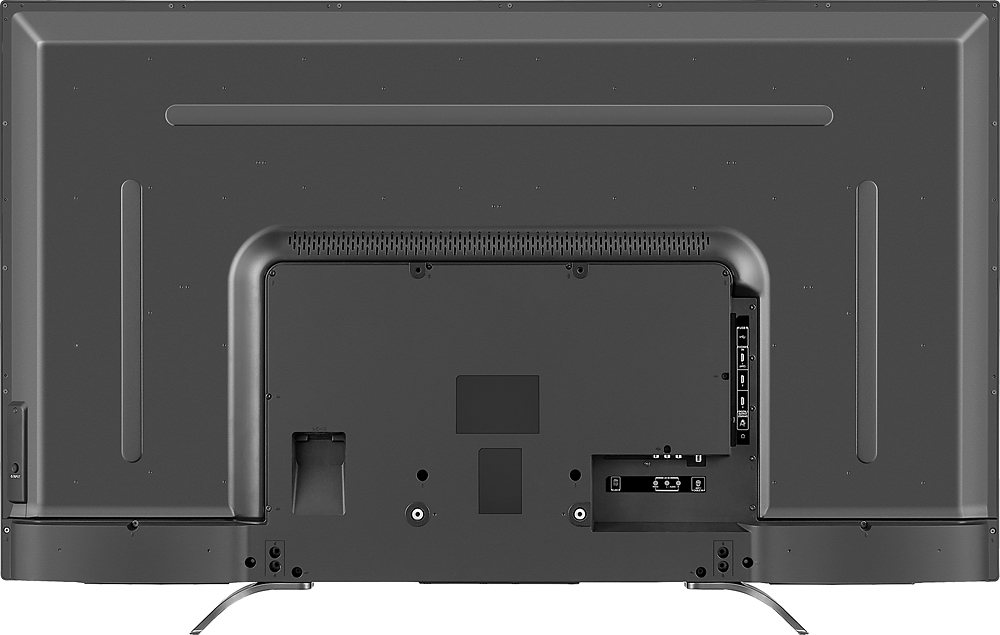
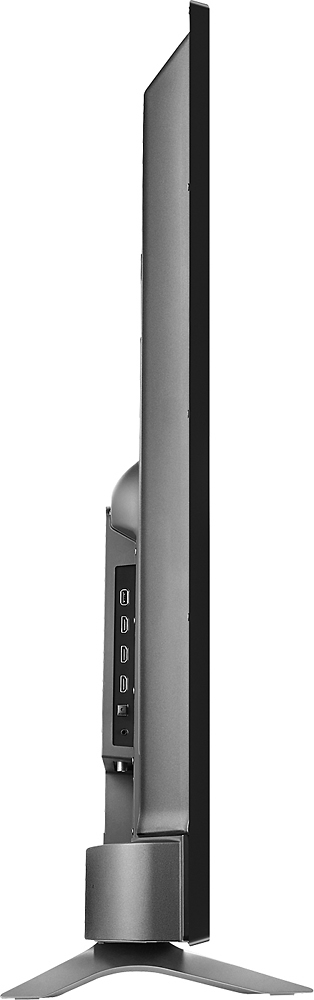
A:AnswerThe two stand feet are exactly 28 inches apart, outside to outside. The rubber of the feet could fit on something 1/16 to 1/8 less than 28 inches, but that would be right on the edge.
A:AnswerI disagree with the above answers.
Which model LG, Vizio, Samsung and Sony are u comparing it to?
Understanding this is an entry level 4k tv makes it just as competitive as the other brands entry level tv's and can be a better value depending on purchase price.
A:AnswerYou just have to switch to the input you want and if you want the cable box to be your input that's fine Chromecast is just a feature they add it's not mandatory you use it
A:AnswerA real pain isn't it? I called Toshiba customer service and they told me that the Google cast/Chromecast setup screen appearing upon turning on the TV, and worse, changing your input to Google cast instead of your desired HDMI input, could NOT BE DISABLED. Only after I relented and setup the TV's WiFi and paired with my iPhone did that Google cast setup screen stop coming up and the TV retain the last selected HDMI input. I was not warned about this when I purchased the TV and was madder than a wet hen when I encountered this problem.
A:AnswerSorry, I can't resist being a wiseguy here. Chomecast is a feature that will force a Chromecast setup screen on you na return your input setting to Goolge cast every time you turn your TV on unless/until you submit to pairing this TV with the internet via your Apple or Android device. I'll never buy another TV with built-in Chromecast or Google cast.
A:AnswerYup that happens. Under the Advanced Settings click yes on True Volume and that should handle. Satellite TV also has on it's settings where you can enable this feature. I hope it fixes.
A:AnswerI had a grainy picture off/on when i watched satellite TV in cinema picture mode for awhile. I almost took back but reset TV and haven't had any problems with mine (knock on wood).