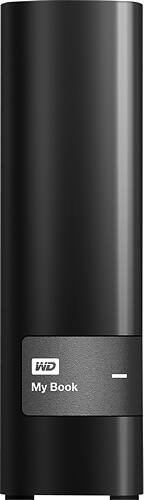
A:AnswerIf you format it in the "EXFAT" format (on a Mac), it can go back and forth between a PC and a Mac. It will also work with both if formatted as an "MS-DOS(FAT), but it would have a 2GB limit on file size.
A:AnswerI have hooked this up to a wireless router. You will need to configure your router settings for a harddrive via USB. It will then tell you how you can access the drive. Instead of using a drive letter you typically use the IP address of the router and whatever name you give the drive. The router will let you know when you set it up.
A:AnswerIt is however you'll want to erase the drive so you can use it properly.
Open Disk Utility (inside the applications--> utilities), then select the drive on the sidebar.
Click on the partition tab near the top of the screen, then choose 1 partition.
Click the options button in the lower left and select the top most item.
Then give your drive a name, like 'Backup".
Finally, click Apply.
All set for mac!
A:AnswerYes this works with the Xbox One, just plugged into the back and clicked the format button and was ready to go. The only thing is I don't think you can switch back and forth between whether you want to save to the internal or external drive. So fill up your internal, then switch to the external.
A:AnswerYes, WD stands for Western Digital. No, I do not think AC power makes the drive any faster. The drive itself is rated at a certain speed. However, USB isn't always enough power to run external drives, some computers might send enough power over USB, and others might not, so many manufacturers will add AC power to power devices. In this case, the device is not designed to take power over USB, and therefore must be plugged in to a wall outlet.
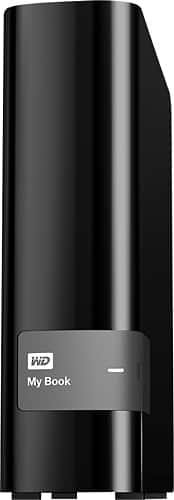
A:AnswerYes. That's all I'm using it for. It comes with the software to load on your computer to conduct backups, but you do not need to install any of it. I formatted mine for MacOS, but you can reformat to any Windows compatible format as well, and it will remove the software directory/files that come on the drive. Once you reformat, it's the same as any blank external drive.
A:AnswerI actually use these drives to make a clone of my entire operating system and files daily. Yes you can use these to backup your computer easily. If on a Mac try carbon copy cloner.
A:AnswerIt will be easier if you purchased one that had the software already installed if your not too techsavy. If you know a little bit about computers and routers you might be able to use a router that has a USB on the back to set up a wireless hard drive. I have a Netgear router and was able to use the USB to set up my hard drive to access my files on any computer in the house. Good Luck.
A:AnswerYes, it will work as an external hard drive with Windows XP.
If there is any utility software pre-loaded on the drive for backup or encryption, that software might not have been tested on the obsolete XP operating system, but that won't interfere with using the drive.
A:AnswerIn short, YES!
In long, if you are using Mac, just format to OSX Journal not case sensitive type and use it as time machine. I would use 'airport express' to do time machine backup wirelessly for 2 reasons, its wireless and convinient, and also because its an external hard drive with external power supply not a portable usb hard drive, so they are more delicate and should not be carried around.
For PC you can use a program of your choice - crashplan free version will do it for you, you can also back up your other computers to the same HDD using crashplan free program. You can also go wireless or NAS route if you have a NAS system or appropriate router.
Hope it helps!
A:AnswerYes. I have found the load and play speed to be the same. I only had an issue loading one game directly to the external drive. In this case I loaded to the internal drive and then transferred to the external drive.
A:AnswerThis will work perfectly on Windows 7.
You can use it out of the box without reformatting it, or you're welcome to load up the western digital software if you want it to auto backup and give you other options for the drive.